1
Appendix F
Memory Terms
Before you can configure your printer’s memory efficiently, you
must first understand the different types of memory and how they
work together. This user’s guide uses the following memory terms:
Memory
Memory allows your printer to store and retrieve information. It is
the space within your printer where information is stored while
being actively worked on.
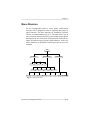
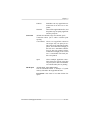
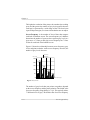
Memory Clients
A memory client is a block of memory dedicated to a specific
function. Each memory client controls certain features. When
insufficient memory is allocated to a specific client, the features it
controls may not be accessible.
Excess Memory Client
The memory remaining after providing all the other memory clients
with their specified amounts of memory is automatically added to
the excess memory client. The frame buffer is the excess memory
client on your QMS 860 Print System.
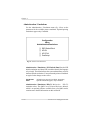
Storage
Storage is a device in or on which information can be kept. There
are three main types of storage, ROM, RAM and hard disk drives.
ROM stores read-only data, RAM represents temporary storage,
and hard disk drives hold information on a more permanent basis
(see the following definitions).
Additional Technical Information
F-3