1
Legacy Integration
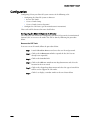
Configuring ShoreTel Voice Mail Integration Using SMDI
As mentioned before, there are two modes of operation with respect to integrating a
ShoreTel system and a legacy system:
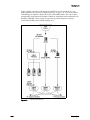
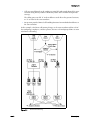
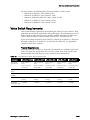
• External Voice Mail Configuration - In this configuration, the legacy system
provides voice mail services while the ShoreTel system acts as PBX for users.
• ShoreTel Voice Mail Configuration - In this configuration, the ShoreTel system
provides voice mail services while the legacy system acts as a PBX for users.
The former of these two operational modes (External voice mail) is discussed in
“Configuring Legacy Voice Mail Integration Using SMDI” on page 14-11. The
procedure for the latter configuration (ShoreTel voice mail) follows.
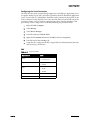
Configuring the "ShoreTel Voice Mail Configuration" consists of the following major
tasks:
•
•
•
•
•
•
•
•
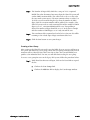
Creating a Trunk Group
Creating Trunks
Configuring the ShoreTel Server for SMDI
Creating a User Group
Adding an Individual User
Configuring the Serial Connection
Configuring Digit Translation Tables
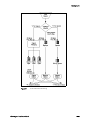
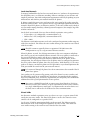
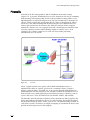
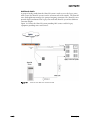
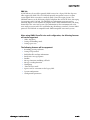
PBX link
Creating a Trunk Group
One of the first tasks involved in configuring SMDI is to create a trunk group. The
trunk group is used to manage the individual trunk lines between the ShoreTel switch
and the legacy PBX. Instructions for creating the trunk group are provided below. For
additional details on setting up trunk groups, refer to the ShoreTel 6 Administration
Guide.
To create a trunk group for SMDI trunks, follow the procedure below:
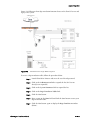
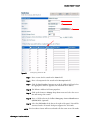
Step 1
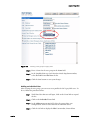
Launch ShoreWare Director and enter the user ID and password.
Step 2
Click on the Administration link to expand the list (if it has not
already been expanded).
Step 3
Click on the Trunks link to expand the list.
Step 4
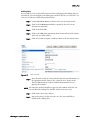
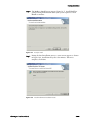
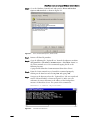
Click on the Trunk Groups link to display the Trunk Groups window.
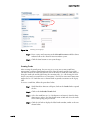
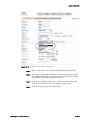
Step 5
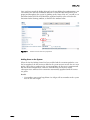
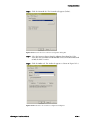
Select the trunk group site, and select Analog Loop Start for the type.
Then click the Go link.
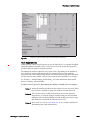
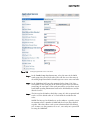
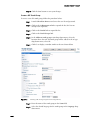
Step 6
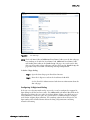
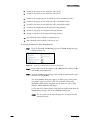
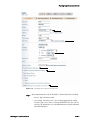
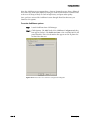
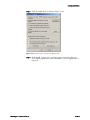
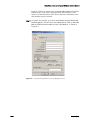
Enter a name for the trunk group in the Name field, as shown below.
Planning and Installation Guide
14 – 19