1
Useful adjustment settings
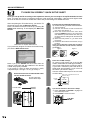
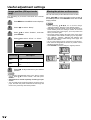
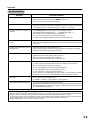
Caption Setup
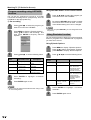
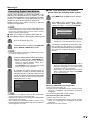
This function allows you to adjust the closed caption
screen appearance to suit your preference.
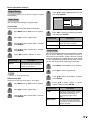
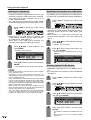
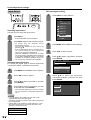
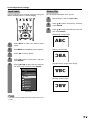
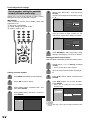
1
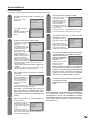
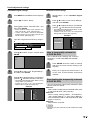
Press MENU and the MENU screen displays.
2
Press c/d to select “Option”.
3
Press a/b to select “Caption Setup”, and
then press ENTER.
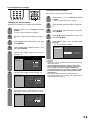
4
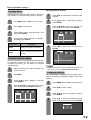
Press a/b to select a specific adjustment
item.
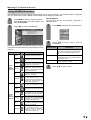
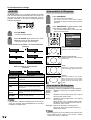
• You can choose 7 items here; they are,
1 “Caption Size”,
2 “Font Style”,
3 “Foreground Color”,
4 “Foreground Opacity”,
5 “Background Color”,
6 “Background Opacity” and
7 “Character Edge”.
ABC
123
Caption Size
Default
Font Style
Default
Foreground Color
Default
Foreground Opacity
Default
Background Color
Default
Background Opacity
Default
Character Edge
Default
Reset
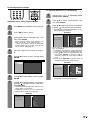
5
Press c/d to select the desired parameter.
NOTE
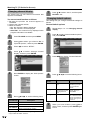
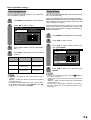
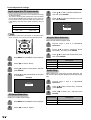
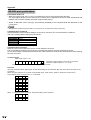
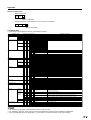
• For resetting all adjustment items to the factory preset
values, press a/b to select “Reset”, and then press
ENTER.
• Each default value is specified by broadcasting station
where available.
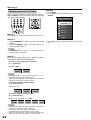
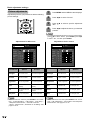
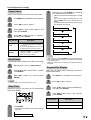
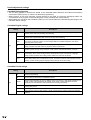
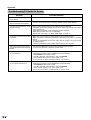
Selectable items available for “Font Style”.
Description
Selected item
Default
The font specified by broadcasting station
or default font.
Type 0
Type 1
Type 2
Type 3
Type 4
Type 5
Type 6
Type 7
Proportional font used in the MENU screen.
Monospaced with serifs.
Proportionally spaced with serifs.
Monospaced without serifs.
Proportionally spaced without serifs.
Casual font type.
Cursive font type.
Small capitals.
67