1
Watching TV (TV Guide On Screen)
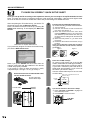
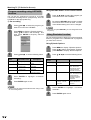
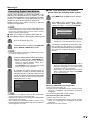
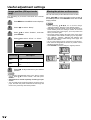
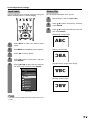
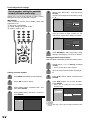
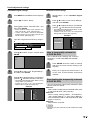
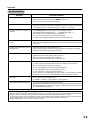
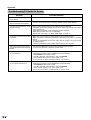
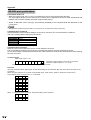
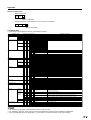
Program recording using LISTINGS
function
You can set any programs to record on a G-LINK
connected recording device (VCR) directly from the
LISTINGS for the appropriate day.
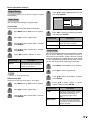
● Set recording
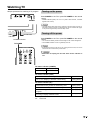
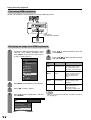
1
2
Press a/b/c/d to select the program you
want to record in the LISTINGS.
Press MENU to display “Episode Options”.
Press a/b to select “set recording”, and
then press ENTER to display “Record
Options”.
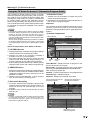
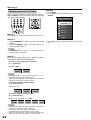
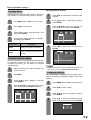
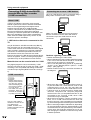
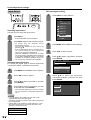
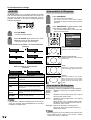
Using RECORD button on the remote control
1
Press a/b/c/d to select the program you
want to record on the LISTINGS.
2
By pressing RECORD, the program you want
to record is set to record on time. “on time”
is the default setting and can be changed.
NOTE
• Each time you press RECORD, you can change the record
frequency.
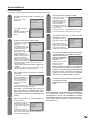
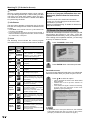
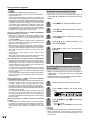
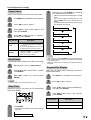
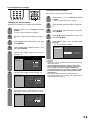
Using Reminder function
You can set this function to remind you of the screening
times for programs from LISTINGS and of programs
you have set to record.
Using Episode Options
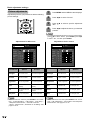
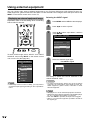
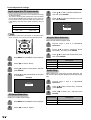
3
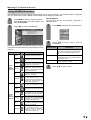
Press a/b/c/d to set the following items.
Setup
items
frequency
start
end
recorder
Selectable items
Description
once/regularly/weekly/
off
on time/120 min early
... 120 min late
on time/120 min early
... 120 min late
VCR/i.LINK
Set the recording
cycle
Set the start timing of
recording
Set the end timing of
recording
Set the external
recording device
4
Press ENTER to highlight “schedule
recording”.
5
Press ENTER again to exit.
NOTE
• Device must be selected beforehand when using i.LINK
as a recording device.
26
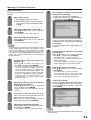
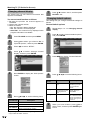
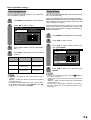
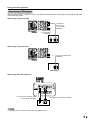
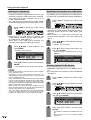
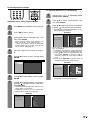
1
Press MENU to display “Episode Options”.
Press a/b to select “set reminder”, and then
press ENTER to display “Remind Options”.
2
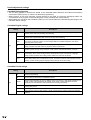
Press a/b/c/d to set the following items.
Setup
items
Selectable items
Description
frequency
once/regularly/weekly/ Set the reminder cycle
off
When this is set to
power on TV yes/no
“yes”, the TV will
automatically switch
on at the time the
reminder was set for.
When this is set to
auto tune TV yes/no
“yes”, the channel will
be automatically
changed before the
reminder screen is
displayed.
Set the timing to
when
on time/30 sec - 15
perform above two
min early ... 30 sec functions
15 min late
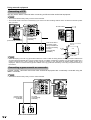
3
Press ENTER to highlight “schedule
reminder”.
4
Press ENTER again to exit.