1
eWON 500-2001-4001-4002 User Guide - Programming the eWON
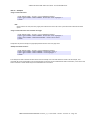
If instead of putting [EXPORT_BLOCK_DESCRIPTOR] you put &[EXPORT_BLOCK_DESCRIPTOR], then the same data is attached to the
Email. The position in the S4 field where the &[..] is placed does not matter, the attachment &[…] descriptor will NOT appear in the content itself,
but will produce the given attachment.
Example:
S4 = "Event Log data are attached to this mail &[$dtEV]"
Rem will generate an Email with "Event Log data are attached to this mail " as content
and an attachment with the events log.
See Email on alarm configuration on page 65 for the syntax of this field.
Example:
SENDMAIL "[email protected]", "", "Subject", "Message"
See also:
“GETSYS, SETSYS” on page 141, “ONxxxxxx” on page 151, “ONSTATUS” on page 153.
9.2.68
SENDSMS
Syntax[command]
SENDSMS S1,S2
• S1 is the SMS recipients list. Please please refer to chapter “SMS on alarm configuration” on page 65, for syntax of this field.
• S2 is the content of the message (maximum 140 characters).
Purpose:
This command posts a scheduled action request for an SMS generation.
When the function returns, the GETSYS PRG,"ACTIONID" returns the ID of the scheduled action and allows tracking this action.
It is also possible to program an ONSTATUS action that will be called when the action is finished (with or without success).
Example:
REM send an SMS to 2 recipients.
D$ = "0407886633,ucp,0475161622,proximus;"
D$ = D$+"0407886634,ucp,0475161622,proximus"
SENDSMS D$, "", "Message from eWON"
See also:
“GETSYS, SETSYS” on page 141, “ONxxxxxx” on page 151, “ONSTATUS” on page 153.
eWON 500®2001®4001®4002® Version 4_3_0 - User Guide - 10/5/05 - ©ACT'L sa - Page 163