1
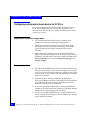
Installation Steps
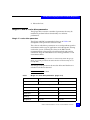
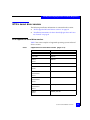
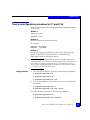
Summary of installation steps
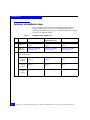
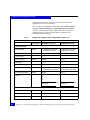
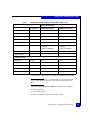
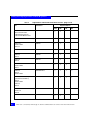
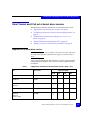
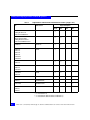
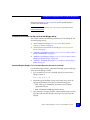
Table 1describes the procedures for installing an EMC-approved
QLogic adapters into a Linux host and configuring the host for
connection to an EMC Storage Array over Fibre Channel (FC) or Fibre
Channel over Ethernet (FCoE).
Table 1
24
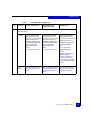
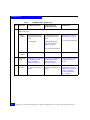
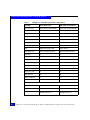
Installation steps (page 1 of 3)
Step
Instructions
For Fibre Channel, refer to
For Fibre Channel over
Ethernet (FCoE), refer to
For iSCSI, refer to
1
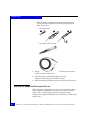
Install the
adapter .
“Installing the adapter” on
page 27
“Installing the adapter” on
page 27
“Installing the adapter” on
page 27
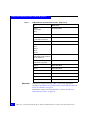
2
Verify the
BIOS version
“Verifying the correct BIOS
version” on page 36
“Verifying the correct BIOS
version” on page 36
“Verifying the correct BIOS
version” on page 36
3
Install the BIOS.
There are three states:
• If no
version is
installed
“Upgrading the adapter BIOS”
on page 37
“Upgrading the adapter BIOS”
on page 37
“Upgrading the adapter BIOS” on
page 37
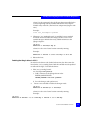
• If wrong
version is
installed
“Upgrading the adapter BIOS”
on page 37
“Upgrading the adapter BIOS”
on page 37
“Upgrading the adapter BIOS” on
page 37
• If correct
version is
installed
Proceed to step 4.
Proceed to step 4.
Proceed to step 4.
EMC Host Connectivity with QLogic FC and iSCSI HBAs and FCoE CNAs for the Linux Environment