1
Longbow.book Page 23 Thursday, August 22, 2002 11:38 AM
Hardware Upgrades
Installing an Expansion Board
To install an expansion board:
1. Shut down the operating system properly, then turn off the
workstation and any external devices. Disconnect the power cord
from the grounded AC outlet.
2. Remove the workstation access panel. See “Removing the
Workstation Access Panel” in this chapter.
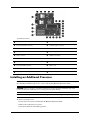
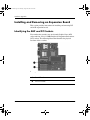
3. Locate a vacant AGP or PCI socket, depending on the type of
board that you are installing.
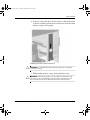
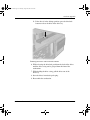
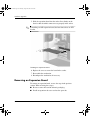
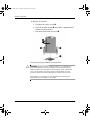
4. Remove the screw securing the expansion slot cover, then remove
the slot cover, as illustrated.
Removing the screw and expansion slot cover
Hardware Reference Guide
2–23