1
Longbow.book Page 5 Thursday, August 22, 2002 11:38 AM
Hard Drive Installation
Guidelines for Installing SCSI Devices
you mix Ultra ATA and SCSI hard drives in the same system, the
✎ IfUltra
ATA drive will be the boot drive unless the boot order is
changed in the F10 Setup.
When replacing a hard drive, the replacement drive should be of
the same type as the drive being removed. If you are replacing an
Ultra ATA hard drive with a SCSI hard drive, you will need a
multimode LVD SCSI cable option kit.
If only one SCSI hard drive is used, it should be installed in bay 4.
Before installing a SCSI device:
■
Verify the SCSI ID of the drive and, if necessary, set the SCSI ID
to a unique number. See “Guidelines for Using SCSI Devices” in
this appendix or refer to the documentation included with the
device.
■
Determine if the device requires that termination be enabled or
disabled. Set the termination if necessary. See “Using a SCSI
Cable” in this appendix or refer to the documentation included
with the device.
SCSI Controllers
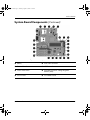
Your workstation ships with an integrated single channel Ultra 160
SCSI controller with an internal connector on the system board.
Hardware Reference Guide
B–5