1
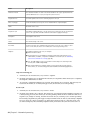
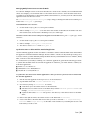
Media Storage
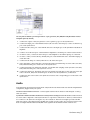
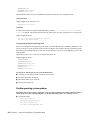
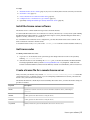
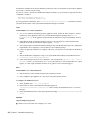
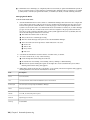
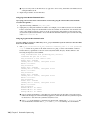
Media Storage Configures /usr/discreet/sw/cfg/stone+wire.cfg.
Backburner
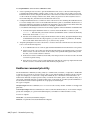
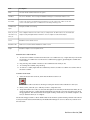
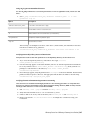
Local Server Setting The network name of the workstation running the Backburner Manager. In a standalone
setup, use localhost (the default). In a render-farm setup, enter the name of the dedicated Backburner
Manager workstation.
Xorg.conf
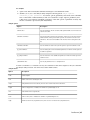
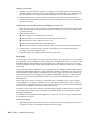
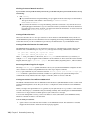
Screen Selection Configures /etc/X11/xorg.conf.
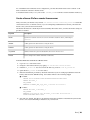
Configure media storage
This is necessary for new installations. For an upgrade you might need to upgrade projects to the current
version and transfer clip libraries.
Configure your application to use the media storage filesystem
1 Ensure the disk array or SAN storage is connected to your workstation and powered up, and that a
UNIX-compatible filesystem exists on the storage.
2 In a terminal, as root, stop Stone and Wire with the command: /etc/init.d/stone+wire stop
3 Create the Managed Media Cache directory or directories:
■ Create a point for your storage e.g. mkdir -p /mnt/StorageMedia. Do not use the reserved word
“stonefs” in the directory name. For a DAS, the DKU installer should have already created a mount
point for it at /mnt/StorageMedia (for HP Z800 workstations) or /mnt/stoneMedia (for older
workstations).
■
Mount the filesystem e.g. mount -av -t xfs -o rw,noatime,inode64 /dev/vg00/lvol1
/mnt/StorageMedia. To automatically mount at boot, create an entry for it in the /etc/fstab.
■
On the mounted filesystem create the Managed Media Cache directory. The name should include
the partition name and the hostname. Set permissions for the directory to be readable, writable,
and searchable by the owner and its group, and readable and searchable by all:
1 mkdir -p /mnt/StorageMedia/smoke1/p7
2 chown -R root:users /mnt/StorageMedia/smoke1/p7
3 chmod -R 775 /mnt/StorageMedia/smoke1/p7
■
Optionally create separate mount points and Managed Media Cache directories for each additional
volume. The DKU only creates the mount point and /etc/fstab entry for the initial volume
/dev/vg00/lvol1.
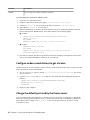
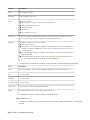
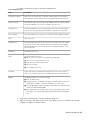
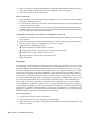
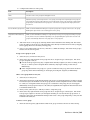
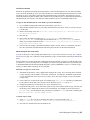
4 Configure Stone and Wire by editing the the following keywords in
/usr/discreet/sw/cfg/stone+wire.cfg. Usage is documented in comments in the file. This file can
also be edited with the graphical Setup utility.
■
Path
■
Name
■
Shared
■
[DefaultFileFormats]
■
SymlinkAcrossFilesystems
Software configuration | 33