1
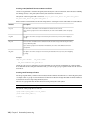
To set up bandwidth reservation for a group of applications:
1 Open the /usr/discreet/sw/cfg/sw_bwmgr.cfg file in a text editor.
2 In the [Groups] section, add a line for each group of applications you want to define. The syntax of
the line is as follows:
<group_name>=<application_name> <application_name>
where:
■
<group_name> is the custom name of the group. The group name must not contain spaces and must
not be the same as one of the predefined application names.
■
Each <application_name> represents the name of an application in the group. This parameter can
take one of the following predefined values: “inferno”, “flame”, “flint”, “smoke”, “stonifiseTool”,
“publishTool”, “S+W Server”, “IFFFS Wiretap Server”, or “IFFFSTool” for other Creative Finishing
command-line tools.
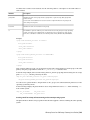
3 After you have defined the group, go to the [Device]section for the appropriate partition and add a
Reservation line for the new group. The syntax is the same as when adding a reservation for a single
application. For example (using the “IFFFSTools” group from the previous step):
Reservation1=IFFFSTools 50 50
4 Save and close the configuration file, and restart Stone and Wire by typing:
/etc/init.d/stone+wire restart
For additional information on all the parameters in the Bandwidth Manager configuration file, and for a
list of application names you can use when defining reservations, see the comments inside the configuration
file.
Monitor partition fill rate
As each disk in a storage array gets filled near capacity, once a certain threshold is reached, its overall read
and write performance decreases.
Free up space on your array by archiving and deleting projects. Or reinitialise your partition, making sure
that you restore from archive only the projects you need to work on.
For an XFS filesystem on direct-attached storage, keep the partition fill rate below 90% for best performance.
The Stone and Wire database may experience corruption if there is too little available space on the disk
where clip metadata is stored.
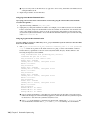
Configure the Stone and Wire database to automatically shut off when there is too little free space:
1 As root, open the /usr/discreet/sw/cfg/sw_dbd.cfg file in a text editor.
2 In the [Disk Check] section uncomment the Enabled and Minimum keywords.
3 Set the value of the Minimum keyword to the minimum allowed amount of free space on the disk (in
Megabytes). If the amount of free space on the disk falls below this threshold, the Stone and Wire
database daemon automatically shuts off.
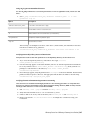
4 Optional: uncomment the Timeout keyword, and set how often the Stone and Wire daemon should
check the available disk space. The default value is 30 seconds.
5 Save and close the configuration file.
6 Restart Stone and Wire: /etc/init.d/stone+wire restart.
Software configuration | 51