1
4. Create an initialization file in the remote print service
directory.
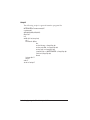
❏ If your network protocol is TCP/IP, the format of the file
is as follows:
REMPRT <serial number> <portname>
<serial number><portname>
<serial number><portname>
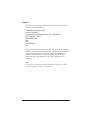
❏ If your network protocol is NetBEUI, the format is as
follows:
REMPRT3 <serial number>
<portname><serial number><portname>
<serial number><portname>
Note:
The remote print service uses this file at startup to assign the printer
to the workstations’ portnames. The file identifies the shared
EPL-N2000 printer by the serial number of its Ethernet card, and
each workstation by the portnames assigned in steps 2 and 3. For
example, if the printer’s Ethernet card has the serial number
10900416, and the printer is shared by three workstations, the
initialization file might contain the following:
REMPRT 100900416 PORTA PORTB PORTC
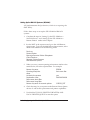
5. Edit STARTUP.CMD in your workstation’s root directory to
include the REMPRT command and the initialization file as
the last line.
❏ If your network protocol is TCP/IP, type the following:
\EPNET\REMPRT @ REMPRT.INI
❏ If your network protocol is NetBEUI, type the following:
\EPNET\REMPRT @ REMPRT3.INI
Configuring the EPL-N2000 for OS/2 6-11