1
3.7 Installing the Windows NT Operating System
This section supplements the Microsoft Windows NT installation guide for
installing the Windows NT operating system on the AlphaPC 164, EB164,
AlphaPC 64, EB66+, EB64+, and EB66.
If you have a previous version of Windows NT installed, see the Microsoft
Windows NT installation guide for information about how to upgrade to a new
version of the operating system.
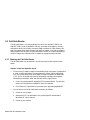
3.7.1 Before Installing Windows NT
Before you install Windows NT, ensure that you have completed the following
tasks:
•
Defined the environment variables for the default system partition. For more
information about describing your system configuration, see the description
for Set default environment variables . . . in Section 3.4.3.
•
Described your system configuration to the firmware. For more information
about describing your system configuration, see the description for Set
default configuration . . . in Section 3.4.3.
•
Provided the required system partition on your hard disk. For more
information on creating the system partition, see Section 3.4.5.
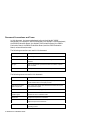
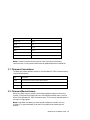
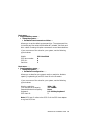
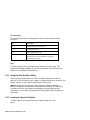
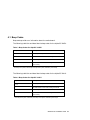
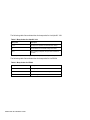
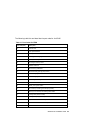
The following table specifies the free space and file-system requirements for
installing Windows NT:
1
Item
Free Space Required
File-System Requirement
System partition
5MB
FAT
Windows NT
161MB
FAT or NTFS
1
System partition must be FAT.
The system partition is the disk partition that contains the hidden files
OSLOADER.EXE and HAL.DLL in the subdirectory \OS\WINNT351. If the system
partition is large enough, it can also contain Windows NT, or you may choose to
use a separate partition. The system partition and Windows NT may be on
different hard disks.
Windows NT Installation Guide 27