1
Deployment Primer
Create a flow plan for the network traffic by doing the following:
•
Understand each IWSVA service’s purpose and function
•
Determine each service's valid data sources. For example, does the HTTP service
receive requests directly from the HTTP browsers, or indirectly through an ICAP
proxy device?
•
Determine which ports to use for the service. For instance, by default, the HTTP
proxy service uses port 8080, and the FTP service uses port 21. However, if another
application or service is using port 8080, the administrator must configure the
HTTP proxy service to use a different port.
•
Determine each service’s valid data destinations. For example, does the HTTP proxy
service send validated requests directly to the Web site? Or, does the HTTP proxy
service send the validated request to an upstream HTTP proxy?
•
Add in any service-specific considerations. For instance, the HTTP service flow
might include an ICAP device, but the FTP service flow does not.
•
If you want IWSVA to see traffic across all ports, ensure that the upstream switch to
IWSVA is passing all traffic to IWSVA while in Transparent Bridge mode.
Using the information gathered in the previous paragraphs, administrators can
determine which one of the possible flows is best to use for the installation.
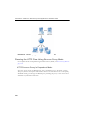
Planning the HTTP Flow
If you are only interested in IWSVA filtering HTTP traffic, then consider the following
deployment mode options:
•
HTTP Proxy
•
ICAP device
•
WCCP device
•
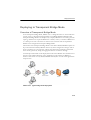
Transparent Bridge
•
Simple Transparency
•
Reverse Proxy
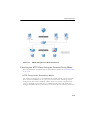
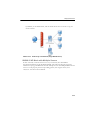
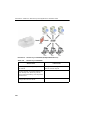
The flow involving an ICAP or WCCP device is very different from the flows that do
not involve ICAP or WCCP devices.
2-5