1
7
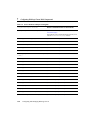
Configuring WebLogic Server Web Components
Attribute
Description
Range of Values
Default Value
Max Post Time
This attribute sets the time
(in seconds) that
WebLogic Server waits
for chunks of data in an
HTTP POST data.
Integer
0
Max Post Size
This attribute sets the size
of the maximum chunks
of data in an HTTP POST
data.
Integer
0
External DNS Address
If your system includes an
address translation
firewall that sits between
the clustered WebLogic
Servers and a plug-in to a
web server front-end,
such as the Netscape
(proxy) plug-in, set this
attribute to the address
used by the plug-in to talk
to this server.
Configuring the Listen Port
You can specify the port that each WebLogic Server listens on for HTTP requests.
Although you can specify any valid port number, if you specify port 80, you can omit
the port number from the HTTP request used to access resources over HTTP. For
example, if you define port 80 as the listen port, you can use the form
http://hostname/myfile.html instead of
http://hostname:portnumber/myfile.html.
You define a separate listen port for regular and secure (using SSL) requests. You
define the regular listen port on the Servers node in the Administration Console, under
the Configuration/General tab, and you define the SSL listen port under the
Connections/SSL tab.
7-4
Configuring and Managing WebLogic Server










































































![[1 ] Oracle® Fusion Middleware](http://vs1.manualzilla.com/store/data/005864196_1-9da2f2f6c7b4ef8d293b35b0c50291d0-150x150.png)