1
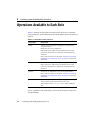
Operations Available to Each Role
While you can create any number of additional roles for use in your applications, only
the roles in Table 8-1 have permission to view or change the configuration of a
WebLogic Server. To define a role, use the Administration Console. For more
information, refer to Granting Roles in the Managing WebLogic Security guide.
Default Group Associations
By default, a WebLogic Server defines four groups that correspond to the four global
roles. By adding a username to one of these groups, the user will also be in the
corresponding global role. (See Table 8-2.)
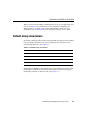
Table 8-2 Default Group Associations
Members of This Group
Are In This Role
Administrators
Admin
Deployers
Deployer
Operators
Operator
Monitors
Monitor
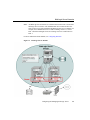
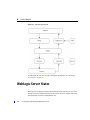
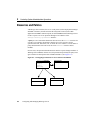
Membership in a group is a static identity that a system administrator assigns, while
membership in a role can be dynamically calculated based on data such as group
membership, username, or the time of day. (See Figure 8-1.)
Configuring and Managing WebLogic Server
8-3











































































![[1 ] Oracle® Fusion Middleware](http://vs1.manualzilla.com/store/data/005864196_1-9da2f2f6c7b4ef8d293b35b0c50291d0-150x150.png)