1
Starting and Stopping Node Manager ............................................................... 4-6
Starting Node Manager as a Service .......................................................... 4-7
Starting Node Manager with Commands or Scripts................................... 4-7
Command Syntax for Starting Node Manager.................................... 4-7
Node Manager Environment Variables ...................................................... 4-9
Node Manager Properties ......................................................................... 4-10
Stopping Node Manager........................................................................... 4-12
Troubleshooting Node Manager ...................................................................... 4-13
Managed Server Log Files........................................................................ 4-13
Node Manager Log Files................................................................... 4-14
Correcting Common Problems.......................................................... 4-14
Node Manager and Managed Server States.............................................. 4-16
5. Setting Up a WebLogic Server as a Windows Service
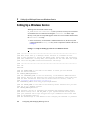
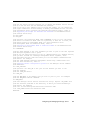
Setting Up a Windows Service................................................................... 5-2
Using a Non-Default JVM with a Windows Service ................................. 5-5
Verifying the Setup..................................................................................... 5-5
Using the Control Panel to Stop or Restart the Service.............................. 5-6
Removing a Server as a Windows Service................................................. 5-6
Changing Startup Credentials for a Server Set Up as a Windows Service 5-7
The WebLogic Server Windows Service Program (beasvc.exe) ............... 5-8
6. Server Lifecycle
Lifecycle Overview ........................................................................................... 6-1
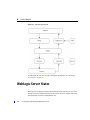
WebLogic Server States .................................................................................... 6-2
Getting Server State.................................................................................... 6-3
Understanding Server State ........................................................................ 6-4
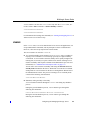
SHUTDOWN ...................................................................................... 6-4
STARTING ......................................................................................... 6-4
STANDBY .......................................................................................... 6-5
RESUMING ........................................................................................ 6-6
RUNNING .......................................................................................... 6-6
SUSPENDING .................................................................................... 6-6
SHUTDOWN ...................................................................................... 6-7
FAILED............................................................................................... 6-7
-vii
Configuring and Managing WebLogic Server













































































![[1 ] Oracle® Fusion Middleware](http://vs1.manualzilla.com/store/data/005864196_1-9da2f2f6c7b4ef8d293b35b0c50291d0-150x150.png)