1
4
Configuring, Starting, and Stopping Node Manager
Set the Listen Address using the Server-->Configuration-->General tab in the
Administration Console.
Configure SSL for Node Manager
Communication between Node Manager and an Administration Server uses the Secure
Socket Layer (SSL) protocol, configured for two-way SSL.
Authentication requires use of the public key infrastructure, including a
password-protected private key and a user identify certificate.
The default WebLogic Server installation includes demonstration key and certificate
files that allow you to use SSL communication out of the box. The files—
DemoIdentity.jks, DemoTrust.jks, and demo.crtsetup—are installed in
WLSHome/server/lib. No additional configuration is necessary if you are using the
sample key and certificate files.
Configure Monitoring, Shutdown and Restart for Managed Servers
Node Manager’s default monitoring shutdown and restart behaviors are described in
“Default Configuration” on page 4-2. To reconfigure the behavior, see “Configure
Monitoring, Shutdown and Restart for Managed Servers” in Administration Console
Online Help.
Note: These features are available when the conditions described in
“Prerequisites for Automatic Restart of Managed Servers” on page 3-8 are
met.
Starting and Stopping Node Manager
These sections describe methods of starting Node Manager, required environment
variables, and command line arguments.
4-6
!
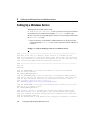
“Starting Node Manager as a Service” on page 4-7
!
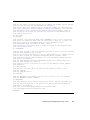
“Starting Node Manager with Commands or Scripts” on page 4-7
!
“Node Manager Environment Variables” on page 4-9
Configuring and Managing WebLogic Server