1
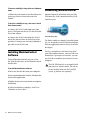
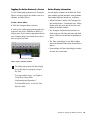
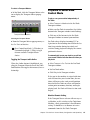
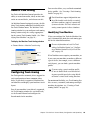
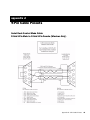
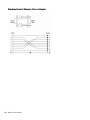
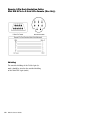
To increase reliability in long cable runs in Remote mode: Authorizing MachineControl Follow the instructions as described above for setting up a Rosetta Stone convertor for a Tamura MachineControl is authorized using the iLok USB Smart Key (iLok), manufactured by PACE Anti-Piracy, Inc. To increase reliability in long cable runs in Serial Deck Control mode: 1 Connect the RS-232 cable from your com- puter’s COM port into the RS-232 side of the Rosetta Stone adapter. 2 Connect the RS-422 cable from the RS-422 iLok USB Smart Key side of the Rosetta Stone to the deck or 9-pin patch bay. If a longer run is needed, add more 9pin cable on the RS-422 end. The iLok is similar to a dongle, but unlike a dongle, it is designed to securely authorize multiple software applications from a variety of software developers. Installing MachineControl Software To install MachineControl, you can use the Pro Tools Installer disc, or the MachineControl Installer disc. To install MachineControl software: 1 Insert the Installer disc into your computer. 2 Locate and and double-click the MachineControl installer application. 3 Follow the on-screen instructions to complete installation. 4 When installation is complete, click Finish (Windows) or Close (Mac). 8 MachineControl Guide This key can hold over 100 licenses for all of your iLok-enabled software. Once an iLok is authorized for a given piece of software, you can use the iLok to authorize that software on any computer. The iLok USB Smart Key is not supplied with your plug-in or software option. You can use the one included with your Pro Tools|HD system, or purchase one separately.