1
Advanced Features
Advanced Features
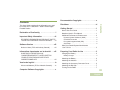
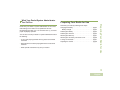
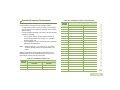
Use this navigation guide to learn more about advanced
features available with your radio:
Advanced Call Features . . . . . . . . . . . . . . . . . . . . . . . page 28
Scan Lists . . . . . . . . . . . . . . . . . . . . . . . . . . . . . . . . . . page 30
Scan . . . . . . . . . . . . . . . . . . . . . . . . . . . . . . . . . . . . . . page 31
Call Alert Paging . . . . . . . . . . . . . . . . . . . . . . . . . . . . . page 33
Emergency Operation . . . . . . . . . . . . . . . . . . . . . . . . . page 33
Fireground (Conventional Only) . . . . . . . . . . . . . . . . . page 37
Tactical Public Safety(TPS) (Conventional Only) . . . . page 39
Man Down . . . . . . . . . . . . . . . . . . . . . . . . . . . . . . . . . . page 40
Secure Operations . . . . . . . . . . . . . . . . . . . . . . . . . . . page 44
Trunking System Controls . . . . . . . . . . . . . . . . . . . . . . page 48
Mission Critical Wireless - Bluetooth® - . . . . . . . . . . . page 50
Programming Over Project 25 (POP 25) (ASTRO 25 and
ASTRO Conventional) . . . . . . . . . . . . . . . . . . . . . . . page 54
Utilities. . . . . . . . . . . . . . . . . . . . . . . . . . . . . . . . . . . . . page 55
28
English
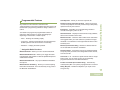
Advanced Call Features
Receiving and Responding to a Selective Call
(Conventional Only)
This feature allows you to receive a call from or to call a specific
individual. It is intended to provide privacy and to eliminate the
annoyance of having to listen to conversations that are of no
interest to you.
Procedure:
1 When you receive a Selective Call, you hear two alert tones
and the LED lights up solid yellow. The backlight of the
screen turns green momentarily and the display briefly
shows CALL RCV.
2 The speaker unmutes.
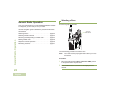
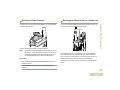
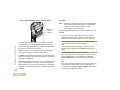
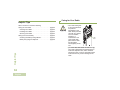
3 Hold the radio vertically 1 to 2 inches (2.5 to 5.0 cm) from
your mouth.
4 Press and hold the PTT button to talk. Release the PTT
button to listen.
You cannot initiate a Selective Call.