1
Emulate Mode vs. Live Mode
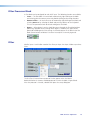
The DSP Configurator program has two operational modes: Live and Emulate. In live
mode, the program has established a connection and is synced with the MVC 121.
Changes affect the device in real-time and changes in the current state of the device
are reflected in the DSP Configurator. In contrast, emulate mode allows the user to
work offline, creating or editing configurations that do not immediately affect MVC 121
operation.
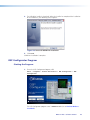
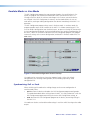
The DSP Configurator program always starts in Emulate mode. In emulate mode, the
program provides access to all functions of the MVC 121 without connecting to it. The
user can build a configuration from the blank screen, or open an existing file that contains
the last configuration displayed. Settings and adjustments are saved to a configuration file
on the PC. When the saved file is opened in the DSP Configurator program, the program
restores all settings as the current configuration (emulated if in Emulate mode or live if in
Live mode).
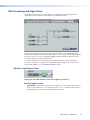
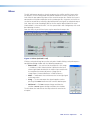
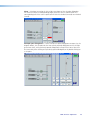
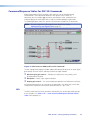
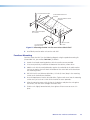
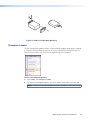
Figure 24.Main DSP Configuration Screen at Startup
Live mode can be entered at any time after program launch, either with a blank
configuration, after creating a configuration, or after loading a previously saved
configuration file.
Synchronizing: Pull vs. Push
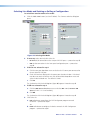
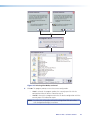
When switching to live mode after making changes to the current configuration in
emulate mode, either:
•
Pull data from the device and update the DSP Configurator program configuration.
This option downloads device settings from the MVC 121 and synchronizes it with the
DSP Configurator program overwriting the current DSP Configurator settings, or
•
Push data from the DSP Configurator program to the device, overwriting settings in
the MVC 121.
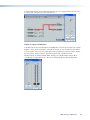
Live mode can also be used to tailor audio settings in real‑time while listening to the audio
output.
MVC 121 Plus • Software Control
45