1
8
8.3.5
NCM S7 Diagnostics
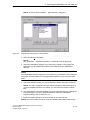
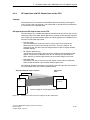
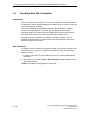
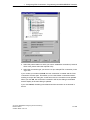
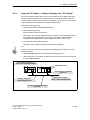
Using the PC Station − Setting a Gateway with “PC internal”
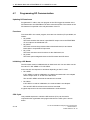
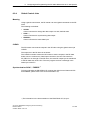
There is a special situation when you use your PC/PG as a PC station and have
therefore set the interface to PC internal (local) in “Setting the PG/PC Interface”.
You must them set parameter values for the gateway, even when you do not need
to go through any other gateway to reach the target station.
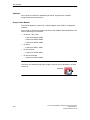
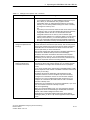
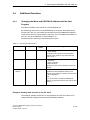
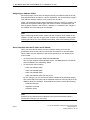
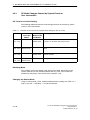
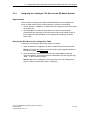
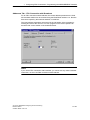
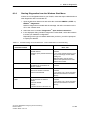
Select the following settings:
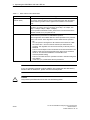
Gateway attachment: MPI/PROFIBUS/AUTO
Node address (gateway)
Enter the index of the module here.
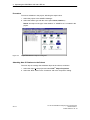
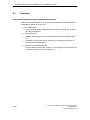
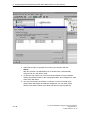
The index is the virtual slot address of the component (can be displayed using
the Station Configuration Editor). The index is identical to the slot number
selected during configuration of the PC station in STEP 7 HW Config!
S7 subnet ID of destination network:
Follow the same steps as described for setting the gateway.
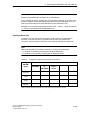
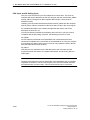
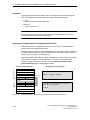
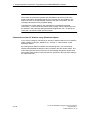
Tip:
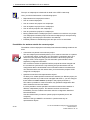
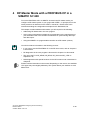
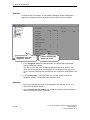
You do not need to make these settings for the gateway if you select one of the
following options:
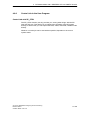
Start NCM Diagnostics from the Properties dialog of the CP.
When setting up your module, do not select the interface as PC internal (local)
in “Set PG/PC Interface”.
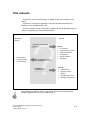
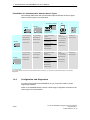
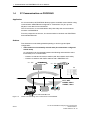
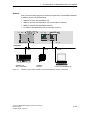
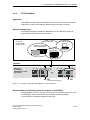
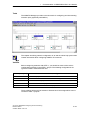
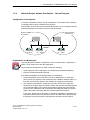
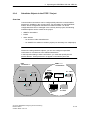
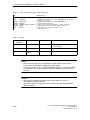
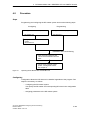
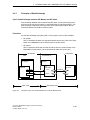
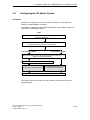
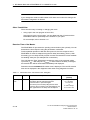
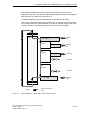
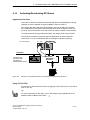
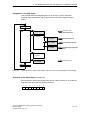
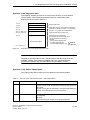
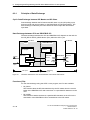
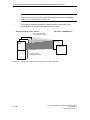
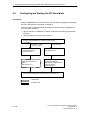
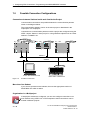
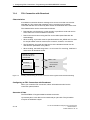
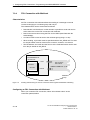
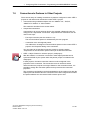
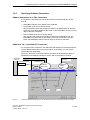
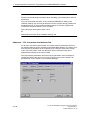
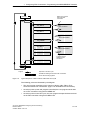
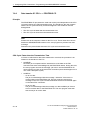
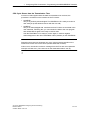
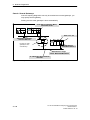
Node address (gateway) : 2
(here, the index of the module!)
Rack / slot : 0/4
PC station
S7 − 300
OPC
serv
er
CP
U
CP
CP
Gateway attachment:
MPI/PROFIBUS/AUTO
Node address: PROFIBUS
address 12
Attachment of target
station : MPI/PROFIBUS/AUTO
S7 subnet ID of target network:
0001 0001
Figure 8-5
Example of Settings with “PC internal”
S7-CPs for PROFIBUS Configuring and Commissioning
Release 09/2011
C79000−G8976−C181−05
A−189