1
Handset Configuration
2
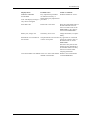
In the In charger action drop-down list, select one of the following:
•
•
•
•
5.11.2
No action - no action will be performed when handset is placed in charger
Switch off - the handset will be switched off when placed in charger
Redirect - the handset will redirect all calls when placed in charger. Note: The
destination number must be programmed in the PBX to be able to redirect calls.
Sound off - the handset will be silenced when placed in charger
Clear Lists when inserted in Charger
The handset can be configured to clear lists when placed in a charger. The following call lists
will then be cleared:
• Call list
• Missed calls
Using the PDM and the "Edit template" feature, the parameter can be found at
Connections > In_Charger > Clear_Lists_In_Charger
in a template or parameter definition file (.def).
The default setting for "Clear list in charger" is "Off". The feature is activated by changing the
parameter value to "On". When the feature is enabled, the lists are cleared when the handset is
placed in the charger.
5.12 Disable Homebase GAP Registration
When the feature is enabled, it is not possible to register to a home base.
Using the "Edit template" feature in the PDM, the parameter can be found at
Systems > Home_Base_Subscription.
The parameter shall be set to "Enable" for registration of a new base station. The default value is
"Disable".
5.13 Require Encrypted Base Station
The handset can be configured to establish calls via encrypted base stations only. This is used to
avoid snooping in the telephony network.
Requirements:
•
•
The encryption is enabled in the base station. See IP-DECT Base Station V2 Installation and
Operation Manual.
The base station software version must be 3.1.x or greater.
Using the "Edit template" feature in the PDM, the parameter can be found at
Systems > Encryption required.
When the parameter is set to "Yes", it is only possible to establish calls via encrypted base
stations. The default value is "No".
5.14 Protect registration from user deletion
It is possible to protect or not protect a registration from deletion via the handset menu by
altering the parameter “Protected flag”. In a template/Number in PDM/WSM3, the parameter is
found at:
Systems > System X > Registration data.
17