1
ZLUHOHVVVHUYHUERRN3DJH)ULGD\0D\30
Configuring the Print Server
After the software is installed, you’re ready to establish a connection to the
print server and configure it for your wireless network.
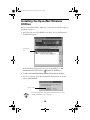
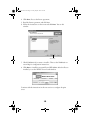
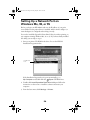
Click START
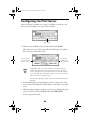
1. When you see the Wireless Server Search window, click START.
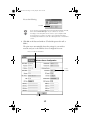
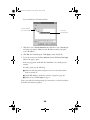
Wait until you see server information like the following (you should not
have to wait more than 60 seconds):
This information
appears when the
server is found
This number
indicates the
signal strength
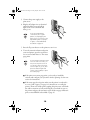
If WP-Admin fails to pick up a signal from the print server, try
holding down the print server’s test button for five seconds to
reset it. The lights go out, then both the green and yellow lights
come on briefly. The yellow light remains on when your network
has a connection to the print server.
If it still fails to pick up a signal, check the solutions beginning on
page 40.
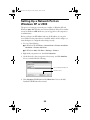
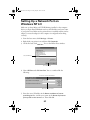
2. If WP-Admin picks up a signal from more than one print server, select
the connection that matches the MAC address on the back of your print
server.
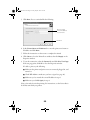
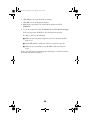
3. Check the signal strength to make sure you have a good link to the print
server. If you have a link, click STOP. Then click CONFIGURE.
You see a password window.
34