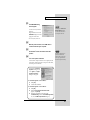
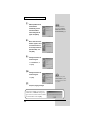
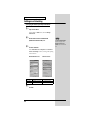
1
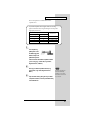
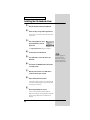
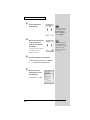
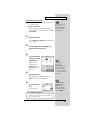
Getting Started
Thank you for purchasing the UA-5 USB Audio Interface.
Before using this unit, carefully read the sections entitled: “USING
THE UNIT SAFELY” and “IMPORTANT NOTES” (Getting
Started p. 2- p.4). These sections provide important information
concerning the proper operation of the unit. Additionally, in order
to feel assured that you have gained a good grasp of every feature
provided by your new unit, Getting Started should be read in its
entirety. The manual should be saved and kept on hand as a
convenient reference.
Copyright © 2001 ROLAND CORPORATION
All rights reserved. No part of this publication may be reproduced in any
form without the written permission of ROLAND CORPORATION.
USING THE UNIT SAFELY
The
symbol alerts the user to important instructions
or warnings.The specific meaning of the symbol is
determined by the design contained within the
triangle. In the case of the symbol at left, it is used for
general cautions, warnings, or alerts to danger.
Used for instructions intended to alert
the user to the risk of death or severe
injury should the unit be used
improperly.
Used for instructions intended to alert
the user to the risk of injury or material
damage should the unit be used
improperly.
* Material damage refers
other adverse effects
respect to the home
furnishings, as well
animals or pets.
to damage or
caused with
and all its
to domestic
001
• Before using this unit, make sure to
read the instructions below, and the
Owner’s Manual.
..................................................................................................
002c
• Do not open (or modify in any way)
the unit or its AC adaptor.
..................................................................................................
003
• Do not attempt to repair the unit, or
replace parts within it (except when
this manual provides specific instructions directing you to do so). Refer all
servicing to your retailer, the nearest
Roland Service Center, or an authorized Roland distributor, as listed on
the "Information" page.
..................................................................................................
004
• Never use or store the unit in places
that are:
• Subject to temperature extremes
(e.g., direct sunlight in an enclosed
vehicle, near a heating duct, on top
of heat-generating equipment); or
are
• Damp (e.g., baths, washrooms, on
wet floors); or are
• Humid; or are
• Exposed to rain; or are
• Dusty; or are
• Subject to high levels of vibration.
2
The
symbol alerts the user to items that must never
be carried out (are forbidden). The specific thing that
must not be done is indicated by the design contained
within the circle. In the case of the symbol at left, it
means that the unit must never be disassembled.
The ● symbol alerts the user to things that must be
carried out. The specific thing that must be done is
indicated by the design contained within the circle. In
the case of the symbol at left, it means that the powercord plug must be unplugged from the outlet.
007
• Make sure you always have the unit
placed so it is level and sure to remain
stable. Never place it on stands that
could wobble, or on inclined surfaces.
..................................................................................................
009
• Do not excessively twist or bend the
power cord, nor place heavy objects
on it. Doing so can damage the cord,
producing severed elements and short
circuits. Damaged cords are fire and
shock hazards!
..................................................................................................
010
• This unit, either alone or in combination with an amplifier and
headphones or speakers, may be
capable of producing sound levels that
could cause permanent hearing loss.
Do not operate for a long period of
time at a high volume level, or at a
level that is uncomfortable. If you
experience any hearing loss or ringing
in the ears, you should immediately
stop using the unit, and consult an
audiologist.
..................................................................................................
011
• Do not allow any objects (e.g.,
flammable material, coins, pins); or
liquids of any kind (water, soft drinks,
etc.) to penetrate the unit.
012c
• Immediately turn the power off,
remove the AC adaptor from the
outlet, and request servicing by your
retailer, the nearest Roland Service Center, or
an authorized Roland distributor, as listed on
the "Information" page when:
• The AC adaptor or the power-supply cord
has been damaged; or
• Objects have fallen into, or liquid has been
spilled onto the unit; or
• The unit has been exposed to rain (or
otherwise has become wet); or
• The unit does not appear to operate
normally or exhibits a marked change in
performance.
..................................................................................................
013
• In households with small children, an
adult should provide supervision until
the child is capable of following all the
rules essential for the safe operation of
the unit.
..................................................................................................
014
• Protect the unit from strong impact.
(Do not drop it!)
..................................................................................................
015
• Do not force the unit’s power-supply
cord to share an outlet with an unreasonable number of other devices. Be
especially careful when using extension
cords—the total power used by all devices
you have connected to the extension cord’s
outlet must never exceed the power rating
(watts/amperes) for the extension cord.
Excessive loads can cause the insulation on
the cord to heat up and eventually melt
through.
..................................................................................................
016
• Before using the unit in a foreign
country, consult with your retailer, the
nearest Roland Service Center, or an
authorized Roland distributor, as
listed on the "Information" page.
..................................................................................................
023
• DO NOT play a CD-ROM disc on a
conventional audio CD player. The
resulting sound may be of a level that
could cause permanent hearing loss.
Damage to speakers or other system
components may result.
101b
• The unit and the AC adaptor should
be located so their location or position
does not interfere with their proper
ventilation.
..................................................................................................
102d
• Always grasp only the plug or the
body of the AC adaptor when
plugging into, or unplugging from, an
outlet or this unit.
..................................................................................................
103b
• Whenever the unit is to remain
unused for an extended period of
time, disconnect the AC adaptor.
..................................................................................................
104
• Try to prevent cords and cables from
becoming entangled. Also, all cords
and cables should be placed so they
are out of the reach of children.
..................................................................................................
106
• Never climb on top of, nor place heavy
objects on the unit.
..................................................................................................
107d
• Never handle the AC adaptor body, or
its plugs, with wet hands when
plugging into, or unplugging from, an
outlet or this unit.
..................................................................................................
108b
• Before moving the unit, disconnect the
AC adaptor and all cords coming from
external devices.
..................................................................................................
109b
• Before cleaning the unit, turn off the
power and unplug the AC adaptor
from the outlet .
..................................................................................................
110b
• Whenever you suspect the possibility
of lightning in your area, disconnect
the AC adaptor from the outlet.
..................................................................................................
118
• Should you remove the optical
connector caps, make sure to put them
in a safe place out of children's reach,
so there is no chance of them being
swallowed accidentally.
3
IMPORTANT NOTES
291a
In addition to the items listed under “USING THE UNIT SAFELY” on page 2-3, please read and
observe the following:
Power
Supply
301
553
• Do not use this unit on the same power circuit
with any device that will generate line noise
(such as an electric motor or variable lighting
system).
• Use a reasonable amount of care when using
the unit’s buttons, sliders, or other controls;
and when using its jacks and connectors.
Rough handling can lead to malfunctions.
Additional Precautions
302
556
• The AC adaptor will begin to generate heat
after long hours of consecutive use. This is
normal, and is not a cause for concern.
• When connecting / disconnecting all cables,
grasp the connector itself—never pull on the
cable. This way you will avoid causing shorts,
or damage to the cable’s internal elements.
307
• Before connecting this unit to other devices,
turn off the power to all units. This will help
prevent malfunctions and/or damage to
speakers or other devices.
Placement
351
• Using the unit near power amplifiers (or
other equipment containing large power
transformers) may induce hum. To alleviate
the problem, change the orientation of this
unit; or move it farther away from the source
of interference.
352
• This device may interfere with radio and
television reception. Do not use this device in
the vicinity of such receivers.
354a
• Do not expose the unit to direct sunlight,
place it near devices that radiate heat, leave it
inside an enclosed vehicle, or otherwise
subject it to temperature extremes. Excessive
heat can deform or discolor the unit.
355
• To avoid possible breakdown, do not use the
unit in a wet area, such as an area exposed to
rain or other moisture.
Maintenance
401a
• For everyday cleaning wipe the unit with a
soft, dry cloth or one that has been slightly
dampened with water. To remove stubborn
dirt, use a cloth impregnated with a mild,
non-abrasive detergent. Afterwards, be sure
to wipe the unit thoroughly with a soft, dry
cloth.
402
• Never use benzine, thinners, alcohol or
solvents of any kind, to avoid the possibility
of discoloration and/or deformation.
4
558a
• To avoid disturbing your neighbors, try to
keep the unit’s volume at reasonable levels.
You may prefer to use headphones, so you do
not need to be concerned about those around
you (especially when it is late at night).
559a
• When you need to transport the unit, package
it in the box (including padding) that it came
in, if possible. Otherwise, you will need to use
equivalent packaging materials.
562
• Use a cable from Roland to make the
connection. If using some other make of
connection cable, please note the following
precautions.
• Some connection cables contain resistors.
Do not use cables that incorporate resistors
for connecting to this unit. The use of such
cables can cause the sound level to be
extremely low, or impossible to hear. For
information on cable specifications, contact
the manufacturer of the cable.
564
• Before you open the included CD-ROM, you
must read the “license agreement.” Opening
the CD-ROM will be taken to mean your
acceptance of the license agreement.
Handling CD-ROMs
801
• Avoid touching or scratching the shiny
underside (encoded surface) of the disc.
Damaged or dirty CD-ROM discs may not be
read properly. Keep your discs clean using a
commercially available CD cleaner.
CONTENTS
USING THE UNIT SAFELY ..................................................................... 2
IMPORTANT NOTES............................................................................... 4
Features of the UA-5 .............................................................................. 6
Check the contents of the package ...................................................... 8
Names of things and what they do ..................................................... 10
Front panel................................................................................................................. 10
Rear panel .................................................................................................................. 13
Block diagram............................................................................................................ 14
Getting Connected and Installing Drivers (Windows)....................... 15
What is a driver? ....................................................................................................... 15
Advanced mode and Standard mode.................................................................... 15
Installing the special driver ..................................................................................... 16
Installing the OS-standard driver........................................................................... 25
Settings and checking............................................................................................... 30
Getting Connected and Installing Drivers (Macintosh)..................... 34
What is a driver? ....................................................................................................... 34
Advanced mode and Standard mode.................................................................... 34
Installing the special driver ..................................................................................... 35
Installing the OS-standard driver........................................................................... 38
UA-5 application guide......................................................................... 42
Basic use ..................................................................................................................... 42
Recording a guitar or bass ....................................................................................... 43
Recording from a mic............................................................................................... 44
Recording from a keyboard..................................................................................... 45
Recording from the AUX input .............................................................................. 46
Digitally recording from a CD/MD/DAT............................................................ 47
Digitally recording the output of the UA-5 on an MD........................................ 48
Adjusting the audio latency .................................................................................... 49
Using ASIO Direct Monitor..................................................................................... 50
Troubleshooting ................................................................................... 52
Problems related to the USB driver........................................................................ 52
Problems when using the UA-5.............................................................................. 56
Deleting the special driver....................................................................................... 63
Main Specifications .............................................................................. 66
* Microsoft and Windows are registered trademarks of Microsoft Corporation.
206e
* Screen shots in this documents are reprinted with permission from Microsoft Corporation.
206c
* Windows® 98 is known officially as: “Microsoft® Windows® 98 operating system.”
206f
* Windows® 2000 is known officially as: “Microsoft® Windows® 2000 operating system.”
206g
* Windows® Me is known officially as: “Microsoft® Windows® Millennium Edition operating
system.”
207
* Apple and Macintosh are registered trademark of Apple Computer, Inc.
209
* MacOS is a trademark of Apple Computer, Inc.
220
* All product names mentioned in this document are trademarks or registered trademarks of their
respective owners.
5
Features of the UA-5
24bit/96kHz processing High Quality Sound
The UA-5 offers a complete digital recording and playback, ready to use on both
desktop and laptop computers, with professional quality audio resolution up to 24bit/96 kHz. *
*
24-bit/96 kHz processing only when using ASIO or WDM driver
*
Simultaneous recording/playback is 48 kHz
Wide variety of input/output connectors
UA-5 provides a wide range of input connectors (both XLR/standard type),
including Hi-Z Guitar preamp, dynamic microphone, phantom-powered
condenser MIC’s, optical & coaxial S/P DIF I/O.
Hardware Direct Monitoring function
Its unique Hardware Direct Monitoring function enables zero latency monitoring of
input signals through headphones or analog output. Built-in hardware switch to
turn on/off the monitoring function with ASIO 2.0 compatible software
applications.
ASIO 2.0 /WDM compatible driver
Dedicated drivers are compatible with WDM (Windows 2000) and ASIO 2.0 (Win/
Mac), application allowing high performance with music software such as
SONAR(TM), Cubase(TM), Logic(TM).
*
Roland will provide no guarantee or support regarding operation with sequencer software or
audio editing software made by another manufacturer. Please contact the manufacturer of the
software you are using.
6
Features of the UA-5
What is USB?
USB stands for Universal Serial Bus. It is a new interface used to connect various
peripheral devices to a computer.
USB allows more than one peripheral device to be connected via a single USB cable,
and also allows data to be transmitted more rapidly than conventional serial ports.
Peripherals can also be connected or disconnected with the power turned on, and
the computer will automatically recognize the peripheral that has been plugged in.
(Some peripherals may require settings or other operations to be performed.)
About SCMS
SCMS (Serial Copy Management System) is a function that protects the rights of the
copyright owner by prohibiting second-generation or later copying via a digital
connection to a consumer digital audio device such as a DAT recorder or MD
recorder. When a recording is made via a digital connection on a digital recorder
that has this function, SCMS data will be recorded along with the digital audio
signal. A digital audio signal containing this SCMS data cannot be recorded again
via a digital connection.
SCMS on the UA-5
On the UA-5, SCMS will affect operation only for digital signals input from an
external device. If a digital audio signal containing SCMS data is input from a MD
or other media that was digitally copied from a commercial music CD, the UA-5
will operate as follows.
When inputting from the UA-5's digital input connector:
The UA-5 cannot record this signal on your computer.
Nor will the sound be output from the analog output (master output jacks,
headphone jack) or digital output connector. If the input is valid, the Power
indicator will blink.
When inputting from the UA-5's analog inputs (line in jacks):
Recording can be performed as usual.
A note regarding copyright
*
Unauthorized recording, public performance, broadcast, sale, or distribution of a work (CD
recording, video, broadcast, etc.) whose copyright is owned by a third party is forbidden by law.
Any infringement on the rights of a third party you may commit using the UA-5 is solely your
own responsibility, and no responsibility shall be born by the manufacturer of the UA-5.
Unauthorized duplication, even for purposes of personal use, of a copyrighted work belonging to
a third party by circumventing technical means of protection such as SCMS constitutes
infringement of the copyright of that third party, and is forbidden by law.
7
Check the contents of the package
● UA-5
fig.UA-5
● AC adaptor
fig.03-1
This is the only AC adaptor you should use
with the UA-5. Do not use any AC adaptor
other than the supplied one, since doing so
may cause malfunction.
● USB cable
fig.03-2
Use this to connect the USB connector of
your computer with the USB connector of
the UA-5. For details on connections and
driver installation, refer to Windows–> p. 15
or Macintosh–> p. 34.
* Please use only the included USB cable. If you require a replacement due to loss or damage,
please contact a “EDIROL/Roland Service Center” listed in the “Information” section at the
end of this manual.
● UA-5 Driver CD-ROM
fig.03-3
This contains the driver required in order to
use the UA-5.
● Getting Started
fig.03-5e
This is the manual you are reading. Please
keep it on hand for reference.
スタートアップ・マニュアル
このたびは、USB オーディオ・インターフェイス UA-5 をお買い上
げいただき、まことにありがとうございます。
この機器を正しくお使いいただくために、ご使用前に「安
全上のご注意」(P.2 ∼ P.3)と「使用上のご注意」
(P.4)
をよくお読みください。また、この機器の優れた機能を十
分ご理解いただくためにも、スタートアップ・マニュアル
をよくお読みください。スタートアップ・マニュアルは必
要なときにすぐに見ることができるよう、手元に置いてく
ださい。
© 2001 ローランド株式会社
本書の一部、もしくは全部を無断で複写・転載することを禁じます。
8
Check the contents of the package
● Roland software license agreement
fig.03-6e
This is the license agreement governing the
use of the included software.
This license agreement permits you to use
certain software, the copyright of which is
owned by Roland. You must read this before
opening the CD-ROM package.
Roland License Agreement
This is a legal agreement between you (an individual or a corporation) and Roland Corporation
(herein referred to as Roland). Please read carefully the terms of this license agreement before
opening the disk/CD-ROM package. By opening this sealed package, you indicate your acceptance
of the terms outlined in this license agreement.
1. GRANT OF LICENSE
Roland grants to you the following rights of license for use of the software (herein referred to as
SOFTWARE) obtained with this agreement.
(a) This license agreement permits you to use one copy of the SOFTWARE on a single computer.
(b) The SOFTWARE is in "use" on a computer when it is loaded into temporary memory (i.e., RAM)
or installed into permanent memory (i.e., the hard disk) of that computer.
(c) Use of the SOFTWARE on multiple computers is restricted to those occasions when no
infringement of copyrights (Roland or its supplier) has occurred. You therefore must treat the
SOFTWARE the same as you would a book or any other copyrighted material. The same
SOFTWARE may be used by more than one person and may be moved freely between
computers provided that it is not used by two or more computers or in several locations at the
same time.
(d) Installation of the SOFTWARE on a network server for the sole purpose of internal distribution
and installation into client computer permanent memory (i.e., hard disks) does not constitute
SOFTWARE "use." However, a license should be obtained for each computer to which the
SOFTWARE is distributed (by a network server) and loaded into temporary memory (i.e., RAM).
2. COPYRIGHT
(a) The SOFTWARE and its copyrights are the property of Roland (or its suppliers) and are
protected by the copyright laws of Japan and international treaty provisions. Therefore, you
must treat the SOFTWARE like any other copyrighted material (i.e., a book or a CD). However,
you may make a single backup copy of the SOFTWARE (on floppy disk, magneto optical disk,
DAT tape disk etc.), or install it on a single computer hard disk.
(b) You may not copy the operation manual or other printed materials accompanying the
SOFTWARE.
3. DUAL-MEDIA SOFTWARE
If this SOFTWARE package contains multiple types of media (floppy disk or CD-ROM, etc.), and
two or more of these media contain the same software, you may use only the one form of media
which is appropriate to your computer. Unless explicitly permitted by this license agreement, the
remaining form(s) of media may not be used on another computer, or loaned, rented, or leased to
another user.
4. OTHER RESTRICTIONS
(a) You may not rent, loan or lease the SOFTWARE to another user.
(b) You may transfer the SOFTWARE (and all copies of the SOFTWARE) and accompanying
printed materials on a permanent basis provided you retain no copies and the recipient agrees to
the terms of this license agreement. If the SOFTWARE has been updated, any transfer of the
SOFTWARE must include the most recent update and all prior versions.
(c) You may not reverse engineer, decompile, or disassemble the SOFTWARE.
5. QUALITY WARRANTY
In no event shall Roland or its suppliers be liable for any damages whatsoever (financial damages
for loss of business profits or business information) arising from the use of or inability to use this
product. This will apply even if Roland has been advised of the possibility of such damages.
6. TERMINATION OF THE LICENSE
Roland reserves the right to terminate this license if you fail to comply with any of the terms and
conditions contained herein. You hereby agree that upon such a termination, you will not use give
away, loan, lease or re-sell the SOFTWARE.
40236245
'97-6-A4-21K
9
Names of things and what they do
Front panel
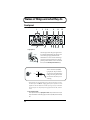
fig.04-1
1
3
5 6
4
2
7
8
11
13
9 10
12
14
1. Input jacks 1, 2
fig.04-1ae
PUSH
XLR type
TRS
Phone type phone type
(Unbalanced) (Balanced)
These are input jacks for analog audio signals. These
are combination XLR and phone jacks, allowing you to
connect either type of plug. Both balanced and
unbalanced devices can be connected. The XLR-type
connections support 48 V phantom power, allowing
phantom powered condenser mics to be connected. In
this case, turn the Phantom power switch on (lit).
fig.04-1b
GND(SLEEVE)
1:GND
2:HOT
3:COLD
HOT(TIP)
COLD(RING)
The UA-5 has balanced (XLR/TRS)
type input jacks. The pin connections
of connectors are shown below. Before
making connections, please check the
pin connections of the device you are
connecting.
* Unless condenser mics requiring phantom power are connected, you must be sure to turn
the Phantom power switch off (dark). Supplying phantom power to a dynamic mic or audio
playback device will cause malfunction. For details on your type of mic, refer to the manual
that came with your mic. (The phantom power supply of the UA-5 is DC 48V, maximum
10mA.)
2. Input sensitivity knobs
These adjust the sensitivity of Input jacks 1 and 2. The jack will be at mic level (-50
dBv) when the knob is turned fully right, and at line level (0 dBv) when turned fully
left.
10
Names of things and what they do
3. Input impedance select switch
Depending on the device connected to Input jack 2, use this switch to select either
high impedance (Hi-Z) or low impedance (Lo-Z). If you are connecting a guitar or
bass to Input jack 2, set this switch to the high impedance setting (Hi-Z).
4. Phantom power switch
This is an on/off switch for the phantom power that is supplied to XLR-type Input
jacks 1 and 2.
* If devices that do not require phantom power are connected to the XLR jacks, you must turn
the Phantom power switch off to prevent malfunction.
5. Peak indicator
This indicator allows you to avoid distorting the audio sources connected to Input
jacks 1 and 2 and the Input jacks 3 and 4. The Peak indicator will light in red at
the level at which the sound begins to distort (-3 dB). Adjust the Input sensitivity
knobs so that the Peak indicator does not light.
6. Recording source select switch
This selects the input jack that will be sent via USB to the computer as the recording
source.
DIGITAL->
The input of the Digital input connector (coaxial or optical) will be sent to the
computer. Use the Digital input selector select to select the jack that will be used
for digital input.
ANALOG->
The analog audio signals being input to Input jacks 1 and 2 and the Input jacks 3
and 4 will be sent to the computer. The audio signals from Input jacks 1 and 2 that
have passed through the Input sensitivity knob, together with the analog audio
signals from the Input jacks 3 and 4 that have passed through the Input jacks 3
and 4 adjustment volume, will be sent as audio data to the computer. For details
refer to the Block diagram (p. 14).
7. Sampling frequency select switch
This selects the Sampling frequency at which audio signals will be recorded and
played back. In order for this setting to take effect, you must exit all applications,
then switch the UA-5's power off, then on again.
About the Sampling frequency select switch setting
• The UA-5’s Sampling frequency select switch must be set to match the
sampling frequency of the application you are using.
• 96 kHz REC and 96 kHz PLAY are valid only in Advanced mode (when
the Mode select switch is ON).
• When the Sampling frequency select switch is in the 96 kHz REC
position, you will not hear the playback sound from your application.
• When the Sampling frequency select switch is in the 96 kHz PLAY
position, the sound from the instrument or audio device connected to the
UA-5 cannot be recorded by your application.
11
Names of things and what they do
fig.04-1
1
2
3
5 6
4
7
8
11
13
9 10
12
14
8. Input monitor stereo/mono select button
This button selects whether the input signal from the Input jacks 1 and 2, Input
jacks 3 and 4, and the Digital input connector will be monitored in stereo or in
MONO. You should also set this to MONO when you are connecting a guitar to only
Input jack 2.
Even when this is set to Mono, the audio signal sent via USB to the computer will
be stereo.
9. Input monitor volume
This adjusts the volume at which the input signal from Input jacks 1/2, Input jacks
3/4, and the Digital input connector will be output to the Headphone jack and
Master output jacks. When this is turned all the way to the right, the volume will be
the same as the volume of the recorded signal.
10. Input monitor switch
This button selects whether the input signal from the Input jacks 1 and 2, Input
jacks 3 and 4, and the Digital input connector will be sent without change from
the Headphone jack and the Master output jack. When this is on, the input signal
will be output. When this is off, the input signal will not be output. Turn this button
off (dark) if the audio data is being “thru-ed” within your computer, or if a mixer is
connected and the input signal is being output directly from the mixer for
monitoring.
* Input monitor switches can also be controlled directly from an ASIO 2.0-compatible
application such as Cubase.
11. Master volume
This adjusts the volume that is output from the Headphone jack and the Master
output jacks.
12. Headphone jack
A set of headphones can be connected here. The Headphone jack will output the
same sound as that of the Master output jacks. Sound will be output from the
Master output jacks even when headphones are connected.
13. Power indicator
This will light in red when the power is on.
If SCMS-flagged signals are being input from a Digital input connector (optical/
coaxial), this will blink.
If the ADVANCE (mode select) switch is OFF, this will blink if the sampling
frequency select switch is set to 96 kHz PLAY/96 kHz REC.
14. Power switch
Press this switch to turn the power on/off.
12
Names of things and what they do
Rear panel
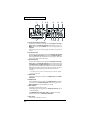
fig.04-2
17
26
25
24 23
22 21 20 19 18
16
15
15. USB connector
Connect your computer here via a USB cable. Do not connect or disconnect the USB
cable while an audio playback application is recording or playing. Doing so may
cause the application to hang up.
16. ADVANCE (mode select) switch
This switches the operating mode.
In order for the settings to take effect, you must exit all applications and turn on the
power of the UA-5 once again.
On (Advanced mode)
The driver included with the UA-5 will be used to record/play/edit audio on
sequencer software or waveform editing software with high audio quality and
stable timing.
Off (Standard Driver mode)
Select this mode when using applications that use the audio driver included with
your operating system, and utilize functionality specific to your operating system.
For details on the operating mode, refer to Advanced mode and Standard Driver
mode (Windows–> p. 15 / Macintosh–> p. 34).
17. Digital input connector (coaxial)
Connect a coaxial cable here when you want to digitally input an audio signal from
a device such as a CD/MD/DAT.
18. Digital output connector (coaxial)
Connect a coaxial cable here when you want to digitally output an audio signal to
a digital recorder such as an MD or DAT.
19. Digital input select switch
This selects whether the coaxial or optical connector will be used for digital input.
20. Digital input connector (optical)
Connect an optical cable here when you want to digitally input an audio signal from
a device such as a CD/MD/DAT.
13
Names of things and what they do
fig.04-2
17
26
25
24 23
22 21 20 19 18
16
15
21. Digital output connector (optical)
Connect a coaxial cable here when you want to digitally output an audio signal to
a digital recorder such an MD or DAT.
22. Input jacks 3 and 4 adjustment volume
Adjusts the Input level of Input jacks 3 and 4.
23. Input jacks 3, 4
Make connections here when you want to input audio signals from an audio device
or MIDI sound generator.
24. Master output jacks (RCA phono type)
25. Master output jacks (phone type)
These are output jacks for analog audio signals. The same sound is output from the
RCA phono-type jacks and the phone-type jacks. Use the jacks appropriate for the
connected device or type of cable.
26. AC adaptor jack
Connect the included AC adaptor to this jack.
Block diagram
fig.04-3
14
Getting Connected and Installing
Drivers (Windows)
If you are using a Macintosh computer, please proceed to "Getting Connected and
Installing Drivers (Macintosh) (p. 34).
What is a driver?
fig.05-1e_50
A “driver” is software that
transfers data between the
Application
UA-5 and application
USB port
software running on your
USB
computer, when your
USB cable
driver
computer and the UA-5
UA-5
Computer
are connected by a USB
cable. The driver sends
data from your application to the UA-5, and from the UA-5 to your application.
Advanced mode and Standard driver mode
The UA-5 has two operating modes, Advanced mode and Standard mode, and a
different driver is used by each mode.
■ Advanced mode
The UA-5 will operate in this mode when the rear panel Mode select switch is
turned ON. The special driver included on the UA-5 Driver CD-ROM will be used,
allowing audio to be recorded/played/edited with high quality and stable timing.
In Advanced mode, audio signals can be transferred between the UA-5 and the
computer at a resolution of 24 bits and sampling frequencies of 44.1/48/96 kHz.
Select this mode if you are using an application that allows high-quality audio
recording/playback/editing, such as an application that supports 24 bit audio
(e.g., the Cakewalk series or Cool Edit) or an ASIO-compatible application (e.g.,
Cubase VST, Logic Audio, or SingerSongWriter).
■ Standard driver mode
The UA-5 will operate in this mode when the rear panel Mode select switch is
turned OFF. The standard USB audio driver included with Windows will be used.
In standard driver mode, audio signals are transferred between the UA-5 and the
computer at a resolution of 16 bits and sampling frequencies of 44.1/48 kHz.
Select this mode if you are using an application that uses Window’s own
functionality, such as an application that uses the computer’s CD-ROM drive to
play back CD-audio, or an application that uses the software synthesizer included
with Windows.
The standard driver that is included with Windows does not support ASIO.
If you want to use the UA-5 in Advanced mode, proceed to Installing the special
driver (p. 16). If you want to use OS-standard driver mode, proceed to Installing
the OS-standard driver (p. 25).
15
Getting Connected and Installing Drivers (Windows)
Switching between Advanced mode and Standard driver mode
If you first install both the special driver and the standard driver, you will be able
to switch between Advance and Standard driver modes by operating the UA-5's
ADVANCE (mode select) switch.
* In order for the setting of the ADVANCE (mode select) switch to take effect, you must
exit all sequencer software and other applications that use the UA-5, switch off the UA-5,
then turn it back on again.
Installing the special driver
The installation procedure will differ depending on your system.
Please proceed to one of the following sections, depending on the system you use.
• Windows 2000 users..................................(p. 16)
• Windows Me/98 users..............................(p. 22)
■ Windows 2000 users
WDM driver and Legacy driver
The UA-5 Driver CD-ROM contains two types of driver for Windows 2000.
Before you install the driver, select the driver that will be appropriate for the
application you want to use.
WDM driver
You should use this driver if you have specified WDM driver mode for SONAR or
a similar application. This will provide the highest-quality audio performance.
It is not possible to use 24 bit audio with applications that do not support WDM,
such as Cool Edit or Media Player.
Legacy driver
This driver allows you to use 24 bit audio even from applications that do not
support WDM, such as Cool Edit.
* It is not possible to use the MME driver from WDM driver mode of an application such as
SONAR.
It is not possible to install both the WDM driver and the Legacy driver. You must
select one beforehand, and install only that driver. If after installing one of these
drivers you decide to change drivers, you must first delete the already-installed
driver and then install the new driver. (->Deleting the special driver (p. 63))
16
Getting Connected and Installing Drivers (Windows)
Installing the driver
The WDM driver and the Legacy driver can be installed using
the same procedure.
1
With the UA-5 disconnected, start up Windows.
Disconnect all USB cables except for a USB keyboard and USB
mouse (if used).
2
3
Log on to Windows as a user with administrative
privileges (such as Administrator).
If the UA-5 is already
connected to your computer
and a message of "Add
NewHardware Wizard" is
displayed, go to the UA-5
Driver CD-ROM folder named
Driver\Win2000 \WDM or
Driver\Win2000\MME , open
the file Readme_e.htm, and
read the "Troubleshooting"
sectionentitled "You
attempted to install using
the above procedure, but
were notable to."
Open the System Properties dialog box.
Click the Windows Start button, and from the menu that
appears, select Settings | Control Panel. In Control Panel,
double-click the System icon.
fig.05-2e_30
4
Open the Driver
Signature Options dialog
box.
Click the Hardware tab, and
then click [Driver Signature].
fig.05-3e_30
5
Make sure that “Check
file signature” is set to
“Ignore.”
If it is set to “Ignore”, simply
click [OK].
If it is not set to “Ignore”, make
a note of the current setting
(“Warn” or “Block”). Then
change the setting to “Ignore”
and click [OK].
If you changed “Check file
signature” in step 5, you must
restore the previous setting
after you have installed the
driver. (–> If you changed
“Check file signature” (p.
21))
17
Getting Connected and Installing Drivers (Windows)
6
Open the System Properties dialog box.
Click [OK].
7
Exit all currently running software (applications).
Also close any open windows. If you are using virus checking
or similar software, be sure to exit it as well.
8
Insert the CD-ROM.
Insert the UA-5 Driver CD-ROM into the CD-ROM drive of
your computer.
fig.05-4e_30
9
Open the “Run...” dialog
box.
Click the Windows Start button.
From the menu that appears, select
“Run...”
fig.05-5e_30
10
In the dialog box that
appears, input the
following into the
“Name” field, and click
[OK].
In this manual, the location of
folders and files is given in
terms of the file path, using \ as
the delimiter. For example,
WDM\Setupinf.exe indicates
the Setupinf.exe file found in
the WDM folder.
If installing the WDM driver
D:\Driver\Win2000\WDM\Setupinf.exe
If installing the legacy driver
D:\Driver\Win2000\Legacy\Setupinf.exe
18
The drive name “D:” may be
different for your system.
Specify the drive name of your
CD-ROM drive.
Getting Connected and Installing Drivers (Windows)
fig.05-6e_30
11
The SETUPINF dialog
box will appear.
You are now ready to install
the driver.
Drag the title bar to move the
SETUPINF dialog box into the
upper part of the screen.
If a message of “The driver is
already installed” appears,
you can connect the UA-5 to
your computer and use it.
* Do not click [OK] at this time.
12
With the power turned off, use a USB cable to
connect the UA-5 to your computer.
13
Set the UA-5’s mode select switch to the ON
position.
14
Turn on the power of the UA-5.
This unit is equipped with a
protection circuit. A brief
interval (a few seconds) after
power up is required before
the unit will operate normally.
Connect the AC adaptor to the UA-5's AC adaptor jack, and
insert the AC adaptor's plug into an AC power outlet. Then,
turn on the power of the UA-5..
ig.05-7e_30
If in step 5 the “Check file
signature” setting was not
set to “Ignore”, a “Digital
signature not found”
dialog box will appear.
If “Check file signature” is set to “Warn,”
1.
Click [Yes].
2.
Continue the installation.
If “Check file signature” is set to “Block”
1.
Click [OK].
2.
When the “New hardware detection wizard”
appears, click [Finish].
3.
Perform the installation as described in the
“Troubleshooting” section on Device Manager shows
“?”, “!”, or “USB Composite Device” (p. 55).
19
Getting Connected and Installing Drivers (Windows)
fig.05-8e_30
15
The Insert disk dialog
box will appear.
Click [OK].
fig.05-9e_30
16
The File is needed
dialog box will
appear.
In the Copy source
field, type the folder
name that is shown in
the Setupinf dialog box,
and click [OK].
fig.05-10e_30
17
The "Find new
hardware wizard"
may be displayed.
Verify that "EDIROL
UA-5 (WDM)" or
"EDIROL UA-5 (MME)"
is displayed, and click
[Finish].
If the "Find new hardware wizard" dialog box is not
displayed, proceed to step 18.
fig.05-11e_30
18
Restart Windows.
The Change system
settings dialog box may
appear. Click [Yes].
Windows will restart automatically.
If the Change system settings dialog box does not appear,
restart Windows from the Start menu.
20
If the Insert disk dialog box
does not appear, please read
The “Insert Disk” dialog box
does not appear (p. 55)
Getting Connected and Installing Drivers (Windows)
If you changed “Check file signature”
If you changed the “Check file signature” setting in step 5,
restore the original setting after Windows restarts.
1.
After Windows restarts, log in to Windows as a user with administrative
privileges, (such as Administrator).
2.
In the Windows desktop, right-click the My Computer icon, and from the
menu that appears, select Properties. The System Properties dialog box will
appear.
3.
Click the Hardware tab, and then click [Driver signature]. The Driver
signature options dialog box will appear.
4.
Return the “Check file signature” setting to the original setting (either
“Warn” or “Block”), and click [OK].
5.
Click [OK]. The System properties dialog box will close.
Next, you need to make the driver settings.
(–> Settings and checking (p. 30)
21
Getting Connected and Installing Drivers (Windows)
■ Windows Me/98 users
Installing the driver
1
With the UA-5 disconnected, start up Windows.
Disconnect all USB cables other than those for a USB
keyboard or USB mouse.
2
Exit all currently running software (applications).
Also, close any open windows. If you are using a virus
checker or similar software, be sure to exit this as well.
3
If the UA-5 is already
connected to your computer
and a message of "Add
NewHardware Wizard" is
displayed, go to the UA-5
Driver CD-ROM folder
namedDriver\Win98Me, open
the file Readme_e.htm, and
read the "Troubleshooting"
sectionentitled "You attempted
to install using the above
procedure, but were notable
to.".
Prepare the CD-ROM.
Insert the UA-5 Driver CD-ROM into the CD-ROM drive of
your computer.
fig.05-12e_30
4
Open the Run... dialog box.
Click the Windows Start button.
From the menu that appears, select
Run....
fig.05-13e_30
5
22
In the “Name” field of
the dialog box that
appears, type
“D:\Driver\Win98Me\Se
tupinf.exe” and click
[OK].
In this manual, the location of
folders and files is given in
terms of the file path, using \ as
the delimiter. For example,
Win98Me\Setupinf.exe
indicates that the Setupinf.exe
file is located in the Win98Me
folder.
The drive name “D:” may be
different depending on your
system. Type the name of your
CD-ROM drive.
Getting Connected and Installing Drivers (Windows)
fig.05-14e_30
6
Open the SETUPINF
dialog box.
You are now ready to install
the driver.
Drag the title bar to move the
SETUPINF dialog box into
the upper part of the screen.
If a message of “The driver is
already installed” appears,
you can connect the UA-5 to
your computer and use it.
* Do not click [OK] at this time.
7
8
9
With the power turned off, use a USB cable to
connect the UA-5 to your computer.
Set the UA-5’s mode select switch to the ON
position.
This unit is equipped with a
protection circuit. A brief
interval (a few seconds) after
power up is required before
the unit will operate normally.
Turn on the power of the UA-5.
Connect the AC adaptor to the UA-5's AC adaptor jack, and
insert the AC adaptor's plug into an AC power outlet. Then,
turn on the power of the UA-5.
10
If you are using Windows 98, an Insert disk dialog
box will appear.
Click [OK].
fig.05-15e_30
If you are using Windows 98
and the Insert disk dialog box
dose not appear, please read
"The 'Insert Disk' dialog box
does not appear" (p. 55).
23
Getting Connected and Installing Drivers (Windows)
fig.05-16e_30
11
The New Hardware
dialog box will
appear.
In the File copy source
field, type the folder name
that is shown in the
SETUPINF dialog box,
and click [OK].
12
Once the driver has been installed, the New
hardware dialog box will close.
In the SETUPINF dialog box, click [OK]. The SETUPINF
dialog box will close.
Next, you need to make the driver settings.
(–> Settings and checking (p. 30))
24
If the New Hardware dialog
box does not appear, re-install
the driver using the same
procedure as described in "The
'Insert Disk' dialog box does
not appear" (p. 55).
Getting Connected and Installing Drivers (Windows)
Installing the OS-standard driver
The procedure for installation and settings will depend on
your system.
Proceed to the appropriate section as follows.
• Windows 2000 users..................................(p. 25)
• Windows Me users ....................................(p. 26)
• Windows 98 users......................................(p. 27)
■ Windows 2000 users
1
2
Start up Windows.
Exit all currently running software (applications).
If you are using a virus checker or similar software, be sure to
exit it as well.
3
4
5
Use a USB cable to connect the UA-5 to your
computer.
Place the UA-5’s mode select switch in the OFF
position.
Turn on the power of the UA-5.
Connect the AC adaptor to the UA-5's AC adaptor jack, and
insert the AC adaptor's plug into an AC power outlet. Then,
turn on the power of the UA-5.
This unit is equipped with a
protection circuit. A brief
interval (a few seconds) after
power up is required before
the unit will operate normally.
The UA-5 will be detected automatically, and the driver will
be installed.
6
When installation is complete, restart Windows.
Next, you will need to make the driver settings.
(–>Settings and checking (p. 30))
25
Getting Connected and Installing Drivers (Windows)
■ Windows Me users
1
2
Start up Windows.
Exit all currently running software (applications).
If you are using a virus checker or similar software, be sure to
exit it as well.
3
4
5
Use a USB cable to connect the UA-5 to your
computer.
Place the UA-5’s mode select switch in the OFF
position.
Turn on the power of UA-5.
Connect the AC adaptor to the UA-5's AC adaptor jack, and
insert the AC adaptor's plug into an AC power outlet. Then,
turn on the power of the UA-5.
fig.05-23e_30
6
Windows will detect the
UA-5, and the “Add new
hardware wizard” dialog
box will appear.
Make sure that
Automatically search for
the appropriate driver
(Recommended) is selected, and click [Next].
7
8
Driver detection will begin.
When the driver has been found, driver installation
will begin.
fig.05-24e_30
9
Once the driver has
been installed, a dialog
box will inform you of
this.
Click [Finish] .
26
This unit is equipped with a
protection circuit. A brief
interval (a few seconds) after
power up is required before
the unit will operate normally.
Getting Connected and Installing Drivers (Windows)
10
Restart Windows.
Next, you will need to make the driver settings.
(–> Settings and checking (p. 30))
Depending on your system, a
certain amount of time may be
required for the device to be
detected after the driver has
been installed.
■ Windows 98 users
The USB composite device driver is installed first, then the
USB audio device driver is installed. Use the following
procedure to install the drivers.
1
2
Start up Windows.
Exit all currently running software (applications).
If you are using a virus checker or similar software, be sure to
exit it as well.
3
4
5
6
Some computers are sold with
the contents of the Windows
CD-ROM already on the hard
disk, and may not come with a
Windows CD-ROM. In this
case, you will be able to install
the drivers even without the
Windows CD-ROM.
Insert the Windows CD-ROM into the CD-ROM
drive.
Use a USB cable to connect the UA-5 to your
computer.
Set the UA-5’s mode select switch to the OFF
position.
Turn on the power of the UA-5.
Connect the AC adaptor to the UA-5's AC adaptor jack, and
insert the AC adaptor's plug into an AC power outlet. Then,
turn on the power of the UA-5.
This unit is equipped with a
protection circuit. A brief
interval (a few seconds) after
power up is required before
the unit will operate normally.
27
Getting Connected and Installing Drivers (Windows)
fig.05-25e_30
7
USB-compatible devices
will be detected
automatically, and the
“Add new hardware
wizard” dialog box will
appear. Click [Next].
If this dialog box does not
appear, refer to ”Find new
hardware wizard” does not
execute automatically (p. 52)
fig.05-26e_30
8
When “Select the search
method.” appears, select
“Find the best driver for
the currently used device
(Recommended)”, and
click [Next].
fig.05-27e_30
9
A dialog box like the one
shown will appear.
Check CD-ROM drive, and
click [Next]
fig.05-28e_30
10
A dialog box like the one
shown will appear.
Click [Next].
11
File (driver) copying will begin.
If the Windows CD-ROM is not inserted in the
CD-ROM drive, a “Insert disc” dialog box may
appear. In this case, insert the Windows CD-ROM
into the CD-ROM drive and click [OK].
28
Depending on your system,
the Driver location may differ
from the illustration, but this is
not a problem.
Getting Connected and Installing Drivers (Windows)
fig.05-30e_30
12
When installation of the
USB composite device
driver is completed, a
dialog box like the one
shown here will appear.
Click [Finish].
fig.05-33e_30
13
Next, the USB audio
device will be detected
automatically, and the
“Add new hardware
wizard” dialog box will
appear.
Click [Next], and proceed
with the installation in the same way as in steps 8–11 (p. 28).
fig.05-34e_30
14
When installation of the
USB audio device driver
is complete, a dialog
box like the one shown
here will appear.
Click [Finish].
15
Installation of the USB composite device driver
and USB audio device driver has been completed.
Restart Windows.
Next, you will need to make the driver settings.
(–> Settings and checking (p. 30))
29
Getting Connected and Installing Drivers (Windows)
Settings and checking
Specifying the audio input/output destination
1
Open Control Panel.
Click the Windows Start button, and select Settings Control Panel.
2
3
Double-click the Sound and Multimedia
(Multimedia in Windows 98) icon.
Click the Audio tab.
Set the Preferred device for Playback and the Preferred
device for Recording as follows, according to the operating
mode of the UA-5.
Windows Me/2000 users
Windows 98 users
fig.05-38e_30
fig.05-39e_30
Playback
Recording
4
30
Advanced mode
EDIROL UA-5 OUT
EDIROL UA-5 IN
Click OK.
Standard driver mode
USB audio device
USB audio device
If the Sound and Multimedia
icon does not appear, click
Display all control panel
options in the frame at the left
side.
Getting Connected and Installing Drivers (Windows)
This completes audio input/output destination settings.
If you installed the special driver, proceed to Check whether
there is sound (p. 32)
If you installed the standard Windows driver, set the
Windows volume control. Proceed to step 5.
5
Open the volume control.
Click the Windows Start button, and select Programs Accessories - Entertainment - Volume Control.
6
If the Volume Control is not
installed on your computer,
use the Control Panel icon
Add or remove an
application to install it. For
details on installation, refer to
the Windows manual or Help.
You will be able to use the UA5 at the best audio quality if
you set the Volume Control
volume to the maximum
setting.
Raise or lower the slider to adjust the volume of
the UA-5.
If you have installed the Standard driver, the UA-5 can use
the Windows volume control to adjust the output volume.
Items that can be set
CD Player
WAVE
SW Synth
Controls the volume of “music CDs” on the
internal CD-ROM drive of the computer. (*1)
Controls the volume of sound output from
the “USB audio device” audio output device.
Digital output and analog output will
change.
Controls the volume of the software synthesizer built into Windows.
If Mute is checked or if the
slider is lowered all the way,
no sound will be output from
the UA-5.
* 1 If the CD playback volume does not change when you adjust this
control, then change the WAVE volume.
If you are using Windows 2000
and CD Player is not
displayed, check the Digital
CD Playback item “Allow
digital music CDs to be used
with this CD playback
device”. –> When playing
audio CDs from the
computer’s internal CD-ROM
drive, or using the UA-5 to
play game music (p. 33)
31
Getting Connected and Installing Drivers (Windows)
Check whether there is sound
Now we will play back the sample data to check whether
connections are correct.
Playing back the sample data
Here we will use standard Windows functionality to play
back the sample data. The sample data is found on the UA-5
Driver CD-ROM.
1
In order to hear the sample
data, you will need
approximately 30 MB of free
space on the hard disk in
which Windows is installed.
Prepare the CD-ROM.
Insert the UA-5 Driver CD-ROM into the CD-ROM drive of
your computer.
2
From the Sample folder of the CD-ROM, drag
Alright(.wav) to your desktop, copying it.
fig.05-42e_30
3
Right-click the copied file
Alright(.wav), and select
Properties (Playback for
Windows 2000).
fig.05-43e_30
4
Play back the sample data.
Click the Test tab, and then click the
button.
Was the sample data played back?
If it was played back correctly, this means that the
computer and the UA-5 are connected correctly, and that
the drivers have been installed correctly.
32
If it did not play back
correctly, refer to
“Troubleshooting” (p. 52) to
determine the reason. This
section contains information
on how to solve problems such
as no sound, or failure to play
back correctly.
Unauthorized use of the song
data included with this
product for any purpose other
than personal enjoyment is
forbidden by law. You may
not duplicate this data or use it
in a derivative work without
the permission of the
copyright holder.
Getting Connected and Installing Drivers (Windows)
About the included song data
It’s gonna be alright
Composed & Programmed by Mitsuru) Sakaue
Vocal: Tahirih Walker, Fumiyo Kawazoe
Guitar: Katsuhisa Fujimoto, Idecs, Inc.
When playing audio CDs from the computer’s internal CD-ROM drive, or using
the UA-5 to play game music
Windows 2000 users:
1. Open the System Properties dialog box.
Select Start | Settings | Control Panel, and in the Control Panel, double-click the
System icon.
2. Open the Device Manager.
Click the Hardware tab, and click the Device Manager button.
3. Open the CD-ROM drive’s Properties.
In CD-ROM drive, double-click the CD-ROM drive that you are using. In Digital
CD Playback, check the “Allow digital music CDs for this CD-ROM device” item.
Windows Me users:
1. Open System Properties.
Select Start|Settings|Control Panel, and in Control Panel, double-click the
System icon.
2. Open the CD-ROM drive’s Properties.
Double-click the CD-ROM icon, and then double-click the CD-ROM drive that you
are using.
3. Click the Properties tab, and in Digital CD Playback, check the “Allow
digital music CDs to be used with this CD-ROM device” item.
Windows 98 users:
1. Open the Multimedia Properties dialog box.
Select Start|Settings|Control Panel, and in Control Panel, double-click the
Multimedia icon.
2. Click the Music CD tab, and check the “Allow digital music CDs to be used
with this CD-ROM device” item.
* Depending on your system, playback may still not be possible. For details, please contact the
manufacturer of your computer. If you are using a PC-card (PCMCIA) type CD-ROM
drive, playing back WAVE data from a CD-ROM or playing an audio CD may cause
interrupted sound, or possibly no sound at all.
33
Getting Connected and Installing
Drivers (Macintosh)
If you are using a Windows computer, please proceed to Getting Connected and
Installing Drivers (Windows) (p. 15).
What is a driver?
fig.05-1e_50
A “driver” is software that
transfers data between the
UA-5 and application
software running on your
computer, when your
computer and the UA-5 are
connected by a USB cable.
The driver sends data from
your application to the UA5, and from the UA-5 to
your application.
Application
USB port
USB
driver
Computer
USB cable
UA-5
Advanced mode and Standard driver mode
The UA-5 has two operating modes, Advanced mode and Standard mode, and a
different driver is used by each mode.
■ Advanced mode
The UA-5 will operate in this mode when the rear panel Mode select switch is
turned ON. The special driver included on the UA-5 Driver CD-ROM will be used,
allowing audio to be recorded/played/edited with high quality and stable timing.
Select Advanced mode if you are using an application that is able to record/
playback/edit high-quality audio, such as a 24 bit audio application or an ASIOcompatible application such as Cubase VST, Logic Audio, and SingerSongWriter.
In Advanced mode, the UA-5 cannot play back audio data (audio CDs or warning
sounds) from the Macintosh sound manager.
■ Standard driver mode
The UA-5 will operate in this mode when the rear panel Mode select switch is
turned OFF. The standard USB audio driver included with Windows will be used.
In standard driver mode, audio signals are transferred between the UA-5 and the
computer at a resolution of 16 bits and sampling frequencies of 44.1/48 kHz.
Select this mode if you are using an application that uses MacOS’s own
functionality, such as an application that uses the computer’s CD-ROM drive to
play back CD-audio, or an application that uses the software synthesizer included
with MacOS. The standard driver included with Mac OS does not support ASIO.
Note also that the use of Mac OS 8.6 is not supported.
34
Getting Connected and Installing Drivers (Macintosh)
If you want to use the UA-5 in Advanced mode, proceed to Installing the special
driver (p. 35). If you want to use Standard driver mode, proceed to Installing the
OS-standard driver (p. 38).
Switching between Advanced mode and Standard driver mode
If you first install both the special driver and the standard driver, you will be able
to switch between Advance and Standard driver modes by operating the UA-5's
ADVANCE (mode select) switch.
* In order for the setting of the ADVANCE (mode select) switch to
take effect, you must exit all sequencer software and other
applications that use the UA-5, switch off the UA-5, then turn it
back on again
Installing the special driver
Installing the audio driver
1
Exit all currently running software (applications).
If you are using a virus checker or similar software, be sure to
exit this as well.
2
Prepare the CD-ROM.
Insert the UA-5 Driver CD-ROM into the CD-ROM drive.
fig.05-18e_30
3
In the CD-ROM, double-click the
UA-5 USB Installer E icon.
fig.05-19e_30
4
The location for installation
will depend on your system.
Make sure that the startup disk
for the system you are
currently using is selected.
Verify the installation
location, and click
[Install].
35
Getting Connected and Installing Drivers (Macintosh)
fig.05-20e_30
5
6
7
8
If a message like
the following is
displayed, click
[Continue]. The
other currently
running applications will exit, and installation will
continue.
A dialog box will indicate Installation completed.
Click [Restart] to restart your Macintosh.
Set the UA-5’s ADVANCE (mode select) switch to
the ON position.
This unit is equipped with a
protection circuit. A brief
interval (a few seconds) after
power up is required before
the unit will operate normally.
Switch ON the UA-5’s Power switch.
Connect the AC adaptor to the UA-5's AC adaptor jack, and
insert the AC adaptor's plug into an AC power outlet. Then,
turn on the power of the UA-5.
Installing the ASIO driver
This section explains how to install the ASIO driver that
allows the UA-5 to be used by your sequencer software or
audio editing software. For details on installation and settings
of the ASIO driver, be sure to also read the English-ASIOSetting ASIO Driver-E document on the UA-5 Driver CDROM.
The ASIO driver of the UA-5 supports the following audio
input/output channels.
• Audio input....... 24/16 bit1 stereo ch. (2 monaural chs.)
• Audio output .... 24/16 bit1 stereo ch. (2 monaural chs.)
36
ASIO (Steinberg Audio Stream
In/Out Interface)
This is an audio interface
standard promoted by the
Steinberg Corporation. When
the UA-5 is used with ASIOcompatible software, the
synchronization precision will
be improved, allowing a
more sophisticated music
production environment.
Getting Connected and Installing Drivers (Macintosh)
Here we will explain how to install the ASIO 1.0 16 bitcompatible driver.
If your ASIO-compatible software supports ASIO 2.0 or recording/
playback of 24 bit audio data, using the following drivers will provide a
higher quality environment.
ASIO-compatible software
ASIO2.0-compatible
24 bit compatible
Driver to use
✕
✕
❍
❍
✕
❍
✕
❍
UA-5 ASIO 1.0 16 bit
UA-5 ASIO 1.0 24 bit
UA-5 ASIO 2.0 16 bit
UA-5 ASIO 2.0 24 bit
ig.05-21e_30
1
2
3
From the [Driver][ASIO] folder of the
CD-ROM, copy [UA-5
ASIO1.0 16bit] to the
[ASIO Drivers] folder
within the folder of the ASIO-compatible software
you are using (e.g., Cubase VST, Logic Audio,
Digital Performer, or Metro).
Start up your ASIO-compatible software (e.g.,
Cubase VST, Logic Audio, Digital Performer,
Metro).
Open the Audio setting dialog box of your ASIOcompatible software, and select [UA-5 ASIO 16bit]
as the ASIO Device.
The Audio setting dialog box
will be named differently
depending on your software.
For details refer to the manual
of your software.
37
Getting Connected and Installing Drivers (Macintosh)
Installing the OS-standard driver
1
2
With the UA-5 disconnected, start up Mac OS.
Exit all currently running software (applications).
If you are using a virus checker or similar software, be sure to
exit it as well.
fig.05-35e_30
3
After starting up Mac OS, select
Apple System Profiler from the
Apple menu.
The “Apple System Profiler” dialog box will appear.
4
5
6
7
8
Click the Devices and Volumes tab.
Use a USB cable to connect the UA-5 to your
Macintosh.
Place the UA-5’s ADVANCE (mode select) switch
in the OFF position.
With the power turned off, use a USB cable to
connect the UA-5 to your computer.
Switch ON the UA-5’s Power switch.
Connect the AC adaptor to the UA-5's AC adaptor jack, and
insert the AC adaptor's plug into an AC power outlet. Then,
turn on the power of the UA-5.
9
Wait for approximately five seconds.
The UA-5 will use the driver included with Mac OS.
While you are waiting, the screen display will not change, but
the UA-5 is being detected. Do not touch the mouse or
keyboard.
38
This unit is equipped with a
protection circuit. A brief
interval (a few seconds) after
power up is required before
the unit will operate normally.
Getting Connected and Installing Drivers (Macintosh)
fig.05-37e_30
10
In order to check that
detection has been
completed, once again
go to “Apple System
Profiler,” and select
“Update all
information” from the Command menu.
In the USB area, three audio devices will be displayed.
If these are displayed correctly, driver installation has
succeeded. In the File menu, click Exit to close “Apple
System Profiler”.
If they are not displayed correctly, disconnect the UA-5,
wait for about ten seconds, and then repeat the procedure
from step 2.
Next, you will need to make the driver settings.
■ Settings and checking
Adjusting the sound input/output
fig.05-44e_30
1
From the Apple menu,
select Control Panel –
Sound.
The Sound dialog box will appear.
39
Getting Connected and Installing Drivers (Macintosh)
fig.05-45e_30
2
Click the Speaker tab or
Speaker Settings.
Audio data from the computer
cannot be played back if the
Recording source select
switch is set to DIGITAL. Set
the switch to ANALOG.
xfig.05-46e_30
3
With the volume turned down
on the UA-5 and on your
peripheral audio equipment,
click Start test.
Test signals will be output from the
UA-5; left first, then right, as
indicated in the screen.
4
In the Sound dialog box, click the Input tab.
In Select sound input source (device), select USB audio.
* Do not check “Play back sound via output device”.
fig.05-49e_30
5
When you are finished
making settings, close the
Sound dialog box.
From the File menu, select Exit.
40
If USB audio is not displayed,
close the “Sound” dialog box,
and disconnect the UA-5’s USB
cable from the Macintosh.
Perform the driver installation
(p. 38) once again.
Getting Connected and Installing Drivers (Macintosh)
Check whether there is sound
Now we will play back the sample data to check whether
connections are correct.
Playing back the sample data
Here we will use standard Macintosh functionality to play
back the sample data. The sample data is found on the UA-5
Driver CD-ROM.
1
In order to hear the sample
data, you will need
approximately 30 MB of free
space on the hard disk that
contains the system.
Prepare the CD-ROM.
Insert the AUDIO Capture CD-ROM into the CD-ROM drive
of your computer.
2
From the Sample folder of the CD-ROM, drag
Alright onto the desktop to copy it.
fig.05-51e_30
fig.05-52e_30
3
Start up the QuickTime
Player that is included
with the Mac OS.
QuickTime Player is
normally located in
QuickTime within the
Application folder of the
hard disk.
4
Open the sample data.
If it did not play back
correctly, refer to
“Troubleshooting” (p. 52) to
determine the reason. This
section contains information
on how to solve problems such
as no sound, or failure to play
back correctly.
From the File menu, select Open movie. Then select the
Alright file you copied, and click [Convert].
fig.05-53e_30
5
Play back the sample
data.
Click the Play button.
If the Recording source
select switch is set to
DIGITAL, it will not be
possible to play back audio
data from your computer. Set
the switch to ANALOG.
Was the sample data played back?
If it was played back correctly, this means that the computer
and the UA-5 are connected correctly, and that the drivers
have been installed correctly.
41
UA-5 application guide
This chapter explains the various ways the UA-5 can be connected, and introduces
some of its applications.
* Before connecting to other devices, you must turn down the volume and turn off the power
to avoid malfunction or speaker damage.
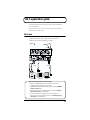
Basic use
As shown in the diagram, you can connect headphones or monitor speakers, and
monitor the playback sound from your application or the sound from the
instrument or audio device to which the UA-5 is connected.
fig.basic.e
Signal flow
Stereo
Headphones
PHONES
USB
port
OUTPUT
OUTPUT
Audio cable
INPUT
USB cable
LINE IN
USB
port
Mixer
Stereo set
Computer
About the Sampling frequency select switch setting
• The UA-5’s Sampling frequency select switch must be set to match the
sampling frequency of the application you are using.
• 96 kHz REC and 96 kHz PLAY are valid only in Advanced mode (ADVAMCE
(mode select) switch ON).
• The playback sound from your application will not be heard if the Sampling
frequency select switch is set to 96 kHz REC.
• It will not be possible for your application to record the sound from an
instrument or audio device connected to the UA-5 if the Sampling frequency
select switch is set to 96 kHz PLAY.
42
UA-5 application guide
Recording a guitar or bass
When you play your guitar along with audio data from your computer to record
your performance on a sequencer, only the guitar will be recorded on the computer.
fig.guitar.e
Signal flow
Guitar / Bass
INPUT
Adjust the
input level.
Turn on if you
want to monitor.
The sound of the device connected to Input jack 2 will be recorded only on the right
channel on your computer. Make settings within your application for monaural
recording, so the sound of the right channel will be recorded on a track.
Use the Input sensitivity knob to adjust the input level. For optimum recording
quality, adjust the input sensitivity knob so it is as high as you can get it without
causing the Peak indicator to light.
Turn on the Input monitor switch, and use the Input monitor volumeutton to
adjust the monitoring volume of your guitar or bass. If you set the Input monitor
stereo/mono select button to MONO, the guitar or bass monitoring sound will be
heard from the center.
43
UA-5 application guide
Recording from a mic
Dynamic Mic
Condenser Mic
fig.mic.e
Microphone
Signal flow
Condenser
Microphone
Signal flow
Record in stereo
Record in stereo
Record in monaural
Record in monaural
INPUT
INPUT
Adjust the
input level.
Off
Turn on if you
want to monitor.
Adjust the
input level.
On
Turn on if you
want to monitor.
fig.mic-con.e
When using a condenser mic, turn on the Phantom power switch.
*
If a device that does not require phantom power is connected to the XLR jacks, you must
turn off the Phantom power switch to avoid malfunction.
The sound of the device connected to Input jack 1 will be recorded on the left
channel, and the sound of the device connected to Input jack 2 will be recorded on
the right channel.
Use the Input sensitivity knob to adjust the input level. For optimum recording
quality, adjust the input sensitivity knob so it is as high as you can get it without
causing the Peak indicator to light.
Turn on the Input monitor switch, and use the Input monitor volume button to
adjust the monitor volume of the mic input. You can use the Input monitor stereo/
mono select button to switch the monitoring of the mic input between STEREO/
MONO.
*
When recording from a microphone, acoustic feedback (a whining or howling sound)
may occur, depending on the position of the microphone relative to the speakers. If this
occurs, you can take the following measures.
1.Change the angle of the microphone
2.Move the microphone away from the speakers
3.Lower the volume
44
UA-5 application guide
Recording from a keyboard
Here’s how you can send a keyboard performance as audio data to your computer,
and record it on sequencer software.
fig.keyboard.e
Signal flow
Keyboard
OUTPUT
INPUT
Adjust the
input level.
Turn on if you
want to monitor.
The sound that is input to Input jack 1 will be recorded on the left channel, and the
sound that is input to Input jack 2 will be recorded on the right channel.
Use the Input sensitivity knob to adjust the input level. For optimum recording
quality, adjust the Input sensitivity knob so it is as high as you can get it without
causing the Peak indicator to light.
Turn on the Input monitor switch, and use the Input monitor volume to adjust the
monitoring volume.
45
UA-5 application guide
Recording from the AUX input
fig.aux.e
Signal flow
Turn on if you
want to monitor.
INPUT
OUTPUT
MIDI Sound Module
Stereo Set
Use the Input jacks 3 and 4 adjustment volume to adjust the input level. For
optimum recording quality, use the AUX input adjustment volume to raise the level
so it is as high as you can get it before causing the Peak indicator to light.
Turn on the Input monitor switch, and use the Input monitor volumeutton to
adjust the monitor volume.
Turn down the Input sensitivity knob all the way to the left.
Do not connect anything to Input jacks 1 and 2.
Be careful of looped connections
Looped connections
fig.loop.e
Stereo Set
(MD/DAT)
Loop Connection
UA-5
LINE IN
LINE OUT
LINE OUT
LINE IN
If the UA-5 is connected as shown above to a device that outputs (“thru-s”) the
input audio (such as an MD or DAT that is in record mode), turning on the Input
monitor switch will cause the sound to loop between the UA-5 and the other
device, causing oscillation and producing an unexpectedly high volume. Be aware
that such connections may cause the system to malfunction, or your speakers to
be damaged.
46
UA-5 application guide
Digitally recording from a CD/MD/DAT
Make connections as shown in the diagram.
fig.digital.e
Signal flow
Set this to match the
sampling frequency of
the application that you
are using.
Turn on if you
want to monitor.
OPTICAL
IN
Optical digital
cable
CD/MD/DAT
DIGITAL
OUT
COAXIAL
IN
Set this according to
the jack that you will
be using.
Coaxial cable
Since the UA-5 implements SCMS, a song containing copy-prohibit flags (such as a
song digitally copied from CD to MD) that is input via the Digital input connector
cannot be recorded on your computer or output from the Master output jacks or
Headphone jack.
*
The UA-5 does not support audio formats of professional digital devices.
It is not possible for the inputs from Input jacks 1 and 2 or the Input jacks 3 and
4 to be mixed with the input signals from the Digital input connector and
recorded.
Built-in sample rate converter
The UA-5 is able to convert the sampling frequency of an incoming digital signal in
real time. (See the block diagram on p. 14.)
< Example >
48 kHz -> 44.1 kHz
32 kHz -> 48 kHz
The digital signal will be converted into the sampling frequency specified by the
sampling frequency select switch, and recorded.
This also the digital output of a BS (Broadcast Satellite) tuner whose frequency
changes automatically to be digitally recorded with high quality, without having to
change the settings of the UA-5 or your application.
47
UA-5 application guide
Digitally recording the output of the UA-5 on
an MD
Make connections as shown in the diagram.
fig.MD.e
Signal flow
Set to the appropriate sampling
frequency, so it matches the audio
data to be played back, or the
application you intend to use.
DIGITAL
OUT
光デジタル
ケーブル
MD
DIGITAL
INPUT
Set the UA-5’s Sampling frequency select switch to match the sampling
frequency that can be recorded on your recording device (e.g., MD). However, be
aware that the sampling frequency setting of your application must also be set to
the same setting.
*
The UA-5 does not support audio formats of professional digital devices.
On the UA-5, the input from the input jacks or the input signal from the Digital
input connector cannot be output directly to the Digital output connector. The
Digital output connector will always output only the audio signal from the
computer.
48
UA-5 application guide
Adjusting the audio latency
When using the UA-5 in Advanced mode, you can change the driver settings to
adjust the latency of the audio. To adjust the latency, change the Buffer Size in the
driver settings dialog box.
* Latency is the time delay from when an application plays back audio data until the sound
is actually heard from an audio device such as the UA-5.
1
2
As described in “Opening the special driver settings dialog box (p.
51)”, open the “Driver Settings” dialog box.
Adjust the driver buffer size.
The following setting will produce the shortest latency.
Windows:
Set “Audio Buffer Size” to the far left (Min).
Macintosh:
Set “Buffer Size” to the far left (Min).
3
4
Click [OK] to close the driver settings dialog box.
Restart the application that is using the UA-5.
If you are using an application that has a function for testing
audio devices, get it to perform its tests.
5
Play back audio data on your application.
If interruptions occur in the sound, repeat this procedure, and gradually increase
the buffer size specified in step 2 until interruptions no longer occur.
*
Depending on the application you are using, there may be a buffer size or latency
adjustment function among the audio settings of the application as well. For details, refer
to the operation manual for your application.
49
UA-5 application guide
Using ASIO Direct Monitor
If you are using the UA-5 from an ASIO2.0-compatible application in Advanced
mode, the UA-5’s Input monitor switch can be controlled automatically from the
application.
1
2
As described in “Opening the special driver settings dialog box (p.
51)”, open the driver settings dialog box.
Make the following settings.
Check the “Use ASIO Direct Monitor” check box.
3
50
Click [OK] to close the driver settings dialog box.
*
Depending on your application, there may also be an ASIO Direct Monitor setting
among the audio settings of your application. For details, refer to the operation manual
for your application.
*
When using ASIO Direct Monitor, monitoring may switch on/off at unexpected times,
depending on the application settings and on the recording procedure. If this occurs,
uncheck the check box in step 2 to disable ASIO Direct Monitor.
UA-5 application guide
Opening the special driver settings dialog box
If using the WDM driver on Windows 2000:
Open the “Control Panel” and double-click “EDIROL UA-5.” The “EDIROL UA-5
Driver Settings” dialog box will appear.
If using the MME driver on Windows 2000:
1.
Open the “Control Panel,” and double-click “System.”
2.
Click the “Hardware” tab, and click the [Device Manager] button.
3.
Double-click “Sound, Video, and Game Controllers.”
4.
Double-click “EDIROL UA-5.”
5.
Click the “Properties” tab, and in the “Multimedia Devices” area, doubleclick “Audio Devices.”
6.
Select “EDIROL UA-5,” and click the [Properties] button.
7.
Click the [Settings] button, and the “EDIROL UA-5 Driver Settings” dialog
box will appear.
If using Windows Me/98:
1.
Open the “Control Panel,” and double-click “Sound and Multimedia.” (In
the case of Windows 98, double-click “Multimedia.”)
2.
Click the “Devices” tab, and double-click “Audio Devices.”
3.
Select “EDIROL UA-5 Audio,” and then click the [Properties] button to open
Properties.
4.
Click the [Settings] button, and the “EDIROL UA-5 Driver Settings” dialog
box will appear.
If using Macintosh:
Open the ASIO Control Panel from the Audio Settings dialog box of your ASIOcompatible application. The name of the Audio Settings dialog box and the
procedure for opening the ASIO Control Panel will differ depending on your
application. For details, refer to the operation manual for your application.
51
Troubleshooting
If an unexpected problem occurs while using the UA-5, read this chapter first. It
contains numerous tips for resolving problems.
First see whether Troubleshooting explains how to solve your problem.
Troubleshooting is organized according to different operating systems. Refer to the
icon(s) at the left of the title to find the items you need.
Problems common to Windows and Macintosh
Problems occurring only in Windows
Problems occurring only in Macintosh
Troubleshooting
If you are using Windows or Macintosh for the first time, and as a result find it difficult
to follow the procedural explanations, please refer to the manuals that came with your
computer or operating system.
If the UA-5 does not perform as you expect, check the various points addressed in this
chapter.
Problems related to the USB driver
An “Unknown driver found” dialog box appears, and
you are unable to install the driver
”Find new hardware wizard” does not execute
automatically
”Find new hardware wizard” ends before the process is
completed
• It may take about 15 seconds (or more) after the USB cable is connected for the UA-5 to
be detected.
• Is the USB cable connected correctly?
Make sure that the UA-5 and your computer are correctly connected via a USB cable.
52
Troubleshooting
• The ADVANCE (mode select) switch may have been turned OFF when the Sampling
frequency select switch is set to 96 kHz.
If you are using the UA-5 at 96 kHz, turn the ADVANCE (mode select) switch ON.
• Is USB enabled on your computer?
Refer to the operation manual for your computer, and make sure that USB is enabled.
• It has been found that in some cases, not all of the Windows 98 files required to
support audio via USB are installed when a computer is shipped.
Please contact the manufacturer of your computer.
• Does your computer meet the USB specifications?
If you are using a computer that does not fulfill the electrical requirements of the USB
specifications, operation may be unstable. In this case, you may be able to solve the
problem by connecting a USB hub.
• Does “Unknown device” appear for “Other device” or “Universal serial bus
controller”?
Use the following procedure to delete “Other device” (Universal Serial Bus Controller)
“Unknown device,” and then restart your computer.
1.
In the Windows Control Panel, double-click System.
The System Properties dialog box will appear.
2.
Click the Device Manager tab.
3.
Double-click “Other device” or “Universal Serial Bus Controller” to
display a list of devices.
4.
From the list, select the unknown device and click [Delete].
5.
In the dialog box that asks you to confirm the deletion, click [OK].
6.
Verify that “Other device” or “Unknown device” is not displayed in the list,
and click [Close] to close the dialog box.
”Found unknown device” appears even though you
installed the driver
If your computer or USB hub has two or more USB connectors, and you connect the UA5 to a USB connector to which the UA-5 has never been connected before, the
“Unknown device” dialog box may appear even on a computer onto which you have
already installed the driver.
Refer to Getting Connected and Installing Drivers (Windows) (p. 15), and install the
driver once again. This is not a malfunction.
53
Troubleshooting
Driver is not installed correctly
• The Power indicator may be blinking.
• The ADVANCE (mode select) switch may have been turned OFF when the Sampling
frequency select switch is set to 96 kHz.
If you are using the UA-5 at 96 kHz, turn the ADVANCE (mode select) switch ON.
As described in Deleting the special driver (p. 63), delete the USB audio device driver
that is installed in your computer, and then install the UA-5 driver once again as
described in Getting Connected and Installing Drivers (Windows) (p. 15). Also check
whether there is an “Unknown device” in “Other devices” or “Universal Serial Bus
Controller.”
If you find one, delete it.
Can’t install/delete/use the special driver in Windows
2000
• Did you log on to Windows as a user with administrative privileges?
In order to install/delete/re-install the special driver in Windows 2000, you must be
logged into Windows as a user with administrative privileges, such as Administrator.
For details, please contact the system administrator for your computer system.
• Did you make “Driver signature settings”?
In order to install/re-install the driver, you must make “File signature settings.”
Make settings as described in Installing the special driver (p. 16).
Windows 2000 displays a “Digital signature was not
found” dialog box
• Did you perform the steps in “Make file signature settings”?
In order to install/re-install the driver, you must make the settings described in “File
signature settings.” Use the following procedure to check the settings.
54
1.
Open the Control Panel, and double-click System.
2.
Click the Hardware tab, and then click [Driver signature] button. The
“Driver signature options” dialog box will appear.
3.
Make sure that the “Check file signature” setting is “Ignore.” If it is set to
“Ignore,” click the [OK] button. If not, make a note of the current setting,
change it to “Ignore,” and then click the [OK] button.
Troubleshooting
Device Manager shows “?”, “!”, or “USB Composite
Device”
The “Insert Disk” dialog box does not appear
Use the following procedure to re-install the driver.
1.
Turn off the power of your computer, and start up Windows with all USB
cables disconnected (except for keyboard and mouse).
2.
After Windows restarts, use a USB cable to connect the UA-5 to your
computer.
3.
Turn on the power of UA-5.
4.
Click the Windows [Start] button, and from the menu that appears, choose
Settings -> Control Panel.
5.
Double-click the System icon. The System Properties dialog box will
appear.
6.
Click the Device Manager tab.
7.
Check whether you can see an indication of “?Composite USB Device,”
“?USB Device,” “!USB Device,” or “USB composite device” displayed
below “Sound, Video, and Game Controllers,” “Other Devices,” or
“Universal Serial Bus Controller.” If you find any such indication, select it
and click [Delete].
8.
A dialog box will ask you to confirm deletion of the device. Verify the
contents of the dialog box, and then click [OK]. In the same way, delete all
indications of “?Composite USB Device,” “?USB Device,” “USB Device,”
and “USB composite device” that you find.
9.
If you find EDIROL UA-5 USB Driver with a yellow “!” or a red “?” displayed
beside it, delete this in the same way.
10. When you have finished deleting the unwanted devices, click [OK] in the
System Properties dialog box.
11. Turn off the power of the UA-5, then delete the driver. (Deleting the special
driver (p. 63))
12. Restart Windows. Then install the driver once again. (Getting Connected
and Installing Drivers (Windows) (p. 15)).
55
Troubleshooting
Problems when using the UA-5
Operating system becomes unstable
• Operation becomes unstable when the computer is started up with the UA-5 already
connected
Please start up your computer with the UA-5 disconnected, and then connect the UA-5.
On a computer that uses a USB keyboard, starting up the computer with the UA-5
already connected may cause operation to become unstable. In this case, start up the
computer with the UA-5 disconnected, and then connect the UA-5.
Can’t hear sound from the computer
• Is the Sampling frequency select switch set to “96 kHz REC”?
If the sampling frequency is 96 kHz, the Sampling frequency select switch must be
set differently, depending on whether you are recording or playing back. When playing
back at 96 kHz, set the front panel Sampling frequency select switch to 96 kHz PLAY.
In order for the setting to take effect, you must exit all applications, switch off the UA5, then turn it back on again. (About the Sampling frequency select switch setting
(p. 11))
• Is it possible that the UA-5’s Master volume has been placed at 0 (turned fully
counterclockwise)?
• The UA-5’s Sampling frequency select switch may have been set to “96 kHz REC.”
With this setting, only recording is possible. Sound from the computer cannot be played
back.
• Have you specified the audio data output destination for your operating system?
You must specify the UA-5 as the audio data output destination for your computer.For
details on how to make this setting, refer to Settings and checking (Windows, p. 30/
Macintosh, p. 39) .
• Have you specified the audio data output destination for your playback software?
For some software such as Cool Edit Pro LE, you must specify the UA-5 as the audio
data output destination. For details on this setting, refer to the operation manual for
your application.
56
Troubleshooting
• Are you trying to play back an audio CD played by your computer’s CD Player?
[Standard driver mode]
If you want to use the CD-ROM drive of your computer to play an audio CD, refer to
When playing audio CDs from the computer’s internal CD-ROM drive, or using the
UA-5 to play game music (p. 33).
• Are you running multiple applications?
If multiple applications are running simultaneously, an error message may be
displayed. If this occurs, click [OK] and exit the other applications.
Even if an application window is closed, it is still running if it appears in the taskbar. Be
sure to exit unneeded applications displayed in the taskbar.
• Was the driver installed correctly?
In order for you to play back audio data via the UA-5, the driver must be installed. For
installation and settings, refer to Getting Connected and Installing Drivers
(Windows, p. 15/ Macintosh, p. 34) .
• Are the faders of the Volume Control raised?
[Standard driver mode / Windows 2000 WDM driver]
Adjust the volume of each fader as described in the explanation for Settings and
checking (p. 30).
Distortion occurs in the sound from devices connected
to the input jacks
• Is the Peak indicator lit in red?
If you are inputting audio from Input jacks 3 and 4, use the UA-5 Input jack 3/4
adjustment volume to reduce the input level. If you are inputting audio from Input
jacks 1/2, use the Input sensitivity knobs to reduce the input level.
Sound from devices connected to the input jack is not
heard in the headphones
• Are the Input monitor volumeutton and Input sensitivity knobs set appropriately?
Turn the knobs clockwise to adjust the volume. (p. 10)
• Is the Input monitor switch turned on (lit)?
• Is the Recording source select switch set correctly?
57
Troubleshooting
Volume from a device connected to the input jacks is
too low
• Are you using a cable that has a built-in resistor?
Use a cable without a built-in resistor (e.g., Roland PCS series).
• Are the Input sensitivity knobs raised appropriately?
Turn the knobs clockwise to adjust the volume. (p. 10)
Guitar sound is too weak
• Connect your guitar to input jack 2.
• Set the Input impedance select switch to Hi-Z (on).
You connected a mic or guitar to an input jack, but the
sound is heard from only one speaker (or one side of the
headphones).
• Set the Input monitor stereo/mono select button to MONO.
Noise is heard during audio playback
• Is a mic or guitar still connected?
If a mic or guitar is connected to the UA-5, disconnect the mic or guitar, and turn the
input sensitivity knob all the way to the left.
Disconnect any audio devices you are not using.
• Noise is sometimes heard in the line input or mic input.
If a USB-compatible MIDI sound module and the UA-5 are connected via USB to the
same computer, and the outputs of the MIDI sound module are connected to the line
input jacks of the UA-5, noise from your computer may be heard via the MIDI sound
module from the UA-5, depending on the computer you are using. If this occurs, you
can either connect the MIDI sound module and the UA-5 in parallel using a selfpowered hub, or connect the MIDI sound module via its serial or MIDI interface.
• In some cases, you may also be able to solve this problem by grounding the chassis of
your computer, or the grounding connector of the AC power supply plug of your
computer. In addition, you can check whether any devices that produce a strong
magnetic field are located nearby, such as a television or microwave oven.
• Also check the troubleshooting item “Sound is interrupted during audio playback.”
58
Troubleshooting
Sound is interrupted during audio playback
• Are many applications running on your computer?
If you use many applications or start up other applications during playback, playback
may be interrupted, depending on your computer system. Please exit unneeded
applications, and try again. If this does not resolve the problem, try restarting your
computer.
• Graphic accelerators may cause noise to be heard during audio playback.
Use the following procedure to turn the graphic accelerator “Off.”
1. In the Windows Control Panel, double-click the Screen Properties dialog box,
and click the Settings tab.
2.
Click Details, and in the properties that appear, click the Performance tab.
3.
In the graphic, set the Hardware accelerator slider to None, and click [OK].
4. In the Screen Properties dialog box, click [OK] to close the dialog box. Then restart
your computer.
• Try using the following procedure to change your disk drive settings.
The following setting item may not exist on some computers.
1.
In the Windows Control Panel, double-click System.
2.
Click the Device Manager tab.
3.
Double-click Disk Drives to see the list of devices.
4.
From the list, select GENERIC IDE DISK TYPE??, and click Properties to
access the GENERIC IDE DISK TYPE?? Properties dialog box.
*
5.
Click the Settings tab, place a check mark in the check box for the DMA
option, and click [OK] to close the dialog box.
*
6.
In the ?? field of GENERIC IDE DISK TYPE??, there will be a number that
differs depending on your computing environment.
Depending on your system, a DMA Settings dialog box may appear. Check the
contents, and click either [OK] or [Cancel].
In the System Properties dialog box, click [OK] to close the dialog box. Then
restart your computer.
59
Troubleshooting
• Try installing more memory.
Installing more memory will increase the performance of your computer. For details on
how to install more memory, refer to the operation manual for your computer.
• Does your computer satisfy the requirements of the USB standard?
If you are using a computer (such as a computer that you yourself assembled) that does
not satisfy the electrical requirements of the USB specifications, you may experience
interruptions in the audio. If this occurs, you may be able to solve the problem by
connecting a USB hub that contains its own power supply.
• On some computers, audio playback may be interrupted due to the Power
Management settings in the Control Panel.
The Power Supply Properties that you see when you double-click Power Management
will differ depending on your computer system. One example is given below, but you
should also refer to the operation manual for your computer. Some computers may not
have all of the following setting items.
1.
Click the Windows Start button, and select Settings -> Control Panel to
open the [Control Panel].
2.
In Control Panel, double-click System to open the System Properties
dialog box.
3.
Click the Device Manager tab.
4.
Double-click System Devices to display the list of devices.
5.
From the list, select Advanced Power Management Support. Then click
Properties to open the Advanced Power Management Support Properties
dialog box.
6.
Click the Settings tab, and in Troubleshooting, place a check in the check
box for Don’t Poll Power Supply Status. Then click [OK].
7.
In the System Properties dialog box, click [OK].
8.
Restart Windows.
• If you are using the special driver, you can solve this problem in the “EDIROL UA-5
Driver Settings” dialog box. For details, refer to the section “Something is wrong with
playback; sound is interrupted or notes are missing” within the Readme_e file located
in the folder in which you installed the “UA-5 Driver CD-ROM.”
60
Troubleshooting
Depending on the virtual memory setting or network-related settings, noise may occur.
Please make the following settings before use.
• In Chooser of the Apple menu, set AppleTalk to "Inactive."
(This setting is not changed as a result of turning off AppleTalk, as requested by
OMS when sequencer software is started up. You must change the setting yourself
using the "Chooser.")
• In the "Memory" Control Panel, set Virtual Memory to "Off."
• Depending on the way in which you connect to the Internet, use the UA-5 with the
following settings.
If you connect to the Internet via a LAN cable
Use while the LAN cable is connected.
If you connect to the Internet via the internal modem port, or are not connected
to the Internet
In the "TCP/IP" Control Panel, set "Connect via" to "PPP."
After you have made the settings, restart your Macintosh.
*
Do not use software that accesses the network (such as a Web browser) at the same time that
you are using sequencer software or audio editing software..
Digitally recorded sound is distorted, is at the wrong
pitch, or contains noise
• If you are using a long optical digital cable, noise may be produced when the cable is
connected, or the sound may be distorted. We recommend that you use optical digital
cables that are no longer than one meter in length.
• Does the sampling frequency setting of your application match the setting of the UA5’s sampling frequency switch?
Noise is heard in recorded sound
• [When the ADVANCE (mode select) switch is OFF]
If the USB audio driver included with your operating system is 1.0.4 or earlier, please
upgrade to 1.0.5f4.
The North American version of this can be downloaded from the following address:
http://download.info.apple.com/Apple_Support_Area/Apple_Software_Updates/
English-North_American/Macintosh/Display-Peripheral/Video/
Multimedia_Update_1.0.smi.bin(This URL may change without notice.)
Checking the USB audio driver
1. Connect the UA-5.
2. Click the Apple menu, and select Apple System Profiler.
3. Click the Devices and Volumes tab.
4. Below the USB section you will see “Audio (UA-5 USB Audio Device).” Click
the arrow at the left of this text.
5. Several lines will be displayed, but the number displayed at the right of
“Driver version” is the version of the USB Audio Driver.
61
Troubleshooting
Playback or recording halts midway through, and then
becomes impossible
• Was a heavy processing load experienced while using the UA-5, such as accessing the
CD-ROM drive or a network?
If an operation involving a heavy processing load is performed while the UA-5 is in use,
it may not operate correctly. If this occurs, stop playback/recording, and then try
resuming playback/recording. If you are still unable to play back/record, exit all
applications that use the UA-5, switch off the UA-5, then turn it on again.
Recording produces a silent (blank) file
• Try setting the bit rate to “16 bit or higher.”
If you are using Windows 98 Second Edition and your recording software is set to a bit
rate setting of 8 bits, a silent file may be created, effectively making recording
impossible. If this occurs, set the bit rate to “16 bit or higher,” and you will be able to
record normally.
•
•
•
•
Is the Recording source select switch set correctly?
In your operating system, is the audio data input destination set correctly?
On your recording software, is the audio data input destination set correctly?
The UA-5’s Sampling frequency select switch may have been set to “96 kHz PLAY.”
When set to “96 kHz PLAY,” only playback is possible. If you want to record the sound
from your computer, choose a setting other than “96 kHz PLAY.”
Can’t record digitally
• Data containing SCMS flags cannot be recorded digitally.
The UA-5 implements SCMS (p. 7), so when data containing SCMS flags (e.g., data
that’s been digitally copied from a commercial music CD to an MD or other medium) is
input via the digital input connector, the UA-5 will not permit this to be recorded on the
computer.
At this time, the Power indicator will blink.
• Is the “Recording source select switch” set to “DIGITAL”?
• Does the sampling frequency setting of your application match the sampling
frequency of the UA-5?
• Digital data that is not of the consumer digital audio device format cannot be
recorded.
Game background music does not play
• Does the game use an audio CD for background music? (Standard driver mode)
If the game uses an audio CD for background music, refer to When playing audio CDs
from the computer’s internal CD-ROM drive, or using the UA-5 to play game music
(p. 33).
62
Troubleshooting
Deleting the special driver
If you were unable to install the special driver according to the procedure given, the
UA-5 may not be recognized correctly by the computer. In this case, use the following
procedure to delete the special driver, and then follow the procedure in Getting
Connected and Installing Drivers (Windows, p. 16; Macintosh, p. 35) to install the
driver once again.
Windows 2000 users
In order to delete (uninstall) the driver, a user with administrative privileges such as
Administrator must be logged onto Windows. For details, contact the system
administrator of your computer.
1.
With all USB cables disconnected, start Windows. (USB keyboard and USB
mouse excepted)
2.
Log on to Windows under a user name belonging to the Administrator group,
such as “Administrator.”
3.
Turn on the UA-5's ADVANCE (mode select) switch.
4.
After connecting the UA-5 to your computer via a USB cable, turn on the
power of the UA-5.
5.
Exit all applications before deleting the driver.
6.
Open the Control Panel, and double-click System.
7.
Click the Hardware tab, and in the “Device Manager” area, click [Device
Manager].
8.
Double-click “Sound, Video, and Game Controllers” to view the list of
devices.
9.
From the list, click “EDIROL UA-5 (WDM)” or ”EDIROL UA-5 (MMX)” to
select it. Then right-click, and from the menu that appears, select “Delete.”
*
If “EDIROL UA-5 (WDM)” or ”EDIROL UA-5 (MMX)” does not appear in the
list, refer to the “Can’t install/delete/use the special driver in Windows
2000” section (p. 54) in “Troubleshooting.”
10. A dialog box will ask you to confirm that you want to delete the device. Verify
the contents of the dialog box, and click [OK].
11. Close the Device Manager window, and click [OK] in System Properties.
12. Disconnect the USB cable from the UA-5.
13. Restart Windows.
63
Troubleshooting
Windows Me/98 users
1.
With all USB cables disconnected, start up Windows. (USB keyboard and USB
mouse excepted)
2.
Turn on the UA-5's ADVANCE (mode select) switch.
3.
After connecting the UA-5 to your computer via a USB cable, turn on the
power of the UA-5.
4.
Exit all applications before deleting the driver.
5.
Open the Control Panel, and double-click System.
*
Depending on the state of your computer, System may not appear in the Control
Panel. In this case, click “Show all control panel options.”
6.
Click the Device Manager tab.
7.
Double-click “Sound, video, and game controllers” to see a list of devices.
8.
From the list, click “EDIROL UA-5” to select it, and click [Delete].
9.
A dialog box will appear, asking you to confirm that you want to delete the
driver. Verify the contents, and click [OK].
10. Click [Close] to close System Properties.
11. Disconnect the USB cable from the UA-5.
12. In Control Panel, click Folder Options and then click the Display tab. (In
Windows 98, click Start -> Settings->Folder Options)
13. In Detailed Settings of the Display tab, remove the check mark for “Don’t
display extensions of associated files,” click “Show all files and folders,”
and then click [OK]. (In Windows 98, this will be “Show all files.”)
14. Click Start -> Find -> Files or folders.
15. In “Search location,” select “Local hard drive.” Then in “Name of file or
folder,” type “*0005.*” and click [Begin search].
16. Of the files that are found, delete the five files Rdas0005.DLL,
Rddp0005.dat, Rddv0005.drv, Rdvx0005.vxd, and Rdwm0005.sys. If the
list shows Rdif0005.inf or RolandRDIF0005.INF, delete these files as well.
*
Never delete any file other then the files specified here.
17. Restart Windows.
64
Troubleshooting
Macintosh users
1.
Turn off the power of the UA-5. Also disconnect the USB cable (by which the
UA-5 is connected) from your Macintosh.
2.
From the system extensions folder, drag “USB UA-5 Driver” into the trash
to delete it.
3.
Drag the ASIO driver that you installed in “Installing the ASIO driver” (p.
36) into the trash to delete it.
65
Main Specifications
UA-5: USB Audio Interface
● Number of Audio Record/Playback
Channels
Record:
1 pair of stereo
Playback:
1 pair of stereo
Full duplex (except for 96 kHz setting)
● Signal Processing
AD/DA Conversion:
PC interface:
24 bit linear
24 bit
● Sampling Frequency
Digital output:
44.1/48/96 kHz
Digital input:
32/44.1/48/96 kHz *
* Real-time
hardware
sample rate
converter
AD/DA Conversion: 44.1/48/96 kHz
● Frequency Response
96.0 kHz :
20 Hz to 40 kHz (+0 dB/-2 dB)
48.0 kHz :
20 Hz to 22 kHz (+0 dB/-2 dB)
44.1 kHz :
20 Hz to 20 kHz (+0 dB/-2 dB)
● Nominal Input Level (variable)
Input1/2:
-50 -- +0 dBu,
Input3/4:
-10 dBu
● Input Impedance
Input1/2:
Input2 (Hi-Z):
Input3/4:
22 k ohm
500 k ohm
12 k ohm
● Nominal Output Level
Master Out:
0 dBu
● Output Impedance
Master Out:
1 k ohm
Headphones:
50 ohm
● Residual Noise Level
( input terminated with 1 k ohm,
INPUT SENS = min.,
INPUT MONITOR = min., IHF-A, typ.)
Master Out:
-95 dBu or less
*
● Interface
USB
Digital input/output
Coaxial type
Optical type
(conforms to S/P DIF)
● Connectors
Input Jack 1/2 (XLR type (phantom power),
1/4 inch TRS phone type)
Input Jack 3/4 (RCA phono type)
Digital In Connectors
(Coaxial type, Optical type)
Digital Out Connectors
(Coaxial type, Optical type)
Headphones Jack
(Stereo 1/4 inch phone type)
Master Out Jack L/R
(1/4 inch phone type, RCA pin type)
● Power Supply
AC adaptor
● Current Draw
450 mA
● Dimensions
218 (W) x 137 (D) x 46.5 (H) mm
8-5/8 (W) x 5-7/16 (D) x 1-7/8 (H) inches
● Weight
710 g / 1 lb 10 oz
● Accessories
AC adaptor
Getting Started
USB cable
CD-ROM
(0 dBu = 0.775 V rms)
In the interest of product improvement, the specifications and/or appearance of this unit are
subject to change without prior notice.
66
For EU Countries
This product complies with the requirements of European Directive 89/336/EEC.
For the USA
FEDERAL COMMUNICATIONS COMMISSION
RADIO FREQUENCY INTERFERENCE STATEMENT
This equipment has been tested and found to comply with the limits for a Class B digital device, pursuant to Part 15 of the
FCC Rules. These limits are designed to provide reasonable protection against harmful interference in a residential
installation. This equipment generates, uses, and can radiate radio frequency energy and, if not installed and used in
accordance with the instructions, may cause harmful interference to radio communications. However, there is no guarantee
that interference will not occur in a particular installation. If this equipment does cause harmful interference to radio or
television reception, which can be determined by turning the equipment off and on, the user is encouraged to try to correct the
interference by one or more of the following measures:
– Reorient or relocate the receiving antenna.
– Increase the separation between the equipment and receiver.
– Connect the equipment into an outlet on a circuit different from that to which the receiver is connected.
– Consult the dealer or an experienced radio/TV technician for help.
This device complies with Part 15 of the FCC Rules. Operation is subject to the following two conditions:
(1) This device may not cause harmful interference, and
(2) This device must accept any interference received, including interference that may cause undesired operation.
Tested To Comply With FCC Standards
FOR HOME OR OFFICE USE
For the USA
Unauthorized changes or modification to this system can void the users authority to operate this equipment.
DECLARATION
OF FCC
CONFORMITY
This equipment requires shielded interface
cables in order to meet
class B Limit.
Compliance Information Statement
Model Name :
Type of Equipment :
Responsible Party :
Address :
Telephone :
UA-5
USB Audio Interface
Edirol Corporation North America
425 Sequoia Drive, Suite 114, Bellingham, WA 98226
(360) 594-4276
For Canada
NOTICE
This Class B digital apparatus meets all requirements of the Canadian Interference-Causing Equipment Regulations.
AVIS
Cet appareil numérique de la classe B respecte toutes les exigences du Règlement sur le matériel brouilleur du Canada.
For the USA
DECLARATION OF CONFORMITY
Compliance Information Statement
Model Name :
Type of Equipment :
Responsible Party :
Address :
Telephone :
UA-5
USB Audio Interface
Edirol Corporation North America
425 Sequoia Drive, Suite 114, Bellingham, WA 98226
(360) 594-4276
Information
EUROPE
EDIROL (Europe) Ltd.
Studio 3.4 114 Power Road
London W4 5PY
U. K.
TEL: +44 (0)20 8747 5949
FAX:+44 (0)20 8747 5948
http://www.edirol.com/europe
Deutschland
TEL: 0700 33 47 65 20
France
TEL: 0810 000 371
Italia
TEL: 02 93778329
When you need repair service, call your nearest EDIROL/Roland Service Center or authorized
EDIROL/Roland distributor in your country as shown below.
HONG KONG
BARBADOS
PERU
IRELAND
CYPRUS
Parsons Music Ltd.
8th Floor, Railway Plaza, 39
Chatham Road South, T.S.T,
Kowloon, HONG KONG
TEL: 2333 1863
A&B Music Supplies LTD
12 Webster Industrial Park
Wildey, St.Michael, Barbados
TEL: (246)430-1100
Audionet
Distribuciones Musicales SAC
Juan Fanning 530
Miraflores
Lima - Peru
TEL: (511) 4461388
Roland Ireland
G2 Calmount Park, Calmount
Avenue, Dublin 12
Republic of IRELAND
TEL: (01) 4294444
Radex Sound Equipment Ltd.
17, Diagorou Street, Nicosia,
CYPRUS
TEL: (022) 66-9426
INDIA
Rivera Digitec (India) Pvt. Ltd.
409, Nirman Kendra
Mahalaxmi Flats Compound
Off. Dr. Edwin Moses Road,
Mumbai-400011, INDIA
TEL: (022) 2493 9051
INDONESIA
PT Citra IntiRama
J1. Cideng Timur No. 15J-150
Jakarta Pusat
INDONESIA
TEL: (021) 6324170
KOREA
NORTH AMERICA
CANADA
Roland Canada Music Ltd.
(Head Office)
5480 Parkwood Way Richmond
B. C., V6V 2M4 CANADA
TEL: (604) 270 6626
Roland Canada Music Ltd.
(Toronto Office)
170 Admiral Boulevard
Mississauga On L5T 2N6
CANADA
TEL: (905) 362 9707
U. S. A.
Roland Corporation U.S.
5100 S. Eastern Avenue
Los Angeles, CA 90040-2938,
U. S. A.
TEL: (323) 890 3700
AFRICA
Cosmos Corporation
1461-9, Seocho-Dong,
Seocho Ku, Seoul, KOREA
TEL: (02) 3486-8855
MALAYSIA/
SINGAPORE
Roland Asia Pacific Sdn. Bhd.
45-1, Block C2, Jalan PJU 1/39,
Dataran Prima, 47301 Petaling
Jaya, Selangor, MALAYSIA
TEL: (03) 7805-3263
PHILIPPINES
G.A. Yupangco & Co. Inc.
339 Gil J. Puyat Avenue
Makati, Metro Manila 1200,
PHILIPPINES
TEL: (02) 899 9801
TAIWAN
ROLAND TAIWAN
ENTERPRISE CO., LTD.
Room 5, 9fl. No. 112 Chung
Shan N.Road Sec.2, Taipei,
TAIWAN, R.O.C.
TEL: (02) 2561 3339
EGYPT
THAILAND
Al Fanny Trading Office
9, EBN Hagar A1 Askalany
Street,
ARD E1 Golf, Heliopolis,
Cairo 11341, EGYPT
TEL: 20-2-417-1828
Theera Music Co. , Ltd.
330 Soi Verng NakornKasem,
New Road, Sumpantawongse,
Bangkok 10100, THAILAND
TEL: (02) 224-8821
REUNION
Maison FO - YAM Marcel
25 Rue Jules Hermann,
Chaudron - BP79 97 491
Ste Clotilde Cedex,
REUNION ISLAND
TEL: (0262) 218-429
SOUTH AFRICA
Paul Bothner(PTY)Ltd.
Royal Cape Park, Unit 24
Londonderry Road, Ottery 7800
Cape Town, SOUTH AFRICA
TEL: (021) 799 4900
ASIA
CHINA
Roland Shanghai Electronics
Co.,Ltd.
5F. No.1500 Pingliang Road
Shanghai 200090, CHINA
TEL: (021) 5580-0800
Roland Shanghai Electronics
Co.,Ltd.
(BEIJING OFFICE)
10F. No.18 3 Section Anhuaxili
Chaoyang District Beijing
100011 CHINA
TEL: (010) 6426-5050
Roland Shanghai Electronics
Co.,Ltd.
(GUANGZHOU OFFICE)
2/F., No.30 Si You Nan Er Jie
Yi Xiang, Wu Yang Xin Cheng,
Guangzhou 510600, CHINA
TEL: (020) 8736-0428
VIETNAM
SAIGON MUSIC
DISTRIBUTOR
(TAN DINH MUSIC)
138 Tran Quang Khai Street
Dist. 1, Ho Chi Minh City
VIETNAM
TEL: (08) 848-4068
AUSTRALIA/
NEW ZEALAND
AUSTRALIA/
NEW ZEALAND
Roland Corporation
Australia Pty.,Ltd.
38 Campbell Avenue
Dee Why West. NSW 2099
AUSTRALIA
For Australia
Tel: (02) 9982 8266
For New Zealand
Tel: (09) 3098 715
CENTRAL/LATIN
AMERICA
ARGENTINA
Instrumentos Musicales S.A.
Av.Santa Fe 2055
(1123) Buenos Aires
ARGENTINA
TEL: (011) 4508-2700
BRAZIL
Roland Brasil Ltda.
Rua San Jose, 780 Sala B
Parque Industrial San Jose
Cotia - Sao Paulo - SP, BRAZIL
TEL: (011) 4615 5666
CHILE
Comercial Fancy II S.A.
Rut.: 96.919.420-1
Nataniel Cox #739, 4th Floor
Santiago - Centro, CHILE
TEL: (02) 688-9540
COLOMBIA
Centro Musical Ltda.
Cra 43 B No 25 A 41 Bododega 9
Medellin, Colombia
TEL: (574)3812529
CURACAO
Zeelandia Music Center Inc.
Orionweg 30
Curacao, Netherland Antilles
TEL:(305)5926866
TRINIDAD
AMR Ltd
Ground Floor
Maritime Plaza
Barataria Trinidad W.I.
TEL: (868)638 6385
URUGUAY
Todo Musica S.A.
Francisco Acuna de Figueroa 1771
C.P.: 11.800
Montevideo, URUGUAY
TEL: (02) 924-2335
VENEZUELA
Instrumentos Musicales
Allegro,C.A.
Av.las industrias edf.Guitar
import
#7 zona Industrial de Turumo
Caracas, Venezuela
TEL: (212) 244-1122
DOMINICAN REPUBLIC
Instrumentos Fernando Giraldez
Calle Proyecto Central No.3
Ens.La Esperilla
Santo Domingo,
Dominican Republic
TEL:(809) 683 0305
ECUADOR
Mas Musika
Rumichaca 822 y Zaruma
Guayaquil - Ecuador
TEL:(593-4)2302364
EUROPE
AUSTRIA
Roland Elektronische
Musikinstrumente HmbH.
Austrian Office
Eduard-Bodem-Gasse 8,
A-6020 Innsbruck, AUSTRIA
TEL: (0512) 26 44 260
ITALY
Roland Italy S. p. A.
Viale delle Industrie 8,
20020 Arese, Milano, ITALY
TEL: (02) 937-78300
MOCO INC.
No.41 Nike St., Dr.Shariyati Ave.,
Roberoye Cerahe Mirdamad
Tehran, IRAN
TEL: (021) 285-4169
NORWAY
ISRAEL
Roland Scandinavia Avd.
Kontor Norge
Lilleakerveien 2 Postboks 95
Lilleaker N-0216 Oslo
NORWAY
TEL: 2273 0074
Halilit P. Greenspoon & Sons
Ltd.
8 Retzif Ha’aliya Hashnya St.
Tel-Aviv-Yafo ISRAEL
TEL: (03) 6823666
POLAND
MX MUSIC SP.Z.O.O.
UL. Gibraltarska 4.
PL-03664 Warszawa POLAND
TEL: (022) 679 44 19
MUSIC HOUSE CO. LTD.
FREDDY FOR MUSIC
P. O. Box 922846
Amman 11192 JORDAN
TEL: (06) 5692696
PORTUGAL
KUWAIT
Roland Iberia, S.L.
Portugal Office
Cais das Pedras, 8/9-1 Dto
4050-465, Porto, PORTUGAL
TEL: 22 608 00 60
EASA HUSAIN AL-YOUSIFI
& SONS CO.
Abdullah Salem Street,
Safat, KUWAIT
TEL: 243-6399
ROMANIA
LEBANON
FBS LINES
Piata Libertatii 1,
535500 Gheorgheni,
ROMANIA
TEL: (266) 364 609
Chahine S.A.L.
Gerge Zeidan St., Chahine
Bldg., Achrafieh, P.O.Box: 165857
Beirut, LEBANON
TEL: (01) 20-1441
RUSSIA
MuTek
Dorozhnaya ul.3,korp.6
117 545 Moscow, RUSSIA
TEL: (095) 981-4967
BELGIUM/FRANCE/
HOLLAND/
LUXEMBOURG
SPAIN
Roland Central Europe N.V.
Houtstraat 3, B-2260, Oevel
(Westerlo) BELGIUM
TEL: (014) 575811
Roland Iberia, S.L.
Paseo García Faria, 33-35
08005 Barcelona SPAIN
TEL: 93 493 91 00
HONDURAS
CZECH REP.
SWEDEN
Almacen Pajaro Azul S.A. de C.V.
BO.Paz Barahona
3 Ave.11 Calle S.O
San Pedro Sula, Honduras
TEL: (504) 553-2029
K-AUDIO
Kardasovska 626.
CZ-198 00 Praha 9,
CZECH REP.
TEL: (2) 666 10529
Roland Scandinavia A/S
SWEDISH SALES OFFICE
Danvik Center 28, 2 tr.
S-131 30 Nacka SWEDEN
TEL: (0)8 702 00 20
MARTINIQUE
DENMARK
SWITZERLAND
Musique & Son
Z.I.Les Mangle
97232 Le Lamantin
Martinique F.W.I.
TEL: 596 596 426860
Roland Scandinavia A/S
Nordhavnsvej 7, Postbox 880,
DK-2100 Copenhagen
DENMARK
TEL: 3916 6200
Roland (Switzerland) AG
Landstrasse 5, Postfach,
CH-4452 Itingen,
SWITZERLAND
TEL: (061) 927-8383
FINLAND
UKRAINE
Roland Scandinavia As, Filial
Finland
Elannontie 5
FIN-01510 Vantaa, FINLAND
TEL: (0)9 68 24 020
TIC-TAC
Mira Str. 19/108
P.O. Box 180
295400 Munkachevo,
UKRAINE
TEL: (03131) 414-40
GUATEMALA
Casa Instrumental
Calzada Roosevelt 34-01,zona 11
Ciudad de Guatemala
Guatemala
TEL:(502) 599-2888
Gigamusic SARL
10 Rte De La Folie
97200 Fort De France
Martinique F.W.I.
TEL: 596 596 715222
MEXICO
Casa Veerkamp, s.a. de c.v.
Av. Toluca No. 323, Col. Olivar
de los Padres 01780 Mexico
D.F. MEXICO
TEL: (55) 5668-6699
NICARAGUA
Bansbach Instrumentos
Musicales Nicaragua
Altamira D'Este Calle Principal
de la Farmacia 5ta.Avenida
1 Cuadra al Lago.#503
Managua, Nicaragua
TEL: (505)277-2557
GERMANY
Roland Elektronische
Musikinstrumente HmbH.
Oststrasse 96, 22844
Norderstedt, GERMANY
TEL: (040) 52 60090
GREECE
STOLLAS S.A.
Music Sound Light
155, New National Road
Patras 26442, GREECE
TEL: 2610 435400
HUNGARY
Roland East Europe Ltd.
Warehouse Area ‘DEPO’ Pf.83
H-2046 Torokbalint,
HUNGARY
IRAN
JORDAN
OMAN
TALENTZ CENTRE L.L.C.
Malatan House No.1
Al Noor Street, Ruwi
SULTANATE OF OMAN
TEL: 2478 3443
QATAR
Badie Studio & Stores
P.O. Box 62,
Doha, QATAR
TEL: 423554
SAUDI ARABIA
aDawliah Universal
Electronics APL
Corniche Road, Aldossary
Bldg., 1st Floor, Alkhobar,
SAUDI ARABIA
P.O.Box 2154, Alkhobar 31952
SAUDI ARABIA
TEL: (03) 898 2081
SYRIA
Technical Light & Sound
Center
Rawda, Abdul Qader Jazairi St.
Bldg. No. 21, P.O.BOX 13520,
Damascus, SYRIA
TEL: (011) 223-5384
TURKEY
UNITED KINGDOM
Roland (U.K.) Ltd.
Atlantic Close, Swansea
Enterprise Park, SWANSEA
SA7 9FJ,
UNITED KINGDOM
TEL: (01792) 702701
MIDDLE EAST
ZUHAL DIS TICARET A.S.
Galip Dede Cad. No.37
Beyoglu - Istanbul / TURKEY
TEL: (0212) 249 85 10
U.A.E.
Zak Electronics & Musical
Instruments Co. L.L.C.
Zabeel Road, Al Sherooq Bldg.,
No. 14, Grand Floor, Dubai,
U.A.E.
TEL: (04) 3360715
BAHRAIN
Moon Stores
No.16, Bab Al Bahrain Avenue,
P.O.Box 247, Manama 304,
State of BAHRAIN
TEL: 17 211 005
TEL: (23) 511011
As of December 10, 2005 (EDIROL-1)