1
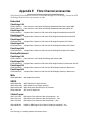
6.1.8 Ethernet configuration commands
The Ethernet configuration commands configure the Ethernet and TCP/IP parameters.
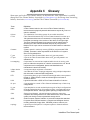
DhcpFixedDelay
Selects/displays the delay, in seconds, between DHCP
client request intervals, from between 0 seconds to 255
seconds. 0 time is typical.
Default: 0 (no delay)
Set syntax: set DhcpFixedDelay [ 0 - 255 ]
Get syntax: get DhcpFixedDelay
EthernetSpeed
Sets/displays the current speed of the Ethernet
connection. Choices are 10, 100, and Auto.
Default: auto
Set syntax: set EthernetSpeed [mp1] [ 10 | 100 | Auto ]
Requires a SaveConfiguration command
Get syntax: get EthernetSpeed [mp1]
If auto enabled, value in parentheses indicates current
speed
Exit
Exits the current Ethernet telnet CLI session; it has no
effect if used during a serial or in-band CLI session.
Immediate command: Exit
IPAddress
Sets/displays the current FibreBridge IP address.If
IPDHCP is enabled (see below), get command reports
current IP address assigned by DHCP server. Setting this
value always modifies the internal NVRAM value of the
IP Address, whether or not a SaveConfiguration is
performed.
Default IP Address: 10.0.0.1
Set syntax: set IPAddress [mp1] xxx.xxx.xxx.xxx
Get syntax: get IPAddress [mp1]
IPDHCP
Selecting DHCP allows the FibreBridge to request an IP
address from the network. The network must have at least
one DHCP server.
Default: enabled
Set syntax: set IPDHCP [mp1] [enabled | disabled]
Requires a SaveConfiguration command
Get syntax: get IPDHCP [mp1]
IPGateway
Sets/displays the current gateway. If IPDHCP is enabled
(see above), get command reports current IP gateway
assigned by DHCP server. Setting this value always
modifies the internal NVRAM value of the IP Gateway,
whether or not a SaveConfiguration is performed. The IP
gateway address will be rejected if the FibreBridge IP
address is not in the same subnet as the gateway.
Default: 0.0.0.0
Set syntax: set IPGateway [mp1] xxx.xxx.xxx.xxx
Get syntax: get IPGateway [mp1]
IPSubnetMask
Sets/displays the current subnet mask. If IPDHCP is
enabled (see above), get command reports current subnet
mask assigned by DHCP server. Setting this value always
modifies the internal NVRAM value of the IP subnet mask
whether or not a SaveConfiguration is performed.
Default: 255.255.0.0
Set syntax: set IPSubnetMask xxx.xxx.xxx.xxx
Get syntax: get IPSubnetMask
Password
Specifies password for all non-serial sessions: Telnet, ftp
and ExpressNAV user management console. You will be
prompted for the current password, to enter the new
password, and to confirm the new password. If local Echo
is enabled, password will echo all * characters. In
verbose mode only, CLI will request the password be reentered. When the password is all 0s, Telnet and ftp do
not validate the password and MD5 authentication is
disabled. Passwords are case sensitive and can be 1-32
characters long with no spaces.
Default: Password
Set syntax: set Password [ xxx ]
Requires a SaveConfiguration command
Ping
Sends an ICMP echo request to the specified host.
Immediate command: ping [mp1] [xxx.xxx.xxx.xxx]
<count <size>>
53
ATTO Technology Inc. FibreBridge Installation and Operation Manual