1
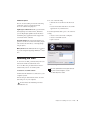
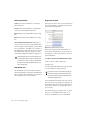
Tracks that are not record enabled still apply Delay Compensation. Pro Tools automatically
compensates for any timing discrepancies between the recorded material and the delay-compensated mix. When the track is played back
(with both record-enable and TrackInput disabled) it is correctly time-aligned with the other
delay-compensated tracks.
Overriding Suspended Delay Compensation
You can override the automatic suspension of
Delay Compensation on record-enabled tracks,
but you may introduce latency in the signal
path by the amount of Delay Compensation.
This latency may be acceptable depending on
the recording source.
In certain dubbing workflows you may want
to cascade bus recordings to multiple tracks.
In these cases you should be sure to override
the automatic suspension of Delay Compensation on the recording tracks.
To apply Delay Compensation to tracks where
Delay Compensation was suspended:
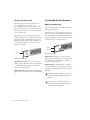
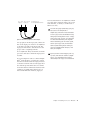
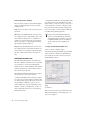
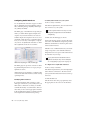
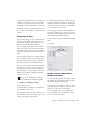
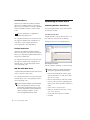
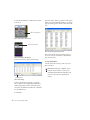
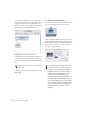
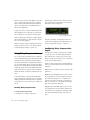
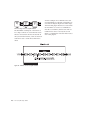
Start-Control-click (Windows) or CommandControl-click (Mac) the Track Compensation indicator. Track delay is applied to the track and
the Track Compensation indicator displays in
blue.
Delay Compensation on Auxiliary
Inputs
Delay Compensation on Auxiliary Inputs can be
bypassed to let you monitor outside sources
(such as the audio tracks of a slaved video deck)
with minimal latency, while still reporting the
track’s delay.
94
Pro Tools|HD Setup Guide
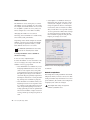
To bypass an Auxiliary Input’s Delay
Compensation:
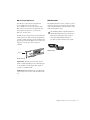
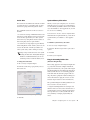
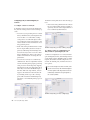
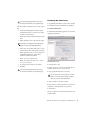
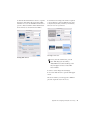
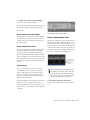
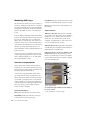
Start-Control-click (Windows) or CommandControl-click (Mac) the Track Compensation indicator. The reported track delay will be zero,
and will appear grayed out.
Delay Compensation for MIDI
When Delay Compensation is active, a MIDI
event that is recorded to sound “in time” with
delay-compensated material actually is recorded
late by the length of total delay in effect.
To compensate, MIDI events are shifted back in
time by the total session delay following each
MIDI recording pass.
Low-Latency Recording with Virtual
MIDI Instruments
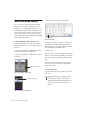
When a MIDI or Instrument track that is routing
MIDI data to an instrument plug-in is record-enabled, Pro Tools automatically suspends Delay
Compensation through the main outputs of the
audio track, Auxiliary Input, or Instrument track
on which the instrument plug-in is inserted. This
allows for latency-free monitoring of the instrument plug-in during recording.
Delay Compensation for virtual MIDI instruments works only when all MIDI and
audio connections take place inside
Pro Tools. While Pro Tools does not
suspend Delay Compensation when you are
using ReWire to connect software synthesizers and samplers in other ReWire client applications (such as Reason), Pro Tools cannot account for any latency within the
ReWire client itself.