1
CHAPTER 7: SCPS AMP
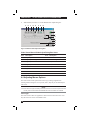
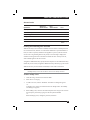
CTS = Clear to Send
DTR = Data Terminal Ready
SIG3 = SIG3
SIG4 = SIG4
The possible values in each of these columns are:
On = Power on
Off = Power off
*On = Power on and value toggled since last poll
*Off = Power off and value toggled since last poll
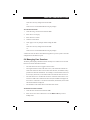
To display port statistics:
1.
Click the Settings tab in the SCPS AMP.
2.
Select the Ports - Statistics subcategory.
7.12 Managing SNMP
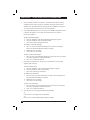
The SNMP category specifies general SNMP configuration information. The SNMP
- Traps subcategory indicates which traps are enabled and disabled.
SNMP (Simple Network Management Protocol) is a protocol used to communicate
management information between network management applications and appliances.
Other SNMP managers (such as Tivoli and HP OpenView) may communicate with
your appliance by accessing MIB-II (Management Information Base) and the public
portion of the enterprise MIB. MIB-II is a standard MIB that many SNMP servers
support. You may:
•
Enable or disable SNMP operations.
•
Enter system information and community strings.
•
Indicate which stations may manage the appliance. If you enter one or more
allowable managers, only those IP addresses will be able to manage the appliance via SNMP. If you do not enter any allowable managers, the appliance may
be managed via SNMP from any IP address.
•
Indicate which stations (destinations) will receive SNMP traps from the appliance. If you do not specify any trap destinations, no traps will be sent.
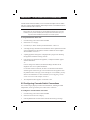
When you enable SNMP, the unit will respond to SNMP requests over UDP (User
Datagram Protocol) port 161. Port 161 is the standard UDP port used to send and
receive SNMP messages.
NOTE:
The SCPS AMP uses SNMP within a secure tunnel to manage appliances. For this reason, UDP
port 161 need not be exposed on firewalls. You will need to expose UDP port 161 to monitor
Black Box appliances via third party SNMP-based management software.
97