1
REMOTE CONTROL
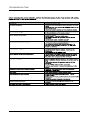
Remote control instructions in TV mode
MUTE
P.MODE
POWER
S.MODE
SLEEP
MTS
1
2
3
4
5
6
7
8
9
-
0
CH.LIST
ASPECT
A
B
C
CC
D
SOURCE
MENU
OK
ENTER
DISPLAY
EXIT
+
ADD/ ERASE
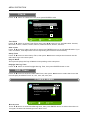
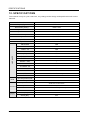
VOL+/VOLPress to increase / decrease the sound level.
CH+/CHPress to scan through channels.
FAV
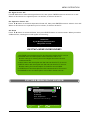
Press to display the favorite list in TV mode.
ADD/ERASE
Add or Erase favorite channels.
FAV
VOL
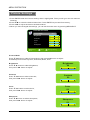
FAV.CH A
Single push>switch to FAV channel A;
Push and hold>store current channel in A.
FAV.CH B
Single push>switch to FAV channel B;
Push and hold>store current channel in B.
FAV.CH C
Single push>switch to FAV channel C;
Push and hold>store current channel in C.
FAV.CH D
Single push>switch to FAV channel D;
Push and hold>store current channel in D.
CH
AUTO
V-CHIP
TV
VGA
COMP
HDMI
CC
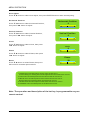
Press to display the closed caption.
V-CHIP
Press to enter the V - CHIP menu .
AUTO
Automatically adjust the Horizontal/Vertical position in
PC(VGA) mode.
HDMI
Switch to HDMI source.
COMP
Switch to YPbPr source.
VGA
Switch to VGA source.
TV
Switch to TV source.
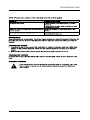
-If you deviate the television remote sensors. the remote control may fail or work abnormally.
-If not using the remote for a long period of time, please remove the batteries.
-The picture of remote controller is only for reference and is subject to the real one.
13