1
Deep Security 9.5 Installation Guide (VMware vShield)
Installing and Configuring a Relay-enabled Agent
Installing and Configuring a Relay-enabled Agent
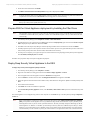
The Deep Security Relay is a Deep Security Agent with Relay functionality enabled. Relays download and distribute Security and Software
Updates to your Deep Security Agents and Appliances. You must have at least one Deep Security Relay to keep your protection up to date.
Install and Activate a Deep Security Agent
If you do not already have an agent installed on a computer, do so by following the instructions in Installing the Deep Security Agent (page
34). You skip ahead to the section on "Manual Installation".
Once the Agent is installed, you need to Activate it.
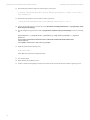
To Activate the Agent,
1.
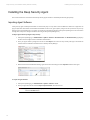
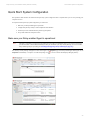
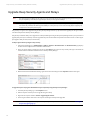
In the Deep Security Manager, go to the Computers page.
2.
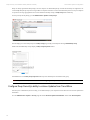
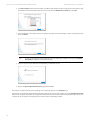
In the menu bar, click New > New Computer... to display the New Computer Wizard.
3.
For Hostname, enter the hostname or IP address of the computer on which you just installed the Agent.
4.
For Policy, select a Policy based on the operating system of your computer.
5.
For Download Security Updates From, leave the default setting (Default Relay Group).
6.
Click Finish. Deep Security Manager will import the computer to its Computers page and activate the Agent.
Enable Relay Functionality on a Deep Security Agent
To enable Relay functionality on an installed Deep Security Agent:
1.
The Adding a new computer and activation process should have finished by opening the Computer's Editor window. If it hasn't,
follow step two (below) to open the window.
2.
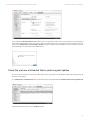
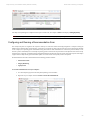
In the Deep Security Manager, go to the Computers screen, find the Agent on which you want to enable Relay functionality and
double-click it to open its Computer Editor window.
3.
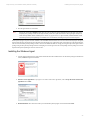
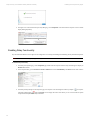
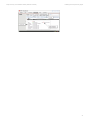
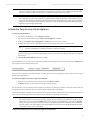
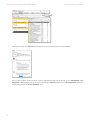
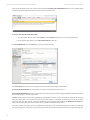
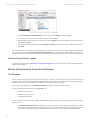
In the Computer Editor window, go to Overview > Actions > Software and click Enable Relay.
Note:
If you do not see the Enable Relay button, go to Administration > Updates > Software > Local to check whether the
corresponding package has been imported. Also ensure that the computer running a 64-bit version of the Agent.
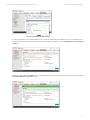
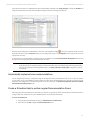
Deep Security Manager will install the plug-ins required by the Relay Module, and the Agent will begin to function as a Deep Security Relay.
42
Note:
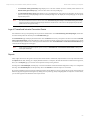
If you are running Windows Firewall or iptables, you also need to add a Firewall Rule that allows TCP/IP traffic on port 4122 on
the Relay.
Note:
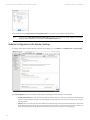
Relays are organized into Relay Groups. New Relays are automatically assigned to the Default Relay Group. The Default Relay
Group is configured to retrieve Security and Software Updates from the Primary Security Update Source defined in the Deep
Security Manager on the Administration > System Settings > Updates tab. (The Primary Update Source by default is Trend
Micro's Update Servers, but this configurable.)