1
ModelSim EE/PLUS
Reference Manual
The ModelSim Elite Edition for
VHDL, Verilog, and Mixed-HDL Simulation
ModelSim /VHDL, ModelSim /VLOG, ModelSim /LNL, and ModelSim /PLUS are produced by
Model Technology Incorporated. Unauthorized copying, duplication, or other reproduction is
prohibited without the written consent of Model Technology.
The information in this manual is subject to change without notice and does not represent a
commitment on the part of Model Technology. The program described in this manual is
furnished under a license agreement and may not be used or copied except in accordance with
the terms of the agreement. The online documentation provided with this product may be
printed by the end-user. The number or copies that may be printed is limited to the number of
licenses purchased.
ModelSim is a trademark of Model Technology Incorporated. PostScript is a registered
trademark of Adobe Systems Incorporated. UNIX is a registered trademark of AT&T in the USA
and other countries. FLEXlm is a trademark of Globetrotter Software, Inc. IBM, AT, and PC are
registered trademarks, AIX and RISC System/6000 are trademarks of International Business
Machines Corporation. Windows, Microsoft, and MS-DOS are registered trademarks of
Microsoft Corporation. OSF/Motif is a trademark of the Open Software Foundation, Inc. in the
USA and other countries. SPARC is a registered trademark and SPARCstation is a trademark
of SPARC International, Inc. Sun Microsystems is a registered trademark, and Sun, SunOS and
OpenWindows are trademarks of Sun Microsystems, Inc. All other trademarks and registered
trademarks are the properties of their respective holders.
Copyright (c) 1990-1998, Model Technology Incorporated.
All rights reserved. Confidential. Online documentation may be printed by licensed customers
of Model Technology Incorporated for internal business purposes only.
Software Version: 5.2
Published: October 1998
Model Technology Incorporated
8905 SW Nimbus Avenue, Suite 150
Beaverton OR 97008-7100 USA
phone: 503-641-1340
fax: 503-526-5410
email: [email protected], [email protected]
home page: http://www.model.com
EE Reference Manual - Part # 16505
US$50
ii
Software License Agreement
This is a legal agreement between you, the end user, and Model Technology Incorporated
(MTI). By opening the sealed package, or by signing this form, you are agreeing to be bound
by the terms of this agreement. If you do not agree to the terms of this agreement, promptly
return the unopened package and all accompanying items to the place you obtained them for
a full refund.
Model Technology Software License
1. LICENSE. MTI grants to you the nontransferable, nonexclusive right to use one copy of
the enclosed software program (the "SOFTWARE") for each license you have purchased. The
SOFTWARE must be used on the computer hardware server equipment that you identified in
writing by make, model, and workstation or host identification number and the equipment
served, in machine-readable form only, as allowed by the authorization code provided to you
by MTI or its agents. All authorized systems must be used within the country for which the
systems were sold. ModelSim EE licenses must be located at a single site, i.e. within a onekilometer radius identified in writing to MTI. This restriction does not apply to single ModelSim
PE licenses locked by a hardware security key, and such ModelSim PE products may be
relocated within the country for which sold.
2. COPYRIGHT. The SOFTWARE is owned by MTI (or its licensors) and is protected by United
States copyright laws and international treaty provisions. Therefore you must treat the
SOFTWARE like any other copyrighted material, except that you may either (a) make one copy
of the SOFTWARE solely for backup or archival purposes, or (b) transfer the SOFTWARE to a
single hard disk provided you keep the original solely for backup or archival purposes. You may
not copy the written materials accompanying the SOFTWARE.
3. USE OF SOFTWARE. The SOFTWARE is licensed to you for internal use only. You shall
not conduct benchmarks or other evaluations of the SOFTWARE without the advance written
consent of an authorized representative of MTI. You shall not sub-license, assign or otherwise
transfer the license granted or the rights under it without the prior written consent of MTI or its
applicable licensor. You shall keep the SOFTWARE in a restricted and secured area and shall
grant access only to authorized persons. You shall not make software available in any form to
any person other than your employees whose job performance requires access and who are
specified in writing to MTI. MTI may enter your business premises during normal business
hours to inspect the SOFTWARE, subject to your normal security.
4. PERMISSION TO COPY LICENSED SOFTWARE. You may copy the SOFTWARE only as
reasonably necessary to support an authorized use. Except as permitted by Section 2, you may
not make copies, in whole or in part, of the SOFTWARE or other material provided by MTI
without the prior written consent of MTI. For such permitted copies, you will include all notices
and legends embedded in the SOFTWARE and affixed to its medium and container as received
iii
from MTI. All copies of the SOFTWARE, whether provided by MTI or made by you, shall remain
the property of MTI or its licensors.
You will maintain a record of the number and location of all copies of the SOFTWARE made,
including copes that have been merged with other software, and will make those records
available to MTI or its applicable licensor upon request.
5. TRADE SECRET. The source code of the SOFTWARE is trade secret or confidential
information of MTI or its licensors. You shall take appropriate action to protect the confidentiality
of the SOFTWARE and to ensure that any user permitted access to the SOFTWARE does not
provide it to others. You shall take appropriate action to protect the confidentiality of the source
code of the SOFTWARE. You shall not reverse-assemble, reverse-compile or otherwise
reverse-engineer the SOFTWARE in whole or in part. The provisions of this section shall
survive the termination of this Agreement.
6. TITLE. Title to the SOFTWARE licensed to you or copies thereof are retained by MTI or third
parties from whom MTI has obtained a licensing right.
7. OTHER RESTRICTIONS. You may not rent or lease the SOFTWARE. You shall not
mortgage, pledge or encumber the SOFTWARE in any way. You shall ensure that all support
service is performed by MTI or its designated agents. You shall notify MTI of any loss of the
SOFTWARE.
8. TERMINATION. MTI may terminate this Agreement, or any license granted under it, in the
event of breach or default by you. In the event of such termination, all applicable SOFTWARE
shall be returned to MTI or destroyed.
9. EXPORT. You agree not to allow the MTI SOFTWARE to be sent or used in any other
country except in compliance with this license and applicable U.S. laws and regulations. If you
need advice on export laws and regulations, you should contact the U.S. Department of
Commerce, Export Division, Washington, DC 20230, USA for clarification.
Important Notice
Any provision of Model Technology Incorporated SOFTWARE to the U.S. Government is with
"Restricted Rights" as follows: Use, duplication, or disclosure by the Government is subject to
restrictions as set forth in subparagraphs (a) through (d) of the Commercial ComputerRestricted Rights clause at FAR 2.227-19 when applicable, or in subparagraph (c)(1)(ii) of the
Rights in Technical Data and Computer Software clauses in the NASA FAR Supplement. Any
provision of Model Technology documentation to the U.S. Government is with Limited Rights.
Contractor/manufacturer is Model Technology Incorporated, Suite 150, 8905 SW Nimbus
Avenue, Beaverton, Oregon 97008 USA.
iv
Limited Warranty
LIMITED WARRANTY. MTI warrants that the SOFTWARE will perform substantially in
accordance with the accompanying written materials for a period of 30 days from the date of
receipt. Any implied warranties on the SOFTWARE are limited to 30 days. Some states do not
allow limitations on duration of an implied warranty, so the above limitation may not apply to
you.
CUSTOMER REMEDIES. MTI’s entire liability and your exclusive remedy shall be, at MTI’s
option, either (a) return of the price paid or (b) repair or replacement of the SOFTWARE that
does not meet MTI’s Limited Warranty and which is returned to MTI. This Limited Warranty is
void if failure of the SOFTWARE has resulted from accident, abuse or misapplication. Any
replacement SOFTWARE will be warranted for the remainder of the original warranty period or
30 days, whichever is longer.
NO OTHER WARRANTIES. MTI disclaims all other warranties, either express or implied,
including but not limited to implied warranties of merchantability and fitness for a particular
purpose, with respect to the SOFTWARE and the accompanying written materials. This limited
warranty gives you specific legal rights. You may have others, which vary from state to state.
NO LIABILITY FOR CONSEQUENTIAL DAMAGES. In no event shall MTI or its suppliers be
liable for any damages whatsoever (including, without limitation, damages for loss of business
profits, business interruption, loss of business information, or other pecuniary loss) arising out
of the use of or inability to use these MTI products, even if MTI has been advised of the
possibility of such damages. Because some states do not allow the exclusion or limitation of
liability for consequential or incidental damages, the above limitation may not apply to you.
v
Table of Contents
Software License Agreement . . . .
Model Technology Software License .
Important Notice . . . . . . . . .
Limited Warranty . . . . . . . .
.
.
.
.
.
.
.
.
.
.
.
.
.
.
.
.
.
.
.
.
.
.
.
.
.
.
.
.
.
.
.
.
.
.
.
.
.
.
.
.
.
.
.
.
.
.
.
.
.
.
.
.
.
.
.
.
.
.
.
.
.
.
.
.
.
.
.
.
.
.
.
.
.
.
.
.
.
.
.
.
.
.
.
.
.
.
.
.
.
.
.
.
iii
iii
iv
v
1 - Introduction (p23)
Software versions . . . . . . . . . . . . . . . . . . . . . . . . . . . . . . . . . 23
ModelSim’s graphic interface
. . . . . . . . . . . . . . . . . . . . . . . . . . . . 24
Standards supported . . . . . . . . . . . . . . . . . . . . . . . . . . . . . . . . 24
Assumptions . . . . . . . . . . . . . . . . . . . . . . . . . . . . . . . . . . . 25
Sections in this document . . . . . . . . . . . . . . . . . . . . . . . . . . . . . . 25
Simulation action list . . . . . . . . . . . . . . . . . . . . . . . . . . . . . . . . 27
Installed technotes . . . . . . . . . . . . . . . . . . . . . . . . . . . . . . . . . 28
Text conventions . . . . . . . . . . . . . . . . . . . . . . . . . . . . . . . . . 29
HDL and HDL item defined . . . . . . . . . . . . . . . . . . . . . . . . . . . 29
Syntax conventions
. . . . . . . . . . . . . . . . . . . . . . . . . . . . . . . . 29
Where to find our documentation . . . . . . . . . . . . . . . . . . . . . . . . . . . 30
Download a free PDF reader with Search . . . . . . . . . . . . . . . . . . . . . . 31
Comments . . . . . . . . . . . . . . . . . . . . . . . . . . . . . . . . . . . . 31
2 - Design Libraries (p33)
Design library contents . . . . . . . . . . . . . . . . . . . . . . . . . . . . . . . 34
Design library types . . . . . . . . . . . . . . . . . . . . . . . . . . . . . . . . 34
Library management commands
. . . . . . . . . . . . . . . . . . . . . . . . . . . 35
Working with design libraries . . . . . . .
Creating a library . . . . . . . . . .
Viewing and deleting library contents . .
Assigning a logical name to a design library
Moving a library . . . . . . . . . . .
.
.
.
.
.
.
.
.
.
.
.
.
.
.
.
.
.
.
.
.
.
.
.
.
.
.
.
.
.
.
.
.
.
.
.
.
.
.
.
.
.
.
.
.
.
.
.
.
.
.
.
.
.
.
.
.
.
.
.
.
.
.
.
.
.
.
.
.
.
.
.
.
.
.
.
.
.
.
.
.
.
.
.
.
.
.
.
.
.
.
.
.
.
.
.
.
.
.
.
.
. 35
. 35
. 37
. 38
. 41
Specifying the resource libraries . . . . . . . . . . . . . . . . . . . . . . . . . . . 41
VHDL resource libraries . . . . . . . . . . . . . . . . . . . . . . . . . . . . 41
Predefined libraries . . . . . . . . . . . . . . . . . . . . . . . . . . . . . . . 42
6 - Table of Contents
ModelSim EE/PLUS Reference Manual
Alternate IEEE libraries supplied
Rebuilding supplied libraries . .
Regenerating your design libraries
Verilog resource libraries . . .
.
.
.
.
.
.
.
.
.
.
.
.
.
.
.
.
.
.
.
.
.
.
.
.
.
.
.
.
.
.
.
.
.
.
.
.
.
.
.
.
.
.
.
.
.
.
.
.
.
.
.
.
.
.
.
.
.
.
.
.
.
.
.
.
.
.
.
.
.
.
.
.
.
.
.
.
.
.
.
.
.
.
.
.
.
.
.
.
.
.
.
.
.
.
.
.
. 42
. 43
. 43
. 44
.
.
.
.
.
.
.
.
.
.
.
.
.
.
.
.
.
.
.
.
.
.
.
.
.
.
.
.
.
.
.
.
.
.
.
.
.
.
.
.
.
.
.
.
.
.
.
.
.
.
.
.
.
.
.
.
.
.
.
.
.
.
.
.
.
.
.
.
.
.
.
.
.
.
.
.
.
.
.
.
.
.
.
.
.
.
.
.
.
.
.
.
.
.
.
.
.
.
.
.
.
.
.
.
.
.
.
.
.
.
.
.
.
.
.
.
.
.
.
.
. 46
. 46
. 46
. 47
. 47
. 47
3 - Compilation and Simulation (p45)
Compiling VHDL and Verilog designs
Creating a design library . . .
Invoking the VHDL compiler .
Invoking the Verilog compiler .
Design checking . . . . . . .
Dependency checking . . . . .
.
.
.
.
.
.
.
.
.
.
.
.
.
.
.
.
.
.
.
.
.
.
.
.
Simulating VHDL and Verilog designs . . . . . . . . . . . . . . . . . . . . . . . . . 48
Invoking the simulator from the Main transcript window . . . . . . . . . . . . . . . . 48
Verilog-specific simulation issues . . . .
Verilog object names in commands .
Verilog literals in commands . . . .
Hazard detection . . . . . . . . .
Instantiation bindings . . . . . . .
The Verilog ‘uselib compiler directive
.
.
.
.
.
.
.
.
.
.
.
.
.
.
.
.
.
.
.
.
.
.
.
.
.
.
.
.
.
.
.
.
.
.
.
.
.
.
.
.
.
.
.
.
.
.
.
.
.
.
.
.
.
.
.
.
.
.
.
.
.
.
.
.
.
.
.
.
.
.
.
.
.
.
.
.
.
.
.
.
.
.
.
.
.
.
.
.
.
.
.
.
.
.
.
.
.
.
.
.
.
.
.
.
.
.
.
.
.
.
.
.
.
.
.
.
.
.
.
.
.
.
.
.
.
.
.
.
.
.
.
.
. 50
. 50
. 50
. 50
. 51
. 52
Environment variables . . . . . . . . . . . . . . . . . . . . . . . . . . . . . . . 54
Setting and using environment variables in Windows . . . . . . . . . . . . . . . . . 55
4 - Mixed VHDL and Verilog Designs (p57)
Separate compilers, common libraries . . . . . . . . . . . . . . . . . . . . . . . . . 58
Mapping data types . . . .
VHDL generics . . . .
Verilog parameters . . .
VHDL and Verilog ports
Verilog states . . . . .
.
.
.
.
.
.
.
.
.
.
.
.
.
.
.
.
.
.
.
.
.
.
.
.
.
.
.
.
.
.
.
.
.
.
.
.
.
.
.
.
.
.
.
.
.
.
.
.
.
.
.
.
.
.
.
.
.
.
.
.
.
.
.
.
.
.
.
.
.
.
.
.
.
.
.
.
.
.
.
.
.
.
.
.
.
.
.
.
.
.
.
.
.
.
.
.
.
.
.
.
.
.
.
.
.
.
.
.
.
.
.
.
.
.
.
.
.
.
.
.
.
.
.
.
.
.
.
.
.
.
.
.
.
.
.
. 58
. 58
. 59
. 59
. 60
VHDL instantiation of Verilog design units
Verilog instantiation criteria . . . .
Component declaration . . . . . .
vgencomp component declaration . .
.
.
.
.
.
.
.
.
.
.
.
.
.
.
.
.
.
.
.
.
.
.
.
.
.
.
.
.
.
.
.
.
.
.
.
.
.
.
.
.
.
.
.
.
.
.
.
.
.
.
.
.
.
.
.
.
.
.
.
.
.
.
.
.
.
.
.
.
.
.
.
.
.
.
.
.
.
.
.
.
.
.
.
.
.
.
.
.
. 62
. 62
. 62
. 64
Verilog instantiation of VHDL design units . . . . . . . . . . . . . . . . . . . . . . . 65
VHDL instantiation criteria . . . . . . . . . . . . . . . . . . . . . . . . . . . 65
SDF annotation . . . . . . . . . . . . . . . . . . . . . . . . . . . . . . . . 66
ModelSim EE/PLUS Reference Manual
Table of Contents -
7
5 - ModelSim Command Reference (p67)
Syntax conventions
. . . . . . . . . . . . . . . . . . . . . . . . . . . . . . . . 67
dumplog64 . . . . . . . . . . . . . . . . . . . . . . . . . . . . . . . . . . . . 68
modelsim
. . . . . . . . . . . . . . . . . . . . . . . . . . . . . . . . . . . . 69
tssi2mti . . . . . . . . . . . . . . . . . . . . . . . . . . . . . . . . . . . . . 70
vcom . . . . . . . . . . . . . . . . . . . . . . . . . . . . . . . . . . . . . . 71
vdel
. . . . . . . . . . . . . . . . . . . . . . . . . . . . . . . . . . . . . . 76
vdir . . . . . . . . . . . . . . . . . . . . . . . . . . . . . . . . . . . . . . . 78
vgencomp . . . . . . . . . . . . . . . . . . . . . . . . . . . . . . . . . . . . 79
vlib . . . . . . . . . . . . . . . . . . . . . . . . . . . . . . . . . . . . . . . 81
vlog
. . . . . . . . . . . . . . . . . . . . . . . . . . . . . . . . . . . . . . 83
vmake . . . . . . . . . . . . . . . . . . . . . . . . . . . . . . . . . . . . . . 88
vmap . . . . . . . . . . . . . . . . . . . . . . . . . . . . . . . . . . . . . . 89
vsim
. . . . . . . . . . . . . . . . . . . . . . . . . . . . . . . . . . . . . . 91
wav2log . . . . . . . . . . . . . . . . . . . . . . . . . . . . . . . . . . . . 101
6 - ModelSim EE Graphic Interface (p103)
ModelSim graphic interface quick reference .
Graphic interface commands . . . . .
Command-line simulation . . . . . .
Customizing the interface . . . . . .
.
.
.
.
.
.
.
.
.
.
.
.
.
.
.
.
.
.
.
.
.
.
.
.
.
.
.
.
.
.
.
.
.
.
.
.
.
.
.
.
.
.
.
.
.
.
.
.
.
.
.
.
.
.
.
.
.
.
.
.
.
.
.
.
.
.
.
.
.
.
.
.
.
.
.
.
.
.
.
.
.
.
.
.
104
105
107
108
Window overview . . . . . . . . . . . . . . . . . . . . . . . . . . . . . . . . 109
Window features . . . . . . . . . . .
Quick access toolbar . . . . . . . .
Drag and Drop . . . . . . . . . .
Automatic window updating . . . . .
Finding names, and searching for values
Sorting HDL items . . . . . . . . .
Multiple window copies . . . . . . .
Menu tear off . . . . . . . . . . .
Customizing menus and buttons . . . .
Combine signals into a user-defined bus
Tree window hierarchical view . . . .
.
.
.
.
.
.
.
.
.
.
.
.
.
.
.
.
.
.
.
.
.
.
.
.
.
.
.
.
.
.
.
.
.
.
.
.
.
.
.
.
.
.
.
.
.
.
.
.
.
.
.
.
.
.
.
.
.
.
.
.
.
.
.
.
.
.
.
.
.
.
.
.
.
.
.
.
.
.
.
.
.
.
.
.
.
.
.
.
.
.
.
.
.
.
.
.
.
.
.
.
.
.
.
.
.
.
.
.
.
.
.
.
.
.
.
.
.
.
.
.
.
.
.
.
.
.
.
.
.
.
.
.
.
.
.
.
.
.
.
.
.
.
.
.
.
.
.
.
.
.
.
.
.
.
.
.
.
.
.
.
.
.
.
.
.
.
.
.
.
.
.
.
.
.
.
.
.
.
.
.
.
.
.
.
.
.
.
.
.
.
.
.
.
.
.
.
.
.
.
.
.
.
.
.
.
.
.
.
.
.
.
.
.
.
.
.
.
.
.
.
.
.
.
.
.
.
.
.
.
.
.
110
110
111
111
112
112
112
112
113
113
114
Main window . . . . . . . . . . . . . . . . . . . . . . . . . . . . . . . . . . 116
8
- Table of Contents
ModelSim EE/PLUS Reference Manual
The Main window menu bar . . . . . . . . . . . . . .
The Main window tool bar . . . . . . . . . . . . . . .
The Main window status bar . . . . . . . . . . . . . .
Editing the command line, the current source file, and notepads
Dataflow window . . . . . . . . . . . . . .
The Dataflow window menu bar . . . . . .
Tracing HDL items with the Dataflow window .
Saving the Dataflow window as a Postscript file
.
.
.
.
.
.
.
.
.
.
.
.
.
.
.
.
.
.
.
.
.
.
.
.
.
.
.
.
.
.
.
.
.
.
.
.
.
.
.
.
.
.
.
.
.
.
.
.
.
.
.
.
117
122
124
125
.
.
.
.
.
.
.
.
.
.
.
.
.
.
.
.
.
.
.
.
.
.
.
.
.
.
.
.
.
.
.
.
.
.
.
.
.
.
.
.
.
.
.
.
.
.
.
.
.
.
.
.
.
.
.
.
.
.
.
.
.
.
.
.
.
.
.
.
127
128
129
129
List window . . . . . . . . . . . . . . . . . .
List window action list . . . . . . . . . . . .
The List window menu bar . . . . . . . . . . .
Setting List window display properties . . . . . .
Adding HDL items to the List window . . . . . .
Editing and formatting HDL items in the List window
Examining simulation results with the List window .
Finding items by name in the List window . . . .
Searching for item values in the List window . . .
Setting time markers in the List window . . . . .
List window keyboard shortcuts . . . . . . . . .
Saving List window data to a file . . . . . . . .
.
.
.
.
.
.
.
.
.
.
.
.
.
.
.
.
.
.
.
.
.
.
.
.
.
.
.
.
.
.
.
.
.
.
.
.
.
.
.
.
.
.
.
.
.
.
.
.
.
.
.
.
.
.
.
.
.
.
.
.
.
.
.
.
.
.
.
.
.
.
.
.
.
.
.
.
.
.
.
.
.
.
.
.
.
.
.
.
.
.
.
.
.
.
.
.
.
.
.
.
.
.
.
.
.
.
.
.
.
.
.
.
.
.
.
.
.
.
.
.
.
.
.
.
.
.
.
.
.
.
.
.
.
.
.
.
.
.
.
.
.
.
.
.
.
.
.
.
.
.
.
.
.
.
.
.
.
.
.
.
.
.
.
.
.
.
.
.
.
.
.
.
.
.
.
.
.
.
.
.
.
.
.
.
.
.
.
.
.
.
.
.
131
132
133
135
137
139
141
142
142
145
145
146
Process window . . . . . . . . . . . . . . . . . . . . . . . . . . . . . . . . . 147
The Process window menu bar . . . . . . . . . . . . . . . . . . . . . . . . . 148
Signals window . . . . . . . . . . . . . . . . . . . . .
The Signals window menu bar . . . . . . . . . . . . .
Selecting HDL item types to view . . . . . . . . . . . .
Forcing signal and net values . . . . . . . . . . . . . .
Adding HDL items to the Wave and List windows or a log file
Finding HDL items in the Signals window . . . . . . . .
.
.
.
.
.
.
.
.
.
.
.
.
.
.
.
.
.
.
.
.
.
.
.
.
.
.
.
.
.
.
.
.
.
.
.
.
.
.
.
.
.
.
.
.
.
.
.
.
.
.
.
.
.
.
.
.
.
.
.
.
.
.
.
.
.
.
.
.
.
.
.
.
150
151
152
152
154
155
Source window . . . . . . . . . . . . . .
The Source window menu bar . . . . . .
The Source window tool bar . . . . . . .
Editing the source file in the Source window .
Checking HDL item values and descriptions .
Setting Source window options . . . . . .
.
.
.
.
.
.
.
.
.
.
.
.
.
.
.
.
.
.
.
.
.
.
.
.
.
.
.
.
.
.
.
.
.
.
.
.
.
.
.
.
.
.
.
.
.
.
.
.
.
.
.
.
.
.
.
.
.
.
.
.
.
.
.
.
.
.
.
.
.
.
.
.
156
157
159
160
160
161
.
.
.
.
.
.
.
.
.
.
.
.
.
.
.
.
.
.
.
.
.
.
.
.
.
.
.
.
.
.
.
.
.
.
.
.
.
.
.
.
.
.
Structure window . . . . . . . . . . . . . . . . . . . . . . . . . . . . . . . . 162
The Structure window menu bar . . . . . . . . . . . . . . . . . . . . . . . . 163
Variables window . . . . . . . . . . . . . . . . . . . . . . . . . . . . . . . . 165
The Variables window menu bar . . . . . . . . . . . . . . . . . . . . . . . . 166
Wave window
. . . . . . . . . . . . . . . . . . . . . . . . . . . . . . . . . 168
ModelSim EE/PLUS Reference Manual
Table of Contents -
9
Wave window action list . . . . . . . . . . . .
The Wave window menu bar . . . . . . . . . . .
Wave window tool bar . . . . . . . . . . . . .
Setting Wave window display properties . . . . . .
Adding HDL items in the Wave window . . . . . .
Editing and formatting HDL items in the Wave window
Sorting a group of HDL items . . . . . . . . . .
Finding items by name or value in the Wave window .
Searching for item values in the Wave window . . . .
Using time cursors in the Wave window . . . . . .
Zooming - changing the waveform display range . . .
Wave window keyboard shortcuts . . . . . . . . .
Saving the waveform display as a Postscript file . . .
.
.
.
.
.
.
.
.
.
.
.
.
.
.
.
.
.
.
.
.
.
.
.
.
.
.
.
.
.
.
.
.
.
.
.
.
.
.
.
.
.
.
.
.
.
.
.
.
.
.
.
.
.
.
.
.
.
.
.
.
.
.
.
.
.
.
.
.
.
.
.
.
.
.
.
.
.
.
.
.
.
.
.
.
.
.
.
.
.
.
.
.
.
.
.
.
.
.
.
.
.
.
.
.
.
.
.
.
.
.
.
.
.
.
.
.
.
.
.
.
.
.
.
.
.
.
.
.
.
.
.
.
.
.
.
.
.
.
.
.
.
.
.
.
.
.
.
.
.
.
.
.
.
.
.
.
.
.
.
.
.
.
.
.
.
.
.
.
.
.
.
.
.
.
.
.
.
.
.
.
.
.
.
.
.
.
.
.
.
.
.
.
.
.
.
169
170
173
176
176
178
180
180
181
183
185
187
188
Compiling with the graphic interface . . . . . . . . . . . . . . . . . . . . . . . . 191
Locating source errors during compilation . . . . . . . . . . . . . . . . . . . . . 192
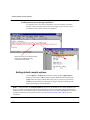
Setting default compile options . . . . . . . . . . . . . . . . . . . . . . . . . . . 192
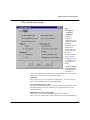
VHDL compiler options page . . . . . . . . . . . . . . . . . . . . . . . . . 193
Verilog compiler options page . . . . . . . . . . . . . . . . . . . . . . . . . 196
Simulating with the graphic interface
Design selection page . . . . .
VHDL settings page . . . . .
Verilog settings page . . . . .
SDF settings page . . . . . .
.
.
.
.
.
.
.
.
.
.
.
.
.
.
.
.
.
.
.
.
.
.
.
.
.
.
.
.
.
.
.
.
.
.
.
.
.
.
.
.
.
.
.
.
.
.
.
.
.
.
.
.
.
.
.
.
.
.
.
.
.
.
.
.
.
.
.
.
.
.
.
.
.
.
.
.
.
.
.
.
.
.
.
.
.
.
.
.
.
.
.
.
.
.
.
.
.
.
.
.
.
.
.
.
.
.
.
.
.
.
.
.
.
.
.
.
.
.
.
.
198
199
201
203
205
Setting default simulation options . . . . . . . . . . . . . . . . . . . . . . . . . . 207
Default settings page . . . . . . . . . . . . . . . . . . . . . . . . . . . . . 207
Assertion settings page . . . . . . . . . . . . . . . . . . . . . . . . . . . . 209
10
Simulator preference variables . . . . . . . . . . .
The modelsim.tcl file . . . . . . . . . . . . .
Preference file loading order . . . . . . . . . .
Returning to the original ModelSim defaults . . . .
Setting preference variables with the GUI . . . . .
Setting preferences from the ModelSim command line
.
.
.
.
.
.
.
.
.
.
.
.
.
.
.
.
.
.
.
.
.
.
.
.
.
.
.
.
.
.
.
.
.
.
.
.
.
.
.
.
.
.
.
.
.
.
.
.
.
.
.
.
.
.
.
.
.
.
.
.
.
.
.
.
.
.
.
.
.
.
.
.
.
.
.
.
.
.
.
.
.
.
.
.
.
.
.
.
.
.
.
.
.
.
.
.
210
210
210
210
211
215
Preference variable arrays . . . . . . . .
Menu preference variables . . . . . .
Window preference variables . . . . .
Library design unit preference variables
Window position preference variables .
user_hook variables . . . . . . . .
The addons variable . . . . . . . .
Logic type mapping preferences . . .
.
.
.
.
.
.
.
.
.
.
.
.
.
.
.
.
.
.
.
.
.
.
.
.
.
.
.
.
.
.
.
.
.
.
.
.
.
.
.
.
.
.
.
.
.
.
.
.
.
.
.
.
.
.
.
.
.
.
.
.
.
.
.
.
.
.
.
.
.
.
.
.
.
.
.
.
.
.
.
.
.
.
.
.
.
.
.
.
.
.
.
.
.
.
.
.
.
.
.
.
.
.
.
.
.
.
.
.
.
.
.
.
.
.
.
.
.
.
.
.
.
.
.
.
.
.
.
.
216
217
217
224
224
226
227
227
- Table of Contents
.
.
.
.
.
.
.
.
.
.
.
.
.
.
.
.
.
.
.
.
.
.
.
.
.
.
.
.
.
.
.
.
.
.
.
.
.
.
.
.
ModelSim EE/PLUS Reference Manual
Logic type display preferences . . . . . . . . . . . . . . . . . . . . . . . . . 228
Force mapping preferences . . . . . . . . . . . . . . . . . . . . . . . . . . . 229
ModelSim tools . . .
The Button Adder
The Macro Helper
The Tcl Debugger
.
.
.
.
.
.
.
.
.
.
.
.
.
.
.
.
.
.
.
.
.
.
.
.
.
.
.
.
.
.
.
.
.
.
.
.
.
.
.
.
.
.
.
.
.
.
.
.
.
.
.
.
.
.
.
.
.
.
.
.
.
.
.
.
.
.
.
.
.
.
.
.
.
.
.
.
.
.
.
.
.
.
.
.
.
.
.
.
.
.
.
.
.
.
.
.
.
.
.
.
.
.
.
.
.
.
.
.
.
.
.
.
.
.
.
.
.
.
.
.
230
230
231
232
GUI_expression_format . .
Expression typing . . .
Grouping and precedence
Saving expressions . . .
Expression syntax . . .
.
.
.
.
.
.
.
.
.
.
.
.
.
.
.
.
.
.
.
.
.
.
.
.
.
.
.
.
.
.
.
.
.
.
.
.
.
.
.
.
.
.
.
.
.
.
.
.
.
.
.
.
.
.
.
.
.
.
.
.
.
.
.
.
.
.
.
.
.
.
.
.
.
.
.
.
.
.
.
.
.
.
.
.
.
.
.
.
.
.
.
.
.
.
.
.
.
.
.
.
.
.
.
.
.
.
.
.
.
.
.
.
.
.
.
.
.
.
.
.
.
.
.
.
.
.
.
.
.
.
.
.
.
.
.
236
236
237
237
237
The GUI Expression Builder . . . . . . . . . . . . . . . . . . . . . . . . . . . . 242
7 - Simulator Command Reference (p245)
Command return values . . . . . . . . . . . . . . . . . . . . . . . . . . . . . . 246
Syntax conventions
. . . . . . . . . . . . . . . . . . . . . . . . . . . . . . . 246
Command history shortcuts . . . . . . . . . . . . . . . . . . . . . . . . . . . . 247
Numbering conventions . . . . . . . . . . . . . . . . . . . . . . . . . . . . . . 247
VHDL numbering conventions . . . . . . . . . . . . . . . . . . . . . . . . . 247
Verilog numbering conventions . . . . . . . . . . . . . . . . . . . . . . . . . 248
HDL item pathnames . . . . . . . .
Multiple levels in a pathname . . .
Absolute path names . . . . . .
Relative path names . . . . . .
Indexing signals, memories and nets
Name case sensitivity . . . . . .
Naming fields in VHDL signals . .
.
.
.
.
.
.
.
.
.
.
.
.
.
.
.
.
.
.
.
.
.
.
.
.
.
.
.
.
.
.
.
.
.
.
.
.
.
.
.
.
.
.
.
.
.
.
.
.
.
.
.
.
.
.
.
.
.
.
.
.
.
.
.
.
.
.
.
.
.
.
.
.
.
.
.
.
.
.
.
.
.
.
.
.
.
.
.
.
.
.
.
.
.
.
.
.
.
.
.
.
.
.
.
.
.
.
.
.
.
.
.
.
.
.
.
.
.
.
.
.
.
.
.
.
.
.
.
.
.
.
.
.
.
.
.
.
.
.
.
.
.
.
.
.
.
.
.
.
.
.
.
.
.
.
.
.
.
.
.
.
.
249
249
249
250
250
250
250
Wildcard characters . . . . . . . . . . . . . . . . . . . . . . . . . . . . . . . 251
Tcl variables . . . . . . . .
Variable settings report . .
Simulator state variables . .
Simulator control variables .
Environment variables . .
User-defined variables . .
.
.
.
.
.
.
.
.
.
.
.
.
.
.
.
.
.
.
.
.
.
.
.
.
.
.
.
.
.
.
.
.
.
.
.
.
.
.
.
.
.
.
.
.
.
.
.
.
.
.
.
.
.
.
.
.
.
.
.
.
.
.
.
.
.
.
.
.
.
.
.
.
.
.
.
.
.
.
.
.
.
.
.
.
.
.
.
.
.
.
.
.
.
.
.
.
.
.
.
.
.
.
.
.
.
.
.
.
.
.
.
.
.
.
.
.
.
.
.
.
.
.
.
.
.
.
.
.
.
.
.
.
.
.
.
.
.
.
.
.
.
.
.
.
.
.
.
.
.
.
.
.
.
.
.
.
252
252
252
253
255
256
Simulation time units . . . . . . . . . . . . . . . . . . . . . . . . . . . . . . . 256
abort . . . . . . . . . . . . . . . . . . . . . . . . . . . . . . . . . . . . . 257
ModelSim EE/PLUS Reference Manual
Table of Contents -
11
add button . . . . . . . . . . . . . . . . . . . . . . . . . . . . . . . . . . . 258
add list
. . . . . . . . . . . . . . . . . . . . . . . . . . . . . . . . . . . . 260
add_menu . . . . . . . . . . . . . . . . . . . . . . . . . . . . . . . . . . . 264
add_menucb . . . . . . . . . . . . . . . . . . . . . . . . . . . . . . . . . . 266
add_menuitem
. . . . . . . . . . . . . . . . . . . . . . . . . . . . . . . . . 268
add_separator . . . . . . . . . . . . . . . . . . . . . . . . . . . . . . . . . . 269
add_submenu . . . . . . . . . . . . . . . . . . . . . . . . . . . . . . . . . . 270
add wave
alias
. . . . . . . . . . . . . . . . . . . . . . . . . . . . . . . . . . . 271
. . . . . . . . . . . . . . . . . . . . . . . . . . . . . . . . . . . . . 275
batch_mode
. . . . . . . . . . . . . . . . . . . . . . . . . . . . . . . . . . 276
bd . . . . . . . . . . . . . . . . . . . . . . . . . . . . . . . . . . . . . . 277
bp . . . . . . . . . . . . . . . . . . . . . . . . . . . . . . . . . . . . . . 278
cd
. . . . . . . . . . . . . . . . . . . . . . . . . . . . . . . . . . . . . . 280
change
. . . . . . . . . . . . . . . . . . . . . . . . . . . . . . . . . . . . 281
change_menu_cmd
. . . . . . . . . . . . . . . . . . . . . . . . . . . . . . . 282
check contention add . . . . . . . . . . . . . . . . . . . . . . . . . . . . . . . 283
check contention config . . . . . . . . . . . . . . . . . . . . . . . . . . . . . . 284
check contention off . . . . . . . . . . . . . . . . . . . . . . . . . . . . . . . 285
check float add . . . . . . . . . . . . . . . . . . . . . . . . . . . . . . . . . 286
check float config . . . . . . . . . . . . . . . . . . . . . . . . . . . . . . . . 287
check float off
. . . . . . . . . . . . . . . . . . . . . . . . . . . . . . . . . 288
check stable on . . . . . . . . . . . . . . . . . . . . . . . . . . . . . . . . . 289
check stable off . . . . . . . . . . . . . . . . . . . . . . . . . . . . . . . . . 290
checkpoint . . . . . . . . . . . . . . . . . . . . . . . . . . . . . . . . . . . 291
configure
. . . . . . . . . . . . . . . . . . . . . . . . . . . . . . . . . . . 292
delete . . . . . . . . . . . . . . . . . . . . . . . . . . . . . . . . . . . . . 297
describe . . . . . . . . . . . . . . . . . . . . . . . . . . . . . . . . . . . . 298
disablebp
. . . . . . . . . . . . . . . . . . . . . . . . . . . . . . . . . . . 299
disable_menu . . . . . . . . . . . . . . . . . . . . . . . . . . . . . . . . . . 300
disable_menuitem . . . . . . . . . . . . . . . . . . . . . . . . . . . . . . . . 301
do . . . . . . . . . . . . . . . . . . . . . . . . . . . . . . . . . . . . . . 302
12
- Table of Contents
ModelSim EE/PLUS Reference Manual
down | up
drivers
echo
. . . . . . . . . . . . . . . . . . . . . . . . . . . . . . . . . . . 304
. . . . . . . . . . . . . . . . . . . . . . . . . . . . . . . . . . . . 306
. . . . . . . . . . . . . . . . . . . . . . . . . . . . . . . . . . . . . 307
edit . . . . . . . . . . . . . . . . . . . . . . . . . . . . . . . . . . . . . . 308
enablebp . . . . . . . . . . . . . . . . . . . . . . . . . . . . . . . . . . . . 309
enable_menu . . . . . . . . . . . . . . . . . . . . . . . . . . . . . . . . . . 310
enable_menuitem . . . . . . . . . . . . . . . . . . . . . . . . . . . . . . . . 311
environment . . . . . . . . . . . . . . . . . . . . . . . . . . . . . . . . . . 312
examine . . . . . . . . . . . . . . . . . . . . . . . . . . . . . . . . . . . . 313
exit . . . . . . . . . . . . . . . . . . . . . . . . . . . . . . . . . . . . . . 316
find . . . . . . . . . . . . . . . . . . . . . . . . . . . . . . . . . . . . . . 317
force . . . . . . . . . . . . . . . . . . . . . . . . . . . . . . . . . . . . . 319
getactivecursortime
. . . . . . . . . . . . . . . . . . . . . . . . . . . . . . . 322
getactivemarkertime . . . . . . . . . . . . . . . . . . . . . . . . . . . . . . . 323
lecho . . . . . . . . . . . . . . . . . . . . . . . . . . . . . . . . . . . . . 324
log . . . . . . . . . . . . . . . . . . . . . . . . . . . . . . . . . . . . . . 325
lshift . . . . . . . . . . . . . . . . . . . . . . . . . . . . . . . . . . . . . 327
lsublist
. . . . . . . . . . . . . . . . . . . . . . . . . . . . . . . . . . . . 328
macro_option . . . . . . . . . . . . . . . . . . . . . . . . . . . . . . . . . . 329
.main clear . . . . . . . . . . . . . . . . . . . . . . . . . . . . . . . . . . . 330
next
. . . . . . . . . . . . . . . . . . . . . . . . . . . . . . . . . . . . . 331
noforce . . . . . . . . . . . . . . . . . . . . . . . . . . . . . . . . . . . . 332
nolog . . . . . . . . . . . . . . . . . . . . . . . . . . . . . . . . . . . . . 333
notepad . . . . . . . . . . . . . . . . . . . . . . . . . . . . . . . . . . . . 335
nowhen . . . . . . . . . . . . . . . . . . . . . . . . . . . . . . . . . . . . 336
onbreak . . . . . . . . . . . . . . . . . . . . . . . . . . . . . . . . . . . . 337
onElabError
onerror
. . . . . . . . . . . . . . . . . . . . . . . . . . . . . . . . . . 338
. . . . . . . . . . . . . . . . . . . . . . . . . . . . . . . . . . . . 339
pause . . . . . . . . . . . . . . . . . . . . . . . . . . . . . . . . . . . . . 340
play
. . . . . . . . . . . . . . . . . . . . . . . . . . . . . . . . . . . . . 341
power add . . . . . . . . . . . . . . . . . . . . . . . . . . . . . . . . . . . 342
ModelSim EE/PLUS Reference Manual
Table of Contents -
13
power report . . . . . . . . . . . . . . . . . . . . . . . . . . . . . . . . . . 343
power reset . . . . . . . . . . . . . . . . . . . . . . . . . . . . . . . . . . . 344
printenv . . . . . . . . . . . . . . . . . . . . . . . . . . . . . . . . . . . . 345
property list
. . . . . . . . . . . . . . . . . . . . . . . . . . . . . . . . . . 346
property wave
pwd
. . . . . . . . . . . . . . . . . . . . . . . . . . . . . . . . . 347
. . . . . . . . . . . . . . . . . . . . . . . . . . . . . . . . . . . . . 349
quietly
. . . . . . . . . . . . . . . . . . . . . . . . . . . . . . . . . . . . 350
quit . . . . . . . . . . . . . . . . . . . . . . . . . . . . . . . . . . . . . . 351
radix . . . . . . . . . . . . . . . . . . . . . . . . . . . . . . . . . . . . . 352
record . . . . . . . . . . . . . . . . . . . . . . . . . . . . . . . . . . . . . 353
report . . . . . . . . . . . . . . . . . . . . . . . . . . . . . . . . . . . . . 354
restart . . . . . . . . . . . . . . . . . . . . . . . . . . . . . . . . . . . . . 356
restore
. . . . . . . . . . . . . . . . . . . . . . . . . . . . . . . . . . . . 357
resume
. . . . . . . . . . . . . . . . . . . . . . . . . . . . . . . . . . . . 358
right | left
. . . . . . . . . . . . . . . . . . . . . . . . . . . . . . . . . . . 359
run . . . . . . . . . . . . . . . . . . . . . . . . . . . . . . . . . . . . . . 361
search and next . . . . . . . . . . . . . . . . . . . . . . . . . . . . . . . . . 363
seetime . . . . . . . . . . . . . . . . . . . . . . . . . . . . . . . . . . . . 366
shift
. . . . . . . . . . . . . . . . . . . . . . . . . . . . . . . . . . . . . 367
show . . . . . . . . . . . . . . . . . . . . . . . . . . . . . . . . . . . . . 368
splitio . . . . . . . . . . . . . . . . . . . . . . . . . . . . . . . . . . . . . 369
status . . . . . . . . . . . . . . . . . . . . . . . . . . . . . . . . . . . . . 370
step . . . . . . . . . . . . . . . . . . . . . . . . . . . . . . . . . . . . . . 371
stop . . . . . . . . . . . . . . . . . . . . . . . . . . . . . . . . . . . . . . 372
tb
. . . . . . . . . . . . . . . . . . . . . . . . . . . . . . . . . . . . . . 373
toggle add . . . . . . . . . . . . . . . . . . . . . . . . . . . . . . . . . . . 374
toggle reset . . . . . . . . . . . . . . . . . . . . . . . . . . . . . . . . . . . 375
toggle report . . . . . . . . . . . . . . . . . . . . . . . . . . . . . . . . . . 376
transcribe
. . . . . . . . . . . . . . . . . . . . . . . . . . . . . . . . . . . 377
transcript
. . . . . . . . . . . . . . . . . . . . . . . . . . . . . . . . . . . 378
vcd add . . . . . . . . . . . . . . . . . . . . . . . . . . . . . . . . . . . . 379
14
- Table of Contents
ModelSim EE/PLUS Reference Manual
vcd checkpoint . . . . . . . . . . . . . . . . . . . . . . . . . . . . . . . . . 380
vcd comment . . . . . . . . . . . . . . . . . . . . . . . . . . . . . . . . . . 381
vcd file . . . . . . . . . . . . . . . . . . . . . . . . . . . . . . . . . . . . 382
vcd flush . . . . . . . . . . . . . . . . . . . . . . . . . . . . . . . . . . . . 384
vcd limit . . . . . . . . . . . . . . . . . . . . . . . . . . . . . . . . . . . . 385
vcd off
. . . . . . . . . . . . . . . . . . . . . . . . . . . . . . . . . . . . 386
vcd on . . . . . . . . . . . . . . . . . . . . . . . . . . . . . . . . . . . . . 387
view
. . . . . . . . . . . . . . . . . . . . . . . . . . . . . . . . . . . . . 388
vmap . . . . . . . . . . . . . . . . . . . . . . . . . . . . . . . . . . . . . 390
vcom . . . . . . . . . . . . . . . . . . . . . . . . . . . . . . . . . . . . . 391
vlog
. . . . . . . . . . . . . . . . . . . . . . . . . . . . . . . . . . . . . 392
vsim
. . . . . . . . . . . . . . . . . . . . . . . . . . . . . . . . . . . . . 393
vsim<info> . . . . . . . . . . . . . . . . . . . . . . . . . . . . . . . . . . . 394
vsource . . . . . . . . . . . . . . . . . . . . . . . . . . . . . . . . . . . . 395
.wave.tree zoomfull
. . . . . . . . . . . . . . . . . . . . . . . . . . . . . . . 396
.wave.tree zoomrange
. . . . . . . . . . . . . . . . . . . . . . . . . . . . . . 397
when . . . . . . . . . . . . . . . . . . . . . . . . . . . . . . . . . . . . . 398
where . . . . . . . . . . . . . . . . . . . . . . . . . . . . . . . . . . . . . 401
.<win>.tree color
write format
. . . . . . . . . . . . . . . . . . . . . . . . . . . . . . . . 402
. . . . . . . . . . . . . . . . . . . . . . . . . . . . . . . . . . 403
write list . . . . . . . . . . . . . . . . . . . . . . . . . . . . . . . . . . . . 404
write preferences
. . . . . . . . . . . . . . . . . . . . . . . . . . . . . . . . 405
write report . . . . . . . . . . . . . . . . . . . . . . . . . . . . . . . . . . . 406
write transcript . . . . . . . . . . . . . . . . . . . . . . . . . . . . . . . . . 407
write tssi . . . . . . . . . . . . . . . . . . . . . . . . . . . . . . . . . . . . 408
write wave . . . . . . . . . . . . . . . . . . . . . . . . . . . . . . . . . . . 410
8 - System Initialization/Project File (p413)
Location of the modelsim.ini file . . . . . . . . . . . . . . . . . . . . . . . . . . 414
Choosing project files
. . . . . . . . . . . . . . . . . . . . . . . . . . . . . . 414
Reading variable values from the .ini file . . . . . . . . . . . . . . . . . . . . . . . 414
ModelSim EE/PLUS Reference Manual
Table of Contents -
15
Project file variables
[Library] section
[vcom] section
[vlog] section .
[vsim] section .
[lmc] section .
.
.
.
.
.
.
.
.
.
.
.
.
.
.
.
.
.
.
.
.
.
.
.
.
.
.
.
.
.
.
.
.
.
.
.
.
.
.
.
.
.
.
.
.
.
.
.
.
.
.
.
.
.
.
.
.
.
.
.
.
.
.
.
.
.
.
.
.
.
.
.
.
.
.
.
.
.
.
.
.
.
.
.
.
.
.
.
.
.
.
.
.
.
.
.
.
.
.
.
.
.
.
.
.
.
.
.
.
.
.
.
.
.
.
.
.
.
.
.
.
.
.
.
.
.
.
.
.
.
.
.
.
.
.
.
.
.
.
.
.
.
.
.
.
.
.
.
.
.
.
.
.
.
.
.
.
.
.
.
.
.
.
.
.
.
.
.
.
.
.
.
.
.
.
.
.
.
.
.
.
.
.
.
.
.
.
415
415
416
418
419
421
Variable functions . . . . . . . . . . . . . .
Environment variables . . . . . . . . . .
Hierarchical library mapping . . . . . . . .
Creating a transcript file . . . . . . . . . .
Using a startup file . . . . . . . . . . . .
Turning off assertion messages . . . . . . .
Turning off warnings from arithmetic packages
Force command defaults . . . . . . . . . .
VHDL93 . . . . . . . . . . . . . . . .
Opening VHDL files . . . . . . . . . . .
.
.
.
.
.
.
.
.
.
.
.
.
.
.
.
.
.
.
.
.
.
.
.
.
.
.
.
.
.
.
.
.
.
.
.
.
.
.
.
.
.
.
.
.
.
.
.
.
.
.
.
.
.
.
.
.
.
.
.
.
.
.
.
.
.
.
.
.
.
.
.
.
.
.
.
.
.
.
.
.
.
.
.
.
.
.
.
.
.
.
.
.
.
.
.
.
.
.
.
.
.
.
.
.
.
.
.
.
.
.
.
.
.
.
.
.
.
.
.
.
.
.
.
.
.
.
.
.
.
.
.
.
.
.
.
.
.
.
.
.
.
.
.
.
.
.
.
.
.
.
.
.
.
.
.
.
.
.
.
.
.
.
.
.
.
.
.
.
.
.
.
.
.
.
.
.
.
.
.
.
421
421
422
422
423
423
423
424
424
424
9 - The TextIO Package (p425)
Using the TextIO package . . . . . . . . . . . . . . . . . . . . . . . . . . . . . 425
Syntax for file declaration . . . . . . . . . . . . . . . . . . . . . . . . . . . 426
Using STD_INPUT and STD_OUTPUT within ModelSim . . . . . . . . . . . . . . 426
TextIO implementation issues . . . . . . .
Writing strings and aggregates . . . . .
Reading and writing hexadecimal numbers
Dangling pointers . . . . . . . . . .
The ENDLINE function . . . . . . . .
The ENDFILE function . . . . . . . .
Using alternative input/output files . . .
Providing stimulus . . . . . . . . . .
.
.
.
.
.
.
.
.
.
.
.
.
.
.
.
.
.
.
.
.
.
.
.
.
.
.
.
.
.
.
.
.
.
.
.
.
.
.
.
.
.
.
.
.
.
.
.
.
.
.
.
.
.
.
.
.
.
.
.
.
.
.
.
.
.
.
.
.
.
.
.
.
.
.
.
.
.
.
.
.
.
.
.
.
.
.
.
.
.
.
.
.
.
.
.
.
.
.
.
.
.
.
.
.
.
.
.
.
.
.
.
.
.
.
.
.
.
.
.
.
.
.
.
.
.
.
.
.
.
.
.
.
.
.
.
.
.
.
.
.
.
.
.
.
.
.
.
.
.
.
.
.
.
.
.
.
.
.
.
.
427
427
428
428
428
429
429
429
10 - ModelSim and VITAL (p431)
Obtaining the VITAL specification and source code
VITAL packages
. . . . . . . . . . . . . . . . . . 432
. . . . . . . . . . . . . . . . . . . . . . . . . . . . . . . . 432
ModelSim VITAL compliance . . . . . . . . . . . . . . . . . . . . . . . . . . . 432
Compiling and Simulating with accelerated VITAL packages . . . . . . . . . . . . . . . 434
16
- Table of Contents
ModelSim EE/PLUS Reference Manual
11 - Standard Delay Format (SDF) Timing Annotation (p435)
Specifying SDF files for simulation
Instance specification . . . .
SDF specification with the GUI
Errors and warnings . . . .
.
.
.
.
.
.
.
.
.
.
.
.
.
.
.
.
.
.
.
.
.
.
.
.
.
.
.
.
.
.
.
.
.
.
.
.
.
.
.
.
.
.
.
.
.
.
.
.
.
.
.
.
.
.
.
.
.
.
.
.
.
.
.
.
.
.
.
.
.
.
.
.
.
.
.
.
.
.
.
.
.
.
.
.
.
.
.
.
.
.
.
.
.
.
.
.
.
.
.
.
436
436
437
438
VHDL VITAL SDF . . . . . . . . . . . . . . . . . . . . . . . . . . . . . . . 438
SDF to VHDL generic matching . . . . . . . . . . . . . . . . . . . . . . . . 438
Resolving errors . . . . . . . . . . . . . . . . . . . . . . . . . . . . . . . 439
Verilog SDF . . . . . . . . . . .
The $sdf_annotate system task . .
SDF to Verilog construct matching
Optional edge specifications . . .
Optional conditions . . . . . .
Rounded timing values . . . . .
.
.
.
.
.
.
.
.
.
.
.
.
.
.
.
.
.
.
.
.
.
.
.
.
.
.
.
.
.
.
.
.
.
.
.
.
.
.
.
.
.
.
.
.
.
.
.
.
.
.
.
.
.
.
.
.
.
.
.
.
.
.
.
.
.
.
.
.
.
.
.
.
.
.
.
.
.
.
.
.
.
.
.
.
.
.
.
.
.
.
.
.
.
.
.
.
.
.
.
.
.
.
.
.
.
.
.
.
.
.
.
.
.
.
.
.
.
.
.
.
.
.
.
.
.
.
.
.
.
.
.
.
.
.
.
.
.
.
440
440
442
445
446
446
SDF for Mixed VHDL and Verilog Designs . . . . . . . . . . . . . . . . . . . . . . 447
Interconnect delays
. . . . . . . . . . . . . . . . . . . . . . . . . . . . . . . 447
Troubleshooting . . . . . . . . . . . . . . . . . . . .
Specifying the wrong instance . . . . . . . . . . . .
Mistaking a component or module name for an instance label
Forgetting to specify the instance . . . . . . . . . . .
Obtaining the SDF specification
.
.
.
.
.
.
.
.
.
.
.
.
.
.
.
.
.
.
.
.
.
.
.
.
.
.
.
.
.
.
.
.
.
.
.
.
.
.
.
.
.
.
.
.
.
.
.
.
.
.
.
.
448
448
449
449
. . . . . . . . . . . . . . . . . . . . . . . . . . 450
12 - VHDL Foreign Language Interface and Verilog PLI (p451)
Compiling and linking FLI and PLI applications
PLI application requirements . . . . . .
Windows NT/95/98 linking . . . . . .
SunOS 4 linking . . . . . . . . . . .
Solaris linking . . . . . . . . . . . .
HP700 linking . . . . . . . . . . . .
IBM RISC/6000 linking . . . . . . . .
.
.
.
.
.
.
.
.
.
.
.
.
.
.
.
.
.
.
.
.
.
.
.
.
.
.
.
.
.
.
.
.
.
.
.
.
.
.
.
.
.
.
.
.
.
.
.
.
.
.
.
.
.
.
.
.
.
.
.
.
.
.
.
.
.
.
.
.
.
.
.
.
.
.
.
.
.
.
.
.
.
.
.
.
.
.
.
.
.
.
.
.
.
.
.
.
.
.
.
.
.
.
.
.
.
.
.
.
.
.
.
.
.
.
.
.
.
.
.
.
.
.
.
.
.
.
.
.
.
.
.
.
.
.
.
.
.
.
.
.
452
452
453
453
453
454
454
Using the VHDL FLI with foreign architectures . . . . . . . . . . . . . . . . . . . . 456
Declaring the FOREIGN attribute . . . . . . . . . . . . . . . . . . . . . . . . 456
The C initialization function . . . . . . . . . . . . . . . . . . . . . . . . . . 457
Using the VHDL FLI with foreign subprograms . . . . . . . . . . . . . . . . . . . . 458
Declaring the subprogram in VHDL . . . . . . . . . . . . . . . . . . . . . . . 458
C code and VHDL examples . . . . . . . . . . . . . . . . . . . . . . . . . . 460
ModelSim EE/PLUS Reference Manual
Table of Contents -
17
Using checkpoint/restore with the FLI . . . . . . . . . . . . . . . . . . . . . . . . 463
Support for Verilog instances
. . . . . . . . . . . . . . . . . . . . . . . . . . . 465
Callback functions for sockets - Windows platforms
VSIM function descriptions . . .
Mapping to VHDL data types
Enumerations . . . . . . .
Reals and time . . . . . .
Arrays . . . . . . . . . .
VHDL FLI examples . . . .
.
.
.
.
.
.
.
.
.
.
.
.
Using the Verilog PLI . . . . . . .
Specifying the PLI file to load . .
Support for VHDL objects . . . .
PLI ACC routines for VHDL objects
PLI TF routines and Reason flags .
FLI and PLI tracing . . . . . . .
The purpose of tracing files . .
Invoking a trace . . . . . . .
Installing the dummy component
for VHDL trace replay . . . .
Replaying a Verilog PLI session
. . . . . . . . . . . . . . . . . . 466
.
.
.
.
.
.
.
.
.
.
.
.
.
.
.
.
.
.
.
.
.
.
.
.
.
.
.
.
.
.
.
.
.
.
.
.
.
.
.
.
.
.
.
.
.
.
.
.
.
.
.
.
.
.
.
.
.
.
.
.
.
.
.
.
.
.
.
.
.
.
.
.
.
.
.
.
.
.
.
.
.
.
.
.
.
.
.
.
.
.
.
.
.
.
.
.
.
.
.
.
.
.
.
.
.
.
.
.
.
.
.
.
.
.
.
.
.
.
.
.
.
.
.
.
.
.
.
.
.
.
.
.
.
.
.
.
.
.
467
481
482
482
482
483
.
.
.
.
.
.
.
.
.
.
.
.
.
.
.
.
.
.
.
.
.
.
.
.
.
.
.
.
.
.
.
.
.
.
.
.
.
.
.
.
.
.
.
.
.
.
.
.
.
.
.
.
.
.
.
.
.
.
.
.
.
.
.
.
.
.
.
.
.
.
.
.
.
.
.
.
.
.
.
.
.
.
.
.
.
.
.
.
.
.
.
.
.
.
.
.
.
.
.
.
.
.
.
.
.
.
.
.
.
.
.
.
.
.
.
483
483
484
485
486
. . . . . . . . . . . . . . . . . . . . . . . . 486
. . . . . . . . . . . . . . . . . . . . . . . . 486
. . . . . . . . . . . . . . . . . . . . . . . . 487
. . . . . . . . . . . . . . . . . . . . . . . . 488
. . . . . . . . . . . . . . . . . . . . . . . . 489
13 - Value Change Dump (VCD) Files (p491)
ModelSim VCD commands and VCD tasks . . . . . . . . . . . . . . . . . . . . . . 492
Resimulating a VHDL design from a VCD file . . . .
Extracting the proper stimulus for bidirectional ports
Specifying a filename and state mappings . . . . .
Creating the VCD file . . . . . . . . . . . . .
.
.
.
.
.
.
.
.
.
.
.
.
.
.
.
.
.
.
.
.
.
.
.
.
.
.
.
.
.
.
.
.
.
.
.
.
.
.
.
.
.
.
.
.
.
.
.
.
.
.
.
.
.
.
.
.
.
.
.
.
.
.
.
.
492
492
493
493
A VCD file from source to output
VHDL source code . . . .
VCD simulator commands .
VCD output . . . . . .
.
.
.
.
.
.
.
.
.
.
.
.
.
.
.
.
Capturing port driver data with -dumpports
Supported TSSI states . . . . . . .
Strength values . . . . . . . . .
Port identifier code . . . . . . . .
Example VCD output from -dumpports
18
- Table of Contents
.
.
.
.
.
.
.
.
.
.
.
.
.
.
.
.
.
.
.
.
.
.
.
.
.
.
.
.
.
.
.
.
.
.
.
.
.
.
.
.
.
.
.
.
.
.
.
.
.
.
.
.
.
.
.
.
.
.
.
.
.
.
.
.
.
.
.
.
.
.
.
.
.
.
.
.
.
.
.
.
.
.
.
.
.
.
.
.
494
494
495
495
.
.
.
.
.
.
.
.
.
.
.
.
.
.
.
.
.
.
.
.
.
.
.
.
.
.
.
.
.
.
.
.
.
.
.
.
.
.
.
.
.
.
.
.
.
.
.
.
.
.
.
.
.
.
.
.
.
.
.
.
.
.
.
.
.
.
.
.
.
.
.
.
.
.
.
.
.
.
.
.
.
.
.
.
.
.
.
.
.
.
.
.
.
.
.
.
.
.
.
.
.
.
.
.
.
.
.
.
.
.
498
498
499
499
500
ModelSim EE/PLUS Reference Manual
14 - Logic Modeling Library and Hardware Modeler (p501)
VHDL SmartModel interface
SM_ENTITY . . . . .
Entity details . . . . .
Architecture details . . .
Vector ports . . . . .
Simulation . . . . . .
SPARCstation note . . .
Command channel . . .
.
.
.
.
.
.
.
.
.
.
.
.
.
.
.
.
.
.
.
.
.
.
.
.
.
.
.
.
.
.
.
.
.
.
.
.
.
.
.
.
.
.
.
.
.
.
.
.
.
.
.
.
.
.
.
.
.
.
.
.
.
.
.
.
.
.
.
.
.
.
.
.
.
.
.
.
.
.
.
.
.
.
.
.
.
.
.
.
.
.
.
.
.
.
.
.
.
.
.
.
.
.
.
.
.
.
.
.
.
.
.
.
.
.
.
.
.
.
.
.
.
.
.
.
.
.
.
.
.
.
.
.
.
.
.
.
.
.
.
.
.
.
.
.
.
.
.
.
.
.
.
.
.
.
.
.
.
.
.
.
.
.
.
.
.
.
.
.
.
.
.
.
.
.
.
.
.
.
.
.
.
.
.
.
.
.
.
.
.
.
.
.
.
.
.
.
.
.
.
.
.
.
.
.
.
.
.
.
.
.
.
.
.
.
.
.
502
503
505
505
505
506
507
507
.
.
.
.
.
.
.
.
.
.
.
.
.
.
.
.
.
.
.
.
.
.
.
.
.
.
.
.
.
.
.
.
.
.
.
.
.
.
.
.
.
.
.
.
.
.
.
.
.
.
.
.
.
.
.
.
.
.
.
.
.
.
.
.
.
.
.
.
.
.
.
.
.
.
.
.
.
.
.
.
.
.
.
.
.
.
.
.
.
.
.
.
.
.
.
.
.
.
.
.
508
508
508
510
Verilog SmartModel interface . . . . . . . .
LMTV usage documentation . . . . . . .
Linking the LMTV interface to the simulator
Compiling Verilog shells . . . . . . . .
Changing the default time precision . . . .
.
.
.
.
.
.
.
.
.
.
.
.
.
.
.
.
.
.
.
.
.
.
.
.
.
.
.
.
.
.
.
.
.
.
.
.
.
.
.
.
.
.
.
.
.
.
.
.
.
.
.
.
.
.
.
.
.
.
.
.
.
.
.
.
.
.
.
.
.
.
.
.
.
.
.
.
.
.
.
.
.
.
.
.
.
.
.
.
.
.
.
.
.
.
.
510
510
510
510
511
SmartModel Windows for VHDL .
ReportStatus . . . . . . .
SmartModel lmcwin commands
Memory arrays . . . . . .
Logic Modeling Hardware Modeler . . . . . . . . . . . . . . . . . . . . . . . . . 511
15 - Using Tcl (p513)
Tcl commands . . . . . . . . . .
Command substitution . . . . .
Command separator . . . . . .
Multiple-line commands . . . . .
Evaluation order . . . . . . . .
Tcl relational expression evaluation
Variable substitution . . . . . .
System commands . . . . . . .
.
.
.
.
.
.
.
.
.
.
.
.
.
.
.
.
.
.
.
.
.
.
.
.
.
.
.
.
.
.
.
.
.
.
.
.
.
.
.
.
.
.
.
.
.
.
.
.
.
.
.
.
.
.
.
.
.
.
.
.
.
.
.
.
.
.
.
.
.
.
.
.
.
.
.
.
.
.
.
.
.
.
.
.
.
.
.
.
.
.
.
.
.
.
.
.
.
.
.
.
.
.
.
.
.
.
.
.
.
.
.
.
.
.
.
.
.
.
.
.
.
.
.
.
.
.
.
.
.
.
.
.
.
.
.
.
.
.
.
.
.
.
.
.
.
.
.
.
.
.
.
.
.
.
.
.
.
.
.
.
.
.
.
.
.
.
.
.
.
.
.
.
.
.
.
.
.
.
.
.
.
.
.
.
514
515
516
516
516
516
517
517
List processing . . . . . . . . . . . . . . . . . . . . . . . . . . . . . . . . . 518
VSIM Tcl commands . . . . . . . . . . . . . . . . . . . . . . . . . . . . . . . 518
Tcl examples . . . . . . . . . . . . . . . . . . . . . . . . . . . . . . . . . . 519
A - Technical Support, Updates, and Licensing (p521)
Technical support - by telephone . . . . . . . . . . . . . . . . . . . . . . . . . . 521
ModelSim EE/PLUS Reference Manual
Table of Contents -
19
Technical support - electronic support services . . . . . . . . . . . . . . . . . . . . . 522
Technical support - other channels
. . . . . . . . . . . . . . . . . . . . . . . . . 523
Updates . . . . . . . . . . . . . . . . . . . . . . . . . . . . . . . . . . . . 524
Licenses - ModelSim EE . . . . . . . . . . . . . . . . . . . . . . . . . . . . . 524
Online References . . . .
Books and publications
Partners . . . . . .
Training partners . .
.
.
.
.
.
.
.
.
.
.
.
.
.
.
.
.
.
.
.
.
.
.
.
.
.
.
.
.
.
.
.
.
.
.
.
.
.
.
.
.
.
.
.
.
.
.
.
.
.
.
.
.
.
.
.
.
.
.
.
.
.
.
.
.
.
.
.
.
.
.
.
.
.
.
.
.
.
.
.
.
.
.
.
.
.
.
.
.
.
.
.
.
.
.
.
.
.
.
.
.
.
.
.
.
.
.
.
.
.
.
.
.
527
527
527
527
B - Tips and Techniques (p529)
How to use checkpoint/restore . . . . . . . . . . . . . . . . . . . . . . . . . . . 530
The difference between checkpoint/restore and restarting . . . . . . . . . . . . . . . 531
Using macros with restart and checkpoint/restore . . . . . . . . . . . . . . . . . . 531
Running command-line and batch-mode simulations . . . . . . . . . . . . . . . . . . 532
Command-line mode . . . . . . . . . . . . . . . . . . . . . . . . . . . . . 532
Batch mode . . . . . . . . . . . . . . . . . . . . . . . . . . . . . . . . . 533
Passing parameters to macros
. . . . . . . . . . . . . . . . . . . . . . . . . . . 534
Source code security and -nodebug . . . . . . . . . . . . . . . . . . . . . . . . . 534
Saving and viewing waveforms . . . . . . . . . . . . . . . . . . . . . . . . . . . 535
Setting up libraries for group use . . . . . . . . . . . . . . . . . . . . . . . . . . 536
Bus contention checking
. . . . . . . . . . . . . . . . . . . . . . . . . . . . . 536
Bus float checking . . . . . . . . . . . . . . . . . . . . . . . . . . . . . . . . 537
Design stability checking . . . . . . . . . . . . . . . . . . . . . . . . . . . . . 537
Toggle checking . . . . . . . . . . . . . . . . . . . . . . . . . . . . . . . . . 538
Detecting infinite zero-delay loops
. . . . . . . . . . . . . . . . . . . . . . . . . 538
Referencing source files with location maps
Using location mapping . . . . . .
Pathname syntax . . . . . . . . .
How location mapping works . . . .
Mapping with Tcl variables . . . .
.
.
.
.
.
.
.
.
.
.
.
.
.
.
.
.
.
.
.
.
.
.
.
.
.
.
.
.
.
.
.
.
.
.
.
.
.
.
.
.
.
.
.
.
.
.
.
.
.
.
.
.
.
.
.
.
.
.
.
.
.
.
.
.
.
.
.
.
.
.
.
.
.
.
.
.
.
.
.
.
.
.
.
.
.
.
.
.
.
.
.
.
.
.
.
.
.
.
.
.
.
.
.
.
.
.
.
.
.
.
539
539
540
540
540
Modeling memory in VHDL . . . . . . . . . . . . . . . . . . . . . . . . . . . . 541
20
- Table of Contents
ModelSim EE/PLUS Reference Manual
C - Using the FLEXlm License Manager (p547)
Starting the license server daemon . . . . . . .
Locating the license file . . . . . . . . . .
Controlling the license file search . . . . . .
Manual start . . . . . . . . . . . . . .
Automatic start at boot time . . . . . . . .
What to do if another application uses FLEXlm
.
.
.
.
.
.
.
.
.
.
.
.
.
.
.
.
.
.
.
.
.
.
.
.
.
.
.
.
.
.
.
.
.
.
.
.
.
.
.
.
.
.
.
.
.
.
.
.
.
.
.
.
.
.
.
.
.
.
.
.
.
.
.
.
.
.
.
.
.
.
.
.
.
.
.
.
.
.
.
.
.
.
.
.
.
.
.
.
.
.
.
.
.
.
.
.
.
.
.
.
.
.
.
.
.
.
.
.
548
548
548
548
549
549
Format of the license file . . . . . . . . . . . . . . . . . . . . . . . . . . . . . 550
Format of the daemon options file . . . . . . . . . . . . . . . . . . . . . . . . . . 550
License administration tools
lmstat . . . . . . .
lmdown . . . . . .
lmremove . . . . .
lmreread . . . . . .
.
.
.
.
.
.
.
.
.
.
.
.
.
.
.
.
.
.
.
.
.
.
.
.
.
.
.
.
.
.
.
.
.
.
.
.
.
.
.
.
.
.
.
.
.
.
.
.
.
.
.
.
.
.
.
.
.
.
.
.
.
.
.
.
.
.
.
.
.
.
.
.
.
.
.
.
.
.
.
.
.
.
.
.
.
.
.
.
.
.
.
.
.
.
.
.
.
.
.
.
.
.
.
.
.
.
.
.
.
.
.
.
.
.
.
.
.
.
.
.
.
.
.
.
.
.
.
.
.
.
.
.
.
.
.
.
.
.
.
.
552
552
553
553
554
Index (p555)
ModelSim EE/PLUS Reference Manual
Table of Contents -
21
22
- Table of Contents
ModelSim EE/PLUS Reference Manual
1 - Introduction
Chapter contents
Software versions
.
.
.
.
.
.
.
.
.
.
.
.
.
.
.
.
.
. 23
ModelSim’s graphic interface
.
.
.
.
.
.
.
.
.
.
.
.
.
.
.
. 24
Standards supported .
.
.
.
.
.
.
.
.
.
.
.
.
.
.
.
.
.
. 24
Assumptions .
.
.
.
.
.
.
.
.
.
.
.
.
.
.
.
.
.
. 25
Sections in this document
.
.
.
.
.
.
.
.
.
.
.
.
.
.
.
.
. 25
Simulation action list
.
.
.
.
.
.
.
.
.
.
.
.
.
.
.
.
. 27
HDL and HDL item defined .
.
.
.
.
.
.
.
.
.
.
.
.
.
.
.
. 29
Where to find our documentation
.
.
.
.
.
.
.
.
.
.
.
.
.
.
. 30
.
.
.
.
Model Technology’s ModelSim EE/PLUS simulation system provides a full
VHDL, Verilog and mixed-HDL simulation environment for UNIX, Microsoft
Windows NT 4.0, and Windows 95/98. ModelSim EE/PLUS’s single-kernel
simulator allows you to efficiently simulate mixed VHDL and Verilog designs
within one consistent interface.
Software versions
This documentation was written to support ModelSim EE/PLUS 5.2 for UNIX,
Microsoft Windows NT 4.0, and Windows 95/98. If the ModelSim software you
are using is a later release, check the README file that accompanied the
software. Any supplemental information will be there.
Although this document covers both VHDL and Verilog simulation, you will find
it a useful reference even if your design work is limited to a single HDL.
ModelSim EE/PLUS Reference Manual
Introduction - 23
ModelSim’s graphic interface
While your operating system interface provides the window-management frame,
ModelSim controls all internal-window features including menus, buttons, and
scroll bars. The resulting simulator interface remains consistent within these
operating systems:
• SPARCstation with OpenWindows or OSF/Motif
• IBM RISC System/6000 with OSF/Motif
• Hewlett-Packard HP 9000 Series 700 with HP VUE or OSF/Motif
• Microsoft Windows NT and Windows 95/98
Because ModelSim’s graphic interface is based on Tcl/TK, you also have the tools
to build your own simulation environment. Easily accessible "Simulator
preference variables" (p210), and "Graphic interface commands" (p105) give you
control over the use and placement of windows, menus, menu options and buttons.
See "Using Tcl" (p513) for more information on Tcl.
For an in-depth look at ModelSim’s graphic interface see, "ModelSim EE Graphic
Interface" (p103).
Standards supported
ModelSim VHDL supports both the IEEE 1076-1987, 1076-1993 VHDL, 11641993 Standard Multivalue Logic System for VHDL Interoperability, and the
1076.2-1996 Standard VHDL Mathematical Packages standards. Any design
developed with ModelSim will be compatible with any other VHDL system that
is compliant with either IEEE Standard 1076-1987 or 1076-1993.
ModelSim Verilog is based on the IEEE Std 1364-1995 Standard Hardware
Description Language Based on the Verilog Hardware Description Language.
The Open Verilog International Verilog LRM version 2.0 is also applicable to a
large extent. The PLI is supported for PE and EE users, while VCD support is
available for EE users only.
In addition, all products support SDF 1.0, 2.0, and 2.1, VITAL 2.2b, and
VITAL’95 - IEEE 1076.4-1995.
ModelSim EE/PLUS Reference Manual
Introduction - 24
Assumptions
Assumptions
We assume that you are familiar with the use of your operating system. You
should be familiar with the window management functions of your graphic
interface: either OpenWindows, OSF/Motif, or Microsoft Windows NT/95/98.
We also assume that you have a working knowledge of VHDL and Verilog.
Although ModelSim is an excellent tool to use while learning HDL concepts and
practices, this document is not written to support that goal. If you need more
information about HDLs, check out our. "Online References" (p527).
Finally, we make the assumption that you have worked the appropriate lessons in
the ModelSim Tutorial (this manual’s companion volume) and are therefore
familiar with the basic functionality of ModelSim. If you need a copy of the
ModelSim Tutorial, see "Where to find our documentation" (p30). For installation
instructions please refer to the Start Here for ModelSim guide that was shipped
with the ModelSim CD.
Sections in this document
In addition to this introduction, you will find the following major sections in this
document:
2 - Design Libraries (p33)
To simulate an HDL design using ModelSim, you need to know how to create, compile,
maintain, and delete design libraries as described in this chapter.
3 - Compilation and Simulation (p45)
This chapter is an overview of compilation and simulation for VHDL and Verilog within
the ModelSim/PLUS environment.
4 - Mixed VHDL and Verilog Designs (p57)
ModelSim/Plus single-kernel simulation (SKS) allows you to simulate designs that are
written in VHDL and/or Verilog. This chapter outlines data mapping and the criteria
established to instantiate design units between HDLs.
5 - ModelSim Command Reference (p67)
This is a reference for the Model Technology system commands that allow you to perform
tasks prior to simulation - such as creating and manipulating the contents of a HDL design
library, compiling HDL source code, and invoking the VSIM simulator on a design unit.
ModelSim EE/PLUS Reference Manual
Introduction -
25
6 - ModelSim EE Graphic Interface (p103)
This chapter describes the graphic interface available while operating VSIM, the ModelSim
simulator. ModelSim’s graphic interface is designed to provide consistency throughout all
operating system environments.
7 - Simulator Command Reference (p245)
The simulator commands used to control the VSIM simulator are described in this chapter.
These commands are only valid after loading a design with the vsim command (p91) or the
via the ModelSim graphical interface.
8 - System Initialization/Project File (p413)
This chapter covers the functions provided by modelsim.ini, the system initialization file,
or project file.
9 - The TextIO Package (p425)
This chapter covers the use of the TextIO package with ModelSim. The TextIO package
allows human-readable text input from a declared source within a VHDL file during
simulation.
10 - ModelSim and VITAL (p431)
This chapter covers ModelSim’s implementation of the VITAL (VHDL Initiative Towards
ASIC Libraries) specification for ASIC modeling.
11 - Standard Delay Format (SDF) Timing Annotation (p435)
This chapter discusses ModelSim’s implementation of SDF (Standard Delay Format)
timing annotation. Included are sections on VITAL SDF and Verilog SDF, plus
troubleshooting.
12 - VHDL Foreign Language Interface and Verilog PLI (p451)
This chapter covers ModelSim’s VHDL FLI (Foreign Language Interface) and its
implementation of the Verilog PLI.
13 - Value Change Dump (VCD) Files (p491)
This chapter explains Model Technology’s Verilog VCD implementation for ModelSim.
The VCD usage is extended to include VHDL designs.
14 - Logic Modeling Library and Hardware Modeler (p501)
This chapter describes the use of the SmartModel Library, SmartModel Windows, and the
Logic Modeling Hardware Modeler with ModelSim.
15 - Using Tcl (p513)
This chapter provides an overview of Tcl (tool command language) as used with ModelSim.
ModelSim EE/PLUS Reference Manual
Introduction - 26
Simulation action list
Additional Tcl and Tk (Tcl’s toolkit) can be found through several Tcl online references
(p514).
A - Technical Support, Updates, and Licensing (p521)
How and where to get tech support, updates and licensing for ModelSim.
B - Tips and Techniques (p529)
An extended collection of ModelSim usage examples taken from our manuals, and
tech support solutions.
C - Using the FLEXlm License Manager (p547)
This appendix covers Model Technology’s application of FLEXlm for ModelSim
licensing.
Simulation action list
This manual is not intended to be a ModelSim tutorial (that job is assumed by the
ModelSim Tutorial). You can, however, use the following action list as a guide to
the simulation process. Each sequential step in the process relates to one or more
chapters or sections in the manual. See "Where to find our documentation" (p30)
for more information on the ModelSim Tutorial.
Simulation step
Refer to these chapters and their associated sections
1 - Create a
design library
chapter 2 -
Library management commands (p35)
chapter 3 -
Creating a design library (p46)
chapter 5 -
vlib (p81)
chapter 3 -
Invoking the VHDL compiler (p46), and Invoking the
Verilog compiler (p47)
chapter 3 -
Compiling VHDL and Verilog designs (p46)
chapter 5 -
vcom (p71), and vlog (p83)
chapter 5 -
vsim (p91)
2 - Compile
designs into the
design library
3 - Set simulator
preferences
ModelSim EE/PLUS Reference Manual
Introduction -
27
Simulation step
4 - Simulate a
design
5 - Advanced
simulation
options
Refer to these chapters and their associated sections
chapter 6 -
Setting default simulation options (p207), and
Simulator preference variables (p210)
chapter 8 -
Variable functions (p421)
chapter 3 -
Simulating VHDL and Verilog designs (p48)
chapter 5 -
vsim (p91)
chapter 6 -
Simulating with the graphic interface (p198)
chapter 7 -
run (p361), force (p319), and step (p371)
chapter 9 -
Using the TextIO package (p425)
chapter 10 -
ModelSim and VITAL (p431)
chapter 11 -
Standard Delay Format (SDF) Timing Annotation
(p435)
chapter 12 -
PLI TF routines and Reason flags (p486)
chapter 13 -
Resimulating a VHDL design from a VCD file (p492)
chapter 14 -
VHDL SmartModel interface (p502), and
Logic Modeling Hardware Modeler (p511)
chapter 15 -
Tcl commands (p514), and Tcl examples (p519)
Installed technotes
You will find additional reference information located in text files installed with
ModelSim EE/PLUS. You have direct access to these files from the VSIM Main
window Help menu (p120) or refer to the following directories:
<install_dir>/<modelsim_dir>/docs/technotes
a directory for general ModelSim technotes
<install_dir>/<modelsim_dir>/docs/html/contents.html
a Tcl syntax reference in HTML format
<install_dir>/<modelsim_dir>/examples/mixedHDL
an example of mixed VHDL and Verilog design
ModelSim EE/PLUS Reference Manual
Introduction - 28
Text conventions
Text conventions
Text conventions used in this manual include:
italic text
provides emphasis and sets off file and path names
bold text
indicates commands, command options, and menu choices, as well as package
and library logical names
monospaced type
monospace type is used for program and command examples
The right angle (>)
is used to connect menu choices when traversing menus as in: File > Save
path separators
examples will show either UNIX or Windows path separators - use separators
appropriate for you operating system when trying the examples
HDL and HDL item defined
“HDL” refers to either VHDL or Verilog when a specific language reference is not
needed. Depending on the context, “HDL item” can refer to any of the following:
• VHDL
block statement, component instantiation, constant, generate statement,
generic, package, signal, or variable
• Verilog
function, module instantiation, named fork, named begin, net, task, or register
variable
Syntax conventions
The syntax elements of ModelSim commands are signified as follows:
<
>
angled brackets surrounding a syntax item indicate a user-defined argument; do
not enter the brackets in commands
[
]
square brackets indicate an optional item; if the brackets surround several words,
all must be entered as a group; the brackets are not entered
...
an ellipsis indicates items that may appear more than once; the ellipsis itself does
not appear in commands.
|
the vertical bar indicates a choice between items on either side of it. Do not
include the bar in the command
#
comments are preceded by the number sign (#)
ModelSim EE/PLUS Reference Manual
Introduction -
29
Where to find our documentation
Model Technology’s documentation is available in the following formats and
locations:
Document
Format
How to get it
Start Here for ModelSim
(installation & support
reference)
paper
shipped with ModelSim
PDF online
find "ee_start_here.pdf" in the "<install_dir>/
<modelsim_dir>/docs" directory; also available from the
Support page of our web site: www.model.com
Documentation Index
PDF online
find "ee_doc_index.pdf" in the "<install_dir>/
<modelsim_dir>/docs" directory after installation; also see
Doc Index bookmark in PDF docs; provides links to all
installed PDF documentation
ModelSim EE Tutorial
PDF online
find "ee_tutorial_<version>.pdf" in the "<install_dir>/
<modelsim_dir>/docs" directory
paper
first two copies free with request cards in Start Here
document; additional copies at $50 each (for customers with
current maintenance)
PDF online
find "ee_manual_<version>.pdf" in "<install_dir>/
<modelsim_dir>/docs"; current version available for ftp from
the Support page of our web site: www.model.com (password
required)
paper
first two copies free with request cards in Start Here
document; additional copies at $50 each (for customers with
current maintenance)
Tcl man pages
HTML
find "contents.html" in "<install_dir>/<modelsim_dir>/docs/
html/", or use the Main window menu selection: Help > Tcl
Man Pages
tech notes
ASCII
located in the "<install_dir>/<modelsim_dir>/docs/
technotes"directory after installation
EE Reference Manual
ModelSim EE/PLUS Reference Manual
Introduction - 30
Comments
Download a free PDF reader with Search
Model Technology’s PDF documentation requires an Adobe Acrobat Reader for
viewing. The Reader may be installed from the ModelSim CD. It is also available
without cost from Adobe at http://www.adobe.com. Be sure to download the
Acrobat Reader with Search to take advantage of the index file supplied with our
reference manuals; the index makes searching the documentation much faster.
Comments
Comments and questions about this manual and ModelSim software are welcome.
Call, write, or fax or email:
Model Technology Incorporated
8905 SW Nimbus Avenue, Suite 150
Beaverton OR 97008-7100 USA
phone: 503-641-1340
fax: 503-526-5410
email: [email protected]
home page: http://www.model.com
ModelSim EE/PLUS Reference Manual
Introduction -
31
ModelSim EE/PLUS Reference Manual
Introduction - 32
2 - Design Libraries
Chapter contents
Design library contents . .
Design unit information.
.
.
.
.
.
.
.
.
.
.
.
.
.
.
.
.
.
.
.
.
.
.
.
.
.
.
.
.
.
.
. 34
. 34
Design library types .
.
.
.
.
.
.
.
.
.
.
.
.
.
.
.
. 34
Library management commands.
.
.
.
.
.
.
.
.
.
.
.
.
.
.
. 35
Working with design libraries . . . . .
Creating a library . . . . . . .
Viewing and deleting library contents . .
Assigning a logical name to a design library
Moving a library . . . . . . .
.
.
.
.
.
.
.
.
.
.
.
.
.
.
.
.
.
.
.
.
.
.
.
.
.
.
.
.
.
.
.
.
.
.
.
.
.
.
.
.
.
.
.
.
.
.
.
.
.
.
. 35
. 35
. 37
. 38
. 41
Specifying the resource libraries .
VHDL resource libraries . .
Predefined libraries . . . .
Alternate IEEE libraries supplied
Rebuilding supplied libraries .
Verilog resource libraries . .
.
.
.
.
.
.
.
.
.
.
.
.
.
.
.
.
.
.
.
.
.
.
.
.
.
.
.
.
.
.
.
.
.
.
.
.
.
.
.
.
.
.
.
.
.
.
.
.
.
.
.
.
.
.
.
.
.
.
.
.
. 41
. 41
. 42
. 42
. 43
. 44
.
.
.
.
.
.
.
.
.
.
.
.
.
.
.
.
.
.
.
.
VHDL has a concept of a library, which is an object that contains compiled design
units; libraries are given names so they may be referenced. Verilog designs
simulated within ModelSim are compiled into libraries as well. To simulate an
HDL design using ModelSim, you need to know how to create, compile, maintain,
and delete design libraries as described in this chapter. For additional information
on ModelSim "Library management commands" (p35) introduced in this chapter
see the "ModelSim Command Reference" (p67).
ModelSim EE/PLUS Reference Manual
Design Libraries - 33
Design library contents
Design library contents
A design library is a directory that serves as a repository for compiled design
units. The design units contained in a design library consist of VHDL entities,
packages, architectures, configurations, and Verilog modules and UDPs (user
defined primitives). The design units are classed as follows:
• Primary design units
Consists of entities, package declarations, configuration declarations, modules,
and UDPs. Primary design units within a given library must have unique names.
• Secondary design units
Consist of architecture bodies and package bodies. Secondary design units are
associated with a primary design unit. Architectures by the same name can exist
if they are associated with different entities.
Design unit information
The information stored for each design unit in a design library is:
• retargetable, executable code
• debugging information
• dependency information
Design library types
There are two kinds of design libraries: working libraries and resource libraries.
A working library is the library into which a design unit is placed after
compilation. A resource library contains design units that can be referenced
within the design unit being compiled. Only one library can be the working
library; in contrast, any number of libraries (including the working library itself)
can be resource libraries during the compilation.
The library named work has special attributes within ModelSim; it is predefined
in the compiler and need not be declared explicitly (i.e. library work). It is also
the library name used by the compiler as the default destination of compiled
design units. In other words the work library is the working library, in all other
aspects it is the same as any other library.
34
- Design Libraries
ModelSim EE/PLUS Reference Manual
Library management commands
Library management commands
These library management commands are available from the UNIX/DOS
command line, or from the ModelSim graphic interface. Only brief descriptions
are provided here; for more information and command syntax see the "ModelSim
Command Reference" (p67).
Command
Description
vdel (p76)
deletes a design unit from a specified library
vdir (p78)
selectively lists the contents of a library.
vlib (p81)
creates a design library
vmake (p88)
prints a makefile for a library to the standard output
vmap (p89)
defines or displays a mapping between a logical library name
and a directory by modifying the modelsim.ini file; may also
be invoked from the Main window command line
Working with design libraries
The implementation of a design library is not defined within standard VHDL or
Verilog. Within ModelSim, design libraries are implemented as directories and
can have any legal name allowed by the operating system, with one exception;
extended identifiers are not supported for library names.
Creating a library
Before you run the compiler, you need to create a working design library. This can
be done from either the UNIX/DOS command line or from the ModelSim graphic
interface.
Creating a working library from the command line
From either the UNIX/DOS prompt, or the ModelSim prompt, use this vlib
command (p81):
vlib <directory_pathname>
ModelSim EE/PLUS Reference Manual
Design Libraries -
35
Working with design libraries
Creating a working library with the graphic interface
To create a new library with the ModelSim graphic interface, use the Main VSIM
window menu selection: Library > Create a New Library. This brings up a
dialog box that allows you to specify the library name along with several mapping
options.
The Create a New Library dialog box includes these options:
Create
• a new library and a logical mapping to it
Type the new library name into the Library field. This creates a library subdirectory in your current working directory, initially mapped to itself. Once
created, the mapped library is easily remapped to a different library.
• a new library only (no mapping)
Type the new library name into the Library field. This creates a library subdirectory in your current working directory.
• a map to an existing library
Type the new library name into the Library field, then type into the Maps to
field or Browse to select a library name for the mapping.
and
• Library
Type the new library name into this field. Must be used with one of the Create
options above.
• Maps to
Type or Browse for a mapping for the specified library.
36
- Design Libraries
ModelSim EE/PLUS Reference Manual
Working with design libraries
When you click OK, ModelSim creates the specified library directory and writes
a specially-formatted file named _info into that directory. The _info file must
remain in the directory to distinguish it as a ModelSim library.
Note: It is important to remember that a design library is a special kind of directory; the only way to create
a library is to use the ModelSim GUI, or the vlib command (p81). Do not create libraries using UNIX or
Windows.
Viewing and deleting library contents
The contents of a design library can be viewed or deleted using the either the
command line or graphic interface.
Viewing and deleting library contents from the command line
Use the vdir command (p78) to view the contents of a specified library (the
contents of the work library are shown if no library is specified), its syntax is:
vdir -lib <library_name>
Use the vdel command (p76) to delete an entire library or a design unit from a
specified library (the design unit is deleted from the work library if no library
name is specified), its syntax is:
vdel -lib <library_name> <design_unit>
Viewing and deleting library contents with the graphic interface
Selecting Library > View Library Contents… allows you to view the design
units (configurations, modules, packages, entities, and architectures) in the current
library and delete selected design units.
ModelSim EE/PLUS Reference Manual
Design Libraries -
37
Working with design libraries
The Library Contents dialog box includes these options:
• Library
Select the library you wish to view from the drop-down list.
• Name/Details list
Entity/architecture pairs are indicated by a box prefix; select a plus (+) box to
view the associated architecture, or select a minus (–) box to hide the
architecture.
You can delete a package, configuration, or entity by selecting it and clicking
Delete. This will remove the design unit from the library. If you delete an entity
that has one or more architectures, the entity and all its associated architectures
will be deleted.
You can also delete an architecture without deleting its associated entity. Just
select the desired architecture name and click Delete. You are prompted for
confirmation before any design unit is actually deleted.
Assigning a logical name to a design library
VHDL uses logical library names that can be mapped to ModelSim library
directories. By default, ModelSim can find libraries in your current directory
(assuming they have the right name), but for it to find libraries located elsewhere,
you need to map a logical library name to the pathname of the library.
You can use the graphic interface, a command or the project file to assign a logical
name to a design library.
38
- Design Libraries
ModelSim EE/PLUS Reference Manual
Working with design libraries
Library mappings with the GUI
To associate a logical name with a library, you select the Library > Browse
Libraries command. This brings up a dialog box that allows you to view, add,
edit, and delete mappings, as shown below:
The Library Browser dialog box includes these options:
• Show
Choose the mapping and library scope to view from drop-down list.
• Library/Type list
To view the contents of a library
Select the library, then click the View button. This brings up the Library
Contents (p37) dialog box. From there you can also delete design units from
the library.
To create a new library mapping
Click the Add button. This brings up Create a New Library (p35) dialog box
that allows you to enter a new logical library name and the pathname to which
it is to be mapped.
It is possible to enter the name of a non-existent directory, but the specified
directory must exist as a ModelSim library before you can compile design units
into it. When you complete all your mapping changes and click the OK button
in the Library Browser dialog box, ModelSim will issue a warning if any
mappings are unresolved.
ModelSim EE/PLUS Reference Manual
Design Libraries -
39
Working with design libraries
To edit an existing library mapping
Select the desired mapping entry, then click the Edit button. This brings up a
dialog box that allows you to modify the logical library name and the pathname
to which it is mapped. Selecting Delete removes an existing library mapping,
but it does not delete the library (delete the library via UNIX, DOS, or
Windows).
Library mapping from the command line
You can issue a ModelSim/PLUS command to set the mapping between a logical
library name and a directory; its form is:
vmap <logical_name> <directory_pathname>
This command may be invoked from either a UNIX/DOS prompt or from the
command line within ModelSim.
When you use vmap (p89) this way you are modifying the modelsim.ini file. You
can also modify modelsim.ini manually by adding a mapping line. To do this, edit
the modelsim.ini file using any text editor and add a line under the [library] section
heading using the syntax:
<logical_name> = <directory_pathname>
More than one logical name can be mapped to a single directory. For example,
suppose the modelsim.ini file in the current working directory contains following
lines:
[Library]
work = /usr/rick/design
my_asic = /usr/rick/design
This would allow you to use either the logical name work or my_asic in a library
or use clause to refer to the same design library.
Unix symbolic links
You can also create a UNIX symbolic link to the library using the host platform
command:
ln -s <directory_pathname> <logical_name>
The vmap command (p89) can also be used to display the mapping of a logical
library name to a directory. To do this, enter the shortened form of the command:
vmap <logical_name>
40
- Design Libraries
ModelSim EE/PLUS Reference Manual
Specifying the resource libraries
Library search rules
The system searches for the mapping of a logical name in the following order:
• First the system looks for a modelsim.ini file.
• If the system doesn’t find a modelsim.ini file, or if the specified logical name
does not exist in the modelsim.ini file, the system searches the current working
directory for a subdirectory that matches the logical name.
An error is generated by the compiler if you specify a logical name that does not
resolve to an existing directory.
See also
See "ModelSim Command Reference" (p67) for more information about the library
management commands, "ModelSim EE Graphic Interface" (p103) for more information
about the graphical user interface, and "System Initialization/Project File" (p413) for more
information about the modelsim.ini file.
Moving a library
Individual design units in a design library cannot be moved. An entire design
library can be moved, however, by using standard operating system commands for
moving a directory.
Specifying the resource libraries
VHDL resource libraries
Within a VHDL source file, you can use the VHDL library clause to specify
logical names of one or more resource libraries to be referenced in the subsequent
design unit. The scope of a library clause includes the text region that starts
immediately after the library clause and extends to the end of the declarative
region of the associated design unit. It does not extend to the next design unit in
the file.
Note that the library clause is not used to specify the working library into which
the design unit is placed after compilation; the vcom command (p71) adds
compiled design units to the current working library. By default, this is the library
named work. To change the current working library, you may use vcom -work
and specify the name of the desired target library.
ModelSim EE/PLUS Reference Manual
Design Libraries -
41
Specifying the resource libraries
Predefined libraries
Certain resource libraries are predefined in standard VHDL. The library named
std contains the packages standard and textio, which should not be modified. The
contents of these packages and other aspects of the predefined language
environment are documented in the IEEE Standard VHDL Language Reference
Manual, Std 1076-1987 and ANSI/IEEE Std 1076-1993. See also, "Using the
TextIO package" (p425).
A VHDL use clause can be used to select specific declarations in a library or
package that are to be visible within a design unit during compilation. A use
clause references the compiled version of the package—not the source.
By default, every design unit is assumed to contain the following declarations:
LIBRARY std, work;
USE std.standard.all
To specify that all declarations in a library or package can be referenced, you can
add the suffix.all to the library/package name. For example, the use clause above
specifies that all declarations in the package standard in the design library named
std are to be visible to the VHDL design file in which the use clause is placed.
Other libraries or packages are not visible unless they are explicitly specified
using a library or use clause.
Another predefined library is work, the library where a design unit is stored after
it is compiled as described earlier. There is no limit to the number of libraries that
can be referenced, but only one library is modified during compilation.
Alternate IEEE libraries supplied
The installation directory may contain two or more versions of the IEEE library:
• ieeepure
Contains only IEEE approved std_logic_1164 packages (accelerated for
VSIM).
• ieee
Contains precompiled Synopsys and IEEE arithmetic packages for the std_logic
base type, which have been accelerated by Model Technology.
You can select which library to use by changing the mapping in the modelsim.ini
file. The modelsim.ini file in the installation directory defaults to the ieee library.
42
- Design Libraries
ModelSim EE/PLUS Reference Manual
Specifying the resource libraries
Rebuilding supplied libraries
Resource libraries are supplied precompiled in the modeltech installation
directory. If you need to rebuild these libraries, the sources are provided in the
vhdl_src directory; shell scripts are also provided (rebuild_libs.csh and
rebuild_libs.sh). To rebuild the libraries, execute one of the rebuild_libs scripts
while in the modeltech directory
Note: Because accelerated subprograms require attributes that are available only under the 1993 standard,
many of the libraries are built using vcom (p71) with the -93 option.
Regenerating your design libraries
Depending on your current ModelSim version, you may need to regenerate your
design libraries before running a simulation. Check the installation readme file to
see if your libraries require an update. You can easily regenerate your design
libraries with -refresh. You must use vcom (p71) with the -refresh option to
update the VHDL design units in a library, and vlog (p83) with the -refresh option
to update Verilog design units. By default, the work library is updated; use -work
<library> to update a different library. For example, if you have a library named
mylib that contains both VHDL and Verilog design units:
vcom -work mylib -refresh
vlog -work mylib -refresh
An important feature of -refresh is that it rebuilds the library image without using
source code. This means that models delivered as compiled libraries without
source code can be rebuilt for a specific release of ModelSim (4.6 and later only).
In general, this works for moving forwards or backwards on a release. Moving
backwards on a release may not work if the models used compiler switches or
directives (Verilog only) that do not exist in the older release.
Note: As in the example above, you will need to use vcom for VHDL and vlog for Verilog design units.
Also, you don't need to regenerate the std, ieee, vital22b, and verilog libraries. Also, you cannot use the
-refresh option to update libraries that were built before the 4.6 release.
ModelSim EE/PLUS Reference Manual
Design Libraries -
43
Verilog resource libraries
ModelSim supports and encourages separate compilation of distinct portions of a
Verilog design. This approach provides more rapid simulation loading and much
simpler commands to invoke the simulator. The VLOG compiler is used to
compile one or more source files into a specified library. The library thus contains
pre-compiled modules and UDPs (as well as VHDL design units) that are drawn
from by the simulator as it loads the design. See "Instantiation bindings" (p51).
44
- Design Libraries
ModelSim EE/PLUS Reference Manual
3 - Compilation and Simulation
Chapter contents
Compiling VHDL and Verilog designs
Creating a design library . .
Invoking the VHDL compiler .
Invoking the Verilog compiler .
Design checking . . . .
Dependency checking . . .
.
.
.
.
.
.
.
.
.
.
.
.
.
.
.
.
.
.
.
.
.
.
.
.
.
.
.
.
.
.
.
.
.
.
.
.
.
.
.
.
.
.
. 46
. 46
. 46
. 47
. 47
. 47
Simulating VHDL and Verilog designs . . . . . . .
Invoking the simulator from the Main transcript window .
.
.
.
.
.
.
.
.
.
.
.
.
. 48
. 48
Verilog-specific simulation issues . . .
Verilog object names in commands
.
Verilog literals in commands . . .
Hazard detection . . . . . .
Instantiation bindings . . . . .
The Verilog ‘uselib compiler directive .
.
.
.
.
.
.
.
.
.
.
.
.
.
.
.
.
.
.
.
.
.
.
.
.
.
.
.
.
.
.
.
.
.
.
.
.
.
.
.
.
.
.
.
.
.
.
.
.
.
.
.
.
.
.
.
.
.
.
.
.
.
.
.
.
.
.
. 50
. 50
. 50
. 50
. 51
. 52
Environment variables .
.
.
.
.
.
.
.
.
.
.
.
. 54
.
.
.
.
.
.
.
.
.
.
.
.
.
.
.
.
.
.
.
.
.
.
.
.
.
.
.
.
.
.
.
.
.
.
.
.
.
.
.
.
.
This chapter is an overview of compilation and simulation for VHDL and Verilog
within the ModelSim/PLUS environment.
As the text moves through compiling and simulating, ModelSim differences (and
similarities) for VHDL and Verilog are called out with the following graphics:
VHDL
(VHDL only)
VERILOG
(VERILOG only)
VHDL &
VERILOG
(both)
Many of the examples in this chapter are shown from the command line. For
compiling and simulation within ModelSim’s GUI see:
• Compiling with the graphic interface (p191)
• Simulating with the graphic interface (p198)
ModelSim EE/PLUS Reference Manual
Compilation and Simulation - 45
Compiling VHDL and Verilog designs
Compiling VHDL and Verilog designs
Compiling is nothing new to VHDL simulation. Unlike most Verilog tools,
however, ModelSim provides a compiled Verilog environment – a design is first
compiled, and then simulated. This process provides significant speed
improvement over an interpreted approach and yet maintains flexibility when you
modify your design. You can compile a complete design or subset of a design in
one or more invocations of the compiler. The compile order is not critical when
compiling multiple Verilog items. However, when compiling VHDL,
dependencies between design units may require a specific compile order.
Creating a design library
VHDL &
VERILOG
Before you can compile your design, you must create a library
to store the compilation results. Use vlib (p81) to create a new
library. For example:
vlib work
This creates a library named work. By default, compilation results are stored in
the work library. VHDL and Verilog design units can be compiled into the same
library.
Note: The work library is actually a subdirectory named work. This subdirectory contains a special file
named _info. Do not create libraries using UNIX, MS Windows, or DOS commands – always use the vlib
command (p81).
See "Design Libraries" (p33) for additional information on working with libraries.
Invoking the VHDL compiler
ModelSim compiles one or more VHDL design units with a
single invocation of vcom (p71), the VHDL compiler. The
design units are compiled in the order that they appear on the
command line. For VHDL, the order of compilation is important – you must
compile any entities or configurations before an architecture that references them.
VHDL
You can simulate a design containing units written with both the 1076 -1987 and
1076 -1993 versions of VHDL. To do so you will need to compile units from each
VHDL version separately. VCOM compiles units written with version 1076 -1987
by default; use the -93 option with vcom (p71) to compile units written with
version 1076 -1993. You can also change the default by modifying the
46
- Compilation and Simulation
ModelSim EE/PLUS Reference Manual
Compiling VHDL and Verilog designs
modelsim.ini file (see "System Initialization/Project File" (p413) for more
information).
See "ModelSim Command Reference" (p67) for more information on the vcom
command (p71).
Invoking the Verilog compiler
ModelSim compiles one or more Verilog design units
(modules and UDPs) – in any combination – with a single
invocation of vlog (p83), the Verilog compiler. The design
units are compiled in the order that they appear on the command line; however,
you can compile the files in any order you choose because the interface checking
among design units is deferred until the design is loaded by VSIM. Compiler
directives encountered in a file persist for all subsequent files.
VERILOG
See "ModelSim Command Reference" (p67) for more information on the vlog
command (p83).
For more information on Verilog compiler directives use the Help > Technotes
menu selection.
Design checking
VLOG performs semantic checking as each design unit is
compiled. These checks do not extend across the boundaries
of a design unit because each design unit is analyzed as an
independent unit. The interfaces among design units are not checked until the
design is loaded and elaborated by VSIM, at which time the following kinds of
checks are performed:
VERILOG
• port and parameter associations in instantiations
• hierarchical name references to objects external to the module
• calls to user-defined and built-in system tasks and system functions
Dependency checking
Dependent design units must be reanalyzed when the design
units they depend on are changed in the library. VCOM and
VLOG determine whether or not the compilation results have
changed. For example, if you keep an entity and its architectures in the same
source file and you modify only an architecture and recompile the source file, the
VHDL
ModelSim EE/PLUS Reference Manual
Compilation and Simulation -
47
Simulating VHDL and Verilog designs
entity compilation results will remain unchanged and you will not have to
recompile design units that depend on the entity.
Simulating VHDL and Verilog designs
After compiling the design units, you can proceed to simulate your designs with
VSIM. This section includes a discussion of simulation from the UNIX or
Windows/DOS command line. You can also use the graphic interface for
simulation, see "Simulating with the graphic interface" (p198).
Invoking the simulator from the Main transcript window
VERILOG
For a Verilog design, invoke vsim (p91) with the name of the
top-level module, or with a list of names if there are multiple
top-level modules.
For example,
vsim top1 top2 top3
If a top-level module name is not specified, VSIM will present the Load Design
dialog box from which you can choose one or more top-level modules. See
"Simulating with the graphic interface" (p198) for more information.
VHDL
For VHDL, invoke vsim (p91) with the name of the
configuration, or entity/architecture pair. Note that if you
specify a configuration you may not specify an architecture.
This example invokes vsim (p91) on the entity my_asic and the architecture
structure:
vsim my_asic structure
If a design unit name is not specified, VSIM will present the Load Design dialog
box from which you can choose a configuration or entity/architecture pair. See
"Simulating with the graphic interface" (p198) for more information.
Selecting the time resolution
The simulation time resolution is 1 ns by default. You can
VHDL
select a specific time resolution with the vsim (p91) -t option
or from the Load Design dialog box. Available resolutions
are: 1x, 10x or 100x of fs, ps, ns, us, ms, or sec.
For example, to run in picosecond resolution, or 10ps resolution respectively:
vsim -t ps topmod
vsim -t 10ps topmod
48
- Compilation and Simulation
ModelSim EE/PLUS Reference Manual
Simulating VHDL and Verilog designs
The default time resolution can also be changed by modifying the Resolution
variable (p420) in the modelsim.ini file. You can view the current resolution by
invoking the report command (p354) with the simulator state option.
See "System Initialization/Project File" (p413) for more information on
modifying the modelsim.ini file.
VSIM will set the simulation time resolution to the minimum
time precision specified by the ’timescale directives. If no
’timescale directives are found, the time resolution will be set
to the "resolution" variable setting in the modelsim.ini file; if this variable is not
set, the time resolution will default to 1ns. The vsim (p91) -t option or the Load
Design dialog box selection will override the ’timescale directives and the
modelsim.ini file.
VERILOG
Min:Typ:Max and timing delay annotation
By default, VSIM selects typical delays from the min:typ:max
expressions in the Verilog code. You can explicitly select a
delay set by invoking vsim (p91) with the +mindelays,
+typdelays, or +maxdelays options.
VERILOG
For example, to simulate with maximum delays:
vsim +maxdelays topmod
VSIM is capable of annotating a design using VITAL
compliant models or Verilog models with timing data from an
SDF file. You can specify the min:typ:max delay by invoking
vsim (p91) with the -sdfmin, -sdftyp and -sdfmax options. Using the SDF file
f1.sdf in the current work directory, the following invocation of VSIM annotates
maximum timing values for the design unit my_asic:
VHDL &
VERILOG
vsim -sdfmax /my_asic=f1.sdf
In addition, Verilog designs may use the $sdf_annotate system task in place of
the command line options to perform SDF annotation.
See "ModelSim and VITAL" (p431) for more information on VITAL and SDF.
Timing check disabling
VERILOG
ModelSim EE/PLUS Reference Manual
By default, the timing check system tasks ($setup, $hold,...) in
specify blocks are enabled. They can be disabled with the
+notimingchecks option.
Compilation and Simulation -
49
Verilog-specific simulation issues
VHDL
By default, the timing checks within VITAL models are
enabled. They are also disabled with the +notimingchecks
option.
For example:
vsim +notimingchecks topmod
Verilog-specific simulation issues
Verilog object names in commands
VERILOG
By default, VSIM requires the "/" character as separators in
hierarchical names. You can use the "." character instead by
setting the PathSeparator variable (p254) to "." in the
modelsim.ini file.
Setting extended identifiers
Verilog extended identifiers in vsim
extended identifier notation:
commands (p91) must use the VHDL
Start with a "\" (backslash) and end with a "\" (backslash), rather than ending with
a space. Extended identifiers in Verilog source code use the standard Verilog
notation, but will be displayed in VSIM windows using the VHDL notation.
Verilog literals in commands
VERILOG
Verilog style literals are allowed in VSIM commands. You
may use either Verilog or VHDL style literals independent of
the type of object operated on.
For example, the following command may modify either a Verilog or VHDL
variable:
change var 'hff
Hazard detection
The vsim command (p91) can help you find hazards in your
Verilog code. As an option, you can have VSIM notify you
when it executes code that depends on an order of execution
that is not guaranteed by the language. This kind of hazard always involves
concurrently executing processes that are simultaneously accessing a global
variable.
VERILOG
50
- Compilation and Simulation
ModelSim EE/PLUS Reference Manual
Verilog-specific simulation issues
You can use this feature to help you write code that ports more easily among
Verilog simulators. VSIM matches the event ordering of Cadence's Verilog
simulator in many, but not all, cases. VSIM's hazard detection is useful in porting
models that rely on Cadence Verilog event ordering.
The vsim command (p91) detects the following kinds of hazards:
• WRITE/WRITE:
Two processes writing to the same variable at the same time.
• READ/WRITE:
One process reading a variable at the same time it is being written to by another
process. VSIM calls this a READ/WRITE hazard if it executed the read first.
• WRITE/READ:
Same as a READ/WRITE hazard except that VSIM executed the write first.
The vsim command (p91) issues an error message when it detects a hazard. The
message pinpoints the variable and the two processes involved. You can have the
simulator break on the statement where the hazard is detected by setting the break
on assertion level to error.
To enable hazard detection you must invoke vlog (p83) with the -hazards option
when you compile your source code and you must also invoke vsim (p91) with the
-hazards option when you simulate.
Limitations of hazard detection:
• Reads and writes involving bit and part selects of vectors are not considered for
hazard detection. The overhead of tracking the overlap between the bit and part
selects is too high.
• A WRITE/WRITE hazard is flagged even if the same value is written by both
processes.
• A WRITE/READ or READ/WRITE hazard is flagged even if the write does not
modify the variable's value.
• Glitches on nets caused by non-guaranteed event ordering are not detected.
Instantiation bindings
Verilog module and UDP instantiations are not bound to
specific design units at compilation time; instead, VSIM
dynamically binds them as a design is loaded. The VSIM
simulator performs the following steps, in order, to find a given design unit at
elaboration time:
VERILOG
ModelSim EE/PLUS Reference Manual
Compilation and Simulation -
51
Verilog-specific simulation issues
• VSIM will search inferred libraries from any ‘uselib's in effect at compilation
time.
• VSIM will search libraries provided by any -L <library> option provided on
the VSIM command line. (See vsim (p91) for more information on the –L
option.)
• VSIM will examine the current work library.
• If the referenced design unit is an escaped identifier of the form "library.name",
it will search "library" for the design unit "name".
• If the referenced design unit is an escaped identifier of the form
“library.name(arch)”, it will search "library" for the (presumably VHDL entity)
primary "name", with secondary "arch".
The Verilog ‘uselib compiler directive
The ‘uselib directive is not part of the IEEE 1364 specification (neither as
required nor as "informative"), but it is supported in some Verilog systems
(including ModelSim) and it is the only solution to a class of instantiation binding
problems.
The ‘uselib directive provides very similar functionality to the vlog (p83)
switches, -v <library_file>, -y <library_directory>, and +libext+<suffix>,
except it is supported in the form of a compiler directive.
Thus,
‘uselib dir=/h/vendorA/FPGAlib libext=.v
appearing in Verilog source (say, design.v) would be very similar to the
compilation line:
vlog design.v -y /h/vendorA/FPGAlib +libext+.v
except pathnames are included in the actual source files rather than on the
compilation line. The most significant advantage, however, is that it can be used
to control access to vendor libraries on an instance by instance basis.
To illustrate the importance of this, assume that one is trying to simulate a board
that contains 2 FPGAs from different vendors. Both vendors may very well have
cells named NAND2. The netlist for each FPGA needs to pick up the
corresponding cell from the appropriate library. It would not do for the compiled
netlist of one FPGA to attempt to use the NAND2 from the other vendor's library.
Compiled environment issues
ModelSim supports and encourages separate compilations of distinct portions of
the design. This methodology leads to a compiler that compiles one or more files
52
- Compilation and Simulation
ModelSim EE/PLUS Reference Manual
Verilog-specific simulation issues
into a specified library. The library thus contains pre-compiled modules and UDPs
(as well as VHDL design units) that are drawn from by the simulator as it loads
the design.
Within a library, distinct modules/UDPs are distinguished by name. Thus it's not
possible for two distinct parts to have the same name and at the same time in a
single library. From the previous example, it's not possible for both vendors'
NAND2 modules to exist within the same library.
How ModelSim supports ‘uselib
ModelSim does support the notion of multiple libraries, however. Thus it is
possible for two different NAND2's to exist in different libraries. All that is
needed is a mechanism for specifying which library should be examined for a
given NAND2 at the site of its instantiation.
ModelSim overloads the ‘uselib directive for this purpose. With a little care, this
allows the same design source to be used with both ModelSim and other Verilog
systems.
To do this, the VLOG compiler infers one or more library paths wherever it
encounters a ‘uselib directive. It does this by recording the directory portions of
the ‘uselib options, and tacking a "/work" to the end of them (under the
assumption each referenced library is compiled into a local work library). This
path information is stored with the compiled design and is used to locate the
appropriate "NAND2" by the simulator.
The VLOG compiler does NOT compile any files implied by the ‘uselib directive.
This is where it differs the most from other systems. It is assumed that the user has
or will compile the source libraries into a local work library before simulating the
design (the simulator will issue an error message if it does not encounter a library
on the inferred path).
Thus, the earlier example of a ‘uselib directive:
‘uselib dir=/h/vendorA/FPGAlib libext=.v
would infer a library on the path /h/vendorA/FPGAlib/work. When the VSIM
simulator instantiates a reference to NAND2 that was under the control of this
directive, it would look in /h/vendorA/FPGAlib/work for the pre-compiled
NAND2 component.
ModelSim also extends the ‘uselib directive by allowing a lib= option (multiple
lib= options may be separated with a space). This would allow the above directive
to be more explicitly coded as:
‘uselib lib=/h/vendorA/FPGAlib/work
ModelSim EE/PLUS Reference Manual
Compilation and Simulation -
53
Environment variables
The additional benefit of this option is that it also allows symbolic library names
to be referenced and configured via ModelSim's vmap command (p89). Since this
option is unlikely to be supported by other environments, it might be best to
protect it with an ‘ifdef:
‘ifdef MODEL_TECH
‘uselib lib=vendorA_lib
‘else
‘uselib dir=/h/vendorA/FPGAlib libext=.v
‘endif
where MODEL_TECH is predefined by the VLOG compiler and vendorA_lib
is a reference to a symbolic library name that is mapped to the appropriate area by
the command:
vmap vendorA_lib /h/vendorA/FPGAlib/work
Environment variables
Before compiling or simulating, several environment variables may be set to
provide the following functions. The variables are in the autoexec.bat file on
Windows 95/98 machines, and set through the System control panel on NT
machines. The LM_LICENSE_FILE variable is required, all others are optional.
54
Variable
Description
DOPATH
used by VSIM to search for simulator command files (do files); consists of
a colon-separated (semi-colon for Windows) list of paths to directories;
optional; this variable can be overridden by the DOPATH (p253) simulator
control variable
EDITOR
specifies the editor to invoke with the edit command (p308)
HOME
used by VSIM to look for an optional graphical preference file and
optional location map file; see: "Simulator preference variables" (p210)
and "Using location mapping" (p539)
LM_LICENSE_FILE
used by the ModelSim license file manager to find the location of the
license file; may be a colon-separated (semi-colon for Windows) set of
paths, including paths to other vendor license files; REQUIRED; see:
"Using the FLEXlm License Manager" (p547)
MODEL_TECH
set by all ModelSim tools to the directory in which the binary executables
reside; YOU SHOULD NOT SET THIS VARIABLE
- Compilation and Simulation
ModelSim EE/PLUS Reference Manual
Environment variables
Variable
Description
MODEL_TECH_TCL
used by VSIM to find Tcl libraries for: Tcl/Tk 8.0, Tix, and VSIM; defaults
to <install_dir>/../tcl; may be set to an alternate path
MGC_LOCATION_MAP
used by ModelSim tools to find source files based on easily reallocated
"soft" paths; optional; see: "Using location mapping" (p539); also see the
Tcl variables: SourceDir (p254), and SourceMap (p254)
MTI_TF_LIMIT
limits the size of the temporary transcript file; the value of the variable is
the size of k-bytes; TMPDIR (below) controls the location of this file;
default = 10, 0 = no limit
PLIOBJS
used by VSIM as an optional method of loading PLI object files; consists
of a space-separated list of file or path names; optional
STDOUT
allows you to specify the path and filename of a temporary file containing
all stdout from the simulation kernel; the file will not be deleted when the
simulator exits
TMPDIR
used by VSIM for creating temporary files; consists of a path to a
tempnam() generated file (in a temporary directory) containing all stdout
from the simulation kernel; optional
MODELSIM
used by all ModelSim tools to find the modelsim.ini file; consists of a path
including the file name; optional; see: "Location of the modelsim.ini file"
(p414)
MODELSIM_TCL
used by VSIM to look for an optional graphical preference file; see:
"Simulator preference variables" (p210)
Setting and using environment variables in Windows
Set the environment variable from either the DOS prompt or by editing the
autoexec.bat file.
Set the variable from the DOS prompt (note that \temp\work is a valid ModelSim
library):
set MY_PATH=\temp\work
Add this line to the autoexec.bat:
set MY_PATH=\temp\work
ModelSim EE/PLUS Reference Manual
Compilation and Simulation -
55
Environment variables
Once the variable is set, you can use it for library mappings in the following
manner.
If using the vmap command (p89) command from DOS prompt:
vmap MY_VITAL %MY_PATH%
If using vmap from ModelSim/VSIM prompt:
vmap MY_VITAL \$MY_PATH
(The "\" followed by a "$" will substitute the variable using Tcl syntax.)
If you used DOS vmap, the modelsim.ini will appear as below.
MY_VITAL = c:\temp\work
If you used vmap from ModelSim/VSIM prompt, the modelsim.ini will appear
as below.
MY_VITAL = $MY_PATH
You can also use the following to map to libraries with additional hierarchy:
vmap MORE_VITAL %MY_PATH%\more_path\and_more_path
vmap MORE_VITAL \$MY_PATH\more_path\and_more_path
56
- Compilation and Simulation
ModelSim EE/PLUS Reference Manual
4 - Mixed VHDL and Verilog Designs
Chapter contents
Separate compilers, common libraries .
.
.
.
.
.
.
.
.
.
.
.
.
. 58
Mapping data types . . .
VHDL generics . . .
Verilog parameters . .
VHDL and Verilog ports
Verilog states . . .
.
.
.
.
.
.
.
.
.
.
.
.
.
.
.
.
.
.
.
.
.
.
.
.
.
.
.
.
.
.
.
.
.
.
.
.
.
.
.
.
.
.
.
.
.
.
.
.
.
.
.
.
.
.
.
.
.
.
.
.
. 58
. 58
. 59
. 59
. 60
VHDL instantiation of Verilog design units.
Verilog instantiation criteria . . .
Component declaration . . . . .
vgencomp component declaration . .
.
.
.
.
.
.
.
.
.
.
.
.
.
.
.
.
.
.
.
.
.
.
.
.
.
.
.
.
.
.
.
.
.
.
.
.
.
.
.
.
.
.
.
.
. 62
. 62
. 62
. 64
Verilog instantiation of VHDL design units.
VHDL instantiation criteria. . . .
SDF annotation . . . . . . .
.
.
.
.
.
.
.
.
.
.
.
.
.
.
.
.
.
.
.
.
.
.
.
.
.
.
.
.
.
.
.
.
.
. 65
. 65
. 66
.
.
.
.
.
.
.
.
.
.
.
.
.
.
.
ModelSim/Plus single-kernel simulation (SKS) allows you to simulate designs
that are written in VHDL and/or Verilog. This chapter outlines data mapping and
the criteria established to instantiate design units between HDLs.
The boundaries between VHDL and Verilog are enforced at the level of a design
unit. This means that although a design unit must be either all VHDL or all
Verilog, it may instantiate design units from either language. Any instance in the
design hierarchy may be a design unit from either HDL without restriction. SKS
technology allows the top-level design unit to be either VHDL or Verilog. As you
traverse the design hierarchy, instantiations may freely switch back and forth
between VHDL and Verilog.
ModelSim EE/PLUS Reference Manual
Mixed VHDL and Verilog Designs - 57
Separate compilers, common libraries
Separate compilers, common libraries
VHDL source code is compiled by VCOM and the resulting compiled design units
(entities, architectures, configurations, and packages) are stored in a library.
Likewise, Verilog source code is compiled by VLOG and the resulting design
units (modules and UDPs) are stored in a library.
Libraries can store any combination of VHDL and Verilog design units, provided
the design unit names do not overlap (VHDL design unit names are changed to
lower case).
See "Design Libraries" (p33) for more information about library management and
see the vcom (p71) and the vlog (p83) commands.
Mapping data types
Cross-HDL instantiation does not require any extra effort on your part. As VSIM
loads a design it detects cross-HDL instantiations – made possible because a
design unit's HDL type can be determined as it is loaded from a library – and the
necessary adaptations and data type conversions are performed automatically.
A VHDL instantiation of Verilog may associate VHDL signals and values with
Verilog ports and parameters. Likewise, a Verilog instantiation of VHDL may
associate Verilog nets and values with VHDL ports and generics. VSIM
automatically maps between the HDL data types as shown below.
VHDL generics
VHDL type
Verilog type
integer
integer or real
real
integer or real
time
integer or real
physical
integer or real
enumeration
integer or real
string
string literal
When a scalar type receives a real value, the real is converted to an integer by
truncating the decimal portion.
58
- Mixed VHDL and Verilog Designs
ModelSim EE/PLUS Reference Manual
Mapping data types
Type time is treated specially: the Verilog number is converted to a time value
according to the ‘timescale directive of the module.
Physical and enumeration types receive a value that corresponds to the position
number indicated by the Verilog number. In VHDL this is equivalent to
T'VAL(P), where T is the type, VAL is the predefined function attribute that
returns a value given a position number, and P is the position number.
Verilog parameters
VHDL type
Verilog type
integer
integer
real
real
string
string
The type of a Verilog parameter is determined by its initial value.
VHDL and Verilog ports
The allowed VHDL types for ports connected to Verilog nets and for signals
connected to Verilog ports are:
Allowed VHDL types
bit
bit_vector
std_logic
std_logic_vector
vl_logic
vl_logic_vector
The vl_logic type is an enumeration that defines the full state set for Verilog nets,
including ambiguous strengths. The bit and std_logic types are convenient for
most applications, but the vl_logic type is provided in case you need access to the
ModelSim EE/PLUS Reference Manual
Mixed VHDL and Verilog Designs -
59
Mapping data types
full Verilog state set. For example, you may wish to convert between vl_logic and
your own user-defined type. The vl_logic type is defined in the vl_types package
in the pre-compiled verilog library. This library is provided in the installation
directory along with the other pre-compiled libraries (std and ieee). The source
code for the vl_types package can be found in the files installed with ModelSim.
See "Installed technotes" (p28).
Verilog states
Verilog states are mapped to std_logic and bit as follows:
60
Verilog
std_logic
bit
HiZ
'Z'
'0'
Sm0
'L'
'0'
Sm1
'H'
'1'
SmX
'W'
'0'
Me0
'L'
'0'
Me1
'H'
'1'
MeX
'W'
'0'
We0
'L'
'0'
We1
'H'
'1'
WeX
'W'
'0'
La0
'L'
'0'
La1
'H'
'1'
LaX
'W'
'0'
Pu0
'L'
'0'
Pu1
'H'
'1'
PuX
'W'
'0'
St0
'0'
'0'
- Mixed VHDL and Verilog Designs
ModelSim EE/PLUS Reference Manual
Mapping data types
Verilog
std_logic
bit
St1
'1'
'1'
StX
'X'
'0'
Su0
'0'
'0'
Su1
'1'
'1'
SuX
'X'
'0'
For Verilog states with ambiguous strength:
• bit receives '0'
• std_logic receives 'X' if either the 0 or 1 strength components are greater than or
equal to strong strength
• std_logic receives 'W' if both the 0 and 1 strength components are less than
strong strength
VHDL type bit is mapped to Verilog states as follows:
bit
Verilog
'0'
St0
'1'
St1
VHDL type std_logic is mapped to Verilog states as follows:
std_logic
Verilog
'U'
StX
'X'
StX
'0'
St0
'1'
St1
'Z'
HiZ
'W'
PuX
ModelSim EE/PLUS Reference Manual
Mixed VHDL and Verilog Designs -
61
VHDL instantiation of Verilog design units
std_logic
Verilog
'L'
Pu0
'H'
Pu1
'–'
StX
VHDL instantiation of Verilog design units
Once you have generated a component declaration for a Verilog module, you can
instantiate the component just like any other VHDL component. In addition, you
can reference a Verilog module in the entity aspect of a component configuration
– all you need to do is specify a module name instead of an entity name. You can
also specify an optional architecture name, but it will be ignored because Verilog
modules do not have architectures.
Verilog instantiation criteria
A Verilog design unit may be instantiated from VHDL if it meets the following
criteria:
• The design unit is a module (UDPs are not allowed).
• The ports are named ports (Verilog allows unnamed ports).
• The ports are not connected to bidirectional pass switches (it is not possible to
handle pass switches in VHDL).
Component declaration
A Verilog module that is compiled into a library can be referenced from a VHDL
design as though the module is a VHDL entity. The interface to the module can be
extracted from the library in the form of a component declaration by running
vgencomp (p79). Given a library and module name, vgencomp (p79) writes a
component declaration to standard output.
The default component port types are:
• std_logic
• std_logic_vector
Optionally, you can choose:
• bit and bit_vector
• vl_logic and vl_logic_vector
62
- Mixed VHDL and Verilog Designs
ModelSim EE/PLUS Reference Manual
VHDL instantiation of Verilog design units
VHDL and Verilog identifiers
The identifiers for the component name, port names, and generic names are the
same as the Verilog identifiers for the module name, port names and parameter
names. If a Verilog identifier is not a valid VHDL 1076-1987 identifier, it is
converted to a VHDL 1076-1993 extended identifier (in which case you must
compile the VHDL with the -93 switch). Any uppercase letters in Verilog
identifiers are converted to lowercase in the VHDL identifier, except in the
following cases:
• The Verilog module was compiled with the -93 switch. This means vgencomp
(p79) should use VHDL 1076-1993 extended identifiers in the component
declaration to preserve case in the Verilog identifiers that contain uppercase
letters.
• The Verilog module port and generic names are not unique unless case is
preserved. In this event, vgencomp (p79) behaves as if the module was
compiled with the -93 switch for those names only.
Examples
Verilog identifier
VHDL identifier
topmod
topmod
TOPMOD
topmod
TopMod
topmod
top_mod
top_mod
_topmod
\_topmod\
\topmod
topmod
\\topmod\
\topmod\
If the Verilog module is compiled with -93:
Verilog identifier
VHDL identifier
topmod
topmod
TOPMOD
\TOPMOD\
ModelSim EE/PLUS Reference Manual
Mixed VHDL and Verilog Designs -
63
VHDL instantiation of Verilog design units
Verilog identifier
VHDL identifier
TopMod
\TopMod\
top_mod
top_mod
_topmod
\_topmod\
\topmod
topmod
\\topmod\
\topmod\
vgencomp component declaration
vgencomp (p79) generates a component declaration according to these rules:
Generic clause
A generic clause is generated if the module has parameters. A corresponding
generic is defined for each parameter that has an initial value that does not depend
on any other parameters.
The generic type is determined by the parameter's initial value as follows:
Parameter value
Generic type
integer
integer
real
real
string literal
string
The default value of the generic is the same as the parameter's initial value.
Examples
Verilog parameter
VHDL generic
parameter p1 = 1 - 3;
p1 : integer := -2;
parameter p2 = 3.0;
p2 : real := 3.000000;
parameter p3 = "Hello";
p3 : string := "Hello";
Port clause
64
- Mixed VHDL and Verilog Designs
ModelSim EE/PLUS Reference Manual
Verilog instantiation of VHDL design units
A port clause is generated if the module has ports. A corresponding VHDL port is
defined for each named Verilog port.
The VHDL port type is selected by the user from among bit, std_logic, and
vl_logic. If the Verilog port has a range, then the VHDL port type is bit_vector,
std_logic_vector, or vl_logic_vector. If the range does not depend on parameters,
then the vector type will be constrained accordingly, otherwise it will be
unconstrained.
Examples
Verilog port
VHDL port
input p1;
p1 : in std_logic;
output [7:0] p2;
p2 : out std_logic_vector(7 downto 0);
output [4:7] p3;
p3 : out std_logic_vector(4 to 7);
inout [width-1:0] p4;
p4 : inout std_logic_vector;
Configuration declarations are allowed to reference Verilog modules in the entity
aspects of component configurations. However, the configuration declaration
cannot extend into a Verilog instance to configure the instantiations within the
Verilog module.
Verilog instantiation of VHDL design units
You can reference a VHDL entity or configuration from Verilog as though the
design unit is a module of the same name (in lower case).
VHDL instantiation criteria
A VHDL design unit may be instantiated from Verilog if it meets the following
criteria:
• The design unit is an entity/architecture pair or a configuration declaration.
• The entity ports are of type bit, bit_vector, std_ulogic, std_ulogic_vector,
vl_ulogic, vl_ulogic_vector, or their subtypes. The port clause may have any
mix of these types.
• The generics are of type integer, real, time, physical, enumeration, or string.
String is the only composite type allowed.
ModelSim EE/PLUS Reference Manual
Mixed VHDL and Verilog Designs -
65
Verilog instantiation of VHDL design units
Port associations may be named or positional. Use the same port names and port
positions that appear in the entity.
Named port associations
Named port associations are not case sensitive – unless a VHDL port name is an
extended identifier (1076-1993). If the VHDL port is an extended identifier, the
association is case sensitive and the VHDL identifier’s leading and trailing
backslashes are removed before comparison.
Generic associations are provided via the module instance parameter value list.
List the values in the same order that the generics appear in the entity. The
defparam statement is not allowed for setting generic values.
An entity name is not case sensitive in Verilog instantiations. The entity default
architecture is selected from the work library unless specified otherwise.
Verilog does not have the concept of architectures or libraries, so the escaped
identifier is employed to provide an extended form of instantiation:
\mylib.entity(arch) u1 (a, b, c);
\mylib.entity u1 (a, b, c);
\entity(arch) u1 (a, b, c);
If the escaped identifier takes the form of one of the above and is not the name of
a design unit in the work library, then the instantiation is broken down as follows:
• library = mylib
• design unit = entity
• architecture = arch
SDF annotation
A mixed VHDL/Verilog design can also be annotated with SDF. See "SDF for
Mixed VHDL and Verilog Designs" (p447) for more information.
66
- Mixed VHDL and Verilog Designs
ModelSim EE/PLUS Reference Manual
5 - ModelSim Command Reference
The Model Technology system commands allow you to perform tasks such as
creating and manipulating the contents of a HDL design library, compiling HDL
source code, and invoking the VSIM simulator on a design unit. These commands
are entered from the host operating system command line and must be in lower
case.
Syntax conventions
The syntax elements of ModelSim commands are signified as follows:
<
>
angled brackets surrounding a syntax item indicate a user-defined
argument; do not enter the brackets in commands
[
]
square brackets indicate an optional item; if the brackets surround
several words, all must be entered as a group; the brackets are not
entered
...
an ellipsis indicates items that may appear more than once; the ellipsis
itself does not appear in commands
|
the vertical bar indicates a choice between items on either side of it; do
not include the bar in the command
monospaced type
monospaced type is used in examples
#
comments are preceded by the number sign (#)
Neither the prompt at the beginning of a line nor the <Enter> or <Return> key that
ends a line is shown in the examples.
ModelSim EE/PLUS Reference Manual
ModelSim Command Reference - 67
dumplog64
dumplog64
The dumplog64 command dumps the contents of the vsim.wav file in a readable
format.
Syntax
dumplog64
<filename>
Arguments
<filename>
The name of the dump file created. Required.
68
- ModelSim Command Reference
ModelSim EE/PLUS Reference Manual
modelsim
modelsim
The modelsim command starts the ModelSim GUI without prompting you to load
a design. This command is valid only for Windows platforms, and may be invoke
in one of two ways:
• from the DOS prompt, or
• from a ModelSim shortcut.
To use modelsim arguments with a shortcut, add them to the target line of the
shortcut’s properties. (Arguments work on the DOS command line too, of course.)
The simulator may be invoked from either the MODELSIM prompt after the GUI
starts or from a DO file called by modelsim.
Syntax
modelsim
[-do <macrofile>] [-project <project file>]
Arguments
-do <macrofile>
Specifies the DO file to execute when modelsim is invoked. Optional.
Note: In addition to the macro called by this argument, if a DO file is specified by the STARTUP variable
in modelsim.ini, it will be called when the vsim command (p91) is invoked.
-project <project file>
Specifies the modelsim.ini file to load for this session. Optional.
See Also
vsim command (p91), do command (p302), and "Using a startup file" (p423)
ModelSim EE/PLUS Reference Manual
ModelSim Command Reference -
69
tssi2mti
tssi2mti
The tssi2mti command is used to convert a vector file in Summit Design Standard
Events Format into a sequence of VSIM force (p319) and run (p361) commands.
The stimulus is written to the standard output.
The source code for tssi2mti is provided in the file tssi2mti.c in the examples
directory.
Syntax
tssi2mti
<signal_definition_file> [<sef_vector_file> ]
Arguments
<signal_definition_file>
Specifies the name of the Summit Design signal definition file describing the format and
content of the vectors. Required.
<sef_vector_file>
Specifies the name of the file containing vectors to be converted. If none is specified,
standard input is used. Optional.
Examples
tssi2mti trigger.def trigger.sef > trigger.do
The command will produce a do file named trigger.do from the signal definition file
trigger.def and the vector file trigger.sef.
tssi2mti trigger.def < trigger.sef > trigger.do
This example is exactly the same as the previous one, but uses the standard input instead.
See also
force command (p319), run command (p361), and the write tssi command (p408)
70
- ModelSim Command Reference
ModelSim EE/PLUS Reference Manual
vcom
vcom
The vcom command is used to invoke VCOM, the Model Technology VHDL
compiler. Use VCOM to compile VHDL source code into a specified working
library (or to the work library by default).
This command may also be invoked from within the simulator with all of the
options shown below.
Syntax
vcom
[-help] [-93] [-87] [-check_synthesis] [-debugVA] [-explicit]
[-f <filename>] [-just eapbc] [-skip eapbc] [-line <number>]
[-no1164] [-noaccel numeric_std] [-nocheck] [-nodebug[=ports]] [novital]
[-novitalcheck] [-nowarn <number>] [-O0 | -O4] [-refresh] [-s][source] [-work <library_name>] <filename>
Arguments
-help
Displays the command’s options and arguments. Optional.
-93
Specifies that the simulator is to support VHDL 1076-1993. Optional. If used, must be the
first argument. See additional discussion in the examples.
-87
Disables support for VHDL 1076-1993. This is the VCOM default. Optional. If used, must
be the first argument. See additional discussion in the examples. Note that the default can
be changed with the modelsim .ini file, see "System Initialization/Project File" (p413).
-check_synthesis
Turns on limited synthesis rule compliance checking. Optional. Checks to see that signals
read by a process are in the sensitivity list.
-debugVA
Prints a confirmation if a VITAL cell was optimized, or an explanation of why it was not,
during VITAL level-1 acceleration. Optional.
-explicit
Used to ignore an error in packages supplied by some other EDA vendors; directs the
ModelSim EE/PLUS Reference Manual
ModelSim Command Reference -
71
vcom
compiler to resolve ambiguous function overloading in favor of the explicit function
definition. See additional discussion in the examples.
-f <filename>
Specifies a file with more command line arguments. Allows complex arguments to be
reused without retyping. Optional.
-just eapbc
Directs the compiler to “just” include:
e - entities
a - architectures
p - packages
b - bodies
c - configurations
Any combination in any order can be used, but one choice is required if you use this
optional switch.
-skip eapbc
Directs the compiler to skip all:
e - entities
a - architectures
p - packages
b - bodies
c - configurations
Any combination in any order can be used, but one choice is required if you use this
optional switch.
-line <number>
Starts the compiler on the specified line in the VHDL source file. Optional; by default, the
compiler starts at the beginning of the file.
-no1164
Causes the source files to be compiled without taking advantage of the built-in version of
the IEEE std_logic_1164 package. Optional. This will typically result in longer simulation
times for VHDL programs that use variables and signals of type std_logic.
-noaccel <package_name>
Turns off acceleration of the specified package in the source code using that package.
-nocheck
Disables run time range checking. In some designs, this could result in a 2X speed increase.
Optional.
72
- ModelSim Command Reference
ModelSim EE/PLUS Reference Manual
vcom
-nodebug[=ports]
Hides the internal data of the compiled design unit. Optional. The design unit’s source
code, internal structure, signals, processes, and variables will not display in ModelSim’s
windows. In addition, none of the hidden objects may be accessed through the Dataflow
window or with VSIM commands. This also means that you cannot set breakpoints or
single step within this code. Don’t compile with this switch until you’re done debugging.
Note that this is not a speed switch like the “nodebug” option on many other
products.
The optional =ports switch hides the ports for the lower levels of your design; it
should only be used to compile the lower levels of the design. If you hide the ports
of the top level you will not be able to simulate the design. See additional
discussion in "Source code security and -nodebug" (p534).
-novital
Causes VCOM to use VHDL code for VITAL procedures rather than the accelerated and
optimized timing and primitive packages built into the simulator kernel. Optional.
-novitalcheck
Disables VITAL95 compliance checking if you are using VITAL 2.2b. Optional.
-nowarn <number>
Selectively disables an individual warning message. Optional. Multiple -nowarn switches
are allowed. Warnings may be disabled for all compiles via the modelsim.ini file, see the
"[vcom] section" (p416).
The warning message numbers are:
1 = unbound component
2 = process without a wait statement
3 = null range
4 = no space in time literal
5 = multiple drivers on unresolved signal
6 = compliance checks
7 = optimization messages
-O0 | -O4
Lower the optimization to a minimum with -O0 (capital oh zero). Optional. Use this to
work around bugs, increase your debugging visibility on a specific cell, or when you want
to place breakpoints on source lines that have been optimized out.
Enable optimizations with -O4 (default).
ModelSim EE/PLUS Reference Manual
ModelSim Command Reference -
73
vcom
-quiet
Disable 'loading' messages. Optional.
-refresh
Regenerates a library image. Optional. By default, the work library is updated; use -work
<library> to update a different library. See vcom "Examples" (p74) for more information.
-s
Instructs the compiler not to load the standard package. Optional. This argument should
only be used if you are compiling the standard package itself.
-source
Displays the associated line of source code before each error message that is generated
during compilation. Optional; by default, only the error message is displayed.
-work <library_name>
Specifies a logical name or pathname of a library that is to be mapped to the logical library
work. Optional; by default, the compiled design units are added to the work library. The
specified pathname overrides the pathname specified for work in the project file.
<filename>
Specifies the name of a file containing the VHDL source to be compiled. One filename is
required; multiple filenames can be entered separated by spaces or wildcards may be used,
i.e., “*.vhd”. No switches can appear after filename(s) on the command line.
Examples
vcom example.vhd
The example compiles the VHDL source code contained in the file example.vhd.
vcom -87 o_units1 o_units2
vcom -93 n_unit91 n_unit92
ModelSim supports designs that use elements conforming to both the 1993 and the
1987 standards. Compile the design units separately using the appropriate
switches.
Note that in the example above, the -87 switch on the first line is redundant since
the VCOM default is to compile to the 1987 standard.
74
- ModelSim Command Reference
ModelSim EE/PLUS Reference Manual
vcom
vcom -nodebug example.vhd
Hides the internal data of example.vhd. Models compiled with -nodebug cannot use any of
the ModelSim debugging features; any subsequent user will not be able to see into the
model.
vcom -nodebug=ports level3.vhd levle2.vhd
vcom -nodebug top.vhd
The first line compiles and hides the internal data, plus the ports, of the lower-level design
units, level3.vhd and level2.vhd. The second line compiles the top-level unit, top.vhd,
without hiding the ports. It is important to compile the top level without =ports because
top-level ports must be visible for simulation.
See "Source code security and -nodebug" (p534) for more details.
vcom -noaccel numeric_std example.vhd
When compiling source that uses the numeric_std package, this command turns off
acceleration of the numeric_std package, located in the ieee library.
vcom -explicit example.vhd
Although it is not intuitively obvious, the = operator is overloaded in the std_logic_1164
package. All enumeration data types in VHDL get an “implicit” definition for the =
operator. So while there is no explicit = operator, there is an implicit one. This implicit
declaration can be hidden by an explicit declaration of = in the same package (LRM Section
10.3). However, if another version of the = operator is declared in a different package than
that containing the enumeration declaration, and both operators become visible through use
clauses, neither can be used without explicit naming, i.e.,
ARITHMETIC.”=”(left, right)
To eliminate that inconvenience, the VCOM command has the -explicit option
that allows the explicit = operator to hide the implicit one. Allowing the explicit
declaration to hide the implicit declaration is what most VHDL users expect.
vcom -work mylib -refresh
The -work option specifies mylib as the library to regenerate. -refresh rebuilds the library
image without using source code, allowing models delivered as compiled libraries without
source code to be rebuilt for a specific release of ModelSim (4.6 and later only).
If your library contains Verilog design units be sure to regenerate the library with
vlog (p83) and -refresh as well.
See "Regenerating your design libraries" (p43) for more information.
ModelSim EE/PLUS Reference Manual
ModelSim Command Reference -
75
vdel
vdel
The vdel command deletes a design unit from a specified library.
Syntax
vdel
[-help] [-verbose] [-lib <library_name>] [-all] | <design_unit>
[<arch_name> ...]
Arguments
-help
Displays the command’s options and arguments. Optional.
-verbose
Displays progress message. Optional.
-lib <library_name>
Specifies the logical name or pathname of the library that holds the design unit to be
deleted. Optional; by default, the design unit is deleted from the work library.
-all
Deletes an entire library. Optional. BE CAREFUL! Libraries cannot be recovered once
deleted, and you are not prompted for confirmation.
<design_unit>
Specifies the entity, a package, configuration, or module to be deleted. Required unless -all
is used.
<arch_name>
Specifies the name of an architecture to be deleted. Optional; if omitted, all of the
architectures for the specified entity are deleted. Invalid for a configuration or a package.
76
- ModelSim Command Reference
ModelSim EE/PLUS Reference Manual
vdel
Examples
vdel -all
Deletes the work library.
vdel -lib synopsys -all
Deletes the synopsys library.
vdel xor
Deletes the entity named xor and all its architectures from the work library.
vdel xor behavior
Deletes the architecture named behavior of the entity xor from the work library.
vdel base
Deletes the package named base from the work library.
ModelSim EE/PLUS Reference Manual
ModelSim Command Reference -
77
vdir
vdir
The vdir command selectively lists the contents of a design library.
Syntax
vdir
[ -help ] [-l] [ -lib <library_name> ] [ <design_unit> ]
Arguments
-help
Displays the command’s options and arguments. Optional.
-l
Prints the version of vcom or vlog that each design unit was compiled under. Also prints
the object-code version number that indicates which versions of vcom/vlog and ModelSim
are compatible. This example was printed by vdir -l for the counter entity in the work
library:
# ENTITY counter
# Source modified time: 900537430
# Source file: counter.vhd
# Version number: `0aC^@H>0f:X]@NeVdEN13
# Opcode format: 5.2 (August 1998); VCOM Object Version 13
-lib <library_name>
Specifies the logical name or the pathname of the library to be listed. Optional; by default,
the contents of the work library are listed.
<design_unit>
Indicates the design unit to search for within the specified library. If the design unit is a
VHDL entity, its architectures are listed. Optional; by default, all entities, configurations,
modules, and packages in the specified library are listed.
Examples
vdir -lib design my_asic
Lists the architectures associated with the entity named my_asic that resides in the HDL
design library called design.
78
- ModelSim Command Reference
ModelSim EE/PLUS Reference Manual
vgencomp
vgencomp
Once a Verilog module is compiled into a library, you can use the vgencomp
command to write its equivalent VHDL component declaration to standard output.
Optional switches allow you to generate bit or vl_logic port types; std_logic port
types are generated by default.
Syntax
vgencomp
[ -help ] [ -<library_name> ] [ -s ] [ -b ]
[ -v ] <module_name>
Arguments
-help
Displays the command’s options and arguments. Optional.
-<library_name>
Specifies the pathname of the working library. If not specified, the default library work is
used. Optional.
-b
Causes vgencomp to generate bit port types. Optional.
-s
Used for the explicit declaration of default std_logic port types. Optional.
-v
Causes vgencomp to generate vl_logic port types. Optional.
<module_name>
Specifies the name of Verilog module to be accessed. Required.
ModelSim EE/PLUS Reference Manual
ModelSim Command Reference -
79
vgencomp
Examples
This example uses a Verilog module that is compiled into the work library. The
module begins as Verilog source code:
module top(i1, o1, o2, io1);
parameter width = 8;
parameter delay = 4.5;
parameter filename = "file.in";
input i1;
output [7:0] o1;
output [4:7] o2;
inout [width-1:0] io1;
endmodule
After compiling, vgencomp is invoked on the compiled module:
vgencomp top
and writes the following to stdout:
component top
generic(
width
delay
filename
);
port(
i1
o1
o2
io1
);
end component;
: integer := 8;
: real
:= 4.500000;
: string := "file.in"
:
:
:
:
in
out
out
inout
std_logic;
std_logic_vector(7 downto 0);
std_logic_vector(4 to 7);
std_logic_vector
See "Component declaration" (p62) for more information on Verilog component
declaration.
80
- ModelSim Command Reference
ModelSim EE/PLUS Reference Manual
vlib
vlib
The vlib command creates a design library.
Syntax
vlib
[ -help ] [ -dos | -short ] [ -unix | -long ] <directory_name>
Arguments
-help
Displays the command’s options and arguments. Optional.
-dos
Specifies that subdirectories in a library have names that are compatible with DOS. Not
recommended if you use the vmake (p88) utility. Optional. Default for ModelSim PE.
-short
Interchangeable with the -dos argument. Optional.
-unix
Specifies that subdirectories in a library may have long file names that are NOT compatible
with DOS. Optional. Default for ModelSim EE.
-long
Interchangeable with the -unix argument. Optional.
<directory_name>
Specifies the pathname of the library to be created. Required.
ModelSim EE/PLUS Reference Manual
ModelSim Command Reference -
81
vlib
Examples
vlib design
Creates the design library called design. You can define a logical name for the library using
the vmap command (p89) or by adding a line to the library section of the modelsim.ini file
that is located in the same directory.
The vlib command must be used to create a library directory. Operating system
commands cannot be used to create a library directory or index file.
If the specified library already exists as a valid ModelSim library, the vlib
command will exit with an error message without touching the library.
82
- ModelSim Command Reference
ModelSim EE/PLUS Reference Manual
vlog
vlog
The vlog command is used to invoke VLOG, the Model Technology Verilog
compiler. Use vcom (p71) to compile Verilog source code into a specified
working library (or to the work library by default). The vlog command is used just
like vcom (p71), except that you do not need to compile a module before it is
referenced (unless the module is referenced from VHDL).
This command may also be invoked from within the simulator with all of the
options shown below.
Syntax
vlog
[-help] [-compat] [+define+<macro_name>[=<macro_text>]]
[-f <filename>][-hazards] [+libext+<suffix>] [+librescan]
[-line <number>] [+incdir+<directory>] [-nodebug[=ports | =pli]]
[+nolibcell] [-O0 | -O4] [-quiet] [-R <simargs>] [-refresh]
[-source] [-u] [-v <library_file>] [-work <library_name>]
[-y <library_directory>] [-93] <filename>
Arguments
-help
Displays the command’s options and arguments. Optional.
-compat
The Verilog language does not specify the order that a simulator must execute simultaneous
events; however, some models depend on the event ordering of the simulator that the model
was developed on. The -compat switch disables optimizations that result in an event order
that is different from some other widely used Verilog simulators. You can also use the hazards switch to help find code that depends on a specific event ordering.
+define+<macro_name> [ =<macro_text> ]
Same as compiler directive: ‘define macro_name macro_text. Optional.
-f <filename>
Specifies a file with more command line arguments. Allows complex arguments to be
reused without retyping. Optional.
-hazards
Enables the run-time hazard checking code. Optional.
ModelSim EE/PLUS Reference Manual
ModelSim Command Reference -
83
vlog
+libext+<suffix>
Specifies the suffix of files in library directory. Multiple suffixes may be used, for example:
+libext+.v+.u. Optional.
+librescan
Scan libraries in command-line order for all unresolved modules. Optional.
-line <number>
Specify the starting line number. Optional.
+incdir+<directory>
Search directory for files included with the ‘include filename compiler directive. Optional.
-nodebug[=ports | =pli]
Hides the internal data of the compiled design unit. Optional. The design unit’s source
code, internal structure, signals, processes, and variables will not display in ModelSim’s
windows. In addition, none of the hidden objects may be accessed through the Dataflow
window or with VSIM commands. This also means that you cannot set breakpoints or
single step within this code. Don’t compile with this switch until you’re done debugging.
Note that this is not a speed switch like the “nodebug” option on many other
products.
The optional =ports switch hides the ports for the lower levels of your design; it
should only be used to compile the lower levels of the design. If you hide the ports
of the top level you will not be able to simulate the design.
The optional =pli switch prevents the use of pli functions to interrogate individual
modules for information; this switch may be used at any level of the design.
Combine both switches with =ports+pli or =pli+ports.
See additional discussion in "Source code security and -nodebug" (p534).
+nolibcell
Do not automatically define library modules as cells. Optional.
-O0 | -O4
Disable optimizations that affect event ordering with -O0 (capital oh zero). Optional.
Enable all optimizations with -O4 (default).
-quiet
Disables 'loading' messages. Optional.
84
- ModelSim Command Reference
ModelSim EE/PLUS Reference Manual
vlog
-R <simargs>
Causes VSIM to be invoked on the top-level Verilog modules immediately following
compilation. VSIM is invoked with the arguments specified by <simargs> (any arguments
available for vsim (p91)).
-refresh
Regenerates a library image. Optional. By default, the work library is updated; use -work
<library> to update a different library. See vlog examples for more information.
-source
Displays the associated line of source code before each error message that is generated
during compilation. Optional; by default, only the error message is displayed.
-u
Converts regular Verilog identifiers to uppercase. Allows case insensitivity for module
names. Optional.
-v <library_file>
Specifies the Verilog source library file to search for undefined modules. Optional. After
all explicit filenames on the vlog command line have been processed, the compiler uses the
-v option to find and compile any modules that were referenced but not yet defined. See
additional discussion in the examples.
-work <library_name>
Specifies a logical name or pathname of a library that is to be mapped to the logical library
work. Optional; by default, the compiled design units are added to the work library. The
specified pathname overrides the pathname specified for work in the project file.
-y <library_directory>
Specifies the Verilog source library directory to search for undefined modules. Optional.
After all explicit filenames on the vlog command line have been processed, the compiler
uses the -y option to find and compile any modules that were referenced but not yet defined.
You will need to specify a file suffix by using -y in conjunction with the +libext+<suffix>
option if your filenames differ from your module names. See additional discussion in the
examples.
-93
Specifies that the VHDL interface to Verilog modules shall use VHDL 1076-93 extended
identifiers to preserve case in Verilog identifiers that contain uppercase letters.
ModelSim EE/PLUS Reference Manual
ModelSim Command Reference -
85
vlog
<filename>
Specifies the name of the Verilog source code file to compile. One filename is required.
Multiple filenames can be entered separated by spaces.
Examples
vlog example.vlg
The example compiles the Verilog source code contained in the file example.vlg.
vcom -nodebug example.v
Hides the internal data of example.v. Models compiled with -nodebug cannot use any of
the ModelSim debugging features; any subsequent user will not be able to see into the
model.
vcom -nodebug=ports level3.v levle2.v
vcom -nodebug top.v
The first line compiles and hides the internal data, plus the ports, of the lower-level design
units, level3.v and level2.v. The second line compiles the top-level unit, top.v, without
hiding the ports. It is important to compile the top level without =ports because top-level
ports must be visible for simulation.
vcom -nodebug=ports+pli level3.v levle2.v
vcom -nodebug=pli top.v
The first command hides the internal data, and ports of the design units, level3.v and
level2.v. In addition it prevents the use of pli functions to interrogate the compiled modules
for information (either =ports+pli or =pli+ports works fine for this command). The second
line compiles the top-level unit without hiding the ports but restricts the use of pli functions
as well.
Note that the =pli switch may be used at any level of the design but =ports should
only be used on lower levels since you can’t simulate without visible top-level
ports.
See "Source code security and -nodebug" (p534) for more details.
vlog top.v -v und1
After compiling top.v , vlog will scan the file und1 for modules or primitives referenced but
undefined in top.v. Only referenced definitions will be compiled.
vlog top.v +libext+.v+.u -y vlog_lib
After compiling top.v, vlog will scan the vlog_lib library for files with modules with the
same name as primitives referenced, but undefined in top.v. The use of +libext+.v+.u
86
- ModelSim Command Reference
ModelSim EE/PLUS Reference Manual
vlog
implies filenames with a .v or .u suffix (any combination of suffixes may be used). Only
referenced definitions will be compiled.
vlog -work mylib -refresh
The -work option specifies mylib as the library to regenerate. -refresh rebuilds the library
image without using source code, allowing models delivered as compiled libraries without
source code to be rebuilt for a specific release of ModelSim (4.6 and later only).
If your library contains VHDL design units be sure to regenerate the library with
vcom (p71) using the -refresh option as well. See "Regenerating your design
libraries" (p43) for more information.
ModelSim EE/PLUS Reference Manual
ModelSim Command Reference -
87
vmake
vmake
The vmake utility allows you to use a UNIX or Windows MAKE program to
maintain libraries. The vmake utility is run on a compiled design library, and
outputs a makefile that can be used to reconstruct the library.The resulting
makefile can then be run with a version of MAKE (not supplied with ModelSim);
a MAKE program is included with Microsoft’s Visual C/C++, as well as many
other program development environments.
After running the vmake utility, MAKE will recompile only the design units (and
their dependencies) that have changed. Vmake only needs to be run once, then
you can simply run MAKE to rebuild your design. If you add new design units or
delete old ones, you should re-run vmake to generate a new makefile.
This command must be invoked from either the UNIX or the Windows/DOS
prompt.
Syntax
vmake
[-help] [<library_name>] [><makefile>]
Arguments
-help
Displays the command’s options and arguments. Optional.
<library_name>
Specifies the library name; if none is specified, then work is assumed. Optional.
><makefile>
Specifies the makefile name. Optional.
Examples
To produce a makefile for the work library:
vmake >makefile
You can also run vmake on libraries other than work:
vmake mylib >mylib.mak
To rebuild mylib, specify its makefile when you run MAKE:
make -f mylib.mak
88
- ModelSim Command Reference
ModelSim EE/PLUS Reference Manual
vmap
vmap
The vmap command defines a mapping between a logical library name and a
directory by modifying the modelsim.ini file. It also can be used to display all
known mappings or just the current mapping of a specified logical name.
Syntax
vmap
[-help] [-c] [-del] [<logical_name>] [<path>]
Arguments
-help
Displays the command’s options and arguments. Optional.
-c
Copies the default modelsim.ini file from the ModelSim installation directory to the current
directory. Optional.
-del
Deletes the mapping specified by <logical_name> from the current project file. Optional.
<logical_name>
Specifies the logical name of the library to be mapped. Optional.
<path>
Specifies the pathname of the directory to which the library is to be mapped. Optional. If
omitted, the command displays the mapping of the specified logical name.
ModelSim EE/PLUS Reference Manual
ModelSim Command Reference -
89
vmap
Examples
vmap design /modelsim/designs/wrg101
Establishes the logical name design and maps it to the directory /modelsim/designs/
wrg101.
vmap
Without any arguments, the vmap command displays all current mappings (based on the
contents of the current project file, the modelsim.ini file).
vmap my_asic
If just a logical name is given, the vmap command will display the current mapping.
vmap -del old_asic
Used with the -del option, vmap deletes a mapping from the current project file.
90
- ModelSim Command Reference
ModelSim EE/PLUS Reference Manual
vsim
vsim
The vsim command is used to invoke the VSIM simulator, or to view the results
of a previous simulation run (when invoked with the -view switch). You can
specify a configuration, an entity/architecture pair, or a module for simulation. If
a configuration is specified, it is invalid to specify an architecture. If all arguments
are omitted, the Load Design dialog box appears. During elaboration VSIM
determines if the source has been modified since the last compile.
To manually interrupt design elaboration use <control-c> (while the mouse
cursor is located in the window that invoked VSIM if you are running UNIX) , or
the Break key.
The vsim command may also be invoked from the command line within the
simulator with the all options (except the -c option) shown below.
Syntax
vsim
[-help] [-c | -i] [-do “<command_string>” | <macro_file_name>]
[-file <filename>] [-gui] [-keepstdout] [-l <logfile>]
[<license_option>] [-multisource_delay <sdf_option>] [-nocompress]
[+no_notifier] [+no_tchk_msg] [+notimingchecks] [-quiet]
[-restore <filename>] [-sdfmin | -sdftyp | -sdfmax
[<region>=]<sdf_filename>] [-sdfnoerror] [-sdfnowarn]
[-t [<multiplier>]<time_unit>] [-tag <string>] [-title <title>]
[-trace_foreign <int>] [-view <filename>] [-wav <filename>]
[-foreign <attribute>] [-g<Name=Value> ...] [-G<Name=Value> ...]
[-noglitch] [+no_glitch_msg] [-std_input <filename]
[-std_output <filename>] [-strictvital] [-vcdread <filename>]
[-vital2.2b] [-hazards] [-L <library_name> ...]
[-Lf <library_name> ...] [+alt_path_delays] [+mindelays]
[+typdelays] [+maxdelays] [+no_pulse_msg] [+nosdfwarn]
[+nowarn<CODE>] [-pli "<object list>"] [+<plusarg>]
[+pulse_e/<percent>] [+pulse_r/<percent>]
[<library_name>.<configuration> | <module> ... | <entity>
[(<architecture>)]]
The arguments below are grouped alphabetically by language:
• Arguments, VHDL and Verilog (p92)
• Arguments, VHDL (p95)
• Arguments, Verilog (p98)
• Arguments, design-unit (p99)
ModelSim EE/PLUS Reference Manual
ModelSim Command Reference -
91
vsim
Arguments, VHDL and Verilog
-help
Displays the command’s options and arguments. Optional.
-c
Specifies that the simulator is to be run in command line mode. Optional. If used, must be
the first argument. Also see "Running command-line and batch-mode simulations" (p532)
for more information.
-i
Specifies that the simulator is to be run in interactive mode. Optional. If used, must be the
first argument.
-do “<command_string>” | <macro_file_name>
Instructs VSIM to use the command(s) specified by <command_string> or the macro file
named by <macro_file_name> rather than the startup file specified in the .ini file, if any.
Optional.
-file <filename>
Specifies a file with more command line arguments. Allows complex arguments to be
reused without retyping. Optional.
-gui
Starts the ModelSim GUI without loading a design. Optional.
-keepstdout
For use with foreign programs. Instructs the simulator to not redirect the stdout stream to
the Main transcript window. Optional.
-l <logfile>
Saves the contents of the "Main window" (p116) to <filename>. Optional. Default is
transcript. Can also be specified using the .ini (see "Creating a transcript file" (p422)) file
or the .tcl preference file (see "Main window preference variables" (p219)). The size of this
file can be controlled with the MTI_TF_LIMIT variable (p55).
<license_option>
Restricts the search of the license manager. Optional. Use one of the following options.
92
- ModelSim Command Reference
ModelSim EE/PLUS Reference Manual
vsim
<license_option>
Description
-lic_nomgc
excludes any MGC licenses from the search
-lic_nomti
excludes any MTI licenses from the search
-lic_vlog
searches only for ModelSim EE/VLOG licenses
-lic_vhdl
searches only for ModelSim EE/VHDL licenses
-lic_plus
searches only for ModelSim EE/PLUS licenses
-lic_noqueue
do not wait in queue when license is unavailable
The options may also be specified with the License variable (p420) in the
modelsim.ini file; see the "[vsim] section" (p419)
-multisource_delay min | max | latest
Controls the handling of multiple PORT or INTERCONNECT constructs that terminate at
the same port. Optional. By default, the Module Input Port Delay (MIPD) is set to the latest
value encountered in the SDF file. Alternatively, you may choose the min or max of the
values.
-nocompress
Causes VSIM to create uncompressed checkpoint files. Optional. This option must be used
with the -restore option (below) to restore a simulation from an uncompressed checkpoint
file.
+no_notifier
Disables notifier toggling for timing constraint violations. Optional.
+no_tchk_msg
Disables timing constraint error messages. Optional.
+notimingchecks
Disables Verilog and VITAL timing checks for faster simulation. Optional. By default,
Verilog timing check system tasks ($setup, $hold,...) in specify blocks are enabled. For
VITAL, the timing check default is controlled by the ASIC or FPGA vendor, but most
default to enabled.
-quiet
Disable 'loading' messages. Optional.
ModelSim EE/PLUS Reference Manual
ModelSim Command Reference -
93
vsim
-restore <filename>
Specifies that VSIM is to restore a simulation saved with the checkpoint command (p291).
Optional. Use the -nocompress switch (above) if compression was turned off when the
checkpoint command (p291) was used or if VSIM was initially invoked with nocompress. See additional discussion in "How to use checkpoint/restore" (p530); nocompress is also an option of the restore command (p357).
-sdfmin | -sdftyp | -sdfmax [<instance>=]<sdf_filename>
Annotates VITAL or Verilog cells in the specified SDF file (a Standard Delay Format file)
with minimum, typical, or maximum timing. Optional. The use of [<instance>=] with
<sdf_filename> is also optional.; this is used when the back annotation it is not being done
at the top level. See "Specifying SDF files for simulation" (p436).
-sdfnoerror
Errors issued by the SDF annotator while loading the design prevent the simulation from
continuing, whereas warnings do not. Changes SDF errors to warnings so that the
simulation can continue. Optional.
-sdfnowarn
Disables warnings from the SDF reader. Optional.
See "ModelSim and VITAL" (p431) for an additional discussion of SDF.
-t [<multiplier>]<time_unit>
Specifies the simulation time resolution. Optional; if omitted, the value specified by the
Resolution variable (p420) in the modelsim.ini file will be used. If Verilog ‘timescale
directives are found, the minimum time precision will be used; <time_unit> must be one of:
fs, ps, ns, us, ms, or sec
The default is 1ns; the optional <multiplier> may be 1, 10 or 100. Once you’ve
begun simulation, you can determine the current simulator resolution by invoking
the report command (p354) with the simulator state option.
-tag <string>
Specify a string tag to append to foreign trace filenames. Optional; used with the
-trace_foreign <int> option. Used when running multiple traces in the same directory. See
"Invoking a trace" (p487).
-title <title>
Specifies the title to appear for the VSIM Main window. Optional. If omitted, "ModelSim
VHDL/Verilog " is the window title. Useful when running multiple simultaneous
simulations.
94
- ModelSim Command Reference
ModelSim EE/PLUS Reference Manual
vsim
-trace_foreign <int>
Creates two kinds of foreign interface traces: a log of what functions were called, with the
value of the arguments, and the results returned; and a set of C-language files to replay what
the foreign interface side did.
The purpose of the log file is to aid the debugging of your FLI and/or PLI code. The primary
purpose of the replay facility is to send the replay file to MTI support for debugging cosimulation problems, or debugging problems for which it is impractical to send the FLI/
PLI code.
See "FLI and PLI tracing" (p486) for more information.
-view <filename>
Specifies the event log file for VSIM to read. Allows you to use VSIM to view the results
from an earlier simulation. The Structure, Signals, Waveform, and List windows can be
opened to look at the results stored in the log file (other ModelSim windows will not open
when you are viewing a log file). See additional discussion in "Examples" (p100).
-wav <filename>
Specifies the name of the VSIM event log file to create. The default is vsim.wav. Optional.
Arguments, VHDL
-foreign <attribute>
Specifies the foreign module to load. Optional. A particular C function from a shared
library may be specified with:
vsim -foreign <name of C function> <path to shared library>
Syntax for the attribute is further described in "Declaring the FOREIGN attribute"
(p456).
-g<Name=Value> ...
Note there is no space between -g and <Name=Value>. Specifies a value for all generics
in the design with the given name that have not received explicit values in generic maps
(such as top-level generics and generics that would otherwise receive their default value).
Optional.
Name is the name of the generic parameter, exactly as it appears in the VHDL
source (case is ignored). Value is an appropriate value for the declared data type
of the generic parameter.
ModelSim EE/PLUS Reference Manual
ModelSim Command Reference -
95
vsim
Note: Make sure the Value you specify is appropriate for the declared data type. Type mismatches will
cause the specification to be ignored (including no error messages).
No spaces are allowed anywhere in the specification, except within quotes when
specifying a string value. Multiple -g options are allowed, one for each generic
parameter.
Name may be prefixed with a relative or absolute hierarchical path to select
generics in an instance-specific manner. For example,
Specifying -g/top/u1/tpd=20ns on the command line would only affect the
tpd generic on the /top/u1 instance, assigning it a value of 20ns.
Specifying -gu1/tpd=20ns affects the tpd generic on all instances named u1.
Specifying -gtpd=20ns affects all generics named tpd.
If more than one -g option selects a given generic the most explicit specification
takes precedence. For example,
vsim -g/top/ram/u1/tpd_hl=10ns -gtpd_hl=15ns top
This command sets tpd_hl to 10ns for the /top/ram/u1 instance. However, all other
tpd_hl generics on other instances will be set to 15ns.
Limitation: Composite typed generics (arrays and records) may not be set from the
command line. Generics of string type may be set, however. For example,
-gstrgen='"This is a string"'
-G<Name=Value> ...
Note there is no space between -G and <Name=Value>. Same as -g except that it will also
override generics that received explicit values in generic maps. Optional.
Name is the name of the generic parameter, exactly as it appears in the VHDL
source (case is ignored). Value is an appropriate value for the declared data type
of the generic parameter.
Note: Make sure the Value you specify is appropriate for the declared data type. Type mismatches will
cause the specification to be ignored (including no error messages).
No spaces are allowed anywhere in the specification, except within quotes when
specifying a string value. Multiple -G options are allowed, one for each generic
parameter.
96
- ModelSim Command Reference
ModelSim EE/PLUS Reference Manual
vsim
Name may be prefixed with a relative or absolute hierarchical path to select
generics in an instance-specific manner. For example,
Specifying -G/top/u1/tpd=20ns on the command line would only affect the
tpd generic on the /top/u1 instance, overriding it with a value of 20ns.
Specifying -Gu1/tpd=20ns affects the tpd generic on all instances named u1.
Specifying -Gtpd=20ns affects all generics named tpd.
If more than one -G option selects a given generic the most explicit specification
takes precedence. For example,
vsim -G/top/ram/u1/tpd_hl=10ns -Gtpd_hl=15ns top
This command sets tpd_hl to 10ns for the /top/ram/u1 instance. However, all other
tpd_hl generics on other instances will be set to 15ns.
Limitation: Composite typed generics (arrays and records) may not be set from the
command line. Generics of string type may be set, however. For example,
-Gstrgen='"This is a string"'
-noglitch
Disables VITAL glitch generation. Optional.
See "ModelSim and VITAL" (p431) for additional discussion of VITAL.
+no_glitch_msg
Suppresses VITAL glitch messages. Optional.
-std_input <filename>
Specifies the file to use for the VHDL TextIO STD_INPUT file. Optional
-std_output <filename>
Specifies the file to use for the VHDL TextIO STD_OUTPUT file. Optional
-strictvital
Exactly match the VITAL package ordering for messages and delta cycles. Optional.
Useful for eliminating delta cycle differences caused by optimizations not addressed in the
VITAL LRM. Using this will reduce simulator performance.
-vcdread <filename>
Simulates theVHDL top-level design from the specified VCD file. Optional. The VCD file
must have been created in a previous simulation using the vcd file command (p382) with
the -nomap and -direction options.
ModelSim EE/PLUS Reference Manual
ModelSim Command Reference -
97
vsim
-vital2.2b
Select SDF mapping for VITAL 2.2b (default is VITAL 95). Optional.
Arguments, Verilog
-hazards
Enables hazard checking in Verilog modules. Optional.
-L <library_name> ...
Specifies the design library to search for the specified configuration, entity or module.
Optional, if omitted the work library is used. If multiple libraries are specified, each must
be preceded by the -L option.
-Lf <library_name> ...
Same as -L but libraries are searched before ‘uselib. Optional.
+alt_path_delays
Use the current output value instead of pending value when selecting inertial specify path
output delay. Optional.
+mindelays
Selects minimum timing from Verilog min:typ:max expressions. Optional.
+typdelays
Selects typical timing from Verilog min:typ:max expressions. Optional. Default.
+maxdelays
Selects maximum timing from Verilog min:typ:max expressions. Optional.
+no_pulse_msg
Disables path pulse error warning messages. Optional.
+nosdfwarn
Disables warning from SDF annotator. Optional.
+nowarn<CODE>
Disables warning messages in the category specified by <CODE>. Optional.
Warnings that can be disabled include the <CODE> name in square brackets in the warning
message. For example the code for charge decay warnings is DECAY, so use
+nowarnDECAY to disable them.
98
- ModelSim Command Reference
ModelSim EE/PLUS Reference Manual
vsim
-pli "<object list>"
Loads a space-separated list of PLI shared objects. Optional. The list must be quoted if it
contains more than one object. This is an alternative to specifying PLI objects in the
Veriuser entry in the modelsim.ini file, see "Project file variables" (p415).
+<plusarg>
Arguments preceded with "+" are accessible by the Verilog PLI routine
mc_scan_plusargs. Optional.
+pulse_e/<percent>
Sets module path pulse error limit as percentage of path delay. Optional.
+pulse_r/<percent>
Sets module path pulse rejection limit as percentage of path delay. Optional.
Arguments, design-unit
The following library/design-unit arguments may be used with vsim. If no designunit specification is made, VSIM will open the Startup dialog box (p198).
Multiple design units may be specified for Verilog modules and mixed VHDL/
Verilog configurations.
<library_name>.<design_unit>
Specifies a library and associated design unit; multiple library/design unit specifications
can be made. Optional. If no library is specified, the work library is used.
The <design_unit> may be one of the following:
<configuration>
Specifies the VHDL configuration to simulate.
<module> ...
Specifies the name of one or more top-level Verilog modules to be simulated. Optional.
<entity> [(<architecture>)]
Specifies the name of the top-level entity to be simulated. Optional. The entity may have
an architecture optionally specified; if omitted the last architecture compiled for the
specified entity is simulated. An entity is not valid if a configuration is specified.
Note: Most UNIX shells require arguments containing () to be single-quoted to prevent special parsing by
the shell. See the examples below.
ModelSim EE/PLUS Reference Manual
ModelSim Command Reference -
99
vsim
Examples
vsim -gedge=”low high” -gVCC=4.75 cpu
Invokes VSIM on the entity cpu and assigns values to the generic parameters edge and
VCC.
vsim -view my_design.i03
Instructs VSIM to view the results of a previous simulation run stored in the log file,
my_design.i03. Use the -wav option to specify the name of the signal log file to create if
you plan to create many files for later viewing. For example:
vsim -wav my_design.i01 my_asic structure
vsim -wav my_design.i02 my_asic structure
...
vsim -sdfmin asic.sdf -sdfnowarn my_asic
Annotates VHDL VITAL models. Invokes the simulator using the minimum timing from
the SDF file asic.sdf. In addition, the SDF reader’s warnings are turned off. When
annotating a Verilog design the <region> option is the module instance to be annotated. For
example, to annotate top.u1 with minimum timing from the SDF file mysdf:
vsim -sdfmin /top.u1=mysdf top
Set the PathSeparator variable (p254) to "." in the modelsim.ini file if you choose
to use Verilog style pathnames for <region>:
vsim -sdfmin /top.u1=mysdf top
Use multiple switches to annotate multiple Verilog regions:
vsim -sdfmin /top.u1=sdf1 -sdfmin /top.u1=sdf2 top
Note that ’/’ is a super root, above the top level design unit.
vsim ’mylib.top(only)’ gatelib.cache_set
This example searches the libraries for mylib top(only) and gatelib for cache_set. If the
design units are not found, the search continues to the work library. Specification of the
architecture (only) is optional.
Note the single quotes surrounding the (); this prevents special parsing by the
UNIX shell.
100
- ModelSim Command Reference
ModelSim EE/PLUS Reference Manual
wav2log
wav2log
The wav2log command translates a ModelSim log file (vsim.wav) to a QuickSim
II log file. The command reads the vsim.wav log file generated by the list, wave,
or log commands in the simulator and converts it to the QuickSim II log file
format.
You must exit ModelSim before running wav2log because vsim.wav (or other
user-specified wave files) are updated dynamically.
Syntax
wav2log
[-help] [-input] [-output] [-inout] [-internal]
[-1 <instance_path>] [-4.1]
[-4.3] [-quiet] [-o <outfile>] <wavfile>
Arguments
-help
Displays a list of command options with a brief description for each. Optional.
-input
Lists only the input ports. Optional. This may be combined with the -output, -inout, or internal switches.
-output
Lists only the output ports. Optional. This may be combined with the -input, -inout, or internal switches.
-inout
Lists only the inout ports. Optional. This may be combined with the -input, -output, or internal switches.
-internal
Lists only the internal signals. Optional. This may be combined with the -input, -output, or
-inout switches.
-l <instance_path>
Lists the signals at or below the specified HDL instance path within the design hierarchy.
Optional.
ModelSim EE/PLUS Reference Manual
ModelSim Command Reference -
101
wav2log
-4.1
Reads older version (pre-4.2) .wav files. Optional.
-4.3
Reads intermediate version (4.2 and 4.3) .wav files. Optional.
-quiet
Disables error message reporting. Optional.
-o <outfile>
Directs the output to be written to the file specified by <outfile>. Optional. The default
destination for the log file is standard out.
<wavfile>
Specifies the ModelSim log file that you are converting. Required.
Additional information for QuickSim II users
In some cases your original QuickHDL/ModelSim simulation results (in your vsim.wav file) may contain
signal values that do not directly correspond to qsim_12state values. The resulting QuickSim II logfile
generated by wav2log may contain state values that are surrounded by single quotes, e.g. '0' and '1'. To
make this logfile compatible with QuickSim models (that expect qsim_12state) you need to use a
QuickSim II function named $convert_wdb().
This function was created to convert logfiles resulting from VHDL simulation that used std_logic and
std_ulogic since these data types do not correlate to QuickSim's 12 simulation states. Other VHDL data
types such as qsim_state or bit (2 state) do not require conversion as they are directly compatible with
qsim_12state QuickSim II Waveform Databases (WDB).
The following procedure can be used to convert a wav2log-generated logfile into a compatible QuickSim
WDB. The procedure below shows how to convert the logfile while loaded into memory in QuickSim II.
1
Load the logfile (the output from wav2log) into a WDB other than "forces". "Forces" is the default
WDB, so you need to choose a unique name for the WDB when loading the logfile (for example, "fred").
2
Enter the following at the command prompt from within QuickSim:
$convert_wdb("fred",0)
The first argument, which is "fred", is the name of the new WDB to be created. The second argument,
which is 0, specifies the type of conversion. At this time only one type of conversion is supported. The
value 0 specifies to convert std_logic or std_ulogic into qsim_12state.
3
Do a connect_wdb (either through the pulldown menus, the "Connect WDB" pallette icon under
"Stimulus", or a function invocation). You specify the name of the WDB that you originally loaded
logfile into (in this case, "fred").
At this point you can issue the "run" command and the stimulus in the converted logfile will be applied.
Before exiting the simulation you should save the new WDB ("fred") as a WDB or logfile so that it can
be loaded again in the future. The new WDB or logfile will contain the correct qsim_12state values
eliminating the need to re-use convert_wdb().
102
- ModelSim Command Reference
ModelSim EE/PLUS Reference Manual
6 - ModelSim EE Graphic Interface
Chapter contents
ModelSim graphic interface quick reference
.
.
.
.
.
.
.
.
.
.
.
104
Window overview
.
.
.
.
.
.
.
.
.
.
.
.
.
.
.
.
.
.
109
.
.
.
.
.
.
.
.
.
.
.
.
.
.
.
.
.
.
.
.
.
.
.
.
.
.
.
.
.
.
.
.
.
.
.
.
.
.
.
.
.
.
.
.
.
.
.
.
.
.
.
.
.
.
.
.
.
.
.
.
.
.
.
.
.
.
.
.
.
.
.
.
.
.
.
.
.
.
.
.
.
.
.
.
.
.
.
.
.
.
.
.
.
.
.
.
.
.
.
.
.
.
.
.
.
.
.
.
.
.
.
.
.
.
.
.
.
.
.
.
.
.
.
.
.
.
.
.
.
.
.
.
.
.
.
.
.
.
.
.
.
.
.
.
.
.
.
.
.
.
.
.
.
.
.
.
.
.
.
.
.
.
.
.
.
.
.
.
.
.
110
116
127
131
147
150
156
162
165
168
Compiling with the graphic interface
.
.
.
.
.
.
.
.
.
.
.
.
.
191
Setting default compile options .
.
.
.
.
.
.
.
.
.
.
.
.
.
.
192
Simulating with the graphic interface
.
.
.
.
.
.
.
.
.
.
.
.
.
198
Setting default simulation options .
.
.
.
.
.
.
.
.
.
.
.
.
.
207
Simulator preference variables .
.
.
.
.
.
.
.
.
.
.
.
.
.
.
210
ModelSim tools .
Window features. .
Main window .
Dataflow window
List window . .
Process window .
Signals window .
Source window .
Structure window
Variables window
Wave window .
.
.
.
.
.
.
.
.
.
.
.
.
.
.
.
.
.
.
230
GUI_expression_format .
.
.
.
.
.
.
.
.
.
.
.
.
.
.
.
.
236
The GUI Expression Builder
.
.
.
.
.
.
.
.
.
.
.
.
.
.
.
242
This chapter describes ModelSim’s graphic interface.
The example graphics in this chapter illustrate ModelSim’s graphic interface
within both Windows and UNIX. Since our interface is designed to provide
consistency in all system environments, your operating system’s job is to provide
the basic window-management frames, while ModelSim controls all internal
window features such as menus, buttons, and scroll bars.
Because ModelSim’s graphic interface is based on Tcl/Tk, you are able to
customize your simulation environment. Easily-accessible preference variables
and configuration commands give you control over the use and placement of
windows, menus, menu options, and buttons.
ModelSim EE/PLUS Reference Manual
ModelSim EE Graphic Interface - 103
ModelSim graphic interface quick reference
ModelSim graphic interface quick reference
VSIM window details
Simulator preferences and startup
Window features (p110)
Setting default simulation options (p207)
Window overview (p109)
Simulator preference variables (p210)
Main window (p116)
Simulating with the graphic interface (p198)
Dataflow window (p127)
List window (p131)
Preference variable arrays
Process window (p147)
Menu preference variables (p217)
Signals window (p150)
Window preference variables (p217)
Source window (p156)
Library design unit preference variables (p224)
Structure window (p162)
Window position preference variables (p224)
Variables window (p165)
user_hook variables (p226)
Wave window (p168)
Logic type mapping preferences (p227)
Logic type display preferences (p228)
Force mapping preferences (p229)
104
ModelSim tools
Description
The Button Adder (p230)
creates a single button, or a combined button and tool bar in
any currently opened VSIM window
The Macro Helper (p231)
UNIX only - aid macro creation by recording a simple series
of mouse movements and key strokes
The Tcl Debugger (p232)
helps debug your Tcl/Tk procedures
- ModelSim EE Graphic Interface
ModelSim EE/PLUS Reference Manual
ModelSim graphic interface quick reference
Graphic interface commands
The following commands provide control and feedback during simulation as well
as the ability to edit, and add menus and buttons to the interface. Only brief
descriptions are provided here; for more information and command syntax see the
"Simulator Command Reference" (p245).
Window control and feedback
commands
Description
batch_mode (p276)
returns a 1 if VSIM is operating in batch mode, otherwise
returns a 0; it is typically used as a condition in an if
statement
configure (p292)
invokes the List or Wave widget configure command for the
current default List or Wave window
down | up (p304)
moves the active marker in the List window down or up to
the next or previous transition on the selected signal that
matches the specifications
getactivecursortime (p322)
gets the time of the active cursor in the Wave window
getactivemarkertime (p323)
gets the time of the active marker in the List window
.main clear (p330)
clears the Main window transcript
notepad (p335)
a simple text editor; used to view and edit ascii files or create
new files
play (p341)
UNIX only - replays a sequence of keyboard and mouse
actions, which were previously saved to a file with the
record command (p353)
property list (p346)
change properties of an HDL item in the List window
display
property wave (p347)
change properties of an HDL item in the waveform or signal
name display in the Wave window
record (p353)
UNIX only - starts recording a replayable trace of all
keyboard and mouse actions
right | left (p359)
searches for signal transitions or values in the specified
Wave window
ModelSim EE/PLUS Reference Manual
ModelSim EE Graphic Interface -
105
ModelSim graphic interface quick reference
106
Window control and feedback
commands
Description
search and next (p363)
search the specified window for one or more items matching
the specified pattern(s)
seetime (p366)
scrolls the List or Wave window to make the specified time
visible
transcribe (p377)
displays a command in the Main window, then executes the
command
.wave.tree zoomfull (p396)
zoom waveform display to view from 0 to the current
simulation time
.wave.tree zoomrange (p397)
zoom waveform display to view from one specified time to
another
.<win>.tree color (p402)
change the color attribute of the specified wave window
feature
write preferences (p405)
saves the current GUI preference settings to a Tcl preference
file
Window menu and button
commands
Description
add button (p258)
adds a user-defined button to the Main window button bar
add_menu (p264)
adds a menu to the menu bar of the specified window
add_menucb (p266)
creates a checkbox within the specified menu of the
specified window
add_menuitem (p268)
creates a menu item within the specified menu of the
specified window
add_separator (p269)
adds a separator as the next item in the specified menu path
in the specified window
add_submenu (p270)
creates a cascading submenu within the specified menu_path
of the specified window
- ModelSim EE Graphic Interface
ModelSim EE/PLUS Reference Manual
ModelSim graphic interface quick reference
Window menu and button
commands
Description
change_menu_cmd (p282)
changes the command to be executed for a specified menu
item label, in the specified menu, in the specified window
disable_menu (p300)
disables the specified menu within the specified window;
useful if you want to restrict access to a group of ModelSim
features
disable_menuitem (p301)
disables a specified menu item within the specified
menu_path of the specified window; useful if you want to
restrict access to a specific ModelSim feature
enable_menu (p310)
enables a previously-disabled menu
enable_menuitem (p311)
enables a previously-disabled menu item
Command-line simulation
Although this chapter deals primarily with the use of ModelSim via its graphic
interface, VSIM also provides a set of commands that can be used to run your
simulations from the command line.
These commands are described in the ModelSim Reference Manual "Simulator
Command Reference" (p245), a reference chapter for all VSIM commands.
Command-line compilation and simulation is also discussed in "Compilation and
Simulation" (p45).
ModelSim EE/PLUS Reference Manual
ModelSim EE Graphic Interface -
107
ModelSim graphic interface quick reference
Customizing the interface
Try customizing ModelSim’s interface yourself; use the command examples for
add button (p258) and add_menu (p264) to add a button to the Main window,
and a new menu to the Signals window (p150). Results of the button and menu
commands are shown below.
• The pwd button was added to
the Main window with the add
button command (p258).
Buttons can be added to the
menu bar and status bar as well.
• The Mine menu was added to
the Signals window with the
add_menu command (p264).
• The Do My Own Thing menu
item was added with the
add_menuitem command
(p268)
• The menu separator was
added with the add_separator
command (p269).
• The ChangeCase and Vars
submenus were added with the
add_submenu command
(p270).
• You can also add a menu
checkbox (like those in this
menu tearoff ) with the
add_menucb command
(p266).
Buttons the easy way
"The Button Adder" (p230) tool makes adding buttons easy. Use the Window >
Customize menu selection in any window to access the Button Adder. Buttons
you create are not permanent; the exist only during the current session. To reuse a
button, save the Main transcript (File > Save Main as) after the button is created.
Edit the file to contain only button-creation commands, then pass the filename as
an argument to the do command (p302) to recreate the button.
108
- ModelSim EE Graphic Interface
ModelSim EE/PLUS Reference Manual
Window overview
Window overview
The ModelSim simulation environment consists of nine window types. Multiple
windows of each type may be used during simulation (with the exception of the
Main window). Make an additional window with the View > New menu selection
in the Main window. A brief description of each window follows:
• Main window (p116)
The main window from which all subsequent VSIM windows are available.
• Dataflow window (p127)
Lets you trace signals and nets through your design by showing related
processes.
• Saving the Dataflow window as a Postscript file (p129)
Shows the simulation values of selected VHDL signals, and Verilog nets and
register variables in tabular format.
• Process window (p147)
Displays a list of processes that are scheduled to run during the current
simulation cycle.
• Signals window (p150)
Shows the names and current values of VHDL signals, and Verilog nets and
register variables in the region currently selected in the Structure window.
• Source window (p156)
Displays the HDL source code for the design. (Your source code can remain
hidden if you wish, see "Source code security and -nodebug" (p534).)
• Structure window (p162)
Displays the hierarchy of structural elements such as VHDL component
instances, packages, blocks, generate statements, and Verilog model instances,
named blocks, tasks and functions.
• Variables window (p165)
Displays VHDL constants, generics, variables, and Verilog register variables in
the current process and their current values.
• Wave window (p168)
Displays waveforms, and current values for the VHDL signals, and Verilog nets
and register variables you have selected.
ModelSim EE/PLUS Reference Manual
ModelSim EE Graphic Interface -
109
Window features
Window features
ModelSim’s graphic interface provides many features that add to its usability;
features common to many of the windows are described below.
Feature
Feature applies to these windows
Quick access toolbar (p110)
Main, Source, and Wave
Drag and Drop (p111)
Dataflow, List, Signals, Source,
Structure, Variables, and Wave windows
Automatic window updating (p111)
Dataflow, Process, Signals, and
Structure
Finding names, and searching for values (p112)
various windows
Sorting HDL items (p112)
Process, Signals, Source, Structure,
Variables and Wave windows
Multiple window copies (p112)
all windows except the Main window
Menu tear off (p112)
all windows
Customizing menus and buttons (p113)
all windows
Combine signals into a user-defined bus (p113)
List and Wave windows
Tree window hierarchical view (p114)
Structure, Signals, Variables, and Wave
windows
Quick access toolbar
Buttons on the Main, Source, and Wave windows provide access to commonly
used commands and functions. See, "The Main window tool bar" (p122), "The
Source window tool bar" (p159), and "Wave window tool bar" (p173).
110
- ModelSim EE Graphic Interface
ModelSim EE/PLUS Reference Manual
Window features
Drag and Drop
Drag and drop of HDL items is possible between the following windows. Using
the left mouse button, click and release to select an item, then click and hold to
drag it.
• Drag items from these windows:
Dataflow, List, Signals, Source, Structure, Variables, and Wave windows
• Drop items in these windows:
List and Wave windows
Note:
Drag and drop works to move items within the List and Wave windows as well.
Automatic window updating
Selecting an item in the following windows automatically updates other related
ModelSim windows as indicated below:
Select an item in this window
To update these windows
Dataflow window (p127)
Process window (p147)
(with a process selected in the center of the window)
Signals window (p150)
Source window (p156)
Structure window (p162)
Variables window (p165)
Process window (p147)
Dataflow window (p127)
Signals window (p150)
Structure window (p162)
Variables window (p165)
Signals window (p150)
Dataflow window (p127)
Structure window (p162)
Signals window (p150)
Source window (p156)
ModelSim EE/PLUS Reference Manual
ModelSim EE Graphic Interface -
111
Window features
Finding names, and searching for values
• Find HDL item names with the Edit > Find menu selection in these windows:
List, Process, Signals, Source, Structure, Variables, and Wave windows.
• Search for HDL item values with the Edit > Search menu selection in these
windows: List, and Wave windows.
You can also:
• Locate time markers in the List window with the Markers > Goto menu
selection.
• Locate time cursors in the Wave window with the Cursor > Goto menu
selection.
In addition to the menu selections above, the virtual event <<Find>> is defined
for all windows. The default binding is to <Key-F19> in most windows (the Find
key on a Sun keyboard). You can bind <<Find>> to other events with the Tcl/Tk
command event add. For example,
event add <<Find>> <control-Key-F>
Sorting HDL items
Use the Edit > Sort menu selection in the windows below to sort HDL items in
ascending, descending or declaration order.
Process, Signals, Source, Structure, Variables and Wave windows
Names such as net_1, net_10, and net_2 will sort numerically in the Signals and
Wave windows.
Multiple window copies
Use the View > New menu selection from the Main window (p116) to create
multiple copies of the same window type. The new window will become the
default window for that type.
Menu tear off
All window menus may be "torn off " to create a separate menu window. To tear
off, click on the menu, then select the dotted-line button at the top of the menu.
112
- ModelSim EE Graphic Interface
ModelSim EE/PLUS Reference Manual
Window features
Customizing menus and buttons
Menus can be added, deleted, and modified in all windows. Custom buttons can
also be added to window tool bars. See
• "Graphic interface commands" (p105),
• "Customizing the interface" (p108),
• "Customizing menus and buttons" (p113), and
• "The Button Adder" (p230) more information.
Combine signals into a user-defined bus
You can collect selected items in the List window (p131) and Wave window
(p168) displays and combine them into a bus named by you. In the List window,
the Edit > Combine menu selection allows you to move the selected items to the
new bus as long as they are all scalars or arrays of the same base type (records are
not yet supported).
In the Wave window (p168), the Edit > Combine menu selection requires all
selected items to be either all scalars or all arrays of the same size. The benefit of
this added restriction is that the bus can be expanded to show each element as a
separate waveform. Using the flatten option allows scalars and various array sizes
to be mixed, but foregoes display of child waveforms.
The keep option in both windows copies the signals rather than moving them.
ModelSim EE/PLUS Reference Manual
ModelSim EE Graphic Interface -
113
Window features
Tree window hierarchical view
ModelSim provides a hierarchical, or "tree view" of some aspect of your design in
the Structure, Signals, Variables, and Wave windows.
HDL items you can view
Depending on which window you are
viewing, one entry is created for each of the
following VHDL and Verilog HDL item
within the design:
VHDL items
(indicated by a "box" prefix)
signals, variables, component instantiation,
generate statement, block statement, and
package
Verilog items
(indicated by a "circle" prefix)
parameters, registers, nets, module
instantiation, named fork, named begin,
task, and function
Viewing the hierarchy
Whenever you see a tree view, as in the Structure window above, you can use the
mouse to collapse or expand the hierarchy. Select the symbols as shown below to
change the view of the structure.
114
Symbol
Description
[+]
click a plus box/circle to expand the item and view the structure
[-]
click a minus box/circle to hide a hierarchy that has been expanded
[ ]
an empty box/circle indicates a single-level item
- ModelSim EE Graphic Interface
ModelSim EE/PLUS Reference Manual
Window features
Tree window action list
Action
Use
Do
expand a level
left mouse button
click on a "+" box/circle
collapse a level
left mouse button
click on a "-" box/circle
select a single item
left mouse button
click on the HDL item name
(not the box/circle prefix)
select multiple contiguous
items (not in Structure window)
left mouse button
click on the HDL item name and
drag to complete selection
select a range of contiguous
items (not in Structure window)
shift + left mouse button
select first item, shift/click on
last item in range
select multiple random items
(not in Structure window)
control + left mouse button
click on the desired items in any
order
move an item
left mouse button
click on an item, then reselect,
hold, and drag it to reposition
Finding items within tree windows
You can open the find dialog box within all windows (except the Main, and
Source windows) by using this keyboard shortcut:
<control-f>
Options within the Find dialog box allow you to search unique text-string fields
within the specific window. See also,
• "Finding items by name in the List window" (p142),
• "Finding HDL items in the Signals window" (p155), and
• "Finding items by name or value in the Wave window" (p180).
ModelSim EE/PLUS Reference Manual
ModelSim EE Graphic Interface -
115
Main window
Main window
The Main window is pictured below as it appears when VSIM is first invoked.
Note that your operating system graphic interface provides the windowmanagement frame only; ModelSim handles all internal-window features
including menus, buttons, and scroll bars.
The menu bar at the top of the window provides access to a wide variety of
simulation commands and ModelSim preferences. The status bar at the bottom of
the window gives you information about the data in the active ModelSim window.
The tool bar provides buttons for quick access to the many common commands.
When a simulation is running, the Main window displays a VSIM prompt,
allowing you to enter command-line commands from within the graphic interface.
Messages output by VSIM during simulation are also displayed in this window.
You can scroll backward and forward through the current work history by using
the vertical scrollbar. You can also copy and paste using the mouse within the
window, see "Editing the command line, the current source file, and notepads"
(p125).
The Main window menu bar, tool bar, and status bar are detailed below.
116
- ModelSim EE Graphic Interface
ModelSim EE/PLUS Reference Manual
Main window
The Main window menu bar
The menu bar at the top of the Main window lets you access many ModelSim
commands and features. The menus are listed below with brief descriptions of the
command’s use.
File menu
Change Directory
change to a different working directory
Load New Design
start a new simulation via the Load Design dialog box; see also "Simulating
with the graphic interface" (p198)
Restart
restart the current simulation from time zero; a dialog box provides options
to keep the List and Wave formats, breakpoints, and logged signals
End Simulation
Quit the current simulation and return to the ModelSim prompt, the GUI
remains open; same as the quit -sim command (p351)
Save Main
save the current contents of the transcript window to the previously defined
file, see "Saving the transcript file" (p121)
Save Main as...
save the current contents of the transcript window to a file
Clear Transcript
clear the Main window transcript display
Options
(all options are set for the
current session only)
Transcript File: sets a transcript file to save for this session only
Command History: file for saving command history only, no comments
Save File: sets filename for Save Main, and Save Main as
Saved Lines: limits the number of lines saved in the transcript (default is all)
Line Prefix: specify the comment prefix for the transcript
Update Rate: specify the update frequency for the Main status bar
ModelSim Prompt: change the title of the ModelSim prompt
VSIM Prompt: change the title of the VSIM prompt
Paused Prompt: change the title of the Paused prompt
Path list
Windows only - a list of the most recent working directory changes
Quit
quit ModelSim (returns to the command line if UNIX)
ModelSim EE/PLUS Reference Manual
ModelSim EE Graphic Interface -
117
Main window
Edit menu
Copy
copy the selected text
Paste
paste the previously cut or copied item to the left of the currently selected item
Select All
delete the selected item field
Unselect All
combine the selected fields into a user-defined bus; keep copies of the original items
rather than moving them; see "Combine signals into a user-defined bus" (p113)
Find
search the transcript forward or backward for the specified text string
Library menu
Browse Libraries
browse all libraries within the scope of the design; see also "Viewing and
deleting library contents" (p37)
Create a New Library
create a new library or map a library to a new name; see "Library management
commands" (p35), and "Assigning a logical name to a design library" (p38)
View Library
Contents
view or delete the contents of a library; see also "Viewing and deleting library
contents" (p37)
View menu
118
All
open all VSIM windows
Source
open and/or view the Source window (p156)
Structure
open and/or view the Structure window (p162)
Variables
open and/or view the Variables window (p165)
Signals
open and/or view the Signals window (p150)
List
open and/or view the Saving the Dataflow window as a Postscript file (p129)
Process
open and/or view the Process window (p147)
Wave
open and/or view the Wave window (p168)
Dataflow
open and/or view the Dataflow window (p127)
New
create a new VSIM window of the specified type
- ModelSim EE Graphic Interface
ModelSim EE/PLUS Reference Manual
Main window
Run menu
Run <default>
run simulation for one default run length; change the run length with Options >
Simulation, or use the Run Length list on the tool bar
Run -All
run simulation until you stop it; see also the run command (p361)
Continue
continue the simulation; see also the run command (p361) and the -continue
option
Run -Next
run to the next event time
Step
single-step the simulator; see also the step command (p371)
Step-Over
execute without single-stepping through a subprogram call
Macro menu
Execute Macro
allows you to browse for and execute a DO file (macro)
Macro Helper
UNIX only - invokes the Macro Helper tool; see also "The Macro Helper"
(p231)
Tcl Debugger
invokes the Tcl debugger, TDebug; see also "The Tcl Debugger" (p232)
Options menu
Compile
returns the Compile Options dialog box; options cover both VHDL and
Verilog compile options; see also "Setting default compile options"
(p192)
Simulation
returns the Simulation Options dialog box; options include: default radix,
default force type, default run length, iteration limit, warning suppression,
and break on assertion specification; see also "Setting default simulation
options" (p207)
Edit Preferences...
returns the Preferences dialog box; color preferences can be set for
window background, text and graphic items (i.e., waves in the Wave
window); see also "Setting preference variables with the GUI" (p211)
Save Preferences
save current ModelSim settings to a Tcl preference file; saves preferences
as Tcl arrays, see "Preference variable arrays" (p216)
ModelSim EE/PLUS Reference Manual
ModelSim EE Graphic Interface -
119
Main window
Window menu
Initial Layout
restore all windows to the size and placement of the initial full-screen layout
Cascade
cascade all open windows
Tile Horizontally
tile all open windows horizontally
Tile Vertically
tile all open windows vertically
Icon Children
icon all but the Main window
Icon All
icon all windows
Deicon All
deicon all windows
Customize
use The Button Adder (p230) to define and add a button to either the menu bar,
tool bar, or status bar of the specified window
<window_name>
lists the currently open windows; select a window name to switch to, or show that
window if it is hidden; when the source window is available, the source file name
is also indicated; open additional windows from the "View menu" (p118) in the
Main window, or use the view command (p388)
Help menu
120
About ModelSim
display ModelSim application information
Release Notes
view current release notes with the ModelSim notepad (p335)
Information about Help
view the readme file pertaining to ModelSim’s online documentation
ModelSim EE Tutorial
open and read the ModelSim EE Tutorial (.pdf) file; PDF files can be
read with a free Adode Acrobat reader available through
www.adobe.com
ModelSim EE/PLUS
Reference Manual
open and read the EE Reference Manual Acrobat (.pdf) file; PDF files
can be read with a free Adode Acrobat reader available through
www.adobe.com
Tcl Man Pages
open and read Tcl 7.6/Tk 4.2 manual in HTML format (uses a Tcl/Tk
HTML viewer)
Technotes
select a technical note to view from the drop-down list
- ModelSim EE Graphic Interface
ModelSim EE/PLUS Reference Manual
Main window
Saving the transcript file
Variable settings determine the filename used for saving the Main window
transcript. If either PrefMain(file) in modelsim.tcl, or TranscriptFile in
modelsim.ini file is set, then the transcript output is logged to the specified file. By
default the TranscriptFile variable in modelsim.ini is set to transcript. If either
variable is set, the transcript contents are always saved and no explicit saving is
necessary.
If you would like to save an additional copy of the transcript with a different
filename, you can use the File > Save Main As, or File > Save Main menu items.
The initial save must be made with the Save Main As selection, which stores the
filename in the Tcl variable PrefMain(saveFile). Subsequent saves can be made
with the Save Main selection. Since no automatic saves are performed for this file,
it is written only when a Save... menu selection is made. The file is written to the
current working directory and records the contents of the transcript at the time of
the save.
Using the saved transcript as a macro (DO file)
Saved transcript files can be used as macros (DO files), see the do command
(p302) for more information.
ModelSim EE/PLUS Reference Manual
ModelSim EE Graphic Interface -
121
Main window
The Main window tool bar
k
ea
er
br
st
e
p
ov
ll
co
nt
in
st
ep
n
ru
ru
n
ue
ng
le
n
ru
-a
th
n
ru
rt
st
a
re
py
st
e
pa
co
si
gn
de
d
lo
a
co
m
pi
le
Buttons on the Main window tool bar give you quick access to these ModelSim
commands and functions.
Main window tool bar buttons
Button
122
Menu equivalent
Command equivalents
Compile
open the Compile HDL
Source Files dialog box to
select files for compilation
none, however,
Options > Compile
opens the Compile
Options dialog box
vcom <arguments>, or
vlog <arguments>
Load Design
open the Load a Design
dialog box to initiate
simulation
File > Load New Design
vsim <arguments>
Copy
copy the selected text
within the Main window
transcript
Edit > Copy
see: "Editing the command line,
the current source file, and
notepads" (p125)
Paste
paste the copied text to the
cursor location
Edit > Paste
see: "Editing the command line,
the current source file, and
notepads" (p125)
- ModelSim EE Graphic Interface
see: vcom (p71) or vlog (p83)
see: vsim (p91)
ModelSim EE/PLUS Reference Manual
Main window
Main window tool bar buttons
Button
Menu equivalent
Command equivalents
Restart
restart the current
simulation with the option
of use current formatting,
breakpoints, and log file
File > Restart
restart <arguments>
Run
run the current simulation
for the default time length
Run > Run
<default_run_length>…
Run Length
specify the run length
for the current
simulation
see: restart (p356)
see: run (p361)
none
run <specific run length>
see: run (p361)
Continue Run
continue the current
simulation run
Run > Continue
Run -All
run to current simulation
forever, or until it hits a
breakpoint or specified
break event *
Run > Run -All
Step
steps the current
simulation to the next
HDL statement
Run > Step….
Step Over
HDL statements are
executed but treated as
simple statements instead
of entered and traced line
by line
Run > Step Over….
ModelSim EE/PLUS Reference Manual
run (no arguments)
run -continue
see: run (p361)
run -all
see: run (p361), * see "Assertion
settings page" (p209)
step
see: step (p371)
step -over
see: step (p371)
ModelSim EE Graphic Interface -
123
Main window
Main window tool bar buttons
Button
Break
stop the current simulation
run
Menu equivalent
Command equivalents
none
none
The Main window status bar
Fields at the bottom of the Main window provide the following information about
the current simulation:
124
Field
Description
Now
the current simulation time, using the resolution units specified in "Simulating with the
graphic interface" (p198), or a larger time unit if one can be used without a fractional
remainder
Delta
the current simulation iteration number
Env
name of the current environment (item selected in the Structure window (p162))
- ModelSim EE Graphic Interface
ModelSim EE/PLUS Reference Manual
Main window
Editing the command line, the current source file, and notepads
The following mouse actions and special keystrokes can be used to edit commands
in the entry region of the Main window. They can also be used in editing the file
displayed in the Source window (p156) and all notepad (p335) windows.
Mouse - UNIX
Mouse - Windows
Result
< left-button - click >
move the insertion cursor
< left-button - press > + drag
select
< shift - left-button - press >
extend selection
< left-button - double-click >
select word
< left-button - double-click > + drag
select word + word
< control - left-button - click >
move insertion cursor without
changing the selection
< left-button - click > on previous ModelSim or VSIM prompt
copy and paste previous command
string to current prompt
< middle-button - click >
none
paste clipboard
< middle-button - press > + drag
none
scroll the window
Keystrokes - UNIX
Keystrokes - Windows
Result
< left | right - arrow >
move the insertion cursor
< up | down - arrow >
scroll through command history
< control - p >
move insertion cursor to previous line
< control - n >
move insertion cursor to next line
< control - f >
move insertion cursor forward
< control - b >
move insertion cursor backward
< backspace >
delete character to the left
ModelSim EE/PLUS Reference Manual
ModelSim EE Graphic Interface -
125
Main window
Keystrokes - UNIX
Keystrokes - Windows
Result
< control - d >
delete character to the right
< control - k >
delete to the end of line
< control - a >
< control - a >, <Home>
move insertion cursor to beginning of line
< control - e >
< control - e >, <End>
move insertion cursor to end of line
< * meta - "<" >
none
move insertion cursor to beginning of file
< * meta - ">" >
none
move insertion cursor to end of file
< control - x >
cut selection
< control - c >
copy selection
insert clipboard
< control - v >
The Main window allows insertions or pastes only after the prompt, therefore, you
don’t need to set the cursor when copying strings to the command line.
* UNIX only
Which keyboard key functions as the meta key depends on how your X-windows KeySym
mapping is set up. You may need help from your system administrator to map a particular
key, such as the <alt> key, to the meta KeySym.
126
- ModelSim EE Graphic Interface
ModelSim EE/PLUS Reference Manual
Dataflow window
Dataflow window
The Dataflow window allows you to trace VHDL signals or Verilog nets through
your design. Double-click an item with the left mouse button to move it to the
center of the Dataflow display.
VHDL signals or processes in the Dataflow window:
• A signal displays in the center of the window with all the processes that drive
the signal on the left, and all the processes that read the signal on the right, or
• a process is displayed with all the signals read by the process shown as inputs
on the left of the window, and all the signals driven by the process on the right.
Verilog nets or processes in the Dataflow window:
• A net displays in the center of the window with all the processes that drive the
net on the left, and all the processes triggered by the net on the right, or
• a process is displayed with all the nets that trigger the process shown as inputs
on the left of the window, and all the nets driven by the process on the right.
process "#ASSIGN#15"
signal or net "paddr"
ModelSim EE/PLUS Reference Manual
ModelSim EE Graphic Interface -
127
Dataflow window
The Dataflow window menu bar
The following menu commands and button options are available from the
Dataflow window menu bar.
File menu
Save Postscript
save the current dataflow view as a Postscript file; see "Saving the Dataflow
window as a Postscript file" (p129)
Selection
Selection > Follow Selection updates window when the Process window (p147)
or Signals window (p150) changes; Fix Selection freezes the view selected from
within the Dataflow window
Close
close this copy of the Dataflow window; you can create a new window with
View > New from the "The Main window menu bar" (p117)
Window menu
128
Initial Layout
restore all windows to the size and placement of the initial full-screen layout
Cascade
cascade all open windows
Tile Horizontally
tile all open windows horizontally
Tile Vertically
tile all open windows vertically
Icon Children
icon all but the Main window
Icon All
icon all windows
Deicon All
deicon all windows
Customize
use The Button Adder (p230) to define and add a button to either the menu bar,
tool bar, or status bar of the specified window
<window_name>
lists the currently open windows; select a window name to switch to, or show that
window if it is hidden; when the source window is available, the source file name
is also indicated; open additional windows from the "View menu" (p118) in the
Main window, or use the view command (p388)
- ModelSim EE Graphic Interface
ModelSim EE/PLUS Reference Manual
Dataflow window
Tracing HDL items with the Dataflow window
The Dataflow window is linked with the Signals window (p150) and the Process
window (p147). To examine a particular process in the Dataflow window, click
on the process name in the Process window. To examine a particular HDL item in
the Dataflow window, click on the item name in the Signals window.
with a signal in center of the Dataflow window, you can:
• click once on a process name in the Dataflow window to make the Source and
Variable windows update to show that process,
• click twice on a process name in the Dataflow window to move the process to
the center of the Dataflow window
with a process in center of the Dataflow window, you can:
• click once on an item name to make the Source and Signals windows update to
show that item,
• click twice on an item name to move that item to the center of the Dataflow
window.
The Dataflow window will display the current process when you single-step or
when VSIM hits a breakpoint.
Saving the Dataflow window as a Postscript file
Use this Dataflow window menu selection: File > Save Postscript to save the
current Dataflow view as a Postscript file. Configure the Postscript output with the
following dialog box, or use the Preferences dialog box from this Main window
selection: Option > Edit Preferences. See also, "Setting preference variables
with the GUI" (p211).
ModelSim EE/PLUS Reference Manual
ModelSim EE Graphic Interface -
129
Dataflow window
The dialog box has
the following
options:
• Postscript File
specify the name of the
file to save, default is
dataflow.ps
• Orientation
specify Landscape
(horizontal) or Portrait
(vertical) orientation
• Color Mode
specify Color (256
colors), Gray (grayscale) or Mono color
mode
• Postscript
specify Normal
Postscript or EPS (Encapsulated Postscript) file type
• Color Map
specify the color mapping from current Dataflow window colors to Postscript
colors
See "Setting preference variables with the GUI" (p211) for more information on
setting preferences, such as color and font style, for the Dataflow window.
130
- ModelSim EE Graphic Interface
ModelSim EE/PLUS Reference Manual
List window
List window
The List window displays the results of your simulation run in tabular format. The
window is divided into two adjustable panes, which allow you to scroll
horizontally through the listing on the right, while keeping time and delta visible
on the left.
HDL items you can
view
One entry is
created for each
of the following
VHDL and
Verilog HDL
items within the
design:
VHDL items
signals and process
variables
Verilog items
nets and register
variables
Note:
Constants, generics, parameters, and memories are not viewable in the List or Wave windows.
ModelSim EE/PLUS Reference Manual
ModelSim EE Graphic Interface -
131
List window
List window action list
This action list provides a quick reference to menu selections and mouse actions
in the List window. See the "Tree window action list" (p115) for additional
information.
Action
Menu or mouse
See also
place specific HDL items in
the List window
Signals window (p150) menu:
View > List (choose Selected Signals,
Signals in Region, or Signals in Design)
"Adding HDL items to
the List window" (p137)
drag and drop:
from the Process, Signals, or Signals
window
move or delete items already
in the List window
menu selection:
Edit > (select Cut, Copy, Paste, Delete,
Combine, Select All, or Unselect All)
"Adding HDL items to
the List window" (p137)
drag and drop:
within the List window
132
set display properties such as
name length, trigger on
options, delta views, and
strobe timing
menu selection:
Prop > Display Props
"Setting List window
display properties" (p135)
format an item’s radix, label,
width, and triggering
properties
menu selection:
Prop > Signal Props
"Editing and formatting
HDL items in the List
window" (p139)
create a user-defined bus
menu selection:
Edit > Combine
"Combine signals into a
user-defined bus" (p113)
save your listing to an ASCII
file
menu selection:
File > Write List (select tabular, events
or TSSI format)
"Saving List window data
to a file" (p146)
save your List window
configuration for future use
menu selection:
File > Save Format
"Adding HDL items to
the List window" (p137)
reuse a List window
configuration
menu selection:
File > Load Format
"Adding HDL items to
the List window" (p137)
- ModelSim EE Graphic Interface
ModelSim EE/PLUS Reference Manual
List window
Action
Menu or mouse
See also
finding an HDL item by
name
menu selection:
Edit > Find
"Finding items by name
in the List window"
(p142)
finding the value of an HDL
item
menu selection:
Edit > Search
"Searching for item
values in the List
window" (p142)
set, delete or go to a time
marker in the listing
menu selection:
Markers > (choose Add Marker, Delete
Marker, or Goto)
"Setting time markers in
the List window" (p145)
The List window menu bar
The following menu commands and button options are available from the List
window menu bar.
File menu
Write List
(format)
save the listing as a text file in one of three formats: tabular, events, or TSSI
Load Format
run a List window format DO file previously saved with Save Format
Save Format
saves the current List window display and signal preferences to a do (macro) file;
running the DO file will reformat the List window to match the display as it
appeared when the DO file was created
Close
close this copy of the List window; you can create a new window with
View > New from the "The Main window menu bar" (p117)
Edit menu
Cut
cut the selected item field from the listing; see "Editing and formatting HDL items
in the List window" (p139)
Copy
copy the selected item field
ModelSim EE/PLUS Reference Manual
ModelSim EE Graphic Interface -
133
List window
Paste
paste the previously cut or copied item to the left of the currently selected item
Delete
delete the selected item field
Combine
combine the selected fields into a user-defined bus; keep copies of the original items
rather than moving them; see "Combine signals into a user-defined bus" (p113)
Select All
select all signals in the List window
Unselect All
deselect all signals in the List window
Find...
find specified item label within the List window
Search...
search the List window for a specified value, or the next transition for the selected
signal
Markers menu
Add Marker
add a time marker at the top of the listing page
Delete Marker
delete the selected marker from the listing
Goto
choose the time marker to go to from a list of current markers
Prop menu
Display Props
set display properties for all items in the window: delta settings, trigger on
selection, strobe period, and label size
Signal Props
set label, radix, trigger on/off, and field width for the selected item
Window menu
134
Initial Layout
restore all windows to the size and placement of the initial full-screen layout
Cascade
cascade all open windows
Tile Horizontally
tile all open windows horizontally
Tile Vertically
tile all open windows vertically
Icon Children
icon all but the Main window
Icon All
icon all windows
- ModelSim EE Graphic Interface
ModelSim EE/PLUS Reference Manual
List window
Deicon All
deicon all windows
Customize
use The Button Adder (p230) to define and add a button to either the menu bar,
tool bar, or status bar of the specified window
<window_name>
lists the currently open windows; select a window name to switch to, or show that
window if it is hidden; when the source window is available, the source file name
is also indicated; open additional windows from the "View menu" (p118) in the
Main window, or use the view command (p388)
Setting List window display properties
Before you add items to the List window you can set the window’s display
properties. To change when and how a signal is displayed in the List window,
make this selection from the List window menu bar: Prop > Display Props. The
resulting Modify Display Properties dialog box has the following options.
Trigger settings page
The Triggers page
controls the triggering for
the display of new lines in
the List window. You can
specify whether an HDL
item trigger or a strobe
trigger is used to
determine when the List
window displays a new
line. If you choose
Trigger on: Signals, then
you can choose between
collapsed or expanded
delta displays. You can
also choose a combination
of signal or strobe
triggers. To use gating,
Signals or Strobe or both
must be selected.
The Triggers page
includes these options:
ModelSim EE/PLUS Reference Manual
ModelSim EE Graphic Interface -
135
List window
• Deltas:Expand Deltas
When selected with the Trigger on: Signals check box, displays a new line for
each time step on which items change, including deltas within a single unit of
time resolution.
• Deltas:Collapse Deltas
Displays only the final value for each time unit in the List window.
• Deltas:No Deltas
No simulation cycle (delta) column is displayed in the List window.
• Trigger On: Signals
Triggers on signal changes. Defaults to all signals. Individual signals may be
excluded from triggering by using the Prop > Signals Props dialog box or by
originally adding them with the -notrigger option to the add list command
(p260).
• Trigger On: Strobe
Triggers on the Strobe Period you specify; specify the first strobe with First
Strobe at:.
• Trigger Gating: Expression
Enables triggers to be gated on and off by an overriding expression, much like
a hardware signal analyzer might be set up to start recording data on a specified
setup of address bits and clock edges. Affects the display of data, not the
acquisition of the data.
• Use Expression Builder (button)
Opens the Expression Builder to help you write a gating expression. See "The
GUI Expression Builder" (p242)
• Expression
Enter the expression for trigger gating into this field, or use the Expression
Builder (select the Use Expression Builder button). The expression is evaluated
when the List window would normally have displayed a row of data (given the
trigger on signals and strobe settings above).
• On Duration
The duration for gating to remain open after the last list row in which the
expression evaluates to true; expressed in x number of default timescale units.
Gating is level-sensitive rather than edge-triggered.
List window gating information is saved as configuration statements when the list
format is saved. The gating portion of a configuration statement might look like
this:
.list.tbl config -usegating 1
.list.tbl config -gateduration 100
.list.tbl config -gateexpr {<expression>}
136
- ModelSim EE Graphic Interface
ModelSim EE/PLUS Reference Manual
List window
Window Properties page
The Window
Properties page
includes these
options:
• Label: Full Name
Display the full pathname
of the item.
• Label: Short Name
Display the item name
without the path.
• Name Limit
The maximum number of
number of rows in the
name pane.
For additional
information on setting
window display
properties see,
"Setting preference
variables with the
GUI" (p211).
Adding HDL items to the List window
Before adding items to the List window you may want to set the window display
properties (see "Setting List window display properties" (p135)). You can add
items to the List window in several ways.
Adding items with drag and drop
You can drag and drop items into the List window from the Process, Signals, or
Structure window. Select the items in the first window, then drop them into the
List window. Depending on what you select, all items or any portion of the design
may be added. See the "Tree window action list" (p115) for information about
making item selections.
ModelSim EE/PLUS Reference Manual
ModelSim EE Graphic Interface -
137
List window
Adding items from the Main window command line
Invoke the add list (p260) command to add one or more individual items; separate
the names with a space:
add list <item_name> <item_name>
You can add all the items in the current region with this command:
add list *
Or add all the items in the design with:
add list -r /*
Adding items with a List window format file
To use a List window format file you must first save a format file for the design
you are simulating. The saved format file can then be used as a DO file to recreate
the List window formatting.
• add HDL items to your List window
• edit and format the items to create the view you want,
see "Editing and formatting HDL items in the List window" (p139)
• save the format to a file with the List window menu selection:
File > Save Format
To use the format (do) file, start with a blank List window, and run the DO file in
one of two ways:
• use the do (p302) command on the command line:
do <my_list_format>
• select File > Load Format from the List window menu bar
Use Edit > Select All and Edit > Delete to remove the items from the current List
window or create a new, blank List window with the View > New > List selection
from the "Main window" (p116). You may find it useful to have two differently
formatted windows open at the same time, see "Examining simulation results with
the List window" (p141).
Note: List window format files are design-specific; use them only with the design you were simulating
when they were created. If you try to the wrong format file, ModelSim will advise you of the HDL items it
expects to find.
138
- ModelSim EE Graphic Interface
ModelSim EE/PLUS Reference Manual
List window
Editing and formatting HDL items in the List window
Once you have the HDL items you want in the List window, you can edit and
format the list to create the view you find most useful. (See also, "Adding HDL
items to the List window" (p137))
To edit an item:
Select the item’s label at the top of the List window or one of its values from the
listing. Move, copy or remove the item by selecting commands from the List
window Edit menu (p133) menu.
You can also click+drag to move items within the window:
• to select several contiguous items:
click+drag to select additional items to the right or the left of the original
selection
• to select several items randomly:
Control+click to add or subtract from the selected group
• to move the selected items:
re-click on one of the selected items, hold and drag it to the new location
To format an item:
Select the item’s label at the top of the List window or one of its values from the
listing, then use the Prop > Signal Props menu selection. The resulting Modify
Signal Properties dialog box allows you to set the item’s label, label width,
triggering, and radix.
ModelSim EE/PLUS Reference Manual
ModelSim EE Graphic Interface -
139
List window
The Modify Signal
Properties dialog
box includes these
options:
• Signal
Shows the item you
selected with the mouse.
• Label
Allows you to specify
the label that is to appear
at the top of the List
window column for the
specified item.
• Radix
Allows you to specify
the radix (base) in which
the item value is
expressed. The default
radix is symbolic, which
means that for an
enumerated type, the
List window lists the
actual values of the
enumerated type of that
item.
For the other radixes - binary, octal, decimal, unsigned, hexadecimal, or ASCII
- the item value is converted to an appropriate representation in that radix. In the
system initialization file, modelsim.tcl, you can specify the list translation rules
for arrays of enumerated types for binary, octal, decimal, unsigned decimal, or
hexadecimal item values in the design unit. See "Logic type mapping
preferences" (p227).
• Width
Allows you to specify the desired width of the column used to list the item
value. The default is an approximation of the width of the current value.
• Trigger: Triggers line
Specifies that a change in the value of the selected item causes a new line to be
displayed in the List window.
140
- ModelSim EE Graphic Interface
ModelSim EE/PLUS Reference Manual
List window
• Trigger: Does not trigger line
Selecting this option in the List Signals window specifies that a change in the
value of the selected item does not affect the List window.
The trigger specification affects the trigger property of the selected item. See also,
"Setting List window display properties" (p135).
Examining simulation results with the List window
Because you can use the Main window View menu (p118) to create a second List
window, you can reformat another List window after the simulation run if you
decide a different format would reveal the information you’re after. Compare the
two illustrations.
The divider bar
separates resolution
and delta from values,
items are in symbolic
format, and an item
change triggers a new
line.
Items are listed in
decimal and
symbolic formats; a
100ns strobe
triggers a new line
ModelSim EE/PLUS Reference Manual
ModelSim EE Graphic Interface -
141
List window
In the first List window, the HDL items are formatted as symbolic and use an item
change to trigger a line; the field width was changed to accommodate the default
label width. The window divider maintains the time and delta in the left pane;
signals in the right pane may be viewed by scrolling. For the second listing, the
specification for triggering was changed to a 100-ns strobe, and the item radix for
a, b, cin, and sum is now decimal.
Finding items by name in the List window
The Find dialog box allows you to search for text strings in the List window. From
the List window select Edit > Find to bring up the Find dialog box.
Enter an item label and Find it by searching
Forward (right) or Reverse (left) through the
List window display. The column number of
the item found displays at the bottom of the
dialog box. Note that you can change an item’s
label, see "Setting List window display
properties" (p135).
Searching for item values in the List window
Select an item in the List window. From the List window menu bar select Edit >
Search to bring up the List Signal Search dialog box.
142
- ModelSim EE Graphic Interface
ModelSim EE/PLUS Reference Manual
List window
The List Signal Search
dialog box includes these
options:
• Signal Name <item_label>
This indicates the item
currently selected in the List
window; the subject of the
search.
• Search Options: Ignore
Glitches
Ignore zero width glitches in
VHDL signals and Verilog
nets.
The List Signal Search dialog expands with Search
for Signal Value selected (shown below)
• Search Options: Reverse
Direction
Select to search the list from
bottom to top. Deselect to
search from top to bottom.
• Search Options: Search
for Signal Value
Reveals the Search Value
field; search for the value
specified in the Search Value
field (the value must be
formatted in the same radix
as the display). If no value is
specified look for transitions.
• Search Options: Search
for Expression
Reveals the Search
Expression field and the Use
Expression Builder button;
searches for the expression
specified in the Search
Expression field evaluating
to a boolean true.
ModelSim EE/PLUS Reference Manual
ModelSim EE Graphic Interface -
143
List window
The expression may
involve more than one
signal but is limited to
signals logged in the List
window. Expressions may
include constants,
variables and macros. If no
expression is specified, the
search will give an error.
See
"GUI_expression_format"
(p236) for information on
creating an expression.
To help build the
expression, click the Use
Expression Builder
button to open "The GUI
Expression Builder"
(p242).
List Signal Search dialog box with Search
for Expression selected
• Search Occurrences
You can search for the n-th
transition or the n-th match
on value or expression;
Search Occurrences
indicates the number of
transitions or matches for
which to search.
The result of your
search is indicated at
the bottom of the
dialog box.
144
- ModelSim EE Graphic Interface
ModelSim EE/PLUS Reference Manual
List window
Setting time markers in the List window
From the List window select Markers > Add Marker to tag the selected list line
with a marker. The marker is indicated by a thin box surrounding the marked line.
The selected line uses the same indicator, but its values are highlighted. Delete
markers by first selecting the marked line, then making the Markers > Delete
Marker menu selection.
Finding a marker
Choose a
specific marked
line to view with
Markers >
Goto menu
selection.The
marker name
(on the Goto
list) corresponds
to the simulation
time of the
selected line.
List window keyboard shortcuts
Using the following keys when the mouse cursor is within the List
window will cause the indicated actions:
Key
Action
<arrow up>
scroll listing up
<arrow down>
scroll listing down
<arrow left>
scroll listing left
<arrow right>
scroll listing right
<page up>
scroll listing up by page
ModelSim EE/PLUS Reference Manual
ModelSim EE Graphic Interface -
145
List window
Key
Action
<page down>
scroll listing down by page
<tab>
searches forward (down) to the next transition on the selected signal
<shift-tab>
searches backward (up) to the previous transition on the selected signal (does not
function on HP workstations)
<control-f>
opens the find dialog box; find the specified item label within the list display
Saving List window data to a file
From the List window select Edit > Write List (format) to save the List window
data in one of these formats:
• tabular
writes a text file that looks like the window listing
ns
0
0
2
delta
+0
+1
+0
/a
X
0
0
/b
X
1
1
/cin
U
0
0
/sum
X
X
X
/cout
U
U
U
• event
writes a text file containing transitions during simulation
@0 +0
/a X
/b X
/cin U
/sum X
/cout U
@0 +1
/a 0
/b 1
/cin 0
• TSSI
writes a file in standard TSSI format; see also, the write tssi command (p408).
0 00000000000000010?????????
2 00000000000000010???????1?
3 00000000000000010??????010
4 00000000000000010000000010
100 00000001000000010000000010
146
- ModelSim EE Graphic Interface
ModelSim EE/PLUS Reference Manual
Process window
Process window
The Process window displays a list of processes and indicates the pathname of the
instance in which the process is located.
Each HDL item in the scrollbox is preceded
by one of the following indicators:
• <Ready>
Indicates that the process is scheduled to be
executed within the current delta time.
• <Wait>
Indicates that the process is waiting for a VHDL
signal or Verilog net or variable to change or for
a specified time-out period.
• <Done>
Indicates that the process has executed a VHDL
wait statement without a time-out or a sensitivity
list. The process will not restart during the current
simulation run.
If you select a "Ready" process, it will be
executed next by the simulator.
When you click on a process in the Process window the following windows are
updated:
Window updated
Result
Structure window (p162)
shows the region in which the process is located
Variables window (p165)
shows the VHDL variables and Verilog register variables in
the process
Source window (p156)
shows the associated source code
Dataflow window (p127)
shows the process, the signals and nets the process reads, and
the signals and nets driven by the process.
ModelSim EE/PLUS Reference Manual
ModelSim EE Graphic Interface -
147
Process window
The Process window menu bar
The following menu commands and button options are available from the Process
window menu bar.
File menu
Save As
save the process tree to a text file viewable with the ModelSim notepad (p335)
Environment
Follow Environment: update the window based on the selection in the Structure
window (p162); Fix Environment: maintain the current view, do not update
Close
close this copy of the Process window; you can create a new window with
View > New from the "The Main window menu bar" (p117)
Edit menu
Copy
copy the selected process
Sort
sort the process list in either ascending, descending, or declaration order
Select All
select all signals in the Process window
Unselect All
deselect all signals in the Process window
Find...
find specified text string within the structure tree; choose the Status (ready, wait
or done) or Process label to search and the search direction: forward or reverse
Window menu
148
Initial Layout
restore all windows to the size and placement of the initial full-screen layout
Cascade
cascade all open windows
Tile Horizontally
tile all open windows horizontally
Tile Vertically
tile all open windows vertically
Icon Children
icon all but the Main window
Icon All
icon all windows
Deicon All
deicon all windows
- ModelSim EE Graphic Interface
ModelSim EE/PLUS Reference Manual
Process window
Customize
use The Button Adder (p230) to define and add a button to either the menu bar,
tool bar, or status bar of the specified window
<window_name>
lists the currently open windows; select a window name to switch to, or show that
window if it is hidden; when the source window is available, the source file name
is also indicated; open additional windows from the "View menu" (p118) in the
Main window, or use the view command (p388)
Active/In Region toggle button
Active
Displays all the processes that are scheduled to run during the current simulation cycle.
In Region
Displays any processes that exist in the region that is selected in the Structure window.
ModelSim EE/PLUS Reference Manual
ModelSim EE Graphic Interface -
149
Signals window
Signals window
The Signals window shows the names and values of HDL items in the current
region (which is selected in the Structure window). Items may be sorted in
ascending, descending, or declaration order.
HDL items you can view
One entry is created for each of the
following VHDL and Verilog HDL
items within the design:
VHDL items
signals
Verilog items
nets, register variables, and named
events
The names of any VHDL composite
types (arrays and record types) are
shown in a hierarchical fashion.
Hierarchy also applies to Verilog nets
and vector memories. (Verilog vector
registers do not have hierarchy
because they are not internally
represented as arrays.)
Hierarchy is indicated in typical
ModelSim fashion with plus
(expandable), minus (expanded), and
blank (single level) boxes.
See "Tree window hierarchical view" (p114) for more information.
150
- ModelSim EE Graphic Interface
ModelSim EE/PLUS Reference Manual
Signals window
The Signals window menu bar
The following menu commands are available from the Signals window menu bar.
File menu
Save As
save the signals tree to a text file viewable with the ModelSim notepad (p335)
Environment
Follow Environment: update the window based on the selection in the Structure
window (p162); Fix Environment: maintain the current view, do not update
Close
close this copy of the Signals window; you can create a new window with
View > New from the "The Main window menu bar" (p117)
Edit menu
Copy
copy the current selection in the Signals window
Sort
sort the signals tree in either ascending, descending, or declaration order
Select All
select all items in the Signals window
Unselect All
unselect all items in the Signals window
Force...
apply stimulus to the specified Signal Name; specify Value, Kind (Freeze/Drive/
Deposit), Delay, and Repeat; see also the force command (p319)
Noforce
removes the effect of any active force command (p319) on the selected HDL item;
see also the noforce command (p332)
Find...
find specified text string within the Signals window; choose the Name or Value
field to search and the search direction: forward or reverse; see also the search
and next command (p363)
View menu
Wave/List/Log
place the Selected Signals, Signals in Region, or Signals in Design in the Wave
window (p168), List window (p131), or Log file
Filter
choose the port and signal types to view (Input Ports, Output Ports, InOut Ports
and Internal Signals) in the Signals window
Window menu
Initial Layout
restore all windows to the size and placement of the initial full-screen layout
ModelSim EE/PLUS Reference Manual
ModelSim EE Graphic Interface -
151
Signals window
Cascade
cascade all open windows
Tile Horizontally
tile all open windows horizontally
Tile Vertically
tile all open windows vertically
Icon Children
icon all but the Main window
Icon All
icon all windows
Deicon All
deicon all windows
Customize
use The Button Adder (p230) to define and add a button to either the menu bar,
tool bar, or status bar of the specified window
<window_name>
lists the currently open windows; select a window name to switch to, or show that
window if it is hidden; when the source window is available, the source file name
is also indicated; open additional windows from the "View menu" (p118) in the
Main window, or use the view command (p388)
Selecting HDL item types to view
The View > Filter... menu selection allows you to specify which HDL
items are shown in the Signals window. Multiple options may be
selected.
Forcing signal and net values
The Edit > Force menu selection displays a dialog box that allows you to apply
stimulus to the selected signal or net. You can specify that the stimulus is to repeat
at a regular time interval, expressed in the time units set in the Startup window
when you invoked the simulator. See also the force command (p319).
152
- ModelSim EE Graphic Interface
ModelSim EE/PLUS Reference Manual
Signals window
The Force dialog box includes
these options:
• Signal Name
Specify the signal or net for the
applied stimulus.
• Value
Initially displays the current value,
which can be changed by entering a
new value into the field. A value can
be specified in radixes other than
decimal by using the form (for
VHDL and Verilog, respectively):
base#value -or- b|o|d|h’value
16#EE or h’EE, for example,
specifies the hexadecimal value EE.
• Kind: Freeze
Freezes the signal or net at the specified value until it is forced again or until it
is unforced with a noforce command (p332) .
• Kind: Drive
Attaches a driver to the signal and drives the specified value until the signal or
net is forced again or until it is unforced with a noforce command (p332) . This
value is illegal for unresolved VHDL signals.
• Kind: Deposit
Sets the signal or net to the specified value. The value remains until there is a
subsequent driver transaction, or until the signal or net is forced again, or until
it is unforced with anoforce command (p332) .
Freeze is the default for Verilog nets and unresolved VHDL signals and Drive is
the default for resolved signals.
If you prefer Freeze as the default for resolved and unresolved signals, you can
change the default force kind in the modelsim.ini file; see "System Initialization/
Project File" (p413).
• Delay
Allows you to specify how many time units from the current time the stimulus
is to be applied.
ModelSim EE/PLUS Reference Manual
ModelSim EE Graphic Interface -
153
Signals window
• Repeat
Allows you to specify the time interval after which the stimulus is to be
repeated. A value of 0 indicates that the stimulus is not to be repeated.
• Force
When you click the Force button, a force command (p319) is issued with the
parameters you have set and echoed in the Main window.
Adding HDL items to the Wave and List windows or a log file
Before adding items to the List or Wave window you may want to set the window
display properties (see "Setting List window display properties" (p135)). Once
display properties have been set, you can add items to the windows or log file in
several ways.
Adding items from the Main window command line
Use the View menu with either the Wave, List, or Log selection to add
HDL items to the Wave window (p168), Saving the Dataflow window as
a Postscript file (p129)or a log file, respectively.
The log file is written as an archive file in binary format and is used to
drive the List and Wave window at a later time. Once signals are added
to the log file they cannot be removed. If you begin a simulation by
invoking vsim (p91) with the -view <logfile_name> option, VSIM reads
the log file to drive the Wave and List windows.
Choose one of the following options (ModelSim opens the target window for you):
• Selected signal
Lists only the item(s) selected in the Signals window.
• Signals in region
Lists all items in the region that is selected in the Structure window.
• Signals in design
Lists all items in the design.
154
- ModelSim EE Graphic Interface
ModelSim EE/PLUS Reference Manual
Signals window
Adding items from the Main window command line
Another way to add items to the Wave or List window or the log file is to enter the
one of the following commands at the VSIM prompt (choose either the add list
(p260), or log (p325) command):
add list | add wave | log <item_name> <item_name>
You can add all the items in the current region with this command:
add list | add wave | log *
Or add all the items in the design with:
add list | add wave | log -r /*
If the target window (Wave or List) is closed, ModelSim opens it when you when
you invoke the command.
Finding HDL items in the Signals window
Find the specified text string within the Signals
window; choose the Name or Value field to
search and the search direction: Forward or
Reverse.
ModelSim EE/PLUS Reference Manual
ModelSim EE Graphic Interface -
155
Source window
Source window
The Source window allows you to view and edit your HDL source code. Select an
item in the Structure window (p162) or use the File menu to add a source file to
the window, then select a process in the Process window (p147) to view that
process; an arrow next to the line numbers indicates the selected process. (Your
source code can remain hidden if you wish, see "Source code security and nodebug" (p534).)
If any breakpoints have been set, each is signified by a colored dot next to a line
number at the left side of the window pane. To set a breakpoint, click at or near
the line number in the numbered area at the left side of the window. The
breakpoints are toggles, so you can click again to delete an existing breakpoint.
There is no limit to the number of breakpoints you can set. See also the bp
command (p278) (breakpoint) command.
To look at a file that is not currently being displayed, use the Structure window
(p162) to select a different design unit or use the Source menu selection: File >
Open. The pathname of the source file is indicated in the header of the Source
window.
You can copy and paste text between the Source window and the Main window
(p116); select the text you want to copy, then paste it into the Main window with
the middle button (3-button mouse), right button (2-button mouse).
156
- ModelSim EE Graphic Interface
ModelSim EE/PLUS Reference Manual
Source window
The Source window menu bar
The following menu commands are available from the Source window menu bar.
File menu
New
edit a new source file
Open
select a source file to open
Use Source
specifies an alternative file to use for the current source file; this alternative source
mapping exists for the current simulation only
Source Directory
add to a list of directories (the SourceDir variable in modelsim.tcl) to search for
source files
Save
save the current source file
Save_As
save the current source file with a different name
Close
close this copy of the Source window; you can create a new window with
View > New from the "The Main window menu bar" (p117)
Edit menu
To edit a source file, make sure the Read Only option in the Source Options
dialog box is not selected (use the Source menu Options > Options selection).
<editing option>
basic editing options include: Cut, Copy, Paste, Select All, and Unselect All; see:
"Editing the command line, the current source file, and notepads" (p125)
Find...
find the specified text string within the source file; match case option
read only
toggles the read-only status of the current source file
Object menu
Describe
displays information about the selected HDL item; same as the describe
command (p298) command; the item name is shown in the title bar
Examine
displays the current value of the selected HDL item; same as the examine (p313)
command; the item name is shown in the title bar
ModelSim EE/PLUS Reference Manual
ModelSim EE Graphic Interface -
157
Source window
Options menu
Options
open the Source Options dialog box, see "Setting Source window options" (p161)
Window menu
158
Initial Layout
restore all windows to the size and placement of the initial full-screen layout
Cascade
cascade all open windows
Tile Horizontally
tile all open windows horizontally
Tile Vertically
tile all open windows vertically
Icon Children
icon all but the Main window
Icon All
icon all windows
Deicon All
deicon all windows
Customize
use The Button Adder (p230) to define and add a button to either the menu bar,
tool bar, or status bar of the specified window
<window_name>
lists the currently open windows; select a window name to switch to, or show that
window if it is hidden; when the source window is available, the source file name
is also indicated; open additional windows from the "View menu" (p118) in the
Main window, or use the view command (p388)
- ModelSim EE Graphic Interface
ModelSim EE/PLUS Reference Manual
Source window
The Source window tool bar
er
ov
st
ep
st
ep
d
fin
t
py
pa
st
e
co
cu
fil
e
ce
ur
so
ve
sa
lo
ad
so
ur
ce
fil
e
Buttons on the Source window tool bar gives you quick access to these ModelSim
commands and functions.
Source window tool bar buttons
Button
Menu equivalent
Other equivalents
Load Source File
open the Open dialog box
(you can open any text file
for editing in the Source
window)
File > Open
select an HDL item in the
Structure window, the associated
source file is loaded into the
Source window
Save Source File
save the file in the Source
window
File > Save
none
Cut
cut the selected text within
the Source window
Edit > Cut
see: "Editing the command line,
the current source file, and
notepads" (p125)
Copy
copy the selected text
within the Source window
Edit > Copy
see: "Editing the command line,
the current source file, and
notepads" (p125)
ModelSim EE/PLUS Reference Manual
ModelSim EE Graphic Interface -
159
Source window
Source window tool bar buttons
Button
Menu equivalent
Other equivalents
Paste
paste the copied text to the
cursor location
Edit > Paste
see: "Editing the command line,
the current source file, and
notepads" (p125)
Find
find the specified text
string within the source
file; match case option
Edit > Find
none
Step
steps the current
simulation to the next
HDL statement
none
step
Step Over
HDL statements are
executed but treated as
simple statements instead
of entered and traced line
by line
none
see: step (p371)
step -over
see: step (p371)
Editing the source file in the Source window
Several tool bar buttons (shown above), mouse actions, and special keystrokes can
be used to edit the source file in the Source window. See "Editing the command
line, the current source file, and notepads" (p125) for a list of mouse and keyboard
editing options.
Checking HDL item values and descriptions
There are two quick methods to determine the value and description of an HDL
item displayed in the Source window:
• select an item, then chose Object > Examine or Object > Description from the
Source window menu
• select an item with the right mouse button to view examine pop-up (select "now"
to examine the current simulation time in VHDL code)
160
- ModelSim EE Graphic Interface
ModelSim EE/PLUS Reference Manual
Source window
You can also invoke the examine (p313) and/or describe (p298) command on the
command line or in a macro.
Setting Source window options
Access the Source window options with this Source menu selection: Options >
Options.
The Source Options dialog
box includes these options:
• Language
select either VHDL or Verilog;
sets language for key word
colorizing
• Source Update Mode
select freeze file to maintain the
same source file in the Source
window (useful when you have
two Source windows open; one
can be updated from the
Structure window (p162), the
other frozen) or freeze view to
disable updating the source view
from the Process window (p147)
• Colorize Source
colorize key words, variables and comments
• Step Buttons Visible
select to add Step and Step Over buttons to the Source window menu bar
• Read-Only
sets the source file to read-only mode
• Highlight Executable Lines
highlights the line number of executable lines
ModelSim EE/PLUS Reference Manual
ModelSim EE Graphic Interface -
161
Structure window
Structure window
The Structure window provides a hierarchical view of the structure of your design.
An entry is created by each HDL item within the design. (Your design structure
can remain hidden if you wish, see "Source code security and -nodebug" (p534).)
HDL items you can view
The following HDL items for VHDL and
Verilog are represented by hierarchy within
Structure window.
VHDL items
component instantiation, generate statement,
block statement, and package
Verilog items
module instantiation, named fork, named
begin,
task and function
Within the Structure window, VHDL items
are indicated by a box and Verilog items are
indicated by a circle.You can expand and
contract the display to view the elements by
clicking on the boxes or circles at the left of
the Window. The first line of the Structure
window indicates the top-level design unit
being simulated.
162
- ModelSim EE Graphic Interface
ModelSim EE/PLUS Reference Manual
Structure window
Instance name components in the Structure window
An instance name displayed in the Structure window consists of the following
parts:
where:
instantiation label
(architecture)
entity or module
• instantiation label
Indicates the label assigned to the component
or module instance in the instantiation
statement.
• entity or module
Indicates the name of the entity or module that has been instantiated.
• architecture
Indicates the name of the architecture associated with the entity (not present for
Verilog).
When you select a region in the Structure window, it becomes the current region
and is highlighted; the Source window (p156) and Signals window (p150) change
dynamically to reflect the information for that region. This feature provides a
useful method for finding the source code for a selected region because the system
keeps track of the pathname where the source is located and displays it
automatically, without the need for you to provide the pathname.
Also, when you select a region in the Structure window, the Process window
(p147) is updated if In Region is selected in that window; the Process window will
in turn update the Variables window (p165).
The Structure window menu bar
The following menu commands are available from the Structure window menu
bar.
File menu
Save_As
save the structure tree to a text file viewable with the ModelSim notepad (p335)
Close
close this copy of the Structure window; you can create a new window with
View > New from the "The Main window menu bar" (p117)
ModelSim EE/PLUS Reference Manual
ModelSim EE Graphic Interface -
163
Structure window
Edit menu
Copy
copy the current selection in the Structure window
Sort
sort the structure tree in either ascending, descending, or declaration order
Unselect All
unselect all items in the Structure window
Find...
find specified text string within the structure tree; choose the label for instance,
entity/module or architecture to search for and the search direction: forward or
reverse
Window menu
164
Initial Layout
restore all windows to the size and placement of the initial full-screen layout
Cascade
cascade all open windows
Tile Horizontally
tile all open windows horizontally
Tile Vertically
tile all open windows vertically
Icon Children
icon all but the Main window
Icon All
icon all windows
Deicon All
deicon all windows
Customize
use The Button Adder (p230) to define and add a button to either the menu bar,
tool bar, or status bar of the specified window
<window_name>
lists the currently open windows; select a window name to switch to, or show that
window if it is hidden; when the source window is available, the source file name
is also indicated; open additional windows from the "View menu" (p118) in the
Main window, or use the view command (p388)
- ModelSim EE Graphic Interface
ModelSim EE/PLUS Reference Manual
Variables window
Variables window
The Variables window lists the names of HDL items within the current process,
followed by the current value(s) associated with each name. The pathname of the
current process is displayed at the bottom of the window. (The internal variables
of your design can remain hidden if you wish, see "Source code security and nodebug" (p534).)
HDL items you can view
The following HDL items for VHDL and
Verilog are viewable within the Variables
window.
VHDL items
constants, generics, and variables
Verilog items
register variables
The names of any VHDL composite types
(arrays and record types) are shown in a
hierarchical fashion. Hierarchy also applies
to Verilog vector memories. (Verilog vector
registers do not have hierarchy because they
are not internally represented as arrays.) Hierarchy is indicated in typical
ModelSim fashion with plus (expandable), minus (expanded), and blank (single
level) boxes. See "Tree window hierarchical view" (p114) for more information.
To change the value of a VHDL variable, constant, generic or Verilog register
variable, move the pointer to the desired name and click to highlight the selection.
Then select Edit > Change from the Variables window menu. This brings up a
dialog box that lets you specify a new value. Note that "Variable Name" is a term
that is used loosely in this case to signify VHDL constants and generics as well as
VHDL and Verilog register variables. You can enter any value that is valid for the
variable. An array value must be specified as a string (without surrounding
quotation marks). To modify the values in a record, you need to change each field
separately.
ModelSim EE/PLUS Reference Manual
ModelSim EE Graphic Interface -
165
Variables window
The Variables window menu bar
The following menu commands are available from the Variables window menu
bar.
File menu
Save As
save the variables tree to a text file viewable with the ModelSim notepad (p335)
Environment
Follow Environment: update the window based on the selection in the Structure
window (p162); Fix Environment: maintain the current view, do not update
Close
close this copy of the Variables window; you can create a new window with
View > New from the "The Main window menu bar" (p117)
Edit menu
Copy
copy the selected items in the Variables window
Sort
sort the variables tree in either ascending, descending, or declaration order
Select All
select all items in the Variables window
Unselect All
deselect all items in the Variables window
Change
change the value of the selected HDL item
Find...
find specified text string within the variables tree; choose the Name or Value field
to search and the search direction: forward or reverse
View menu
Wave/List/Log
166
place the Selected Variables, Variables in Region, or Variables in Design in the
Wave window (p168), List window (p131), or Log file
- ModelSim EE Graphic Interface
ModelSim EE/PLUS Reference Manual
Variables window
Window menu
Initial Layout
restore all windows to the size and placement of the initial full-screen layout
Cascade
cascade all open windows
Tile Horizontally
tile all open windows horizontally
Tile Vertically
tile all open windows vertically
Icon Children
icon all but the Main window
Icon All
icon all windows
Deicon All
deicon all windows
Customize
use The Button Adder (p230) to define and add a button to either the menu bar,
tool bar, or status bar of the specified window
<window_name>
lists the currently open windows; select a window name to switch to, or show that
window if it is hidden; when the source window is available, the source file name
is also indicated; open additional windows from the "View menu" (p118) in the
Main window, or use the view command (p388)
ModelSim EE/PLUS Reference Manual
ModelSim EE Graphic Interface -
167
Wave window
Wave window
The Wave window, like the List window, allows you to view the results of your
simulation. In the Wave window, however, you can see the results as HDL item
waveforms and their values.
The Wave window is divided into two windowpanes: the left pane displays item
names and their values at the active cursor (located in the right pane); the right
pane displays waveforms corresponding to each item and any cursors you may
have added.
HDL items you
can view
VHDL items
signals and
process
variables
Verilog items
nets, register
variables, and
named events
Note:
Constants, generics, parameters, and memories are not viewable in the List or Wave windows.
The data in the item values windowpane is very similar to the Signals window,
except that the values change dynamically whenever a cursor in the waveform
windowpane is moved.
At the bottom of the waveform windowpane you can see a time line, tick marks,
and a readout of the cursor(s) position(s). As you click and drag to move a cursor,
the time value at the cursor location is updated at the bottom of the cursor.
168
- ModelSim EE Graphic Interface
ModelSim EE/PLUS Reference Manual
Wave window
You can resize the windowpanes by clicking and dragging the bar between the two
windowpanes.
Waveform and signal-name formatting are easily changed via the Prop menu
(p172). You can reuse any formatting changes you make by saving a Wave
window format file, see "Adding items with a Wave window format file" (p177).
Wave window action list
This action list provides a quick reference to menu selections and mouse actions
in the Wave window. See the "Tree window action list" (p115) for additional
information.
Action
Menu or mouse
See also
collapse and expand composites
left mouse button:
click on a "-" or "+" box/
circle
"Tree window action list"
(p115)
move items, make single and multiple
item selections
left mouse button and
control + left mouse button
"Tree window action list"
(p115)
save the waveforms as a Postscript file
menu selection:
File > Write Postscript
"Saving the waveform
display as a Postscript file"
(p188)
search for transitions in the waveform
display and signal values
menu selection:
Edit > Find...
"Searching for item values in
the Wave window" (p181)
create a user-defined bus
menu selection:
Edit > Combine
"Combine signals into a userdefined bus" (p113)
find an item name or value
menu selection:
Edit > Find
"Finding items by name or
value in the Wave window"
(p180)
find a specific cursor
menu selection:
Cursor > Goto
"Making cursor
measurements" (p184)
sort items: ascending, descending,
declaration order
menu selection:
Edit > Sort
"Sorting a group of HDL
items" (p180)
making cursor measurements
menu selection:
Cursor > Add Cursor
"Making cursor
measurements" (p184)
ModelSim EE/PLUS Reference Manual
ModelSim EE Graphic Interface -
169
Wave window
Action
Menu or mouse
See also
reformat items, change their display
colors, and position them within the
window
menu selection:
Prop > Display Props...
"Editing and formatting HDL
items in the Wave window"
(p178)
zoom in or out to change the amount of
simulation time shown in the window
menu selection:
Zoom > (select zoom
option)
"Zooming - changing the
waveform display range"
(p185)
center button (3-button
mouse), right button (2button mouse):
click and drag to zoom
rubberband section
change signal properties: radix, color,
height, format (analog/literal/logic/
event)
menu selection:
Prop > Signal Props
"Setting Wave window
display properties" (p176)
save the Wave window configuration;
load a new configuration
menu selection:
File > Save (or Load)
Format
adding and editing items in the name/
value pane
menu selection:
Edit > (select edit option)
"Adding HDL items in the
Wave window" (p176)
The Wave window menu bar
The following menu commands and button options are available from the Wave
window menu bar. If you see a dotted line at the top of a drop-down menu, click
and drag the dotted line to create a separate menu window.
170
- ModelSim EE Graphic Interface
ModelSim EE/PLUS Reference Manual
Wave window
File menu
Write Postscript
save the waveform display as a Postscript file
Load Format
run a Wave window format (do) file previously saved with Save Format
Save Format
saves the current Wave window display and signal preferences to a do (macro)
file; running the DO file will reformat the Wave window to match the display as
it appeared when the DO file was created
Close
close this copy of the Wave window; you can create a new window with
View > New from the "The Main window menu bar" (p117)
Edit menu
Cut
cut the selected item from the wave name pane; see "Editing and formatting HDL
items in the Wave window" (p178)
Copy
copy the selected item and waveform
Paste
paste the previously cut or copied item above the currently selected item
Combine
combine the selected fields into a user defined bus
Sort
sort the top-level items in the name pane; sort with full path name or viewed name;
use ascending, descending or declaration order
Delete
delete the selected item and its waveform
Select All
Unselect All
select, or unselect, all item names in name pane
Find...
find specified item label within the Wave name window
Search...
search the waveform display for a specified value, or the next transition for the
selected signal; see: "Searching for item values in the Wave window" (p181)
Cursors menu
Add Cursor
add a cursor to the center of the waveform window
Delete Cursor
delete the selected cursor from the window
Goto
choose a cursor to go to from a list of current cursors
ModelSim EE/PLUS Reference Manual
ModelSim EE Graphic Interface -
171
Zoom menu
Zoom <selection>
selection: Full, In, Out, Last, or Range to change the waveform display range
Prop menu
Display Props
set display properties for all items in the window: delta settings, trigger on
selection, strobe period, and label size
Signal Props
set label, radix, trigger on/off, and field width for the selected item (use the menu
selections below to quickly change individual properties)
Radix
set the selected item’s radix
Format
set the waveform format for the selected item
Color
set the color for the selected item from a color palette
Height
set the waveform height in pixels for the selected item
Window menu
172
Initial Layout
restore all windows to the size and placement of the initial full-screen layout
Cascade
cascade all open windows
Tile Horizontally
tile all open windows horizontally
Tile Vertically
tile all open windows vertically
Icon Children
icon all but the Main window
Icon All
icon all windows
Deicon All
deicon all windows
Customize
use The Button Adder (p230) to define and add a button to either the menu bar,
tool bar, or status bar of the specified window
<window_name>
lists the currently open windows; select a window name to switch to, or show that
window if it is hidden; when the source window is available, the source file name
is also indicated; open additional windows from the "View menu" (p118) in the
Main window, or use the view command (p388)
- ModelSim EE Graphic Interface
ModelSim EE/PLUS Reference Manual
Wave window
Wave window tool bar
ea
br
-a
k
ll
n
n
ru
e
in
u
nt
co
zo
ru
ru
n
fu
ll
ea
om
ar
t2
m
zo
o
ou
in
om
zo
om
zo
x
2x
n
n
iti
o
iti
o
ns
ns
t ra
d
fin
d
fin
ev
pr
ne
io
u
le
s
te
t ra
cu
cu
r
d
de
ad
xt
so
r
rs
or
st
e
pa
t
py
co
cu
at
fo
rm
e
av
w
ve
sa
lo
ad
w
av
e
fo
rm
at
The Wave window tool bar gives you quick access to these ModelSim commands
and functions.
Wave window tool bar buttons
Button
Menu equivalent
Other options
Load Wave Format
run a Wave window
format (DO) file
previously saved with
Save Format
File > Load Format
none
Save Wave Format
saves the current
Wave window display
and signal preferences
to a do (macro) file
File > Save Format
none
Cut
cut the selected signal
within the Wave
window
Edit > Cut
none
ModelSim EE/PLUS Reference Manual
ModelSim EE Graphic Interface -
173
Wave window
Wave window tool bar buttons
Button
174
Menu equivalent
Other options
Copy
copy the selected
signal in the signalname pane
Edit > Copy
none
Paste
paste the copied signal
above another selected
signal
Edit > Paste
see: "Editing the command line,
the current source file, and
notepads" (p125)
Add Cursor
add a cursor to the
center of the
waveform pane
Cursor > Add Cursor
none
Delete Cursor
delete the selected
cursor from the
window
Cursor > Delete Cursor
none
Find Previous
Transition
locate the previous
signal value change
for the selected signal
Edit > Find > Reverse
none
Find Next Transition
locate the next signal
value change for the
selected signal
Edit > Find > Forward
none
Zoom in 2x
zoom in by a factor of
two from the current
view
Zoom > Zoom In
see: "Zooming - changing the
waveform display range" (p185)
Zoom out 2x
zoom out by a factor of
two from current view
Zoom > Zoom Out
see: "Zooming - changing the
waveform display range" (p185)
- ModelSim EE Graphic Interface
ModelSim EE/PLUS Reference Manual
Wave window
Wave window tool bar buttons
Button
Menu equivalent
Other options
Zoom area
use the cursor to
outline a zoom area
Zoom > Zoom Range
see: "Zooming - changing the
waveform display range" (p185)
Zoom Full
zoom out to view the
full range of the
simulation from time 0
to the current time
Zoom > Zoom Full
see: "Zooming - changing the
waveform display range" (p185)
Run
run the current
simulation for the
default time length
Main menu:
Run > Run <default_length>
use the run command at the VSIM
prompt
Continue Run
continue the current
simulation run
Main menu:
Run > Continue
see: run (p361)
use the run -continue command
at the VSIM prompt
see: run (p361)
Run -All
run to current
simulation forever, or
until it hits a
breakpoint or specified
break event*
Main menu:
Run > Run -All
Break
stop the current
simulation run
none
ModelSim EE/PLUS Reference Manual
use run -all command at the
VSIM prompt
see: run (p361), * see "Assertion
settings page" (p209)
none
ModelSim EE Graphic Interface -
175
Wave window
Setting Wave window display properties
You can define the item name width and the cursor snap distance of all items in
the Wave window with the Prop > Display Props... menu selection.
The Wave Window Properties
dialog box includes these options:
• Max Signal Name Width
Sets the item name width. This is
especially useful for items that have a
long pathname. Choose a maximum
name width setting, say 10 characters,
and then item pathnames longer than 10
characters are truncated on the left. All truncations take place at the slash
boundary so you will never see a partial item name. The default value for this
field is 0, which means to display the full path. Negative numbers allow you to
specify the number of regions, instead of characters, to display. The default
value may also be changed with the WaveSignalNameWidth variable (p255) in
the modelsim.tcl file.
• Snap Distance
Specifies the distance the cursor needs to be placed from an item edge to jump
to that edge (a 0 specification turns off the snap). The value displayed in the item
value windowpane is updated to reflect the snap.
Adding HDL items in the Wave window
Before adding items to the Wave window you may want to set the window display
properties (see "Setting Wave window display properties" (p176)). You can add
items to the Wave window in several ways.
Adding items from the Signals window with drag and drop
You can drag and drop items into the Wave window from the Process, Signals, or
Structure window. Select the items in the first window, then drop them into the
Wave window. Depending on what you select, all items or any portion of the
design may be added. See the "Tree window action list" (p115) for information
about making item selections.
176
- ModelSim EE Graphic Interface
ModelSim EE/PLUS Reference Manual
Wave window
Adding items from the Main window command line
To add specific HDL items to the window, enter (separate the item names with a
space):
add wave <item_name> <item_name>
You can add all the items in the current region with this command:
add wave *
Or add all the items in the design with:
add wave -r /*
Adding items with a Wave window format file
To use a Wave window format file you must first save a format file for the design
you are simulating.
• add the items you want in the Wave window with any other method shown
above
• edit and format the items, see "Editing and formatting HDL items in the Wave
window" (p178) to create the view you want
• save the format to a file with the Wave window menu selection: File > Save
Format
To use the format file, start with a blank Wave window and run the DO file in one
of two ways:
• use the do command on the command line:
do <my_wave_format>
• select File > Load Format from the Wave window menu bar
Use Edit > Select All and Edit > Delete to remove the items from the current
Wave window, use the delete command (p297) with the wave option, or create a
new, blank Wave window with the View > New > Wave selection from the Main
window (p116).
Note: Wave window format files are design-specific; use them only with the design you were simulating
when they were created.
ModelSim EE/PLUS Reference Manual
ModelSim EE Graphic Interface -
177
Wave window
Editing and formatting HDL items in the Wave window
Once you have the HDL items you want in the Wave window, you can edit and
format the list in the name/value pane to create the view you find most useful. (See
also, "Adding HDL items in the Wave window" (p176).)
To edit an item:
Select the item’s label in the left name/value windowpane or its waveform in the
right windowpane. Move, copy or remove the item by selecting commands from
the Wave window Edit menu (p171) menu.
You can also click+drag to move items within the name/value windowpane:
• to select several contiguous items:
click+drag to select additional items above or below the original selection
• to select several items randomly:
control+click to add or subtract from the selected group
• to move the selected items:
re-click and hold on one of the selected items, then drag to the new location
To format an item:
Select the item’s label in the left name/value pane or its waveform in the right
windowpane, then use the Prop > Signal Props... menu selection. The resulting
Wave Signal Properties dialog box allows you to set the item’s height, color,
format, range, and radix.
178
- ModelSim EE Graphic Interface
ModelSim EE/PLUS Reference Manual
Wave window
The Wave Signal Properties dialog
box includes these options:
• Signal
Indicates the name of the currently selected
signal.
• Label
Allows you to specify a new label (in the
name/value pane) for the selected item.
• Height
Allows you to specify the height (in pixels)
of the waveform.
• Color
Lets you override the default color of a
waveform by selecting a new color from the
color palette, or by entering an X-Windows
color name.
This illustration shows
the same item
displayed in each wave
format outlined below.
Note that the signal
labels were also
changed.
HDL items of
VHDL type
integer and
floating point, and
Verilog type real
can be formatted
as analog in the
Wave window.
ModelSim EE/PLUS Reference Manual
ModelSim EE Graphic Interface -
179
Wave window
• Format: Analog Step
Displays a waveform of an integer, real or time type, with the height and offset
determined by the
Pixels = specification and the value of the item.
• Format: Analog Interpolated
Displays the waveform in interpolated style.
• Format: Analog Backstep
Displays the waveform in backstep style. Used for power calculations.
• Format: Literal
Displays the waveform as a box containing the item value (if the value fits the
space available). This is the only format that can be used to list a record.
• Format: Logic
Displays values as 0, 1, X, Z, H, L, U, or -.
See also, "Logic type mapping preferences" (p227),
and "Logic type display preferences" (p228).
• Format: Event
Marks each transition during the simulation run.
• Pixels = (value + <offset>) * <scale factor>
This choice works with analog items only and allows you to decide on the scale
of the item as it is seen on the display. Value is the value of the signal at a given
time, <offset> is the number of pixels offset from zero. The <scale factor>
reduces (if less than 1) or increases (if greater than 1) the number of pixels
displayed.
• Radix
The explicit choices are Symbolic, Binary, Octal, Decimal, Unsigned,
Hexadecimal, and ASCII. If you select Default the signal’s radix changes
whenever the default is changed using the radix command (p352). Item values
are not translated if you select Symbolic.
Sorting a group of HDL items
Use the Edit > Sort menu selection to sort the items in the name/value pane.
Finding items by name or value in the Wave window
The Find dialog box allows you to search for text strings in the Wave window.
From the Wave window select Edit > Find to bring up the Find dialog box.
180
- ModelSim EE Graphic Interface
ModelSim EE/PLUS Reference Manual
Wave window
Choose either the Name or Value field to
search from the drop-down menu, and enter
the value to search for in the Find field. Find
the item by searching Forward (down) or
Reverse (up) through the Wave window
display.
Searching for item values in the Wave window
Select an item in the Wave window. From the Wave window menu bar select Edit
> Search to bring up the Wave Signal Search dialog box.
The Wave Signal
Search dialog box
includes these options:
• Signal Name
<item_label>
This indicates the item
currently selected in the
Wave window; the subject of
the search.
• Search Options: Ignore
Glitches
Ignore zero width glitches in
VHDL signals and Verilog
nets.
• Search Options: Reverse Direction
Search the list from right to left. Deselect to search from left to right.
• Search Options: Search for Signal Value
Reveals the Search Value field; search for the value specified in the Search
Value field (the value must be formatted in the same radix as the display). If no
value is specified the search will look for transitions.
ModelSim EE/PLUS Reference Manual
ModelSim EE Graphic Interface -
181
Wave window
• Search Options: Search
for Expression
Reveals the Search
Expression field and the
Use Expression Builder
button; searches for the
expression specified in the
Search Expression field
evaluating to a boolean
true.
Wave Signal Search dialog box with Search
for Signal Value selected
The expression may
involve more than one
signal but is limited to
signals logged in the List
window. Expressions may
include constants,
variables, and macros. If
no expression is specified,
the search will give an
error. See
"GUI_expression_format"
(p236) for information on
creating an expression.
To help build the expression, click the Use Expression Builder button to open
"The GUI Expression Builder" (p242).
182
- ModelSim EE Graphic Interface
ModelSim EE/PLUS Reference Manual
Wave window
• Search Occurrences
You can search for the nth transition or the n-th
match on value or
expression; Search
Occurrences indicates the
number of transitions or
matches for which to
search.
The result of your
search is indicated at
the bottom of the
dialog box: "Found
match: time 225
delta 0" in the
illustration above.
Wave Signal Search dialog box with Search for Expression selected
Using time cursors in the Wave window
When the Wave window is first drawn, there is one cursor in it at time zero.
Clicking anywhere in the waveform display brings that cursor to the mouse
location.
You can add additional cursors to the waveform pane with the
Cursor > Add Cursor menu selection, or with the Add Cursor
button on the toolbar.
The selected cursor is drawn as a solid line; all other cursors are
drawn with dotted lines.
Remove a cursor by selecting it and choosing using the Cursor >
Delete Cursor menu selection, or use the Add Cursor button on
the toolbar.
ModelSim EE/PLUS Reference Manual
ModelSim EE Graphic Interface -
183
Wave window
Finding a cursor
Choose a specific
cursor view with
Cursor > Goto
menu selection.
The cursor value
(on the Goto list)
corresponds to the
simulation time of
that cursor.
Making cursor measurements
Each cursor is displayed with a time box showing the precise simulation time at
the bottom. When you have more than one cursor, each time box appears in a
separate track at the bottom of the display. VSIM also adds a delta measurement
showing the time difference between the two cursor positions.
If you click in the waveform display, the cursor closest to the mouse position is
selected and then moved to the mouse position. Another way to position multiple
cursors is to use the mouse in the time box tracks at the bottom of the display.
Clicking anywhere in a track selects that cursor and brings it to the mouse
position.
The cursors are designed to snap to the closest wave edge to the left on the
waveform that the mouse pointer is positioned over. You can control the snap
distance from "Wave category" in the dialog box available from the Properties >
Display menu selection; see "Setting Wave window display properties" (p176).
You can position a cursor without snapping by dragging in the area below the
waveforms.
184
- ModelSim EE Graphic Interface
ModelSim EE/PLUS Reference Manual
Wave window
Finding next and previous transitions
You can move the cursors to the next and previous transition of the selected item
with the Find Transition buttons on the toolbar:
Find Previous
Transition
locate the previous
signal value change
for the selected signal
Find Next Transition
locate the next signal
value change for the
selected signal
Zooming - changing the waveform display range
Zooming lets you change the simulation range in the windowpane display. You
can zoom with either the Zoom menu, the toolbar buttons, mouse, keyboard, or
VSIM commands.
Using the Zoom menu - 3-button mouse only
You can use the Wave window menu bar, or call up a Zoom menu window with
the right mouse button in the right windowpane. The menu options include:
• Zoom Full
Redraws the display to show the entire simulation from time 0 to the current
simulation time.
• Zoom In
Zooms in by a factor of two, increasing the resolution and decreasing the visible
range horizontally, cropping the view on the right. The starting time is held
static.
• Zoom Out
Zooms out by a factor of two, decreasing the resolution and increasing the
visible range horizontally, extending the view on the right. The starting time is
held static.
• Zoom Last
Restores the display to where it was before the last zoom operation.
• Zoom Range
Brings up a dialog box that allows you to enter the beginning and ending times
for a range of time units to be displayed.
ModelSim EE/PLUS Reference Manual
ModelSim EE Graphic Interface -
185
Wave window
Zooming with the toolbar buttons
Use these buttons on the Wave window toolbar to zoom.
Zoom in 2x
zoom in by a factor of
two from the current
view
Zoom area
use the cursor to
outline a zoom area
Zoom out 2x
zoom out by a factor of
two from current view
Zoom Full
zoom out to view the
full range of the
simulation from time 0
to the current time
Zooming with the mouse
To zoom with the mouse,
position the mouse cursor to
the left side of the desired
zoom interval, press the
middle mouse button (3button mouse) or the right
button (2-button mouse),
continue to press, and drag to
the right, then release when
the box has expanded to the
right side of the desired zoom
interval.
drag from left to right with the mouse button to zoom
(3-button mouse - middle button, 2-button mouse - right button)
Zooming keyboard shortcuts
See the table below for list of Wave window keyboard shortcuts.
Zooming with VSIM commands
The .wave.tree zoomfull command (p396) provides the same function as the
Zoom > Zoom Full menu selection and the .wave.tree zoomrange command
(p397) provides the same function as the Zoom > Zoom Range menu selection.
186
- ModelSim EE Graphic Interface
ModelSim EE/PLUS Reference Manual
Wave window
Wave window keyboard shortcuts
Using the following keys when the mouse cursor is within the Wave
window will cause the indicated actions:
Key
Action
i I or +
zoom in
o O or -
zoom out
f or F
zoom full
l or L
zoom last
r or R
zoom range
<arrow up>
scroll waveform display up
<arrow down>
scroll waveform display down
<arrow left>
scroll waveform display left
<arrow right>
scroll waveform display right
<page up>
scroll waveform display up by page
<page down>
scroll waveform display down by page
<tab>
searches forward (right) to the next transition on the selected signal - finds the
next edge
<shift-tab>
searches backward (left) to the previous transition on the selected signal - finds
the previous edge
<control-f>
opens the find dialog box; search within the specified field in the wave-name pane
for text strings
ModelSim EE/PLUS Reference Manual
ModelSim EE Graphic Interface -
187
Wave window
Saving the waveform display as a Postscript file
Use the File > Write Postscript menu selection in the Wave window to save a
Postscript file of the waveform windowpane. The file will contain all the
waveforms that are visible in the waveform pane; the item names will appear to
the left of the waveforms. The output is controlled by the dialog box shown below.
The Write Postscript dialog box includes
these options:
• Postscript File
specify the Postscript file to create, the default is
wave.ps
• Paper Size
select your output page size: US Letter, A3, A4, or
Custom (specify the dimensions in the fields
provided); also choose the unit of measure: inches
or cm
• Orientation
select the output page orientation, Portrait or
Landscape
• Margin
specify the margin in inches or centimeters (units
are controlled by the inches/cm selection);
changing the Margin will change the Scale and
Page specifications
• Start Time
specify the beginning of the simulation time range
you wish to output; defaults to time currently
displayed
• End Time
specify the end of the simulation time range you
wish to output; defaults to time currently displayed
• Time Width
specify the output time width per page; if set, the number of pages output is
automatically computed
188
- ModelSim EE Graphic Interface
ModelSim EE/PLUS Reference Manual
Wave window
• pages wide
indicates the number of pages to be output based on the paper size and time
settings; if set, the time-width per page is automatically computed
• Plot Signals
specify whether to plot All signals, only those currently Visible, or only those
currently Selected
Changing the output resolution
The postscript writing routines filter out postscript commands for points that are
closer than the plot resolution. This dramatically reduces the size of some
postscript files.
The filter is configured to produce optimal file size for a 600 dpi printer. If you are
using a higher resolution printer, you can change the filter configuration by setting
the Tcl variable PlotFilterResolution. Its default setting is 0.2 (the units are
fractions of "points", which are 1/72 inch). To double the resolution, reduce
PlotFilterResolution by half:
set PlotFilterResolution 0.1
If PlotFilterResolution is set to too large a value, which corresponds to too coarse
a resolution, you will start to see "fuzzy" edges on analog transitions, and aliasing
of rapid digital signals. Smaller values (higher resolution) increase the size of the
postscript files.
When signal values are filtered out, the postscript output routines keep track of
what kinds of transitions occurred on the removed values. When a new plot point
is drawn, a glitch will also be drawn on the previous plot point showing the range
of excursion of the signal during that time. Thus the filtering does not remove any
information that would otherwise be visible on the plot.
ModelSim EE/PLUS Reference Manual
ModelSim EE Graphic Interface -
189
Wave window
The vsim.ps include file
The Postscript file that VSIM creates includes a file named vsim.ps that is shipped
with ModelSim. The file is "included" in the Postscript output from the waveform
display; it sets the fonts, spacing, and print header and footer (the font and spacing
is based on those used in the Wave window). If you want to change any of the
Postscript defaults, you can do it by making changes in this file. Note that you
should copy the file before making your changes so that you can save the original.
% Copyright 1993 Model Technology Incorporated.
% All rights reserved.
% A(#)vsim.ps 1.2 13 Mar 1994
%
% This file is 'included' in the postscript output from the
% waveform display.
%
% pick the fonts
/fontheight 10 def
/mainfont {/Helvetica-Narrow findfont fontheight scalefont setfont} def
/smallfont {/Helvetica-Narrow findfont fontheight 3 sub scalefont setfont} def
mainfont
3 10 div setlinewidth
/signal_spacing fontheight 9 add def
/one_ht fontheight 2 sub def
/z_ht one_ht 2 div def
/ramp 2 def
/hz_tick_len 4 def
...
190
- ModelSim EE Graphic Interface
ModelSim EE/PLUS Reference Manual
Compiling with the graphic interface
Compiling with the graphic interface
To compile either VHDL or Verilog designs, select the Compile button on the
Main window toolbar.
The Compile HDL Source Files dialog box opens as shown below.
From the Compile
HDL Source Files
dialog box you can:
• select source files to
compile in any language
combination
• specify the target library
for the compiled design
units
• select among the
compiler options for
either VHDL or Verilog
Select the Default
Options button to
change the compiler
options, see "Setting
default compile options" (p192) for details. The same Compiler Options dialog
box can also be accessed with the Options > Compile Main window menu
selection.
Select the Edit button to view or edit a source file via the Compile dialog box. See
"Source window" (p156), and "Editing the command line, the current source file,
and notepads" (p125) for additional source file editing information.
ModelSim EE/PLUS Reference Manual
ModelSim EE Graphic Interface -
191
Setting default compile options
Locating source errors during compilation
If a compiler error occurs during compilation, a red error message is printed in
the Main transcript. Double-click on the error message to open the source file in
an editable Source window with the error hilighted.
double-click on the error in the Main window
and the error is hilighted and ready
to edit in the Source window
Setting default compile options
Use the Options > Compile menu selection to bring up the Compile Options
dialog box shown below. OK accepts the changes made and closes the dialog box.
Apply makes the changes with the dialog box open so you can test your settings.
Cancel closes the dialog box and makes no changes. The options found on each
page of the dialog box are detailed below.
Note: Changes made in the Compile Options dialog box are the default for the current simulation only.
Options can be saved as the default for future simulations by editing the simulator control variables in the
modelsim.ini file; the variables to edit are noted in the text below. You can use the notepad (p335) to edit the
variables in modelsim.ini if you wish. See also, "System Initialization/Project File" (p413) for more
information.
192
- ModelSim EE Graphic Interface
ModelSim EE/PLUS Reference Manual
Setting default compile options
VHDL compiler options page
Flag
Warnings on:
• Unbound
Component
Flags any
component
instantiation in the
VHDL source code
that has no
matching entity in a
library that is
referenced in the
source code, either
directly or
indirectly. Edit the
Show_Warning1
variable (p416) in
the modelsim.ini to
set a permanent
default.
• Process without
a wait statement
Flags any process
that does not
contain a wait statement or a sensitivity list. Edit the Show_Warning2 variable
(p416) in the modelsim.ini to set a permanent default.
• Null Range
Flags any null range, such as 0 downto 4. Edit the Show_Warning3 variable
(p416) in the modelsim.ini to set a permanent default.
• No space in time literal (e.g. 5ns)
Flags any time literal that is missing a space between the number and the time
unit. Edit the Show_Warning4 variable (p417) in the modelsim.ini to set a
permanent default.
• Multiple drivers on unresolved signal
Flags any unresolved signals that have multiple drivers. Edit the
Show_Warning5 variable (p417) in the modelsim.ini to set a permanent default.
ModelSim EE/PLUS Reference Manual
ModelSim EE Graphic Interface -
193
Setting default compile options
Check for:
• Synthesis
Turns on limited synthesis-rule compliance checking. Edit the CheckSynthesis
variable (p417) in the modelsim.ini to set a permanent default.
• Vital Compliance
Toggle Vital compliance checking. Edit the NoVitalCheck variable (p417) in
the modelsim.ini to set a permanent default.
Optimize for:
• std_logic_1164
Causes the compiler to perform special optimizations for speeding up
simulation when the multi-value logic package std_logic_1164 is used. Unless
you have modified the std_logic_1164 package, this option should always be
checked. Edit the Optimize_1164 variable (p417) in the modelsim.ini to set a
permanent default.
• Vital
Toggle acceleration of the Vital packages. Edit the NoVital variable (p417) in
the modelsim.ini to set a permanent default.
Other options:
• Use 1993 language syntax
Specifies the use of VHDL93 during compilation. The 1987 standard is the
default. Same as the -93 switch for the vcom command (p71). Edit the VHDL93
variable (p416) in the modelsim.ini to set a permanent default.
• Don’t put debugging info in library
Models compiled with this option do not use any of the ModelSim debugging
features. Consequently, your user will not be able to see into the model. This
also means that you cannot set breakpoints or single step within this code. Don’t
compile with this option until you’re done debugging. Same as the -nodebug
switch for the vcom command (p71). See "Source code security and -nodebug"
(p534) for more details. Edit the NoDebug variable (p418) in the modelsim.ini
to set a permanent default.
• Use explicit declarations only
Used to ignore an error in packages supplied by some other EDA vendors;
directs the compiler to resolve ambiguous function overloading in favor of the
explicit function definition. Same as the -explicit switch for the vcom command
(p71). Edit the Explicit variable (p417) in the modelsim.ini to set a permanent
default.
194
- ModelSim EE Graphic Interface
ModelSim EE/PLUS Reference Manual
Setting default compile options
Although it is not intuitively obvious, the = operator is overloaded in the
std_logic_1164 package. All enumeration data types in VHDL get an “implicit”
definition for the = operator. So while there is no explicit = operator, there is an
implicit one. This implicit declaration can be hidden by an explicit declaration
of = in the same package (LRM Section 10.3). However, if another version of
the = operator is declared in a different package than that containing the
enumeration declaration, and both operators become visible through use
clauses, neither can be used without explicit naming, i.e.,
ARITHMETIC.”=”(left, right)
This option allows the explicit = operator to hide the implicit one.
• Disable loading messages
Disables loading messages in the Transcript window. Same as the -quiet switch
for the vcom command (p71). Edit the Quiet variable (p417) in the modelsim.ini
to set a permanent default.
• Show source lines with errors
Causes the compiler to display the relevant lines of code in the transcript. Same
as the -source switch for the vcom command (p71). Edit the Show_source
variable (p416) in the modelsim.ini to set a permanent default.
ModelSim EE/PLUS Reference Manual
ModelSim EE Graphic Interface -
195
Setting default compile options
Verilog compiler options page
• Enable run-time
hazard checks
Enables the runtime hazard
checking code.
Same as the
-hazards switch for
the vlog command
(p83). For more
information see
"Hazard detection"
(p50). Edit the
Hazard variable
(p417) in the
modelsim.ini to set
a permanent
default.
• Don’t put
debugging info in
library
Models compiled
with this option do
not use any of the
ModelSim
debugging features.
Consequently, your
user will not be able
to see into the model. This also means that you cannot set breakpoints or single
step within this code. Don’t compile with this option until you’re done
debugging. Same as the -nodebug switch for the vlog command (p83). See
"Source code security and -nodebug" (p534) for more details. Edit the NoDebug
variable (p418) in the modelsim.ini to set a permanent default.
• Convert Verilog identifiers to upper-case
Converts regular Verilog identifiers to uppercase. Allows case insensitivity for
module names. Same as the -u switch for the vlog command (p83). Edit the
UpCase variable (p418) in the modelsim.ini to set a permanent default.
196
- ModelSim EE Graphic Interface
ModelSim EE/PLUS Reference Manual
Setting default compile options
• Disable loading messages
Disables loading messages in the Transcript window. Same as the -quiet switch
for the vlog command (p83). Edit the Quiet variable (p417) in the modelsim.ini
to set a permanent default.
• Show source lines with errors
Causes the compiler to display the relevant lines of code in the transcript. Same
as the -source switch for the vlog command (p83). Edit the Show_source
variable (p416) in the modelsim.ini to set a permanent default.
Other Verilog Options:
• Add Library Dir
Specifies the Verilog source library directory to search for undefined modules.
Same as the -y <library_directory> switch for the vlog command (p83).
• Add Extension
Specifies the suffix of files in library directory. Multiple suffixes may be used.
Same as the +libext+<suffix> switch for the vlog command (p83).
• Add Library File
Specifies the Verilog source library file to search for undefined modules. Same
as the -v <library_file> switch for the vlog command (p83).
• Add Include Dir
Search specified directory for files included with the ‘include
filename compiler directive. Same as the +incdir+<directory> switch for the
vlog command (p83).
• Add Macro
Define a macro to execute during compilation. Same as compiler
directive: ‘define macro_name macro_text. Also the same as the
+define+<macro_name> [ =<macro_text> ] switch for the vlog command
(p83).
ModelSim EE/PLUS Reference Manual
ModelSim EE Graphic Interface -
197
Simulating with the graphic interface
Simulating with the graphic interface
The Load Design dialog box is activated (along with theMain window (p116))
when VSIM is initially invoked, or when the Load Design button is selected from
the toolbar.
Four pages - Design, VHDL, Verilog, and SDF - allow you to select various
simulation options.
You can switch between pages to modify settings, then begin simulation by
selecting the Load button. If you select Cancel, all selections remain unchanged
and you are returned to the Main VSIM window; the Exit button (only active
before simulation) closes ModelSim. The Save Settings button allows you to save
the preferences on all pages to a do (macro) file.
Compile before you simulate
To begin simulation you must have compiled design units located in a design
library, see "Creating a design library" (p46).
VSIM command options
Options that correspond to vsim (p91) commands are noted within parentheses in
the text below, i.e., Simulator Resolution (-t [<multiplier>]<time_unit>).
198
- ModelSim EE Graphic Interface
ModelSim EE/PLUS Reference Manual
Simulating with the graphic interface
Design selection page
The Design page includes these options:
• Simulator Resolution
(-time [<multiplier>]<time_unit>)
The drop-down menu sets the simulator time units.
• Library
Specifies a library for viewing in the Design Unit list box. You can use the
drop-down list (click the arrow) to select a "mapped" library or you can type in
a library name. You can also use the Browse button to locate a library among
your directories. Make certain your selection is a valid ModelSim library - it
must include an _info file and must have been created from ModelSim’s vlib
ModelSim EE/PLUS Reference Manual
ModelSim EE Graphic Interface -
199
Simulating with the graphic interface
command (p81). Once the library is selected you can view its design units
within the Design Unit list box.
• Simulate (<configuration> | <module> | <entity> [(<architecture>)])
Specifies the design unit(s) to simulate. You can simulate several Verilog toplevel modules or a VHDL top-level design unit in one of three ways:
1. Type a design unit name (configuration, module, or entity) into the field,
separate additional names with a space. Specify library/design units with the
following syntax:
[<library_name>.]<design_unit>
2. Click on a name in the Design Unit list below and click the Add button.
3. Leave this field blank and click on a name in the Design Unit list (single unit
only).
• Design Unit/Description
This hierarchal list allows you to select one top-level entity or configuration to
be simulated. All entities and configurations that exist in the specified library
are displayed in the list box. Architectures may be viewed by selecting the "+"
box before any name.
Simulator time units may be expressed as any of the following:
Simulation time units
1fs, 10fs, or 100fs
femtoseconds
1ps, 10ps, or 100ps
picoseconds
1ns, 10ns, or 100ns
nanoseconds
1us, 10us, or 100us
microseconds
1ms, 10ms, or 100ms
milliseconds
1sec, 10sec, or 100sec
seconds
See also, "Selecting the time resolution" (p48).
200
- ModelSim EE Graphic Interface
ModelSim EE/PLUS Reference Manual
Simulating with the graphic interface
VHDL settings page
The VHDL page includes these options:
Generics
The Add button opens a dialog box that allows you to specify the value of
generics within the current simulation; generics are then added to the Generics
list. You may also select a generic on the listing to Delete or Edit (opens the
dialog box below).
ModelSim EE/PLUS Reference Manual
ModelSim EE Graphic Interface -
201
Simulating with the graphic interface
From Specify a Generic dialog
box you can set the following
options.
• Generic Name (-g
<Name=Value>)
The name of the generic parameter.
You can make a selection from the
drop-down menu or type it in as it
appears in the VHDL source (case is
ignored).
• Value
Specifies a value for all generics in the design with the given name (above) that
have not received explicit values in generic maps (such as top-level generics
and generics that would otherwise receive their default value). Value is an
appropriate value for the declared data type of the generic parameter. No spaces
are allowed in the specification (except within quotes) when specifying a string
value.
• Override Instance - specific Values (-G <Name=Value>)
Select to override generics that received explicit values in generic maps. The
name and value are specified as above. The use of this switch is indicated in the
Override Instance column of the Generics list.
The OK button adds the generic to the Generics listing; Cancel dismisses the
dialog box without changes.
VITAL
• Disable Timing Checks (+notimingchecks)
Disables timing checks generated by VITAL models.
• Use Vital 2.2b SDF Mapping (-vital2.2b)
Selects SDF mapping for VITAL 2.2b (default is Vital95).
• Disable Glitch Generation (-noglitch)
Disables VITAL glitch generation.
TEXTIO files
• STD_INPUT (-std_input <filename>)
Specifies the file to use for the VHDL textio STD_INPUT file. Use the Browse
button to locate a file within your directories.
• STD_OUTPUT (-std_output <filename>)
Specifies the file to use for the VHDL textio STD_OUTPUT file. Use the
Browse button to locate a file within your directories.
202
- ModelSim EE Graphic Interface
ModelSim EE/PLUS Reference Manual
Simulating with the graphic interface
Verilog settings page
The Verilog page includes these options:
• Delay Selection (+mindelays | +typdelays | +maxdelays)
Use the drop-down menu to select timing for min:typ:max expressions.
Also see: "Timing check disabling" (p49).
• Additional Search Libraries (-L <library_name>)
Specifies one or more libraries to search for the design unit(s) you wish to
simulate. Type in a library name or use the Browse button to locate a library
within your directories. All specified libraries are added to the drop-down list;
remove the currently selected library from the list with the Remove button.
ModelSim EE/PLUS Reference Manual
ModelSim EE Graphic Interface -
203
Simulating with the graphic interface
Make certain your selection is a valid ModelSim library - it must include an
_info file and must have been created from ModelSim’s vlib command (p81).
Pulse Options
• Disable pulse error and warning messages (+no_pulse_msg)
Disables path pulse error warning messages.
• Rejection Limit (+pulse_r/<percent>)
Sets module path pulse rejection limit as percentage of path delay.
• Error Limit (+pulse_e/<percent>)
Sets module path pulse error limit as percentage of path delay.
Other Options
• Enable Hazard Checking (-hazards)
Enables hazard checking in Verilog modules.
• Disable Timing Checks in Specify Blocks (+notimingchecks)
Disables the timing check system tasks ($setup, $hold,...) in specify blocks.
Also see: "Hazard detection" (p50).
and
• User Defined Arguments (+<plusarg>)
Arguments are preceded with “+” , making them accessible by the Verilog PLI
routine mc_scan_plusargs. The values specified in this field must have a "+"
preceding them or VSIM may incorrectly parse them.
204
- ModelSim EE Graphic Interface
ModelSim EE/PLUS Reference Manual
Simulating with the graphic interface
SDF settings page
The SDF page includes these options:
SDF Files
The Add button opens a dialog box that allows you to specify the SDF files to
load for the current simulation; files are then added to the Region/File list. You
may also select a file on the listing to Delete or Edit (opens the dialog box
below).
ModelSim EE/PLUS Reference Manual
ModelSim EE Graphic Interface -
205
Simulating with the graphic interface
From the Specify an SDF File dialog box you can set the following options.
• SDF file ([<region>] = <sdf_filename>)
Specifies the SDF file to use for annotation. Use the Browse button to locate a
file within your directories.
• Apply to region
Specifies the design region to use with the selected SDF options.
• Delay Selection (-sdfmin | -sdftyp | -sdfmax)
Drop-down menu selects delay timing (min, typ or max) to be used from the
specified SDF file. See also, "Specifying SDF files for simulation" (p436).
The OK button places the specified SDF file and delay on the Region/File list;
Cancel dismisses the dialog box without changes.
and
• Disable warnings from SDF reader (-sdfnowarn)
Select to disable warnings from the SDF reader.
• Reduce SDF errors to warnings (-sdfnoerror)
Change SDF errors to warnings so the simulation can continue.
• Multi-Source Delay (-multisource_delay <sdf_option>)
Drop-down menu allows selection of max, min or latest delay. Controls how
multiple PORT or INTERCONNECT constructs that terminate at the same port
are handled. By default, the Module Input Port Delay (MIPD) is set to the latest
value encountered in the SDF file. Alternatively, you may choose the min or
max of the values.
206
- ModelSim EE Graphic Interface
ModelSim EE/PLUS Reference Manual
Setting default simulation options
Setting default simulation options
Use the Options > Simulation... menu selection to bring up the Simulation
Options dialog box shown below. Options you may set for the current simulation
include: default radix, default force type, default run length, iteration limit,
warning suppression, and break on assertion specifications. OK accepts the
changes made and closes the dialog box. Apply makes the changes with the dialog
box open so you can test your settings. Cancel closes the dialog box and makes
no changes. The options found on each page are detailed below.
Note: Changes made in the Simulation Options dialog box are the default for the current simulation only.
Options can be saved as the default for future simulations by editing the simulator control variables in the
modelsim.ini file; the variables to edit are noted in the text below. You can use the notepad (p335) to edit the
variables in modelsim.ini if you wish. See also, "System Initialization/Project File" (p413) for more
information.
Default settings page
ModelSim EE/PLUS Reference Manual
ModelSim EE Graphic Interface -
207
Setting default simulation options
The Default page includes these options:
• Default Radix
Sets the default radix for the current simulation run. You can also use the radix
(p352) command to set the same temporary default. A permanent default can be
set by editing the DefaultRadix variable (p253) in the modelsim.ini file. The
chosen radix is used for all commands (force (p319), examine (p313), change
(p281) are examples) and for displayed values in the Signals, Variables,
Dataflow, List, and Wave windows.
• Default Force Type
Selects the default force type for the current simulation. Edit the
DefaultForceKind variable (p253) in the modelsim.ini to set a permanent
default.
• Suppress Warnings
Selecting From IEEE Numeric Std Packages suppresses warnings generated
within the accelerated numeric_std and numeric_bit packages. Edit the
NumericStdNoWarnings variable (p254) in the modelsim.ini to set a permanent
default.
Selecting From Synopsys Packages suppresses warnings generated within the
accelerated Synopsys std_arith packages. The permanent default can be set in
the modelsim.ini file with the StdArithNoWarnings variable (p254).
• Default Run
Sets the default run length for the current simulation. A permanent default can
be set in the modelsim.ini file with the RunLength variable (p254).
• Iteration Limit
Sets a limit on the number of deltas within the same simulation time unit to
prevent infinite looping. A permanent iteration limit default can be set in the
modelsim.ini file with the IterationLimit variable (p254).
208
- ModelSim EE Graphic Interface
ModelSim EE/PLUS Reference Manual
Setting default simulation options
Assertion settings page
The Assertions page includes these options:
• Break on Assertion
Selects the assertion severity that will stop simulation. Edit the
BreakOnAssertion variable (p253) in the modelsim.ini to set a permanent
default.
• Ignore Assertions For
Selects the assertion type to ignore for the current simulation. Multiple
selections are possible. Edit the IgnoreFailure, IgnoreError, IgnoreWarning, or
IgnoreNote (p254) variables in the modelsim.ini to set a permanent default.
When an assertion type is ignored, no message will be printed, nor will the
simulation halt (even if break on assertion is set for that type).
ModelSim EE/PLUS Reference Manual
ModelSim EE Graphic Interface -
209
Simulator preference variables
Simulator preference variables
Simulator preference variables give you control over fonts, colors, prompts,
window positions and other simulator window characteristics. Preference files,
which contain Tcl commands that set preference variables, are loaded before any
windows are created, and so will affect all windows. Additional preferences may
be set in the modelsim.ini file (see "System Initialization/Project File" (p413)).
The modelsim.tcl file
If preferences are saved to a file named modelsim.tcl in the local directory, or in
your home directory, the file will be automatically read on future invocations of
VSIM.
The environment variable MODELSIM_TCL (p55) can be used to specify the
location of preference files. The variable consists of a colon-separated list of paths
to tcl files containing preference settings (all files in the list are loaded). If your
preference file is not named modelsim.tcl, you must refer to it with the
MODELSIM_TCL environment variable.
Preference file loading order
Preference files are searched for and loaded in the following order:
• <install_dir>/tcl/vsim/pref.tcl is always loaded
• $MODELSIM_TCL if it exists
• ./modelsim.tcl, only if $MODELSIM_TCL does not exist
• $HOME/modelsim.tcl, only if $MODELSIM_TCL and ./modelsim.tcl do not
exist
After the design is loaded the modelsim.ini file is evaluated. Any window
user_hook variables (p226) are evaluated after the associated window type is
created.
See also, the MODELSIM_TCL (p55) and HOME (p54) environment variables.
Returning to the original ModelSim defaults
If you would like to return ModelSim’s interface to its original state, simply
rename or delete the existing modelsim.tcl and modelsim.ini files. ModelSim will
use pref.tcl for GUI preferences and make a copy of <install_dir>/modeltech/
modelsim.ini to use the next time VSIM is invoked. See also, "System
Initialization/Project File" (p413).
210
- ModelSim EE Graphic Interface
ModelSim EE/PLUS Reference Manual
Simulator preference variables
Setting preference variables with the GUI
Use the Options > Edit Preferences... menu selection to open the Preferences
dialog box shown below. Preference variable options include: window fonts,
colors, window size and location (window geometry), and the user_hook variable.
ModelSim user_hook variables (p226) allow you to specify Tcl procedures to be
called when a new window is created.
Use the Apply button to set temporary defaults for the current simulation. Save
writes the preferences as permanent defaults to modelsim.tcl. Close the dialog box
to return to the Main window (p116) without making changes.
The Preferences dialog box allows you to make preference changes By Window
or By Name as shown below.
By Window page
ModelSim EE/PLUS Reference Manual
ModelSim EE Graphic Interface -
211
Simulator preference variables
The By Window page includes these options:
• Window
Select the window type to modify; the color and font changes you make apply
to all windows of this type. The Source window view allows you to preview
source examples for either VHDL or Verilog. When you select the Source
window, you can change preferences based on VHDL or Verilog source.
• Colors
Select the color element to change, and choose a color from the palette; view
your changes in the sample graphic at the center of the window.
• Font
Select the Choose button; the Font Selection dialog box opens for your
selection.
In the Font Selection dialog box, any selection you make automatically updates
the By Window page; the Reset button scans your system for fonts and Quit
closes the selection box.
212
- ModelSim EE Graphic Interface
ModelSim EE/PLUS Reference Manual
Simulator preference variables
By Name page
The By Name includes these options:
• Preference
Select the preference to change and click the Change Value button. Enter the
new value into the field provided in the resulting dialog box.
In addition to window preferences (listed by window name in the Preference list),
you may also set:
• Batch
Specify the user_hook variables (p226) to use in batch-mode simulation,
multiple procedures may be specified when separated by a space. See also,
"Batch mode" (p533).
ModelSim EE/PLUS Reference Manual
ModelSim EE Graphic Interface -
213
Simulator preference variables
• Default
Set default colors and fonts for menus and tree windows, also fill colors for
VHDL (box) and Verilog (arc) structure symbols; these may be changed for
individual windows.
• Geometry
Set the default size and position for the selected window type; used for the
geometry of any newly-created window. This option will only exist after
preferences have been saved for the first time (using the Save button).
• Library
Set colors for design libraries and library elements: architectures,
configurations, entities, modules, and packages.
• Postscript
Specifies postscript font mapping. The fonts you specify for the Dataflow and
Wave windows on the By Window page are mapped to these fonts when the
Dataflow/Wave window is output to postscript. See "Saving the Dataflow
window as a Postscript file" (p129) or "Saving the waveform display as a
Postscript file" (p188) for information on postscript output.
• Startup
Set the location (geometry) of the Load a Design dialog box.
• Vsim
This preference provides a user_hook variable to attach add-ons to ModelSim.
See "user_hook variables" (p226) for more information. This variable must be
set prior to simulation. If it is set from this dialog box it will take effect the next
time VSIM is invoked from the command line.
The By Name page is a graphic representation of the "Preference variable arrays"
(p216) located in the modelsim.tcl preference file. Setting a value in the Change a
Preference Value dialog box invokes the Tcl set command as shown below in
"Setting preferences from the ModelSim command line" (p215).
Variables can also be saved as permanent defaults by using Options > Save
Preferences; the settings are saved to Tcl arrays in the modelsim.tcl file.
See "Preference variable arrays" (p216) for a list of the standard preference
variables to be found in the modelsim.tcl file.
214
- ModelSim EE Graphic Interface
ModelSim EE/PLUS Reference Manual
Simulator preference variables
Setting preferences from the ModelSim command line
In addition to the GUI, all preferences can be set from the ModelSim command
line in the Main window (p116). Note that if you save to a preference file other
than modelsim.tcl you must refer to it with the MODELSIM_TCL (p55)
environment variable.
Set variables temporarily in the current environment with the set command:.
set <variable name> <variable value>
User_hook variables can include multiple procedures; you can append additional
procedures to a user_hook with the lappend command:
lappend <variable name>(user_hook) <Tcl procedure> ...
Note: Since the user_hook variable is a list of Tcl procedure names, it is important to use the lappend
command instead of the set command so that one does not inadvertently overwrite other preferences.
Save all current preference settings as permanent defaults with the write
preferences command:
write preferences <preference file name>
You can also modify variables by editing the preference file with the ModelSim
notepad (p335):
notepad <preference file name>
See also
See the Tcl man pages (Main window: Help > Tcl Man Pages) for more
information on using the set command, lappend command and Tcl variables. For
a complete list of preference variables see: "Preference variable arrays" (p216).
And for more information on user_hook variables see: "user_hook variables"
(p226).
ModelSim EE/PLUS Reference Manual
ModelSim EE Graphic Interface -
215
Preference variable arrays
Preference variable arrays
Preference variables are Tcl arrays, indexed by name. A unique array
is defined for:
• each VSIM window type
• the library selection dialog box
• logic value translations used in the List window (p131) and
Wave window (p168)
• the force command (p319)
See the write preferences command (p405) for information about saving
preferences from the VSIM command line or "Simulator preference variables"
(p210) and "Setting preference variables with the GUI" (p211) for information
about setting variables with the GUI.
The following preference variable arrays are saved within the modelsim.tcl file:
Preference variable groups
"Menu preference variables" (p217)
"Window preference variables" (p217)
"Library design unit preference variables" (p224)
"Window position preference variables" (p224)
"user_hook variables" (p226)
"Logic type mapping preferences" (p227)
"Logic type display preferences" (p228)
"Force mapping preferences" (p229)
A graphic view of variable arrays
The preference variable arrays within the modelsim.tcl file can be viewed on the
"By Name page" (p213) of the Preferences dialog box.
Note: When you use multiple-word variable values be sure to place them within double quotes or curly
braces. Some of the examples below show this usage.
216
- ModelSim EE Graphic Interface
ModelSim EE/PLUS Reference Manual
Preference variable arrays
Menu preference variables
Menu variables set GUI preferences for all menus within all ModelSim windows.
These variables may be set with the graphic interface or modified from the
command line. See "Setting preference variables with the GUI" (p211) and
"Setting preferences from the ModelSim command line" (p215) for more
information.
Variable
Example value
PrefDefault(menuFont)
-adobe-helvetica-medium-r-normal--12-*-*-*-*-*-*-*
PrefDefault(textFont)
-adobe-courier-medium-r-normal--12-*-*-*-*-*
PrefDefault(menuBackground)
blue
PrefDefault(menuForeground)
white
PrefDefault(boxFillColor)
purple
PrefDefault(arcFillColor)
yellow
PrefDefault(background)
white
Window preference variables
Window variables set GUI preferences for all VSIM windows. The tables below
are arranged in alphabetical order by window.
Dataflow window preference variables
These variables may be set with the graphic interface or modified from the
command line. See "Setting preference variables with the GUI" (p211) and
"Setting preferences from the ModelSim command line" (p215) for more
information.
Variable
Example value
PrefDataflow(font)
-adobe-helvetica-medium-r-normal--12-*-*-*-*-*-*-*
PrefDataflow(background)
black
PrefDataflow(textColor)
white
ModelSim EE/PLUS Reference Manual
ModelSim EE Graphic Interface -
217
Preference variable arrays
Variable
Example value
PrefDataflow(fillColor)
grey60
PrefDataflow(outlineColor)
pink
PrefDataflow(valueColor)
yellow
Dataflow window Postscript output variables
Postscript output of the Dataflow window is setup with these variables.
Variable
Values/description
Example value
PrefDataflow(ColorMap)
mapping from screen to PS colors
{white {0.00.00.0 setrgbcolor}}
PrefDataflow(ColorMode)
mono, gray, color
gray
PrefDataflow(Orientation)
landscape, portrait
landscape
PrefDataflow(OutputMode)
normal, eps
normal
PrefDataflow(PSFile)
name of Postscript output file
dataflow.ps
Note: The ColorMap value is in the form: <color> <Postscript set color command>. This can be a Tcl list
of pairs.
List window preference variables
These variables may be set with the graphic interface or modified from the
command line. See "Setting preference variables with the GUI" (p211) and
"Setting preferences from the ModelSim command line" (p215) for more
information
218
Variable
Example value
PrefList(font)
$PrefDefault(textFont)
PrefList(background)
white
PrefList(foreground)
black
PrefList(selectBackground)
black
PrefList(selectForeground)
white
- ModelSim EE Graphic Interface
ModelSim EE/PLUS Reference Manual
Preference variable arrays
Variable
Description
Example value
PrefList(isTrigger)
if 1, signals will trigger the list
display, default is 1
0, 1
PrefList(MarkerSelectWidth)
width in pixels of region sensitive to
selecting marker only
100
PrefList(shortName)
0 corresponds to Full Name, and 1 to
Short Name , default is 0
0, 1
Main window preference variables
These variables may be set with the graphic interface or modified from the
command line. See "Setting preference variables with the GUI" (p211) and
"Setting preferences from the ModelSim command line" (p215) for more
information.
Variable
Description
Example value
PrefMain(cmdHistory)
set the name of a file to store the
Main window command
history
history
PrefMain(file)
name of the file for saving
transcript; an environment
variable may be used
transcript
PrefMain(prompt1)
used as primary prompt
{VSIM [history nextid]> }
PrefMain(prompt2)
prompt used when no design is
loaded
"ModelSim> "
PrefMain(prompt3)
prompt used when macro is
interrupted
"VSIM(paused)> "
ModelSim EE/PLUS Reference Manual
ModelSim EE Graphic Interface -
219
Preference variable arrays
Variable
Example value
PrefMain(font)
$PrefDefault(textFont)
PrefMain(background)
white
PrefMain(foreground)
black
PrefMain(insertBackground)
black
PrefMain(promptColor)
navy
PrefMain(errorColor)
red
PrefMain(assertColor)
blue
PrefMain(prefFile)
modelsim.tcl
Process window preference variables
These variables may be set with the graphic interface or modified from the
command line. See "Setting preference variables with the GUI" (p211) and
"Setting preferences from the ModelSim command line" (p215) for more
information.
Variable
Example value
PrefProcess(font)
$PrefDefault(textFont)
PrefProcess(background)
khaki
PrefProcess(foreground)
black
PrefProcess(selectBackground)
black
PrefProcess(selectForeground)
khaki
Signals window preference variables
These variables may be set with the graphic interface or modified from the
command line. See "Setting preference variables with the GUI" (p211) and
"Setting preferences from the ModelSim command line" (p215) for more
information.
220
- ModelSim EE Graphic Interface
ModelSim EE/PLUS Reference Manual
Preference variable arrays
Variable
Example value
PrefSignals(font)
$PrefDefault(textFont)
PrefSignals(background)
"forest green"
PrefSignals(foreground)
white
PrefSignals(selectBackground)
white
PrefSignals(selectForeground)
"forest green"
Source window preference variables
These variables may be set with the graphic interface or modified from the
command line. See "Setting preference variables with the GUI" (p211) and
"Setting preferences from the ModelSim command line" (p215) for more
information.
Variable
Example value
PrefSource(font)
$PrefDefault(textFont)
PrefSource(background)
white
PrefSource(foreground)
black
PrefSource(insertBackground)
black
PrefSource(Text)
$PrefSource(background)
PrefSource(Keyword)
blue
PrefSource(Ident)
$PrefSource(foreground)
PrefSource(Comment)
{forest green}
PrefSource(Number)
violet
PrefSource(String)
red
PrefSource(SysTask)
orange
PrefSource(ExecutableLines)
green
ModelSim EE/PLUS Reference Manual
ModelSim EE Graphic Interface -
221
Preference variable arrays
Structure window preference variables
These variables may be set with the graphic interface or modified from the
command line. See "Setting preference variables with the GUI" (p211) and
"Setting preferences from the ModelSim command line" (p215) for more
information.
Variable
Example value
PrefStructure(font)
$PrefDefault(textFont)
PrefStructure(background)
navy
PrefStructure(foreground)
white
PrefStructure(selectBackground)
white
PrefStructure(selectForeground)
navy
Variables window preference variables
These variables may be set with the graphic interface or modified from the
command line. See "Setting preference variables with the GUI" (p211) and
"Setting preferences from the ModelSim command line" (p215) for more
information.
222
Variable
Example value
PrefVariables(font)
$PrefDefault(textFont)
PrefVariables(background)
firebrick
PrefVariables(foreground)
white
PrefVariables(selectBackground)
white
PrefVariables(selectForeground)
firebrick
- ModelSim EE Graphic Interface
ModelSim EE/PLUS Reference Manual
Preference variable arrays
Wave window preference variables
These variables may be set with the graphic interface or modified from the
command line. See "Setting preference variables with the GUI" (p211) and
"Setting preferences from the ModelSim command line" (p215) for more
information.
Variable
Example value
PrefWave(font)
$PrefDefault(textFont)
PrefWave(background)
black
PrefWave(foreground)
white
PrefWave(selectBackground)
white
PrefWave(selectForeground)
black
PrefWave(vectorColor)
yellow
PrefWave(cursorColor)
cyan
PrefWave(cursorDeltaColor)
white
PrefWave(gridColor)
grey50
PrefWave(textColor)
white
PrefWave(timeColor)
green
Variable
Description
Example value
PrefWave(snap_time)
cursor snap sensitivity
based on number of
pixels from wave edge
200
ModelSim EE/PLUS Reference Manual
ModelSim EE Graphic Interface -
223
Preference variable arrays
Library design unit preference variables
These variables may be set with the graphic interface or modified from the
command line. See "Setting preference variables with the GUI" (p211) and
"Setting preferences from the ModelSim command line" (p215) for more
information.
Variable
Example value
PrefLibrary(entity_color)
purple
PrefLibrary(arch_color)
violet
PrefLibrary(config_color)
red
PrefLibrary(module_color)
orange
PrefLibrary(package_color)
"forest green"
PrefLibrary(library_color)
navy
Window position preference variables
The following preference variables are used for initial window positions with a
new design:
224
Variable
Example value
PrefMain(geometry)
70x10+0+0
PrefStructure(geometry)
250x392+0+269
PrefSignals(geometry)
258x315+260+269
PrefVariables(geometry)
258x255+260+615
PrefProcess(geometry)
250x178+0+692
PrefSource(geometry)
39x18+528+0
PrefList(geometry)
612x192+528+678
PrefWave(geometry)
612x320+528+327
- ModelSim EE Graphic Interface
ModelSim EE/PLUS Reference Manual
Preference variable arrays
Variable
Example value
PrefDataflow(geometry)
258x255+260+615
PrefStartup(geometry)
+300+200
Geometry preference variables
If you change the window positions and invoke this command:
write pref ./modelsim.tcl
An additional set of geometry preference variables are written to modelsim.tcl
with a higher priority. On the next invocation of the vsim (p393) command you
will get the newly-saved positions.
These variables may be set with the graphic interface or modified from the
command line. See "Setting preference variables with the GUI" (p211) and
"Setting preferences from the ModelSim command line" (p215) for more
information. Note that the Main window Tcl name is ".".
Variable
Example value
PrefGeometry(.dataflow)
258x255+260+615
PrefGeometry(.process)
250x178+0+692
PrefGeometry(.wave)
612x320+528+327
PrefGeometry(.)
70x10+585+0
PrefGeometry(.list)
704x384+528+486
PrefGeometry(.structure)
250x392+0+269
PrefGeometry(.signals)
258x315+260+269
PrefGeometry(.variables)
258x255+260+615
PrefGeometry(.source)
2x18+528+0
ModelSim EE/PLUS Reference Manual
ModelSim EE Graphic Interface -
225
Preference variable arrays
user_hook variables
The user_hook preference variable allows you to specify Tcl procedures to be
called when a new window is created, or when the simulator is used in batch mode.
Multiple procedures may be separated with a space.
For window-specific user_hooks, each procedure added will be called after the
window is created, with a single argument: the full Tk path name of the window
that was just created. For example, if you invoke this command:
lappend PrefSource(user_hook) AddMyMenus
and create a new Source window, the procedure "AddMyMenus" will be called
with argument ".source1" (the new Source window name). See the view (p388)
command for information on creating a new window.
The Tcl procedures listed in PrefSource(user_hook) will be executed once the
Source window is open and completely initialized. There is a user_hook setting
for each window type (i.e. Structure, Wave, List, etc.) It's important to note that
the user_hook variable is a list of Tcl procedure names, so it is necessary to use
the lappend command instead of the set command so that one does not
inadvertently overwrite other extensions.
User_hooks allow you to customize the ModelSim interface by adding or
changing menus, menu options and buttons. See the example with the add_menu
(p264) command for an example of a Tcl procedure that customizes the menus of
a new window.
These variables may be set with the graphic interface or modified from the
command line. See "Setting preference variables with the GUI" (p211) and
"Setting preferences from the ModelSim command line" (p215) for more
information.
The user-hook preference variables and their initial values are as follows:
226
Variable
Initial value
PrefBatch(user_hook)
""
PrefMain(user_hook)
""
PrefStructure(user_hook)
""
PrefSignals(user_hook)
""
PrefVariables(user_hook)
""
- ModelSim EE Graphic Interface
ModelSim EE/PLUS Reference Manual
Preference variable arrays
Variable
Initial value
PrefProcess(user_hook)
""
PrefSource(user_hook)
""
PrefList(user_hook)
""
PrefWave(user_hook)
""
PrefDataflow(user_hook)
""
The addons variable
In addition to window and batch user_hooks, the PrefVsim(addOns) variable
provides a user_hook that allows you to integrate add-ons with VSIM. Refer to
any vendor-supplied instructions for specifics about connecting third-party addons to VSIM.
Variable
Description
Example value
PrefVsim(addOns)
implicitly adds switches to
VSIM invocation; useful for
loading foreign libraries (see
example value)
{-f "power_init
$MGC_HOME/lib/libpwr.dl"}
Logic type mapping preferences
The ListTranslateTable specifies how various enumerations of various types map
into the nine logic types that the List and Wave window know how to display. This
mapping is used for vectors only; scalars are displayed with the original enum
value. The following example values show that the std_logic_1164 types map in
a one-to-one manner, and also shows mappings for boolean and Verilog types.
You can add additional translations for your own user-defined types. These
variables may be set from the command line; see "Setting preferences from the
ModelSim command line" (p215) for more information.
Variable
Example value
ListTranslateTable(LOGIC_U)
{‘U’}
ListTranslateTable(LOGIC_X)
{‘X’ ‘x’}
ModelSim EE/PLUS Reference Manual
ModelSim EE Graphic Interface -
227
Preference variable arrays
Variable
Example value
ListTranslateTable(LOGIC_0)
{‘0’ FALSE}
ListTranslateTable(LOGIC_1)
{‘1’ TRUE}
ListTranslateTable(LOGIC_Z)
{‘Z’ ‘z’}
ListTranslateTable(LOGIC_W)
{‘W’}
ListTranslateTable(LOGIC_L)
{‘L’}
ListTranslateTable(LOGIC_H)
{‘H’}
ListTranslateTable(LOGIC_DC)
{‘-’}
Logic type display preferences
The next group of preference variables allow you to control how each of the nine
internal logic types are graphically displayed in the Wave window. For each of the
nine internal logic types, a three-element Tcl list specifies: the line type, the line
color, and the line vertical location; the line type may be Solid, OnOffDash, or
DoubleDash. For vertical location, 0 is at the bottom of the waveform, 1 is at the
middle, and 2 is at the top. These variables may be set from the command line; see
"Setting preferences from the ModelSim command line" (p215) for more
information.
228
Variable
Example value
LogicStyleTable(LOGIC_U)
{Solid
red
1}
LogicStyleTable(LOGIC_X)
{Solid
red
1}
LogicStyleTable(LOGIC_0)
{Solid
green 0}
LogicStyleTable(LOGIC_1)
{Solid
green 2}
LogicStyleTable(LOGIC_Z)
{Solid
blue 1}
LogicStyleTable(LOGIC_W)
{DoubleDash red
LogicStyleTable(LOGIC_L)
{DoubleDash grey90 0}
LogicStyleTable(LOGIC_H)
{DoubleDash grey90 2}
- ModelSim EE Graphic Interface
1}
ModelSim EE/PLUS Reference Manual
Preference variable arrays
Variable
Example value
LogicStyleTable(LOGIC_DC)
{DoubleDash blue 1}
Force mapping preferences
The ForceTranslateTable is used only for vectors, and maps how a string of digits
are mapped into enumerations. First, digits 0, 1, X and Z are mapped in the
obvious way into LOGIC_0, LOGIC_1, LOGIC_X and LOGIC_Z. Then the
ForceTranslateTable is used to map from there to the enumeration appropriate for
the type of signal being forced. These variables may be set from the command
line; see "Setting preferences from the ModelSim command line" (p215) for more
information.
Variable
Example value
ForceTranslateTable(LOGIC_U)
{‘U’}
ForceTranslateTable(LOGIC_X)
{‘X’ ‘x’}
ForceTranslateTable(LOGIC_0)
{‘0’ FALSE}
ForceTranslateTable(LOGIC_1)
{‘1’ TRUE}
ForceTranslateTable(LOGIC_Z)
{‘Z’ ‘z’}
ForceTranslateTable(LOGIC_W)
{‘W’}
ForceTranslateTable(LOGIC_L)
{‘L’}
ForceTranslateTable(LOGIC_H)
{‘H’}
ForceTranslateTable(LOGIC_DC)
{‘-’}
ModelSim EE/PLUS Reference Manual
ModelSim EE Graphic Interface -
229
ModelSim tools
ModelSim tools
Several tools are available from the Main window menu bar.
• "The Button Adder" (p230)
Allows you to add a temporary function button or tool bar to any window.
• "The Macro Helper" (p231)
Creates macros by recording mouse movements and key strokes. UNIX only.
• "The Tcl Debugger" (p232)
Helps you debug your Tcl procedures.
The Button Adder
The ModelSim Button Adder creates a single button, or a combined button and
tool bar in any currently opened VSIM window. The button exists until you close
the window.
Note: When a button is created with the Button Adder, the commands that created the button are echoed
in the transcript. The transcript can then be saved and used as a DO file, allowing you to reuse the commands
to recreate the button from a startup DO file. See "Using a startup file" (p423) for additional information.
Invoke the Button Adder from the Main window menu: Window > Customize.
You have the following options for
adding a button:
• Window Name is the name of the VSIM
window to which you wish to add the button.
• Button Name is the button’s label.
• Function can be any command or macro
you might execute from the VSIM command
line. For example, you might want to add a
Run or Step button to the Wave window.
Locate the button within the window with these selections:
• Menu Bar places the button on the window’s menu bar.
• Control Bar places the button on a new tool bar.
• Footer adds the button to the Main window’s status bar.
230
- ModelSim EE Graphic Interface
ModelSim EE/PLUS Reference Manual
ModelSim tools
Justify the button within the menu bar/tool bar with these selections:
• Right places the button on the right side of the menu/tool bar.
• Left adds the button on the left side of the menu/tool bar.
• Top places the button at the top/center of the menu bar or tool bar.
• Bottom places the button at the bottom/center of the menu bar or tool bar.
The Macro Helper
This tool is available for UNIX only.
The purpose of the Macro Helper is to aid macro creation by recording a simple
series of mouse movements and key strokes. The resulting file can be called from
a more complex macro by using the play (p341) command. Actions recorded by
the Macro Helper can only take place within the ModelSim GUI (window sizing
and repositioning are not recorded because they are handled by your operating
system’s window manager). In addition, VSIM run (p361) commands cannot be
recorded with the Macro Helper but can be invoked as part of a complex macro.
Access the Macro Helper with this Main window
menu selection: Macro > Macro Helper.
• Record a macro
by typing a new macro file name into the field provided,
then press Record. Use the Pause and Stop buttons as
shown in the table below.
• Play a macro
by entering the file name of a Macro Helper file into the field and pressing Play.
Files created by the Macro Helper can be viewed with the notepad (p335).
Button
Description
Record/Stop
Record begins recording and toggles to Stop once a recording begins
Insert Pause
inserts a .5 second pause into the macro file; press the button more than once to add
more pause time; the pause time can subsequently be edited in the macro file
Play
plays the Macro Helper file specified in the file name field
See the macro_option command (p329) for playback speed, delay and debugging
options for completed macro files.
ModelSim EE/PLUS Reference Manual
ModelSim EE Graphic Interface -
231
ModelSim tools
The Tcl Debugger
We would like to thank Gregor Schmid for making TDebug available for use in
the public domain.
This program is distributed in the hope that it will be useful, but WITHOUT ANY
WARRANTY; without even the implied warranty of FITNESS FOR A
PARTICULAR PURPOSE.
Starting the debugger
TDebug is installed with ModelSim and is configured to run from the Macro > Tcl
Debugger menu selection. Make sure you use the ModelSim and TDebug menu
selections to invoke and close the debugger. If you would like more information
on the configuration of TDebug see Help > Technotes > tdebug.
The following text is an edited summary of the README file distributed with
TDebug.
How it works
TDebug works by parsing and redefining Tcl/Tk-procedures, inserting calls to
`td_eval' at certain points, which takes care of the display, stepping, breakpoints,
variables etc. The advantages are that TDebug knows which statement in what
procedure is currently being executed and can give visual feedback by
highlighting it. All currently accessible variables and their values are displayed as
well. Code can be evaluated in the context of the current procedure. Breakpoints
can be set and deleted with the mouse.
Unfortunately there are drawbacks to this approach. Preparation of large
procedures is slow and due to Tcl's dynamic nature there is no guarantee, that a
procedure can be prepared at all. This problem has been alleviated somewhat with
the introduction of partial preparation of procedures. There is still no possibility
to get at code running in the global context.
The Chooser
Open the TDebug chooser with the Macro > Tcl Debugger menu selection from
the Main ModelSim window.
232
- ModelSim EE Graphic Interface
ModelSim EE/PLUS Reference Manual
ModelSim tools
The TDebug chooser has three parts. At
the top the current interpreter, vsim.op_ ,
is shown. In the main section there are
two list boxes. All currently defined
procedures are shown in the left list box.
By clicking the left mouse button on a
procedure name, the procedure gets
prepared for debugging and its name is
moved to the right list box. Clicking a
name in the right list box returns a
procedure to its normal state.
Press the right mouse button on a
procedure in either list box to get its
program code displayed in the main
debugger window.
The three buttons at the bottom let you force a Rescan of the available procedures,
Popup the debugger window or Exit TDebug. Exiting from TDebug doesn't
terminate ModelSim, it merely detaches from vsim.op_, restoring all prepared
procedures to their unmodified state.
The Debugger
Select the Popup button in the Chooser to open the debugger window.
ModelSim EE/PLUS Reference Manual
ModelSim EE Graphic Interface -
233
ModelSim tools
The debugger window is divided into the main region with the name of the current
procedure (Proc), a listing in which the expression just executed is highlighted,
the Result of this execution and the currently available Variables and their
values, an entry to Eval expressions in the context of the current procedure and
some button controls for the state of the debugger.
A procedure listing displayed in the main region will have a darker background on
all lines that have been prepared. You can prepare or restore additional lines by
selecting a region (<Button-1>, standard selection) and choosing Selection >
Prepare Proc or Selection > Restore Proc from the debugger menu (or by
pressing ^P or ^R).
When using `Prepare' and `Restore', try to be smart about what you intend to do.
If you select just a single word (plus some optional white space) it will be
interpreted as the name of a procedure to prepare or restore. Otherwise, if the
selection is owned by the listing, the corresponding lines will be used.
Be careful with partial prepare or restore! If you prepare random lines inside a
`switch' or `bind' expression, you may get surprising results on execution, because
the parser doesn't know about the surrounding expression and can't try to prevent
problems.
There are seven possible debugger states, one for each button and an `idle' or
`waiting' state when no button is active. The button-activated states are:
Button
Description
Stop
stop after next expression, used to get out of slow/fast/nonstop mode
Next
execute one expression, then revert to idle
Slow
execute until end of procedure, stopping at breakpoints or when the state changes to
stop; after each execution, stop for `delay' milliseconds; the delay can be changed with
the `+' and `-' buttons
Fast
execute until end of procedure, stopping at breakpoints
Nonstop
execute until end of procedure without stopping at breakpoints or updating the display
Break
terminate execution of current procedure
Closing the debugger doesn't quit it, it only does `wm withdraw'. The debugger
window will pop up the next time a prepared procedure is called. Make sure you
close the debugger with Debugger > Close.
234
- ModelSim EE Graphic Interface
ModelSim EE/PLUS Reference Manual
ModelSim tools
Breakpoints
To set/unset a breakpoint, double-click inside the listing. The breakpoint will be
set at the innermost available expression that contains the position of the click.
There's no support for conditional or counted breakpoints.
The Eval entry supports a simple history mechanism available via the
<Up_arrow> and <Down_arrow> keys. If you evaluate a command while
stepping through a procedure, the command will be evaluated in the context of the
procedure, otherwise at global level. The result will be displayed in the result field.
This entry is useful for a lot of things, but especially to get access to variables
outside the current scope.
Try entering the line `global td_priv' and watch the
Variables box (with global and array variables enabled of
course).
Configuration
You can customize TDebug by setting up a file named
.tdebugrc in your home directory. See the TDebug
README at Help > Technotes > tdebug more information
on the configuration of TDebug .
ModelSim EE/PLUS Reference Manual
ModelSim EE Graphic Interface -
235
GUI_expression_format
GUI_expression_format
The GUI_expression_format is an option of several VSIM commands that operate
within ModelSim’s GUI environment. The expressions allow the use of criteria to
locate and examine HDL items within the List and Wave windows. The
commands that use the expression format are:
• down | up (p304)
to search in a List window (you may have more than one List window)
• examine (p313)
to observe the value and compute mathematical functions of items in the List
window
• right | left (p359)
to search in a Wave window (you may have more than one Wave window)
Expressions may be typed directly on the VSIM command line or you can use the
"The GUI Expression Builder" (p242)
Expression typing
GUI expressions are typed. The supported types consist of six scalar types and two
array types.
Scalar types
The scalar types are as follows: boolean, integer, real, time (64-bit integer),
enumeration and signal state. Signal states are represented by the nine VHDL
std_logic states: ’U’ ’X’ ’0’ ’1’ ’Z’ ’H’ ’L’ ’W’ and ’-’. Verilog states 0 1 x and z
are mapped into these states and the verilog strengths are ignored. Conversion is
done automatically when referencing Verilog nets or registers.
Array types
The array types supported are signed and unsigned arrays of signal states. This
would correspond to the VHDL std_logic_array type. Verilog registers are
automatically converted to these array types. The array type can be treated as
either UNSIGNED or SIGNED, as in the IEEE std_logic_arith package.
Normally, referencing a signal array causes it to be treated as UNSIGNED by the
expression evaluator; to cause it to be treated as SIGNED, use casting as described
below. Numeric operations on arrays performed by the expression evaluator are
done using the ModelSim’s built-in std_logic_arith (etc.) package routines. The
expression evaluator selects the appropriate numeric routine based on SIGNED or
UNSIGNED properties of the array arguments and the result.
236
- ModelSim EE Graphic Interface
ModelSim EE/PLUS Reference Manual
GUI_expression_format
The enumeration types supported are any VHDL enumerated type. Enumeration
literals may be used in the expression as long as some variable of that enumeration
type is referenced in the expression. This is useful for subexpressions of the form:
(/memory/state == reading)
Grouping and precedence
Operator precedence generally follows that of the C language, but we recommend
liberal use of parentheses.
Saving expressions
Expressions created in the expression builder dialog box can be saved for future
use by pressing the SAVE button. You will be prompted for the name of a globallevel Tcl variable, to be assigned the expression string. After entering the variable
name, the expression will be saved. Regardless of whether you enter a Tcl variable
name or not, the expression will also be saved in the entry box drop-down cache.
A previous entry in the cache can be selected by simply clicking with the mouse.
Expression syntax
GUI expressions generally follow C-language syntax, with both VHDL-specific
and Verilog-specific conventions supported. These expressions are not parsed by
the Tcl parser, and so do not support general Tcl; parentheses should be used
rather than curly braces. Procedure calls are not supported.
A GUI expression can include the following elements:
Tcl macros
Macros are useful for pre-defined constants or for entire expressions that have
been previously saved. The substitution is done only once, when the expression is
first parsed. Macro syntax is:
$<name>
Substitutes the string value of the Tcl global variable <name>.
ModelSim EE/PLUS Reference Manual
ModelSim EE Graphic Interface -
237
GUI_expression_format
Constants
Type
Values
boolean value
0 1 true false TRUE FALSE
integer
[0-9]+
real number
<int>|([<int>].<int>[exp] where the optional [exp] is: (e|E)[+|-][0-9]+
time
integer or real optionally followed by time unit
enumeration
VHDL user-defined enumeration literal
single bit constants
expressed as any of the following:
0 1 x X z Z U H L W ’U’ ’X’ ’0’ ’1’ ’Z’ ’H’ ’L’ ’W’ ’-’ 1’b0 1’b1
Array constants, expressed in any of the following formats
Type
Values
VHDL # notation
<int>#<alphanum>[#]
Example: 16#abc123#
VHDL bitstring
"(U|X|0|1|Z|L|H|W|-)*"
Example: "11010X11"
VLOG notation
[-][<int>]’(b|B|o|O|d|D|h|H) <alphanum>
(where <alphanum> includes 0-9, a-f, A-F and ’-’)
Example: 12’hc91 (This is the preferred notation because it removes the
ambiguity about the number of bits.)
Variables
Variable
Type
Name of a signal
The name may be a simple name, a VHDL or VLOG style extended identifier, or
a VHDL or VLOG style path. The signal must be one of the following types:
-- VHDL signal of type INTEGER, REAL or TIME
-- VHDL signal of type std_logic or bit
-- VHDL signal of type user-defined enumeration
-- VLOG net -- VLOG register -- VLOG integer -- VLOG real.
NOW
Returns the value of time at the current location in the log file as the log file is
being scanned (not the most recent simulation time).
238
- ModelSim EE Graphic Interface
ModelSim EE/PLUS Reference Manual
GUI_expression_format
Array variables
Variable
Type
Name of a signal
-- VHDL signals of type bit or std_logic_vector
-- VLOG register
-- VLOG net array
A subrange or index may be specified in either VHDL or VLOG syntax.
Examples: mysignal(1 to 5), mysignal[1:5], mysignal (4), mysignal [4]
Signal attributes
<name>’event
<name>’rising
<name>’falling
Operators
Operator
Description
Operator
Description
&&
boolean and
nor/NOR
bitwise nor
||
boolean or
xor/XOR
bitwise xor
!
boolean not
xnor/XNOR
bitwise xnor
==
equal
sll/SLL
shift left logical
!=
not equal
sla/SLA
shift left arithmetic
===
exact equal
srl/SRL
shift right logical
!==
exact not equal
sra/SRA
shift right arithmetic
<
less than
ror/ROR
rotate right
<=
less than or equal
rol/ROL
rotate left
>
greater than
+
arithmetic add (used
with vectors)
>=
greater than or equal
-
arithmetic subtract
not/NOT
bitwise not
*
arithmetic multiply
and/AND
bitwise and
/
arithmetic divide
ModelSim EE/PLUS Reference Manual
ModelSim EE Graphic Interface -
239
GUI_expression_format
Operator
Description
Operator
Description
nand/NAND
bitwise nand
mod/MOD
arithmetic modulus
or/OR
bitwise or
rem/REM
arithmetic remainder
Note:
Arithmetic operators use the std_logic_arith package.
Casting
Casting
Description
(bool)
convert to boolean
(boolean)
convert to boolean
(int)
convert to integer
(integer)
convert to integer
(real)
convert to real
(time)
64 bit integer
(std_logic)
convert to a-state signal value
(signed)
convert to signed vector
(unsigned)
convert to unsigned vector
(std_logic_vector)
convert to unsigned vector
Examples
/top/bus and $bit_mask
This expression takes the bitwise and function of signal /top/bus and the array constant
contained in the global Tcl variable bit-mask.
clk’event && (/top/xyz == 16’hffae)
This expression evaluates to a boolean 1 when signal clk changes and signal /top/u3/addr
is equal to hex ffae; otherwise is 0.
240
- ModelSim EE Graphic Interface
ModelSim EE/PLUS Reference Manual
GUI_expression_format
clk’rising && (mystate == reading) && (/top/u3/addr == 32’habcd1234)
Evaluates to a boolean 1 when signal clk just changed from low to high and signal mystate
is the enumeration reading and signal /top/u3/addr is equal to the specified 32-bit hex
constant; otherwise is 0.
(/top/u3/addr and 32’hff000000) == 32’hac000000
Evaluates to a boolean 1 when the upper 8 bits of the 32-bit signal /top/u3/adder equals hex
ac.
((NOW > 23 us) && (NOW < 54 us)) && clk’rising && (mode == writing)
Evaluates to a boolean 1 when logfile time is between 23 and 54 microseconds, and clock
just changed from low to high and signal mode is enumeration writing.
ModelSim EE/PLUS Reference Manual
ModelSim EE Graphic Interface -
241
The GUI Expression Builder
The GUI Expression Builder
The GUI Expression Builder is a feature of the Wave and List Signal Search
dialog boxes, and the List trigger properties dialog box. It aids in building a search
expression that follows the "GUI_expression_format" (p236).
To locate the Builder:
• select Edit > Search in either the List or Wave window
• select the Search for Expression option in the resulting dialog box
• select the Expression Builder button
The Expression Builder dialog box provides an array of buttons that help you
build a GUI expression . For instance, rather than typing in a signal name, you can
select the signal in the associated Wave or List window and press Add
Selected_Signal_Name in the Expression Builder. The result will be the full signal
name added to the expression field. All Expression Builder buttons correspond to
the "Expression syntax" (p237).
242
- ModelSim EE Graphic Interface
ModelSim EE/PLUS Reference Manual
The GUI Expression Builder
To search for when a signal reaches a particular value
Select the signal in the Wave window and press this Expression Builder button:
Add Selected_Signal(s) ==value.
This will enter a subexpression consisting of (<signal_name> ==
<current_value>). You may then edit the value string to be the value of your
choice. After editing type <enter> to save the change.
To evaluate only on clock edges
Press the && button to AND this condition with the rest of the expression, then
select the clock in the Wave window and press Add Selected_Signal(s)’rising.
You may also select the falling edge or both edges.
To reference array subranges
The Add Selected_Array[subrange] and Add Selected_Array[index] buttons
assist in referencing arrays by bringing up the declared range of the array. You
may then edit the range to select a subrange or index.
Operators
Other buttons will add operators of various kinds (see "Expression syntax"
(p237)), or you can type them in.
To hand edit the expression
Click with left mouse button in the expression entry box and delete or add
characters. Type <enter> to accept the change.
To save the expression as a Tcl variable
The Save button will allow you to save the expression to a Tcl variable. It also
saves the expression in the drop-down entry box.
ModelSim EE/PLUS Reference Manual
ModelSim EE Graphic Interface -
243
244
- ModelSim EE Graphic Interface
ModelSim EE/PLUS Reference Manual
7 - Simulator Command Reference
Chapter contents
Command return values .
.
.
.
.
.
.
.
.
.
.
.
.
.
.
.
.
246
Syntax conventions .
.
.
.
.
.
.
.
.
.
.
.
.
.
.
.
.
246
Command history shortcuts .
.
.
.
.
.
.
.
.
.
.
.
.
.
.
.
247
Numbering conventions .
.
.
.
.
.
.
.
.
.
.
.
.
.
.
.
.
247
HDL item pathnames
.
.
.
.
.
.
.
.
.
.
.
.
.
.
.
.
.
249
Wildcard characters .
.
.
.
.
.
.
.
.
.
.
.
.
.
.
.
.
.
251
Tcl variables . . . . . .
Simulator state variables .
Simulator control variables .
Environment variables . .
User-defined variables . .
.
.
.
.
.
.
.
.
.
.
.
.
.
.
.
.
.
.
.
.
.
.
.
.
.
.
.
.
.
.
.
.
.
.
.
.
.
.
.
.
.
.
.
.
.
.
.
.
.
.
.
.
.
.
.
.
.
.
.
.
.
.
.
.
.
.
.
.
.
.
252
252
253
255
256
Simulation time units
.
.
.
.
.
.
.
.
.
.
.
.
.
.
256
.
.
.
.
Simulator commands begin on page 257
The simulator commands used to control the VSIM simulator are described in this
chapter. These commands are only valid after loading a design with the vsim
command (p91) or the via the ModelSim graphical interface. The commands here
are entered either in macro files or on the command line of the VSIM Main
window. Some commands are automatically entered on the command line when
you use the ModelSim EE/PLUS graphical user interface. All commands must be
entered in lower case.
Note that in addition to the VSIM commands documented in this section, you can
add the Tcl commands described in the Tcl man pages (use the Main window
menu selection: Help > Tcl Man Pages).
ModelSim EE/PLUS Reference Manual
Simulator Command Reference - 245
Command return values
Command return values
All simulator commands are invoked using Tcl. For most commands that write
information to the Main window, that information is also available as a Tcl result.
By using command substitution the results can be made available to another
command or assigned to a Tcl variable. For example:
set aluinputs [find -in alu/*]
Sets variable "aluinputs" to the result of the find command (p317).
The subsections below describe the notation conventions for the commands.
Following this are detailed descriptions of each command in alphabetical order by
command name.
Syntax conventions
The syntax elements of VSIM commands are signified as follows:
Syntax notation
Description
<
>
angled brackets surrounding a syntax item indicate a user-defined argument; do
not enter the brackets in commands
[
]
square brackets indicate an optional item; if the brackets surround several
words, all must be entered as a group; the brackets are not entered
...
an ellipsis indicates items that may appear more than once; the ellipsis itself
does not appear in commands
|
the vertical bar indicates a choice between items on either side of it; do not
include the bar in the command
monospaced type
monospaced type is used in examples
#
comments are preceded by the number sign (#)
Command shortcuts
You may abbreviate command syntax, but there’s a catch. The minimum characters
required to execute a command are those that make it unique. Remember, as we add new
commands some of the old shortcuts may not work. For this reason ModelSim does not
allow command name abbreviations in macro files. This minimizes your need to maintain
macro files as new commands are added.
246
- Simulator Command Reference
ModelSim EE/PLUS Reference Manual
Command history shortcuts
Command history shortcuts
The simulator command history may be reviewed, or commands may be reused,
with these shortcuts at the ModelSim/VSIM prompt:
Shortcut
Description
!!
repeats the last command
!n
repeats command number n; n is the VSIM prompt number, i.e., for this prompt:
VSIM 12>, n =12
!abc
repeats the most recent command starting with "abc"
^xyz^ab^
replaces "xyz" in the last command with "ab"
click on prompt
left-click once on a previous ModelSim or VSIM prompt in the transcript to copy
the command typed at that prompt to the active cursor
his or history
shows the last few commands (up to 50 are kept)
Numbering conventions
Numbers in ModelSim /PLUS can be expressed in either VHDL or Verilog style.
Two styles can be used for VHDL numbers, one for Verilog.
VHDL numbering conventions
The first of two VHDL number styles is :
[ - ] [ radix # ] value [ # ]
Element
Description
-
indicates a negative number; optional
radix
can be any base in the range 2 through 16 (2, 8, 10, or 16); by default,
numbers are assumed to be decimal; optional
ModelSim EE/PLUS Reference Manual
Simulator Command Reference -
247
Numbering conventions
Element
Description
value
specifies the numeric value, expressed in the specified radix; required
#
is a delimiter between the radix and the value; the first # sign is required if
a radix is used, the second is always optional
Examples
16#FFca23#
2#11111110
-23749
The second VHDL number style is:
base "value"
Element
Description
base
specifies the base; binary: B, octal: O, hex: X; required
value
specifies digits in appropriate base with optional underscore separators;
default is decimal; required
Examples
B"11111110"
X"FFca23"
Verilog numbering conventions
Verilog numbers are expressed in the style:
[ - ] [ size ] [ base ] value
248
Element
Description
-
indicates a negative number; optional
size
the number of bits in the number; optional
base
specifies the base; binary: ‘b or ‘B, octal: ‘o or ‘O, decimal: ‘d or ‘D, hex:
‘h or ‘H; optional
value
specifies digits in appropriate base with optional underscore separators;
default is decimal, required
- Simulator Command Reference
ModelSim EE/PLUS Reference Manual
HDL item pathnames
Examples
‘b11111110
8‘b11111110
‘Hffca23
21‘H1fca23
-23749
HDL item pathnames
VHDL and Verilog items are organized hierarchically. Each of the following HDL
items creates a new level in the hierarchy:
• VHDL
component instantiation statement, block statement, and package
• Verilog
module instantiation, named fork, named begin, task and function
Multiple levels in a pathname
Multiple levels in a pathname are separated by the character specified in the
PathSeparator variable. The default is "/", but it can be set to any single character,
such as "." for Verilog naming conventions, or ":" for VHDL IEEE 1076-1993
naming conventions. See the PathSeparator variable (p254) for more information.
Absolute path names
Absolute path names begin with the path separator character. The first name in the
path should be the name of a top-level entity or module, but if you leave it off then
the first top-level entity or module will be assumed. VHDL designs only have one
top-level, so it doesn't matter if it is included in the pathname. For example, if you
are referring to the signal CLK in the top-level entity named top, then both of the
following pathnames are correct:
/top/clk
/clk
Note: Since Verilog designs may contain multiple top-level modules, a path name may be ambiguous if
you leave off the top-level module name.
ModelSim EE/PLUS Reference Manual
Simulator Command Reference -
249
HDL item pathnames
Relative path names
Relative path names do not start with the path separator, and are relative to the
current environment. The current environment defaults to the first top-level entity
or module and may be changed by the environment command or by clicking on
hierarchy levels in the structure window. Each new level in the pathname is first
searched downwards relative to the current environment, but if not found is then
searched for upwards (same search rules used in Verilog hierarchical names).
Indexing signals, memories and nets
VHDL array signals, and Verilog memories and vector nets can be sliced or
indexed. Indexes must be numeric, since the simulator does not know the actual
index types. Slice ranges may be represented in either VHDL or partial Verilog
syntax, irrespective of the setting of the PathSeparator variable (p254). The syntax
is partial Verilog because the range must be contained within parentheses and not
in Verilog square brackets. For example,
mysignal(31:0)
specifies a slice of an array item in partial Verilog syntax.
Name case sensitivity
Name case sensitivity is different for VHDL and Verilog. VHDL names are not
case sensitive except for extended identifiers in VHDL 1076-1993. In contrast, all
Verilog names are case sensitive.
Names in VSIM commands are case sensitive when matched against case
sensitive identifiers, otherwise they are not case sensitive.
Naming fields in VHDL signals
Fields in VHDL record signals can be specified using the form:
signal_name.field_name
Examples:
250
Syntax
Description
clk
specifies the item clk in the current environment
/top/clk
specifies the item clk in the top-level design unit.
/top/block1/u2/clk
specifies the item clk, two levels down from the top-level design unit
- Simulator Command Reference
ModelSim EE/PLUS Reference Manual
Wildcard characters
block1/u2/clk
specifies the item clk, two levels down from the current environment
array_sig(4)
specifies an index of an array item
array_sig(1 to 10)
specifies a slice of an array item in VHDL syntax
mysignal(31:0)
specifies a slice of an array item in partial Verilog syntax
record_sig.field
specifies a field of a record
Wildcard characters
Wildcard characters can be used in HDL item names in some simulator
commands. Conventions for wildcards are as follows:
Syntax
Description
*
matches any sequence of characters
?
matches any single character
You can use square brackets [ ] in wildcard specifications if you place the entire
name in curly braces { }:
Syntax
Description
{[abcd]}
matches any character in the specified set
{[a-d]}
matches any character in the specified range
{[^a-d]}
matches any character not in the set
Examples
*
Matches all items.
{*[0-9]}
Matches all items ending in a digit.
{?in*[0-9]}
Matches such item names as pin1, fin9, and binary2.
ModelSim EE/PLUS Reference Manual
Simulator Command Reference -
251
Tcl variables
Tcl variables
Tcl variables can be referenced in simulator commands by preceding the name of
the variable with the dollar sign ($) character. The simulator uses global Tcl
variables for simulator state variables, simulator control variables, simulator
preference variables and user-defined variables. Note that case is significant in
variable names.
Variable settings report
The report command (p354) returns a list of current settings for either the
simulator state, or simulator control variables listed below.
Simulator state variables
Variable
Result
argc
returns the total number of parameters passed to the current macro
architecture
returns the name of the top-level architecture currently being simulated; for a
configuration or Verilog module, this variable returns an empty string
configuration
returns the name of the top-level configuration currently being simulated; returns
an empty string if no configuration
delta
returns the number of the current simulator iteration
entity
returns the name of the top-level VHDL entity or Verilog module currently being
simulated
library
returns the library name for the current region
MacroNestingLevel
returns the current depth of macro call nesting
n
represents a macro parameter, where n can be an integer in the range 1-9
now
returns the current simulation time, which is a number expressed in the current
simulation time resolution
resolution
returns the current simulation time resolution
252
- Simulator Command Reference
ModelSim EE/PLUS Reference Manual
Tcl variables
Examples
echo "The time is $now $resolution."
will result in:
The time is 12390 10ps.
If you do not want the dollar sign to denote a simulator variable, precede it with a
"\" character. For example, \$now will not be interpreted as the current simulator
time.
Simulator control variables
The following predefined Tcl variables control various aspects of VSIM
simulation. Case is significant in variable names. Most simulator control variables
can be initialized in the modelsim.ini file. See "Project file variables" (p415).
Variable name
Value range
Purpose
BreakOnAssertion
0-4
defines severity of assertion that causes a simulation
break (0 = note, 1 = warning, 2 = error, 3 = failure, 4
= fatal), default is 3
CheckpointCompressMode
0,1
if 1, checkpoint files are written in compressed
format, default is 1
DefaultForceKind
freeze, drive, or
deposit
defines the kind of force used when not otherwise
specified
DefaultRadix
symbolic, binary,
octal, decimal,
unsigned,
hexadecimal,
ascii
default is symbolic; any radix may be specified as a
number or name, i.e., binary can be specified as
binary or 2
DelayFileOpen
0, 1
if 1, open VHDL87 files on first read or write, else
open files when elaborated
DOPATH
a colon-separated
list of paths to
directories
used by VSIM to search for simulator command files
(DO files); overrides the DOPATH (p54)
environment variable
IgnoreError
0,1
if 1, ignore assertion errors
ModelSim EE/PLUS Reference Manual
Simulator Command Reference -
253
Tcl variables
Variable name
Value range
Purpose
IgnoreFailure
0,1
if 1, ignore assertion failures
IgnoreNote
0,1
if 1, ignore assertion notes
IgnoreWarning
0,1
if 1, ignore assertion warnings
IterationLimit
positive integer
limit on simulation kernel iterations during one time
delta, default is 5000
ListDefaultIsTrigger
0,1
if 1, the default is for signals to trigger the list
display, default is 1
ListDefaultShortName
0,1
1 corresponds to Short Name, and 0 to Full Name,
default is 1
NumericStdNoWarnings
0,1
if 1, warnings generated within the accelerated
numeric_std and numeric_bit packages are
suppressed, default is 0
PathSeparator
any single
character
used for hierarchical path names, default in
modelsim.ini is "/"
PlotFilterResolution
0.1 +
specifies the output resolution for the waveform
postscript file; default is 0.2, which equals 600dpi
resolution; 0.1 equals 1200dpi; 0.4 equals 300dpi,
etc.; see "Changing the output resolution" (p189)
RunLength
positive integer
default simulation length in units specified by the
UserTimeUnit variable, default is 100
SourceDir
any valid path
a list of alternate directories to search for source
files; separate multiple paths with a colon
SourceMap
any valid path
a Tcl associative array for mapping a particular
source file path (index) to another source file path
(value)
StdArithNoWarnings
0,1
if 1, warnings generated within the accelerated
Synopsys std_arith packages are suppressed
254
- Simulator Command Reference
ModelSim EE/PLUS Reference Manual
Tcl variables
Variable name
Value range
Purpose
UserTimeUnit
fs, ps, ns, us, ms,
sec, min, hr
specifies the default units to use for the "<timesteps>
[<time_units>]" argument to the run command
(p361), default is "ns"; NOTE - the value of this
variable must be set equal to, or larger than, the
current simulator resolution - to determine the
current time unit, invoke the report command
(p354) with the "simulator control" option
WaveSignalNameWidth
0, positive or
negative integer
when 0, VSIM displays the full signal name in the
Wave window (p168) and the Postscript plot; a
positive integer specifies the number of signal name
characters to be shown; a negative integer displays x
levels of hierarchy up from the signal
See also "Simulator preference variables" (p210). Preference variables give you
control over fonts, colors, prompts, window positions and other simulator window
characteristics. Also see "Project file variables" (p415) for information about
variables within the modelsim.ini file.
Environment variables
There are two ways to reference environment variables within ModelSim.
Environment variables are allowed in a FILE variable being opened in VHDL. For
example,
entity test is end;
use std.textio.all;
architecture only of test is
begin
process
FILE in_file : text is in "$ENV_VAR_NAME";
begin
wait;
end process;
end;
Environment variables may also be referenced from the ModelSim command line
or in macros using the Tcl env array mechanism:
echo "$env(ENV_VAR_NAME)"
Several environment variables can be set before you compile or simulate, see:
"Environment variables" (p54).
ModelSim EE/PLUS Reference Manual
Simulator Command Reference -
255
Simulation time units
User-defined variables
User-defined variables are available with the Tcl set command. See the Tcl man
pages (Main window: Help > Tcl Man Pages) for information on the set
command. Like simulator variables, user-defined variables are preceded by a
dollar sign when referenced. To create a variable with the set command:
set user1 7
You can use the variable in a command like:
echo "user1 = $user1"
Simulation time units
You can specify the time unit for delays in all simulator commands that have time
arguments:
force clk 1 50 ns, 1 100 ns -repeat 1 us
run 2 ms
Note that all the time units in a VSIM command need not be the same.
Unless you specify otherwise as in the examples above, simulation time is always
expressed using the resolution units that are specified by the UserTimeUnit
variable. See the UserTimeUnit variable (p255).
By default, the specified time units are assumed to be relative to the current time
unless the value is preceded by the character @, which signifies an absolute time
specification.
256
- Simulator Command Reference
ModelSim EE/PLUS Reference Manual
abort
abort
The abort command halts the execution of a macro file interrupted by a
breakpoint or error. When macros are nested, you may choose to abort the last
macro only, abort a specified number of nesting levels, or abort all macros. The
abort command may be used within a macro to return early.
Syntax
abort
[<n> | all]
Arguments
<n> | all
An integer giving the number of nested macro levels to abort; all aborts all levels. Optional.
Default is 1.
See also
onbreak command (p337), restore command (p357), and the run command
(p361)
ModelSim EE/PLUS Reference Manual
Simulator Command Reference -
257
add button
add button
The add button command adds a user-defined button to the Main window button
bar. New buttons are added to the right end of the bar. You can also add buttons
with a ModelSim tool: "The Button Adder" (p230).
Returns the path name of the button widget created.
Syntax
add button
<Text> <Cmd> [Disable | NoDisable] [{option value...}]
Arguments
<Text>
The label to appear on the face of the button. Required.
<Cmd>
The command to be executed when the button is clicked with the left mouse button. To
echo the command and display the return value in the Main window, prefix the command
with the transcribe command (p377). Transcribe will also echo the results to the
transcript window. Required.
Disable | NoDisable
If Disable, the button will be grayed-out during a run and not active. If NoDisable, the
button will continue to be active during a run. Optional. The default is Disable.
Note: The transcribe command (p377) will not work when the simulator is running, therefore don’t use
transcribe with NoDisable.
{option value ...}
A list of option-value pairs that will be applied to the button widget. Optional. Any
properties belonging to Tk button widgets may be set. Useful options are foreground color
(-fg), background color (-bg), width (-width) and relief (-relief).
For a complete list of available options, use the configure command addressed to
the newly-created widget. For example:
.controls.button_7 config
Note: Because the arguments are positional, a Disable | NoDisable option must be specified in order to use
the options argument.
258
- Simulator Command Reference
ModelSim EE/PLUS Reference Manual
add button
Examples
add button pwd {transcribe pwd} NoDisable
Creates a button labeled "pwd" that invokes the transcribe command (p377) with the pwd
Tcl command, and echoes the command and its results to the Main window. The button
remains active during a run.
The pwd button
example is available in
the following DO file:
<install_dir>/
modeltech/examples/
addbutton.do. You can
run the DO file to add
the pwd button shown
in the illustration, or
modify the file for
different results.
To execute the DO file, select Macro > Execute Macro from the Main window
menu bar, or use the do command (p302) from the ModelSim command line.
add button date {transcribe exec date} Disable {-fg blue -bg yellow
-activebackground red}
Creates a button labeled "date" that echoes the system date to the Main window. The button
is disabled during a run; its colors are: blue foreground, yellow background, and red active
background.
add button doit {run 1000 ns; echo did it} Disable {-underline 1}
Creates a "doit" button and underlines the second character of the label, the "o" of "doit".
.controls.button_7 config -command {run 10000} -bg red
Changes the button command to "run 10000" and changes the button background color to
red.
See also
transcribe command (p377), and the "The Button Adder" (p230) tool
ModelSim EE/PLUS Reference Manual
Simulator Command Reference -
259
add list
add list
The add list command lists VHDL variables, and Verilog nets and registers, and
their values in the List window. If no port mode is specified, all interface items
and internal items are listed. Without arguments, the command displays the List
window. The add list command also allows specification of user-defined buses.
Syntax
add list
[-window <wname>] [-recursive] [-in] [-out]
[-inout] [-internal] [-ports] [-<radix>]
[-notrigger | -trigger] [-width <n>] [-label <name>][<item_name> |
{ <item_name> <options> { sig1 sig2 sig3 ... } }] ... ] ...]
Arguments
-strobe, -collapse, -delta, -nodelta
These options are no longer part of the add list (formerly the list command). Use the
configure list command instead. The command equivalents for the -collapse, -delta, and nodelta options are shown below; see the configure command (p292) for more detail.
5.0 or newer
4.6x
configure list -delta collapse
list -collapse
configure list -delta all
list -delta
configure list -delta none
list -nodelta
-window <wname>
Adds HDL items to the specified List window <wname> (i.e., list2). Optional. Used to
specify a particular window when multiple instances of that window type exist. Selects an
existing window; does not create a new window. Use the view command (p388) with the new option to create a new window.
-recursive
For use with wild card searches. Specifies that the scope of the search is to descend
recursively into subregions. Optional; if omitted, the search is limited to the selected region.
260
- Simulator Command Reference
ModelSim EE/PLUS Reference Manual
add list
-in
For use with wild card searches. Specifies that the scope of the search is to include ports of
mode IN if they match the item_name specification. Optional.
-out
For use with wild card searches. Specifies that the scope of the search is to include ports of
mode OUT if they match the item_name specification. Optional.
-inout
For use with wild card searches. Specifies that the scope of the search is to include ports of
mode INOUT if they match the item_name specification. Optional.
-internal
For use with wild card searches. Specifies that the scope of the search is to include internal
items if they match the item_name specification. Optional.
-ports
For use with wild card searches. Specifies that the scope of the search is to include all ports.
Optional. Has the same effect as specifying -in, -out, and -inout together.
-<radix>
Specifies the radix for the items that follow in the command. Optional. Valid entries (or
unique abbreviations) are:
binary
octal
decimal (or signed)
unsigned
hexadecimal
ascii
If no radix is specified for an enumerated type, the default representation is used.
If you specify a radix for an array of a VHDL enumerated type, VSIM converts
each signal value to 1, 0, Z, or X. This translation is specified by the "Logic type
mapping preferences" (p227).
-notrigger
Specifies that items are to be listed, but does not cause the List window to be updated when
the item changes. Optional.
-trigger
Specifies that items are to be listed and causes the List window to be updated when the item
changes. Optional. This switch is the default.
ModelSim EE/PLUS Reference Manual
Simulator Command Reference -
261
add list
-width <n>
Specifies column width in characters. Optional.
-label <name>
Specifies an alternative signal name to be displayed as a column heading in the listing.
Optional. This alternative name is not valid in a force (p319) or examine (p313) command,
however. It can optionally be used in a search and next command (p363) with the list
option.
<item_name>
Specifies the name of the item to be listed. Optional. Wildcard characters are allowed.
Variables may be added if preceded by the process name. For example,
add list myproc/int1
{ <item_name> <options>{ sig1 sig2 sig3 ... } }
Creates a user-defined bus in place of <item_name>; ‘sigi’ are signals to be concatenated
within the user-defined bus. Optional. Specified items may be either scalars or various
sized arrays as long as they have the same element enumeration type. The following option
is available:
-keep
The original specified items are not removed; otherwise they are removed.
Note: You can use the Edit > Combine selection from the "List window" (p131) menu to create a userdefined bus.
Examples
add list -r /*
Lists all items in the design.
add list *
Lists all items in the region.
add list -in *
Lists all input ports in the region.
add list a -label sig /top/lower/sig array_sig(9 to 23)
Displays a List window containing three columns headed a, sig, and array_sig(9 to 23).
262
- Simulator Command Reference
ModelSim EE/PLUS Reference Manual
add list
add list clk -not a b c d
Lists clk, a, b, c, and d only when clk changes.
add list -s 100
The list is updated every 100 time units.
add list -not clk a b c d
Lists clk, a, b, c, and d every 100 time units.
add list -del
Includes the iteration number in the listing.
add list -hex {mybus {msb opcode(8 downto 1) data}}
Creates a user-defined bus named "mybus" consisting of three signals; the bus is displayed
in hex.
add list vec1 -hex vec2 -dec vec3 vec4
Lists the item vec1 using symbolic values, lists vec2 in hexadecimal, and lists vec3 and
vec4 in decimal.
See also
log command (p325)
ModelSim EE/PLUS Reference Manual
Simulator Command Reference -
263
add_menu
add_menu
The add_menu command adds a menu to the menu bar of the specified window,
using the specified menu name. The menu may be justified to the left or right side
of the menu bar. Use the add_menuitem (p268), add_separator (p269),
add_menucb (p266), and add_submenu (p270) commands to complete the
menu.
Returns the full Tk pathname of the new menu.
Color and other Tk properties of the menu may be changed, after creating the
menu, using the Tk menu widget configure command.
Syntax
add_menu
<window_name> <menu_name> [<side>]
Arguments
<window_name>
Tk path of the window to contain the menu. Required.
<menu_name>
Name to be given to the Tk menu widget. Required.
<side>
Justify the menu "left" or "right". Optional. Default is "left".
Examples
The following Tcl code is an example of creating user-customized menus. It adds
a menu containing a top-level item labeled "Do My Own Thing...", which prints
"my_own_thing.signals"; adds a cascading submenu labeled "changeCase" with
two entries, "To Upper" and "To Lower", which echo "my_to_upper" and
"my_to_lower" respectively. A # checkbox that controls the value of myglobalvar
(.signals:one) is also added.
view signals
set myglobalvar(.signals:one) 0
set myglobalvar(.signals:two) 1
proc AddMyMenus {wname} {
global myglobalvar
set cmd1 "echo my_own_thing $wname"
set cmd2 "echo my_to_upper $wname"
set cmd3 "echo my_to_lower $wname"
264
- Simulator Command Reference
ModelSim EE/PLUS Reference Manual
add_menu
#
#
add_menu
add_menuitem
add_separator
add_submenu
add_menuitem
add_menuitem
add_submenu
add_menucb
WindowName
---------$wname
$wname
$wname
$wname
$wname
$wname
$wname
$wname
Menu
MenuItem label
Command
----------------------- ------mine
mine
"Do My Own Thing..." $cmd1
mine
;#---------------------------mine
changeCase
mine.changeCase "To Upper"
$cmd2
mine.changeCase "To Lower"
$cmd3
mine
vars
mine.vars "Feature One"
-variable
myglobalvar($wname:one)
-onvalue 1 -offvalue 0 -indicatoron 1
}
AddMyMenus .signals
This example is available in the
following DO file:
<install_dir>/modeltech/
examples/addmenu.do. You
can run the DO file to add the
"Mine" menu shown in the
illustration, or modify the file
for different results.
To execute the DO file, select
Macro > Execute Macro from
the Main window menu bar, or
use the do command (p302)
from the ModelSim command
line.
See also
add_menucb command (p266), add_menuitem command (p268),
add_separator command (p269), add_submenu command (p270), and the
change_menu_cmd command (p282)
ModelSim EE/PLUS Reference Manual
Simulator Command Reference -
265
add_menucb
add_menucb
The add_menucb command creates a checkbox within the specified menu of the
specified window. A checkbox is a small box with a label. Clicking on the box will
toggle the state, from on to off or the reverse. When the box is "on", the Tcl global
variable <var> is set to <onval>. When the box is "off", the global variable is set
to <offval>. Also, if something else changes the global variable, its current state
is reflected in the state of the checkbox. Returns nothing.
Syntax
add_menucb
<window_name> <menu_name> <Text> -variable <var> -onvalue <onval>
-offvalue <offval> [-indicatoron <val>]
Arguments
<window_name>
Tk path of the window containing the menu. Required.
<menu_name>
Name of the Tk menu widget. Required.
<Text>
Text to be displayed next to the checkbox. Required.
-variable <var>
Global Tcl variable to be reflected and changed. Required.
-onvalue <onval>
Value to set the global Tcl variable to when the box is "on". Required.
-offvalue <offval>
Value to set the global Tcl variable to when the box is "off". Required.
-indicatoron <val>
0 or 1. If 1, the status indicator is displayed. Otherwise not displayed. Optional. The default
is 1.
Examples
add_menucb $wname mine.vars "Feature One" -variable myglobalvar($wname:one) \
-onvalue 1 -offvalue 0 -indicatoron 1
266
- Simulator Command Reference
ModelSim EE/PLUS Reference Manual
add_menucb
See also
add_menu command (p264), add_menuitem command (p268), add_separator
command (p269), add_submenu command (p270), and the change_menu_cmd
command (p282)
The add_menucb command is also used as part of the add_menu (p264)
example.
ModelSim EE/PLUS Reference Manual
Simulator Command Reference -
267
add_menuitem
add_menuitem
The add_menuitem command creates a menu item within the specified menu of
the specified window. May be used within a submenu. Returns nothing.
Syntax
add_menuitem
<window_name> <menu_path> <Text> <Cmd> [<accel_key>]
Arguments
<window_name>
Tk path of the window containing the menu. Required.
<menu_path>
Name of the Tk menu widget plus submenu path. Required.
<Text>
Text to be displayed. Required.
<Cmd>
The command to be executed when the menu item is selected with the left mouse button.
To echo the command and display the return value in the Main window, prefix the
command with the transcribe command (p377). Transcribe will also echo the results to
the transcript window. Required.
<accel_key>
A number, starting from 0, of the letter to underline in the menu text. Used to indicate a
keyboard shortcut key. Optional. Default is to pick the first character in <Text> that is
unique across the menu items within the menu.
If accel_key = 1, no letter is underlined and no acceleration key will be defined.
Examples
add_menuitem $wname user
"Save Results As..."
$my_save_cmd
See also
add_menu command (p264), add_menucb command (p266), add_separator
command (p269), add_submenu command (p270), and the change_menu_cmd
command (p282)
The add_menuitem command is also used as part of the add_menu (p264)
example.
268
- Simulator Command Reference
ModelSim EE/PLUS Reference Manual
add_separator
add_separator
The add_separator command adds a separator as the next item in the specified
menu path in the specified window. Returns nothing.
Syntax
add_separator
<window_name> <menu_path>
Arguments
<window_name>
Tk path of the window containing the menu. Required.
<menu_path>
Name of the Tk menu widget plus submenu path. Required.
Examples
add_separator $wname user
See also
add_menu command (p264), add_menucb command (p266), add_menuitem
command (p268), add_submenu command (p270), and the change_menu_cmd
command (p282)
The add_separator command is also used as part of the add_menu (p264)
example.
ModelSim EE/PLUS Reference Manual
Simulator Command Reference -
269
add_submenu
add_submenu
The add_submenu command creates a cascading submenu within the specified
menu_path of the specified window. May be used within a submenu.
Returns the full Tk path to the new submenu widget.
Syntax
add_submenu
<window_name> <menu_path> <name> [<accel_key>]
Arguments
<window_name>
Tk path of the window containing the menu. Required.
<menu_path>
Name of the Tk menu widget plus submenu path. Required.
<name>
Name to be displayed on the submenu. Required.
<accel_key>
A number, starting from 0, of the letter to underline in the menu text. Used to indicate a
keyboard shortcut key. Optional. Default is to pick the first character in <Text> that is
unique across the menu items within the submenu.
If accel_key = -1, no letter is underlined and no acceleration key will be defined.
See also
add_menu command (p264), add_menucb command (p266), add_menuitem
command (p268), add_separator command (p269), and the change_menu_cmd
command (p282)
The add_submenu command is also used as part of the add_menu (p264)
example.
270
- Simulator Command Reference
ModelSim EE/PLUS Reference Manual
add wave
add wave
The add wave command adds VHDL signals, and Verilog nets and registers to the
Wave window. It also allows specification of user defined buses.
Syntax
add wave
[-window <wname>] [-expand <signal_name>] [-expandall
<signal_name>] [[-recursive] [-in] [-out]
[-inout] [-internal] [-ports] [-<radix>]
[-<format>] [-height <pixels>]
[-color <standard_color_name>] [-offset <offset>]
[-scale <scale>] [-label <name>] [<item_name> |
{ <item_name> [-flatten] { sig1 sig2 sig3 ... } }] ... ] ...
Arguments
-window <wname>
Adds HDL items to the specified window <wname> (i.e., wave2). Optional. Used to
specify a particular window when multiple instances of that window type exist. Selects an
existing window; does not create a new window. Use the view command (p388) with the new option to create a new window.
-expand <signal_name>
Causes a compound signal to be expanded immediately, but only one level down. Optional.
The <signal_name> is required, and may include wildcards.
-expandall <signal_name>
Causes a compound signal to be fully expanded immediately. Optional. The
<signal_name> is required, and may include wildcards.
-recursive
For use with wild card searches. Specifies that the scope of the search is to descend
recursively into subregions. Optional; if omitted, the search is limited to the selected region.
-in
For use with wild card searches. Specifies that the scope of the search is to include ports of
mode IN if they match the item_name specification. Optional.
-out
For use with wild card searches. Specifies that the scope of the search is to include ports of
mode OUT if they match the item_name specification. Optional.
ModelSim EE/PLUS Reference Manual
Simulator Command Reference -
271
add wave
-inout
For use with wild card searches. Specifies that the scope of the search is to include ports of
mode INOUT if they match the item_name specification. Optional.
-internal
For use with wild card searches. Specifies that the scope of the search is to include internal
items if they match the item_name specification. Optional.
-ports
For use with wild card searches. Specifies that the scope of the listing is to include ports of
modes IN, OUT, or INOUT. Optional.
-<radix>
Specifies the radix for the items that follow in the command. Optional. Valid entries (or any
unique abbreviation) are:
binary
octal
decimal (or signed)
unsigned
hexadecimal
symbolic
ascii
If no radix is specified for an enumerated type, the default representation is used.
If you specify a radix for an array of a VHDL enumerated type, ModelSim
converts each signal value to 1, 0, Z, or X. This translation is specified by the
"Logic type mapping preferences" (p227). See also, "Simulator preference
variables" (p210).
-<format>
Specifies type of items:
literal
logic
analog-step
analog-interpolated
analog-backstep
Optional. Literal waveforms are displayed as a box containing the item value.
Logic signals may be U, X, 0, 1, Z, W, L, H, or ‘-’.
The way each state is displayed is specified by the "Logic type display
preferences" (p228) in the modelsim.ini file. Analog signals are sized by -scale
and by -offset. Analog-step changes to the new time before plotting the new Y.
Analog-interpolated draws a diagonal line. Analog-backstep plots the new Y
272
- Simulator Command Reference
ModelSim EE/PLUS Reference Manual
add wave
before moving to the new time. See "Editing and formatting HDL items in the
Wave window" (p178).
-height <pixels>
Specifies the height (in pixels) of the waveform. Optional.
-color <standard_color_name>
Specifies the color used to display a waveform. Optional. These are the standard X Window
color names, or rgb value (e.g., #357f77); enclose 2-word names (“light blue”) in quotes.
-offset <offset>
Modifies an analog waveform’s position on the display. Optional. The offset value is part
of the wave positioning equation (see -scale below).
-scale <scale>
Scales analog waveforms. Optional. The scale value is part of the wave positioning
equation shown below.
The position and size of the waveform is given by:
(signal_value + <offset>) * <scale>
If signal_value + <offset> = 0, the waveform will be aligned with its name. The
<scale> value determines the height of the waveform, 0 being a flat line.
-label <name>
Specifies an alternative name for the signal being added to the Wave window. Optional. For
example,
add wave -label c clock
adds the clock signal, labeled as "c", to the Wave window.
This alternative name is not valid in a force (p319) or examine (p313) command,
however. It can optionally be used in a search and next command (p363) with the
wave option.
<item_name>
Specifies the names of HDL items to be included in the Wave window display. Optional.
Wildcard characters are allowed. Variables may be added if preceded by the process name.
For example,
add list myproc/int1
ModelSim EE/PLUS Reference Manual
Simulator Command Reference -
273
add wave
{ <item_name> [-flatten] { sig1 sig2 sig3 ... } }
Creates a user-defined bus in place of <item_name>; ‘sigi’ are signals to be concatenated
within the user-defined bus. Optional. The following option is available:
-flatten
Creates an array signal that cannot be expanded to show waveforms of
individual elements. Gives greater flexibility in the types of elements that can
be combined, but loses the original element names. Without the -flatten option,
all items must be either all scalars or all arrays of the same size. With -flatten,
specified items may be either scalars or various sized arrays as long as they have
the same element enumeration type.
Note: You can use the Edit > Combine selection from the "Wave window" (p168) menu to create a userdefined bus.
Examples
add wave -logic -color gold out2
Displays an item named out2. The item is specified as being a logic item presented in gold.
add wave -hex { address { a_7 a_6 a_5 a_4 a_3 a_2 a_1 a_0 } }
Displays a user-defined, hex formatted bus named address.
274
- Simulator Command Reference
ModelSim EE/PLUS Reference Manual
alias
alias
The alias command creates a new Tcl procedure that evaluates the specified
commands. Used to create a user-defined alias. Any arguments passed on
invocation of the alias will be passed through to the specified commands. Returns
nothing.
Syntax
alias
<aka> "<cmds>"
Arguments
<aka>
Specifies the new procedure name to be used when invoking the commands. Required.
<cmds>
Specifies the command or commands to be evaluated when the alias is invoked. Required.
Examples
alias myquit "write list ./mylist.save; quit -f"
Creates a Tcl procedure, "myquit", that when executed, writes the contents of the
List window to the file mylist.save by invoking write list (p404), and quits
ModelSim by invoking quit (p351).
ModelSim EE/PLUS Reference Manual
Simulator Command Reference -
275
batch_mode
batch_mode
The batch_mode command returns a 1 if VSIM is operating in batch mode,
otherwise returns a 0. It is typically used as a condition in an if statement.
Examples
Some GUI commands do not exist in batch mode. If you want to write a script that
will work in or out of batch mode you can also use the batch_mode command to
determine which command to use. For example:
if [batch_mode] {
log /*
} else {
add wave /*
}
See also
"Running command-line and batch-mode simulations" (p532)
276
- Simulator Command Reference
ModelSim EE/PLUS Reference Manual
bd
bd
The bd command deletes a breakpoint.
Syntax
bd
<filename> <line_number>
Arguments
<filename>
Specifies the name of the source file in which the breakpoint is to be deleted. Required. The
filename must match the one used to previously set the breakpoint, including whether a full
pathname or a relative name was used.
<line_number>
Specifies the line number of the breakpoint to be deleted. Required.
Examples
bd alu.vhd 127
Deletes the breakpoint at line 127 in the source file named alu.vhd.
See also
bp command (p278), and the onbreak command (p337)
ModelSim EE/PLUS Reference Manual
Simulator Command Reference -
277
bp
bp
The bp or breakpoint command sets a breakpoint. If the source file name and line
number are omitted, or the -query option is used, this command lists all the
breakpoints that are currently set. Otherwise, the command sets a breakpoint in the
specified file at the specified line. Once set, the breakpoint affects every instance
in the design.
Syntax
bp
[-query] [<filename> <line_number> [{<command> ...}]]
Arguments
-query
Returns a list of the currently set breakpoints. Optional.
<filename>
Specifies the name of the source file in which the breakpoint is to be set. Optional; if
omitted, all current breakpoints are listed.
<line_number>
Specifies the line number at which the breakpoint is to be set. Optional; if omitted, all
current breakpoints are listed.
{<command>...}
Specifies one or more commands that are to be executed at the breakpoint. Optional.
Multiple commands must be separated by semicolons (;) or placed on multiple lines. The
entire command must be placed in curly braces.
Any commands that follow a run (p361) or step (p371) command will be ignored.
The run or step command terminates the breakpoint sequence. This applies if
macros are used with the bp command string as well. A restore (p357) command
should not be used.
If many commands are needed after the breakpoint, they can be placed in a macro
file.
278
- Simulator Command Reference
ModelSim EE/PLUS Reference Manual
bp
Examples
bp
Lists all existing breakpoints in the design, together with the source file names and any
commands that have been assigned to breakpoints.
bp -query testadd.vhd
Lists the line number of all breakpoints in testadd.vhd.
bp alu.vhd 147
Sets a breakpoint in the source file alu.vhd at line 147.
bp alu.vhd 147 {do macro.do}
Executes the macro.do macro file after the breakpoint.
bp test.vhd 22 {echo [exa var1]; echo [exa var2]}
Sets a breakpoint at line 22 of the file test.vhd and examines the values of the two variables
var1 and var2.
bp test.vhd 14 {if {$now /= 100} then {cont} }
Sets a breakpoint in every instantiation of the file test.vhd at line 14. When that breakpoint
is executed, the command is run. This command causes the simulator to continue if the
current simulation time is not 100.
See also
add button command (p258), bd command (p277), disablebp command (p299),
enablebp command (p309), onbreak command (p337), and the when command
(p398)
ModelSim EE/PLUS Reference Manual
Simulator Command Reference -
279
cd
cd
The Tcl cd command changes the VSIM local directory to the specified directory.
See the Tcl man pages (Main window: Help > Tcl Man Pages) for any cd
command options. Returns nothing.
Syntax
cd
<dir>
Description
After you change the directory with cd, VSIM continues to write the vsim.wav file
in the directory where the first add wave (p271), add list (p260) or log (p325)
command was executed. After completing simulation of one design, you can use
the cd command to change to a new design, then use the vsim command (p393)
to load a new design.
Use the where command (p401) or the Tcl pwd command (see the Tcl man pages,
Main window: Help > Tcl Man Pages) to confirm the current directory.
See also
where command (p401), vsim command (p393), and the Tcl man page for the cd,
pwd and exec commands
280
- Simulator Command Reference
ModelSim EE/PLUS Reference Manual
change
change
The change command modifies the value of a VHDL variable or Verilog register
variable. The simulator must be at a breakpoint or paused after a step command
(p371) to change a VHDL variable.
Syntax
change
<variable> <value>
Arguments
<variable>
Specifies the name of a variable. Required. The variable name must specify a scalar type
or a one-dimensional array of character enumeration. You may also specify a record
subelement, an indexed array, or a sliced array as long as the type is one of the above.
<value>
Defines a value for the variable. Required. The specified value must be appropriate for the
type of the variable.
Examples
change count 16#FFFF
Changes the value of the variable count to the hexadecimal value FFFF.
See also
force command (p319)
ModelSim EE/PLUS Reference Manual
Simulator Command Reference -
281
change_menu_cmd
change_menu_cmd
The change_menu_cmd command changes the command to be executed for a
specified menu item label, in the specified menu, in the specified window. The
menu_path and label must already exist for this command to function. Returns
nothing.
Syntax
change_menu_cmd
<window_name> <menu_path> <label> <cmd>
Arguments
<window_name>
Tk path of the window containing the menu. Required.
<menu_path>
Name of an existing Tk menu widget plus any submenu path. Required.
<label>
Current label on the menu item. Required.
<Cmd>
New Tcl command to be executed when selected. Required.
See also
add_menu command (p264), add_menucb command (p266), add_menuitem
command (p268), add_separator command (p269), and the add_submenu
command (p270)
282
- Simulator Command Reference
ModelSim EE/PLUS Reference Manual
check contention add
check contention add
The check contention add command enables contention checking for the
specified nodes. The allowed nodes are Verilog nets and VHDL signals of
std_logic and std_logic_vector. Any other node types and nodes that don't have
multiple drivers are silently ignored by the command.
Syntax
check contention add
[-r] [-in] [-out] [-inout] [-internal] [-ports] <node_name> ...
Arguments
-r
Specifies that contention checking is enabled recursively into subregions. Optional; if
omitted, contention check enabling is limited to the current region.
-in
Enables checking on nodes of mode IN. Optional.
-out
Enables checking on nodes of mode OUT. Optional.
-inout
Enables checking on nodes of mode INOUT. Optional.
-internal
Enables checking on internal items. Optional.
-ports
Enables checking on nodes of modes IN, OUT, or INOUT. Optional.
<node_name>
Enables checking for the named node(s). Required.
See also
"Bus contention checking" (p536)
ModelSim EE/PLUS Reference Manual
Simulator Command Reference -
283
check contention config
check contention config
The check contention config command allow you to write checking messages to
a file (default displays the message on your screen). You may also configure the
contention time limit.
Syntax
check contention config
[-file <filename>] [-time <limit>]
Arguments
-file <filename>
Specifies a file to write contention messages to. Optional. If this option is selected, the
messages are not displayed to the screen.
-time <limit>
Specifies a time limit that a node may be in contention. Optional. Contention is detected if
a node is in contention for as long or longer than the limit. The default limit is 0.
See also
"Bus contention checking" (p536)
284
- Simulator Command Reference
ModelSim EE/PLUS Reference Manual
check contention off
check contention off
The check contention off command disables contention checking for the
specified nodes.
Syntax
check contention off
[-all] [-r] [-in] [-out] [-inout] [-internal] [-ports] <node_name>
...
Arguments
-all
Disables contention checking for all nodes that have checking enabled. Optional.
-r
Specifies that contention checking is disabled recursively into subregions. Optional; if
omitted, contention check disabling is limited to the current region.
-in
Disables checking on nodes of mode IN. Optional.
-out
Disables checking on nodes of mode OUT. Optional.
-inout
Disables checking on nodes of mode INOUT. Optional.
-internal
Disables checking on internal items. Optional.
-ports
Disables checking on nodes of modes IN, OUT, or INOUT. Optional.
<node_name>
Disables checking for the named node(s). Required.
See also
"Bus contention checking" (p536)
ModelSim EE/PLUS Reference Manual
Simulator Command Reference -
285
check float add
check float add
The check float add command enables float checking for the specified nodes. The
allowed nodes are Verilog nets and VHDL signals of type std_logic and
std_logic_vector (other types are silently ignored).
Syntax
check float add
[-r] [-in] [-out] [-inout] [-internal] [-ports] <node_name> ...
Arguments
-r
Specifies that float checking is enabled recursively into subregions. Optional; if omitted,
float check enabling is limited to the current region.
-in
Enables checking on nodes of mode IN. Optional.
-out
Enables checking on nodes of mode OUT. Optional.
-inout
Enables checking on nodes of mode INOUT. Optional.
-internal
Enables checking on internal items. Optional.
-ports
Enables checking on nodes of modes IN, OUT, or INOUT. Optional.
<node_name>
Enables checking for the named node(s). Required.
See also
"Bus float checking" (p537)
286
- Simulator Command Reference
ModelSim EE/PLUS Reference Manual
check float config
check float config
The check float config command allows you to write checking messages to a file
(default displays the message on your screen). You may also configure the float
time limit.
Syntax
check float config
[-file <filename>] [-time <limit>]
Arguments
-file <filename>
Specifies a file to write float messages to. Optional. If this option is selected, the messages
are not displayed to the screen.
-time <limit>
Specifies a time limit that a node may be floating. Optional. An error is detected if a node
is floating for as long or longer than the limit. The default limit is 0.
See also
"Bus float checking" (p537)
ModelSim EE/PLUS Reference Manual
Simulator Command Reference -
287
check float off
check float off
The check float off command disables float checking for the specified nodes.
Syntax
check float off
[-all] [-r] [-in] [-out] [-inout] [-internal] [-ports] <node_name>
...
Arguments
-all
Disables float checking for all nodes that have checking enabled. Optional.
-r
Specifies that float checking is disabled recursively into subregions. Optional; if omitted,
float check disabling is limited to the current region.
-in
Disables checking on nodes of mode IN. Optional.
-out
Disables checking on nodes of mode OUT. Optional.
-inout
Disables checking on nodes of mode INOUT. Optional.
-internal
Disables checking on internal items. Optional.
-ports
Disables checking on nodes of modes IN, OUT, or INOUT. Optional.
<node_name>
Disables checking for the named node(s). Required.
See also
Bus float checking (p537)
288
- Simulator Command Reference
ModelSim EE/PLUS Reference Manual
check stable on
check stable on
The check stable on command enables stability checking on the entire design.
Design stability checking detects when circuit activity has not settled within a
user-defined period for synchronous designs.
Syntax
check stable on
[-file <filename>] [-period <time>] [-strobe <time>]
Arguments
-file <filename>
Specifies a file to write the error messages to. If this option is selected, the messages are
not displayed to the screen. Optional.
-period <time>
Specifies the clock period (which is assumed to begin at the time the check stable on
command is issued). Optional. This option is required the first time you invoke the check
stable on command. It is not required if you later enable checking after it was disabled with
the check stable off command (p290). See the check stable off command (p290).
-strobe <time>
Specifies the elapsed time within each clock cycle that the stability check is performed.
Optional. The default strobe time is the period time. If the strobe time falls on a period
boundary, then the check is actually performed one timestep earlier. Normally the strobe
time is specified as less than or equal to the period, but if it is greater than the period, then
the check will skip cycles.
Examples
check stable on -period "100 ps" -strobe "199 ps"
Performs a stability check 99 ps into each even numbered clock cycle (cycle numbers start
at 1).
See also
"Design stability checking" (p537)
ModelSim EE/PLUS Reference Manual
Simulator Command Reference -
289
check stable off
check stable off
The check stable off command disables stability checking. You may later enable
it with check stable on (p289), and meanwhile, the clock cycle numbers and
boundaries are still tracked. See the check stable on command (p289).
Syntax
check stable off
Arguments
None.
See also
"Design stability checking" (p537)
290
- Simulator Command Reference
ModelSim EE/PLUS Reference Manual
checkpoint
checkpoint
The checkpoint command saves the state of your simulation. The checkpoint
command saves the simulation kernel state, the vsim.wav file, the list of the HDL
items shown in the List and Wave windows, the file pointer positions for files
opened under VHDL and the Verilog $fopen system task, and the states of foreign
architectures. Changes you made interactively while running VSIM are not saved;
for example, VSIM macros, command-line interface additions like user-defined
commands, and states of graphical user interface windows are not saved.
Once saved, a checkpoint file may be used with the restore command (p357)
during the same simulation to restore the simulation to a previous state. A VSIM
session may also be started with a checkpoint file by using the vsim -restore
command (p91).
Syntax
checkpoint
<filename>
Arguments
<filename>
Specifies the name of the checkpoint file. Required.
See also
restore command (p357), restart command (p356), vsim command (p91), and
see "The difference between checkpoint/restore and restarting" (p531) for a
discussion of the difference between restart and checkpoint/restore.
ModelSim EE/PLUS Reference Manual
Simulator Command Reference -
291
configure
configure
The configure (config) command invokes the List or Wave widget configure
command for the current default List or Wave window. To change the default
window, use the view command (p388).
Returns the values of all attributes if no options, or the value of one attribute when
one option and no value.
Syntax
configure
list|wave [-window <wname>] [<option> <value>] ...
Arguments
list|wave
Specifies either the List or Wave widget to configure. Required.
-window <wname>
Specifies the name of the List or Wave window to target for the delete command (the view
command (p388) allows you to create more than one List or Wave window). Optional. If
no window is specified the default window is used; the default window is determined by
the most recent invocation of the view command (p388).
-bg
Specifies the window background color. Optional.
-fg
Specifies the window foreground color. Optional.
-selectbackground
Specifies the window background color when selected. Optional.
-selectforeground
Specifies the window foreground color when selected. Optional.
-font
Specifies the font used in the widget. Optional.
-height
Specifies the height in pixels of each row. Optional.
292
- Simulator Command Reference
ModelSim EE/PLUS Reference Manual
configure
Arguments, List window only
-delta [all | collapse | none]
The all option displays a new line for each time step on which items change, collapse
displays the final value for each time unit, and none turns off the display of the delta
column. To use -delta, -usesignaltriggers must be set to 1 (on). Optional.
-gateduration <duration_open>
The duration for gating to remain open expressed in x number of default timescale units.
Gating opens after the last list row in which the expression evaluates to true. Optional.
-gateexpr {<expression>]
Specifies the expression for trigger gating. The expression is evaluated when the List
window would normally have displayed a row of data. Optional. See the
"GUI_expression_format" (p236) for information on expression syntax.
-usegating
Enables triggers to be gated on (a value of 1) or off (a value of 0) by an overriding
expression. The default is off. See "Setting List window display properties" (p135) for
additional information on using gating with triggers.
-strobeperiod
Specifies the period of the list strobe. (When using a time unit, the time value and unit must
be placed in curly brackets.) Optional.
-strobestart
Specifies the start time of the list strobe. Optional.
-usesignaltriggers
If 1, uses signals as triggers; if 0, not. Optional.
-usestrobe
If 1, uses the strobe to trigger; if 0, not. Optional.
Arguments, Wave window only
-timecolor
Specifies the time axis color; the default is green. Optional.
-vectorcolor
Specifies the vector waveform color; the default is yellow. Optional.
ModelSim EE/PLUS Reference Manual
Simulator Command Reference -
293
configure
-gridcolor
Specifies the background grid color; the default is grey50. Optional.
Description
The command works in three modes:
• without options or values it returns a list of all attributes and their current values
• with just an option argument (without a value) it returns the current value of that
attribute
• with one or more option-value pairs it changes the values of the specified
attributes to the new values
The returned information has five fields for each attribute:
• the command-line switch
• the Tk widget resource name
• the Tk class name
• the default value
• and the current value
To get a more readable listing of all attributes and current values, use the lecho
(p324) command, which pretty-prints a Tcl list (see examples).
Examples
lecho [config list]
Returns a pretty-printed list of the List window attributes and current values as
shown below:
VSIM
# {
#
#
#
#
#
#
#
#
#
#
#
#
#
294
46> lecho [config list]
{
-adjustdividercommand adjustdividercommand Command {} VListPlaceDivider
}
{
-background background Background {light blue}
#d9dfff
}
{-bd borderWidth}
{-bg background}
{-borderwidth borderWidth BorderWidth 2 2}
{
-cursor cursor Cursor {} {}
}
- Simulator Command Reference
ModelSim EE/PLUS Reference Manual
configure
#
#
#
#
#
#
#
#
#
#
#
#
{-busycursor busycursor BusyCursor watch watch}
{-delta delta Delta all all}
{
-timeunits timeunits TimeUnits {} ns
}
{-fastload fastload FastLoad 0 0}
{-fastscroll fastscroll FastScroll 0 0}
{-foreground foreground Foreground black Black}
{-fg foreground}
{-fixwidth fixwidth Width 52 130}
{-fixoffset fixoffset Offset 0 0}
{-font font Font *courier-medium-r-normal-*-12-* -adobe-courier-medium-rnormal--12-*-*-*-*-*}
{-h height}
{-height height Height 15 187}
{-highlightcolor highlightColor HighlightColor white white}
{-highlightthickness highlightThickness HighlightThickness 2 2}
{
-logfile logfile Filename {} vsim.wav
}
{-namelimit namelimit NameLimit 5 5}
{-relief relief Relief ridge ridge}
{-selectbackground selectBackground Background grey20 Blue}
{-selectforeground selectForeground Foreground grey20 White}
{-selectwidth selectWidth BorderWidth 2 2}
{-shortnames shortnames ShortNames 0 0}
{-signalnamewidth signalnamewidth SignalNameWidth 0 0}
{
-strobeperiod strobePeriod StrobeTime {0 ns}
{0 ns}
}
{
-strobestart strobeStart StrobeTime {0 ns}
{0 ns}
}
{-usesignaltriggers usesignaltriggers UseSignalTriggers 1 1}
{-usestrobe usestrobe UseStrobe 0 0}
{-w width}
{-width width Width 200 363}
{
-xscrollcommand xscrollcommand Command {} {.list.xscroll set}
}
{
-yscrollcommand yscrollcommand Command {} {.list.yscroll set}
}
#
#
#
#
#
#
#
#
#
#
#
#
#
#
#
#
#
#
#
#
#
#
#
#
#
#
#
#
#
#
#
#
# }
VSIM 47>
ModelSim EE/PLUS Reference Manual
Simulator Command Reference -
295
configure
config list -strobeperiod
Displays the current value of the strobeperiod attribute.
config list -strobeperiod {50 ns} -strobestart 0 -usestrobe 1
Sets the strobe waveform and turns it on.
config wave -vectorcolor blue
Sets the wave vector color to blue.
See also
view command (p388)
296
- Simulator Command Reference
ModelSim EE/PLUS Reference Manual
delete
delete
The delete command removes HDL items from either the List or Wave window.
Syntax
delete
list | wave [-window <wname>] <item_name> ...
Arguments
list | wave
Specifies the target window for the delete command. Required.
-window <wname>
Specifies the name of the List or Wave window to target for the delete command (the view
command (p388) allows you to create more than one List or Wave window). Optional. If
no window is specified the default window is used; the default window is determined by
the most recent invocation of the view command (p388).
<item_name>
Specifies the name of an item. Required. Must match the item name used in the add list
(p260) or add wave (p271) command. Multiple item names may be specified. Wildcard
characters are allowed.
Examples
delete list -window list2 vec2
Removes the item vec2 from the list2 window.
See also
add list command (p260), add wave command (p271), and "Wildcard characters"
(p251)
ModelSim EE/PLUS Reference Manual
Simulator Command Reference -
297
describe
describe
The describe command displays information about the specified HDL item. The
description is displayed in the Main window (p116). The following kinds of items
can be described:
• VHDL
signals, variables, and constants
• Verilog
nets and registers
All but VHDL variables and constants may be specified as hierarchical names.
VHDL variables and constants can be described only when visible from the
current process that is either selected in the Process window or is the currently
executing process (at a breakpoint for example).
Syntax
describe
<name>
Arguments
<name>
Specifies the name of an HDL item. Multiple names and wildcards are accepted. Required.
298
- Simulator Command Reference
ModelSim EE/PLUS Reference Manual
disablebp
disablebp
The disablebp command temporarily turns off all existing breakpoints. To turn
the breakpoints back on again, use the enablebp command (p309).
Syntax
disablebp
Arguments
None.
See also
bd command (p277), bp command (p278), onbreak command (p337), and the
restore command (p357)
ModelSim EE/PLUS Reference Manual
Simulator Command Reference -
299
disable_menu
disable_menu
The disable_menu command disables the specified menu within the specified
window. The disabled menu will become grayed-out, and nonresponsive. Returns
nothing.
Syntax
disable_menu
<window_name> <menu_path>
Arguments
<window_name>
Tk path of the window containing the menu. Required.
Note that the path for the Main window may be expressed as main or "". All other
window pathnames begin with a period (.) as shown in the example below.
<menu_path>
Name of the Tk menu-widget path. Required.
Examples
disable_menu "" file
Disables the file menu of the Main VSIM window.
disable_menu .mywindow file
Disables the file menu of the mywindow window.
See also
enable_menu command (p310)
300
- Simulator Command Reference
ModelSim EE/PLUS Reference Manual
disable_menuitem
disable_menuitem
The disable_menuitem command disables a specified menu item within the
specified menu_path of the specified window. The menu item will become
grayed-out, and nonresponsive. Returns nothing.
Syntax
disable_menuitem
<window_name> <menu_path> <label>
Arguments
<window_name>
Tk path of the window containing the menu. Required.
<menu_path>
Name of the Tk menu-widget path. The path may include a submenu as shown in the
example below. Required.
<label>
Menu item text. Required.
Examples
disable_menuitem .mywindow file.save "Save Results As..."
This command locates the mywindow window, and disables the Save Results As... menu
item in the save submenu of the file menu.
See also
enable_menuitem command (p311)
ModelSim EE/PLUS Reference Manual
Simulator Command Reference -
301
do
do
The do command executes commands contained in a macro file. A macro file can
have any name and extension. An error encountered during the execution of a
macro file causes its execution to be interrupted, unless an onerror command
(p339) has specified the resume command (p358).
Syntax
do
<filename> [<parameter_value> ...]
Arguments
<filename>
Specifies the name of the macro file to be executed. Required. The name can be a pathname
or a relative file name.
Pathnames are relative to the current working directory if the do command is
executed from the command line. If the do command is executed from another
macro file, pathnames are relative to the directory of the calling macro file. This
allows groups of macro files to be moved to another directory and still work.
<parameter_value>
Specifies values that are to be passed to the corresponding parameters $1 through $9 in the
macro file. Optional. Multiple parameter values must be separated by spaces. If you specify
fewer parameter values than the number of parameters used in the macro, the unspecified
values are treated as empty strings in the macro.
Note that there is no limit on the number of parameters that can be passed to
macros, but only nine values are visible at one time. You can use the shift
command (p367) to see the other parameters. The argc variable (p252) returns the
number of parameters passed.
Examples
do macros/stimulus 100
This command executes the file macros/stimulus, passing the parameter value 100 to $1 in
the macro file.
do
testfile
design.vhd
127
If the macro file testfile contains the line bp $1 $2, this command would place a breakpoint
in the source file named design.vhd at line 127.
302
- Simulator Command Reference
ModelSim EE/PLUS Reference Manual
do
Using other VSIM commands with macros
If you are executing a macro (DO file) when your simulation hits a breakpoint or
causes a run-time error, VSIM interrupts the macro and returns control to the
command line, where the following commands may be useful. (Any other legal
command may be executed as well.)
command
result
run (p361) -continue
continue as if the breakpoint had not been executed, completes the run command
(p361) that was interrupted
restore (p357)
continue running the macro
onbreak (p337)
specify a command to run when you hit a breakpoint within a macro
onElabError (p338)
specify a command to run when an error is encountered during elaboration
onerror (p339)
specify a command to run when an error is encountered within a macro
status (p370)
get a traceback of nested macro calls when a macro is interrupted
abort (p257)
terminate a macro once the macro has been interrupted or paused
pause (p340)
cause the macro to be interrupted, the macro can be resumed by entering a resume
command (p358) via the command line
toggle add (p374)
control echoing of macro commands to the Transcript window
See also
VSIM can search for DO files based on the path list specified by the DOPATH
variable (p54).
A DO file can also be called by modelsim.ini at startup, see "Using a startup file"
(p423).
The Main transcript can be saved as a macro, see the write transcript command
(p407).
ModelSim EE/PLUS Reference Manual
Simulator Command Reference -
303
down | up
down | up
The down | up command searches for signal transitions or values in the specified
List window. It executes the search on signals currently selected in the window,
starting at the time of the active cursor. A condition to search for may also be
identified by an expression using the -expr command option. The active cursor
moves to the found location.
Use this command to move to consecutive transitions or to find the time at which
a signal takes on a particular value, or an expression of multiple signals evaluates
to true. Use the mouse to select the desired signal and click on the desired starting
location using the left mouse button. Then issue the down | up command. (The
seetime command (p366) can initially position the cursor from the command line,
if desired.)
Returns: <number_found> <new_time> <new_delta>
Syntax
down/up
[-window <wname>] [-expr {<expression>}] [-noglitch]
[-value <sig_value>] [<n>]
Arguments
-window <wname>
Use this option to specify an instance of the List window that is not the default. Optional.
Otherwise, the default List window is used. Use the view command (p388) to change the
default window.
-expr {<expression>}
The List window will be searched until the expression evaluates to a boolean true condition.
Optional. The expression may involve more than one signal, but is limited to signals that
have been logged in the referenced List window. A signal may be specified either by its full
path or by the shortcut label displayed in the List window.
See "GUI_expression_format" (p236) for the format of the expression. The
expression must be placed within curly braces.
-noglitch
Specifies that delta-width glitches are to be ignored. Optional.
-value <sig_value>
Specify a value of the signal to match. Optional. Must be specified in the same radix that
304
- Simulator Command Reference
ModelSim EE/PLUS Reference Manual
down | up
the selected signal is displayed. Case is ignored, but otherwise must be an exact string
match -- don't-care bits are not yet implemented.
<n>
Specifies to find the nth match. Optional. If less than n are found, the number found is
returned with a warning message, and the marker is positioned at the last match.
Examples
Returns 1 if a match is found, 0 if not. If the nth match is requested and only m are
found,
m < n, then it returns m.
down -noglitch -value FF23
Finds the next time which the selected vector transitions to FF23, ignoring glitches.
up
Goes to the previous transition on the selected signal.
The following examples illustrate search expressions that use a variety of signal
attributes, paths, array constants, and time variables. Such expressions follow the
"GUI_expression_format" (p236) and can be built with the aid of the "The GUI
Expression Builder" (p242).
down -expr {clk’rising && (mystate == reading) && (/top/u3/addr == 32’habcd1234)}
Searches down for an expression that evaluates to a boolean 1 when signal clk just changed
from low to high and signal mystate is the enumeration reading and signal /top/u3/addr is
equal to the specified 32-bit hex constant; otherwise is 0.
down -expr {(/top/u3/addr and 32’hff000000) == 32’hac000000}
Searches down for an expression that evaluates to a boolean 1 when the upper 8 bits of the
32-bit signal /top/u3/adder equals hex ac.
down -expr {((NOW > 23 us) && (NOW < 54 us)) && clk’rising && (mode == writing)}
Searches down for an expression that evaluates to a boolean 1 when logfile time is between
23 and 54 microseconds, and clock just changed from low to high and signal mode is
enumeration writing.
See also
"GUI_expression_format" (p236), view command (p388), and the seetime
command (p366)
ModelSim EE/PLUS Reference Manual
Simulator Command Reference -
305
drivers
drivers
The drivers command displays in the Main window the current value and
scheduled future values for all the drivers of a specified VHDL signal or Verilog
net. The driver list is expressed relative to the top most design signal/net
connected to the specified signal/net. If the signal/net is a record or array, each
subelement is displayed individually. This command reveals the operation of
transport and inertial delays and assists in debugging models.
Syntax
drivers
<item_name> ...
Arguments
<item_name>
Specifies the name of the signal or net whose values are to be shown. Required. All signal
or net types are valid. Multiple names and wild cards are accepted.
306
- Simulator Command Reference
ModelSim EE/PLUS Reference Manual
echo
echo
The echo command displays a specified message in the VSIM Main window.
Syntax
echo
<text_string>
Arguments
<text_string>
Specifies the message text to be displayed. Required. If the text string is surrounded by
quotes, blank spaces are displayed as entered. If quotes are omitted, two or more adjacent
blank spaces are compressed into one space.
Examples
echo “The time is
$now ns.”
If the current time is 1000 ns, this command produces the message:
The time is
1000 ns.
If the quotes are omitted, all blank spaces of two or more are compressed into one
space.
echo The time is
$now ns.
If the current value of counter is 21, this command produces the message:
The time is 1000 ns.
echo can also use command substitution, such as:
echo The hex value of counter is [examine -hex counter].
If the current value of counter is 21 (15 hex), this command produces:
The hex value of counter is 15.
ModelSim EE/PLUS Reference Manual
Simulator Command Reference -
307
edit
edit
The edit command invokes the editor specified by the EDITOR environment
variable.
Syntax
edit
[<filename>]
Arguments
<filename>
Specifies the name of the file to edit. Optional. If the <filename> is omitted, the editor
opens the current source file.
See also
notepad command (p335), and the EDITOR environment variable (p54)
308
- Simulator Command Reference
ModelSim EE/PLUS Reference Manual
enablebp
enablebp
The enablebp command turns on all breakpoints turned off by the disablebp
command (p299).
Syntax
enablebp
Arguments
None.
See also
bd command (p277), bp command (p278), onbreak command (p337), and the
restore command (p357)
ModelSim EE/PLUS Reference Manual
Simulator Command Reference -
309
enable_menu
enable_menu
The enable_menu command enables a previously-disabled menu. The menu will
be changed from grayed-out to normal, and will become responsive. Returns
nothing.
Syntax
enable_menu
<window_name> <menu_path>
Arguments
<window_name>
Tk path of the window containing the menu. Required.
Note that the path for the Main window may be expressed as main or "". All other
window pathnames begin with a period (.) as shown in the example below.
<menu_path>
Name of the Tk menu-widget path. Required.
Examples
enable_menu "" file
Enables the previously-disabled file menu of the Main VSIM window.
enable_menu .mywindow file
Enables the previously-disabled file menu of the mywindow window.
See also
disable_menu command (p300)
310
- Simulator Command Reference
ModelSim EE/PLUS Reference Manual
enable_menuitem
enable_menuitem
The enable_menuitem command enables a previously-disabled menu item. The
menu item will be changed from grayed-out to normal, and will become
responsive. Returns nothing.
Syntax
enable_menuitem
<window_name> <menu_path> <label>
Arguments
<window_name>
Tk path of the window containing the menu. Required.
Note that the path for the Main window may be expressed as main or "". All other
window pathnames begin with a period (.) as shown in the example below.
<menu_path>
Name of the Tk menu-widget path. The path may include a submenu as shown in the
example below. Required.
<label>
Menu item text. Required.
Examples
enable_menuitem .mywindow file.save "Save Results As..."
This command locates the mywindow window, and enables the previously-disabled Save
Results As... menu item in the save submenu of the file menu.
See also
disable_menuitem command (p301)
ModelSim EE/PLUS Reference Manual
Simulator Command Reference -
311
environment
environment
The environment, or env command, allows you to display or change the current
region/signal environment.
Syntax
environment
[<pathname>]
Arguments
<pathname>
Specifies the pathname to which the current region/signal environment is to be changed.
Optional; if omitted, the command causes the pathname of the current region/signal
environment to be displayed.
Multiple levels of a pathname must be separated by the character specified in the
PathSeparator variable (p254). A single path separator character can be entered to
indicate the top level. Two dots (..) can be entered to move up one level.
Examples
env
Displays the pathname of the current region/signal environment.
env ..
Moves up one level in the design hierarchy.
env blk1/u2
Moves down two levels in the design hierarchy.
env /
Moves to the top level of the design hierarchy.
312
- Simulator Command Reference
ModelSim EE/PLUS Reference Manual
examine
examine
The examine, or exa command, examines one or more HDL items, and displays
current values (or the values at a specified previous time) in the Main window
(p116). It optionally can compute the value of an expression of one or more items.
The following items can be examined at any time:
• VHDL
signals and process variables
• Verilog
nets and register variables
To examine a VHDL variable, the simulator must be paused after a step command
(p371), a breakpoint, or you can specify a process label with the name. To display
a previous value, specify the desired time using the -time option. To compute an
expression, use the -expr option. The -expr and the -time options may be used
together.
Syntax
examine
[-time <time>] [-delta <delta>] [-expr {<expression>}] [-fullpath]
[-<radix>] [-name] <name>...
Arguments
-time <time>
Specifies the time value between 0 and $now for which to examine the items. If an
expression is specified it will be evaluated at that time. Optional.
The item to be examined must have been logged using the add list command
(p260); the log command (p325) is not sufficient.
If the <time> field uses a unit, the value and unit must be placed in curly brackets.
For example, the following are equivalent for ps resolution:
exa -time {3.6 ns} signal_a
exa -time 3600 signal_a
If used, -time must be the first option.
-delta<delta>
Specifies a simulation cycle at the specified time from which to fetch the value. The default
is to use the last delta of the time step. Optional.
ModelSim EE/PLUS Reference Manual
Simulator Command Reference -
313
examine
<expression>
An expression to be evaluated. Optional. If the -time argument is present, the expression
will be evaluated at the specified time, otherwise it will be evaluated at the current
simulation time. See "GUI_expression_format" (p236) for the format of the expression.
The expression must be placed within curly braces.
The expression argument to the examine statement can only involve signals that
have been logged in the List window. The signal may be specified by either the
full path, or its shortcut name displayed in the List window (if one has been
specified).
-fullpath
Valid only with the -time option. Specifies to match using full signal names. Default is to
use the labels displayed in the List window.
-<radix>
Specifies the radix for the items that follow in the command. Optional. Valid entries
(including unique abbreviations) are:
binary
octal
decimal (default for integers) or signed
hexadecimal
unsigned
ascii
-name
Add display of the name. Optional. Useful for wildcard patterns.
<name>...
Specifies the name of any HDL item. Required (though not used if the -expr option is
used). All item types are allowed, except those of the type file. Multiple names and
wildcards are accepted. To examine a VHDL variable you can add a process label to the
name. For example (make certain to use two underscore characters):
exa line__36/i
Examples
examine -time {3450 us} -expr {/top/bus and $bit_mask}
In this example the -expr option specifies a signal path from the List window and userdefined Tcl variable. The expression will be evaluated at 3450us.
314
- Simulator Command Reference
ModelSim EE/PLUS Reference Manual
examine
examine -expr {clk’event && (/top/xyz == 16’hffae)}
Because -time is not specified, this expression will be evaluated at the current simulation
time. Note the signal attribute and array constant specified in the expression.
Commands like find (p317) and examine return their results as a Tcl list (just a
blank-separated list of strings). You can do things like:
foreach sig [find ABC*] {echo "Signal $sig is [exa $sig]" ...}
if {[examine -bin signal_12] == “11101111XXXZ”} {...}
examine -hex [find *]
Note: The Tcl variable array, $examine (), can also be used to return values. For example, $examine (/clk).
You can also examine an item in the Source window (p156) by selecting it with the right mouse button.
See also
"GUI_expression_format" (p236)
ModelSim EE/PLUS Reference Manual
Simulator Command Reference -
315
exit
The exit command exits the simulator and the ModelSim application.
Syntax
exit
[-force]
Argument
-force
Quits without asking for confirmation. Optional; if this argument is omitted, ModelSim
asks you for confirmation before exiting.
316
- Simulator Command Reference
ModelSim EE/PLUS Reference Manual
find
find
The find command displays the full pathnames of all HDL items in the design
whose names match the name specification you provide. If no port mode is
specified, all interface items and internal items are found (that is, all items of
modes IN, OUT, INOUT, and INTERNAL).
Syntax
find
[-recursive] [-in] [-out] [-inout]
[-internal] [-ports] <item_name> ...
Arguments
-recursive
Specifies that the scope of the search is to descend recursively into subregions. Optional; if
omitted, the search is limited to the selected region.
-in
Specifies that the scope of the search is to include ports of mode IN. Optional.
-out
Specifies that the scope of the search is to include ports of mode OUT. Optional.
-inout
Specifies that the scope of the search is to include ports of mode INOUT. Optional.
-internal
Specifies that the scope of the search is to include internal items. Optional.
-ports
Specifies that the scope of the search is to include all ports. Optional. Has the same effect
as specifying -in, -out, and -inout together.
<item_name> ...
Specifies the name for which you want to search. Required. Multiple names and wildcard
characters are allowed.
ModelSim EE/PLUS Reference Manual
Simulator Command Reference -
317
find
Examples
find -r /*
Finds all items in the entire design.
find *
Displays the names of all items in the current region.
Additional search options
To search for HDL items within a specific display window, use the search and
next (p363) or the menu sequence: Edit > Find ....
See also
"Wildcard characters" (p251)
318
- Simulator Command Reference
ModelSim EE/PLUS Reference Manual
force
force
The force command allows you to apply stimulus to VHDL signals and Verilog
nets interactively. Since force commands (like all VSIM commands) can be
included in a macro file, it is possible to create complex sequences of stimuli.
Syntax
force
[-freeze | -drive | -deposit] [-repeat <period>]
<item_name> <value> [<time>] [, <value> <time> ...]
Arguments
-freeze
Freezes the item at the specified value until it is forced again or until it is unforced with a
noforce command (p332). Optional.
-drive
Attaches a driver to the item and drives the specified value until the item is forced again or
until it is unforced with a noforce command (p332). Optional.
This option is illegal for unresolved signals.
-deposit
Sets the item to the specified value. The value remains until there is a subsequent driver
transaction, or until the item is forced again, or until it is unforced with a noforce command
(p332). Optional.
If one of the -freeze, -drive, or -deposit options is not used, then -freeze is the
default for unresolved items and -drive is the default for resolved items.
If you prefer -freeze as the default for resolved and unresolved VHDL signals, you
can change the default force kind in the modelsim.tcl file (see "System
Initialization/Project File" (p413)), or by using the DefaultForceKind variable
(p253).
-repeat <period>
Repeats the force command, where period is the amount of time of the repeat period.
Optional.
<item_name>
Specifies the name of the HDL item to be forced. Required. A wildcard is permitted only
if it matches one item. See "HDL item pathnames" (p249) for the full syntax of an item
ModelSim EE/PLUS Reference Manual
Simulator Command Reference -
319
force
name. The item name must specify a scalar type or a one-dimensional array of character
enumeration. You may also specify a record subelement, an indexed array, or a sliced array,
as long as the type is one of the above. Required.
<value>
Specifies the value that the item is forced to. The specified value must be appropriate for
the type. Required.
A VHDL one-dimensional array of character enumeration can be forced as a
sequence of character literals or as a based number with a radix of 2, 8, 10 or 16.
For example, the following values are equivalent for a signal of type bit_vector (0
to 3):
Value
Description
1111
character literal sequence
2#1111
binary radix
10#15
decimal radix
16#F
hexadecimal radix
Note: For based numbers in VHDL, ModelSim converts each 1 or 0 in the value to one of the values in the
enumerated type. This translation is specified by the "Force mapping preferences" (p229) in the modelsim.tcl
file. If ModelSim cannot find a translation for 0 or 1, it uses the left bound of the signal type (type’left) for
that value.
<time>
Specifies the time that the value is applied. The time is relative to the current time unless
an absolute time is specified by preceding the value with the character @. If the time units
are not specified, then the default is the resolution units selected at simulation start-up.
Optional.
A zero-delay force command causes the change to occur in the current (rather than
the next) simulation delta cycle.
320
- Simulator Command Reference
ModelSim EE/PLUS Reference Manual
force
Examples
force input1 0
Forces input1 to 0 at the current simulator time.
force bus1 01XZ 100 ns
Forces bus1 to 01XZ at 100 nanoseconds after the current simulator time.
force bus1 16#f @200
Forces bus1 to 16#F at the absolute time 200 measured in the resolution units selected at
simulation start-up.
force input1 1 10, 0 20 -r 100
Forces input1 to 1 at 10 time units after the current simulator time and to 0 at 20 time units
after the current simulation time. This repeats every 100 time units, so the next transition is
to 1 at 110 time units afterwards.
force input1 1 10 ns, 0 {20 ns} -r 100ns
Similar to the previous example, but also specifies the time units. Time unit expressions
preceding the "-r" must be placed in curly braces.
See also
noforce command (p332), and change command (p281)
ModelSim EE/PLUS Reference Manual
Simulator Command Reference -
321
getactivecursortime
getactivecursortime
The getactivecursortime gets the time of the active cursor in the Wave window.
Returns the time value.
Syntax
getactivecursortime
[-window <wname>]
Arguments
-window <wname>
Use this option to specify an instance of the Wave window that is not the default.
Otherwise, the default Wave window is used. Optional. Use the view command (p388) to
change the default window.
Examples
getactivecursortime
Returns:
980 ns
See also
right | left command (p359)
322
- Simulator Command Reference
ModelSim EE/PLUS Reference Manual
getactivemarkertime
getactivemarkertime
The getactivemarkertime command gets the time of the active marker in the List
window.
Returns the time value. If -delta is specified, returns time and delta.
Syntax
getactivemarkertime
[-window <wname>] [-delta]
Arguments
-window <wname>
Use this option to specify an instance of the List window that is not the default. Otherwise,
the default List window is used. Optional. Use the view command (p388) to change the
default window.
-delta
Also return the delta value. Valid for the List window only. Optional. Default is to return
only the time.
Examples
getactivemarkertime -delta
Returns:
980 ns, delta 0
See also
right | left command (p359), and the disable_menuitem command (p301)
ModelSim EE/PLUS Reference Manual
Simulator Command Reference -
323
lecho
lecho
The lecho command takes one or more Tcl lists as arguments and pretty-prints
them to the Transcript window. Returns nothing.
Syntax
lecho
<args> ...
Arguments
<args> ...
Any Tcl list created by a VSIM command or user procedure.
Examples
lecho [configure wave]
Prints the Wave window configuration list to the Transcript window.
324
- Simulator Command Reference
ModelSim EE/PLUS Reference Manual
log
log
The log command creates a log file containing simulation data for all HDL items
whose names match the provided specifications. Items (VHDL variables, and
Verilog nets and registers) that are displayed using the add list (p260) and add
wave (p271) commands are automatically recorded in the log file.
If no port mode is specified, the log file contains data for all items in the selected
region whose names match the item name specification.
The log file is the source of data for the List and Wave output windows. An item
that has been logged and is subsequently added to the List or Wave window will
have its complete history back to the start of logging available for listing and
waving.
Syntax
log
[-recursive] [-in] [-out] [-inout] [-ports]
[-internal] [-howmany] <item_name> ...
Arguments
-recursive
Specifies that the scope of the search is to descend recursively into subregions. Optional; if
omitted, the search is limited to the selected region.
-in
Specifies that the log file is to include data for ports of mode IN whose names match the
specification. Optional.
-out
Specifies that the log file is to include data for ports of mode OUT whose names match the
specification. Optional.
-inout
Specifies that the log file is to include data for ports of mode INOUT whose names match
the specification. Optional.
-ports
Specifies that the scope of the search is to include all port. Optional.
ModelSim EE/PLUS Reference Manual
Simulator Command Reference -
325
log
-internal
Specifies that the log file is to include data for internal items whose names match the
specification. Optional.
-howmany
Returns an integer indicating the number of signals found. Optional.
<item_name>
Specifies the item name which you want to log. Required. Multiple item names may be
specified. Wildcard characters are allowed.
Examples
log -r /*
Logs all items in the design.
log -out *
Logs all output ports in the current design unit.
See also
add list command (p260), add wave command (p271), nolog command (p333),
and "Wildcard characters" (p251)
326
- Simulator Command Reference
ModelSim EE/PLUS Reference Manual
lshift
lshift
The lshift command takes a Tcl list as argument and shifts it in-place one place to
the left, eliminating the 0th element. The number of shift places may also be
specified. Returns nothing.
Syntax
lshift
<list> [<amount>]
Arguments
<list>
Specifies the Tcl list to target with lshift. Required.
<amount>
Specifies more than one place to shift. Optional. Default is 1.
Examples
proc myfunc args {
# throws away the first two arguments
lshift args 2
...
}
See also
See the Tcl man pages (Main window: Help > Tcl Man Pages) for details.
ModelSim EE/PLUS Reference Manual
Simulator Command Reference -
327
lsublist
lsublist
The lsublist command returns a sublist of the specified Tcl list that matches the
specified Tcl glob pattern.
Syntax
lsublist
<list> <pattern>
Arguments
<list>
Specifies the Tcl list to target with lsublist. Required.
<pattern>
Specifies the pattern to match within the <list> using Tcl glob-style matching. Required.
Examples
In the example below, variable ‘t’ returns "structure signals source".
set window_names "structure signals variables process source wave list dataflow"
set t [lsublist $window_names s*]
See also
The set command is a Tcl command. See the Tcl man pages (Main window: Help
> Tcl Man Pages) for details.
328
- Simulator Command Reference
ModelSim EE/PLUS Reference Manual
macro_option
macro_option
This command is available for UNIX only.
The macro_option command controls the speed and delay of macro (DO file)
playback, plus the level of debugging feedback. If invoked without any options
macro_option returns all current settings; returns a specific setting if invoked
with an option and no argument.
Syntax
macro_option
[speed [fast | demo]| delay [<delay_time]> | debug [<level>]]
Arguments
speed fast | demo
Set the macro playback speed to fast or demo. Optional.
delay <delay_time>
Set the delay time in milliseconds; delay is the time between events in demo mode.
Optional.
debug <level>
Set debug level from 1 to 9; 9 giving the most feedback. Optional.
See also
play command (p341), and the run command (p361)
ModelSim EE/PLUS Reference Manual
Simulator Command Reference -
329
.main clear
.main clear
The .main clear command clears the Main window (p116) transcript. The
behavior is the same as the Main window File > Clear Transcript menu
selection.
Syntax
.main clear
Arguments
None.
330
- Simulator Command Reference
ModelSim EE/PLUS Reference Manual
next
next
See "search and next" (p363) for information on the next command.
ModelSim EE/PLUS Reference Manual
Simulator Command Reference -
331
noforce
noforce
The noforce command removes the effect of any active force (p319) commands
on the selected HDL items. The noforce command also causes the item’s value to
be re-evaluated.
Syntax
noforce
<item_name> ...
Arguments
<item_name>
Specifies the name of a item. Required. Must match the item name used in the force
command (p319). Multiple item names may be specified. Wildcard characters are allowed.
See also
force command (p319), and "Wildcard characters" (p251)
332
- Simulator Command Reference
ModelSim EE/PLUS Reference Manual
nolog
nolog
The nolog command suspends writing of data to the log file for the specified
signals. A flag is written into the log file for each signal turned off, and the gui
displays question marks for the signal until logging (for the signal) is turned back
on.
Logging can be turned back on by issuing another log command (p325) or by
doing a nolog -reset.
Because use of the nolog command adds new information to the log file, log files
created when using the nolog command cannot be read by older versions of the
simulator. If you are using dumplog64.c, you will need to get an updated version.
Syntax
nolog
[-all] [-reset] [-recursive] [-in] [-out] [-inout] [-ports]
[-internal] [-howmany] <item_name> ...
Arguments
-all
Turns off logging for all signals currently logged.Optional.
-reset
Turns logging back on for all signals unlogged. Optional.
-recursive
Specifies that the scope of the search is to descend recursively into subregions. Optional; if
omitted, the search is limited to the selected region.
-in
Specifies that the log file is to exclude data for ports of mode IN whose names match the
specification. Optional.
-out
Specifies that the log file is to exclude data for ports of mode OUT whose names match the
specification. Optional.
-inout
Specifies that the log file is to exclude data for ports of mode INOUT whose names match
the specification. Optional.
ModelSim EE/PLUS Reference Manual
Simulator Command Reference -
333
nolog
-ports
Specifies that the scope of the search is to exclude all port. Optional.
-internal
Specifies that the log file is to exclude data for internal items whose names match the
specification. Optional.
-howmany
Returns an integer indicating the number of signals found. Optional.
<item_name>
Specifies the item name which you want to unlog. Required. Multiple item names may be
specified. Wildcard characters are allowed.
Examples
nolog -r /*
Unlogs all items in the design.
nolog -out *
Unlogs all output ports in the current design unit.
See also
log command (p325)
334
- Simulator Command Reference
ModelSim EE/PLUS Reference Manual
notepad
notepad
The notepad is a simple text editor. It may be used to view and edit ascii files or
create new files. When a file is specified on the command line, the editor will
initially come up in read-only mode. This mode can be changed from the Notepad
Edit menu. See "Editing the command line, the current source file, and notepads"
(p125) for a list of editing shortcuts.
Returns nothing.
Syntax
notepad
<filename> [-r | -edit]
Arguments
<filename>
Name of the file to be displayed.
-r | -edit
Selects the notepad editing mode: -r for read-only, and -edit for edit mode. Optional. Readonly is default.
ModelSim EE/PLUS Reference Manual
Simulator Command Reference -
335
nowhen
nowhen
The nowhen command deactivates selected when (p398) commands.
Syntax
nowhen
[<label>]
Arguments
<label>
Used to identify individual when commands. Optional.
Examples
when -label 99 b {echo “b changed”}
…
nowhen 99
This nowhen command deactivates the when (p398) command labeled 99.
nowhen *
This nowhen command deactivates all when (p398) commands.
336
- Simulator Command Reference
ModelSim EE/PLUS Reference Manual
onbreak
onbreak
The onbreak command is used within a macro; it specifies a command to be
executed when running a macro that encounters a breakpoint in the source code.
Using the onbreak command without arguments will return the current onbreak
command string. Use an empty string to change the onbreak command back to its
default behavior (i.e., onbreak ""). In that case, the macro will be interrupted after
a breakpoint occurs (after any associated bp command (p278) string is executed).
onbreak commands can contain macro calls.
Syntax
onbreak
{ [<command> [; <command>] ...] }
Arguments
<command>
Any VSIM command can be used as an argument to onbreak. If you want to use more than
one command, use a semicolon to separate the commands, or place them on multiple lines.
The entire command string must be placed in curly braces. It is an error to execute any
commands within an onbreak command string following a run (p361), run -continue, or
step (p371) command. This restriction applies to any macros or Tcl procedures used in the
onbreak command string. Optional.
Examples
onbreak {exa data ; cont}
Examine the value of the HDL item data when a breakpoint is encountered. Then continue
the run command (p361).
onbreak {resume}
Resume execution of the macro file on encountering a breakpoint.
See also
abort command (p257), bd command (p277), bp command (p278), do command
(p302), onerror command (p339), resume command (p358), and the status
command (p370)
ModelSim EE/PLUS Reference Manual
Simulator Command Reference -
337
onElabError
onElabError
The onElabError command specifies one or more commands to be executed
when an error is encountered during elaboration. The command is used by placing
it within the modelsim.tcl file or a macro. During initial design load onElabError
may be invoked from within the modelsim.tcl file; during a simulation restart
onElabError may be invoked from a macro.
Use the onElabError command without arguments to return to a prompt.
Syntax
onElabError
{ [<command> [; <command>] ...] }
Arguments
<command>
Any VSIM command can be used as an argument to onElabError. If you want to use more
than one command, use a semicolon to separate the commands, or place them on multiple
lines. The entire command string must be placed in curly braces. Optional.
See also
do command (p302)
338
- Simulator Command Reference
ModelSim EE/PLUS Reference Manual
onerror
onerror
The onerror command is used within a macro; it specifies one or more commands
to be executed when a running macro encounters an error. Using the onerror
command without arguments will return the current onerror command string. Use
an empty string to change the onerror command back to its default behavior (i.e.,
onbreak ""). Use onerror with a resume command (p358) to allow an error
message to be printed without halting the execution of the macro file.
Syntax
onerror
{ [<command> [; <command>] ...] }
Arguments
<command>
Any VSIM command can be used as an argument to onerror. If you want to use more than
one command, use a semicolon to separate the commands, or place them on multiple lines.
The entire command string must be placed in curly braces. Optional.
See also
do command (p302) , onbreak command (p337) , resume command (p358), and
the status command (p370)
ModelSim EE/PLUS Reference Manual
Simulator Command Reference -
339
pause
pause
The pause command placed within a macro interrupts the execution of that macro.
Syntax
pause
Arguments
None.
Description
When you execute a macro and that macro gets interrupted, the prompt will
change to:
VSIM (pause)7>
This “pause” prompt reminds you that a macro has been interrupted.
When a macro is paused, you may invoke another macro, and if that one gets
interrupted, you may even invoke another — up to a nesting level of 50 macros.
If the status of nested macros gets confusing, use the status command (p370). It
will show you which macros are interrupted, at what line number, and show you
the interrupted command.
To resume the execution of the macro, use the resume command (p358). To abort
the execution of a macro use the abort command (p257).
See also
abort command (p257), resume command (p358), and the run command (p361)
340
- Simulator Command Reference
ModelSim EE/PLUS Reference Manual
play
play
This command is available for UNIX only.
The play command replays a sequence of keyboard and mouse actions, which
were previously saved to a file with the record command (p353). Returns nothing.
Note: Play returns immediately; the playback proceeds in the background. Caution must be used when
putting play commands in do (macro) files.
Syntax
play
<filename>
Arguments
<filename>
Specifies the recorded file to replay. Required.
Playback controls
The following Tcl set commands control the playback type and speed by setting
the play_macro() global variables. The commands are invoked from the
ModelSim command line.
set play_macro(speed)
Specify the playback speed: either demo (with the delay specified below), or fast (no
delays).
set play_macro(delay)
Specifies the delay time in milliseconds. Controls the speed of playback in demo mode.
See also
macro_option command (p329), and the record command (p353)
ModelSim EE/PLUS Reference Manual
Simulator Command Reference -
341
power add
power add
The power add command is used prior to the power report command (p343).
Data produced by these commands can be translated (by a Synopsys utility) to
drive the Synopsys power analysis tools. This command specifies the signals or
nets to track for power information. Returns nothing.
Syntax
power add
[-in] [-out] [-internal] [-ports] [-r] <signalsOrNets> ...
Arguments
-in
Select only inputs. Optional.
-out
Select only outputs. Optional.
-ports
Select only design ports. Optional.
-internal
Select only design internal signals or nets. Optional.
-r
Do the wildcard search recursively. Optional.
<signalsOrNets> ...
Specifies the signal or net to track. Required. Multiple names or wildcards may be used.
When using wildcards, switches filter the qualifying signals. The switches select inputs,
outputs, internal signals, or ports. If more than one switch is used, the logical OR of the
option is performed. This argument must refer to VHDL signals of type bit, std_logic, or
std_logic_vector, or to Verilog nets.
See also
power report command (p343), and the power reset command (p344)
See the Synopsys Power documentation for more information.
342
- Simulator Command Reference
ModelSim EE/PLUS Reference Manual
power report
power report
The power report command is used subsequent to the power add command
(p342). Data produced by these commands can be translated (by a Synopsys
utility) to drive the Synopsys power analysis tools. This command writes out the
power information for the specified signals or nets. The report can be written to a
file or to the Transcript window. Returns nothing.
Syntax
power report
[-all] [-noheader] [-file <filename>]
Arguments
-all
Writes information on all items logged. Optional.
-noheader
Suppresses the header to aid in post processing. Optional.
-file <filename>
Specifies a filename for the power report. Optional. Default is to write the report to the
Transcript window.
Description
The report format for each line is:
signal path, toggle count, hazard count, time at a 1, time at a 0, time at an X
• toggle count is the number of 0->1 and 1->0 transitions
• hazard count is the number of 0/1->X, and X->0/1 transitions
• times are the times spent at each of the three respective states
You will also need to know the total simulation time.
See also
power add command (p342), and the power reset command (p344)
See the Synopsys Power documentation for more information.
ModelSim EE/PLUS Reference Manual
Simulator Command Reference -
343
power reset
power reset
The power reset command selectively resets power information to zero for the
signals or nets specified with the power add command (p342). Returns nothing.
Syntax
power reset
[-in] [-out] [-internal] [-ports] [-r] <signalsOrNets>
Arguments
-in
Reset only inputs. Optional.
-out
Reset only outputs. Optional.
-ports
Reset only design ports. Optional.
-internal
Reset only design internal signals or nets. Optional.
-r
Do the wildcard search recursively. Optional.
<signalsOrNets> ...
Specifies the signal or net to reset. Required. Multiple names or wildcards may be used.
See also
power add command (p342), and the power report command (p343)
See the Synopsys Power documentation for more information.
344
- Simulator Command Reference
ModelSim EE/PLUS Reference Manual
printenv
printenv
The printenv command echoes to the Transcript window the current names and
values of all environment variables. If variable names are given as arguments,
prints only the names and values of the specified variables. Returns nothing. All
results go to the Transcript window.
Syntax
printenv
[<var>...]
Arguments
<var>...
Specifies the name(s) of the environment variable to print. Optional.
Examples
printenv
Prints all environment variable names and their current values (usually a dozen or
so):
# CC = gcc
# DISPLAY = srl:0.0
...
printenv USER HOME
Prints the specified environment variables:
# USER = vince
# HOME = /scratch/srl/vince
ModelSim EE/PLUS Reference Manual
Simulator Command Reference -
345
property list
property list
The property list command changes one or more properties of the specified
signal, net or register in the List window (p131). The properties correspond to
those than can be specified using the List window Prop > Display Props menu
selection. At least one argument must be used.
Syntax
property list
[-window <wname>] [-label <label>] [-radix <radix>]
[-trigger <setting>] [-width <number>] <pattern>
Arguments
-window <wname>
Used to specify a particular List window when multiple instances of the window exist (i.e.,
list2). Optional. If no window is specified the default window is used; the default window
is determined by the most recent invocation of the view command (p388).
-label <label>
Specifies the label to appear at the top of the List window column. Optional.
-radix <radix>
The listed value <radix> can be specified as: Symbolic, Bin, Oct, Dec or Hex. Optional.
-trigger <setting>
Valid settings are 0 or 1. Setting trigger to 1 will enable the list window to be triggered by
changes on this signal. Optional.
-width <number>
Valid numbers are 1 through 256. Specifies the desired column width for the listed
<pattern>. Optional.
<pattern>
Specifies a name or wildcard pattern to match the full path names of the signals, nets or
registers for which you are defining the property change. Required.
To change the time or delta column widths, use these patterns:
TIME or DELTA
346
- Simulator Command Reference
ModelSim EE/PLUS Reference Manual
property wave
property wave
The property wave command changes one or more properties of the specified
signal, net or register in the Wave window (p168). The properties correspond to
those than can be specified using the Wave window Prop > Display Props menu
selection. At least one argument must be used.
Syntax
property wave
[-window <wname>] [-color <color>] [-format <format>] [-height
<number> ] [-offset <number>] [-radix <radix>] [-scale <float>]
<pattern>
Arguments
-window <wname>
Used to specify a particular Wave window when multiple instances of the window exist
(i.e., wave2). Optional. If no window is specified the default window is used; the default
window is determined by the most recent invocation of the view command (p388).
-color <color>
Specifies any valid system color name. Optional.
-format <format>
The waveform <format> can be expressed as:
analog
Displays a waveform whose height and position is determined by the -scale and
-offset values (shown below). Optional.
literal
Displays the waveform as a box containing the item value (if the value fits the
space available). Optional.
logic
Displays values as 0, 1, X, or Z. Optional.
-height <number>
Specifies the height (in pixels) of the waveform. Optional.
-offset <number>
Specifies the waveform position offset in pixels. Valid only when -format is specified as
analog. Optional.
ModelSim EE/PLUS Reference Manual
Simulator Command Reference -
347
property wave
-radix <radix>
The <radix> can be expressed as: Symbolic, Bin, Oct, Dec or Hex. Choosing symbolic
means that item values are not translated. Optional.
-scale <float>
Specifies the waveform scale relative to the unscaled size value of 1. Valid only when format is specified as analog. Optional.
<pattern>
Specifies a name or wildcard pattern to match the full path names of the signals, nets or
registers for which you are defining the property change. Required.
348
- Simulator Command Reference
ModelSim EE/PLUS Reference Manual
pwd
pwd
The Tcl pwd command displays the current directory path in the Main transcript
window.
Returns nothing.
Syntax
pwd
Arguments
None.
ModelSim EE/PLUS Reference Manual
Simulator Command Reference -
349
quietly
quietly
The quietly command turns off transcript echoing for the specified command.
Syntax
quietly
<command>
Arguments
<command>
Specifies the command for which to disable transcript echoing. Required. Any results
normally echoed by the specified command will not be written to the Main window
transcript. To disable echoing for all commands use the transcript command (p378) with
the -quietly option.
See also
transcript command (p378)
350
- Simulator Command Reference
ModelSim EE/PLUS Reference Manual
quit
quit
The quit command exits the simulator.
Syntax
quit
[-force] [-sim]
Arguments
-force
Quits without asking for confirmation. Optional; if this argument is omitted, VSIM asks
you for confirmation before exiting.
-sim
Unloads the current design in the simulator without exiting ModelSim. All files opened by
the simulation will be closed including the log file (vsim.wav).
ModelSim EE/PLUS Reference Manual
Simulator Command Reference -
351
radix
radix
The radix command specifies the default radix to be used. The command can be
used at any time. The specified radix is used for all commands (force (p319),
examine (p313), change (p281), etc.) as well as for displayed values in the
Signals, Variables, Dataflow, List, and Wave windows.
Syntax
radix
[-symbolic | -binary | -octal | -decimal | -hexadecimal |
-unsigned | -ascii]
Arguments
Any unique abbreviation may be used. Optional.
Also, -signed may be used as an alias for -decimal. The -unsigned radix will
display as unsigned decimal. The -ascii radix will display a Verilog item as a
string equivalent using 8 bit character encoding.
If no arguments are used, the command returns the current default radix.
352
- Simulator Command Reference
ModelSim EE/PLUS Reference Manual
record
record
This command is available for UNIX only.
The record command starts recording a replayable trace of all keyboard and
mouse actions. Record and play operations may also be run from the macro-helper
menu item of the macro menu. Returns nothing.
Syntax
record
[<filename>]
Arguments
<filename>
Specifies the file for the saved recording. If <filename> is not specified, the recording
terminates.
See also
macro_option command (p329), and the play command (p341)
ModelSim EE/PLUS Reference Manual
Simulator Command Reference -
353
report
report
The report command displays the value of all simulator control variables, or the
value of any simulator state variables relevant to the current simulation.
Syntax
report
simulator control | simulator state
Arguments
simulator control
Displays the current values for all simulator control variables.
simulator state
Displays the simulator state variables relevant to the current simulation.
Examples
report simulator control
Displays all simulator control variables.
# UserTimeUnit = ns
# RunLength = 100
# IterationLimit = 5000
# BreakOnAssertion = 3
# DefaultForceKind = default
# IgnoreNote = 0
# IgnoreWarning = 0
# IgnoreError = 0
# IgnoreFailure = 0
# CheckpointCompressMode = 1
# NumericStdNoWarnings = 0
# StdArithNoWarnings = 0
# PathSeparator = /
# DefaultRadix = symbolic
# DelayFileOpen = 0
# WaveSignalNameWidth = 0
# ListDefaultShortName = 1
# ListDefaultIsTrigger = 1
354
- Simulator Command Reference
ModelSim EE/PLUS Reference Manual
report
report simulator state
Displays all simulator state variables. Only the variables that relate to the design being
simulated are displayed:
# now = 0.0
# delta = 0
# library = work
# entity = type_clocks
# architecture = full
# resolution = 1ns
See also
"Simulator control variables" (p253), and "Simulator state variables" (p252)
ModelSim EE/PLUS Reference Manual
Simulator Command Reference -
355
restart
restart
The restart command reloads the design elements and resets the simulation time
to zero. Only design elements that have changed are reloaded.
Syntax
restart
[-force] [-nobreakpoint] [-nolist] [-nolog] [-nowave]
Arguments
-force
Specifies that the simulation will be restarted without requiring confirmation in a popup
window. Optional (unless being used in a macro file).
-nobreakpoint
Specifies that all breakpoints will be removed when the simulation is restarted. Optional.
The default is for all breakpoints to be reinstalled after the simulation is restarted.
-nolist
Specifies that the current List window environment will not be maintained after the
simulation is restarted. Optional. The default is for all currently listed HDL items and their
formats to be maintained.
-nolog
Specifies that the current logging environment will not be maintained after the simulation
is restarted. Optional. The default is for all currently logged items to continue to be logged.
-nowave
Specifies that the current Wave window environment will not be maintained after the
simulation is restarted. Optional. The default is for all items displayed in the Wave window
to remain in the window with the same format.
See also
checkpoint (p291), and "The difference between checkpoint/restore and
restarting" (p531).
356
- Simulator Command Reference
ModelSim EE/PLUS Reference Manual
restore
restore
The restore command restores the state of a simulation that was saved with a
checkpoint command (p291) during the current invocation of VSIM, this we call
a "warm restore".
The items restored are: simulation kernel state, vsim.wav file, HDL items listed in
the List and Wave windows, file pointer positions for files opened under VHDL
and under Verilog $fopen, and the saved state of foreign architectures.
If you want to restore while running VSIM, use this command. If you want to start
up VSIM and restore a previously-saved checkpoint, use the -restore switch with
the vsim command (p91), this we call a "cold restore".
Note: Checkpoint/restore allows a cold restore, followed by simulation activity, followed by a warm
restore back to the original cold-restore checkpoint file. Warm restores to checkpoint files that were not
created in the current run are not allowed except for this special case of an original cold restore file.
Syntax
restore
[-nocompress] <filename>
Arguments
-nocompress
Specifies that the checkpoint file was not compressed when saved. Optional.
<filename>
Specifies the name of the checkpoint file. Required.
See also
checkpoint command (p291), and "The difference between checkpoint/restore
and restarting" (p531).
ModelSim EE/PLUS Reference Manual
Simulator Command Reference -
357
resume
resume
The resume command is used to resume execution of a macro file after a pause
command (p340) , or a breakpoint. It may be input manually or placed in an
onbreak (p337) command string. (Placing a resume command in a bp (p278)
command string does not have this effect.) The resume command can also be used
in an onerror (p339) command string to allow an error message to be printed
without halting the execution of the macro file.
Syntax
resume
Arguments
None.
See also
abort command (p257) , pause command (p340), and the do command (p302)
358
- Simulator Command Reference
ModelSim EE/PLUS Reference Manual
right | left
right | left
The right | left command searches right (next) or left (previous) for signal
transitions or values in the specified Wave window. It executes the search on
signals currently selected in the window, starting at the time of the active cursor.
A condition to search for may also be identified by an expression using the -expr
command option. The active cursor moves to the found location.
Use this command to move to consecutive transitions or to find the time at which
a waveform takes on a particular value, or an expression of multiple signals
evaluates to true. Use the mouse to select the desired waveform and click on the
desired starting location using the left mouse button. Then issue the right | left
command. (The seetime command (p366) can initially position the cursor from
the command line, if desired.)
Returns: <number_found> <new_time> <new_delta>
Syntax
right | left
[-window <wname>] [-expr {<expression>}] [-noglitch]
[-value <sig_value>] [<n>]
Arguments
-window <wname>
Use this option to specify an instance of the Wave window that is not the default. Optional.
Otherwise, the default Wave window is used. Use the view command (p388) to change the
default window.
-expr {<expression>}
The waveform display will be searched until the expression evaluates to a boolean true
condition. Optional. The expression may involve more than one signal, but is limited to
signals that have been logged in the referenced Wave window. A signal may be specified
either by its full path or by the shortcut label displayed in the Wave window.
See "GUI_expression_format" (p236) for the format of the expression. The
expression must be placed within curly braces.
-noglitch
Looks at signal values only on the last delta of a time step. For use with -value option only.
Optional.
ModelSim EE/PLUS Reference Manual
Simulator Command Reference -
359
right | left
-value <sig_value>
Specify a value of the signal to match. Must be specified in the same radix that the selected
waveform is displayed. Case is ignored, but otherwise must be an exact string match -don't-care bits are not yet implemented. Only one signal may be selected, but that signal
may be an array. Optional.
<n>
Specifies to find the nth match. If less than n are found, the number found is returned with
a warning message, and the cursor is positioned at the last match. Optional. The default is 1.
Examples
right -noglitch -value FF23 2
Finds the second time to the right at which the selected vector transitions to FF23, ignoring
glitches.
left
Goes to the previous transition on the selected signal.
The following examples illustrate search expressions that use a variety of signal
attributes, paths, array constants, and time variables. Such expressions follow the
"GUI_expression_format" (p236) and can be built with the aid of the "The GUI
Expression Builder" (p242).
right -expr {clk’rising && (mystate == reading) && (/top/u3/addr == 32’habcd1234)}
Searches right for an expression that evaluates to a boolean 1 when signal clk just changed
from low to high and signal mystate is the enumeration reading and signal /top/u3/addr is
equal to the specified 32-bit hex constant; otherwise is 0.
right -expr {(/top/u3/addr and 32’hff000000) == 32’hac000000}
Searches right for an expression that evaluates to a boolean 1 when the upper 8 bits of the
32-bit signal /top/u3/adder equals hex ac.
right -expr {((NOW > 23 us) && (NOW < 54 us)) && clk’rising && (mode == writing)}
Searches right for an expression that evaluates to a boolean 1 when logfile time is between
23 and 54 microseconds, and clock just changed from low to high and signal mode is
enumeration writing.
Note: Wave window keyboard shortcuts (p187) are also available for next and previous edge searches. Tab
searches right (next) and shift-tab searches left (previous).
See also
"GUI_expression_format" (p236), view command (p388), and the seetime
command (p366)
360
- Simulator Command Reference
ModelSim EE/PLUS Reference Manual
run
run
The run command advances the simulation by the specified number of timesteps.
Syntax
run
[<timesteps> [<time_units>]| -all | -continue | -next | -step |
-stepover]
Arguments
<timesteps>[<time_units>]
Specifies the number of timesteps for the simulation to run. The number may be fractional.
Optional. In addition, optional <time_units> may be specified as:
fs, ps, ns, us, ms, or sec
The default <timesteps> and <time_units> specifications can be changed during a
VSIM session from the Options > Simulation menu option in the Main window
(see "Setting default simulation options" (p207)). Time steps and time units may
also be set with the RunLength (p254) and UserTimeUnit (p255) variables in the
modelsim.ini file.
-all
Causes the simulator to run until there are no events scheduled. Optional.
-continue
Continues the last simulation run after a step (p371) command, step -over command or a
breakpoint. A run -continue command may be input manually or used as the last command
in a bp (p278) command string. Optional.
-next
Causes the simulator to run to the next event time. Optional.
-step
Steps the simulator to the next HDL statement. Optional.
-stepover
Specifies that VHDL procedures, functions and Verilog tasks are to be executed but treated
as simple statements instead of entered and traced line by line. Optional.
ModelSim EE/PLUS Reference Manual
Simulator Command Reference -
361
run
Examples
run 1000
Advances the simulator 1000 timesteps.
run 10.4 ms
Advances the simulator the appropriate number of timesteps corresponding to 10.4
milliseconds.
run @8000
Advances the simulator to timestep 8000.
See also
step command (p371)
362
- Simulator Command Reference
ModelSim EE/PLUS Reference Manual
search and next
search and next
The search and next commands search the specified window for one or more
items matching the specified pattern(s). The search starts at the item currently
selected, if any; otherwise starts at the window top. Default action is to search
downward until the first match, then move the selection to the item found, and
return the index of the item found. The search can be continued using the next
command.
Returns the index of a single match, or list of matching indices. Returns nothing
if no matches are found.
Syntax
search
<win_type> [-window <wname>] [-reverse] [-all] [-field <n>] [toggle] <pattern>...
next
<win_type> [-window <wname>]
Arguments
<win_type>
Specifies structure, signals, process, variables, wave, list, source, or a unique abbreviation
thereof. Required.
-window <wname>
Use this option to specify an instance of the window that is not the default. Optional.
Otherwise, the default window is used. Use the view command (p388) to change the default
window.
<pattern>
String or glob-style wild-card pattern. Required.
Arguments, for all EXCEPT the Source window
-reverse
Search in the reverse direction. Optional. Default is forward.
-all
Find all matches and return a list of the indices of all items that match. Optional.
ModelSim EE/PLUS Reference Manual
Simulator Command Reference -
363
search and next
-field <n>
Selects different fields to test, depending on the window type:
Window
n=1
n=2
n=3
default
structure
instance
ent/mod
[arch]
instance
signals
name
-
cur. value
name
process
status
label
fullpath
fullpath
variables
name
-
cur. value
name
wave
name
-
cur. value
name
list
label
fullname
-
label
Default behavior for the List window is to attempt to match the label and if that
fails, try to match the full signal name.
-toggle
Adds signals found to the selection. Does not do an initial clear selection. Optional.
Otherwise deselects all and selects only one item.
Arguments, Source window only
-forwards
Search in the forward direction. This is the default.
-backwards
Search in the reverse direction. Optional. Default is forwards.
-exact
Search for an exact match.
-regexp
Use the pattern as a Tcl regular expression. Optional.
-nocase
Ignore case. Optional. Default is to use case.
-count <n>
Search for the nth match. Optional. Default is to search for the first match.
364
- Simulator Command Reference
ModelSim EE/PLUS Reference Manual
search and next
Description
With the -all option, the entire window is searched, the last item matching the
pattern is selected, and a Tcl list of all corresponding indices is returned.
With the -toggle option, items found are selected in addition to the current
selection.
For the List window, the search is done on the names of the items listed, that is,
across the header. To search for values of signals in the List window, use the down
| up command (p304). Likewise, in the Wave window, the search is done on signal
names. To search for signal values in the Wave window, use the right | left
command (p359). The Edit > Search menu selection may also be used in both
windows.
See also
view command (p388)
ModelSim EE/PLUS Reference Manual
Simulator Command Reference -
365
seetime
seetime
The seetime command scrolls the List or Wave window to make the specified
time visible. For the List window, a delta can be optionally specified as well.
Returns: nothing
Syntax
seetime
list|wave [-window <wname>] [-select] [-delta <num>] <time>
Arguments
list|wave
Specifies the target window type. Required.
-window <wname>
Use this option to specify an instance of the Wave or List window that is not the default.
Optional. Otherwise, the default wave or List window is used. Use the view command
(p388) to change the default window.
-select
Also move the active cursor or marker to the specified time (and optionally, delta).
Optional. Otherwise, the window is only scrolled.
-delta <num>
For the List window when deltas are not collapsed, this option specifies a delta. Optional.
Otherwise, delta 0 is selected.
<time>
Specifies the time to be made visible. Required.
366
- Simulator Command Reference
ModelSim EE/PLUS Reference Manual
shift
shift
The shift command shifts macro parameter values down one place, so that the
value of parameter $2 is assigned to parameter $1, the value of parameter $3 is
assigned to $2, etc. The previous value of $1 is discarded.
The shift command and macro parameters are used in macro files. If a macro file
requires more than nine parameters, they can accessed using the shift command.
To determine the current number of macro parameters, use the argc variable
(p252) .
Syntax
shift
Arguments
None.
Description
For a macro file containing nine macro parameters defined as $1 to $9, one shift
command shifts all parameter values one place to the left. If more than nine
parameters are named, the value of the tenth parameter becomes the value of $9
and can be accessed from within the macro file.
See also
do command (p302)
ModelSim EE/PLUS Reference Manual
Simulator Command Reference -
367
show
show
The show command lists HDL items and subregions visible from the current
environment. The items listed include:
• VHDL
signals, and instances
• Verilog
nets, registers, tasks, functions, instances and memories
The show command returns its results as a formatted Tcl string; to eliminate
formatting, use the Show command.
Syntax
show
[-all] [<pathname>]
Arguments
-all
Display all names at and below the specified path recursively. Optional.
<pathname>
Specifies the pathname of the environment for which you want the items and subregions to
be listed. Optional; if omitted, the current environment is assumed.
Examples
show
List the names of all the items and subregion environments visible in the current
environment.
show /uut
List the names of all the items and subregions visible in the environment named /uut.
show sub_region
List the names of all the items and subregions visible in the environment named sub_region
which is directly visible in the current environment.
See also
enable_menu command (p310), and the find command (p317)
368
- Simulator Command Reference
ModelSim EE/PLUS Reference Manual
splitio
splitio
The splitio command operates on a VHDL inout or out port to create a new signal
having the same name as the port suffixed with "__o". The new signal mirrors the
output driving contribution of the port.
Syntax
splitio
[-outalso | -outonly] [-r] <signal_name> ...
Arguments
-outalso
Allows splitio to work on out ports as well as inout ports. Optional.
-outonly
Allows splitio to work only on out ports. Optional.
-r
Specifies that the port selection occurs recursively into subregions. Optional; if omitted,
included ports are limited to the current region.
<signal_name>...
Specifies the VHDL port. Operates only on inout ports by default; out ports may be
specified with the options above. Separate multiple port names with spaces. Required.
Description
The splitio command operates on inout or out ports and silently ignores any other
signals specified. The new signals created may be specified in any vsim (p91)
commands that operate on signals. These signals appear to be out ports to the
signal selection options on vsim commands. For example,
list -r -out /*
selects all out ports in the design including any signals created by the splitio command.
ModelSim EE/PLUS Reference Manual
Simulator Command Reference -
369
status
status
The status command lists all current interrupted macros. The listing shows the
name of the interrupted macro, the line number at which it was interrupted, and
prints the command itself. It also displays any onbreak (p337) or onerror (p339)
commands that have been defined for each interrupted macro.
Syntax
status
Arguments
None.
Examples
The transcript below contains examples of resume (p358), and status commands.
VSIM (pause) 4> status
# Macro resume_test.do at line 3 (Current macro)
#
command executing: “pause”
#
is Interrupted
#
ONBREAK commands: “resume”
# Macro startup.do at line 34
#
command executing: “run 1000"
#
processing BREAKPOINT
#
is Interrupted
#
ONBREAK commands: “resume”
VSIM (pause) 5> resume
# Resuming execution of macro resume_test.do at line 4
See also
abort command (p257), do command (p302), pause command (p340), and the
resume command (p358)
370
- Simulator Command Reference
ModelSim EE/PLUS Reference Manual
step
step
The step command steps to the next HDL statement. Current values of local
variables may be observed at this time using the variables window. VHDL
procedures, functions and Verilog tasks can optionally be skipped over . When a
wait statement or end of process is encountered, time advances to the next
scheduled activity. The Process and Source windows will then be updated to
reflect the next activity.
Syntax
step
[-over] [<n>]
Arguments
-over
Specifies that VHDL procedures, functions and Verilog tasks are to be executed but treated
as simple statements instead of entered and traced line by line. Optional.
n
Any integer. Optional. Will execute ‘n’ steps before returning.
See also
run command (p361)
ModelSim EE/PLUS Reference Manual
Simulator Command Reference -
371
stop
stop
The stop command is used with the when command (p398) to stop simulation in
batch files. The stop command has the same effect as hitting a breakpoint. The
stop command may be placed anywhere within the body of the when command.
Syntax
stop
Arguments
None.
Note: Use the run command (p361) with the -continue option to continue the simulation run, or the
resume command (p358) to continue macro execution. If you want macro execution to resume automatically,
put this command at the top of your macro file:
onbreak {resume}
See also
bp command (p278)
372
- Simulator Command Reference
ModelSim EE/PLUS Reference Manual
tb
tb
The tb (traceback) command displays a stack trace for the current process in the
Transcript window. This lists the sequence of HDL function calls that have been
entered to arrive at the current state for the active process.
Syntax
tb
Arguments
None.
ModelSim EE/PLUS Reference Manual
Simulator Command Reference -
373
toggle add
toggle add
The toggle add command enables collection of toggle statistics for the specified
nodes. The allowed nodes are Verilog nets and VHDL signals of type bit,
bit_vector, std_logic, and std_logic_vector (other types are silently ignored).
Syntax
toggle add
[-r] [-in] [-out] [-inout] [-internal] [-ports] <node_name> ...
Arguments
-r
Specifies that toggle statistic collection is enabled recursively into subregions. Optional; if
omitted, toggle statistic collection is limited to the current region.
-in
Enables toggle statistic collection on nodes of mode IN. Optional.
-out
Enables toggle statistic collection on nodes of mode OUT. Optional.
-inout
Enables toggle statistic collection on nodes of mode INOUT. Optional.
-internal
Enables toggle statistic collection on internal items. Optional.
-ports
Enables toggle statistic collection on nodes of modes IN, OUT, or INOUT. Optional.
<node_name>
Enables toggle statistic collection for the named node(s). Required. Multiple names and
wildcards are accepted.
See also
"Toggle checking" (p538), toggle reset command (p375), and the toggle report
command (p376)
374
- Simulator Command Reference
ModelSim EE/PLUS Reference Manual
toggle reset
toggle reset
The toggle reset command resets the toggle counts to zero for the specified nodes.
Syntax
toggle reset
[-all] [-r] [-in] [-out] [-inout] [-internal]
[-ports] <node_name> ...
Arguments
-all
Resets toggle statistic collection for all nodes that have toggle checking enabled. Optional.
-r
Specifies that toggle statistic collection is reset recursively into subregions. Optional; if
omitted, the reset is limited to the current region.
-in
Resets toggle statistic collection on nodes of mode IN. Optional.
-out
Resets toggle statistic collection on nodes of mode OUT. Optional.
-inout
Resets toggle statistic collection on nodes of mode INOUT. Optional.
-internal
Resets toggle statistic collection on internal items. Optional.
-ports
Resets toggle statistic collection on nodes of modes IN, OUT, or INOUT. Optional.
<node_name>
Resets toggle statistic collection for the named node(s). Required. Multiple names and
wildcards are accepted.
See also
"Toggle checking" (p538), toggle add command (p374), and the toggle report
command (p376)
ModelSim EE/PLUS Reference Manual
Simulator Command Reference -
375
toggle report
toggle report
By default the toggle report command displays to the screen a list of all nodes
that have not transitioned to both 0 and 1 at least once. Also displayed is a
summary of the number of nodes checked, the number that toggled, the number
that didn't toggle, and a percentage that toggled.
Syntax
toggle report
[-file <filename>] [-summary] [-all]
Arguments
-file <filename>
Specifies a file to write the report to. If this option is selected, the report is not displayed to
the screen. Optional.
-summary
Selects only the summary portion of the report. Optional.
-all
Lists all nodes checked along with their individual transition to 0 and 1 counts. Optional.
See also
"Toggle checking" (p538), toggle add command (p374), and the toggle reset
command (p375)
376
- Simulator Command Reference
ModelSim EE/PLUS Reference Manual
transcribe
transcribe
The transcribe command displays a command in the Main window, then executes
the command. Transcribe directs commands to the Main window transcript from
an external event such as a menu pick or button selection, it may not be used from
the command line or a macro. The add button (p258) and add_menuitem (p268)
commands can utilize transcribe. Returns nothing.
Syntax
transcribe
<command>
Arguments
<command>
Specifies the command to execute. Required.
Examples
add button pwd {transcribe pwd} NoDisable
Creates a button labeled "pwd" that invokes transcribe with the pwd Tcl command, and
echoes the command and its results to the Main window. The button remains active during
a run.
See also
add button command (p258), and add_menu command (p264)
ModelSim EE/PLUS Reference Manual
Simulator Command Reference -
377
transcript
transcript
The transcript command controls echoing of commands executed in a macro file;
also works at top level in batch mode. If no option is specified, the current setting
is reported.
Syntax
transcript
[on | off | -q | quietly]
Arguments
on
Specifies that commands in a macro file will be echoed to the Transcript window as they
are executed. Optional.
off
Specifies that commands in a macro file will not be echoed to the Transcript window as
they are executed. Optional.
-q
Returns "0" if transcripting is turned off or "1" if transcripting is turned on. Useful in a Tcl
conditional expression. Optional.
quietly
Turns off the transcript echo for all commands. To turn off echoing for individual
commands see the quietly command (p350). Optional.
Examples
transcript on
Commands within a macro file will be echoed to the Transcript window as they are
executed.
transcript
If issued immediately after the previous example, the message:
Macro transcripting is turned on.
would appear in the Transcript window.
See also
echo command (p307), and the transcribe command (p377)
378
- Simulator Command Reference
ModelSim EE/PLUS Reference Manual
vcd add
vcd add
The vcd add command adds the specified items to the VCD file. The allowed
items are Verilog nets and variables and VHDL signals of type bit, bit_vector,
std_logic, and std_logic_vector (other types are silently ignored). All vcd add
commands must be executed at the same simulation time. The specified items are
added to the VCD header and their subsequent value changes are recorded in the
VCD file.
Related Verilog task: $dumpvars
Syntax
vcd add
[-r] [-in] [-out] [-inout] [-internal] [-ports] <item_name>...
Arguments
-r
Specifies that signal and port selection occurs recursively into subregions. Optional; if
omitted, included signals and ports are limited to the current region.
-in
Includes ports of mode IN. Optional.
-out
Includes ports of mode OUT. Optional.
-inout
Includes ports of mode INOUT. Optional.
-internal
Includes internal items. Optional.
-ports
Includes all ports of modes IN, OUT, or INOUT. Optional.
<item_name>
Specifies the Verilog or VHDL item to add to the VCD file. Required. Multiple items may
be specified by separating names with spaces. Wildcards are accepted.
See also
See "Value Change Dump (VCD) Files" (p491) for more information on VCD
files. Verilog tasks are documented in the IEEE 1364 standard.
ModelSim EE/PLUS Reference Manual
Simulator Command Reference -
379
vcd checkpoint
vcd checkpoint
The vcd checkpoint command dumps the current values of all VCD variables to
the VCD file. While simulating, only value changes are dumped.
Related Verilog task: $dumpall
Syntax
vcd checkpoint
Arguments
None.
See also
See "Value Change Dump (VCD) Files" (p491) for more information on VCD
files.
380
- Simulator Command Reference
ModelSim EE/PLUS Reference Manual
vcd comment
vcd comment
The vcd comment command inserts the specified comment in the VCD file.
Syntax
vcd comment
<comment string>
Arguments
<comment string>
Comment to be included in the VCD file. Required. Must be quoted by double quotation
marks or curly brackets.
See also
See "Value Change Dump (VCD) Files" (p491) for more information on VCD
files.
ModelSim EE/PLUS Reference Manual
Simulator Command Reference -
381
vcd file
vcd file
The vcd file command specifies the filename and state mapping for the VCD file
created by a vcd add command (p379). The vcd file command is optional. If used,
it must be issued before any vcd add commands.
Related Verilog task: $dumpfile
Syntax
vcd file
[<filename>] [-nomap] [-map <mapping pairs>] [-direction]
[-dumpports]
Arguments
<filename>
Specifies the name of the VCD file that is created (the default is dump.vcd). Optional.
-nomap
Affects only VHDL signals of type std_logic. Optional. It specifies that the values recorded
in the VCD file shall use the std_logic enumeration characters of UX01ZWLH-. This
option results in a non-standard VCD file because VCD values are limited to the four state
character set of x01z. By default, the std_logic characters are mapped as follow
VHDL
VCD
VHDL
VCD
U
x
W
x
X
x
L
0
0
0
H
1
1
1
-
x
Z
z
-map <mapping pairs>
Affects only VHDL signals of type std_logic. Optional. It allows you to override the default
mappings. The mapping is specified as a list of character pairs. The first character in a pair
must be one of the std_logic characters UX01ZWLH- and the second character is the
character you wish to be recorded in the VCD file. For example, to map L and H to z:
vcd file -map "L z H z"
382
- Simulator Command Reference
ModelSim EE/PLUS Reference Manual
vcd file
Note that the quotes in the example above are a Tcl convention for command
strings that include spaces.
-direction
Affects only VHDL ports. Optional. It specifies that the variable type recorded in the VCD
header for VHDL ports shall be one of the following:
in, out, inout, internal, ports (includes in, out, and inout); the default is all ports
This option results in a non-standard VCD file, but is necessary if the VCD file is
to be used to stimulate a VHDL design with the vsim command (p91) with the vcdread option.
Note that the port type is specified with options to the vcd add command (p379)
when the VCD file is created.
-dumpports
Capture detailed port driver data for Verilog ports and VHDL std_logic ports. Optional.
This option only works on ports, and subsequent vcd add commands (p379) will only
accept qualifying ports (silently ignoring all other specified items). See "Capturing port
driver data with -dumpports" (p498) for more information.
See also
See "Value Change Dump (VCD) Files" (p491) for more information on VCD
files. Verilog tasks are documented in the IEEE 1364 standard.
ModelSim EE/PLUS Reference Manual
Simulator Command Reference -
383
vcd flush
vcd flush
The vcd flush command flushes the contents of the VCD file buffer to the VCD
file.
Related Verilog task: $dumpflush
Syntax
vcd flush
Arguments
None.
See also
See "Value Change Dump (VCD) Files" (p491) for more information on VCD
files. Verilog tasks are documented in the IEEE 1364 standard.
384
- Simulator Command Reference
ModelSim EE/PLUS Reference Manual
vcd limit
vcd limit
The vcd limit command specifies the maximum size of the VCD file (by default,
limited to available disk space). When the size of the file exceeds the limit, a
comment is appended to the file and VCD dumping is disabled.
Related Verilog task: $dumplimit
Syntax
vcd limit
<filesize>
Arguments
<filesize>
Specifies the maximum VCD file size in bytes. Required.
See also
See "Value Change Dump (VCD) Files" (p491) for more information on VCD
files. Verilog tasks are documented in the IEEE 1364 standard.
ModelSim EE/PLUS Reference Manual
Simulator Command Reference -
385
vcd off
vcd off
The vcd off command turns off VCD dumping and records all VCD variable
values as x.
Related Verilog task: $dumpoff
Syntax
vcd off
Arguments
None.
See also
See "Value Change Dump (VCD) Files" (p491) for more information on VCD
files. Verilog tasks are documented in the IEEE 1364 standard.
386
- Simulator Command Reference
ModelSim EE/PLUS Reference Manual
vcd on
vcd on
The vcd on command turns on VCD dumping and records the current values of
all VCD variables. By default, vcd on is automatically performed at the end of the
simulation time that the vcd add (p379) commands are performed.
Related Verilog task: $dumpon
Syntax
vcd on
Arguments
None.
See also
See "Value Change Dump (VCD) Files" (p491) for more information on VCD
files. Verilog system tasks are documented in the IEEE 1364 standard.
ModelSim EE/PLUS Reference Manual
Simulator Command Reference -
387
view
view
The view command will open a ModelSim window and bring that window to the
front of the display. If multiple instances of a window exist, view will change the
default window of that type to the specified window. Using the -new option, view
will create an additional instance of the specified window type and set it to be the
default window for that type.
Names for windows are generated as follows:
• The first window name (automatically created without using -new) has the same
name as the window type.
• Additional window names created by -new append an integer to the window
type, starting with 1.
Syntax
view
[*] [-x <n>] [-y <n>] [-height <n>] [-width <n>] [-icon]
[-new] <window_name> ...
Arguments
*
Wildcards can be used, for example: l* (List window), s* (Signal, Source, and Structure
windows), even * alone (all windows). Optional.
-x <n>
Specify the window upper-left-hand x-coordinate in pixels. Optional
-y <n>
Specify the window upper-left-hand y-coordinate in pixels. Optional
-height <n>
Specify the window height in pixels. Optional
-width <n>
Specify the window width in pixels. Optional
-icon
Toggles the view between window and icon. Optional
388
- Simulator Command Reference
ModelSim EE/PLUS Reference Manual
view
-new
Creates a new instance of the window type specified with the <window_name> option.
New window names are created by appending an integer to the window type, starting with
1, then incrementing the integer.
<window_name> ...
Specifies the ModelSim window type to view. Multiple window types may be used; at least
one type (or wildcard) is required. Available window types are:
dataflow, list, process, signals, source, structure, variables, and
wave
Also creates a new instance of the specified window type when used with the -new
option. You may also specify the window(s) to view when multiple instances of
that window type exist, i.e., wave2 structure1.
Examples
view wave
Creates a window named ‘wave’. Its full Tk path is ‘.wave’.
view -new wave
Creates a window named ‘wave1’. Its full Tk path is ‘.wave1’. Wave1 is now the default
Wave window. Any add wave command (p271) would add items to wave1.
view wave
Changes the default window back to ‘wave’.
add wave -win .wave1 mysig
Will override the default window and add mysig to wave1.
See also
add wave command (p271)
ModelSim EE/PLUS Reference Manual
Simulator Command Reference -
389
vmap
vmap
The vmap command (identical to the ModelSim vmap command (p89), but
invoked within VSIM) defines a mapping between a logical library name and a
directory by modifying the modelsim.ini file. With no arguments, reads the
appropriate modelsim.ini file(s) and prints the current VHDL logical library to
physical directory mappings. Returns nothing.
Syntax
vmap
[-del] [<logical_name>] [<path>]
Arguments
-del
Deletes the mapping specified by <logical_name> from the current project file. Optional.
<logical_name>
Specifies the logical name of the library to be mapped. Optional.
<path>
Specifies the pathname of the directory to which the library is to be mapped. Optional. If
omitted, the command displays the mapping of the specified logical name.
390
- Simulator Command Reference
ModelSim EE/PLUS Reference Manual
vcom
vcom
The vcom command compiles VHDL design units. The syntax and arguments for
this command are identical to those for the vcom command (p71) that is invoked
from the UNIX command line prior to simulation.
Returns nothing.
Syntax and Arguments
See the vcom command (p71) for syntax and arguments.
ModelSim EE/PLUS Reference Manual
Simulator Command Reference -
391
vlog
vlog
The vlog command compiles Verilog design units. The syntax and arguments for
this command are identical to those for the vlog command (p83) that is invoked
from the UNIX command line prior to simulation.
Returns nothing.
Syntax and Arguments
See the vlog command (p83) for syntax and arguments.
392
- Simulator Command Reference
ModelSim EE/PLUS Reference Manual
vsim
vsim
The vsim command loads a new design into the simulator. The syntax and
arguments for this command are identical to those for the ModelSim vsim
command (p91) with one exception, the -c option is not supported. With no
options, vsim brings up the Startup dialog box, allowing you to specify the design
and options; the Startup dialog box will not be presented if you specify any
options.
Returns nothing.
Syntax and Arguments
See the vsim command (p91) for syntax and arguments.
ModelSim EE/PLUS Reference Manual
Simulator Command Reference -
393
vsim<info>
vsim<info>
The vsim<info> commands return information about the current VSIM
executable.
vsimDate
Returns the date the executable was built, such as "Apr 10 1997".
vsimId
Returns the identifying string, such as "ModelSim 5.1".
vsimVersion
Returns the version as used by the licensing tools, such as "1997.04".
394
- Simulator Command Reference
ModelSim EE/PLUS Reference Manual
vsource
vsource
The vsource command displays an HDL source file in the VSIM Source window.
This command is used in order to set a breakpoint in a file other than the one
currently displayed in the Source window (p156).
Syntax
vsource
[<filename>]
Arguments
<filename>
Specifies a relative or full pathname. Optional. If filename is omitted the source file for the
current design context is displayed.
Examples
vsource design.vhd
vsource /old/design.vhd
ModelSim EE/PLUS Reference Manual
Simulator Command Reference -
395
.wave.tree zoomfull
.wave.tree zoomfull
The .wave.tree zoomfull command redraws the display to show the entire
simulation from time 0 to the current simulation time. The behavior is the same as
Wave window (p168) Zoom > Zoom Full menu selection.
Syntax
.wave.tree zoomfull
Arguments
None.
396
- Simulator Command Reference
ModelSim EE/PLUS Reference Manual
.wave.tree zoomrange
.wave.tree zoomrange
The .wave.tree zoomrange command allows you to enter the beginning and
ending times for a range of time units to be displayed. The behavior is the same as
Wave window (p168) Zoom > Zoom Range menu selection.
Syntax
.wave.tree zoomrange
f1 f2
Arguments
f1 f2
Sets the waveform display to zoom from time f1 to f2, where f1 and f2 are floating point
numbers. Required.
Either range number may include an optional VHDL resolution time-unit. The
resolution and range number must be enclosed in either quotes or curly brackets,
see the example below. If not specified the resolution defaults to the
UserTimeUnit (p421) set in the modelsim.ini file.
Examples
.wave.tree zoomrange .5 {1.750 ms}
ModelSim EE/PLUS Reference Manual
Simulator Command Reference -
397
when
when
The when command allows you to instruct VSIM to perform actions when the
specified conditions are met; for example, you can use the when command to
break on a signal value. Conditions can include the following HDL items: VHDL
signals, and Verilog nets and registers. Use the nowhen command (p336) to
deactivate when commands.
The when command uses a when_condition_expression to determine whether or
not to perform the action. The when_condition_expression uses a simple restricted
language (that is not related to Tcl), which permits only four operators and
operands that may be either HDL item names, signame’event, or constants. VSIM
evaluates the condition every time any item in the condition changes, hence the
restrictions.
With no arguments, when will list the currently active when statements and their
labels (explicit or implicit).
Syntax
when
[[-label <label>]
{<when_condition_expression>} {<command> ...}]
Arguments
-label <label>
Used to identify individual when commands. Optional.
{<when_condition_expression>}
Specifies the conditions to be met for the specified <command> to be executed. Required.
The condition can be an item name, in which case the curly braces can be omitted. The
command will be executed when the item changes value. The condition can be an
expression with these operators:
398
Name
Operator
equals
==, =
not equal
!=, /=
AND
&&, AND
OR
||, OR
- Simulator Command Reference
ModelSim EE/PLUS Reference Manual
when
The operands may be item names, signame’event, or constants. Subexpressions in
parentheses are permitted. The command will be executed when the expression is
evaluated as TRUE or 1.
The formal BNF syntax is:
condition ::= Name | { expression }
expression ::= expression AND relation
| expression OR relation
| relation
relation ::=
|
|
|
Name = Literal
Name /= Literal
Name ' EVENT
( expression )
Literal ::= '<char>' | “<bitstring>” | <bitstring>
Note: The "=" operator can occur only between a Name and a Literal. This means that you cannot compare
the value of two signals, i.e., Name = Name is not possible.
{<command>}
Can be any VSIM or Tcl command or series of commands with one exception, the run
command (p361) may not be used with the when command. Required. The command
sequence usually contains the stop command (p372) that sets a flag to break the simulation
run after the command sequence is completed. Multiple-line commands can be used.
Examples
The when command below instructs the simulator to display the value of item c in
binary format when there is a clock event, the clock is 1, and the value of b is
01100111, and then to stop.
when -label when1 {clk’event and clk=’1’ and b = “01100111”}{
echo “Signal c is [exa -bin c]"
stop }
The when command below is labeled “a” and will cause VSIM to echo the
message “b changed” whenever the value of the item b changes.
when -label a b {echo “b changed”}
ModelSim EE/PLUS Reference Manual
Simulator Command Reference -
399
when
The multi-line when command below does not use a label and has two conditions.
When the conditions are met, an echo (p307) and a stop (p372) command will be
executed.
when {b = 1
and c /= 0 } {
echo “b is 1 and c is not 0”
stop
}
400
- Simulator Command Reference
ModelSim EE/PLUS Reference Manual
where
where
The where command displays information about the system environment. This
command is useful for debugging problems where VSIM cannot find the required
libraries or support files.
Syntax
where
Arguments
None.
Description
The where command displays three important system settings:
current directory
This is the current directory that VSIM was invoked from, or was specified on the VSIM
command line. Once in VSIM the current directory cannot be changed.
current project file
This is the initialization file VSIM is using. All library mappings are taken from here.
Window positions, and other parameters are taken from the modelsim.tcl file.
work library
This is the library that VSIM used to find the current design unit that is being simulated.
ModelSim EE/PLUS Reference Manual
Simulator Command Reference -
401
.<win>.tree color
.<win>.tree color
The .<win>.tree color command sets the color of the specified window field to
the indicated color name. The color information is written to "Preference variable
arrays" (p216).
Syntax
.<win>.tree color
<field> <color>
Arguments
<win>
Specifies the name of the window for the color change. The Process, Signals, Structure,
Variables, or Wave window may be specified. Required.
<field>
Specifies field for color change. Required.
Allowed fields for the Wave window are: BAckground, GRid, TIme, CUrsor,
DElta, TExt, VEctor, LX, L0, L1, LZ, which affect the waveform display pane,
and: NBackground, NText, NOutline, NFill, which affect the wave signal name
pane.
Allowed fields for the other windows are: Background, Text, Outline and Fill.
<color>
Specifies any valid system color name. Required.
See also
"Window preference variables" (p217)
402
- Simulator Command Reference
ModelSim EE/PLUS Reference Manual
write format
write format
The write format command records the names and display options of the HDL
items currently being displayed in the List or Wave window. The file created is
comprised of a file of add list (p260), add wave (p271), and configure (p292)
commands. This file may be invoked with the do command (p302) to recreate the
List or Wave window format on a subsequent simulation run.
Syntax
write format
list | wave <filename>
Arguments
list | wave
Specifies that the contents of either the List or the Wave window are to be recorded.
Required.
<filename>
Specifies the name of the output file where the data is to be written. Required.
Examples
write format list alu_list.do
Saves the current data in the List window in a file named alu_list.do.
write format wave alu_wave.do
Saves the current data in the Wave window in a file named alu_wave.do.
See also
add list command (p260), and the add wave command (p271)
ModelSim EE/PLUS Reference Manual
Simulator Command Reference -
403
write list
write list
The write list command records the contents of the most recently opened, or
specified List window in a list output file. This file contains simulation data for all
HDL items displayed in the List window: VHDL signals - and Verilog nets and
registers.
Syntax
write list
[-events] [-window <wname>] <filename>
Arguments
-events
Specifies to write print-on-change format. Optional. Default is tabular format.
-window <wname>
Specifies a List window using the full Tk path. Optional. Default is to use the List window
set by the view command (p388).
<filename>
Specifies the name of the output file where the data is to be written. Required.
Examples
write list alu.lst
Saves the current data in the default List window in a file named alu.lst.
write list -win .list1 group1.list
Saves the current data in window ‘list1’ in a file named group1.list.
See also
write tssi command (p408)
404
- Simulator Command Reference
ModelSim EE/PLUS Reference Manual
write preferences
write preferences
The write preferences command saves the current GUI preference settings to a
Tcl preference file. Settings saved include the current window location and size.
Syntax
write preferences
<preference file name>
Arguments
<preference file name>
Specify the name for the preference file. Optional. If the file is named modelsim.tcl
ModelSim will read the file each time VSIM is invoked. To use a preference file other than
modelsim.tcl you must specify the alternative file name with the MODELSIM_TCL (p55)
environment variable.
See also
You can modify variables by editing the preference file with the ModelSim
notepad (p335):
notepad <preference file name>
ModelSim EE/PLUS Reference Manual
Simulator Command Reference -
405
write report
write report
The write report command prints a summary of the design being simulated
including a list of all design units (VHDL configurations, entities, and packages
and Verilog modules) with the names of their source files.
Syntax
write report
[<filename>]
Arguments
<filename>
Specifies the name of the output file where the data is to be written. Optional. If the
<filename> is omitted, the report is written to the Transcript window.
Examples
write report alu.rep
Saves information about the current design in a file named alu.rep.
406
- Simulator Command Reference
ModelSim EE/PLUS Reference Manual
write transcript
write transcript
The write transcript command writes the contents of the Main window transcript
to the specified file. The resulting file can be used to replay the transcribed
commands as a DO file (macro).
Syntax
write transcript
[<filename>]
Arguments
<filename>
Specifies the name of the output file where the data is to be written. Optional. If the
<filename> is omitted, the transcript is written to a file named transcript. The size of this
file can be controlled with the MTI_TF_LIMIT variable (p55).
See also
do command (p302)
ModelSim EE/PLUS Reference Manual
Simulator Command Reference -
407
write tssi
write tssi
The write tssi command records the contents of the default or specified List
window in a “TSSI format” file. The file contains simulation data for all HDL
items displayed in the List window that can be converted to TSSI format (VHDL
signals and Verilog nets). A signal definition file is also generated.
The List window needs to be using symbolic radix in order for write tssi to
produce useful output.
Syntax
write tssi
[-window <wname>] <filename>
Arguments
-window <wname>
Specifies a List window using the full Tk path. Optional. Default is to use the List window
set by the view command (p388).
<filename>
Specifies the name of the output file where the data is to be written. Required.
Description
“TSSI format” is documented in the Summit Design document ASCII I/O
Interface, dated August 31, 1992. In that document, it is called Standard Events
Format (SEF).
If the <filename> has a file extension (e.g., listfile.lst), then the definition file is
given the same file name with the extension .def (e.g., listfile.def). The values in
the listfile are produced in the same order that they appear in the list window. The
directionality is determined from the port type if the item is a port, otherwise it is
assumed to be bidirectional (mode INOUT).
Items which can be converted to SEF are VHDL enumerations with 255 or fewer
elements and Verilog nets. The enumeration values U, X, 0, 1, Z, W, L, H and (the enumeration values defined in the IEEE Standard 1164 std_ulogic
enumeration) are converted to SEF values according to the table below. Other
values are converted to a question mark (?) and cause an error message. Though
the WRITE TSSI command was developed for use with std_ulogic, any signal
which uses only the values defined for std_ulogic (including the VHDL standard
type bit) will be converted.
408
- Simulator Command Reference
ModelSim EE/PLUS Reference Manual
write tssi
std_ulogic State
Characters
SEF State Characters
Input
Output
Bidirectional
U
N
X
?
X
N
X
?
0
D
L
0
1
U
H
1
Z
Z
T
F
W
N
X
?
L
D
L
0
H
U
H
1
-
N
X
?
Bidirectional logic values are not converted because only the resolved value is
available. The TSSI ASCII In Converter and ASCII Out Converter can be used to
resolve the directionality of the signal and to determine the proper forcing or
expected value on the port. Lowercase values x, z, w, l and h are converted to the
same values as the corresponding capitalized values. Any other values will cause
an error message to be generated the first time an invalid value is detected on a
signal, and the value will be converted to a question mark (?).
Note: The TSSI ASCII In Converter and ASCII Out Converter are part of the TSSI software from Summit
Design. ModelSim outputs a vector file, and Summit’s tools determine whether the bidirectional signals are
driving or not.
See also
tssi2mti command (p70)
ModelSim EE/PLUS Reference Manual
Simulator Command Reference -
409
write wave
write wave
The write wave command records the contents of the most currently opened, or
specified Wave window in PostScript format. The output file can then be printed
on a PostScript printer.
Syntax
write wave
[-window <wname>] [-width <real_num>] [-height <real_num>]
[-margin <real_num>] [-start <time>] [-end <time>] [-perpage
<time>]
[-pagecount <n>] [-landscape] [-portrait] <filename>
Arguments
-window <wname>
Specifies a Wave window using the full Tcl path. Optional. Default is to use the Wave
window set by the view command (p388).
-width <real_num>
Specifies the paper width in inches. Optional. Default is 8.5.
-height <real_num>
Specifies the paper height in inches. Optional. Default is 11.0.
-margin <real_num>
Specifies the margin in inches. Optional. Default is 0.5.
-start <time>
Specifies the start time (on the waveform time scale) to be written. Optional.
-end <time>
Specifies the end time (on the waveform time scale) to be written. Optional.
-perpage <time>
Specifies the time width per page of output. Optional.
-pagecount <n>
Specifies the number of pages to use horizontally along the time axis. Optional.
-landscape
Use landscape (horizontal) orientation. Optional. This is the default orientation.
410
- Simulator Command Reference
ModelSim EE/PLUS Reference Manual
write wave
-portrait
Use portrait (vertical) orientation. Optional. The default is landscape (horizontal).
<filename>
Specifies the name of the PostScript output file. Required.
Examples
write wave alu.ps
Saves the current data in the Wave window in a file named alu.ps.
write wave -win .wave2 group2.ps
Saves the current data in window ‘wave2’ in a file named group2.ps.
write wave -start 600ns -end 800ns -perpage 100ns top.ps
Writes two separate pages to top.ps as indicated in the illustration (the actual PostScript
print out will show all items listed in the Wave window, not just the portion in view):
- page 1 starts at 600 ns
- page 2 ends at 800 ns
- each page covers 100 ns
per page
start
end
To make the job of creating a PostScript waveform output file easier, use the File
> Write Postscript menu selection in the Wave window. See "Saving the
waveform display as a Postscript file" (p188) for more information.
ModelSim EE/PLUS Reference Manual
Simulator Command Reference -
411
412
- Simulator Command Reference
ModelSim EE/PLUS Reference Manual
8 - System Initialization/Project File
Chapter contents
Location of the modelsim.ini file
.
.
.
.
.
.
.
.
.
.
.
.
.
.
414
Choosing project files
.
.
.
.
.
.
.
.
.
.
.
.
.
.
414
Reading variable values from the .ini file
.
.
.
.
.
.
.
.
.
.
.
.
414
Project file variables .
.
.
.
.
.
.
.
.
.
.
.
.
415
Variable functions . . . . . . . . .
Environment variables . . . . . . .
Creating a transcript file . . . . . .
Using a startup file . . . . . . . .
Hierarchical library mapping . . . . .
Turning off assertion messages . . . . .
Turning off warnings from arithmetic packages
Force command defaults . . . . . .
VHDL93 . . . . . . . . . .
Opening VHDL files . . . . . . .
.
.
.
.
.
.
.
.
.
.
.
.
.
.
.
.
.
.
.
.
.
.
.
.
.
.
.
.
.
.
.
.
.
.
.
.
.
.
.
.
.
.
.
.
.
.
.
.
.
.
.
.
.
.
.
.
.
.
.
.
.
.
.
.
.
.
.
.
.
.
.
.
.
.
.
.
.
.
.
.
.
.
.
.
.
.
.
.
.
.
421
421
422
423
422
423
423
424
424
424
.
.
.
.
.
.
.
.
This chapter covers the functions provided by modelsim.ini, the system
initialization file, or project file. Each ModelSim tool reads modelsim.ini when it
is invoked. The file stores information such as the locations of libraries, defaults
for simulator resolution, VSIM startup commands, paths to SmartModels, paths to
user PLI objects, and various simulation control parameters.
ModelSim EE/PLUS Reference Manual
System Initialization/Project File - 413
Location of the modelsim.ini file
Location of the modelsim.ini file
The ModelSim tools look for a modelsim.ini file in these locations:
• at the location specified by the MODELSIM (p55) environment variable,
• in the current directory if no environment variable exists.
• then in the directory where the executable exists (/install_dir/modeltech/
<platform>)
• then in the parent of the directory where the executable is (/install_dir/
modeltech)
Note: You can modify the modelsim.ini file in any directory to customize ModelSim. However, you
shouldn’t casually modify the modelsim.ini in the /install_dir/modeltech directory. After installation, you
may want to designate /install_dir/modeltech/modelsim.ini as read-only.
If the modelsim.ini file in the current directory is corrupt or has been deleted, you
can restore it by copying from /install_dir/modeltech/modelsim.ini.
To view a typical project file, open modelsim.ini in the ModelSim install directory
with a text editor, or use the ModelSim notepad command (p335):
notepad modelsim.ini
Initialization with the modelsim.tcl file
Window sizes, positions, colors, and waveform line styles are not stored in the
modelsim.ini file, but rather in the Tcl preferences file, modelsim.tcl. See:
"Simulator preference variables" (p210).
Choosing project files
You can use the MODELSIM (p55) environment variable to specify an
initialization file. This allows you to have a "global" library map that is used even
when you are in a different directory. You should specify a full path including the
file name:
setenv MODELSIM /home/shark/my_modelsim.ini
Reading variable values from the .ini file
These Tcl functions allow you to read values from the modelsim.ini file.
414
- System Initialization/Project File
ModelSim EE/PLUS Reference Manual
Project file variables
GetIniInt <var_name> <default_value>
Reads the integer value for the specified variable.
GetIniReal <var_name> <default_value>
Reads the real value for the specified variable.
GetProfileString <section> <var_name> [<default>]
Reads the string value for the specified variable in the specified section. Optionally
provides a default value if no value is present.
Examples
Setting Tcl variables with values from the modelsim.ini file is one use of these Tcl
functions.
set MyCheckpointCompressMode [GetIniInt "CheckpointCompressMode"
1]
set PrefMain(file) [GetProfileString vsim TranscriptFile ""]
Project file variables
The following tables list most modelsim.ini variables by section. Many variables
in the [vsim] section may be reset during simulation with Tcl "Simulator control
variables" (p253).
Comments in the modelsim.ini are preceded with a semicolon ( ; ).
The syntax for variables in the modelsim.ini file is:
<variable> = <value>
[Library] section
Variable name
Value range
Purpose
std
any valid path; may include
environment variables
sets path to the VHDL STD library;
default is <install_dir>/../std
ieee
any valid path; may include
environment variables
sets path to the library containing IEEE
and Synopsys arithmetic packages;
default is <install_dir>/../ieee
ModelSim EE/PLUS Reference Manual
System Initialization/Project File -
415
Project file variables
[Library] section
Variable name
Value range
Purpose
verilog
any valid path; may include
environment variables
sets path to the library containing
VHDL/Verilog type mappings; default is
<install_dir>/../verilog
arithmetic
any valid path; may include
environment variables
sets path to the Mentor Graphics specific
arithmetic packages
mgc_portable
any valid path; may include
environment variables
sets path to the Mentor Graphics
QuickSim compatible logic set
std_developerskit
any valid path; may include
environment variables
sets path to the libraries for MGC
standard developer’s kit
synopsys
any valid path; may include
environment variables
sets path to the accelerated arithmetic
packages
[vcom] section
416
Variable name
Value range
Purpose
VHDL93
0, 1
if 1, turns on VHDL-1993 as the default;
normally is off
Show_source
0, 1
if 1, shows source line containing error; default
is off
Show_VitalChecksWarnings
0, 1
if 0, turns off VITAL compliance-check
warnings; default is on
Show_Warning1
0, 1
if 0, turns off unbound-component warnings;
default is on
Show_Warning2
0, 1
if 0, turns off process-without-a-wait-statement
warnings; default is on
Show_Warning3
0, 1
if 0, turns off null-range warnings; default is on.
- System Initialization/Project File
ModelSim EE/PLUS Reference Manual
Project file variables
[vcom] section
Variable name
Value range
Purpose
Show_Warning4
0, 1
if 0, turns off no-space-in-time-literal warnings;
default is on
Show_Warning5
0, 1
if 0, turns off multiple-drivers-on-unresolvedsignal warnings; default is on
Optimize_1164
0, 1
if 0, turns off optimization for IEEE
std_logic_1164 package; default is on
Explicit
0, 1
if 1, turns on resolving of ambiguous function
overloading in favor of the "explicit" function
declaration (not the one automatically created
by the compiler for each type declaration);
default is off
NoVitalCheck
0, 1
if 1, turns off VITAL compliance checking;
default is checking on
IgnoreVitalErrors
0, 1
if 1, ignores VITAL compliance checking
errors; default is to not ignore
NoDebug
0, 1
if 1, turns off inclusion of debugging info
within design units; default is to include
NoVital
0, 1
if 1, turns off acceleration of the VITAL
packages; default is to accelerate
Hazard
0, 1
if 1, turns on Verilog hazard checking (orderdependent accessing of global vars); default is
off
Quiet
0, 1
if 1, turns off "loading..." messages; default is
messages on
CheckSynthesis
0, 1
if 1, turns on limited synthesis rule compliance
checking; checks only signals used (read) by a
process must be in the sensitivity list
ModelSim EE/PLUS Reference Manual
System Initialization/Project File -
417
Project file variables
[vcom] section
Variable name
Value range
Purpose
ScalarOpts
0, 1
if 1, activate optimizations on expressions that
don’t involve signals, waits or function/
procedure/task invocations
[vlog] section
Variable name
Value range
Purpose
Hazard
0, 1
if 1, turns on Verilog hazard checking (orderdependent accessing of global vars); default is
off
NoDebug
0, 1
if 1, turns off inclusion of debugging info within
design units; default is to include
Quiet
0, 1
if 1, turns off "loading..." messages; default is
messages on
ScalarOpts
0, 1
if 1, activate optimizations on expressions that
don’t involve signals, waits or function/
procedure/task invocations
Show_source
0, 1
if 1, shows source line containing error; default
is off
UpCase
0, 1
if 1, turns on converting regular Verilog
identifiers to uppercase. Allows case
insensitivity for module names; default is no
conversion
418
- System Initialization/Project File
ModelSim EE/PLUS Reference Manual
Project file variables
[vsim] section
Variable name
Value range
Purpose
AssertionFormat
"** %S: %R\n
Time: %T
Iteration:
%D%I\n"
sets the message to display after a break on assertion;
message formats include:
%S - severity level
%R - report message
%T - time of assertion
%D - delta
%I - instance or region pathname (if available)
%% - print ’%’ character
BreakOnAssertion
0-4
defines severity of assertion that causes a simulation
break (0 = note, 1 = warning, 2 = error, 3 = failure, 4
= fatal), default is 3
CheckpointCompressMode
0,1
if 1, checkpoint files are written in compressed
format, default is 1
CommandHistory
any valid
filename
set the name of a file to store the Main window
command history; default is commented out
DefaultForceKind
freeze, drive, or
deposit
defines the kind of force used when not otherwise
specified
DefaultRadix
symbolic, binary,
octal, decimal,
unsigned,
hexadecimal,
ascii
default is symbolic; any radix may be specified as a
number or name, i.e., binary can be specified as
binary or 2
DelayFileOpen
0, 1
if 1, open VHDL87 files on first read or write, else
open files when elaborated
GenerateFormat
%s__%d
control the format of a generate statement label
(don't quote it); default is commented out
IgnoreError
0,1
if 1, ignore assertion errors
IgnoreFailure
0,1
if 1, ignore assertion failures
IgnoreNote
0,1
if 1, ignore assertion notes
ModelSim EE/PLUS Reference Manual
System Initialization/Project File -
419
Project file variables
[vsim] section
Variable name
Value range
Purpose
IgnoreWarning
0,1
if 1, ignore assertion warnings
IterationLimit
positive integer
limit on simulation kernel iterations during one time
delta, default is 5000
License
any single
<license_option>
controls ModelSim license file search; license
options include:
nomgc - excludes MGC licenses
nomti - excludes MTI licenses
vlog - only use VLOG license
vhdl - only use VHDL license
plus - only use PLUS license
noqueue - do not wait in license queue if no license
default is commented out
see also the vsim command (p91) <license_option>
NumericStdNoWarnings
0,1
if 1, warnings generated within the accelerated
numeric_std and numeric_bit packages are
suppressed, default is 0
PathSeparator
any single
character
used for hierarchical path names, default in
modelsim.ini is "/"
Resolution
fs, ps, ns, us, ms,
sec - also 10x and
100x
simulator resolution; default is ns; this value must be
less than or equal to the UserTimeUnit specified
below; NOTE - if your delays are truncated, set the
resolution smaller
RunLength
positive integer
default simulation length in units specified by the
UserTimeUnit variable, default is 100
Start up
= do<DO
filename>any
valid macro (do)
file
specifies the VSIM startup macro; default is
commented out; see the do command (p302)
StdArithNoWarnings
0,1
if 1, warnings generated within the accelerated
Synopsys std_arith packages are suppressed
420
- System Initialization/Project File
ModelSim EE/PLUS Reference Manual
Variable functions
[vsim] section
Variable name
Value range
Purpose
TranscriptFile
any valid
filename
file for saving command transcript; environment
variables many be included in the path name; default
is "transcript"; the size of this file can be controlled
with the MTI_TF_LIMIT variable (p55)
UserTimeUnit
fs, ps, ns, us, ms,
sec, min, hr
specifies the default units to use for the "<timesteps>
[<time_units>]" argument to the run command
(p361), default is "ns"; NOTE - the value of this
variable must be set equal to, or larger than, the
current simulator resolution specified by the
Resolution variable shown above
Veriuser
one or more valid
shared object
list of dynamically loaded objects for Verilog PLI
applications; default is commented out; see "Using
the Verilog PLI" (p483)
[lmc] section
Logic Modeling SmartModels and hardware modeler interface
ModelSim’s interface with Logic Modeling’s SmartModels and hardware modeler
are specified in the [lmc] section of the modelsim.ini file; for more information see
"VHDL SmartModel interface" (p502) and "Logic Modeling Hardware Modeler"
(p511) respectively.
Variable functions
Several, though not all, of the modelsim.ini variables are further explained below.
Environment variables
You can use environment variables in your initialization files. Use a dollar sign
($) before the environment variable name.
ModelSim EE/PLUS Reference Manual
System Initialization/Project File -
421
Variable functions
Examples
[Library]
work = $HOME/work_lib
test_lib = ./$TESTNUM/work
...
[vsim]
IgnoreNote = $IGNORE_ASSERTS
IgnoreWarning = $IGNORE_ASSERTS
IgnoreError = 0
IgnoreFailure = 0
Tip:
There is one environment variable, MODEL_TECH, that you cannot — and should not —
set. MODEL_TECH is a special variable set by Model Technology software. Its value is
the name of the directory from which the VCOM compiler or VSIM simulator was invoked.
MODEL_TECH is used by the other Model Technology tools to find the libraries.
Hierarchical library mapping
By adding an "others" clause to your modelsim.ini file, you can have a hierarchy
of library mappings. If the ModelSim tools don’t find a mapping in the
modelsim.ini file, then they will search the library section of the initialization file
specified by the "others" clause.
Examples
[Library]
asic_lib = /cae/asic_lib
work = my_work
others = /install_dir/modltech/modelsim.ini
Tip:
Since the file referred to by the others clause may itself contain an others clause, you can
use this feature to chain a set of hierarchical .ini files.
Creating a transcript file
A feature in the system initialization file allows you to keep a record of everything
that occurs in the transcript: error messages, assertions, commands, command
outputs, etc. To do this, set the value for the TranscriptFile line in the modelsim.ini
file to the name of the file in which you would like to record the VSIM history.
The size of this file can be controlled with the MTI_TF_LIMIT variable (p55).
; Save the command window contents to this file
TranscriptFile = trnscrpt
422
- System Initialization/Project File
ModelSim EE/PLUS Reference Manual
Variable functions
Using a startup file
The system initialization file allows you to specify a command or a do file that is
to be executed after the design is loaded. For example:
; VSIM Startup command
Startup = do mystartup.do
The line shown above instructs VSIM to execute the commands in the macro file
named mystartup.do.
; VSIM Startup command
Startup = run -all
The line shown above instructs VSIM to run until there are no events scheduled.
See the do command (p302) for additional information on creating do files.
Turning off assertion messages
You can turn off assertion messages from your VHDL code by setting a switch in
the modelsim.ini file. This option was added because some utility packages print
a huge number of warnings.
[vsim]
IgnoreNote = 1
IgnoreWarning = 1
IgnoreError = 1
IgnoreFailure = 1
Messages may also be turned off with Tcl variables; see "Simulator control
variables" (p253).
Turning off warnings from arithmetic packages
You can disable warnings from the synopsys and numeric standard packages by
adding the following lines to the [vsim] section of the modelsim.ini file.
[vsim]
NumericStdNoWarnings = 1
StdArithNoWarnings = 1
Warnings may also be turned off with Tcl variables; see "Simulator control
variables" (p253).
ModelSim EE/PLUS Reference Manual
System Initialization/Project File -
423
Variable functions
Force command defaults
The VSIM force command has -freeze, -driver, and -deposit options. When none
of these is specified, then -freeze is assumed for unresolved signals and -drive is
assumed for resolved signals. This is designed to provide compatibility with
version 4.1 and earlier force files. But if you prefer -freeze as the default for both
resolved and unresolved signals, you can change the defaults in the modelsim.ini
file.
[vsim]
; Default Force Kind
; The choices are freeze, drive, or deposit
DefaultForceKind = freeze
VHDL93
You can make the VHDL93 standard the default by including the following line
in the .ini file:
[vcom]
; Turn on VHDL1993 as the default (default is 0)
VHDL93 = 1
Opening VHDL files
You can delay the opening of VHDL files with a entry in the .ini file if you wish.
Normally VHDL files are opened when the file declaration is elaborated. If the
DelayFileOpen option is enabled, then the file is not opened until the first read or
write to that file.
[vsim]
DelayFileOpen = 1
424
- System Initialization/Project File
ModelSim EE/PLUS Reference Manual
9 - The TextIO Package
Chapter contents
Using the TextIO package . . . . . . . . . .
Syntax for file declaration . . . . . . . . .
Using STD_INPUT and STD_OUTPUT within ModelSim
.
.
.
.
.
.
.
.
.
.
.
.
.
.
.
.
.
.
425
426
427
TextIO implementation issues . . . . .
Writing strings and aggregates . . . .
Reading and writing hexadecimal numbers
Dangling pointers . . . . . . .
The ENDLINE function . . . . .
The ENDFILE function . . . . . .
Using alternative input/output files . . .
Providing stimulus . . . . . . .
.
.
.
.
.
.
.
.
.
.
.
.
.
.
.
.
.
.
.
.
.
.
.
.
.
.
.
.
.
.
.
.
.
.
.
.
.
.
.
.
.
.
.
.
.
.
.
.
427
427
428
428
428
429
429
429
.
.
.
.
.
.
.
.
.
.
.
.
.
.
.
.
.
.
.
.
.
.
.
.
.
.
.
.
.
.
.
.
This chapter covers the use of the TextIO package with ModelSim. The TextIO
package is defined within the VHDL Language Reference Manuals, IEEE Std
1076-1987 and IEEE Std 1076-1993; it allows human-readable text input from a
declared source within a VHDL file during simulation.
Using the TextIO package
To access the routines in TextIO, include the following statement in your VHDL
source code:
USE std.textio.all;
A simple example using the package TextIO is:
USE std.textio.all;
ENTITY simple_textio IS
END;
ARCHITECTURE simple_behavior OF simple_textio IS
BEGIN
PROCESS
VARIABLE i: INTEGER:= 42;
VARIABLE LLL: LINE;
BEGIN
WRITE (LLL, i);
WRITELINE (OUTPUT, LLL);
WAIT;
END PROCESS;
END simple_behavior;
ModelSim EE/PLUS Reference Manual
The TextIO Package - 425
Using the TextIO package
Syntax for file declaration
The VHDL’87 syntax for a file declaration is:
file identifier : subtype_indication is [ mode ] file_logical_name ;
where "file_logical_name" must be a string expression.
The VHDL’93 syntax for a file declaration is:
file identifier_list : subtype_indication [ file_open_information ] ;
If a file is declared within an architecture, process, or package, the file is opened
when you start the simulator and is closed when you exit from it. If a file is
declared in a subprogram, the file is opened when the subprogram is called and
closed when execution RETURNs from the subprogram.
You can specify a full or relative path as the file_logical_name; for example
(VHDL’87):
file filename : TEXT is in "usr/rick/myfile";
Using STD_INPUT and STD_OUTPUT within ModelSim
The standard VHDL’87 TextIO package contains the following file declarations:
file input: TEXT is in "STD_INPUT";
file output: TEXT is out "STD_OUTPUT";
The standard VHDL’93 TextIO package contains these file declarations:
file input: TEXT open read_mode is "STD_INPUT";
file output: TEXT open write_mode is "STD_OUTPUT";
STD_INPUT is a file_logical_name that refers to characters that are entered
interactively from the keyboard, and STD_OUTPUT refers to text that is
displayed on the screen.
In ModelSim reading from the STD_INPUT file brings up a dialog box that allows
you to enter text into the current buffer. The last line written to the STD_OUTPUT
file appears as a prompt in this dialog box. Any text that is written to the
STD_OUTPUT file is also echoed in the Transcript window.
426
- The TextIO Package
ModelSim EE/PLUS Reference Manual
TextIO implementation issues
TextIO implementation issues
Writing strings and aggregates
A common error in VHDL source code occurs when a call to a WRITE procedure
does not specify whether the argument is of type STRING or BIT_VECTOR. For
example, the VHDL procedure:
WRITE (L, "hello");
will cause the following error:
ERROR: Subprogram "WRITE" is ambiguous.
In the TextIO package, the WRITE procedure is overloaded for the types STRING
and BIT_VECTOR. These lines are reproduced here:
procedure WRITE(L: inout LINE; VALUE: in BIT_VECTOR;
JUSTIFIED: in SIDE:= RIGHT; FIELD: in WIDTH := 0);
procedure WRITE(L: inout LINE; VALUE: in STRING;
JUSTIFIED: in SIDE:= RIGHT; FIELD: in WIDTH := 0);
The error occurs because the argument "hello" could be interpreted as a string or
a bit vector, but the compiler is not allowed to determine the argument type until
it knows which function is being called.
The following procedure call also generates an error:
WRITE (L, "010101");
This call is even more ambiguous, because the compiler could not determine, even
if allowed to, whether the argument "010101" should be interpreted as a string or
a bit vector.
There are two possible solutions to this problem:
• Use a qualified expression to specify the type, as in:
WRITE (L, string’("hello"));
• Call a procedure that is not overloaded, as in:
WRITE_STRING (L, "hello");
The WRITE_STRING procedure simply defines the value to be a STRING and
calls the WRITE procedure, but it serves as a shell around the WRITE procedure
that solves the overloading problem. For further details, refer to the
WRITE_STRING procedure in the io_utils package, which is located in the file
io_utils.vhd.
ModelSim EE/PLUS Reference Manual
The TextIO Package -
427
TextIO implementation issues
Reading and writing hexadecimal numbers
The reading and writing of hexadecimal numbers is not specified in standard
VHDL. The Issues Screening and Analysis Committee of the VHDL Analysis and
Standardization Group (ISAC-VASG) has specified that the TextIO package
reads and writes only decimal numbers.
To expand this functionality, ModelSim supplies hexadecimal routines in the
package io_utils, which is located in the file io_utils.vhd. To use these routines,
compile the io_utils package and then include the following use clauses in your
VHDL source code:
use std.textio.all;
use work.io_utils.all;
Dangling pointers
Dangling pointers are easily incurred when using the TextIO package, because
WRITELINE deallocates the access type (pointer) that is passed to it. Following
are examples of good and bad VHDL coding styles:
Bad VHDL (because L1 and L2 both point to the same buffer):
READLINE (infile, L1);
L2 := L1;
WRITELINE (outfile, L1);
-- Read and allocate buffer
-- Copy pointers
-- Deallocate buffer
Good VHDL (because L1 and L2 point to different buffers):
READLINE (infile, L1);
L2 := new string’(L1.all);
WRITELINE (outfile, L1);
-- Read and allocate buffer
-- Copy contents
-- Deallocate buffer
The ENDLINE function
The ENDLINE function described in the IEEE Standard VHDL Language
Reference Manual, IEEE Std 1076-1987 contains invalid VHDL syntax and
cannot be implemented in VHDL. This is because access types must be passed as
variables, but functions only allow constant parameters.
Based on an ISAC-VASG recommendation the ENDLINE function has been
removed from the TextIO package. The following test may be substituted for this
function:
(L = NULL) OR (L’LENGTH = 0)
428
- The TextIO Package
ModelSim EE/PLUS Reference Manual
TextIO implementation issues
The ENDFILE function
In the VHDL Language Reference Manuals, IEEE Std 1076-1987 and IEEE Std
1076-1993, the ENDFILE function is listed as:
-- function ENDFILE (L: in TEXT) return BOOLEAN;
As you can see, this function is commented out of the standard TextIO package.
This is because the ENDFILE function is implicitly declared, so it can be used
with files of any type, not just files of type TEXT.
Using alternative input/output files
You can use the TextIO package to read and write to your own files. To do this,
just declare an input or output file of type TEXT.
The VHDL’87 declaration is:
file myinput : TEXT is in "pathname.dat";
For VHDL’93 the declaration is:
file myinput : TEXT open read_mode is "pathname.dat";
Then include the identifier for this file ("myinput" in this example) in the
READLINE or WRITELINE procedure call.
Providing stimulus
You can create batch files containing force (p319) commands that provide
stimulus for simulation. A VHDL testbench has been included with the ModelSim
install files as an example; it illustrates how results can be generated by reading
vectors from a file. Check for this file:
<install_dir>/modeltech/examples/stimulus.vhd
ModelSim EE/PLUS Reference Manual
The TextIO Package -
429
430
- The TextIO Package
ModelSim EE/PLUS Reference Manual
10 - ModelSim and VITAL
Chapter contents
Obtaining the VITAL specification and source code
.
.
.
.
.
.
.
.
.
432
VITAL packages.
.
.
.
.
.
.
.
.
.
.
.
.
.
.
.
.
.
.
432
ModelSim VITAL compliance . .
VITAL compliance checking .
VITAL compliance warnings .
.
.
.
.
.
.
.
.
.
.
.
.
.
.
.
.
.
.
.
.
.
.
.
.
.
.
.
.
.
.
.
.
.
.
.
.
.
.
.
432
433
433
Compiling and Simulating with accelerated VITAL packages .
.
.
.
.
.
.
434
This chapter covers ModelSim’s implementation of the VITAL (VHDL Initiative
Towards ASIC Libraries) specification for ASIC modeling. The VITAL
specification was developed by an industry-based, informal consortium with the
following in mind:
Charter:
Accelerate the availability of ASIC libraries across industry VHDL simulators.
Objective:
High-performance, accurate (sign-off quality) ASIC simulation across VITAL-compliant
EDA tools from a single ASIC vendor description.
Approach:
Define a modeling specification (in conjunction with VHDL packages) that leverages
existing practices and techniques, is compliant with IEEE Standards 1076 and 1164, and
uses the Open Verilog International (OVI) standard delay format (SDF) timing annotation.
Standardize the approved result through the IEEE.
End-Product:
• VITAL_Timing VHDL package defining standard, acceleratable timing
procedures for delay value selection, timing checks, and timing error reporting;
• VITAL_Primitives VHDL package defining standard, acceleratable primitives
for boolean and table-based functional description;
• Specification of OVI's SDF for communication of instance delay values; and,
• Model Development Specification document defining utilization of VITAL and
VHDL elements for ASIC library development.
ModelSim EE/PLUS Reference Manual
ModelSim and VITAL - 431
Obtaining the VITAL specification and source code
Obtaining the VITAL specification and source code
VITAL ASIC Modeling Specification
The IEEE 1076.4 VITAL ASIC Modeling Specification is available from the
Institute of Electrical and Electronics Engineers, Inc.:
IEEE Customer Service
Hoes Lane
Tiscataway, NJ 08855-1331
Tel: (800)678-4333 ((908)562-5420 from outside the U.S.)
Fax: (908)981-9667
home page: http://www.ieee.org
VITAL source code
The source code for VITAL packages is provided in the /<install_dir>/
modeltech/vhdl_src/vital2.2b, or /vital95 directories.
VITAL packages
VITAL v3.0 accelerated packages are pre-compiled into the ieee library in the
installation directory.
Note: By default, ModelSim is optimized for VITAL v3.0. You can, however, revert to VITAL v2.2b by
invoking vsim (p91) with the -vital2.2b option, and by mapping library vital to <install_dir>/vital2.2b.
ModelSim VITAL compliance
A simulator is VITAL compliant if it implements the SDF mapping and if it
correctly simulates designs using the VITAL packages, as outlined in the VITAL
Model Development Specification. ModelSim VSIM is compliant with the IEEE
1076.4 VITAL ASIC Modeling Specification. In addition, ModelSim accelerates
the VITAL_Timing and VITAL_Primitives packages. The procedures in these
packages are optimized and built into the simulator kernel. By default, VSIM uses
the optimized procedures. The optimized procedures are functionally equivalent
to the IEEE 1076.4 VITAL ASIC Modeling Specification (VITAL v3.0).
432
- ModelSim and VITAL
ModelSim EE/PLUS Reference Manual
ModelSim VITAL compliance
VITAL compliance checking
Compliance checking is important in enabling VITAL acceleration; to qualify for
global acceleration, an architecture must be VITAL-level-one compliant. VCOM
automatically checks for VITAL 3.0 compliance on all entities with the
VITAL_Level0 attribute set, and all architectures with the VITAL_Level0 or
VITAL_Level1 attribute set.
If you are using VITAL 2.2b, you must turn off the compliance checking either by
not setting the attributes, or by invoking vcom (p71) with the option novitalcheck. It is, of course, possible to turn off compliance checking for VITAL
3.0 as well; we strongly suggest that you leave checking on to ensure optimal
simulation.
VITAL compliance warnings
The following LRM errors are printed as warnings (if they were considered errors
they would prevent VITAL level 1 acceleration) ; they do not affect how the
architecture behaves.
• Starting index constraint to DataIn and PreviousDataIn parameters to
VITALStateTable do not match (1076.4 section 6.4.3.2.2)
• Size of PreviousDataIn parameter is larger then the size of the DataIn parameter
to VITALStateTable (1076.4 section 6.4.3.2.2)
• Signal q_w is read by the VITAL process but is NOT in the sensitivity list
(1076.4 section 6.4.3)
The first two warnings are minor cases where the body of the VITAL 3.0 LRM is
slightly stricter then the package portion of the LRM. Since either interpretation
will provide the same simulation results, we chose to make these two cases just
warnings.
The last warning is a relaxation of the restriction on reading an internal signal that
is not in the sensitivity list. This is relaxed only for the CheckEnabled parameters
of the timing checks, and only if it is not read elsewhere.
You cannot control the visibility of VITAL compliance-check warnings in your
vcom (p71) transcript. They can be suppressed by using the vcom -nowarn switch
as in vcom -nowarn 6. The 6 comes from the warning level printed as part of the
warning, i.e., WARNING[6]. You can also add the following line to your
modelsim.ini file in the [vcom] section (p416).
[vcom]
Show_VitalChecksWarnings = 0
ModelSim EE/PLUS Reference Manual
ModelSim and VITAL -
433
Compiling and Simulating with accelerated VITAL packages
Compiling and Simulating with accelerated VITAL packages
VCOM automatically recognizes that a VITAL function is being referenced from
the ieee library and generates code to call the optimized built-in routines.
Optimization occurs on two levels:
• VITAL Level-0 optimization
This is a function-by-function optimization. It applies to all level-0
architectures, and any level-1 architectures that failed level-1 optimization.
• VITAL Level-1 optimization
Performs global optimization on a VITAL 3.0 level-1 architecture that passes
the VITAL compliance checker. This is the default behavior.
Compiler options for VITAL optimization
Several vcom (p71) options control and provide feedback on VITAL
optimization:
-O0 | -O4
Lower the optimization to a minimum with -O0 (capital oh zero). Optional. Use this to
work around bugs, increase your debugging visibility on a specific cell, or when you want
to place breakpoints on source lines that have been optimized out.
Enable optimizations with -O4 (default).
-debugVA
Prints a confirmation if a VITAL cell was optimized, or an explanation of why it was not,
during VITAL level-1 acceleration.
ModelSim VITAL built-ins will be updated in step with new releases of the
VITAL packages.
434
- ModelSim and VITAL
ModelSim EE/PLUS Reference Manual
11 - Standard Delay Format (SDF)
Timing Annotation
Chapter contents
Specifying SDF files for simulation .
Instance specification . . .
.
.
.
.
.
.
.
.
.
.
.
.
.
.
.
.
.
.
.
.
.
.
.
.
.
.
436
436
VHDL VITAL SDF . . . . .
SDF to VHDL generic matching
.
.
.
.
.
.
.
.
.
.
.
.
.
.
.
.
.
.
.
.
.
.
.
.
.
.
438
438
Verilog SDF . . . . . . . .
The $sdf_annotate system task . .
SDF to Verilog construct matching .
.
.
.
.
.
.
.
.
.
.
.
.
.
.
.
.
.
.
.
.
.
.
.
.
.
.
.
.
.
.
.
.
.
.
.
.
440
440
442
SDF for Mixed VHDL and Verilog Designs
.
.
.
.
.
.
.
.
.
.
.
447
Interconnect delays .
.
.
.
.
.
.
.
.
.
.
.
.
.
.
.
.
.
447
Troubleshooting .
.
.
.
.
.
.
.
.
.
.
.
.
.
.
.
.
.
448
Obtaining the SDF specification.
.
.
.
.
.
.
.
.
.
.
.
.
.
.
450
.
This chapter discusses ModelSim’s implementation of SDF (Standard Delay
Format) timing annotation. Included are sections on VITAL SDF and Verilog
SDF, plus troubleshooting.
Verilog and VHDL VITAL timing data may be annotated from SDF files by using
the simulator’s built-in SDF annotator. ASIC and FPGA vendors usually provide
tools that create SDF files for use with their cell libraries. Refer to your vendor’s
documentation for details on creating SDF files for your library. Many vendor’s
also provide instructions on using their SDF files and libraries with ModelSim.
The SDF specification was originally created for Verilog designs, but it has also
been adopted for VHDL VITAL designs. In general, the designer does not need to
be familiar with the details of the SDF specification because the cell library
provider has already supplied tools that create SDF files that match their libraries.
Note: In order to conserve disk space ModelSim will read sdf files that were compressed using the standard
unix/gnu file compression algorithm. The filename must end with the suffix ".Z" for the decompress to work.
ModelSim EE/PLUS Reference Manual
Standard Delay Format (SDF) Timing Annotation - 435
Specifying SDF files for simulation
Specifying SDF files for simulation
ModelSim supports SDF versions 1.0 through 2.1. The simulator’s built-in SDF
annotator automatically adjusts to the version of the file. Use the following vsim
(p91) command-line options to specify the SDF files, the desired timing values,
and their associated design instances:
-sdfmin [<instance>=]<filename>
-sdftyp [<instance>=]<filename>
-sdfmax [<instance>=]<filename>
Any number of SDF files can be applied to any instance in the design by
specifying one of the above options for each file. Use -sdfmin to select minimum,
-sdftyp to select typical, and -sdfmax to select maximum timing values from the
SDF file.
Instance specification
The instance paths in the SDF file are relative to the instance that the SDF is
applied to. Usually, this instance is an ASIC or FPGA model instantiated under a
testbench. For example, to annotate maximum timing values from the SDF file
myasic.sdf to an instance u1 under a top-level named testbench, invoke the
simulator as follows:
vsim -sdfmax /testbench/u1=myasic.sdf testbench
If the instance name is omitted then the SDF file is applied to the top-level. This
is usually incorrect because in most cases the model is instantiated under a
testbench or within a larger system level simulation. In fact, the design may have
several models, each having its own SDF file. In this case, specify an SDF file for
each instance. For example,
vsim -sdfmax /system/u1=asic1.sdf -sdfmax /system/u2=asic2.sdf system
436
- Standard Delay Format (SDF) Timing Annotation
ModelSim EE/PLUS Reference Manual
Specifying SDF files for simulation
SDF specification with the GUI
As an alternative to the command-line options, you may specify SDF files in the
"Load Design" dialog box (p198) under the SDF tab.
This dialog box is presented if you invoke the simulator without any arguments or
if you select "Load New Design..." under the simulator’s file menu. For Verilog
designs, you may also specify SDF files by using the $sdf_annotate system task.
See "The $sdf_annotate system task" (p440) for more details.
ModelSim EE/PLUS Reference Manual
Standard Delay Format (SDF) Timing Annotation -
437
VHDL VITAL SDF
Errors and warnings
Errors issued by the SDF annotator while loading the design prevent the
simulation from continuing, whereas warnings do not. Use the -sdfnoerror option
with vsim (p91) to change SDF errors to warnings so that the simulation can
continue. Warning messages can be suppressed by using vsim with either the
-sdfnowarn or +nosdfwarn options.
Another option is to use the SDF page from the Load Design dialog box (shown
above). Select Disable SDF warnings (-sdfnowarn, or +nosdfwarn) to disable
warnings, or select Reduce SDF errors to warnings (-sdfnoerror) to change
errors to warnings.
See "Troubleshooting" (p448) for more information on errors and warnings, and
how to avoid them.
VHDL VITAL SDF
VHDL SDF annotation works on VITAL cells only. The IEEE 1076.4 VITAL
ASIC Modeling Specification describes how cells must be written to support SDF
annotation. Once again, the designer does not need to know the details of this
specification because the library provider has already written the VITAL cells and
tools that create compatible SDF files. However, the following summary is
provided to help understand simulator error messages in case of user error or in
case the vendor’s SDF does not match the VITAL cells. For additional VITAL
specification information see "Obtaining the VITAL specification and source
code" (p432).
SDF to VHDL generic matching
An SDF file contains delay and timing constraint data for cell instances in the
design. The annotator must locate the cell instances and the placeholders (VHDL
generics) for the timing data. Each type of SDF timing construct is mapped to the
name of a generic as specified by the VITAL modeling specification. The
annotator locates the generic and updates it with the timing value from the SDF
file. It is an error if the annotator fails to find the cell instance or the named
generic. The following are examples of SDF constructs and their associated
generic names:
438
- Standard Delay Format (SDF) Timing Annotation
ModelSim EE/PLUS Reference Manual
VHDL VITAL SDF
SDF construct
Matching VHDL generic name
(IOPATH a y (3))
tpd_a_y
(IOPATH (posedge clk) q (1) (2))
tpd_clk_q_posedge
(INTERCONNECT u1/y u2/a (5))
tipd_a
(SETUP d (posedge clk) (5))
tsetup_d_clk_noedge_posedge
(HOLD (negedge d) (posedge clk) (5))
thold_d_clk_negedge_posedge
(SETUPHOLD d clk (5) (5))
tsetup_d_clk & thold_d_clk
(WIDTH (COND (reset==1’b0) clk) (5))
tpw_clk_reset_eq_0
Resolving errors
If the simulator finds the cell instance but not the generic then an error message is
issued. For example,
ERROR: myasic.sdf(18):
Instance ’/testbench/dut/u1’ does not have a generic named
’tpd_a_y’
In this case, make sure that the design is using the appropriate VITAL library cells.
If it is, then there is probably a mismatch between the SDF and the VITAL cells.
You need to find the cell instance and compare its generic names to those expected
by the annotator. Look in the VHDL source files directly or use the simulator’s
user interface to locate the information:
• Open the Structure window (p162) and navigate to the instance named in the
error message (you could try the Edit > Find menu option). Alternatively, use
the enable_menu command (p310) to select the instance. For example:
env /testbench/dut/u1
• Open the Process window (p147) and select the "In Region" mode (the default
mode is "Active").
• Select a process in the Process window (usually the process named
"vitalbehavior").
• Open the Variables window (p165) to see all of the generics and their current
values.
ModelSim EE/PLUS Reference Manual
Standard Delay Format (SDF) Timing Annotation -
439
Verilog SDF
If none of the generic names look like VITAL timing generic names, then perhaps
the VITAL library cells are not being used. If the generic names do look like
VITAL timing generic names but don’t match the names expected by the
annotator, then there are several possibilities:
• The vendor’s tools are not conforming to the VITAL specification.
• The SDF file was accidentally applied to the wrong instance. In this case, the
simulator also issues other error messages indicating that cell instances in the
SDF could not be located in the design.
• The vendor’s library and SDF were developed for the older VITAL 2.2b
specification. This version uses different name mapping rules. In this case,
invoke vsim (p91) with the -vital2.2b option:
vsim -vital2.2b -sdfmax /testbench/u1=myasic.sdf testbench
For more information on resolving errors see "Troubleshooting" (p448).
Verilog SDF
Verilog designs may be annotated using either the simulator command-line
options or the $sdf_annotate system task (also commonly used in other Verilog
simulators). The command-line options annotate the design immediately after it is
loaded, but before any simulation events take place. The $sdf_annotate task
annotates the design at the time that it is called in the Verilog source code. This
provides more flexibility than the command-line options.
The $sdf_annotate system task
The syntax for $sdf_annotate is:
Syntax
$sdf_annotate
(["<sdffile>"], [<instance>], ["<config_file>"], ["<log_file>"],
["<mtm_spec>"], ["<scale_factor>"], ["<scale_type>"]);
Arguments
"<sdffile>"
String that specifies the SDF file. Required.
<instance>
Hierarchical name of the instance to be annotated. Optional. Defaults to the instance where
the $sdf_annotate call is made.
440
- Standard Delay Format (SDF) Timing Annotation
ModelSim EE/PLUS Reference Manual
Verilog SDF
"<config_file>"
String that specifies the configuration file. Optional. Currently not supported, this argument
is ignored.
"<log_file>"
String that specifies the log file. Optional. Currently not supported, this argument is
ignored.
"<mtm_spec>"
String that specifies delay selection. Optional. The allowed strings are "minimum",
"typical", "maximum", and "tool_control". Case is ignored and the default is
"tool_control". The "tool_control" argument means to use the delay specified on the
command line by +mindelays, +typdelays, or +maxdelays (defaults to +typdelays).
"<scale_factor>"
String that specifies delay scaling factors. Optional. The format is
"<min_mult>:<typ_mult>:<max_mult>". Each multiplier is a real number that is used to
scale the corresponding delay in the SDF file.
"<scale_type>"
String that overrides the <mtm_spec> delay selection. Optional. The <mtm_spec> delay
selection is always used to select the delay scaling factor, but if a <scale_type> is specified,
then it will determine the min/typ/max selection from the SDF file. The allowed strings are
"from_min", "from_minimum", "from_typ", "from_typical", "from_max",
"from_maximum", and "from_mtm". Case is ignored, and the default is "from_mtm",
which means to use the <mtm_spec> value.
Examples
Optional arguments may be omitted by using commas or by leaving them out if
they are at the end of the argument list. For example, to specify only the SDF file
and the instance it applies to:
$sdf_annotate("myasic.sdf", testbench.u1);
To also specify maximum delay values:
$sdf_annotate("myasic.sdf", testbench.u1, , , "maximum");
ModelSim EE/PLUS Reference Manual
Standard Delay Format (SDF) Timing Annotation -
441
Verilog SDF
SDF to Verilog construct matching
The annotator matches SDF constructs to corresponding Verilog constructs in the
cells. Usually, the cells contain path delays and timing checks within specify
blocks. For each SDF construct, the annotator locates the cell instance and updates
each specify path delay or timing check that matches. An SDF construct may have
multiple matches, in which case each matching specify statement is updated with
the SDF timing value. SDF constructs are matched to Verilog constructs as
follows:
IOPATH is matched to specify path delays:
SDF
Verilog
(IOPATH (posedge clk) q (3) (4))
(posedge clk => q) = 0;
INTERCONNECT and PORT are matched to input port:
SDF
Verilog
(INTERCONNECT u1.y u2.a (5))
input a;
(PORT u2.a (5))
inout a;
Both of these constructs identify a module input or inout port and create an
internal net that is a delayed version of the port. This is called a Module Input Port
Delay (MIPD). All primitives, specify path delays, and specify timing checks
connected to the original port are reconnected to the new MIPD net.
PATHPULSE and GLOBALPATHPULSE are matched to specify path delays:
SDF
Verilog
(PATHPULSE a y (5) (10))
(a => y) = 0;
(GLOABLPATHPULSE a y (30) (60))
(a => y) = 0;
If the input and output ports are omitted in the SDF, then all path delays are
matched in the cell.
442
- Standard Delay Format (SDF) Timing Annotation
ModelSim EE/PLUS Reference Manual
Verilog SDF
DEVICE is matched to primitives or specify path delays:
SDF
Verilog
(DEVICE y (5))
and u1(y, a, b);
(DEVICE y (5))
(a => y) = 0; (b => y) = 0;
If the SDF cell instance is a primitive instance, then that primitive’s delay is
annotated. If it is a module instance, then all specify path delays are annotated that
drive the output port specified in the DEVICE construct (all path delays are
annotated if the output port is omitted). If no specify delays are matched, then all
primitives that drive the specified output port are annotated (or all primitives that
drive any output port if the output port is omitted).
SETUP is matched to $setup and $setuphold:
SDF
Verilog
(SETUP d (posedge clk) (5))
$setup(d, posedge clk, 0);
(SETUP d (posedge clk) (5))
$setuphold(posedge clk, d, 0, 0);
HOLD is matched to $hold and $setuphold:
SDF
Verilog
(HOLD d (posedge clk) (5))
$hold(posedge clk, d, 0);
(HOLD d (posedge clk) (5))
$setuphold(posedge clk, d, 0, 0);
SETUPHOLD is matched to $setup, $hold, and $setuphold:
SDF
Verilog
(SETUPHOLD d (posedge clk) (5) (5))
$setup(d, posedge clk, 0);
(SETUPHOLD d (posedge clk) (5) (5))
$hold(posedge clk, d, 0);
(SETUPHOLD d (posedge clk) (5) (5))
$setuphold(posedge clk, d, 0, 0);
ModelSim EE/PLUS Reference Manual
Standard Delay Format (SDF) Timing Annotation -
443
Verilog SDF
RECOVERY is matched to $recovery:
SDF
Verilog
(RECOVERY (negedge reset) (posedge clk) (5))
$recovery(negedge reset, posedge clk, 0);
REMOVAL is matched to $removal:
SDF
Verilog
(REMOVAL (negedge reset) (posedge clk) (5))
$removal(negedge reset, posedge clk, 0);
SKEW is matched to $skew:
SDF
Verilog
(SKEW (posedge clk1) (posedge clk2) (5))
$skew(posedge clk1, posedge clk2, 0);
WIDTH is matched to $width:
SDF
Verilog
(WIDTH (posedge clk) (5))
$width(posedge clk, 0);
PERIOD is matched to $period:
SDF
Verilog
(PERIOD (posedge clk) (5))
$period(posedge clk, 0);
NOCHANGE is matched to $nochange:
SDF
Verilog
(NOCHANGE (negedge write) addr (5) (5))
$nochange(negedge write, addr, 0, 0);
444
- Standard Delay Format (SDF) Timing Annotation
ModelSim EE/PLUS Reference Manual
Verilog SDF
Optional edge specifications
Timing check ports and path delay input ports may have optional edge
specifications. The annotator uses the following rules to match edges:
• A match occurs if the SDF port does not have an edge.
• A match occurs if the specify port does not have an edge.
• A match occurs if the SDF port edge is identical to the specify port edge.
• A match occurs if explicit edge transitions in the specify port edge overlap with
the SDF port edge.
These rules allow SDF annotation to take place even if there is a difference
between the number of edge-specific constructs in the SDF file and the Verilog
specify block. For example, the Verilog specify block may contain separate setup
timing checks for a falling and rising edge on data with respect to clock, while the
SDF file may contain only a single setup check for both edges:
SDF
Verilog
(SETUP data (posedge clock) (5))
$setup(posedge data, posedge clk, 0);
(SETUP data (posedge clock) (5))
$setup(negedge data, posedge clk, 0);
In this case, the cell accommodates more accurate data than can be supplied by the
tool that created the SDF file, and both timing checks correctly receive the same
value. Likewise, the SDF file may contain more accurate data than the model can
accommodate
SDF
Verilog
(SETUP (posedge data) (posedge clock) (4))
$setup(data, posedge clk, 0);
(SETUP (negedge data) (posedge clock) (6))
$setup(data, posedge clk, 0);
In this case, both SDF constructs are matched and the timing check receives the
value from the last one encountered.
Timing check edge specifiers may also use explicit edge transitions instead of
posedge and negedge. However, the SDF file is limited to posedge and negedge.
The explicit edge specifiers are 01, 0x, 10, 1x, x0, and x1. The set of [01, 0x, x1]
is equivalent to posedge, while the set of [10, 1x, x0] is equivalent to negedge. A
445
- Standard Delay Format (SDF) Timing Annotation
ModelSim EE/PLUS Reference Manual
Verilog SDF
match occurs if any of the explicit edges in the specify port match any of the
explicit edges implied by the SDF port. For example,
SDF
Verilog
(SETUP data (posedge clock) (5))
$setup(data, edge[01, 0x] clk, 0);
Optional conditions
Timing check ports and path delays may have optional conditions. The annotator
uses the following rules to match conditions:
• A match occurs if the SDF does not have a condition.
• A match occurs for a timing check if the SDF port condition is semantically
equivalent to the specify port condition.
• A match occurs for a path delay if the SDF condition is lexically identical to the
specify condition.
Timing check conditions are limited to very simple conditions, therefore the
annotator can match the expressions based on semantics. For example,
SDF
Verilog
(SETUP data (COND (reset!=1) (posedge clock)) (5))
$setup(data, posedge clk &&& (reset==0), 0);
The conditions are semantically equivalent and a match occurs. In contrast, path
delay conditions may be complicated and semantically equivalent conditions may
not match. For example,
SDF
Verilog
(COND (r1 || r2) (IOPATH clk q (5)))
if (r1 || r2) (clk => q) = 5; // matches
(COND (r1 || r2) (IOPATH clk q (5)))
if (r2 || r1) (clk => q) = 5; // does not match
The annotator does not match the second condition above because the order of r1
and r2 are reversed.
Rounded timing values
The SDF TIMESCALE construct specifies time units of values in the SDF file.
The annotator rounds timing values from the SDF file to the time precision of the
module that is annotated. For example, if the SDF TIMESCALE is 1ns and a value
of .016 is annotated to a path delay in a module having a time precision of 10ps
446
- Standard Delay Format (SDF) Timing Annotation
ModelSim EE/PLUS Reference Manual
SDF for Mixed VHDL and Verilog Designs
(from the timescale directive), then the path delay receives a value of 20ps. The
SDF value of 16ps is rounded to 20ps. Interconnect delays are rounded to the time
precision of the module that contains the annotated MIPD.
SDF for Mixed VHDL and Verilog Designs
Annotation of a mixed VHDL and Verilog design is very flexible. VHDL VITAL
cells and Verilog cells may be annotated from the same SDF file. This flexibility
is available only by using the simulator’s SDF command-line options. The
Verilog $sdf_annotate system task can annotate Verilog cells only. See the vsim
command (p91) for more information on SDF command-line options.
Interconnect delays
An interconnect delay represents the delay from the output of one device to the
input of another. This type of delay is modeled in the receiving device as a delay
from an input port to an internal node. In VHDL VITAL this node is explicitly
declared, whereas in Verilog it is automatically created by the simulator and is not
visible to the user interface.
Timing checks are performed on the interconnect delayed versions of input ports.
This may result in misleading timing constraint violations because the ports may
satisfy the constraint while the delayed versions may not. If the simulator seems
to report incorrect violations, be sure to account for the effect of interconnect
delays.
Since an interconnect delay is modeled as a single delay between an input port and
an internal node, there is no convenient way to handle interconnect delays from
multiple outputs to a single input. For both VHDL VITAL and Verilog the default
is to use the value of the latest encountered delay in the SDF file. Optionally, you
may choose the minimum or maximum value of the multiple delays with the vsim
(p91) -multisource_delay option:
-multisource_delay min|max|latest
ModelSim EE/PLUS Reference Manual
Standard Delay Format (SDF) Timing Annotation -
447
Troubleshooting
Troubleshooting
Several common mistakes in SDF annotation are outlined below.
Specifying the wrong instance
By far, the most common mistake in SDF annotation is to specify the wrong
instance to the simulator’s SDF options. The most common case is to leave off the
instance altogether, which is the same as selecting the top-level design unit. This
is almost always wrong because the instance paths in the SDF are relative to the
ASIC or FPGA model, which is usually instantiated under a top-level testbench.
A common example for both VHDL and Verilog testbenches is provided below.
For simplicity, the testbenches do nothing more than instantiate a model that has
no ports.
VHDL testbench
entity testbench is end;
architecture only of testbench is
component myasic
end component;
begin
dut : myasic;
end;
Verilog testbench
module testbench;
myasic dut();
endmodule
The name of the model is myasic and the instance label is dut. For either testbench,
an appropriate simulator invocation might be:
vsim -sdfmax /testbench/dut=myasic.sdf testbench
Optionally, you may leave off the name of the top-level:
vsim -sdfmax /dut=myasic.sdf testbench
The important point is to select the instance that the SDF is intended for. If the
model is deep within the design hierarchy, an easy way to find the instance name
is to first invoke the simulator without SDF options, open the structure window,
navigate to the model instance, select it, and enter the enable_menu command
(p310). This command displays the instance name that should be used in the SDF
command-line option.
448
- Standard Delay Format (SDF) Timing Annotation
ModelSim EE/PLUS Reference Manual
Troubleshooting
Mistaking a component or module name for an instance label
Another common error is to specify the component or module name rather than
the instance label. For example, the following invocation is wrong for the above
testbenches:
vsim -sdfmax /testbench/myasic=myasic.sdf testbench
This results in the following error message:
ERROR: myasic.sdf:
The design does not have an instance named ’/testbench/myasic’.
Forgetting to specify the instance
If you leave off the instance altogether, then the simulator issues a message for
each instance path in the SDF that is not found in the design. For example,
vsim -sdfmax myasic.sdf testbench
Results in:
ERROR: myasic.sdf:
Failed to find INSTANCE ’/testbench/u1’
ERROR: myasic.sdf:
Failed to find INSTANCE ’/testbench/u2’
ERROR: myasic.sdf:
Failed to find INSTANCE ’/testbench/u3’
ERROR: myasic.sdf:
Failed to find INSTANCE ’/testbench/u4’
ERROR: myasic.sdf:
Failed to find INSTANCE ’/testbench/u5’
WARNING: myasic.sdf:
This file is probably applied to the wrong instance.
WARNING: myasic.sdf:
Ignoring subsequent missing instances from this file.
After annotation is done, the simulator issues a summary of how many instances
were not found and possibly a suggestion for a qualifying instance:
WARNING: myasic.sdf:
Failed to find any of the 358 instances from this file.
WARNING: myasic.sdf:
Try instance ’/testbench/dut’ - it contains all instance paths from
this file.
The simulator recommends an instance only if the file was applied to the top-level
and a qualifying instance is found one level down.
Also see "Resolving errors" (p439) for specific VHDL VITAL SDF
troubleshooting.
ModelSim EE/PLUS Reference Manual
Standard Delay Format (SDF) Timing Annotation -
449
Obtaining the SDF specification
Obtaining the SDF specification
SDF specification is available from Open Verilog International:
Lynn Horobin
phone: (408)358-9510
fax: (408)358-3910
email: [email protected]
home page: http://www.ovi.org
450
- Standard Delay Format (SDF) Timing Annotation
ModelSim EE/PLUS Reference Manual
12 - VHDL Foreign Language Interface
and Verilog PLI
Chapter contents
Compiling and linking FLI and PLI applications
Windows NT/95/98 linking . . . . .
SunOS 4 linking . . . . . . .
Solaris linking . . . . . . . .
HP700 linking . . . . . . . .
IBM RISC/6000 linking . . . . .
.
.
.
.
.
.
.
.
.
.
.
.
.
.
.
.
.
.
.
.
.
.
.
.
.
.
.
.
.
.
.
.
.
.
.
.
.
.
.
.
.
.
.
.
.
.
.
.
.
.
.
.
.
.
.
.
.
.
.
.
452
453
453
453
454
454
Using the VHDL FLI with foreign architectures
Declaring the FOREIGN attribute . . .
.
.
.
.
.
.
.
.
.
.
.
.
.
.
.
.
.
.
.
.
456
456
Using the VHDL FLI with foreign subprograms
.
.
.
.
.
.
.
.
.
.
458
Using checkpoint/restore with the FLI .
.
.
.
.
.
.
.
.
.
.
.
.
463
Support for Verilog instances
.
.
.
.
.
.
.
.
.
.
.
.
.
.
.
465
VSIM function descriptions .
.
.
.
.
.
.
.
.
.
.
.
.
.
.
.
467
Using the Verilog PLI . . . . .
Specifying the PLI file to load . .
Support for VHDL objects . . .
PLI ACC routines for VHDL objects
PLI TF routines and Reason flags .
.
.
.
.
.
.
.
.
.
.
.
.
.
.
.
.
.
.
.
.
.
.
.
.
.
.
.
.
.
.
.
.
.
.
.
.
.
.
.
.
.
.
.
.
.
.
.
.
.
.
.
.
.
.
.
.
.
.
.
.
483
483
484
485
486
FLI and PLI tracing . . . . .
The purpose of tracing files. .
Invoking a trace . . . . .
Replaying a Verilog PLI session
.
.
.
.
.
.
.
.
.
.
.
.
.
.
.
.
.
.
.
.
.
.
.
.
.
.
.
.
.
.
.
.
.
.
.
.
.
.
.
.
.
.
.
.
.
.
.
.
486
486
487
489
.
.
.
.
This chapter covers ModelSim’s VHDL FLI (Foreign Language Interface) and
ModelSim’s implementation of the Verilog PLI. The VHDL FLI allows you to
replace a VHDL architecture with code written in C or replace the body of a
VHDL function with code written in C. If you are simulating a Verilog design, the
MTI Verilog PLI provides similar capability for Verilog tasks and functions. Both
interfaces offer routines for mixed VHDL/Verilog simulation.
ModelSim EE/PLUS Reference Manual
VHDL Foreign Language Interface and Verilog PLI - 451
Compiling and linking FLI and PLI applications
All of the PLI routines described in the IEEE Std 1364-1995 are implemented
(except the vpi_* routines). The corresponding veriuser.h and acc_user.h include
files are located in the ModelSim <install_dir>/include directory. A complete list
of routines supported is listed in installed text files, see <install_dir>/modeltech/
docs/technotes.
Note: The Tcl C interface is included in the FLI; you’ll find tcl.h in the <install_dir>/modeltech/include
directory. Tk and Tix are not included in the FLI because the FLI is in the kernel, not the user interface. You
can FTP Tcl from: http://www.scriptics.com.
Compiling and linking FLI and PLI applications
PLI application requirements
PLI applications are dynamically linked to VSIM's PLI routines. A PLI
application must supply a dynamically loadable object with an entry point named
init_usertfs. This function must call mti_RegisterUserTF for each entry in the
table of user tasks and functions.
PLI applications that use the TF routines should include the veriuser.h file.
Here’s an example of a C file to be compiled for the PLI:
------------------app.c------------------#include "veriuser.h"
static int hello()
{
io_printf("Hi there\n");
}
static s_tfcell veriusertfs[] = {
{usertask, 0, 0, 0, hello, 0, "$hello", 0},{0}
};
void init_usertfs()
{
p_tfcell usertf;
for (usertf = veriusertfs; usertf; usertf++) {
if (usertf->type == 0)
return;
mti_RegisterUserTF(usertf);
}
}
452
- VHDL Foreign Language Interface and Verilog PLI
ModelSim EE/PLUS Reference Manual
Compiling and linking FLI and PLI applications
The following platform-specific instructions show you how to compile and link
your FLI and PLI application so it can be loaded by VSIM. In most cases gcc and
cc compiler instructions are shown.
Windows NT/95/98 linking
Under Windows NT/95/98 VSIM loads a 32-bit dynamically linked library for
each FLI or PLI application. The following compile and link steps are used to
create the necessary .dll (and other supporting files) file using the Microsoft
Visual C/C++ compiler.
cl -c -I<install_dir>\modeltech\include app.c
link -dll -export:<C_init_function> app.obj \
<install_dir>\modeltech\win32\mtipli.lib
Where <C_init_function> is either init_usertfs (for PLI) or app_init (for FLI).
Note: The FLI/PLI interface has been tested with DLLs built using Microsoft Visual C/C++ compiler
version 4.1 or greater.
SunOS 4 linking
VSIM loads shared objects. For example for SunOS 4:
cc -c -I/<install_dir>/modeltech/include app.c
ld -o app.so app.o
Solaris linking
VSIM loads shared objects. Use these gcc or cc compiler commands for Solaris:
gcc compiler:
gcc -c -I/<install_dir>/modeltech/include app.c
ld -G -o app.so app.o
cc compiler:
cc -c -I/<install_dir>/modeltech/include app.c
ld -G -o app.so app.o
If app.so is in your current directory you must force Solaris to search the directory.
There are two ways you can do this:
• Add “ . / “ before app.so in the attribute specification, or
• Load the path as a UNIX shell environment variable: LD_LIBRARY_PATH=
<library path without filename>
ModelSim EE/PLUS Reference Manual
VHDL Foreign Language Interface and Verilog PLI -
453
Compiling and linking FLI and PLI applications
HP700 linking
VSIM loads shared libraries on the HP700 workstation. A shared library is created
by creating object files that contain position-independent code (use the +z
compiler option) and by linking as a shared library (use the -b linker option). Use
these gcc or cc compiler commands:
gcc compiler:
gcc -c -fpic -I/<install_dir>/modeltech/include app.c
ld -b -o app.sl app.o -lc
cc compiler:
cc -c +z -I/<install_dir>/modeltech/include app.c
ld -b -o app.sl app.o -lc
Note that -fpic may not work with all versions of gcc.
for HP-UX 11.0 users
If you are building the PLI/FLI module under HP-UX 11.0, you should not specify
the "-lc" option to the invocation of ld, since this will cause an incorrect version
of the standard C library to be loaded with the module.
In other words, build modules like this:
cc -c +z -I<install_dir>/modeltech app.c
ld -b -o app.sl app.o
If you receive the error "Exec format error" when the simulator is trying to load a
PLI/FLI module, then you have most likely built under 11.0 and specified the "lc" option. Just rebuild without "-lc" (or rebuild on a HP-UX 9.0/10.0 machine).
IBM RISC/6000 linking
VSIM loads shared libraries on the IBM RS/6000 workstation. The shared library
must import VSIM's C interface symbols and it must export the C initialization
function. VSIM's export file is located in the ModelSim installation directory in
rs6000/mti_exports.
If your foreign module uses anything from a system library, you’ll need to specify
that library when you link your foreign module. For example to use the standard
C library, specify ‘-lc’ to the ‘ld’ command.
The resulting object must be marked as shared reentrant using the compiler option
appropriate for your version of AIX:
454
- VHDL Foreign Language Interface and Verilog PLI
ModelSim EE/PLUS Reference Manual
Compiling and linking FLI and PLI applications
for AIX 3.2 (choose gcc or cc compiler commands)
gcc compiler:
gcc -c -I/<install_dir>/modeltech/include app.c
ld -T521 -H512 -btextro -bhalt:4 -bnodelcsect\
-o app.sl app.o -e _nostart -bE:app.exp\
-bI:/<install_dir>/modeltech/rs6000/mti_exports
cc compiler:
cc -c -I/<install_dir>/modeltech/include app.c
cc -o app.sl app.o -bE:app.exp\
-bI:/<install_dir>/modeltech/rs6000/mti_exports\
-bM:SRE -e _nostart
for AIX 4.1
cc -c -I/<install_dir>/modeltech/include app.c
ld -o app.sl app.o -bE:app.exp\
-bI:/<install_dir>/modeltech/rs6000/mti_exports\
-bM:SRE -bnoentry -lc
for AIX 4.2 (choose gcc or cc compiler commands)
gcc compiler:
gcc -c -I/<install_dir>/modeltech/include app.c
ld -bpT:0x100000000 -bpD:0x20000000 -btextro -bnodelcsect\
-o app.sl app.o -bI:/<install_dir>/modeltech/rs6000/mti_exports\
-bnoentry
gcc compiler:
cc -c -I/<install_dir>/modeltech/include app.c
cc -o app.sl app.o -bE:app.exp\
-bI:/<install_dir>/modeltech/rs6000/mti_exports\
-G -bnoentry
The app.exp file must export the C initialization function:
#!
app_init (for FLI)
or
init_usertfs (for PLI)
ModelSim EE/PLUS Reference Manual
VHDL Foreign Language Interface and Verilog PLI -
455
Using the VHDL FLI with foreign architectures
Note: Although compilation and simulation switches are platform-specific, references to load shared
objects are the same for all platforms. For information on loading objects see "Declaring the FOREIGN
attribute" (p456), "Declaring the subprogram in VHDL" (p458) for the FLI , and "Specifying the PLI file to
load" (p483) for the PLI.
Using the VHDL FLI with foreign architectures
To use the interface, you first create and compile an architecture with the
FOREIGN attribute. The string value of the attribute is used to specify the name
of a C initialization function, and the name of an object file to load. When VSIM
elaborates the architecture, the initialization function will be called. Parameters to
the function include a list of ports and a list of generics, see: "Mapping to VHDL
data types" (p481).
A foreign architecture body may contain only the foreign attribute declaration and
specification. Any other declarations or statements are ignored. In addition, only
the port clause and generic clause of the corresponding entity are accessible to the
foreign architecture. Any other entity declarations are ignored.
Declaring the FOREIGN attribute
Starting with VHDL93, the FOREIGN language attribute is declared in package
STANDARD. With the 1987 version, you need to declare the attribute yourself.
You can declare it in a separate package, or you can declare it in the architecture
that you are replacing. (This will continue to work even with VHDL93).
The FOREIGN attribute string
The value of the FOREIGN attribute is a string in three parts. For the following
declaration:
ATTRIBUTE foreign OF arch_name : ARCHITECTURE IS "app_init app.so; parameter";
the attribute string parses this way:
app_init
The name of the initialization function for this architecture. This part is required. See "The
C initialization function" (p457).
app.so
The path to the shared object file to load. This part is required. See "Location of shared
object files" (p457).
456
- VHDL Foreign Language Interface and Verilog PLI
ModelSim EE/PLUS Reference Manual
Using the VHDL FLI with foreign architectures
parameter
A string that is passed to the initialization function. This part is preceded by a semicolon
and is optional.
If the initialization function has a leading '+' or '-', both the VHDL architecture
body and the foreign module will be elaborated. If '+' is used (as in the example
below), the VHDL will be elaborated first, and if the '-' is used, the VHDL will be
elaborated after the foreign init function is called.
UNIX environment variables may also be used within the string as in this
example:
ATTRIBUTE foreign OF arch_name : ARCHITECTURE IS "+app_init $CAE/app.so";
Location of shared object files
VSIM searches for object files in the following order:
• $MGC_WD/<so> or ./<so> (If MGC_WD is not set, then it will use ".")
• <so>
• search $LD_LIBRARY_PATH ($SHLIB_PATH on HP only)
• $MGC_HOME/lib/<so>
• $MODEL_TECH/<so>
• $MODEL_TECH/../<so>
In the search information above "<so>" refers to the path specified in the
FOREIGN attribute string. MGC_WD and MGC_HOME are user-definable
environment variables. MODEL_TECH is set by the application to the directory
where VSIM resides.
Note:
The .so extension will work on all platforms (it is not necessary to use the .sl extension on HPs).
The C initialization function
The initialization function typically:
• allocates memory to hold variables for this instance
• registers a callback function to free the memory when VSIM is restarted
• saves the handles to the signals in the port list
• creates drivers on the ports that will be driven
ModelSim EE/PLUS Reference Manual
VHDL Foreign Language Interface and Verilog PLI -
457
Using the VHDL FLI with foreign subprograms
• creates one or more processes (a C function that can be called when a signal
changes)
• sensitizes each process to a list of signals
The declaration of an initialization function is:
init_func(region, param, generics, ports)
regionID region;
char *param;
interface_list *generics;
interface_list *ports;
The function specified in the foreign attribute is called during elaboration. The
first parameter is a regionID that can be used to determine the location in the
design for this instance. The second parameter is the last part of the string in the
foreign attribute. The third parameter is a linked list of the generic values for this
instance. The list will be NULL if there are no generics. The last parameter is a
linked list of the ports for this instance. The typedef interface_list in mti.h
describes the entries on these lists.
Restrictions on ports and generics
VSIM does not allow you to read or drive RECORD signals or RECORD generics
through the foreign language interface.
Using the VHDL FLI with foreign subprograms
Declaring the subprogram in VHDL
To call a foreign C subprogram, you will need to write a VHDL subprogram
declaration that has the equivalent VHDL parameters and return type. Then use
the FOREIGN attribute to specify which C function and module to load. The
syntax of the FOREIGN attribute is almost identical to the syntax used for foreign
architectures.
Example
procedure in_params(
vhdl_integer : IN
vhdl_enum
: IN
vhdl_real
: IN
vhdl_array
: IN
integer;
severity_level;
real;
string);
attribute FOREIGN of in_params : function is "in_params app.so";
458
- VHDL Foreign Language Interface and Verilog PLI
ModelSim EE/PLUS Reference Manual
Using the VHDL FLI with foreign subprograms
You will also need to write a subprogram body for the subprogram, but it will
never be called.
Example
procedure in_params(
vhdl_integer : IN integer;
vhdl_enum
: IN severity_level;
vhdl_real
: IN real;
vhdl_array
: IN string) is
begin
report "ERROR: foreign subprogram in_params not called";
end;
Matching VHDL parameters with C parameters
Use the tables below to match the C parameters in your foreign C subprogram to
the VHDL parameters in your VHDL package declaration.The parameters must
match in order as well as type.
Parameters of class CONSTANT or VARIABLE
class SIGNAL
VHDL Type
IN
INOUT/OUT
IN
Integer
int
int *
signalID
Enumeration
int
char *
signalID
Real
double *
double *
signalID
Time
time64 *
time64 *
signalID
Array
varID
varID
varID
File
-- Not supported --
Record
-- Not supported --
Access Integer
int
int *
-- Not supported --
Access Enumeration
int
int *
-- Not supported --
Access Real
double *
double *
-- Not supported --
Access Array
varID
varID
-- Not supported --
Access File
-- Not supported --
ModelSim EE/PLUS Reference Manual
VHDL Foreign Language Interface and Verilog PLI -
459
Using the VHDL FLI with foreign subprograms
Parameters of class CONSTANT or VARIABLE
VHDL Type
IN
Access Record
-- Not supported --
INOUT/OUT
class SIGNAL
IN
"Enumeration" refers to everything that is declared in VHDL as an enumeration
with 256 or fewer elements. For example: BIT, BOOLEAN, CHARACTER,
STD_LOGIC.
"Array" refers to everything that is declared in VHDL as an array. For example:
STRING, BIT_VECTOR, STD_LOGIC_VECTOR. Arrays are not NULL
terminated.
"Array" SIGNAL parameters are passed as a varID representing an array of
signalID's.
Match VHDL return type with the C return type
Use the table below to match the C return types in your foreign C subprogram to
the VHDL return types in your VHDL code.
VHDL Type
IN/INOUT/OUT
Integer
int
Enumeration
int
Real
-- Not supported --
Time
-- Not supported --
Array
-- Not supported --
File
-- Not supported --
Record
-- Not supported --
Access
-- Not supported --
C code and VHDL examples
The following examples illustrate this association between C functions and
VHDL procedures: the C function is connected to the VHDL procedure through
the FOREIGN attribute declaration.
460
- VHDL Foreign Language Interface and Verilog PLI
ModelSim EE/PLUS Reference Manual
Using the VHDL FLI with foreign subprograms
C subprogram example
Functions declared in this code, in_params and out_params, have parameters
and return types that match the procedures in the subsequent package declaration
(pkg).
#include <stdio.h>
#include "mti.h" ‘
char *severity[] = { "NOTE", "WARNING", "ERROR", "FAILURE"};
static char *get_string(varID id);
void in_params (
int
vhdl_integer,
/* IN integer
int
vhdl_enum,
/* IN severity_level
double
*vhdl_real,
/* IN real
varID
vhdl_array
/* IN string
)
{
printf("Integer
= %d\n", vhdl_integer);
printf("Enum
= %s\n", severity[vhdl_enum]);
printf("Real
= %g\n", *vhdl_real);
printf("String
= %s\n", get_string(vhdl_array));
void out_params (
int
*vhdl_integer,
char
*vhdl_enum,
double
*vhdl_real,
varID
vhdl_array
)
{
char *val;
int i, len, first;
/*
/*
/*
/*
OUT
OUT
OUT
OUT
integer
severity_level
real
string
*/
*/
*/
*/
}
*/
*/
*/
*/
*vhdl_integer += 1;
*vhdl_enum += 1;
if (*vhdl_enum > 3)
*vhdl_enum = 0;
*vhdl_real += 1.01;
/* rotate the array */
val = mti_GetArrayVarValue(vhdl_array, NULL);
len = mti_TickLength(mti_GetVarType(vhdl_array));
first = val[0];
for (i = 0; i < len - 1; i++)
val[i] = val[i+1];
val[len - 1] = first;
}
ModelSim EE/PLUS Reference Manual
VHDL Foreign Language Interface and Verilog PLI -
461
Using the VHDL FLI with foreign subprograms
/* Convert a VHDL String array into a NULL terminated string */
static char *get_string(varID id)
{
static char buf[1000];
typeID type;
int len;
mti_GetArrayVarValue(id, buf);
type = mti_GetVarType(id);
len = mti_TickLength(type);
buf[len] = 0;
return buf;
}
Package (pkg) example
The declared FOREIGN attribute links the C functions (declared above) to VHDL
procedures (in_params and out_params) in pkg.
package pkg is
procedure in_params(
vhdl_integer : IN integer;
vhdl_enum
: IN severity_level;
vhdl_real
: IN real;
vhdl_array
: IN string);
attribute foreign of in_params : procedure is "in_params test.sl";
procedure out_params(
vhdl_integer : OUT integer;
vhdl_enum
: OUT severity_level;
vhdl_real
: OUT real;
vhdl_array
: OUT string);
attribute foreign of out_params : procedure is "out_params test.sl";
end;
package body pkg is
procedure in_params(
vhdl_integer : IN integer;
vhdl_enum
: IN severity_level;
vhdl_real
: IN real;
vhdl_array
: IN string) is
begin
report "ERROR: foreign subprogram in_params not called";
end;
procedure out_params(
462
- VHDL Foreign Language Interface and Verilog PLI
ModelSim EE/PLUS Reference Manual
Using checkpoint/restore with the FLI
vhdl_integer :
vhdl_enum
:
vhdl_real
:
vhdl_array
:
begin
report "ERROR:
end;
end;
OUT
OUT
OUT
OUT
integer;
severity_level;
real;
string) is
foreign subprogram out_params not called";
Entity (test) example
The VHDL entity test contains calls to procedures (in_params and out_params)
that are declared in pkg and linked to functions in the original C subprogram.
entity test is end;
use work.pkg.all;
architecture only of test is
begin
process
variable int : integer := 0;
variable enum : severity_level := note;
variable r
: real := 0.0;
variable s
: string(1 to 5) := "abcde";
begin
for i in 1 to 10 loop
in_params(int, enum, r, s);
out_params(int, enum, r, s);
end loop;
wait;
end process;
end;
Using checkpoint/restore with the FLI
In order to use checkpoint/restore with the FLI, any data structures that have been
allocated in foreign models and certain ID's passed back from mti function calls,
must be explicitly saved and restored. We have provided a number of features to
make this as painless as possible.
The main feature is a set of memory allocation function calls. Memory allocated
by such a function call will be automatically restored for you to the same location
in memory, ensuring that pointers into the memory will still be valid.
The second feature is a collection of explicit calls to save and restore data. You
will need to use these for any pointers to your data structures, and for ID's returned
ModelSim EE/PLUS Reference Manual
VHDL Foreign Language Interface and Verilog PLI -
463
Using checkpoint/restore with the FLI
from mti routines. Pointers that you save and restore must be global, not variables
on the stack. If you choose not to use the MTI provided memory allocation
functions, you will have to explicitly save and restore your allocated memory
structures as well.
You must code your model assuming that the code could reside in a different
memory location when restored.
The following is a C model of a two-input AND gate (the same model as provided
in /modeltech/examples/foreign/gates.c) adapted for checkpoint/restore. The lines
added for checkpoint/restore are marked with comments.
/* ------------------------------------------- */
#include <stdio.h>
#include "mti.h"
typedef struct {
signalID in1;
signalID in2;
driverID out1;
} inst_rec;
do_and(ip)
inst_rec *ip;
{
int val1, val2;
int result;
char buf[128];
val1 = mti_GetSignalValue(ip->in1);
val2 = mti_GetSignalValue(ip->in2);
result = val1 & val2;
mti_ScheduleDriver(ip->out1, result, 0, MTI_INERTIAL);
}
and_gate_init(region, param, generics, ports)
regionID region;
char *param;
interface_list *generics;
interface_list *ports;
{
inst_rec *ip;
signalID outp;
processID proc;
if (mti_IsRestore()){ /* new */
ip = (inst_rec *)mti_RestoreLong(); /* new */
proc = (processID)mti_RestoreLong(); /* new */
mti_RestoreProcess(proc, "p1", do_and, ip); /* new */
464
- VHDL Foreign Language Interface and Verilog PLI
ModelSim EE/PLUS Reference Manual
Support for Verilog instances
} else if (mti_IsFirstInit()) {
ip = (inst_rec *)mti_Malloc(sizeof(inst_rec));
/* malloc changed to mti_Malloc */
ip->in1 = mti_FindPort(ports, "in1");
ip->in2 = mti_FindPort(ports, "in2");
outp = mti_FindPort(ports, "out1");
ip->out1 = mti_CreateDriver(outp);
proc = mti_CreateProcess("p1", do_and, ip);
mti_Sensitize(proc, ip->in1, MTI_EVENT);
mti_Sensitize(proc, ip->in2, MTI_EVENT);
} else {
/* do whatever you might want to do for restart */
/*...*/
}
mti_AddSaveCB(mti_SaveLong, ip); /* new */
mti_AddSaveCB(mti_SaveLong, proc); /* new */
mti_AddRestartCB(mti_Free, ip);
/* free changed to mti_Free */
}
/* ------------------------------------------- */
The above example displays the following features:
• Malloc and free calls have been replaced by mti_Malloc and mti_Free.
• Call-backs are added using mti_AddSaveCB to save the ip and proc pointers.
• The mti_IsRestore() flag is checked for restore.
• When a restore is being done, mti_RestoreLong() is used to restore the ip and
proc pointers.
• mti_RestoreProcess() is used to update mti_CreateProcess with the possibly
new address of the do_and() function. (This is in case the foreign code gets
loaded into a different memory location.)
• All call-backs are added on first init and on restore. The restore does not restore
call-backs, because the routines might be located at different places after the
restore operation.
Support for Verilog instances
VSIM FLI functions are designed to work with VHDL designs and VHDL
objects. However, these routines can also be used on the Verilog instances in a
mixed VHDL/Verilog design. In addition, the routines for traversing the design
hierarchy also recognize Verilog instances.
The following functions operate on Verilog instances as follows:
ModelSim EE/PLUS Reference Manual
VHDL Foreign Language Interface and Verilog PLI -
465
Callback functions for sockets - Windows platforms
mti_GetTopRegion
Gets the first top-level module. Use mti_NextRegion to get additional top-level modules.
mti_GetPrimaryName
Gets the module name.
mti_GetSecondaryName
Returns NULL for Verilog modules.
The following functions operate on Verilog instances in the same manner that they
operate on VHDL instances:
mti_CreateRegion (p469)
mti_GetRegionFullName (p473)
mti_FindRegion (p471)
mti_GetRegionName (p473)
mti_FirstLowerRegion (p471)
mti_GetRegionSourceName (p473)
mti_GetCurrentRegion (p472)
mti_HigherRegion (p475)
mti_GetLibraryName (p472)
mti_NextRegion (p476)
All other functions only operate on VHDL instances and objects. Specifically, the
functions that operate on VHDL signals and drivers cannot be used on Verilog
nets and drivers. For example, a call to mti_FirstSignal on a Verilog region always
returns NULL. You must use the PLI functions in "Using the Verilog PLI" (p483)
to operate on Verilog objects.
Callback functions for sockets - Windows platforms
Under Windows, sockets are separate objects from files and pipes, which require
the use of different system calls. There is no way to determine if a given descriptor
is for a file or a socket. This necessitates the use of different callback functions
for sockets in order to make this work under Windows NT/95/98. The following
functions work specifically with sockets. While these functions are required for
use with Windows, they are optional for use on UNIX platforms.
• mti_AddSocketInputReadyCB (p468)
• mti_AddSocketOutputReadyCB (p468)
466
- VHDL Foreign Language Interface and Verilog PLI
ModelSim EE/PLUS Reference Manual
VSIM function descriptions
VSIM function descriptions
The VSIM function descriptions listed below are in alphabetic order by function
name. The function declarations are in the mti.h header file located in the
ModelSim installation directory.
void mti_AddCommand(char *cmd_name, funcptr func)
Adds a VSIM command. The cmd_name case is significant. The VSIM command
interpreter subsequently recognizes the command and calls the user supplied function
whenever the command is recognized. The entire command line (the command and any
arguments) are passed to the user function as a single char * argument.
It is legal to add a command with the same name as a previously added command
(or even a VSIM command), but only the command added last has any effect.
void mti_AddEnvCB(funcptr func, void *param)
Causes the function to be called whenever the environment is changed, e.g. the user uses
the environment command (p312).
void mti_AddInputReadyCB(int fd, funcptr func, void *param)
Causes the function to be called when the specified file descriptor has data available for
reading. This is similar to the function XtAppAddInput in X11R5.
void mti_AddLoadDoneCB(funcptr func, void *param)
Causes the function to be called when elaboration of the entire design tree is complete. The
function is passed the parameter specified by “param”.
void mti_AddOutputReadyCB(int fd, funcptr func, void *param)
Causes the function to be called when the specified file descriptor is available for writing.
void mti_AddQuitCB(funcptr func, void *param)
Causes the function to be called when the simulator exits. The function is passed the
parameter specified by “param”.
void mti_AddRestartCB(funcptr func, void *param)
Allows you to specify a function to call before the simulator is restarted. The function is
passed the parameter specified by “param”. This function should free any memory that was
allocated.
ModelSim EE/PLUS Reference Manual
VHDL Foreign Language Interface and Verilog PLI -
467
VSIM function descriptions
void mti_AddRestoreCB (funcptr func, void *param)
Causes the function to be called on a warm restore. This function can not be used for cold
restores (vsim -restore) as function entry points may be located at different places after a
cold restore.
void mti_AddSaveCB (funcptr func, void *param)
Causes the function to be called when a checkpoint operation is performed. The parameter
supplied is copied and passed through to the function.
void mti_AddSocketInputReadyCB(int fd, funcptr func, void *param)
Causes the function to be called when the specified socket descriptor has data available for
reading.
void mti_AddSocketOutputReadyCB(int fd, funcptr func, void *param)
Causes the function to be called when the specified socket descriptor is available for
writing.
void mti_AddSimStatusCB(funcptr func, void *param)
Causes the function to be called when the simulator RUN status changes. For this callback,
the function will be called with two arguments, the user specified param, and a second
argument of type int which is 1 when the simulator is about to start a run and 0 when the
run completes.
void mti_AddTclCommand PROTO
((char *cmd_name, funcptr func, void *param, funcptr func_delete_cb))
Access to Tcl_CreateCommand(). Can be used in place of mti_AddCommand().
int mti_AskStdin(char *buf, char * prompt)
Asks for input string from user. Uses "prompt>" for prompt. Buf is a preallocated array that
will contain the returned input string.
void mti_Break(void)
Requests VSIM to halt the simulation and issue an assertion message with the text “Halt
requested”. The request is satisfied after returning control to the caller and after the caller
returns control to the simulator.
The simulation may be continued after being halted with mti_Break.
int mti_Cmd PROTO((char *cmd))
Similar to mti_Command(), except a) it returns a Tcl interp status (TCL_OK or
TCL_ERROR), and b) it does not transcribe the results.
468
- VHDL Foreign Language Interface and Verilog PLI
ModelSim EE/PLUS Reference Manual
VSIM function descriptions
void mti_Command(char *cmd)
Executes the VSIM command identified by cmd. The string contains the command just as
it would be typed at the VSIM prompt. Echoes results.
typeID mti_CreateArrayType(long left, long right, typeID elem_type)
Creates a new typeID that describes an array type. Left and right specify the bounds of the
array. Elem_type specifies the type of the elements of the array.
driverID
mti_CreateDriver(signalID sig)
Creates a driver on a signal. You must create a driver before you can drive a resolved signal.
Multiple drivers may be created for a resolved signal, but no more than one driver can be
created for an unresolved signal. Alternately, an unresolved signal may be driven with
mti_SetSignalValue.
typeID mti_CreateEnumType(long size, long count, char **vals)
Creates a new typeID that describes an enumeration. Count indicates how many values are
in the type. Vals is a pointer to an array of strings that define literals of this type. The
number of elements in the array must equal count. The first element of the array is the
left-most value of the enumerated type.
The size parameter specifies how many bytes of storage that the simulator must
use for values of this type. If count is greater than 256, then size must be 4.
Otherwise, size may be either 1 or 4.
processID mti_CreateProcess(char *name, funcptr func, void *param)
Creates a new process. The first argument is the name that will appear in the VSIM process
window. The function specified will be called at time 0 after all the signals have been
initialized. Use the mti_Sensitize and mti_ScheduleWakeup functions to cause the function
to be called at other times.
regionID mti_CreateRealType()
Returns a type descriptor for the VHDL type REAL.
regionID mti_CreateRegion(regionID reg, char *nm)
Creates a new subregion of name "nm" in the parent region "reg". Returns the regionID for
the new region. The operation is the same for Verilog instances.
typeID mti_CreateScalarType(long left, long right)
Creates a new typeID that describes an integer scalar. The range of valid values is bounded
by “left” and “right”.
ModelSim EE/PLUS Reference Manual
VHDL Foreign Language Interface and Verilog PLI -
469
VSIM function descriptions
signalID
mti_CreateSignal(char *name, regionID region, typeID type)
Creates a new signal. If “name” is not NULL, the signal will appear in the VSIM signal
window. The name will be forced to lower case.
unsigned long mti_Delta()
Returns the simulator iteration count for the current time step.
void mti_Desensitize(processID proc)
Disconnects a C process from the signals it is sensitive to, i.e., undoes the connection
created by the mti_Sensitize call.
mti_dval mti_DoubleToDval(double d)
Converts a double to a value descriptor. Used when returning type REAL from a foreign
function.
double mti_DvalToDouble(mti_dval dval)
Converts a value descriptor to a double. Used when reading type REAL parameter passed
to a foreign function.
typeID mti_ElementType(typeID type)
Type should be a typeID for an array type. Returns the typeID for the elements in the array.
int mti_FatalError(void)
Causes VSIM to immediately halt the simulation and issue an assertion message with the
text “** Fatal: Foreign module requested halt”. A call to mti_FatalError does not return
control to the caller. The simulation cannot continue after being halted with mti_FatalError.
driverID mti_FindDriver(signalID sig)
Returns the driver (either scalar or array) for the specified signalID. Returns NULL if there
is no driver found for a scalar signal, or if any element of an array does not have a driver.
signalID mti_FindPort(interface_list *list, char *name)
This utility searches through the interface_list and returns the signalID of the port with that
name. It returns NULL if it did not find the port. The search is not case-sensitive.
char *mti_FindProjectEntry(char *section, char *nm, int expand)
Finds an entry in the project file (modelsim.ini). The section string identifies the project file
section that the entry resides in. The entry is identified by nm. If expand is nonzero then
environment variables are expanded, otherwise they are not expanded. For example, when
modelsim.ini contains:
[myconfig]
myentry = $abc/xyz
470
- VHDL Foreign Language Interface and Verilog PLI
ModelSim EE/PLUS Reference Manual
VSIM function descriptions
then the following call returns the string “$abc/xyz”:
mti_FindProjectEntry(“myconfig”, “myentry”, 0)
The function returns NULL if the project entry does not exist.
regionID mti_FindRegion(char *nm)
Returns the regionID for the region identified by nm. The region name may be either a full
hierarchical name or a relative name. A relative name is relative to the region set by the
VSIM environment command (p312) (the top level region is the default). NULL is
returned if the region is not found. The operation is the same for Verilog instances.
signalID mti_FindSignal(char *nm)
Returns the signalID for the signal identified by nm. The signal name may be either a full
hierarchical name or a relative name. A relative name is relative to the region set by the
VSIM environment command (p312) (the top level region is the default). NULL is
returned if the signal is not found.
varID mti_FindVar(char *nm)
Returns the varID for the variable identified by nm. The variable name may be either a full
hierarchical name or a relative name. The variable name must include the process label. A
relative name is relative to the region set by the VSIM environment command (p312) (the
top level region is the default). NULL is returned if the variable is not found.
regionID mti_FirstLowerRegion(regionID reg)
Returns the regionID of the first subregion in this region. Returns NULL if there are no
subregions. See mti_NextRegion. The operation is the same for Verilog instances.
processID mti_FirstProcess(regionID)
Returns the processID of the first process in this region.
signalID mti_FirstSignal(regionID reg)
Returns the signalID of the first signal in this region. Returns NULL if there are no signals
in this region. See mti_NextSignal.
void mti_Free (void *p)
Returns the block of memory to the MTI memory allocator. You cannot use mti_Free for
memory allocated with direct calls to malloc, and you cannot use a direct call to free for
memory allocated with mti_Free.
void * mti_GetArraySignalValue(signalID sig, void *buf)
Gets the value of an array signal. If buf is NULL, then VSIM allocates memory for the
value and returns a pointer to it (the caller is responsible for freeing this memory with the
ModelSim EE/PLUS Reference Manual
VHDL Foreign Language Interface and Verilog PLI -
471
VSIM function descriptions
free C-library function). If buf is not NULL, then VSIM copies the value into buf and
returns buf.
void * mti_GetArrayVarValue(varID var, void * buf)
Gets the value of an array variable. If buf is NULL, then VSIM returns a pointer to the
value, which should be treated as read-only data. If buf is not NULL, then VSIM copies the
value into buf and returns buf.
regionID mti_GetCurrentRegion(void)
Returns the regionID of the current region. The operation is the same for Verilog instances.
driverID * mti_GetDriverSubelements(driverID driv, driverID *buf)
Returns an array of driverIDs for each of the subelements of the driver “driv”. If buf is
NULL, then VSIM allocates memory for the value and returns a pointer to it (the caller is
responsible for freeing this memory with the free C-library function). If buf is not NULL,
then VSIM copies the value into buf and returns buf.
char **
mti_GetEnumValues(typeID type)
Type should be a typeID for an enumerated type. Returns a pointer to an array of strings.
The strings correspond to the literals in the enumerated type. The number of elements in
the array can be found by calling mti_TickLength. The first element in the array is the
left-most value of the enumerated type.
interface_list *mti_GetGenericList(regionID)
Gets the generics defined for the specified region. Returned in the same interface format as
the C initialization function generics list. See "The C initialization function" (p457).
char *mti_GetLibraryName(regionID reg)
Returns the logical name of the library that contains the design unit identified by the region
"reg". If the region is not a design unit, then the parent design unit is used. The operation is
the same for Verilog instances.
char *mti_GetPrimaryName(regionID reg)
Returns the primary name of the region (i.e., an entity, package, or configuration name). If
the region is not a primary design unit, then the parent primary design unit is used. Returns
module name for Verilog instances.
char *mti_GetProcessName(processID)
Returns name of process given process ID.
char *mti_GetProductVersion(void)
Returns product name string.
472
- VHDL Foreign Language Interface and Verilog PLI
ModelSim EE/PLUS Reference Manual
VSIM function descriptions
char * mti_GetRegionFullName(regionID reg)
Returns the full hierarchical name of the region. The name is stored in a buffer that is
overwritten on each call to this function. Do not free this pointer. The operation is the same
for Verilog instances.
int mti_GetRegionKind PROTO((regionID reg))
Given a region return it's kind (i.e. Verilog or VHDL). The value returned is one of the
values defined in acc_user.h or acc_vhdl.h.
char * mti_GetRegionName(regionID reg)
Returns the name of the region. Do not free this pointer.The operation is the same for
Verilog instances.
char *mti_GetRegionSourceName(regionID reg)
Returns the name of the VHDL source file corresponding to the current region. The
operation is the same for Verilog instances.
int mti_GetResolutionLimit(void)
Returns the simulator resolution limit in log10 seconds. The value ranges from -15 (1fs) to
2 (100 sec). For example, the function returns n from the expression: time_scale = 1*10^n
seconds; a time scale of 1 ns will return -9 and a time scale of 100 ps will return -10.
char *mti_GetSecondaryName(regionID reg)
Returns the secondary name of the region (i.e., an architecture or package body name). If
the region is not a secondary design unit, then the parent secondary design unit is used.
Returns NULL for Verilog modules.
dir_enum mti_GetSignalMode(signalID sig)
Returns the port mode of the signal. The mode will be: MTI_DIR_IN, MTI_DIR_OUT,
MTI_DIR_INOUT or MTI_INTERNAL. MTI_INTERNAL means that the signal is not a
port.
char * mti_GetSignalName(signalID sig)
Returns the name of the given signal.
char * mti_GetSignalRegion(signalID sig)
Returns the regionID for the given signal.
signalID * mti_GetSignalSubelements(signalID sig, signalID *buf)
Returns an array of signalIDs for each of the subelements of the signal “sig”. If buf is
NULL, then VSIM allocates memory for the value and returns a pointer to it (the caller is
ModelSim EE/PLUS Reference Manual
VHDL Foreign Language Interface and Verilog PLI -
473
VSIM function descriptions
responsible for freeing this memory with the free C-library function). If buf is not NULL,
then VSIM copies the value into buf and returns buf.
typeID mti_GetSignalType(signalID sig)
Returns the typeID for the signal.
long
mti_GetSignalValue (signalID sig)
Gets the value of a scalar signal except TIME and DOUBLE which require
GetSignalValueIndirect.
void * mti_GetSignalValueIndirect(signalID sig, void * buf)
Gets the value of a signal of any type. GetSignalValueIndirect must be used for signals of
type REAL and TIME. If buf is NULL, then VSIM allocates memory for the value and
returns a pointer to it (the caller is responsible for freeing this memory with the free
C-library function). If buf is not NULL, then VSIM copies the value into buf and returns
buf.
regionID mti_GetTopRegion(void)
Returns the regionID for the top of the design tree. This can be used to traverse the signal
hierarchy from the top. For Verilog, gets the first top-level module. (Use mti_NextRegion
to get additional top-level Verilog modules.)
int mti_GetTraceLevel(void)
If vsim (p91) was invoked with the - trace_foreign option, returns the trace level. Otherwise
returns 0. Use to detect whether FLI/PLI tracing is on.
int mti_GetTraceLevel PROTO((void))
Returns -trace_foreign parameter to VSIM. Indicates if tracing is on or off.
type_kind mti_GetTypeKind(typeID type)
Returns the kind of the type described by the typeID. That is one of:
MTI_TYPE_SCALAR, MTI_TYPE_ARRAY, MTI_TYPE_RECORD,
MTI_TYPE_ENUM, MTI_TYPE_REAL, MTI_TYPE_ACCESS, MTI_TYPE_FILE,
MTI_TYPE_TIME.
MTI_TYPE_SCALAR indicates either an integer or a physical type (except
TIME).
void mti_GetVarAddr(char *nm)
Returns the address of the variable identified by nm. The variable name may be either a full
hierarchical name or a relative name. The variable name must include the process label. A
474
- VHDL Foreign Language Interface and Verilog PLI
ModelSim EE/PLUS Reference Manual
VSIM function descriptions
relative name is relative to the region set by the VSIM environment (p312) command (the
top level region is the default). NULL is returned if the variable is not found.
The caller can read or modify the value of the variable provided that the type of
the variable is known. Given the variable's data type, the caller can interpret the
storage pointed to by the returned pointer.
char *mti_GetVarImage(char *nm)
Returns a pointer to a static buffer containing the string image of the variable named nm.
The variable name may be either a full hierarchical name or a relative name. The variable
name must include the process label. A relative name is relative to the region set by the
VSIM environment (p312) command (the top level region is the default). NULL is
returned if the variable is not found.
The image is the same as would be returned by the VHDL 1076-1993 attribute
IMAGE.
typeID mti_GetVarType(varID var)
Returns the typeID for the variable.
long
mti_GetVarValue (varID var)
Gets the value of a scalar variable except TIME and DOUBLE which require
GetVarValueIndirect.
void * mti_GetVarValueIndirect(varID var, void * buf)
Gets the value of a variable of any type. GetVarValueIndirect must be used for variables of
type TIME and REAL. If buf is NULL, then VSIM returns a pointer to the value, which
should be treated as read-only data. If buf is not NULL, then VSIM copies the value into
buf and returns buf.
regionID mti_HigherRegion(regionID reg)
Returns the parent region of the region identified by "reg". The operation is the same for
Verilog instances.
char *mti_Image(void *ptr, typeID type)
Returns a pointer to a static buffer containing the string image of the value pointed to by
ptr. The format is determined by the specified typeID. The image is the same as would be
returned by the VHDL 1076-1993 attribute IMAGE.
void *mti_Interp ()
Returns the Tcl_Interp* used in the simulator. This pointer is needed in most Tcl calls and
can also be used in conjunction with mti_Cmd to obtain the command return value (results).
For example,
ModelSim EE/PLUS Reference Manual
VHDL Foreign Language Interface and Verilog PLI -
475
VSIM function descriptions
{
Tcl_Interp *interp = mti_Interp();
int stat = mti_Cmd("examine foo");
if (stat == TCL_OK) {
printf("Examine foo results = %s\n", interp->result);
} else {
printf("Command Error: %s\n", interp->result);
}
}
int mti_IsColdRestore (void)
Returns 1 when a “cold” restore operation is in progress. Otherwise returns 0. A “cold”
restore is when VSIM has been terminated and is re-invoked with the -restore commandline option.
int mti_IsFirstInit(void)
Returns 1 if this is the first call to the initialization function, 0 if the simulation has been
restarted.
int mti_IsRestore (void)
Returns 1 when a restore operation is in progress. Otherwise returns 0.
void *mti_Malloc (unsigned long size)
Allocates a block of memory of the specified size and returns a pointer to it. The memory
is initialized to zero. On restore, the memory block is guaranteed to be restored to the same
location with the values contained at the time of the checkpoint.
processID mti_NextProcess()
Returns the process ID for the next process in that region.
regionID mti_NextRegion(regionID reg)‘
Returns the regionID of the next region at the same level. Returns NULL if this is the last
region. See mti_FirstLowerRegion. The operation is the same for Verilog instances.
signalID mti_NextSignal(void)
Returns the signalID of the next signal in this region. Returns NULL if this is the last signal.
See mti_FirstSignal.
long mti_Now(void)
Returns the low order 32 bits of the current simulation time. The time units are equivalent
to the current simulator time unit setting . See mti_Resolution.
476
- VHDL Foreign Language Interface and Verilog PLI
ModelSim EE/PLUS Reference Manual
VSIM function descriptions
time64 *mti_NowIndirect(time64 *time_buf)
Returns a structure containing the upper and lower 32 bits of the 64-bit current simulation
time. If time_buf is NULL, then VSIM allocates memory for the value and returns a pointer
to it (the caller is responsible for freeing this memory with the free C-library function). If
time_buf is not NULL, then VSIM copies the value into time_buf and returns time_buf.
long mti_NowUpper(void)
Returns the high order 32 bits of the current simulation time. The time units are equivalent
to the current simulator time unit setting. See mti_Resolution.
void mti_PrintMessage(char *msg)
Prints a message in the main VSIM window. You may include the newline character (\n)
in the string to print text on a new line. ModelSim, however, provides the newline character
by default.
void *mti_Realloc (void *p, unsigned long sz)
Works just like the UNIX realloc function. If the specified size is larger than the size block
already allocated to p, new memory of the required size is allocated and initialized to zero,
and the entire contents of the old record is copied into the new record; a pointer to the new
block is returned. Otherwise, a pointer to the old block is returned. Any memory allocated
by mti_Realloc is guaranteed to be restored like mti_Malloc.
void mti_RemoveRestoreCB (funcptr func, void *param)
Removes the function from the restore callback list.
void mti_RemoveSaveCB (funcptr func, void *param)
Removes the function from the save callback list.
char * mti_Resolution(void)
Returns a string that has the name of the time unit for the simulator resolution. For
backward compatibility with versions prior to 5.0. CAUTION; if this function is called by
an FLI application and the resolution is not a power of 1000 (e.g., "-t 10ps" isn't a power of
1000, but "-t ps" is), then mti_Resolution will cause the simulation to terminate.
void mti_RestoreBlock (char *pointer)
Restores a block of data to the address pointed to by pointer. The size of the data block
restored is the same as the size that was saved by the corresponding mti_SaveBlock() call.
char mti_RestoreChar (void)
Returns one byte of data read from the checkpoint file.
ModelSim EE/PLUS Reference Manual
VHDL Foreign Language Interface and Verilog PLI -
477
VSIM function descriptions
long mti_RestoreLong (void)
Returns sizeof(long) bytes of data read from the checkpoint file.
void mti_RestoreProces (processID proc, char *name, funcptr func, void *param)
Updates the corresponding call to mti_CreateProcess(). The first argument is the processID
that was returned from the original mti_CreateProcess() call. The remaining arguments are
the same as the original mti_CreateProcess() call.
short mti_RestoreShort (void)
Returns sizeof(short) bytes of data read from the checkpoint file.
char *mti_RestoreString (void)
Returns a pointer to a temporary buffer holding a null terminated string read from the
checkpoint file. If the size of the string is less than 1024 bytes, you will need to copy the
string. Otherwise the string will be overwritten on the next mti_RestoreString call. If the
size exceeds the 1024 byte temporary buffer size, memory is allocated automatically by the
mti_RestoreString function. The function is designed to handle unlimited size strings.
void mti_SaveBlock (char *pointer, long size)
Saves a block of data of the specified size, pointed to by pointer.
void mti_SaveChar (char data)
Saves one byte of data to the checkpoint file.
void mti_SaveLong (long data)
Saves sizeof(long) bytes of data to the checkpoint file.
void mti_SaveShort (short data)
Saves sizeof(short) bytes of data to the checkpoint file.
void mti_SaveString (char *data)
Saves a null-terminated string to the checkpoint file. The function is designed to handle
unlimited size strings.
void mti_ScheduleDriver(driverID driver, long value, DELAY delay,
driver_mode_enum mode)
Schedules a transaction on a driver. If the signal being driven is an array type or TIME or
REAL, then value is considered to be “void *” instead of long. The mode parameter may
be MTI_INERTIAL or MTI_TRANSPORT.
The delay time units are equivalent to the current simulator time unit setting. See
mti_Resolution.
478
- VHDL Foreign Language Interface and Verilog PLI
ModelSim EE/PLUS Reference Manual
VSIM function descriptions
void mti_ScheduleWakeup(processID process, DELAY delay)
Schedules the process to be called after a delay. A process may have no more than one
pending wake-up call. A call to mti_ScheduleWakeup cancels a prior pending wake-up call
regardless of the delay values. The delay time units are equivalent to the current simulator
time unit setting. See mti_Resolution.
void mti_Sensitize(processID proc, signalID sig, process_trigger_enum when)
Causes a C process to be called when a signal is updated. If when is MTI_EVENT then the
process is called when the signal changes value. If when is MTI_ACTIVE then it is called
whenever the signal is active.
void mti_SetDriverOwner(driverID driverid, processID processid)
Makes the processID the owner of the driverID. Normally the
the <foreign_architecture> process the owner of a new driver.
mti_CreateDriver makes
void mti_SetSignalValue(signalID sig, long val)
Sets the signal to a new value. The signal may be either an unresolved signal or a resolved
signal. Setting the signal makes it “active” in the current delta. If the new value is different
than the old value, then an “event” occurs on the signal in the current delta. If the signal
being set is an array type or TIME or REAL, then value is considered to be “void *” instead
of long.
Setting a resolved signal is not the same as driving it (use mti_ScheduleDriver to
drive a signal). After a resolved signal is set it may be changed to a new value the
next time that its resolution function is activated.
void mti_SetVarValue(varID var, long val)
Sets the variable to a new value. If the variable being set is an array type or TIME or REAL,
then value is considered to be “void *” instead of long.
char *mti_SignalImage(signalID sig)
Returns a pointer to a static buffer containing the string image of the value of the signal
specified by sig. The image is the same as would be returned by the VHDL 1076-1993
attribute IMAGE.
long mti_TickDir(typeID type)
Returns the index direction of an array typeID: +1 for ascending, -1 for descending, and 0
for not-defined (as when the type is really a scalar).
long mti_TickLeft(typeID type)
Returns the value of type'LEFT.
ModelSim EE/PLUS Reference Manual
VHDL Foreign Language Interface and Verilog PLI -
479
VSIM function descriptions
long mti_TickLength(typeID type)
Returns the value of type'LENGTH.
long mti_TickRight(typeID type)
Returns the value of type'RIGHT.
void mti_TraceActivate PROTO((void))
Turns trace back on if trace was suspended.
void mti_TraceOff()
Turns off foreign interface tracing and initiates a dump of callback-related information to
the replay files.
void mti_TraceOn(int level, char *tag)
Optional way to turn on FLI/PLI tracing. NOT RECOMMENDED.
void mti_TraceSkipID(int n)
Used when replaying a foreign interface trace to increment or decrement the symbol
generator to keep it in synch with the original trace. The argument n is a positive or negative
integer indicating how much to increment or decrement the symbol table naming sequence.
void mti_TraceSuspend PROTO((void))
If trace is on, turns off trace output.
void mti_WriteProjectEntry(char *key, char *val)
Writes an entry into the <whatever>.ini project file, in the form:
key = val
480
- VHDL Foreign Language Interface and Verilog PLI
ModelSim EE/PLUS Reference Manual
VSIM function descriptions
Mapping to VHDL data types
Many FLI functions have parameters and return values that represent VHDL
object values. This section describes how the object values are mapped to the
various VHDL data types.
VHDL data types are identified in the C interface by a typeID handle. A typeID
handle can be obtained for a signal by calling mti_GetSignalType and for a
variable by calling mti_GetVarType.
Alternatively, the mti_CreateScalarType, mti_CreateRealType,
mti_CreateEnumType, and mti_CreateArrayType functions return typeID
handles for the data types that they create.
Given a typeID handle, the mti_GetTypeKind function returns a C enumeration of
type_kind that describes the data type. The mapping between type_kind values
and VHDL data types is as follows:
type_kind value
VHDL data type
MTI_TYPE_ACCESS
Access type (pointer)
MTI_TYPE_ARRAY
Array composite type
MTI_TYPE_ENUM
Enumeration scalar type
MTI_TYPE_FILE
File type
MTI_TYPE_REAL
Floating point scalar type
MTI_TYPE_RECORD
Record composite type
MTI_TYPE_SCALAR
Integer and physical scalar types
MTI_TYPE_TIME
Time type
Object values for access, file, and record types are not supported by the C
interface. Effectively, this leaves scalar types and arrays of scalar types as valid
types for C interface object values. In addition, multidimensional arrays are
allowed.
Scalar types consume 4 bytes of memory, enumerations use either 1 or 4 bytes,
and TIME and REAL take 8 bytes. The C type “long” is used for scalar object
values. An enumeration consumes either 1 byte or 4 bytes, depending on how
many values are in the enumeration. If it has 256 or less values then it consumes
1 byte, otherwise it consumes 4 bytes. In any case, all scalar types are cast to
ModelSim EE/PLUS Reference Manual
VHDL Foreign Language Interface and Verilog PLI -
481
VSIM function descriptions
“long” before being passed as a non-array scalar object value across the C
interface. The mti_GetSignalValue function can be used to get the value of any
non-array scalar signal object except TIME and REAL which use
GetSignalValueIndirect. Use mti_GetVarValue and mti_GetVarValueIndirect for
variables.
Enumerations
Enumeration object values are equated to the position number of the
corresponding identifier or character literal in the VHDL type declaration. For
example:
-- C interface values
TYPE std_ulogic IS ('U',-- 0
'X',-- 1
'0',-- 2
'1',-- 3
'Z',-- 4
'W',-- 5
'L',-- 6
'H',-- 7
'-' -- 8
);
Reals and time
Eight bytes are required to store the values of variables and signals of type TIME
and REAL. In C, this corresponds to the time64 structure defined in mti.h and the
C “double” data type. GetSignalValueIndirect and GetVarValueIndirect calls are
used to retrieve these values.
Arrays
The C type “void *” is used for array type object values. The pointer points to the
first element of an array of C type “char” for enumerations with 256 or less values,
“double” for REAL, “time64” for TIME, and “long” in all other cases. The first
element of the array corresponds to the left bound of the array index range.
Likewise, for multidimensional arrays, the elements are stored sequentially from
left bound to right bound with the elements corresponding to the last subscript
coming first.
Note: A STRING data type is represented as an array of enumerations. The array is not NULL terminated
as you would expect for a C string, so you must call mti_TickLength to get its length.
482
- VHDL Foreign Language Interface and Verilog PLI
ModelSim EE/PLUS Reference Manual
Using the Verilog PLI
VHDL FLI examples
Several examples that illustrate how to use the foreign language interface and an
include file are shipped with ModelSim EE.
Example one uses these VHDL source and C code files:
example1.vhd
example1.c
Example two uses one VHDL source code file and several C files:
foreign.vhd
dumpdes.c
gates.c
monitor.c
Example three is an entire VHDL testbed:
test_circuit.vhd
tester.vhd
xcvr.vhd
tester.c
vectors
You’ll find the include file is at:
/<install_dir>/modeltech/mti.h
All example files are located in:
/<install_dir>/modeltech/examples/foreign/
Using the Verilog PLI
Specifying the PLI file to load
Once your C application has been compiled it is ready to be used by the PLI. The
name of the file to load is specified in the modelsim.ini file by the Veriuser entry.
The Veriuser entry must be in the [vsim] section of the file.
For example,
[vsim]
.
.
.
Veriuser = app.so
ModelSim EE/PLUS Reference Manual
VHDL Foreign Language Interface and Verilog PLI -
483
Using the Verilog PLI
The Veriuser entry also accepts a list of shared objects. Each shared object is an
independent PLI application that must contain an init_usertfs entry point that
registers the application's tasks and callback functions. An example entry in the
modelsim.ini file is:
Veriuser = app1.so app2.so app3.so
VSIM also supports two alternative methods of specifying the PLI files to load:
the vsim (p91) -pli command line option and the PLIOBJS (p55) environment
variable.
See also
See "Compiling and linking FLI and PLI applications" (p452) for information on
compiling and linking objects for the PLI. And see "System Initialization/Project
File" (p413) for more information on the modelsim.ini file.
Support for VHDL objects
The PLI ACC routines also provide limited support for VHDL objects in either an
all VHDL design or a mixed VHDL/Verilog design. The following table lists the
VHDL objects for which handles may be obtained and their type and fulltype
constants:
Type
Fulltype
Description
accArchitecture
accArchitecture
instantiation of an architecture
accBlock
accBlock
block statement
accGenerate
accGenerate
generate statement
accPackage
accPackage
package declaration
accForLoop
accForLoop
for loop statement
accForeign
accForeign
foreign scope created by mti_CreateRegion
accSignal
accSignal
signal declaration
The type and fulltype constants for VHDL objects are defined in the acc_vhdl.h
include file. All of these objects (except signals) are scope objects that define
levels of hierarchy in the Structure window. Currently, the PLI ACC interface has
484
- VHDL Foreign Language Interface and Verilog PLI
ModelSim EE/PLUS Reference Manual
Using the Verilog PLI
no provision for obtaining handles to generics, types, constants, attributes,
subprograms, and processes. However, some of these objects can be manipulated
through the ModelSim VHDL foreign interface (mti_* routines). See "VSIM
function descriptions" (p467).
PLI ACC routines for VHDL objects
The following PLI ACC routines operate on VHDL objects:
acc_collect
acc_compare_handles
acc_count
acc_fetch_defname
returns the entity and architecture name in the form "entity(architecture)" for an
architecture instance.
acc_fetch_direction
returns the direction of a port signal.
acc_fetch_fullname
acc_fetch_fulltype
acc_fetch_location
acc_fetch_name
acc_fetch_type
acc_handle_by_name
acc_handle_object
acc_handle_parent
acc_handle_scope
acc_next
acc_next_child
acc_next_net
returns signals in an architecture instance.
acc_next_port
returns port signals in an architecture instance.
acc_next_portout
returns output port signals in an architecture instance.
acc_next_scope
acc_next_topmod
acc_object_in_typelist
acc_object_of_type
acc_set_interactive_scope
acc_set_scope
ModelSim EE/PLUS Reference Manual
VHDL Foreign Language Interface and Verilog PLI -
485
FLI and PLI tracing
PLI TF routines and Reason flags
The most current listing of PLI TF (utility) routines and reason flags supported by
ModelSim /PLUS is available on-line. See "Installed technotes" (p28).
FLI and PLI tracing
The foreign interface tracing feature is available for tracing user foreign language
calls made to the MTI VHDL FLI and to the MTI Verilog PLI interface. Turning
on the tracing activates tracing for both interfaces.
Foreign interface tracing creates two kinds of traces: a human-readable log of
what functions were called, the value of the arguments, and the results returned;
and a set of C-language files to replay what the foreign interface side did.
The purpose of tracing files
The purpose of the log file is to aid the user in debugging his FLI and/or PLI code.
The primary purpose of the replay facility is to send the replay file to MTI support
for debugging co-simulation problems, or debugging FLI/PLI problems for which
it is impractical to send the FLI/ PLI code. MTI still would need the customer to
send the VHDL/Verilog part of the design to actually execute a replay, but many
problems can be resolved with the trace only.
In order to properly replay a VHDL FLI trace, you may need to insert a dummy
component into your design. This will be used on replay as the source of the
foreign actions, and as a link to the design ports and generics, but should do
nothing in your original simulation except hold a place in the design hierarchy.
This dummy component is not required for a simple log trace that will not be
replayed, is not needed for replay if your FLI code does not trace the hierarchy of
the design, and is not required for Verilog PLI replay.
See "Installing the dummy component for VHDL trace replay" (p488) below.
486
- VHDL Foreign Language Interface and Verilog PLI
ModelSim EE/PLUS Reference Manual
FLI and PLI tracing
Invoking a trace
To invoke the trace, call vsim (p91) with the -trace_foreign <int> option:
Syntax
vsim
-trace_foreign <int> [-tag <string>]
Arguments
<int>
Specifies these actions:
<int>
Action
Result
1
create log only
writes a local file called
"mti_trace_<tag>"
2
create replay only
writes local files called
"mti_data_<tag>.c",
"mti_init_<tag>.c",
"mti_replay_<tag>.c" and
"mti_top_<tag>.c"
3
create both log and replay
16
use for replaying the
original actions
-tag <string>
Used to give distinct file names for multiple traces. Optional.
Examples
vsim -trace_foreign 1 mydesign
creates a log file
vsim -trace_foreign 3 mydesign
creates both a log file and a set of replay files
ModelSim EE/PLUS Reference Manual
VHDL Foreign Language Interface and Verilog PLI -
487
FLI and PLI tracing
vsim -trace_foreign 1 -tag 2 mydesign
creates a log file with a tag of "2"
The tracing operations will provide tracing during all user foreign code-calls,
including VHDL foreign process call-backs, PLI user tasks and functions (calltf,
checktf, sizetf and misctf routines), and Verilog VCL call-backs. The
miscellaneous VHDL call-backs (LoadComplete, Restart, Quit, EnvChanged,
SimStatus, Save and Restore) are traced during execution but not explicitly
identified as being from a callback function in the current product.
Note: Tracing does not work across checkpoint/restore operations. Also note that example files produced
are in the trace.note file located in the install directory.
Installing the dummy component
for VHDL trace replay
To install the dummy component, put the following statements in your top level
architecture:
component dummy
port(...);
-- same port names and types as your top level entity
generic(...);
-- same generic names and types as your top level entity
end component;
...
dummy1 : dummy
port map(...);
generic map(...);
-- attach inputs to top level inputs
-- leave outputs OPEN
-- pass in top-level generics
Also, compile the following code:
entity dummy is
port(...);
-- ports and generics as in the above component decl.
generic(...);
end;
architecture initial of dummy is
begin
end;
488
- VHDL Foreign Language Interface and Verilog PLI
ModelSim EE/PLUS Reference Manual
FLI and PLI tracing
Replaying a Verilog PLI session
To replay the C files, compile mti_top_<tag>.c as appropriate for the platform
you are working on, as for any PLI code, and set the Veriuser line in your
modelsim.ini file to point to the appropriate resulting object file.
Since the foreign interface tracing is preliminary, there may be cases in which you
need to hand edit some C files to compile or run properly. An example is when
you have a design with more than one PLI object file. In that case, the original run
will make multiple calls to init_usertfs() functions. For replay, everything is
combined into one object file, so only one call will be made. If you merge the
separate cases in the top level routine (in mti_top_<tag>.c), all the initializations
will be done properly in one init_usertfs() callback.
Invoke vsim (p91) on the original design with the option:
-trace_foreign 16
Sometimes it is useful to create a trace of the replay in order to debug problems
with the replay itself. To do that, use one of the following:
-trace_foreign 17
-trace_foreign 18
-trace_foreign 19
The actions of the original PLI function will be replayed as a result.
ModelSim EE/PLUS Reference Manual
VHDL Foreign Language Interface and Verilog PLI -
489
490
- VHDL Foreign Language Interface and Verilog PLI
ModelSim EE/PLUS Reference Manual
13 - Value Change Dump (VCD) Files
Chapter contents
ModelSim VCD commands and VCD tasks
.
.
.
.
.
.
.
.
492
Resimulating a VHDL design from a VCD file . . .
Extracting the proper stimulus for bidirectional ports
Specifying a filename and state mappings . . .
Creating the VCD file . . . . . . . .
.
.
.
.
.
.
.
.
.
.
.
.
.
.
.
.
.
.
.
.
.
.
.
.
.
.
.
.
.
.
.
.
492
492
493
493
A VCD file from source to output
VHDL source code . . .
VCD simulator commands .
VCD output . . . . .
.
.
.
.
.
.
.
.
.
.
.
.
.
.
.
.
.
.
.
.
.
.
.
.
.
.
.
.
.
.
.
.
.
.
.
.
.
.
.
.
.
.
.
.
.
.
.
.
.
.
.
.
.
.
.
.
.
.
.
494
494
495
495
Capturing port driver data with -dumpports .
.
.
.
.
.
.
.
.
.
.
.
498
This chapter explains Model Technology’s Verilog VCD implementation for
ModelSim.
The VCD file format is specified in the IEEE 1364 standard. It is an ASCII file
containing header information, variable definitions, and variable value changes.
VCD is in common use for Verilog designs, and is controlled by VCD system task
calls in the Verilog source code. ModelSim provides simulator command
equivalents for these system tasks and extends VCD support to VHDL designs;
the ModelSim commands can be used on either VHDL or Verilog designs.
ModelSim EE/PLUS Reference Manual
Value Change Dump (VCD) Files - 491
ModelSim VCD commands and VCD tasks
ModelSim VCD commands and VCD tasks
ModelSim VCD commands map to IEEE 1364 VCD system tasks and appear in
the VCD file along with the results of those commands. The table below shows
the mapping of the extended VCD commands to the IEEE 1364 keywords.
VCD commands
VCD system tasks
vcd add (p379)
$dumpvars
vcd checkpoint (p380)
$dumpall
vcd file (p382)
$dumpfile
vcd flush (p384)
$dumpflush
vcd limit (p385)
$dumplimit
vcd off (p386)
$dumpoff
vcd on (p387)
$dumpon
In addition to the commands above, the vcd comment command (p381) can be
used to add comments to the VCD file.
Resimulating a VHDL design from a VCD file
A VCD file intended for resimulation is created by capturing the ports of a VHDL
design unit instance within a testbench or design. The following discussion shows
you how to prepare a VCD file for resimulation. Note that the preparation varies
depending on your design.
Extracting the proper stimulus for bidirectional ports
To extract the proper stimulus for bidirectional ports, the splitio command (p369)
must be used before creating the VCD file. This splits bidirectional ports into
separate signals that mirror the output driving contributions of their related ports.
By recording in the VCD file both the resolved value of a bidirectional port and
its output driving contribution, an appropriate stimulus can be derived by vcdread. The splitio command (p369) operates on a bidirectional port and creates
a new signal having the same name as the port suffixed with "__o". This new
492
- Value Change Dump (VCD) Files
ModelSim EE/PLUS Reference Manual
Resimulating a VHDL design from a VCD file
signal must be captured in the VCD file along with its related bidirectional port.
See the description of the splitio command (p369) for more details.
Specifying a filename and state mappings
After using splitio , the VCD filename and state mapping are specified using the
vcd file command (p382) with the -nomap -direction options.
Note that the -nomap option is not necessary if the port types on the top-level
design are bit or bit_vector. It is required, however, for std_logic ports because it
records the entire std_logic state set. This allows the -vcdread option to duplicate
the original stimulus on the ports.
The default VCD file is dump.vcd, but you can specify a different filename with
vcd file. For example,
vcd file mydumpfile.vcd -direction
Creating the VCD file
After invoking vcd file you can create the new VCD file by executing vcd add
(p379) at the time you wish to begin capturing value changes. To dump everything
in a design to a dump file you might use a command like this:
vcd add -r /*
At a minimum, the VCD file must contain the in and inout ports of the design unit.
Value changes on all other signals are ignored by -vcdread. This also means that
the simulation results are not checked against the VCD file.
After the VCD file is created, it can be input to vsim (p91) with the -vcdread
option to resimulate the design unit stand-alone.
Example
The following example illustrates a typical sequence of commands to create a
VCD file for input to -vcdread. Assume that a VHDL testbench named testbench
instantiates dut with an instance name of u1, and that you would like to simulate
testbench and later be able to resimulate dut stand-alone:
vsim
VSIM
VSIM
VSIM
VSIM
VSIM
-c
1>
2>
3>
4>
5>
-t ps testbench
splitio /u1/*
vcd file -nomap -direction
vcd add -ports /u1/*
run 1000
quit
ModelSim EE/PLUS Reference Manual
Value Change Dump (VCD) Files -
493
A VCD file from source to output
Now, to resimulate using the VCD file:
vsim -c -t ps -vcdread dump.vcd dut
VSIM 1> run 1000
VSIM 2> quit
Note:
You must manually invoke the run command (p361) even when using -vcdread.
A VCD file from source to output
The following example shows the VHDL source, a set of simulator commands,
and the resulting VCD output.
VHDL source code
The design is a simple shifter device represented by the following VHDL source
code:
library IEEE;
use IEEE.STD_LOGIC_1164.all;
entity SHIFTER_MOD is
port (CLK, RESET, data_in
: IN STD_LOGIC;
Q : INOUT STD_LOGIC_VECTOR(8 downto 0));
END SHIFTER_MOD ;
architecture RTL of SHIFTER_MOD is
begin
process (CLK,RESET)
begin
if (RESET = '1') then
Q <= (others => '0') ;
elsif (CLK'event and CLK = '1') then
Q <= Q(Q'left - 1 downto 0) & data_in ;
end if ;
end process ;
end ;
494
- Value Change Dump (VCD) Files
ModelSim EE/PLUS Reference Manual
A VCD file from source to output
VCD simulator commands
At simulator time zero (around 9 am on 4/12/96), the designer executes the
following commands and quits the simulator at time 1200:
vcd file output.vcd -direction
vcd add -r *
force reset 1 0
force data_in 0 0
force clk 0 0
run 100
force clk 1 0, 0 50 -repeat 100
run 100
vcd off
force reset 0 0
force data_in 1 0
run 100
vcd on
run 850
force reset 1 0
run 50
vcd checkpoint
VCD output
The VCD file created as a result of the preceding scenario would be called
output.vcd. The following pages show how it would look.
ModelSim EE/PLUS Reference Manual
Value Change Dump (VCD) Files -
495
A VCD file from source to output
VCD output
$comment
File created using the following
command:
vcd file output.vcd direction
$date
Fri Apr 12 09:07:17 1996
$end
$version
ModelSim EE/PLUS 5.1
$end
$timescale
1ns
$end
$scope module shifter_mod $end
$var in 1 ! clk $end
$var in 1 " reset $end
$var in 1 # data_in $end
$var inout 1 $ q [8] $end
$var inout 1 % q [7] $end
$var inout 1 & q [6] $end
$var inout 1 ' q [5] $end
$var inout 1 ( q [4] $end
$var inout 1 ) q [3] $end
$var inout 1 * q [2] $end
$var inout 1 + q [1] $end
$var inout 1 , q [0] $end
$upscope $end
$enddefinitions $end
#0
$dumpvars
0!
1"
0#
0$
0%
0&
496
- Value Change Dump (VCD) Files
0'
0(
0)
0*
0+
0,
$end
#100
1!
#150
0!
#200
1!
$dumpo
ff
x!
x"
x#
x$
x%
x&
x'
x(
x)
x*
x+
x,
$end
#300
$dumpo
n
1!
0"
1#
0$
0%
ModelSim EE/PLUS Reference Manual
A VCD file from source to output
0&
0'
0(
0)
0*
0+
1,
$end
#350
0!
#400
1!
1+
#450
0!
#500
1!
1*
#550
0!
#600
1!
1)
#650
0!
#700
1!
1(
#750
0!
#800
1!
1'
#850
0!
#900
1!
1&
#950
0!
ModelSim EE/PLUS Reference Manual
#1000
1!
1%
#1050
0!
#1100
1!
1$
#1150
0!
1"
0$
0%
0&
0'
0(
0)
0*
0+
0,
#1200
1!
$dumpa
ll
1!
1"
1#
0$
0%
0&
0'
0(
0)
0*
0+
0,
$end
Value Change Dump (VCD) Files -
497
Capturing port driver data with -dumpports
Capturing port driver data with -dumpports
Some ASIC vendor’s toolkits read a VCD file format that provides details on
port’s drivers. This information can be used, for example, to drive a tester. See the
ASIC vendor’s documentation for toolkit specific information.
Execute the vcd file command (p382) with the -dumpports option to specify that
you are capturing port driver data. Follow the vcd file command by vcd add
commands (p379) on the ports you wish to capture.
Port driver direction information is captured as TSSI states in the VCD file. Each
time an external or internal port driver changes values, a new value change is
recorded in the VCD file with the following format:
p<TSSI state> <0 strength> <1 strength> <identifier_code>
Supported TSSI states
The supported <TSSI states> are:
Input (testfixture)
Unknown direction
D low
0 low (both input and output are driving low)
U high
1 high (both input and output are driving high)
N unknown
? unknown (both input and output are driving unknown)
Z tri-state
f tri-state
A unknown (input driving low and output driving high)
Output (dut)
a unknown (input driving low and output driving unknown)
L low
C unknown (input driving unknown and output driving low)
H high
b unknown (input driving high and output driving unknown)
X unknown
B unknown (input driving high and output driving low)
T tri-state
c unknown (input driving unknown and output driving high)
498
- Value Change Dump (VCD) Files
ModelSim EE/PLUS Reference Manual
Capturing port driver data with -dumpports
Strength values
The <strength> values are based on Verilog strengths:
Strength
VHDL std_logic mappings
0 highz
’Z’
1 small
2 medium
3 weak
4 large
5 pull
’W’,’H’,’L’
6 strong
’U’,’X’,’0’,’1’,’-’
7 supply
Port identifier code
The <identifier_code> is an integer preceded by < that starts at zero and is
incremented for each port in the order the ports are specified in the vcd add
commands (p379). Also, the variable type recorded in the VCD header is "port".
ModelSim EE/PLUS Reference Manual
Value Change Dump (VCD) Files -
499
Capturing port driver data with -dumpports
Example VCD output from -dumpports
The following is an example VCD file created with the -dumpports option:
$comment
File created using the following command:
vcd file results/dump1 -dumpports
$end
$date
Tue Jan 20 13:33:02 1998
$end
$version
ModelSim Version 5.1c
$end
$timescale
1ns
$end
$scope module top1 $end
$scope module u1 $end
$var port 1 <0 a $end
$var port 1 <1 b $end
$var port 1 <2 c $end
$upscope $end
$upscope $end
$enddefinitions $end
#0
$dumpvars
#20
pL 6
pD 6
pa 6
#30
pH 0
pU 0
pb 6
#40
pT 0
pZ 0
pX 6
#50
pX 5
pN 5
p? 6
#60
pL 5
pD 5
pa 6
#70
pH 0
pU 0
pb 6
#80
pX 6
pN 6
p? 6
0 <1
0 <0
6 <2
6 <1
6 <0
6 <2
0 <1
0 <0
6 <2
5 <1
5 <0
6 <2
0 <1
0 <0
6 <2
5 <1
5 <0
6 <2
6 <1
6 <0
6 <2
pN 6 6 <0
pX 6 6 <1
p? 6 6 <2
$end
#10
pX 6 6 <1
pN 6 6 <0
p? 6 6 <2
500
- Value Change Dump (VCD) Files
ModelSim EE/PLUS Reference Manual
14 - Logic Modeling Library and
Hardware Modeler
Chapter contents
VHDL SmartModel interface
SM_ENTITY . . .
Entity details . . .
Architecture details . .
Vector ports . . . .
Simulation . . . .
SPARCstation note . .
Command channel . .
.
.
.
.
.
.
.
.
.
.
.
.
.
.
.
.
.
.
.
.
.
.
.
.
.
.
.
.
.
.
.
.
.
.
.
.
.
.
.
.
.
.
.
.
.
.
.
.
.
.
.
.
.
.
.
.
.
.
.
.
.
.
.
.
.
.
.
.
.
.
.
.
.
.
.
.
.
.
.
.
.
.
.
.
.
.
.
.
.
.
.
.
.
.
.
.
.
.
.
.
.
.
.
.
.
.
.
.
.
.
.
.
.
.
.
.
.
.
.
.
502
503
505
505
505
506
507
507
SmartModel Windows for VHDL .
ReportStatus . . . . .
SmartModel lmcwin commands
Memory arrays . . . . .
.
.
.
.
.
.
.
.
.
.
.
.
.
.
.
.
.
.
.
.
.
.
.
.
.
.
.
.
.
.
.
.
.
.
.
.
.
.
.
.
.
.
.
.
.
.
.
.
.
.
.
.
508
508
508
510
Verilog SmartModel interface . . . . .
Linking the LMTV interface to the simulator
Compiling Verilog shells . . . . .
Changing the default time precision . .
.
.
.
.
.
.
.
.
.
.
.
.
.
.
.
.
.
.
.
.
.
.
.
.
.
.
.
.
.
.
.
.
.
.
.
.
.
.
.
.
510
510
510
511
Logic Modeling Hardware Modeler .
.
.
.
.
.
.
.
.
.
.
511
.
.
.
This chapter describes the use of the SmartModel Library, SmartModel Windows,
and the Logic Modeling Hardware Modeler with ModelSim.
ModelSim EE/PLUS supports the Logic Modeling SWIFT-based SmartModel
Library on the following platforms:
• SPARCstation with SunOS 4.1.3 or Solaris 2.x
• HP 9000 Series 700 with HP/UX 9.01
• IBM RISC System/6000 through AIX 3.2.5
• Windows NT, and 95/98
Note: When you obtain the SWIFT-based SmartModel Library from Logic Modeling, the library will
come with documentation that describes how to use the library in general and also how to use specific models.
This chapter only describes the specifics of using the SmartModel Library with ModelSim EE/PLUS.
ModelSim EE/PLUS Reference Manual
Logic Modeling Library and Hardware Modeler - 501
VHDL SmartModel interface
VHDL SmartModel interface
The interface to a SmartModel Library model (SML model for short) is no
different than any other model in the VHDL design; that is, the interface is through
an entity declaration. The key difference is that the architecture for a SML model
is a foreign architecture. That means that the architecture is not described in
VHDL, but instead is an executable binary. You need not be concerned about
linking this binary to VSIM; the SmartModel Library and VSIM cooperate at runtime to automatically load only the needed binaries.
There are two Model Technology software components that provide access to the
SmartModel Library:
• SM_ENTITY
This is a tool that queries a SML model and creates the corresponding VHDL
entity and foreign architecture.
• libsm.sl
This is the dynamic link library that implements the interface between VSIM
and the SWIFT-based SmartModel Library.
If any SML models are present in a design, VSIM automatically loads libsm.sl,
which in turn loads Logic Modeling's SWIFT interface dynamic link library. The
locations of these libraries are set by entries in the ModelSim project file,
modelsim.ini. VSIM and SM_ENTITY depend on these entries. For example:
[lmc]
; ModelSim’s interface to SWIFT software
libsm = $MODEL_TECH/libsm.sl
; Logic Modeling’s SmartModel SWIFT software (HP 9000 Series 700)
;libswift = $LMC_HOME/lib/hp700.lib/libswift.sl
; Logic Modeling's SmartModel SWIFT software (IBM RISC System/6000)
;libswift = $LMC_HOME/lib/ibmrs.lib/swift.o
; Logic Modeling's SmartModel SWIFT software (Sun4 Solaris 2.x)
;libswift = $LMC_HOME/lib/sun4Solaris.lib/libswift.so
VSIM's default project file already has the libsm entry set correctly, and you do
not need to change it (the MODEL_TECH environment variable is automatically
set when VSIM or SM_ENTITY is invoked); however, you do need to set the
libswift entry for the platform you are using (see above). Uncomment the
appropriate entry. The LMC_HOME environment variable must point to the root
of the SmartModel Library installation directory. Consult the SmartModel Library
installation guide for details.
With SunOS 4.1.3, there is an additional step; see "SPARCstation note" (p507).
502
- Logic Modeling Library and Hardware Modeler
ModelSim EE/PLUS Reference Manual
VHDL SmartModel interface
SM_ENTITY
To simulate an SML model with VSIM you must first create the corresponding
entity and foreign architecture. The SM_ENTITY tool is provided to automate
this task. It takes SML model names as input and writes VHDL output to stdout.
The LMC_HOME environment variable must be set to the root of the SmartModel
Library installation tree before you invoke SM_ENTITY.
The usage of SM_ENTITY is:
Syntax
sm_entity
[options] [SmartModels]
Arguments
-
read SmartModel names from standard input
-xe
do not generate entity declarations
-xa
do not generate architecture bodies
-c
generate component declarations
-all
select all models in the SmartModel library
-v
display progress messages
By default, SM_ENTITY generates an entity and architecture. Optionally, you
can include the component declaration (-c), exclude the entity (-xe), and exclude
the architecture (-xa). (See the SmartModel Library documentation for details on
SML model names.)
This command:
ModelSim EE/PLUS Reference Manual
Logic Modeling Library and Hardware Modeler -
503
VHDL SmartModel interface
sm_entity cy7c285
produces this output from SM_ENTITY for a model of a Cypress 64K x 8 PROM (SML
model name cy7c285):
library ieee;
use ieee.std_logic_1164.all;
entity cy7c285 is
generic ( TimingVersion : STRING := "CY7C285-65";
DelayRange : STRING := "Max";
MemoryFile : STRING := "memory" );
port ( A0 : in std_logic;
A1 : in std_logic;
A2 : in std_logic;
A3 : in std_logic;
A4 : in std_logic;
A5 : in std_logic;
A6 : in std_logic;
A7 : in std_logic;
A8 : in std_logic;
A9 : in std_logic;
A10 : in std_logic;
A11 : in std_logic;
A12 : in std_logic;
A13 : in std_logic;
A14 : in std_logic;
A15 : in std_logic;
CS : in std_logic;
O0 : out std_logic;
O1 : out std_logic;
O2 : out std_logic;
O3 : out std_logic;
O4 : out std_logic;
O5 : out std_logic;
O6 : out std_logic;
O7 : out std_logic;
WAIT_PORT : inout std_logic );
end;
architecture SmartModel of cy7c285 is
attribute FOREIGN : STRING;
attribute FOREIGN of SmartModel : architecture is
"sm_init $MODEL_TECH/libsm.sl ; cy7c285";
begin
end SmartModel;
504
- Logic Modeling Library and Hardware Modeler
ModelSim EE/PLUS Reference Manual
VHDL SmartModel interface
Entity details
• The entity name is the SML model name (you may manually change this name
if you like).
• The port names are the same as the SML model port names (these names must
not be changed). If the SML model port name is not a valid VHDL identifier,
then SM_ENTITY automatically converts it to a valid name. Note that in this
example the port "WAIT" was converted to "WAIT_PORT" because WAIT is
a VHDL reserved word.
• The port types are std_logic. This data type supports the full range of SML
model logic states.
• The DelayRange, TimingVersion, and MemoryFile generics represent the SML
attributes of the same name. Consult your SmartModel Library documentation
for a description of these attributes (and others). SM_ENTITY creates a generic
for each attribute of the particular SML model. The default generic value is the
default attribute value that the SML model has supplied to SM_ENTITY.
Architecture details
• The first part of the foreign attribute string ("sm_init") is the same for all SML
models.
• The second part ("$MODEL_TECH/libsm.sl") is taken from the libsm entry in
the project file, modelsim.ini.
• The third part ("cy7c285") is the SML model name. This name correlates the
architecture with the SML model at elaboration.
Vector ports
The entities generated by SM_ENTITY only contain single-bit ports, never
vectored ports. This is necessary because VSIM correlates entity ports with the
SML SWIFT interface by name. However, for ease of use in component
instantiations, you may want to create a custom component declaration and
component specification that groups ports into vectors. You may also rename and
reorder the ports in the component declaration. You can also reorder the ports in
the entity declaration, but you can't rename them!
The following is an example component declaration and specification that groups
the address and data ports of the CY7C285 SML model:
component cy7c285
generic ( TimingVersion : STRING := "CY7C285-65";
ModelSim EE/PLUS Reference Manual
Logic Modeling Library and Hardware Modeler -
505
VHDL SmartModel interface
DelayRange : STRING := "Max";
MemoryFile : STRING := "memory" );
port ( A : in std_logic_vector (15 downto 0);
CS : in std_logic;
O : out std_logic_vector (7 downto 0);
WAIT_PORT : inout std_logic );
end component;
for all: cy7c285
use entity work.cy7c285
port map (A0 => A(0),
A1 => A(1),
A2 => A(2),
A3 => A(3),
A4 => A(4),
A5 => A(5),
A6 => A(6),
A7 => A(7),
A8 => A(8),
A9 => A(9),
A10 => A(10),
A11 => A(11),
A12 => A(12),
A13 => A(13),
A14 => A(14),
A15 => A(15),
CS => CS,
O0 => O(0),
O1 => O(1),
O2 => O(2),
O3 => O(3),
O4 => O(4),
O5 => O(5),
O6 => O(6),
O7 => O(7),
WAIT_PORT => WAIT_PORT );
Simulation
After you have created the entities and architectures for the SML models in your
design, you compile the design with VCOM just like any other VHDL design.
However, before invoking VSIM make sure that the LMC_HOME environment
variable is set to the root of the SmartModel Library installation tree.
During simulation, the SML models may issue messages. These messages are
posted to the Main transcript window just like assertion messages from VHDL
models. The difference is that the message header identifies the message as
506
- Logic Modeling Library and Hardware Modeler
ModelSim EE/PLUS Reference Manual
VHDL SmartModel interface
coming from the SmartModel Library. For example, a SML error message is
prefixed with the following line:
** Error (SmartModel):
<the actual message text goes here>
SPARCstation note
With SunOS 4.1.3, there are additional steps to take in order to simulate with the
SmartModel Library. First, add the path to the Logic Modeling SWIFT software
to the LD_LIBRARY_PATH environment variable; for example:
setenv LD_LIBRARY_PATH $LMC_HOME/lib/sun4SunOS.lib
This is a necessary substitute for the libswift entry in the modelsim.ini project file
described in "VHDL SmartModel interface" (p502).
Also, rather than use the normal simulator command with SunOS 4.1.3, you must
invoke the simulator with:
vsim.swift
Command channel
The command channel is a SmartModel Library feature that lets you invoke
SmartModel Library specific commands. These commands are documented in the
SmartModel Library documentation. VSIM provides access to the Command
Channel from the VSIM command line. The form of a SML model command is:
lmc <instance_name>|-all "<SML model command>"
The instance_name argument is either a full hierarchical name or a relative name
of a SML model instance. A relative name is relative to the current environment
setting (see ENVIRONMENT command in this manual). For example, to turn
timing checks off for SML model "/top/u1":
lmc /top/u1 "SetConstraints Off"
Use "-all" to apply the command to all SML model instances. For example, to turn
timing checks off for all SML model instances:
lmc -all "SetConstraints Off"
ModelSim EE/PLUS Reference Manual
Logic Modeling Library and Hardware Modeler -
507
There are also some SmartModel Library commands that apply globally to the
current simulation session rather than to models. The form of a SML session
command is:
lmcsession "<SML session command>"
Once again, consult your SmartModel Library documentation for details on these
commands.
SmartModel Windows for VHDL
Some models in the SmartModel Library provide access to internal registers. This
feature is called SmartModel Windows, and is available for VHDL only. Refer to
Logic Modeling’s SmartModel Library Reference Manual for details on this
feature. The simulator interface to this feature is described below.
ReportStatus
The ReportStatus command displays model information, including the names of
window registers. For example,
lmc /top/u1 ReportStatus
.
.
.
SmartModel Windows description:
WA "Read-Only (Read Only)"
WB "1-bit"
WC "64-bit"
This model contains window registers named wa, wb, and wc. These names may
be used in subsequent window (lmcwin) commands.
SmartModel lmcwin commands
The following window commands are supported:
• lmcwin read <window_instance> [-<radix>]
• lmcwin write <window_instance> <value>
• lmcwin enable <window_instance>
• lmcwin disable <window_instance>
• lmcwin release <window_instance>
508
- Logic Modeling Library and Hardware Modeler
ModelSim EE/PLUS Reference Manual
Each command requires a window instance argument that identifies a specific
model instance and window name. For example, /top/u1/wa refers to window wa
in model instance /top/u1.
lmcwin read
The read command displays the current value of a window. The optional radix
argument is -binary, -decimal, or -hexadecimal (these names may be abbreviated).
The default is to display the value using the std_logic characters. For example, the
following command displays the 64-bit window wc in hexadecimal:
lmcwin read /top/u1/wc -h
lmcwin write
The write command writes a value into a window. The format of the value
argument is the same as used in other simulator commands that take value
arguments. For example, to write 1 to window wb, and all 1’s to window wc:
lmcwin write /top/u1/wb 1
lmcwin write /top/u1/wc X"FFFFFFFFFFFFFFFF"
lmcwin enable
The enable command enables continuous monitoring of a window. The specified
window is added to the model instance as a signal (with the same name as the
window) of type std_logic or std_logic_vector. This signal may then be referenced
in other simulator commands just like any other signal (the add list command
(p260) is shown below). The window signal is continuously updated to reflect the
value in the model. For example, to list window wa:
lmcwin enable /top/u1/wa
add list /top/u1/wa
lmcwin disable
The disable command disables continuous monitoring of a window. The window
signal is not deleted, but it no longer is updated when the model’s window register
changes value. For example, to disable continuous monitoring of window wa:
lmcwin disable /top/u1/wa
lmcwin release
Some windows are actually nets, and the write command behaves more like a
continuous force on the net. The release command disables the effect of a
previous write command on a window net.
ModelSim EE/PLUS Reference Manual
Logic Modeling Library and Hardware Modeler - 509
Verilog SmartModel interface
Memory arrays
A memory model usually makes the entire register array available as a window.
In this case, the window commands operate only on a single element at a time. The
element is selected as an array reference in the window instance specification. For
example, to read element 5 from the window memory mem:
lmcwin read /top/u2/mem(5)
Omitting the element specification defaults to element 0. Also, continuous
monitoring is limited to a single array element. The associated window signal is
updated with the most recently enabled element for continuous monitoring.
Verilog SmartModel interface
The SWIFT SmartModel Library, beginning with release r40b, provides an
optional library of Verilog modules and a PLI application that communicates
between a simulator's PLI and the SWIFT simulator interface. The Logic
Modeling documentation refers to this as the Logic Models to Verilog (LMTV)
interface. To install this option, you must select the simulator type "Verilog" when
you run SmartInstall.
LMTV usage documentation
The SmartModel Library Simulator Interface Manual is installed with Logic
Modeling’s software. Look for the file: <LMC_install_dir>/doc/smartmodel/
manuals/slim.pdf. This document is written with Cadence Verilog in mind, but
mostly applies to ModelSim Verilog. Make sure you follow the instructions
below for linking the LMTV interface to the simulator.
Linking the LMTV interface to the simulator
Starting with ModelSim 5.1, Model Technology ships a dynamically loadable
library that links ModelSim to the LMTV interface. To link to the LMTV all you
need to do is add libswiftpli.sl to the Veriuser line in modelsim.ini as in the
example below:
Veriuser = $MODEL_TECH/libswiftpli.sl
Compiling Verilog shells
Once libswiftpli.sl is in the modelsim.ini file (and you’ve restarted ModelSim) you
can compile the Verilog shells provided by Logic Modeling. You compile them
510
- Logic Modeling Library and Hardware Modeler
ModelSim EE/PLUS Reference Manual
Logic Modeling Hardware Modeler
just like any other Verilog modules in ModelSim Verilog. Details on the Verilog
shells are in the SmartModel Library Simulator Interface Manual (see "LMTV
usage documentation" (p510)). The command line plus options and LMTV
system tasks described in that document also apply to ModelSim.
Changing the default time precision
After you have compiled your design you are ready to simulate. The default time
precision for SmartModels is 100ps, so you must invoke vsim (p91) with the -t
100ps option (VSIM defaults to 1ns resolution).
Note: On sun4 you must run vsim.swift instead of vsim. Also, be sure to add $LMC_HOME/lib/
sun4SunOS.lib to your LD_LIBRARY_PATH environment variable.
Logic Modeling Hardware Modeler
ModelSim /PLUS also supports Logic Modeling’s hardware modeler.
Before you can instantiate a hardware model in your design, you must first create
a VHDL entity with the HM_ENTITY tool. HM_ENTITY takes a shell software
filename as its only argument and writes a VHDL entity and foreign architecture
to stdout. The Logic Modeling environment variables LM_DIR and LM_LIB
must be set before running HM_ENTITY. Documentation on these environment
variables, shell software files, and the hardware modeler are supplied by Logic
Modeling.
ModelSim’s interface to the hardware modeler is specified in the modelsim.ini file
(see "System Initialization/Project File" (p413)):
[lmc]
libsm = $MODEL_TECH/libsm.sl
The .ini file also specifies the Logic Modeling SFI software location for each
platform:
;
;
;
;
;
;
;
;
Logic Modeling's hardware modeler SFI software
libsfi = <sfi_dir>/lib/hp700/libsfi.sl
Logic Modeling's hardware modeler SFI software
libsfi = <sfi_dir>/lib/rs6000/libsfi.a
Logic Modeling's hardware modeler SFI software
libsfi = <sfi_dir>/lib/sun4.solaris/libsfi.so
Logic Modeling's hardware modeler SFI software
libsfi = <sfi_dir>/lib/sun4.sunos/libsfi.so
ModelSim EE/PLUS Reference Manual
(HP 9000 Series 700)
(IBM RISC System/6000)
(Sun4 Solaris)
(Sun4 SunOS)
Logic Modeling Library and Hardware Modeler -
511
Logic Modeling Hardware Modeler
The following VSIM commands are available for hardware models:
lm_vectors on|off <instance_name> [<filename>]
lm_measure_timing on|off <instance_name> [<filename>]
lm_timing_checks on|off [<instance_name>]
lm_loop_patterns on|off <instance_name>
lm_unknowns on|off [<instance_name>]
These commands are described in the Logic Modeling documentation.
512
- Logic Modeling Library and Hardware Modeler
ModelSim EE/PLUS Reference Manual
15 - Using Tcl
Chapter contents
Tcl commands . . . . . . .
Command separator. . . . .
Command substitution . . . .
Multiple-line commands . . .
Evaluation order . . . . .
Tcl relational expression evaluation
System commands . . . . .
Variable substitution . . . .
.
.
.
.
.
.
.
.
.
.
.
.
.
.
.
.
.
.
.
.
.
.
.
.
.
.
.
.
.
.
.
.
.
.
.
.
.
.
.
.
.
.
.
.
.
.
.
.
.
.
.
.
.
.
.
.
.
.
.
.
.
.
.
.
.
.
.
.
.
.
.
.
.
.
.
.
.
.
.
.
.
.
.
.
.
.
.
.
.
.
.
.
.
.
.
.
514
516
516
516
516
516
517
517
List processing .
.
.
.
.
.
.
.
.
.
.
.
.
.
.
.
.
.
.
518
VSIM Tcl commands
.
.
.
.
.
.
.
.
.
.
.
.
.
.
.
.
.
518
Tcl examples.
.
.
.
.
.
.
.
.
.
.
.
.
.
.
.
.
.
519
.
.
This chapter provides an overview of Tcl (tool command language) as used with
ModelSim. Additional Tcl and Tk (Tcl’s toolkit) can be found through several Tcl
online references (p514).
Tcl is a scripting language for controlling and extending ModelSim. Within
ModelSim you can develop implementations from Tcl scripts without the use of C
code. Because Tcl is interpreted, development is rapid; you can generate and
execute Tcl scripts on the fly without stopping to recompile or restart VSIM. In
addition, if VSIM does not provide the command you need, you can use Tcl to
create your own commands.
Tcl features within ModelSim
Using Tcl with ModelSim gives you these features:
• command history (like that in C shells)
• full expression evaluation and support for all C-language operators
• a full range of math and trig functions
• support of lists and arrays
• regular expression pattern matching
• procedures
• the ability to define your own commands
• command substitution (that is, commands may be nested)
ModelSim EE/PLUS Reference Manual
Using Tcl - 513
Tcl commands
Tcl print references
Two sources of information about Tcl are Tcl and the Tk Toolkit by John K.
Ousterhout, published by Addison-Wesley Publishing Company, Inc., and
Practical Programming in Tcl and Tk by Brent Welch published by Prentice Hall.
Tcl online references
The following are a few of the many Tcl references available:
• When using ModelSim make this VSIM Main window menu selection: Help >
Tcl Man Pages.
• Tcl man pages are also available at: www.elf.org/tcltk-man-html/contents.htm
• Tcl/Tk general information is available from the Tcl/Tk Consortium:
www.tclconsortium.org
• The Scriptics Corporation, John Ousterhout’s company (the original Tcl
developer): www.scriptics.com.
Tcl tutorial
For some hands-on experience using Tcl with ModelSim, see the Lessons chapter
of the ModelSim EE/PLUS Tutorial for
Tcl commands
The Tcl commands are listed below. For complete information on Tcl commands
use the Main window menu selection: Help > Tcl Man Pages, or refer to one of
the Tcl/Tk resources noted above. Also see "Tcl variables" (p252) for information
on Tcl variables.
append
array
break
case
catch
cd
close
concat
continue
eof
error
eval
exec
expr
file
flush
for
foreach
format
gets
glob
global
history
if
incr
info
insert
join
lappend
list
llength
lindex
lrange
lreplace
lsearch
lsort
open
pid
proc
puts
514
- Using Tcl
ModelSim EE/PLUS Reference Manual
Tcl commands
pwd
read
regexp
regsub
rename
return
scan
seek
set
split
string
switch
tell
time
trace
source
unset
uplevel
upvar
while
Note: ModelSim command names that conflict with Tcl commands have been renamed or have been
replaced by Tcl commands. See the list below:
Previous ModelSim command
Command changed to (or replaced by)
continue
run (p361) with the -continue option
format List | Wave
write format (p403) with either list or wave specified
if
replaced by the Tcl if command
list
add list (p260)
set
replaced by the Tcl set command
source
vsource (p395)
Command substitution
Placing a command in square brackets [ ] will cause that command to be evaluated
first and its results returned in place of the command. An example is:
set a 25
set b 11
set c 3
echo "the result is [expr ($a + $b)/$c]"
will output:
"the result is 12"
This feature allows VHDL variables and signals, and Verilog nets and registers to
be accessed using :
[examine -<radix> name]
ModelSim EE/PLUS Reference Manual
Using Tcl -
515
Tcl commands
The %name substitution is no longer supported. Everywhere %name could be
used, you now can use [examine -value -<radix> name] which allows the
flexibility of specifying command options. The radix specification is optional.
Command separator
A semicolon character (;) works as a separator for multiple commands on the same
line. It is not required at the end of a line in a command sequence.
Multiple-line commands
With Tcl, multiple-line commands can be used within macros and on the
command line. The command line prompt will change (as in a C shell) until the
multiple-line command is complete.
In the example below, note the way the opening brace { is at the end of the if and
else lines. This is important because otherwise the Tcl scanner won't know that
there is more coming in the command and will try to execute what it has up to that
point, which won't be what you intend.
if { [exa sig_a] == "0011ZZ"} {
echo "Signal value matches"
do macro_1.do
} else {
echo "Signal value fails"
do macro_2.do }
Evaluation order
An important thing to remember when using Tcl is that anything put in curly
brackets {} is not evaluated immediately. This is important for if-then-else,
procedures, loops, and so forth.
Tcl relational expression evaluation
When you are comparing values, the following hints may be useful:
• Tcl stores all values as strings, and will convert certain strings to numeric values
when appropriate. If you want a literal to be treated as a numeric value, don't
quote it.
if {[exa var_1] == 345}...
The following will also work:
if {[exa var_1] == "345"}...
516
- Using Tcl
ModelSim EE/PLUS Reference Manual
Tcl commands
• However, if a literal cannot be represented as a number, you must quote it, or
Tcl will give you an error. For instance:
if {[exa var_2] == 001Z}...
will give an error.
if {[exa var_2] == "001Z"}...
will work okay.
• Don't quote single characters in single quotes:
if {[exa var_3] == 'X'}...
will give an error
if {[exa var_3] == "X"}...
will work okay.
• For the equal operator, you must use the C operator "==" . For not-equal, you
must use the C operator "!=".
Variable substitution
When a $<var_name> is encountered, the Tcl parser will look for variables that
have been defined either by VSIM or by the user, and substitute the value of the
variable.
Note:
Tcl is case sensitive for variable names.
To access environment variables, use the construct:
$env(<var_name>)
echo My user name is $env(USER)
Environment variables can also be set using the env array:
set env(SHELL) /bin/csh
See "User-defined variables" (p256) for more information about VSIM-defined
variables.
System commands
To pass commands to the UNIX shell or DOS window, use the Tcl exec
command:
echo The date is [exec date]
ModelSim EE/PLUS Reference Manual
Using Tcl -
517
List processing
List processing
In Tcl a "list" is a set of strings in curly braces separated by spaces. Several Tcl
commands are available for creating lists, indexing into lists, appending to lists,
getting the length of lists and shifting lists. These commands are:
Command syntax
Description
lappend var_name val1 val2 ...
appends val1, val2, etc. to list var_name
lindex list_name index
return the index-th element of list_name; the first element is 0
linsert list_name index val1 val2 ...
inserts val1, val2, etc. just before the index-th element of
list_name
list val1, val2 ...
returns a Tcl list consisting of val1, val2, etc.
llength list_name
returns the number of elements in list_name
lrange list_name first last
returns a sublist of list_name, from index first to index last;
first or last may be "end", which refers to the last element in
the list
lreplace list_name first last val1, val2, ...
replaces elements first through last with val1, val2, etc.
Two other commands, lsearch and lsort, are also available for list manipulation.
See the Tcl man pages (Main window: Help > Tcl Man Pages) for more
information on these commands.
See also the ModelSim Tcl command: lecho (p324)
VSIM Tcl commands
These additional VSIM commands enhance the interface between Tcl and
ModelSim, Only brief descriptions are provided here; for more information and
command syntax see the "Simulator Command Reference" (p245).
518
Command
Description
alias (p275)
creates a new Tcl procedure that evaluates the specified
commands; used to create a user-defined alias
- Using Tcl
ModelSim EE/PLUS Reference Manual
Tcl examples
Command
Description
lecho (p324)
takes one or more Tcl lists as arguments and pretty-prints
them to the VSIM Main window
lshift (p327)
takes a Tcl list as argument and shifts it in-place one place
to the left, eliminating the 0th element
lsublist (p328)
returns a sublist of the specified Tcl list that matches the
specified Tcl glob pattern
printenv (p345)
echoes to the VSIM Main window the current names and
values of all environment variables
Tcl examples
The following Tcl/ModelSim example shows how you can access system
information and transfer it into VHDL variables or signals and Verilog nets or
registers. When a particular HDL source breakpoint occurs, a Tcl function is
called that gets the date and time and deposits it into a VHDL signal of type
STRING. If a particular environment variable (DO_ECHO) is set, the function
also echoes the new date and time to the transcript file by examining the VHDL
variable.
(in VHDL source):
signal datime : string(1 to 28) := "
";# 28 spaces
(on VSIM command line or in macro):
proc set_date {} {
global env
set do_the_echo [set env(DO_ECHO)]
set s [exec date]
force -deposit datime $s
if {do_the_echo} {
echo "New time is [examine -value datime]"
}
}
bp src/waveadd.vhd 133 {set_date; continue}
--sets the breakpoint to call set_date
ModelSim EE/PLUS Reference Manual
Using Tcl -
519
This is an example of using the Tcl while loop to copy a list from variable a to
variable b, reversing the order of the elements along the way:
set b ""
set i [expr[llength $a]-1]
while {$i >= 0} {
lappend b [lindex $a $i]
incr i -1
}
This example uses the Tcl for command to copy a list from variable a to variable
b, reversing the order of the elements along the way:
set b ""
for {set i [expr [llength $a] -1]} {$i >= 0} {incr i -1} {
lappend b [lindex $a $i]
}
This example uses the Tcl foreach command to copy a list from variable a to
variable b, reversing the order of the elements along the way (the foreach
command iterates over all of the elements of a list):
set b ""
foreach i $a {
set b [linsert $b 0 $i]
}
This example shows a list reversal as above, this time aborting on a particular
element using the Tcl break command:
set b ""
foreach i $a {
if {$i = "ZZZ"} break
set b [linsert $b 0 $i]
}
This example is a list reversal that skips a particular element by using the Tcl
continue command:
set b ""
foreach i $a {
if {$i = "ZZZ"} continue
set b [linsert $b 0 $i]
}
The last example is of the Tcl switch command:
switch $x {
a {incr t1}
b {incr t2}
c {incr t3}
}
520
- Using Tcl
ModelSim EE/PLUS Reference Manual
A - Technical Support, Updates, and Licensing
Technical support - by telephone
Mentor Graphics customers In North America
For customers who purchased products from Mentor Graphics in North America,
and are under a current support contract, technical telephone support is available
from the central SupportCenter by calling toll-free 1-800-547-4303. The coverage
window is from 6:00am to 5:30pm Pacific Time. All coverage is provided
Monday through Friday, excluding Mentor Graphics holidays.
The more preliminary information customers can supply about a problem or issue
at the beginning of the reporting process, the sooner the Software Support
Engineer (SSE) can supply a solution or workaround. Information of most help to
the SSE includes accurate operating system and software version numbers, the
steps leading to the problem or crash, the first few lines of a traceback, and
problem sections of the Procedural Interface code.
Mentor Graphics customers outside North America
For customers who purchased products from Mentor Graphics outside of North
America, should contact their local support organization. A list of local Mentor
Graphics SupportCenters outside North America can be found at
supportnetweb.mentorg.com under "Connections", then "International
Directory".
Model Technology customers worldwide
For customers who purchased from Model Technology, please contact Model
Technology via the support line at 1-503-641-1340 from 8:00 AM to 5:00 PM
Pacific Time. Be sure to have your server hostID or hardware security key
authorization number handy.
ModelSim EE/PLUS Reference Manual
Technical Support, Updates, and Licensing - 521
Technical support - electronic support services
Technical support - electronic support services
Mentor Graphics customers
Mentor Graphics Customer Support offers a SupportNet-Email server for North
American and European companies that lets customers find product information
or submit service requests (call logs) to the SupportCenter 24 hours a day, 365
days a year. The server will return a call log number within minutes. SSEs follow
up on the call logs submitted through SupportNet-Email using the same process
as if a customer had phoned the SupportCenter. For more information about using
the SupportNet-Email server, send a blank e-mail message to the following
address: [email protected].
Additionally, customers can open call logs or search the Mentor TechNote
database of solutions to try to find the answers to their questions by logging onto
Mentor Graphics’ Customer Support web home page at http://
supportnetweb.mentorg.com.
To establish a SupportNet account for your site (both a site-based SupportNetWeb account and a user-based SupportNet Email account), please submit the
following information: name, phone number, fax number, email address,
company name, site ID. Within one business day, you will be provided with the
account information for new registrations.
While all customers worldwide are invited to obtain a SupportNet-Web site login,
the SupportNet-Email services are currently limited to customers who receive
support from Mentor support offices in North America or Europe. If you receive
support from Mentor offices outside of North America or Europe, please contact
your local field office to obtain assistance for a technical-support issue.
Model Technology customers
Support questions may be submitted through the Model Technology web site at:
www.model.com. Model Technology customers may also email test cases to
[email protected]; please provide the following information, in this format, in
the body of your email message:
• Your name:
Company:
Email address (if different from message address):
Telephone:
FAX (optional):
• ModelSim product (EE or PE, and VHDL, VLOG, LNL, or PLUS):
522
- Technical Support, Updates, and Licensing
ModelSim EE/PLUS Reference Manual
Technical support - other channels
• ModelSim Version:
(Use the Help About dialog box with Windows; type vcom for UNIX
workstations.)
• Host operating system version:
• PC hardware security key authorization number:
• Host ID of license server for workstations:
• Description of the problem (please include the exact wording of any error
messages):
Technical support - other channels
For customers who purchased ModelSim as part of a bundled product from an
OEM or VAR, support is available at the following:
• Annapolis Microsystems
email: [email protected]
telephone: 1-410-841-2514
web site: http://www.annapmicro.com
• Exemplar Logic
email: [email protected]
telephone: 1-510-789-3333
web site: http://www.exemplar.com
• Hewlett Packard EEsof
email: [email protected]
telephone: 1-800-HPEESOF (1-800-473-3763)
web site: http://www.hp.com/go/hpeesof
• Synplicity
email: [email protected]
telephone: 1-408-617-6000
web site: http://www.synplicity.com
ModelSim EE/PLUS Reference Manual
Technical Support, Updates, and Licensing -
523
Updates
Updates
Mentor customers: getting the latest version via FTP
You can ftp the latest EE or PE version of the software from the SupportNet site
at ftp://supportnet.mentorg.com/pub/mentortech/modeltech/. Instructions are
there as well. A valid license file from Mentor Graphics is needed to uncompress
the ModelSim EE files. A password from Model Technology is required to
uncompress the ModelSim PE files. Contact [email protected] if you are a
current PE customer and need a password.
Model Technology customers: getting the latest version via FTP
You can ftp the latest version of the software from the web site at ftp://
ftp.model.com. Instructions are there as well. A valid license file from Model
Technology is needed to uncompress the ModelSim EE files. A password from
Model Technology is needed to uncompress the ModelSim PE files. Contact
[email protected] if you are a current PE customer and need a password.
Licenses - ModelSim EE
Where to obtain your license
Mentor Graphics customers must contact Mentor Graphics for ModelSim EE
licensing. All other customers may obtain ModelSim EE licenses from Model
Technology. Please contact Model Technology at [email protected].
If you have trouble with licensing
Contact your normal technical support channel:
• Technical support - by telephone (p521)
• Technical support - electronic support services (p522)
• Technical support - other channels (p523)
524
- Technical Support, Updates, and Licensing
ModelSim EE/PLUS Reference Manual
Licenses - ModelSim EE
All customers: ModelSim EE licensing
ModelSim EE uses Globetrotter’s FLEXlm license manager and files.
Globetrotter FLEXlm license files contain lines that can be referred to by the word
that appears first on the line. Each kind of line has a specific purpose and there are
many more kinds of lines that MTI does not use.
A license.dat file example
SERVER hostname 11111111 1650
DAEMON modeltech ./modeltech ./options
FEATURE vcom modeltech 1998.080 31-aug-98 1 \
0C944D8F0C79B02EF5CF ck=117
FEATURE vsim modeltech 1998.080 31-aug-98 1 \
FCB4FD0F2A635C20E5CF ck=128
FEATURE vlog modeltech 1998.080 31-aug-98 1 \
0C944D9F176CA773E889 ck=10
FEATURE vsim-vlog modeltech 1998.080 31-aug-98 1 \
FCB41D9FC43C87567DBC ck=116
FEATURE hdlcom modeltech 1998.080 31-aug-98 1 \
4C94EDFF6A00858BC8F2 ck=93
FEATURE hdlsim modeltech 1998.080 31-aug-98 1 \
4CF48DDF6A6EA59BCEF2 ck=89
# NOTE: You can edit the hostname on the SERVER line (1st arg),
#
the port address on the SERVER line (3rd arg), the paths
#
to the daemon and options files on the DAEMON line
#
(2nd and 3rd args), or any right-half of a string (b)
#
of the form a=b where (a) is all lowercase. (For example,
#
xxx in vendor_info="xxx" can be changed).
#
Any other changes will invalidate this license.
A Globetrotter FLEXlm license file contains information about the license server,
the daemon required to authorize the feature, and a line for each product feature
you are authorized to execute.
The first line is a SERVER line; it spells out which computer on the network is the
license server. The license server is a network resource that will manage the
features for all users of ModelSim products. The SERVER line includes the
server's hostname, hostID (a unique serial number), and a socket number. The
hostname and socket number may be changed in a license file, but any change to
the hostID will invalidate the license. If the host is a Windows machine, the hostID
is the FLEXid security key number, and will take the alpha-numeric form:
7-xxxxxxxx.
If you need to find the unique server ID, use one of these UNIX commands: for
Sun, hostid; for HP, /etc/lanscan; for IBM RISC/6000: uname -m. On a
Windows machine, use the FLEXlm license manager control panel.
ModelSim EE/PLUS Reference Manual
Technical Support, Updates, and Licensing -
525
Licenses - ModelSim EE
A DAEMON line specifies the name of the license daemon and the locations of
the daemon and options files it will use. This is the full path to the modeltech
daemon. In the example file, the UNIX "./" means "look in the current directory".
This is the directory in which the server was started. If the server is to be started
from another directory, the full path to the modeltech and options files would need
to be added to this line. For example,
DAEMON modeltech /usr/mti5.2/sunos5/modeltech \
/usr/mti5.2/sunos5/options
A FEATURE line describes how many licenses ("tokens") are available; it
contains the feature name, daemon required, most current build date authorized to
run, token expiration date, number of tokens for the feature, license code, and a
checksum. The features are:
vcom is a VHDL compilation feature
vsim is a VHDL simulation feature
vlog is a Verilog compilation feature
vsim-vlog is a Verilog simulation feature
When a VHDL design is compiled, a vcom token is used. When a Verilog design
is compiled, a vlog token is used. When a VHDL design is simulated, a vsim token
is used. When a Verilog design is simulated,
vsim-vlog is used. This is why two people running different single-language
designs can work at the same time with one ModelSim PLUS product. When a
design with both languages is run, one of each token is checked out.
With ModelSim EE/LNL, hdl FEATURE lines are added. With LNL (languageneutral licensing), either VHDL or Verilog - but not both - can be used. The hdl
FEATURE lines are shown in the example:
hdlcom is a compilation feature used with either VHDL or Verilog
hdlsim is a simulation feature used with either language
Notice the FEATURE lines. If a line is too long for the email program, a backslash
("\") appears at the end of the line. A UNIX system reads that as "whatever you
read on the next line belongs on this line". So never edit out the "\" when you are
transcribing a license file. Never put another character after it either.
All the important lines end in checksums. FLEXlm will let you know if you
mistyped something when transcribing the license files because the checksum will
not match the line's contents.
(GLOBEtrotter has a utility that will report any checksum errors in a file. Use this
command: lmchksum <license.file>)
526
- Technical Support, Updates, and Licensing
ModelSim EE/PLUS Reference Manual
Online References
Lines that start with "#" are comments.
If you want to learn more about the tools that license ModelSim, read the license
manager appendix in the ModelSim reference manual, and visit GLOBEtrotter at
http://www.globetrotter.com/home.htm.
All customers: maintenance renewals and EE licenses
When maintenance is renewed, a new license file that incorporates the new
maintenance expiration date will be automatically sent to you. If maintenance is
not renewed, the current license file will still permit the use of any version of the
software built before the maintenance expired until the stop date is reached.
All customers: license transfers and server changes
Model Technology and Mentor Graphics both charge a fee for server changes or
license transfers. Contact [email protected] for more information from Model
Technology, or contact your local Mentor Graphics sales office for Mentor
Graphics purchases.
Online References
The Model Technology web site includes links to many EDA information sources.
Check the links below for the most current information.
Books and publications
model.com/support/tnbooksvhd.html
Partners
model.com/partners/index.html
Training partners
model.com/support/training.html
ModelSim EE/PLUS Reference Manual
Technical Support, Updates, and Licensing -
527
528
- Technical Support, Updates, and Licensing
ModelSim EE/PLUS Reference Manual
B - Tips and Techniques
Appendix contents
How to use checkpoint/restore .
.
.
.
.
.
.
.
.
.
530
Running command-line and batch-mode simulations .
.
.
.
.
.
.
.
.
532
Passing parameters to macros
.
.
.
.
.
.
.
.
.
.
.
.
.
.
.
.
.
.
534
Source code security and -nodebug .
.
.
.
.
.
.
.
.
.
.
.
.
.
534
Saving and viewing waveforms .
.
.
.
.
.
.
.
.
.
.
.
.
.
.
535
Setting up libraries for group use
.
.
.
.
.
.
.
.
.
.
.
.
.
.
536
Bus contention checking.
.
.
.
.
.
.
.
.
.
.
.
.
.
.
.
.
536
Bus float checking .
.
.
.
.
.
.
.
.
.
.
.
.
.
.
.
.
.
537
Design stability checking
.
.
.
.
.
.
.
.
.
.
.
.
.
.
.
.
537
Toggle checking .
.
.
.
.
.
.
.
.
.
.
.
.
.
.
.
.
538
Detecting infinite zero-delay loops .
.
.
.
.
.
.
.
.
.
.
.
.
.
538
Referencing source files with location maps
.
.
.
.
.
.
.
.
.
.
.
539
Modeling memory in VHDL
.
.
.
.
.
.
.
.
.
.
.
541
.
.
.
.
.
.
.
.
This appendix is an effort to organize information to make it more accessible.
We’ve collected documentation from several parts of the manual; some examples
have evolved from answers to questions received by tech support. Your
suggestions, tips, and techniques for this section would be appreciated.
ModelSim EE/PLUS Reference Manual
Tips and Techniques - 529
How to use checkpoint/restore
How to use checkpoint/restore
The checkpoint (p291) and restore (p357) commands will save and restore the
simulator state within the same invocation of VSIM or between VSIM sessions.
If you want to restore while running VSIM, use the restore command (p357), this
we call a "warm restore". If you want to start up VSIM and restore a previouslysaved checkpoint, use the -restore switch with the vsim command (p91), this we
call a "cold restore".
Note: Checkpoint/restore allows a cold restore, followed by simulation activity, followed by a warm
restore back to the original cold-restore checkpoint file. Warm restores to checkpoint files that were not
created in the current run are not allowed except for this special case of an original cold restore file.
The things that are saved with checkpoint and restored with the restore command
are:
• simulation kernel state
• vsim.wav file
• signals listed in the list and wave windows
• file pointer positions for files opened under VHDL
• file pointer positions for files opened by the Verilog $fopen system task
• state of foreign architectures
Things that are NOT restored are:
• state of VSIM macros
• changes made with the command-line interface (such as user-defined Tcl
commands)
• state of graphical user interface windows
In order to save the simulator state, use the VSIM command
checkpoint <filename>
To restore the simulator state during the same session as when the state was saved,
use the VSIM command:
restore <filename>
To restore the state after quitting VSIM, invoke VSIM as follows:
vsim -restore <filename> [-nocompress]
530
- Tips and Techniques
ModelSim EE/PLUS Reference Manual
How to use checkpoint/restore
The checkpoint file is normally compressed. If there is a need to turn off the
compression, you can do so by setting a special Tcl variable. Use:
set CheckpointCompressMode 0
to turn compression off, and turn compression back on with:
set CheckpointCompressMode 1
You can also control checkpoint compression using the modelsim.ini file in the
VSIM section (use the same 0 or 1 switch):
[vsim]
CheckpointCompressMode = <switch>
If you use the foreign interface, you will need to add additional function calls in
order to use checkpoint/restore. See "Using checkpoint/restore with the FLI"
(p463) for more information.
The difference between checkpoint/restore and restarting
The restart (p356) command resets the simulator to time zero, clears out any
logged waveforms, and closes any files opened under VHDL and the Verilog
$fopen system task. You can get the same effect by first doing a checkpoint at time
zero and later doing a restore. But with restart you don't have to save the
checkpoint and the restart is likely to be faster. But when you need to set the state
to anything other than time zero, you will need to use checkpoint/restore.
Using macros with restart and checkpoint/restore
The restart (p356) command resets and restarts the simulation kernel, and zeros
out any user-defined commands, but it does not touch the state of the macro
interpreter. This lets you do restart commands within macros.
The pause mode indicates that a macro has been interrupted. That condition will
not be affected by a restart, and if the restart is done with an interrupted macro, the
macro will still be interrupted after the restart.
The situation is similar for using checkpoint/restore without quitting VSIM, that
is, doing a checkpoint (p291) and later in the same session doing a restore (p357)
of the earlier checkpoint. The restore does not touch the state of the macro
interpreter so you may also do checkpoint and restore commands within macros.
ModelSim EE/PLUS Reference Manual
Tips and Techniques -
531
Running command-line and batch-mode simulations
Running command-line and batch-mode simulations
The typical method of running ModelSim is interactive: you push buttons and/or
pull down menus in a series of windows in the GUI (graphic user interface). But
there are really three specific modes of VSIM operation: GUI, command line, and
batch. Here are their characteristics:
• GUI mode
This is the usual interactive mode; it has graphical windows, push-button
menus, and a command line in the text window. This is the default mode when
VSIM is invoked from within ModelSim.
• Command-line mode
This an operational mode that has only an interactive command line; no
interactive windows are opened. To run VSIM in this manner, invoke it with the
-c option as the first argument.
• Batch mode
Batch mode is an operational mode that has neither an interactive command line
nor interactive windows. VSIM can be invoked in this mode by redirecting
standard input using the UNIX “here-document” technique. Batch mode does
not require the -c option. An example is:
vsim ent arch <<!
log -r *
run 100
do test.do
quit -f
!
Here is another example of batch mode, this time using a file as input:
vsim counter < yourfile
From a user's point of view, command-line mode can look like batch mode if you
use the vsim command (p91) with the -do option to execute a macro that does a
quit (p351) -f before returning, or if the startup.do macro does a quit -f before
returning. But technically, that mode of operation is still command-line mode
because stdin is still operating from the terminal.
The following paragraphs describe the behavior defined for the batch and
command-line modes.
Command-line mode
In command-line mode VSIM executes any startup command specified by the
Start up variable (p420) in the modelsim.ini file. If vsim (p91) is invoked with the
-do <"command_string"> option a DO file (macro) is called. A DO file executed
in this manner will override any startup command in the modelsim.ini file.
532
- Tips and Techniques
ModelSim EE/PLUS Reference Manual
Running command-line and batch-mode simulations
During simulation a transcript file is created containing any messages to stdout. A
transcript file created in command-line mode may be used as a DO file if you
invoke the transcript on command (p378) after the design loads (see the example
below). The transcript on command will write all of the commands you invoke
to the transcript file. For example, the following series of commands will result in
a transcript file that can be used for command input if top is resimulated (remove
the quit -f command from the transcript file if you want to remain in the
simulator).
vsim -c top
library and design loading messages... then execute:
transcript on
force clk 1 50, 0 100 -repeat 100
run 500
run @5000
quit -f
Note: Rename transcript files that you intend to use as DO files. They will be overwritten the next time
you run VSIM if you don’t rename them. Also, simulator messages are already commented out, but any
messages generated from your design (and subsequently written to the transcript file) will cause the simulator
to pause. A transcript file that contains only valid simulator commands will work fine; comment out anything
else with a "#".
Batch mode
In batch mode ModelSim behaves much as in command-line mode except that
there are no prompts, and commands from re-directed stdin are not echoed to
stdout.
Tcl user_hook variables (p226) may also be used for Tcl customization during
batch-mode simulation; see also, "Setting preference variables with the GUI"
(p211).
ModelSim EE/PLUS Reference Manual
Tips and Techniques -
533
Passing parameters to macros
Passing parameters to macros
In ModelSim, you invoke macros with the do command:
Syntax
do
<filename>
[ <parameter_value> ...]
Arguments
<filename>
Specifies the name of the macro file to be executed.
<parameter_value>
Specifies values that are to be passed to the corresponding parameters $1 through $9 in the
macro file. Multiple parameter values must be separated by spaces. If you specify fewer
parameter values than the number of parameters used in the macro, the unspecified values
are treated as empty strings in the macro.
There is no limit on the number of parameters that can be passed to macros, but
only nine values are visible at one time. You can use the shift command (p367) to
see the other parameters.
If you do not know how many parameters have been passed, you can use the argc
variable; it returns the total number of currently-active parameters (i.e. the number
of parameters passed less the number of shift commands (p367) executed).
See also
The do command (p302) for more information on do files. Also see the DOPATH
variable (p54) for adding a do file path to your environment.
Source code security and -nodebug
The -nodebug option on both vcom (p71) and vlog (p83) hides internal model
data. This allows a model supplier to provide pre-compiled libraries without
providing source code and without revealing internal model variables and
structure.
If a design unit is compiled with -nodebug the Source window will not display the
design unit's source code, the Structure window will not display the internal
structure, the Signals window will not display internal signals (it still displays
ports), the Process window will not display internal processes, and the Variables
534
- Tips and Techniques
ModelSim EE/PLUS Reference Manual
Saving and viewing waveforms
window will not display internal variables. In addition, none of the hidden objects
may be accessed through the Dataflow window or with VSIM commands.
Even with the data hiding of -nodebug, there remains some visibility into models
compiled with -nodebug. The names of all design units comprising your model
are visible in the library, and the user may invoke vsim (p91) directly on any of
these design units and see the ports. To restrict visibility into the lower levels of
your design you can use the following -nodebug switches when you compile.
Command and switch
Result
vcom -nodebug=ports
makes the ports of a VHDL design unit invisible
vlog -nodebug=ports
makes the ports of a Verilog design unit invisible
vlog -nodebug=pli
prevents the use of PLI functions to interrogate the individual module
for information
vlog -nodebug=ports+pli
(or =pli+ports)
combines the functions of -nodebug=ports and -nodebug=pli
Note: Don’t use the =ports switch on a design without hierarchy, or on the top level of a hierarchical
design, if you do no ports will be visible for simulation. To properly use the switch, compile all lower portions
of the design with -nodebug=ports first, then compile the top level with -nodebug alone.
Also note the =pli switch will not work with vcom (the VHDL compiler). PLI functions are valid only for
Verilog design units.
Saving and viewing waveforms
You can run VSIM as a batch job, but view the resulting waveforms later.
1
When you invoke VSIM the first time, use the -wav option to rename the log file, and
redirect stdin to invoke the batch mode. The command should look like this:
vsim -wav wavesav1.wav counter < command.do
Within your command.do file, use the log command (p325) to save the waveforms
you want to look at later, run the simulation, and quit.
When VSIM runs in batch mode, it does not write to the screen, and can be run in
the background.
ModelSim EE/PLUS Reference Manual
Tips and Techniques -
535
Setting up libraries for group use
2
When you return to work the next day after running several batch jobs, you can start
up VSIM in its viewing mode with this command and the appropriate .wav files:
vsim -view wavesav1.wav
Now you will be able to use the Waveform and List windows normally.
Setting up libraries for group use
By adding an “others” clause to your modelsim.ini file, you can have a hierarchy
of library mappings. If the ModelSim tools don’t find a mapping in the
modelsim.ini file, then they will search the library section of the initialization file
specified by the “others” clause. For example:
[library]
asic_lib = /cae/asic_lib
work = my_work
others = /usr/modeltech/modelsim.ini
Bus contention checking
Bus contention checking detects bus fights on nodes that have multiple drivers. A
bus fight occurs when two or more drivers drive a node with the same strength and
that strength is the strongest of all drivers currently driving the node. The
following table provides some examples for two drivers driving a std_logic signal:
driver 1
driver 2
fight
Z
Z
no
0
0
yes
1
Z
no
0
1
yes
L
1
no
L
H
yes
Detection of a bus fight results in an error message specifying the node and its
drivers current driving values. If a node's drivers later change value and the node
is still in contention, a message is issued giving the new values of the drivers. A
536
- Tips and Techniques
ModelSim EE/PLUS Reference Manual
Bus float checking
message is also issued when the contention ends. The bus contention checking
commands can be used on VHDL and Verilog designs.
These bus checking commands are in the "Simulator Command Reference"
(p245):
• check contention add (p283)
• check contention config (p284)
• check contention off (p285)
Bus float checking
Bus float checking detects nodes that are in the high impedance state for a time
equal to or exceeding a user-defined limit. This is an error in some technologies.
Detection of a float violation results in an error message identifying the node. A
message is also issued when the float violation ends. The bus float checking
commands can be used on VHDL and Verilog designs.
These bus float checking commands are in "Simulator Command Reference"
(p245):
• check float add (p286)
• check float config (p287)
• check float off (p288)
Design stability checking
Design stability checking detects when circuit activity has not settled within a
user-defined period for synchronous designs. The user specifies the clock period
for the design and the strobe time within the period that the circuit must be stable
at. A violation is detected and an error message is issued if there are pending driver
events at the strobe time. The message identifies the driver that has a pending
event, the node that it drives, and the cycle number. The design stability checking
commands can be used on VHDL and Verilog designs.
These design stability checking commands are in "Simulator Command
Reference" (p245):
• check stable on (p289)
• check stable off (p290)
ModelSim EE/PLUS Reference Manual
Tips and Techniques -
537
Toggle checking
Toggle checking
Toggle checking counts the number of transitions to 0 and 1 on specified nodes.
Once the nodes have been selected, a toggle report may be requested at any time
during the simulation. The toggle commands can be used on VHDL and Verilog
designs.
These toggle checking commands are in "Simulator Command Reference"
(p245):
• toggle add (p374)
• toggle reset (p375)
• toggle report (p376)
Detecting infinite zero-delay loops
VHDL simulation uses steps that advance simulated time, and steps that do not
advance simulated time. Steps that do not advance simulated time are called "delta
cycles". Delta cycles are used when signal assignments are made with zero time
delay.
If a large number of delta cycles occur without advancing time, it is usually a
symptom of an infinite zero-delay loop in the design. In order to detect the
presence of these loops, ModelSim defines a limit, the “iteration_limit", on the
number of successive delta cycles that can occur. When the iteration_limit is
exceeded, VSIM stops the simulation and gives a warning message.
You can set the iteration_limit from the Simulation > Properties menu, by
modifying the modelsim.ini file or by setting a Tcl variable called IterationLimit
(p254).
The iteration_limit default value is 5000.
When you get an iteration_limit warning, first increase the iteration limit and try
to continue simulation. If the problem persists, look for zero-delay loops.
One approach to finding zero-delay loops is to increase the iteration limit again
and start single stepping. You should be able to see the assignment statements or
processes that are looping. Looking at the Process window will also help you to
see the active looping processes.
When the loop is found, you will need to change the design to eliminate the
unstable loop.
538
- Tips and Techniques
ModelSim EE/PLUS Reference Manual
Referencing source files with location maps
See "System Initialization/Project File" (p413) for more information on
modifying the modelsim.ini file. Also see "Installed technotes" (p28) for more
information on Tcl commands. And see "Simulator control variables" (p253) for
more information on Tcl variables.
Referencing source files with location maps
Pathnames to source files are recorded in libraries by storing the working directory
from which the compile is invoked and the pathname to the file as specified in the
invocation of the compiler. The pathname may be either a complete pathname or
a relative pathname.
ModelSim tools that reference source files from the library, such as VSIM in the
Source window, locate a source file as follows:
• If the pathname stored in the library is complete, then this is the path used to
reference the file.
• If the pathname is relative, then the tool looks for the file relative to the current
working directory. If this file does not exist, then the path relative to the working
directory stored in the library is used.
This method of referencing source files generally works fine if the libraries are
created and used on a single system. However, when multiple systems access a
library across a network the physical pathnames are not always the same and the
source file reference rules do not always work.
Using location mapping
Location maps are used to replace prefixes of physical pathnames in the library
with environment variables. The location map defines a mapping between
physical pathname prefixes and environment variables.
ModelSim tools open the location map file on invocation if the
MGC_LOCATION_MAP (p55) environment variable is set. If
MGC_LOCATION_MAP is not set, ModelSim will look for a file named
"mgc_location_map" in the following locations, in order:
• the current directory
• your home directory
• the directory containing the ModelSim binaries
• the ModelSim installation directory
ModelSim EE/PLUS Reference Manual
Tips and Techniques -
539
Referencing source files with location maps
Use these two steps to map your files:
1
Set the environment variable MGC_LOCATION_MAP to the path to your location
map file.
2
Specify the mappings from physical pathnames to logical pathnames:
$SRC
/home/vhdl/src
/usr/vhdl/src
$IEEE
/usr/modeltech/ieee
Pathname syntax
The logical pathnames must begin with $ and the physical pathnames must begin
with /. The logical pathname is followed by one or more equivalent physical
pathnames. Physical pathnames are equivalent if they refer to the same physical
directory (they just have different pathnames on different systems).
How location mapping works
When a pathname is stored, an attempt is made to map the physical pathname to
a path relative to a logical pathname. This is done by searching the location map
file for the first physical pathname that is a prefix to the pathname in question. The
logical pathname is then substituted for the prefix. For example, "/usr/vhdl/src/
test.vhd" is mapped to "$SRC/test.vhd". If a mapping can be made to a logical
pathname, then this is the pathname that is saved. The path to a source file entry
for a design unit in a library is a good example of a typical mapping.
For mapping from a logical pathname back to the physical pathname, ModelSim
expects an environment variable to be set for each logical pathname (with the
same name). ModelSim reads the location map file when a tool is invoked. If the
environment variables corresponding to logical pathnames have not been set in
your shell, ModelSim sets the variables to the first physical pathname following
the logical pathname in the location map. For example, if you don't set the SRC
environment variable, VSIM will automatically set it to "/home/vhdl/src".
Mapping with Tcl variables
Two Tcl variables may also be used to specify alternative source-file paths; see,
SourceDir (p254), and SourceMap (p254).
540
- Tips and Techniques
ModelSim EE/PLUS Reference Manual
Modeling memory in VHDL
Modeling memory in VHDL
VHDL users might be tempted to model a memory using signals. Two common
simulator problems are the likely result:
• a "memory allocation error", typically meaning the simulator ran out of memory
- it failed to allocate more storage
• very long load, elaboration or run times
These problems are usually explained by the fact that signals consume a
substantial amount of memory (many dozens of bytes per bit), all of which needs
to be loaded or initialized before your simulation starts.
A simple alternative implementation provides some excellent performance
benefits:
• storage required to model the memory can be reduced by 1-2 orders of
magnitude
• startup and run times are reduced
• associated memory allocation errors are eliminated
The trick is to model memory using variables instead of signals.
In the example below, we illustrate three alternative architectures for entity
"memory". Architecture "style_87_bad" uses a vhdl signal to store the ram data.
Architecture "style_87" uses variables in the "memory" process, and architecture
"style_93" uses variables in the architecture.
For large memories, architecture "style_87_bad" runs many times longer than the
other two, and uses much more memory. This style should be avoided.
Both architectures "style_87" and "style_93" work with equal efficiently. You’ll
find some additional flexibility with the VHDL 1993 style, however, because the
ram storage can be shared between multiple processes. For example, a second
process is shown that initializes the memory; you could add other processes to
create a multi-ported memory.
To implement this model, you will need functions that convert vectors to integers.
To use it you will probably need to convert integers to vectors.
Example functions are provided below in package "conversions".
----------------------------------------------------------------------------------------------------------------------use std.standard.all;
library ieee;
use ieee.std_logic_1164.all;
use work.conversions.all;
ModelSim EE/PLUS Reference Manual
Tips and Techniques -
541
Modeling memory in VHDL
entity memory is
generic(add_bits : integer := 12;
data_bits : integer := 32);
port(add_in : in std_ulogic_vector(add_bits-1 downto 0);
data_in : in std_ulogic_vector(data_bits-1 downto 0);
data_out : out std_ulogic_vector
(data_bits-1 downto 0);
cs, mwrite : in std_ulogic;
do_init : in std_ulogic);
subtype word is std_ulogic_vector(data_bits-1 downto 0);
constant nwords : integer := 2 ** add_bits;
type ram_type is array(0 to nwords-1) of word;
end;
architecture style_93 of memory is
-----------------------------shared variable ram : ram_type;
-----------------------------begin
memory:
process (cs)
variable address : natural;
begin
if rising_edge(cs) then
address := sulv_to_natural(add_in);
if (mwrite = '1') then
ram(address) := data_in;
data_out <= ram(address);
else
data_out <= ram(address);
end if;
end if;
end process memory;
-- illustrates a second process using the shared variable
initialize:
process (do_init)
variable address : natural;
begin
if rising_edge(do_init) then
for address in 0 to nwords-1 loop
ram(address) := data_in;
end loop;
end if;
end process initialize;
end architecture style_93;
542
- Tips and Techniques
ModelSim EE/PLUS Reference Manual
Modeling memory in VHDL
architecture style_87 of memory is
begin
memory:
process (cs)
----------------------variable ram : ram_type;
----------------------variable address : natural;
begin
if rising_edge(cs) then
address := sulv_to_natural(add_in);
if (mwrite = '1') then
ram(address) := data_in;
data_out <= ram(address);
else
data_out <= ram(address);
end if;
end if;
end process;
end style_87;
architecture bad_style_87 of memory is
---------------------signal ram : ram_type;
---------------------begin
memory:
process (cs)
variable address : natural := 0;
begin
if rising_edge(cs) then
address := sulv_to_natural(add_in);
if (mwrite = '1') then
ram(address) <= data_in;
data_out <= data_in;
else
data_out <= ram(address);
end if;
end if;
end process;
end bad_style_87;
-----------------------------------------------------------------------------------------------------------------------
ModelSim EE/PLUS Reference Manual
Tips and Techniques -
543
Modeling memory in VHDL
use std.standard.all;
library ieee;
use ieee.std_logic_1164.all;
package conversions is
function sulv_to_natural(x : std_ulogic_vector) return
natural;
function natural_to_sulv(n, bits : natural) return
std_ulogic_vector;
end conversions;
package body conversions is
function sulv_to_natural(x : std_ulogic_vector) return
natural is
variable n : natural := 0;
variable failure : boolean := false;
begin
assert (x'high - x'low + 1) <= 31
report "Range of sulv_to_natural argument exceeds
natural range"
severity error;
for i in x'range loop
n := n * 2;
case x(i) is
when '1' | 'H' => n := n + 1;
when '0' | 'L' => null;
when others
=> failure := true;
end case;
end loop;
assert not failure
report "sulv_to_natural cannot convert indefinite
std_ulogic_vector"
severity error;
if failure then
return 0;
else
return n;
end if;
end sulv_to_natural;
function natural_to_sulv(n, bits : natural) return
std_ulogic_vector is
variable x : std_ulogic_vector(bits-1 downto 0) :=
(others => '0');
variable tempn : natural := n;
begin
for i in x'reverse_range loop
544
- Tips and Techniques
ModelSim EE/PLUS Reference Manual
Modeling memory in VHDL
if (tempn mod 2) = 1 then
x(i) := '1';
end if;
tempn := tempn / 2;
end loop;
return x;
end natural_to_sulv;
end conversions;
ModelSim EE/PLUS Reference Manual
Tips and Techniques -
545
546
- Tips and Techniques
ModelSim EE/PLUS Reference Manual
C - Using the FLEXlm License Manager
Appendix contents
Starting the license server daemon . . . . .
Locating the license file. . . . . . .
Manual start . . . . . . . . . .
Automatic start at boot time . . . . .
What to do if another application uses FLEXlm
.
.
.
.
.
.
.
.
.
.
.
.
.
.
.
.
.
.
.
.
.
.
.
.
.
.
.
.
.
.
.
.
.
.
.
.
.
.
.
.
.
.
.
.
.
548
548
548
549
549
Format of the license file
.
.
.
.
.
.
.
.
.
.
.
.
.
.
.
.
550
Format of the daemon options file .
.
.
.
.
.
.
.
.
.
.
.
.
.
550
License administration tools .
lmstat . . . . .
lmdown . . . . .
lmremove . . . .
lmreread . . . . .
.
.
.
.
.
.
.
.
.
.
.
.
.
.
.
.
.
.
.
.
.
.
.
.
.
.
.
.
.
.
.
.
.
.
.
.
.
.
.
.
.
.
.
.
.
.
.
.
.
.
.
.
.
.
.
.
.
.
.
.
.
.
.
.
.
552
552
553
553
554
.
.
.
.
.
.
.
.
.
.
This appendix covers Model Technology’s application of FLEXlm for ModelSim
licensing.
Globetrotter Software’s Flexible License Manager (FLEXlm) is a network
floating licensing package that allows the application to be licensed on a
concurrent usage basis, as well as on a per-computer basis.
FLEXlm user’s manual
The content of this appendix is limited to the use of FLEXlm with Model
Technology’s software. If you need additional information a complete user’s
manual for FLEXlm is available at Globetrotter Software’s home page:
http://www.globetrotter.com/manual.htm
ModelSim EE/PLUS Reference Manual
Using the FLEXlm License Manager - 547
Starting the license server daemon
Starting the license server daemon
Locating the license file
When the license manager daemon is started, it must be able to find the license
file. The default location is /usr/local/flexlm/licenses/license.dat. You can change
where the daemon looks for the license file by one of two methods:
• By starting the license manager using the -c <pathname> option.
• By setting the LM_LICENSE_FILE (p54) environment variable to the path of
the file.
More information about installing ModelSim and using a license file is available
in Model Technology’s Start Here for ModelSim guide, see "Where to find our
documentation" (p30), or email us at [email protected].
Controlling the license file search
By default, VSIM checks for the existence of both Model Technology and Mentor
Graphics generated licenses. When VSIM is invoked it will first locate and use
any available MTI licenses, then search for MGC licenses as needed. You can set
one of the following vsim command (p91) switches to narrow the search to
exclude or include specific licenses.
license option
Description
-lic_nomgc
excludes any MGC licenses from the search
-lic_nomti
excludes any MTI licenses from the search
-lic_vlog
searches only for ModelSim EE/VLOG licenses
-lic_vhdl
searches only for ModelSim EE/VHDL licenses
-lic_plus
searches only for ModelSim EE/PLUS licenses
The options may be specified with the License (p420) variable in the modelsim.ini
file; see the [vsim] section (p419).
Manual start
To start the license manager daemon, place the license file in the modeltech
installation directory and enter the following commands:
548
- Using the FLEXlm License Manager
ModelSim EE/PLUS Reference Manual
Starting the license server daemon
cd /<intall_dir>/modeltech/<platform>
lmgrd -c license.dat >& report.log
where ../<platform> can be sun4, sunos5, hp700, or rs6000.
This can be done by an ordinary user; you do not need to be logged in as root.
Automatic start at boot time
You can cause the license manager daemon to start automatically at boot time by
adding the following line to the file /etc/rc.boot or to /etc/rc.local:
/<intall_dir>/modeltech/<platform>/lmgrd -c /<intall_dir>/license.dat &
What to do if another application uses FLEXlm
If you have other applications that use FLEXlm, you can handle any conflict in
one of the following ways:
Case 1: All the license files use the same license server nodes
You can combine the license files by taking the set of SERVER lines from one
license file, and add all the DAEMON, FEATURE, and FEATURESET lines
from all the license files. This combined file can be copied to /<intall_dir>/
license/license.dat and to any location required by the other applications.
Case 2: The applications use different license server nodes
You cannot combine the license files if the applications use different servers.
Instead, set the LM_LICENSE_FILE (p54) environment variable to be a list of
files, as follows:
setenv LM_LICENSE_FILE \
lic_file1:lic_file2:/<intall_dir>/license.dat
Do not use the -c option when you start the license manager daemon. For example:
lmgrd > report.log
ModelSim EE/PLUS Reference Manual
Using the FLEXlm License Manager -
549
Format of the license file
Format of the license file
The ModelSim EE license files contain three types of lines: SERVER lines,
DAEMON lines, and FEATURE lines. For example:
SERVER hostname hostid [TCP_portnumber]
DAEMON daemon-name path-to-daemon [path-to-options-file]
FEATURE name daemon-name version exp_date #users_code \
“description” [hostid]
Only the following items may be modified by the user:
• the hostname on SERVER lines
• the TCP_portnumber on SERVER lines
• the path-to-daemon on DAEMON lines
• the path-to-options file on DAEMON lines
• anything in the daemon options file (described in the following section)
Format of the daemon options file
You can customize your use of ModelSim EE by using the daemon options file.
This options file allows you to reserve licenses for specified users or groups of
users, to allow or disallow access to ModelSim EE software to certain users, to set
software time-outs, and to log activity to an optional report writer.
RESERVE
Ensures that ModelSim EE will always be available to one or more users on one or more
host computers.
INCLUDE
Allows you to specify a list of users who are allowed access to the ModelSim EE software.
EXCLUDE
Allows you to disallow certain people to use ModelSim EE.
GROUP
Allows you to define a group of users for use in the other commands.
550
- Using the FLEXlm License Manager
ModelSim EE/PLUS Reference Manual
Format of the daemon options file
NOLOG
Causes messages of the specified type to be filtered out of the daemon’s log output.
To use the daemon options capability, you must create a daemon options file and
list its pathname as the fourth field on the line that begins with DAEMON
modeltech.
A daemon options file consists of lines in the following format:
RESERVE number feature {USER | HOST | DISPLAY | GROUP} name
INCLUDE feature {USER | HOST | DISPLAY | GROUP} name
EXCLUDE feature {USER | HOST | DISPLAY | GROUP} name
GROUP name <list_of_users>
NOLOG {IN | OUT | DENIED | QUEUED}
REPORTLOG file
Lines beginning with the number character (#) are treated as comments. If the
filename in the REPORTLOG line starts with a plus (+) character, the old report
log file will be opened for appending.
For example, the following options file would reserve a copy of the feature vsim
for the user walter, three copies for the user john, a copy for anyone on a computer
with the hostname of bob, and would cause QUEUED messages to be omitted
from the log file. The user rita would not be allowed to use the vsim feature.
RESERVE 1 vsim USER walter
RESERVE 3 vsim USER john
RESERVE 1 vsim HOST bob
EXCLUDE vsim USER rita
NOLOG QUEUED
If this data were in the file named:
/usr/local/options
you would modify the license file DAEMON line as follows:
DAEMON modeltech /<intall_dir>/<platform>/modeltech \
/usr/local/options
ModelSim EE/PLUS Reference Manual
Using the FLEXlm License Manager -
551
License administration tools
License administration tools
lmstat
License administration is simplified by the lmstat utility. lmstat allows a user of
FLEXlm to instantly monitor the status of all network licensing activities. lmstat
allows a system administrator at a user site to monitor license management
operations, including:
• which daemons are running;
• which users are using individual features; and
• which users are using features served by a specific DAEMON.
The case-sensitive syntax is shown below:
Syntax
lmstat
-a
-S
-c
-f
-s
-t
-A
<daemon>
<license_file>
<feature_name>
<server_name>
<value>
Arguments
-a
Displays everything.
-A
Lists all active licenses.
-c <license_file>
Specifies that the specified license file is to be used.
-S <daemon>
Lists all users of the specified daemon’s features.
-f <feature_name>
Lists users of the specified feature(s).
552
- Using the FLEXlm License Manager
ModelSim EE/PLUS Reference Manual
License administration tools
-s <server_name>
Displays the status of the specified server node(s).
-t <value>
Sets the lmstat time-out to the specified value.
lmdown
The lmdown utility allows for the graceful shutdown of all license daemons (both
lmgrd and all vendor daemons) on all nodes.
Syntax
lmdown
-c [<license_file_path>]
If not supplied here, the license file used is in either /user/local/flexlm/licenses/
license.dat, or the license file pathname in the environment variable
LM_LICENSE_FILE (p54).
The system administrator should protect the execution of lmdown, since shutting
down the servers will cause loss of licenses.
lmremove
The lmremove utility allows the system administrator to remove a single user’s
license for a specified feature. This could be required in the case where the
licensed user was running the software on a node that subsequently crashed. This
situation will sometimes cause the license to remain unusable. lmremove will
allow the license to return to the pool of available licenses.
Syntax
lmremove
-c <file> <feature> <user> <host> <display>
lmremove removes all instances of user on the node host (on the display, if
specified) from usage of feature. If the optional -c <file> switch is specified, the
indicated file will be used as the license file. The system administrator should
protect the execution of lmremove, since removing a user’s license can be
disruptive.
ModelSim EE/PLUS Reference Manual
Using the FLEXlm License Manager -
553
lmreread
The lmreread utility causes the license daemon to reread the license file and start
any new vendor daemons that have been added. In addition, all preexisting
daemons will be signaled to reread the license file for changes in feature licensing
information.
Syntax
lmreread [daemon]
[-c <license_file>]
Note: If the -c option is used, the license file specified will be read by the daemon, not by lmgrd. lmgrd
rereads the file it read originally. Also, lmreread cannot be used to change server node names or port
numbers. Vendor daemons will not reread their option files as a result of lmreread.
554
- Using the FLEXlm License Manager
ModelSim EE/PLUS Reference Manual
Index
A
abort simulator command 257
Absolute time, see time
add button simulator command 258
add list simulator command 260
add wave simulator command
add_menu simulator command 264
add_menucb simulator command 266
add_menuitem simulator command 268
add_separator simulator command 269
add_submenu simulator command 270
alias simulator command 275
architecture simulator state variable 252
argc simulator state variable 252
arithmetic project file variable 416
Arrays
indexes 250
slices 250
AssertionFormat project file variable 419
Assertions
selecting severity that stops simulation 209
B
Batch mode 532
batch_mode simulator command 276
bd simulator command 277
bp simulator command 278
Break
on assertion 209
on signal value
see VSIM commands, when
BreakOnAssertion project file variable 419
BreakOnAssertion simulator control variable 253
Breakpoints
continuing simulation after 361
ModelSim EE/PLUS Reference Manual
deleting 156, 277
setting 156, 278, 395
viewing 156, 278
Bus contention checking
configuring 284
disabling 285
enabling 283
Bus float checking
configuring 287
disabling 288
enabling 286
Button Adder (add buttons to windows) 230
Buttons
adding to the Main window button bar 258
C
Callback functions for sockets (Windows) 466
cd simulator command 280
change simulator command 281
change_menu_cmd simulator command 282
check contention add simulator command 283
check contention config simulator command 284
check contention off simulator command 285
check float add simulator command 286
check float config simulator command 287
check float off simulator command 288
check stable off simulator command 290
check stable on simulator command 289
checkpoint simulator command
Checkpoint/restore 530
CheckpointCompressMode project file variable 419
CheckpointCompressMode simulator control variable
253
CheckSynthesis project file variable 417
Command-line mode 532
Commands
graphic interface commands 105
library management commands 35
Index - 555
literals in commands 50
referencing environment variables 255
See ModelSim commands
See VSIM commands
VSIM Tcl commands 518
Comment characters in VSIM commands 67, 246
Compilation and Simulation 45–56
Compiling
locating source errors 192
Verilog designs 46, 83
VHDL designs 46, 71
at a specified line number (-line ) 72
selected design units (-just eapbc) 72
standard package (-s) 74
Component declaration
generating VHDL from Verilog 64
with vgencomp 64
configuration simulator state variable 252
Configurations
simulating 91
configure simulator command 292
Constants
displaying values of 298, 313
Conventions
text and command syntax 29
Cursors
adding and deleting in the Wave window 183
D
Dataflow window (see also, Windows) 127
Declarations
hiding implicit with explicit declarations 75
DefaultForceKind project file variable 419
DefaultForceKind simulator control variable 253
DefaultRadix project file variable 419
DefaultRadix simulator control variable 253
Delay
specifying stimulus delay 153
DelayFileOpen project file variable 419
DelayFileOpen simulator control variable 253
556 - Index
delete simulator command 297
Delta
collapse deltas in the List window 136
referencing simulator iteration
as a simulator state variable 252
delta simulator state variable 252
Dependency checking 47
describe simulator command 298
Descriptions of HDL items 160
Design hierarchy
viewing in Structure window 162
Design library
assigning a logical name 38
creating 35
for Verilog design units 46
for VHDL design units 46
mapping search rules 41
resource type 34
working type 34
Design units 34
adding Verilog units to a library 83
report of units simulated 406
viewing hierarchy 114
Directories
mapping libraries 89, 390
moving libraries 41
See also, Library
disable_menu simulator command 300
disable_menuitem simulator command 301
disablebp simulator command 299
Do files, see macros 302
do simulator command 302
DOPATH environment variable 54
DOPATH simulator control variable 253
down | up simulator command 304
drivers simulator command 306
dumplog64 ModelSim command 68
E
echo simulator command 307
ModelSim EE/PLUS Reference Manual
edit simulator command 308
Editing
in notepad windows 125
in the Main window 125
in the Source window 125
EDITOR environment variable 54
Email
Model Technology’s email address 31
enable_menu simulator command 310
enable_menuitem simulator command 311
enablebp simulator command 309
Entities
selecting for simulation 99
entity simulator state variable 252
Environment
displaying or changing pathname 312
environment simulator command 312
Environment variables 54
expanding with FindProjectEntry FLI function 470
for locating license file 548
in PrefMain(file) variable 219
loading PLI files with PLIOBJS 484
location of modelsim.ini file 414
overriding with DOPATH simulator control variable 253
referencing from ModelSim command line 255
referencing with VHDL FILE variable 255
setting before compiling or simulating 54
setting in Windows 55
setting LMC_HOME before SmartModel simulation 506
specify transcript file location with TranscriptFile
421
specifying library locations in modelsim.ini file 415
specifying preference files 210
specifying UNIX editor 308
used in Solaris linking for FLI and PLI 453
using with location mapping 539
variable substitution using Tcl 517
viewing current names and values with printenv 345
within FOREIGN attribute string 457
Errors during compilation, locating 192
ModelSim EE/PLUS Reference Manual
examine simulator command 313
exit simulator command 316
Explicit project file variable 417
Expression Builder, see GUI expression builder
Expression_format, see GU_expression_format
Extended identifiers
VHDL notation for Verilog extended identifiers 50
F
find simulator command 317
Finding
a cursor in the Wave window 184
a marker in the List window 145
Finding names, and searching for values in windows 112
FLEXlm
lmdown license server utility 553
lmgrd license server utility 553
lmremove license server utility 553
lmreread license server utility 554
lmstat license server utility 552
FLEXlm license manager 547–554
Fonts
changing fonts with the GUI 212
force simulator command 319
Foreign language interface
declaring FOREIGN attribute 456
enumeration object values 482
examples 483
function descriptions, see also mti_ functions 467
mapping to VHDL data types 481
restrictions on ports and generics 458
tracing 486
using checkpoint/restore with the FLI 463
using with foriegn architectures 456
using with foriegn subprograms 458
G
GenerateFormat project file variable 419
Generics
Index - 557
assigning or overriding values with -g and -G 95
examining generic values 313
VHDL 58
getactivecursortime simulator command 322
getactivemarkertime simulator command 323
Graphic interface 103–243
GUI_expression_format 236
GUI expression builder 242
syntax 237
H
Hazard detection, Verilog 50
Hazard project file variable (VCOM) 417
Hazard project file variable (VLOG) 418
HDL items
defined 29
history shortcuts 247
HOME environment variable 54
Home page
Model Technology’s home-page URL 31
I
ieee project file variable 415
IgnoreError project file variable 419
IgnoreError simulator control variable 253
IgnoreFailure project file variable 419
IgnoreFailure simulator control variable 254
IgnoreNote project file variable 419
IgnoreNote simulator control variable 254
IgnoreVitalErrors project file variable 417
IgnoreWarning project file variable 420
IgnoreWarning simulator control variable 254
Implicit operator, hiding with vcom -explicit 75
Indexing signals, memories and nets 250
Ini file, see Project files
Initialization file, see Project files
Installation
locating the license file 548
Instantiation label 163
558 - Index
Iteration_limit
detecting infinite zero-delay loops 538
IterationLimit project file variable 420
IterationLimit simulator control variable 254
K
Keyboard shortcuts, List window 145
Keyboard shortcuts, Wave window 187
L
lecho simulator command 324
Libraries
alternate IEEE libraries 42
creating design libraries 35, 81
deleting library contents 37
design units 34
ieee_numeric 42
ieee_synopsis 42
library management commands 35
listing contents 78
mapping 39
mapping from the command line 40
mapping hierarchy 422
mapping search rules 41
moving 41
naming 38
predefined 42
rebuilding ieee_numeric 42
rebuilding ieee_synopsis 42
refreshing library images 43, 74, 85
resource libraries 34
setting up for groups 536
std 42
verilog 60
VHDL library clause 41
viewing library contents 37
work library 34
working libraries 34
library simulator state variable 252
ModelSim EE/PLUS Reference Manual
License
locating the license file 548
License project file variable 420
Licensing
obtain your license 524
List window (see also, Windows) 131
ListDefaultIsTrigger simulator control variable 254
ListDefaultShortName simulator control variable 254
LM_LICENSE_FILE environment variable 54
Locating source errors during compilation 192
Location maps
referencing source files 539
Log file
of binary signal values 325
log simulator command 325
Logic Modeling
hardware modeler
instantiation 511
SmartModel
changing the default time precision 511
command channel 507
compiling Verilog shells 510
libsm.sl library 502
LMC_HOME environment variable 502
SM_ENTITY 502
SmartModel Windows 508
lmcwin commands 508
memory arrays 510
lshift simulator command 327
lsublist simulator command 328
M
macro_option simulator command 329
MacroNestingLevel simulator state variable 252
Macros (do files)
See also ModelSim commands, do command
depth of nesting, simulator state variable 252
executing 302
executing at breakpoints 278
forcing signals or nets 319
ModelSim EE/PLUS Reference Manual
parameter as a simulator state variable (n) 252
parameter total as a simulator state variable 252
passing parameters to 302, 534
relative directories 302
shifting parameter values 367
startup macros 423
using VSIM commands with macros 303
main clear simulator command 330
Main window (see also, Windows) 116
Memory
modeling in VHDL 541
Menus
customizing menus and buttons 113
Dataflow window 128
List window 133
Main window 117
Process window 148
Signals window 151
Source window 157
Structure window 163
tearing off or pinning menus 112
Variables window 166
Wave window 170
Messages
echoing 307
turning off assertion messages 423
turning off warnings from arithmetic packages 423
MGC_LOCATION_MAP environment variable 55
mgc_portable project file variable 416
MODEL_TECH environment variable 54
MODEL_TECH_TCL environment variable 55
Modeling memory in VHDL 541
ModelSim
custom setup with daemon options 550
license file 548
ModelSim commands 67–102
case-sensitivity 67
comments in commands 67, 246
dumplog64 68
modelsim 69
vcom 71
vdel 76
Index - 559
vdir 78
vgencomp 79
vlib 81
vlog 83
vmake 88
vmap 89
vsim 91
wav2log 101
MODELSIM environment variable 55
modelsim ModelSim command 69
modelsim.ini, see Project files
modelsim.tcl, see Project files
MODELSIM_TCL environment variable 55
mti_AddCommand 467
mti_AddEnvCB 467
mti_AddInputReadyCB 467
mti_AddLoadDoneCB 467
mti_AddOutputReadyCB 467
mti_AddQuitCB 467
mti_AddRestartCB 467
mti_AddRestoreCB 468
mti_AddSaveCB 468
mti_AddSimStatusCB 468
mti_AddSocketInputReadyCB 468
mti_AddSocketOutputReadyCB 468
mti_AddTclCommand 468
mti_AskStdin 468
mti_Break 468
mti_Cmd PROTO 468
mti_Command 469
mti_CreateArrayType 469
mti_CreateDriver 469
mti_CreateEnumType 469
mti_CreateProcess 469
mti_CreateRealType() 469
mti_CreateRegion 469
mti_CreateScalarType 469
mti_CreateSignal 470
mti_Delta() 470
mti_Desensitize 470
mti_DoubleToDval 470
mti_DvalToDouble 470
560 - Index
mti_ElementType 470
mti_FatalError 470
mti_FindDriver 470
mti_FindPort 470
mti_FindProjectEntry 470
mti_FindRegion 471
mti_FindSignal 471
mti_FindVar 471
mti_FirstLowerRegion 471
mti_FirstProcess 471
mti_FirstSignal 471
mti_Free 471
mti_GetArraySignalValue 471
mti_GetArrayVarValue 472
mti_GetCurrentRegion 472
mti_GetDriverSubelements 472
mti_GetEnumValues 472
mti_GetGenericList 472
mti_GetLibraryName 472
mti_GetPrimaryName 472
mti_GetProcessName 472
mti_GetProductVersion 472
mti_GetRegionFullName 473
mti_GetRegionKind PROTO 473
mti_GetRegionName 473
mti_GetRegionSourceName 473
mti_GetResolutionLimit 473
mti_GetSecondaryName 473
mti_GetSignalMode 473
mti_GetSignalName 473
mti_GetSignalRegion 473
mti_GetSignalSubelements 473
mti_GetSignalType 474
mti_GetSignalValue 474
mti_GetSignalValueIndirect 474
mti_GetTopRegion 474
mti_GetTraceLevel 474
mti_GetTraceLevel PROTO 474
mti_GetTypeKind 474
mti_GetVarAddr 474
mti_GetVarImage 475
mti_GetVarType 475
ModelSim EE/PLUS Reference Manual
mti_GetVarValue 475
mti_GetVarValueIndirect 475
mti_HigherRegion 475
mti_Image 475
mti_Interp 475
mti_IsColdRestore 476
mti_IsFirstInit 476
mti_IsRestore 476
mti_Malloc 476
mti_NextProcess 476
mti_NextRegion 476
mti_NextSignal 476
mti_Now 476
mti_NowIndirect 477
mti_NowUpper 477
mti_PrintMessage 477
mti_Realloc 477
mti_RemoveRestoreCB 477
mti_RemoveSaveCB 477
mti_Resolution 477
mti_RestoreBlock 477
mti_RestoreChar 477
mti_RestoreLong 478
mti_RestoreProces 478
mti_RestoreShort 478
mti_RestoreString 478
mti_SaveBlock 478
mti_SaveChar 478
mti_SaveLong 478
mti_SaveShort 478
mti_SaveString 478
mti_ScheduleDriver 478
mti_ScheduleWakeup 479
mti_Sensitize 479
mti_SetDriverOwner 479
mti_SetSignalValue 479
mti_SetVarValue 479
mti_SignalImage 479
MTI_TF_SIZE environment variable 55
mti_TickDir 479
mti_TickLeft 479
mti_TickLength 480
ModelSim EE/PLUS Reference Manual
mti_TickRight 480
mti_TraceActivate PROTO 480
mti_TraceOff 480
mti_TraceOn 480
mti_TraceSkipID 480
mti_TraceSuspend PROTO 480
mti_WriteProjectEntry 480
Multiple drivers on unresolved signal 193
N
n simulator state variable 252
Name case sensitivity for VHDL and Verilog 250
Names
alternative signal names in the List window (-label)
262
alternative signal names in the Wave window (-label) 273
Nets
adding to the Wave and List windows 154
applying stimulus to 319
displaying drivers of 306
displaying in Dataflow window 127
displaying values in Signals window 150
examining values 313
forcing signal and net values 152
saving values as binary log file 154
viewing waveforms 168
Next and previous edges, searching for 236
Next and previous edges, searching for in Wave window
187, 360
No space in time literal 193
NoDebug project file variable (VCOM) 417
NoDebug project file variable (VLOG) 418
noforce simulator command 332
nolog simulator command 333
notepad simulator command 335
Notepad windows, text editing 125
NoVital project file variable 417
NoVitalCheck project file variable 417
now simulator state variable 252
Index - 561
nowhen simulator command 336
NumericStdNoWarnings project file variable 420
NumericStdNoWarnings simulator control variable 254
O
onbreak simulator command 337
onElabError simulator command 338
onerror simulator command 339
Online reference files 28
Operating systems supported 24
Optimize for std_logic_1164 194
Optimize_1164 project file variable 417
P
Packages
standard 42
textio 42
Parameters, for macros 534
PathSeparator project file variable 420
PathSeparator simulator control variable 254
pause simulator command 340
play simulator command 341
PLI see Verilog PLI
PLIOBJS environment variable 55
PlotFilterResolution simulator control variable 254
Ports
VHDL and Verilog 59
Postscript
changing the output resolution 189
saving the Wave window as a postscript file 188
power add simulator command 342
power report simulator command 343
power reset simulator command 344
printenv simulator command 345
Process window (see also, Windows) 147
Process without a wait statement 193
Processes
displayed in Dataflow window 127
values and pathnames in Variables window 165
562 - Index
Project files
modelsim.ini
default to VHDL93 424
environment variables 421
hierarchial library mapping 422
opening VHDL files 424
override mapping for work directory with vcom
74
override mapping for work directory with vlog
85
to specify a startup file 423
turning off arithmetic warnings 423
turning off assertion messages 423
using to create a transcript file 422
using to define force command default 424
using to delay file opening 424
modelsim.tcl 210
force mapping preferences 229
library design unit preference variables 224
logic type display preferences 228
logic type mapping preferences 227
menu preference variables 217
user_hook variable 226
window position preference variables 224
window preference variables 217
property list simulator command 346
property wave simulator command 347
pwd simulator command 349
Q
Quiet project file variable (VCOM) 417
Quiet project file variable (VLOG) 418
quietly simulator command 350
quit simulator command 351
R
Radix
changing in Signals, Variables, Dataflow, List, and
Wave windows 352
ModelSim EE/PLUS Reference Manual
of signals in Wave window 272
specifying in List window 140
specifying in Signals window 153
to examine 314
radix simulator command 352
Rebuilding supplied libraries 43
record simulator command 353
Records
changing values of 165
Reference files, online 28
Refreshing library images 43, 74, 85
Register variables
adding to the Wave and List windows 154
displaying values in Signals window 150
saving values as binary log file 154
viewing waveforms 168
report simulator command 354
Resolution project file variable 420
resolution simulator state variable 252
restart simulator command 356
restore simulator command 357
resume simulator command 358
right | left simulator command 359
run simulator command 361
RunLength project file variable 420
RunLength simulator control variable 254
S
ScalarOpts project file variable 418
SDF
Errors and warnings 438
Instance specification 436
interconnect delays 447
mixed VHDL and Verilog designs 447
troubleshooting 448
Verilig
rounded timing values 446
Verilog
$sdf_annotate system task 440
optional conditions 446
ModelSim EE/PLUS Reference Manual
optional edge specifications 445
SDF to Verilog construct matching 442
Verilog SDF annotation 440
VHDL
Resolving errors 439
SDF to VHDL generic matching 438
Searching
for HDL item names and transitions in the Wave
window 185
for values and finding names in windows 112
List window
signal values, transitions, and names 142, 236,
304
next and previous edge in Wave window 236, 359
text strings in the List window 142
text strings in the Wave window 180
waveform
signal values, edges and names 181, 236, 359
seetime simulator command 366
shift simulator command 367
Shortcuts
command history 247
command line caveat 246
List window 145
text editing 125
Wave window 187
show simulator command 368
Show source lines with errors 195
Show_source project file variable (VCOM) 416
Show_source project file variable (VLOG) 418
Show_VitalChecksWarning project file variable 416
Show_VitalChecksWarnings project file variable 416
Show_Warning project file variables 416
Signal transitions
searching for 185
Signals
adding to a log file 154
adding to the Wave and List windows 154
alternative names in the List window (-label) 262
alternative names in the Wave window (-label) 273
applying stimulus to 152, 319
combining into a user-defined bus 113
Index - 563
creating a signal log file 325
displaying drivers of 306
displaying environment of 312
displaying in Dataflow window 127
displaying values in Signals window 150
examining values 313
finding 317
forcing signal and net values 152
indexing arrays 250
pathnames in VSIM commands 249
saving values as binary log file 154
selecting signal types to view 152
specifying force time 320
specifying radix of in List window 261
specifying radix of in Wave window 272
specifying radix of signal to examine 314
viewing waveforms 168
Signals window (see also, Windows) 150
Simulating
applying stimulus
see also VSIM command, force
applying stimulus to signals and nets 152
applying stimulus with textio 429
batch mode 532
command-line mode 532
Mixed Verilog and VHDL Designs
compilers 58
libraries 58
Verilog parameters 59
Verilog state mapping 60
VHDL and Verilog ports 59
VHDL generics 58
saving waveform as a Postscript file 188
setting default run length 208
setting iteration limit 208
setting time resolution 199
Simulation action list 27
specifying design unit 91
specifying the time unit for delays 256
stepping through a simulation 371
VHDL and Verilog designs 48
viewing results in List window 131
564 - Index
Simulation and Compilation 45–56
SmartModel, see Logic Modeling
Sockets, callback functions for (Windows) 466
Software updates 524
Sorting
sorting HDL items in VSIM windows 112
Source code
source code security 534
viewing 156
Source files
referencing with location maps 539
Source window (see also, Windows) 156
SourceDir simulator control variable 254
SourceMap simulator control variable 254
splitio simulator command 369
Stability checking
disabling 290
enabling 289
Startup
alternate to startup.do (vsim -do) 92
macro in the modelsim.ini file 420
startup macro in command-line mode 532
using a startup file 423
Startup macros 423
Startup project file variable 420
Status bar
Main window 124
status simulator command 370
std project file variable 415
std_developerskit project file variable 416
StdArithNoWarnings project file variable 420
StdArithNoWarnings simulator control variable 254
STDOUT environment variable 55
step simulator command 371
stop simulator command 372
Structure window (see also, Windows) 162
SWIFT, see Logic Modeling
Symbolic link to design libraries (UNIX) 40
synopsys project file variable 416
Syntax conventions 29
ModelSim EE/PLUS Reference Manual
T
tb simulator command 373
Tcl 513–520
command separator 516
command substitution 515
evaluation order 516
history shortcuts 247
Man Pages in Help menu 120
relational expression evaluation 516
simulator control variables 253
variable substitution 492, 517
Tcl file, see Project files
Technical support 521
Text editing, see Editing
Text strings
finding in the List window 142
finding in the Wave window 180
TextIO package 425
alternative I/O files 429
containing hexadecimal numbers 428
dangling pointers 428
ENDFILE function 429
ENDLINE function 428
file declaration 426
providing stimulus 429
standard input 426
standard output 426
WRITE procedure 427
WRITE_STRING procedure 427
Time
simulation time units 256
time as a simulator state variable 252
time resolution as a simulator state variable 252
TMPDIR environment variable 55
toggle add simulator command 374
toggle report simulator command 376
toggle reset simulator command 375
Toggle statistics
enabling 374
reporting 376
resetting 375
ModelSim EE/PLUS Reference Manual
Tool bar
Main window 122
Wave window 173
Tracing HDL items with the Dataflow window 129
transcribe simulator command 377
transcript simulator command 378
TranscriptFile project file variable 421
Tree windows
VHDL and Verilog items in 114
viewing the design hierarchy 114
TSSI
see write tssi command 408
U
Unbound Component 193
UpCase project file variable 418
Use 1076-1993 language standard 194
Use clause
specifying a library 42
Use explicit declarations only 194
UserTimeUnit project file variable 421
UserTimeUnit simulator control variable 255
V
Values
describe HDL items 298
examine HDL item values 313
Values of HDL items 160
Variable settings report 252
Variables window (see also, Windows) 165
Variables, HDL
changing value of on command line 281
changing value of with the GUI 165
describing 298
examining values 313
Variables, referencing
environment variables 255
reading variable values from the .ini file 414
shared objects
Index - 565
LD_LIBRARY_PATH, and SHLIB_PATH
457
MGC_HOME, and MGC_WD 457
simulator state variables
iteration number 252
name of entity or module as a variable 252
resolution 252
simulation time 252
Variables, setting
environment variables 54
modelsim.ini variables 415
simulator control variables 253
simulator preference variables (GUI)
user_hook 226
user-defined variables 256
Variables, Tcl 252
vcd add simulator command 379
vcd checkpoint simulator command 380
vcd comment simulator command 381
vcd file simulator command 382
VCD files
adding items to the file 379
dumping variable values 380
extracting the proper stimulus 492
flushing the buffer contents 384
from VHDL source to VCD output 494
inserting comments 381
specifying maximum file size 385
specifying the file name 382
state mapping 382
turn off VCD dumping 386
turn on VCD dumping 387
VCD system tasks 492
vcd flush simulator command 384
vcd limit simulator command 385
vcd off simulator command 386
vcd on simulator command 387
vcom ModelSim command 71
vcom simulator command 391
vdel ModelSim command 76
vdir ModelSim command 78
Verilog
566 - Index
‘uselib compiler directive 52
capturing port driver data with -dumpports 383, 498
compiling design units 46
component declaration 64
creating a design library 46
hazard detection 50
instantiation criteria 62
instantiation of VHDL design units 65
literals in commands 50
mapping states in mixed designs 60
mixed designs with VHDL 57
object names in commands 50
parameters 59
SDF annotation 440
sdf_annotate system task 440
simulating 48
SmartModel interface 510
source code viewing 156
timing check disabling 49
Verilog PLI 483–486
ACC routines for VHDL objects 485
replaying a Verilog PLI session 489
specifying the PLI file to load 483
support for VHDL objects 484
TF routines and Reason flags 486
verilog project file variable 416
Veriuser project file variable 421
vgencomp ModelSim command 79
VHDL
compiling design units 46
creating a design library 46
delay file opening 424
dependency checking 47
field naming syntax 250
file opening delay 424
instantiation from Verilog 65
instantiation of Verilog 58
library clause 41
mixed designs with Verilog 57
object support in PLI 484
simulating 48
SmartModel interface 502
ModelSim EE/PLUS Reference Manual
source code viewing 156
VHDL93 project file variable 416
view simulator command 388
Viewing design hierarchy 114
VITAL
compiling and simulating with accelerated VITAL
packages 434
compliance warnings 433
obtaining the specification 432
VITAL packages 432
vlib ModelSim command 81
vlog ModelSim command 83
vlog simulator command 392
vmake ModelSim command 88
vmap ModelSim command 89
vmap simulator command 390
VSIM commands
notation conventions 246
variables referenced in 252
abort 257
add list 260
add wave 271
add_menu 264
add_menucb 266
add_menuitem 268
add_separator 269
add_submenu 270
alias 275
batch_mode 276
bd (breakpoint delete) 277
bp (breakpoint) 278
cd 280
change 281
change_menu_cmd 282
check contention add 283
check contention config 284
check contention off 285
check float add 286
check float config 287
check float off 288
check stable off 290
check stable on 289
ModelSim EE/PLUS Reference Manual
checkpoint
see also checkpoint/restore
configure 292
delete 297
describe 298
disable_menu 300
disable_menuitem 301
disablebp 299
do 302
down | up 304
drivers 306
echo 307
edit 308
enable_menu 310
enable_menuitem 311
enablebp 309
environment 312
examine 313
exit 316
find 317
force 319
format list, see write format
format wave, see write format
getactivecursortime 322
getactivemarkertime 323
lecho 324
list, see add list
log 325
lshift 327
lsublist 328
macro_option 329
main clear 330
noforce 332
nolist, see delete list
nolog 333
notepad 335
nowave, see delete wave
nowhen 336
onbreak 337
onElabError 338
onerror 339
pause 340
Index - 567
play 341
power add 342
power report 343
power reset 344
printenv 345
property list 346
property wave 347
pwd 349
quietly 350
quit 351
radix 352
record 353
report 354
restart 356
restore 357
see also checkpoint/restore
resume 358
right | left 359
run 361
seetime 366
shift 367
show 368
splitio 369
status 370
step 371
stop 372
tb (traceback) 373
toggle add 374
toggle report 376
toggle reset 375
transcribe 377
transcript 378
vcd add 379
vcd checkpoint 380
vcd comment 381
vcd file 382
vcd flush 384
vcd limit 385
vcd off 386
vcd on 387
vcom 391
view 388
568 - Index
vlog 392
vmap 390
vsim 393
vsim-info- 394
vsource 395
wave, see add wave
wave.tree zoomfull 396
wave.tree zoomrange 397
when 398
where 401
win.tree color 402
write format 403
write list 404
write preferences 405
write report 406
write transcript 407
write tssi 408
write wave 410
VSIM executable information 394
vsim ModelSim command 91
vsim simulator command 393
vsource simulator command 395
W
Warnings
turning off warnings from arithmetic packages 423
wav2log ModelSim command 101
Wave window (see also, Windows) 168
wave.tree.zoomfull simulator command 396
wave.tree.zoomrange simulator command 397
WaveSignalNameWidth simulator control variable 255
when simulator command 398
where simulator command 401
win.tree color simulator command 402
Windows
finding HDL item names 112
opening from command line 388
opening multiple copies 112
opening with the GUI 118
searching for HDL item values 112
ModelSim EE/PLUS Reference Manual
adding buttons 230
Dataflow window 127
tracing signals and nets 129
List window 131
adding HDL items 137
adding signals with a log file 154
examining simulation results 141
formatting HDL items 139
locating time markers 112
output file 404
saving the format of 403
saving to a file 146
setting display properties 135
Main window 116
adding user-defined buttons 258
status bar 124
text editing 125
time and delta display 124
tool bar 122
Process window 147
displaying active processes 147
specifying next process to be executed 147
viewing processing in the region 147
Signals window 150
VHDL and Verilog items viewed in 150
Source window 156
text editing 125
viewing HDL source code 156
Structure window 162
HDL items viewed in 162
instance names 163
selecting items to view in Signals window 150
VHDL and Verilog items viewed in 162
viewing design hierarchy 162
Variables window 165
displaying values 165
VHDL and Verilog items viewed in 165
Wave window 168
adding HDL items 176
adding signals with a log file 154
changing display range (zoom) 185
cursor measurements 184
ModelSim EE/PLUS Reference Manual
locating time cursors 112
saving simulation results as a Postscript file 188
searching for HDL item values 181
setting display properties 176
using time cursors 183
zooming 185
write format simulator command
write list simulator command 404
write preferences simulator command 405
write report simulator command 406
write transcript simulator command 407
write tssi simulator command 408
write wave simulator command 410
Z
Zero-delay loop, detecting infinite 538
Zooming in the Wave window 185
Index - 569
Thank you for purchasing ModelSim!
Model Technology
A
M E N T O R
G R A P H I C S
C O M P A N Y