1
Contents
1. Introduction................................................................................................ 1
1.1 Product Introduction ...............................................................................1
1.2 Compliances ............................................................................................1
2. Operations Overview ................................................................................. 3
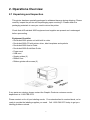
2.1 Unpacking and Inspection ......................................................................3
2.2 Printer Overview ......................................................................................4
2.2.1 Front View ......................................................................................4
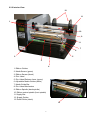
2.2.2 Interior View ...................................................................................5
2.2.3 Rear View........................................................................................6
2.3 Operator Controls ....................................................................................7
2.3.1 Front Panel Display .......................................................................7
2.3.2 LED Indicators ...............................................................................7
2.3.3 Front Panel Keys ...........................................................................8
2.4 Setting Up the Printer ..............................................................................8
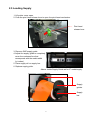
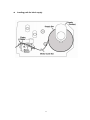
2.5 Loading Supply ........................................................................................9
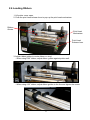
2.6 Loading Ribbon......................................................................................12
3. Menu Function ......................................................................................... 15
3.1 Setup Menu Overview............................................................................16
3.1.1 Printer Setup ................................................................................17
3.1.2 Sensor...........................................................................................23
3.1.3 Serial Comm.................................................................................31
3.1.4 Ethernet ........................................................................................34
3.2 File Manager ...........................................................................................37
3.2.1 File List .........................................................................................37
3.2.2 Avail. Memory...............................................................................38
3.2.3 Del. All Files..................................................................................38
3.3 Diagnostics ............................................................................................39
3.3.1 Print Config. .................................................................................39
3.3.2 Dump Mode ..................................................................................40
3.3.3 Rotate Cutter ................................................................................41
3.4 Language................................................................................................41
3.5 Service ....................................................................................................42
3.5.1 Initialization ..................................................................................42
1D bar code .................................................................................................. 44
2D bar code .................................................................................................. 44
i