1
AXIS 5470e/570/670e User’s Manual
Page Formats
Appendix E: IBM Print Formatting
You can configure the formats for each paper bin separately from the
AXIS 5470e/570/670e internal web pages.
Click admin | IBM Emulators | Detailed View for SCS/3270DS
Common Emulator Settings. Select the Page Format tab to configure
the parameters described below. Click OK at the bottom of the page
to save your settings to the print server.
Paper Size
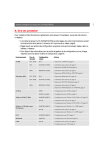
The parameters take two values, orientation and paper size. The
following tables describe the paper sizes that can be used in coax and
twinax mode.
Parameters
Default
Printer Emulation
Options
Printer Description
BIN1 - BIN 6,
LETTER
EXEC
7.25 × 10.5 inches
LETTER
8.5 × 11 inches
LEGAL
8.5 × 14 inches
A4
210 × 297 mm
(8.27 11.69 inches)
A3
297 × 420 mm
(11.69 16.54 inches)
B4
250 × 353 mm
(10.12 14.33 inches)
MON
3.8 × 7.5 inches
(Monarch envelopes)
C10
4.1 × 9.4 inches
(COM-10 envelopes)
DL
4.3 × 8.6 inches
(DL envelopes)
CUSTOM
User defined size (see
AXIS Network Print
Server Technical
Reference for details)
MANUAL,
ENVELOPE,
CONTINUOUS
261