1
About This Manual
The HP Tru64 UNIX operating system provides you with a number of
internationalization tools that allow you to use the system productively in a
non-English language environment. These tools allow you to perform the
following tasks:
•
Change the local environment and set the appropriate input method
•
Set keyboards, terminal drivers, and printer controls to the appropriate
language
•
Use mail, view reference pages, and enter base system commands in
the language of choice
•
Use input methods for Asian language conversion
•
Use Motif applications in non-English language environments and set
fonts for local languages
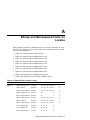
This manual describes these tasks. It also contains appendices describing
bitmap fonts for different locales and how to set up and use the system
Phrase Utility.
Audience
This manual was extracted from the Tru64 UNIX Writing Software for the
International Market manual. The Writing Software for the International
Market manual is directed at programmers of internationalized software.
This manual is intended for Tru64 UNIX users and system administrators
working in a multilanguage or non-English international environment.
Translators who translate the messages displayed by internationalized
programs will also find this manual useful. The manual assumes that you
are familiar with the operating system in its default English-language
environment. Where appropriate, the manual makes note of the requirement
for superuser privileges.
About This Manual vii