1
Domains, the Administration Server and Managed Servers
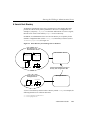
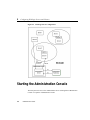
In a domain with multiple WebLogic Servers, only one server is the Administration
Server; the other servers are called Managed Servers. Each WebLogic Managed
Server obtains its configuration at startup from the Administration Server.
The same class, weblogic.Server, may be started as either the Administration
Server for a domain or as a WebLogic Managed Server. A WebLogic Server not
started as a Managed Server is an Administration Server.
In a typical configuration for a production system, the applications and components
with your business logic would be deployed across Managed Servers and the role of
the Administration Server would be that of configuring and monitoring the Managed
Servers. If the Administration Server should go down, the applications deployed on the
Managed Servers are not affected and continue processing client requests; in such a
situation, the Administration Server can regain administrative control of the active
domain once it is restarted. (For information on how this is done, see Restarting the
Administration Server when Managed Servers are Running.)
Distributing an application and its components across a set of Managed Servers has a
number of possible advantages. EJBs or other components that do processing can be
distributed to ensure ready availability for the main application entry point.
Performance may be enhanced if components that do different functions, such as
database access and account transactions, are segregated to different Managed Servers.
A component such as an EJB that is a resource for a variety of functions or applications
can be isolated, so that its availability is independent of the state of other components.
Multiple applications can be deployed within a single domain.
A domain is active if the Administration Server was started using the configuration for
that domain. While a domain is active, only the Administration Server can modify the
configuration file. The Administration Console and the command-line administration
utilities provide windows into the Administration Server which enable you to modify
the domain configuration. Once the domain is activated, you can monitor and
configure the resources of the entire domain via the Administration Console.
Additional non-active domain configurations may reside in the configuration
repository, and you can edit them using the Administration Console. The configuration
repository consists of a series of subdirectories (at least one) under the /config
directory. Each domain is defined in a distinct config.xml file residing in a separate
subdirectory; the name of that subdirectory is the domain name. To access non-active
domain configurations, follow the Domain Configurations link on the
Administration Console Welcome page when you start the Console.
Administration Guide
1-3