1
132
Developing Web Applications with ColdFusion Express
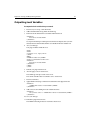
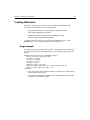
To reference code in a calling page:
1.
2.
Open EmpList.cfm in HomeSite.
Delete the existing toolbar code that begins with this:
<!--- begin application toolbar imported from toolbar.cfm--->
And ends with this:
<!--- end application toolbar --->
3.
Include Toolbar.cfm file in this page:
<CFINCLUDE TEMPLATE="ToolBar.cfm">
4.
Save the page.
5.
View EmpList.cfm in a browser.
6.
The toolbar should still appear at the top of the page.
7.
Return to HomeSite.
8.
Open FormPage.cfm.
9.
Save it as SearchForm.cfm.
You will modify this form during the next chapter’s procedures to create a search
form.
10. Add the CFINCLUDE tag directly below the opening BODY tag.
11. Save the page.
12. View EmpList.cfm in a browser and navigate to SearchForm.cfm by clicking
SEARCH.
The toolbar should now be included.
13. Click LIST to return to EmpList.cfm.
In the next chapter, you will code the form so that it really does search the database.
Move on in this chapter to review development considerations.