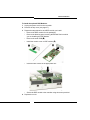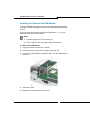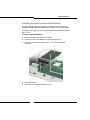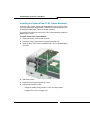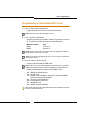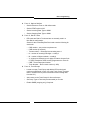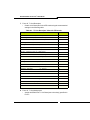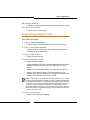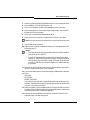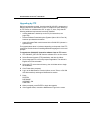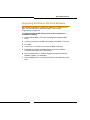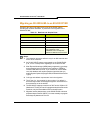
1
MX Controller TECHNICIAN’S HANDBOOK Release 4.0 SX-200 ICP MX Technician’s Handbook NOTICE The information contained in this document is believed to be accurate in all respects but is not warranted by Mitel Networks™ Corporation (MITEL®). The information is subject to change without notice and should not be construed in any way as a commitment by Mitel or any of its affiliates or subsidiaries. Mitel and its affiliates and subsidiaries assume no responsibility for any errors or omissions in this document. Revisions of this document or new editions of it may be issued to incorporate such changes. No part of this document can be reproduced or transmitted in any form or by any means - electronic or mechanical - for any purpose without written permission from Mitel Networks Corporation. MITEL, SX-200, SUPERSET, SUPERCONSOLE 1000, MiTAI, and LIGHTWARE are trademarks of Mitel Networks Corporation. Microsoft Windows is a registered trademark of Microsoft Corporation. SpectraLink NetLink e340, h340, 640 Wireless Telephones are trademarks of Spectralink Corporation. HYPERTERMINAL is a trademark of Hilgraeve Inc. VT100 is a trademarks of Digital Equipment Corporation. All other product names specified in this document are trademarks of their corresponding owners. SX-200 ICP MX Technician’s Handbook Document # 51009229 Release 4.0 October 2006 ® ™ Trademark of Mitel Networks Corporation ©Copyright 2006, Mitel Networks Corporation All rights reserved ii Table of Contents Chapter 1 : Introduction About this Handbook ............................................................................................3 Purpose of this handbook ................................................................................3 Who this handbook is written for ......................................................................3 Where you can find more information ..............................................................4 Contacting Mitel ...............................................................................................6 Symbols used in this handbook .......................................................................7 Important safety instructions ............................................................................7 About the SX-200® ICP MX ..................................................................................8 SX-200 ICP System Packages ........................................................................8 System configurations......................................................................................9 DSP Configuration Options ............................................................................12 Cabinet Configuration Rules ..........................................................................14 Supported Peripherals ........................................................................................15 Default Database Configuration ..........................................................................16 Telephone related ..........................................................................................16 Voice mail related...........................................................................................17 Trunk related ..................................................................................................17 System related ...............................................................................................17 Chapter 2 : Basic Installation Before you begin .................................................................................................21 Quick Installation ................................................................................................21 SX-200 ICP MX Hardware ..................................................................................23 Hardware ports and connectors .....................................................................23 Controller components ...................................................................................24 Identify the required components...................................................................25 Installation checklist .......................................................................................26 Installation overview ............................................................................................29 Installing the SX-200 ICP MX Controller .............................................................30 Install an Ethernet Switch ...................................................................................31 Small installations (under 20 phones) ............................................................31 Larger installations (over 20 phones).............................................................32 Feeding Power to IP Phones ..............................................................................33 Installing Software Using an External CompactFlash Card (Optional Initial Install) ........................................................................................34 Installing Optional Controller Hardware ..............................................................36 Precautions ....................................................................................................36 Removing the cover .......................................................................................37 iii SX-200 ICP MX Technician’s Handbook Install the Analog Option Board (AOB) .......................................................... 38 Installing Optional DSP Module(s)................................................................. 40 Installing the Optional Dual FIM Module........................................................ 42 Installing the Optional Quad CIM Module(s).................................................. 43 Installing the Optional Dual T1/E1 Framer Module(s).................................... 44 Installing a hard drive .................................................................................... 45 Installing the Stratum Clock ........................................................................... 47 Wall or Rack Mounting ....................................................................................... 48 Wall mounting the controller .......................................................................... 48 Rack mounting the controller or NSU ............................................................ 52 Installing an NSU ................................................................................................ 53 Installing SX-200 Peripheral Cabinets ................................................................ 56 FIM Connectivity ............................................................................................ 56 CIM Connectivity............................................................................................ 56 Cabinet installation and programming ........................................................... 57 Peripheral Cabinet Interface Cards and Modules.......................................... 58 Peripheral Cabinet Control and Digital Services Cards and Modules ........... 60 Peripheral Cabinet Configuration Rules ........................................................ 61 Installing an ASU ................................................................................................ 63 Installing an ASU II ............................................................................................. 65 Connecting the Phones and Trunks ................................................................... 67 ONS/CLASS, DNIC and LS/CLASS ports ..................................................... 67 IP Phones ...................................................................................................... 68 Adding a PKM .................................................................................................... 70 Requirements ................................................................................................ 70 CDE programming ......................................................................................... 71 Installation ..................................................................................................... 71 PKM to an Attendant Console ....................................................................... 73 Connecting Music on Hold, Paging and Door Phone/Door Opener ........................................................................... 74 Music-on-Hold (MOH) interface ..................................................................... 74 Paging ........................................................................................................... 74 Door Phone/Door Opener.............................................................................. 75 Connecting a Night Bell and Alarm Device ........................................................ 76 CDE programming for a Night Bell ................................................................ 76 CDE programming for an Alarm Device ........................................................ 76 Setting up an FTP Server on a Maintenance PC ............................................... 77 CDE Programming......................................................................................... 77 System Health Check ......................................................................................... 79 iv Table of Contents Chapter 3 : Basic Programming Programming Overview ......................................................................................83 Preparing to Enter Customer Data ......................................................................84 PC requirements ............................................................................................84 Serial Connection to the Controller ................................................................84 Secure Telnet Connection to the controller....................................................85 Web Interface Connection to the Controller ...................................................86 Port Usage .....................................................................................................87 Enabling MOSS Options .....................................................................................88 System Options to Avoid .....................................................................................89 Programming the Customer Data Entry (CDE) Forms .......................................................................................................89 Programming Features for each Phone ..............................................................90 Before you begin ............................................................................................90 Programming Embedded Voice Mail ..................................................................96 CDE Programming for Embedded Voice Mail................................................96 Voice mail forms.............................................................................................97 Setting up RADs.............................................................................................99 Setting up Record a Call ..............................................................................100 Using the Administrator’s Mailbox................................................................102 Testing voice mail operation ........................................................................106 Programming Phonebook .................................................................................107 Programming an Attendant Console .................................................................108 Programming a Subattendant Set .....................................................................108 Programming a Printer Port ..............................................................................109 System Printer Port ......................................................................................109 Dataset Printer Port......................................................................................109 IP Printer Port...............................................................................................110 Programming Stations/Sets Automatically ........................................................111 Deleting a Device and All Dependent Resources .............................................112 Deleting a range of devices and dependent resources................................113 Programming a Single Line Voice Station ........................................................114 Programming a Multi-Line Set ..........................................................................115 Programming an Analog Device to a SIM2 (DNIC Phones Only) .....................116 Programming an NSU or a PRI Card in a Peripheral Cabinet ............................................................................................116 CDE programming .......................................................................................116 IMAT Programming ......................................................................................122 Programming an Embedded PRI Trunk ............................................................129 v SX-200 ICP MX Technician’s Handbook Programming an Embedded T1 Trunk ............................................................. 134 Programming Analog Trunks ............................................................................ 135 Non Dial-In trunks ........................................................................................ 135 Dial-in trunks................................................................................................ 137 DISA trunks ................................................................................................. 138 Programming T1 and PRI trunks as DISA trunks ........................................ 139 Programming ANI/DNIS on an Incoming trunk ............................................ 139 CLASS trunks .............................................................................................. 143 Running the Line Quality Test for LS Trunks............................................... 144 Programming Symbol MiNET Wireless Phones (Optional) .............................. 145 Install Symbol NetVision MiNET Phone Administrator Tool........................................................................................ 145 Twinning the Symbol phone with a wireline (desk) phone................................................................................................ 146 Programming IP Sockets for Hotel/ Motel terminals and ACD Monitor ............ 147 Programming Voice mail and PMS Integration ................................................ 149 Requirements .............................................................................................. 149 SX-200 ICP programming............................................................................ 150 Setting up the Ether232 ............................................................................... 150 Programming the PMS Interface on the SX-200 ICP ....................................... 151 Requirements .............................................................................................. 151 SX-200 ICP programming............................................................................ 151 Programming SpectraLink Wireless Telephones ............................................. 155 Requirements .............................................................................................. 155 Programming ............................................................................................... 155 Programming Call Forwarding - External ......................................................... 160 Feature Limitations ........................................................................................... 161 CDE Cross Reference ...................................................................................... 164 Chapter 4 : Advanced Installation and Programming Overview .......................................................................................................... 169 Planning your Installation ................................................................................. 170 Basic PC Networking ........................................................................................ 171 Enabling the (2nd) Port on IP Phones ......................................................... 171 Virtual LANs (VLANs) ....................................................................................... 172 Configuration 1: One DHCP server per VLAN............................................. 172 Configuration 2: One external DHCP server for two VLANs........................ 175 Configuration 3: Router on a Stick............................................................... 177 Programming the controller IP address and DHCP settings........................ 178 vi Table of Contents Configuring a Windows 2000 DHCP server (prior to Release 4.0) ..............178 Configuring a Windows 2000 DHCP server (Release 4.0 and later) ...........180 Networking Mitel IP-PBXs .................................................................................182 SX-200 ICP Programming............................................................................183 Uniform Numbering Plan..............................................................................185 Chapter 5 : Routine Maintenance Is the System Healthy? .....................................................................................189 System health checklist................................................................................189 Checking the System ........................................................................................190 Installing FRUs ..................................................................................................191 Precautions ..................................................................................................191 Power Down System....................................................................................192 Power Up System ........................................................................................192 System Reset...............................................................................................193 System Shutdown ........................................................................................193 Re-initializing the Controller .........................................................................194 Replacing the Hard Drive or CompactFlash .....................................................195 Replacing the Analog Main Board................................................................196 Other FRUs ..................................................................................................198 Performing Backups ..........................................................................................199 Backing Up a Database ...............................................................................199 Restoring a Database ..................................................................................200 Installing an Alternate Database ..................................................................201 Upgrading the System Software .......................................................................202 Upgrading from Release 1.x to Release 2.0 or later ....................................203 Upgrading from the External CompactFlash Card (Release 2.0 or later) ...................................................................................204 Upgrading by FTP ........................................................................................206 Upgrading the NSU or PRI Card Software ........................................................207 Migrating an SX-200 EL/ML to an SX-200 ICP MX ..........................................208 Parts Required .............................................................................................209 Preparations.................................................................................................209 Migration Procedure.....................................................................................209 Replacing IP Phones ........................................................................................212 Restarting IP Phones ........................................................................................213 Upgrading Set Firmware ...................................................................................213 Boot Codes ..................................................................................................214 Firmware Revision Levels ............................................................................214 Firmware Commands...................................................................................214 vii SX-200 ICP MX Technician’s Handbook Measuring LS Trunks ....................................................................................... 215 Running the Line Quality Test ..................................................................... 216 Running the Distortion Test ......................................................................... 217 Running the Echo Test ................................................................................ 217 Maintenance Commands ................................................................................. 218 Maintenance Port Characteristics................................................................ 218 Telnet Requirements ................................................................................... 218 Entering Command Sequences................................................................... 218 Logging In .................................................................................................... 219 Logging Out ................................................................................................. 219 Switching between Maintenance and CDE.................................................. 220 Displaying the Card Configuration ............................................................... 220 Showing the System Identity ....................................................................... 220 System Commands ..................................................................................... 220 Report Commands....................................................................................... 224 Traffic Measurement Commands ................................................................ 226 Log Commands ........................................................................................... 227 Diagnostic Function Commands.................................................................. 228 Backing up Log and Trap Files using Kermit .................................................... 229 Sending Logs and other System Files to an E-mail Address or FTP Server .... 230 Retrieving Logs and other System Files using Kermit ..................................................................................................... 231 Maintenance Tips ............................................................................................. 231 Chapter 6 : Basic Troubleshooting and Repair About this Chapter ............................................................................................ 235 Troubleshooting Tools ...................................................................................... 236 Before you Contact Technical Support ............................................................. 237 General Troubleshooting Steps ........................................................................ 238 Using the Phone Debug Option ................................................................... 238 Checking the System LEDs .............................................................................. 239 Controller LEDs ........................................................................................... 239 NSU LEDs ................................................................................................... 241 ASU LEDs ................................................................................................... 243 Troubleshooting Phones and Peripherals Problems ........................................ 244 NSU/PRI Troubleshooting ................................................................................ 247 PRI Debug Commands................................................................................ 248 Troubleshooting Analog Trunks ....................................................................... 249 Basic Troubleshooting ................................................................................. 249 Troubleshooting Signaling Problems ........................................................... 250 viii Table of Contents Troubleshooting T1 Trunks (D4 DS-1) ..............................................................261 Synchronization............................................................................................261 Signaling Types............................................................................................262 Test/Verify (T1) ............................................................................................262 Troubleshooting Voice Mail ...............................................................................266 SX-200 ICP Property Management System Interface ...............................................................................................268 Property Management System Messages ...................................................268 SX-200 ICP and PMS Cannot Communicate...............................................271 Testing the PMS Interface of the PBX .........................................................271 Chapter 7 : Advanced Troubleshooting and Repair About this Chapter ............................................................................................275 General Network Troubleshooting ....................................................................276 Check List ....................................................................................................276 Troubleshooting IP Phone Connectivity ............................................................278 Using a network analyzer to debug..............................................................278 Connectivity problems..................................................................................278 Troubleshooting IP Phone Registration .......................................................279 IP Phone Analyzer .......................................................................................287 Troubleshooting Phone Audio Quality ..............................................................289 Troubleshooting IP Trunks ................................................................................292 CDE Check List............................................................................................292 IP Check List ................................................................................................294 Troubleshooting System Boot Failure ...............................................................295 Appendix A : Default Database Values .............................................299 Appendix B : Part Numbers ...............................................................355 Appendix C : System Cabling ............................................................369 Appendix D : Handling Fiber Optic Cables.......................................383 Appendix E : Folio Views (E-Docs) Tips ...........................................387 Index ix SX-200 ICP MX Technician’s Handbook x Chapter 1 Introduction SX-200 ICP MX Technician’s Handbook 2 Introduction About this Handbook Purpose of this handbook This handbook provides • an overview of the system capabilities • installation steps • programming procedures • maintenance procedures • troubleshooting information Who this handbook is written for This handbook is for a qualified technician who has successfully completed the SX-200® ICP Installation and Maintenance Course. The course has two parts: basic and advanced. SX-200 ICP Basic Installation and Maintenance Course You need to take the Basic I & M course if you are installing the SX-200 ICP as a voice system only. This means that you are using the default settings for IP and you are not planning on implementing Virtual LANs (VLANs). The basic course is available in self-study format and you must have completed your LIGHTWARE™ 19 RELEASE 4.0 certification. SX-200 ICP Advanced Installation and Maintenance Course You MUST complete the Advanced I & M course if you are planning to • connect a PC to the PC port on the IP Phones (enable System Option 131) • connect the SX-200 ICP in an existing LAN (Local Area Network) • use an external DHCP (Dynamic Host Configuration Protocol) server • implement VLANs (Virtual LANs) • implement IP (Internet Protocol) Trunking • network to a 3300 ICP via IP trunk or QSIG The advanced course is available in a leader-led format. You must complete the Basic I & M course before attending the advanced course. 3 SX-200 ICP MX Technician’s Handbook Where you can find more information The SX-200 ICP documentation set includes the following components: • • Printed documents - Technician’s Handbook - Safety Instructions Documents supplied on the SX-200 ICP software CD-ROM - SX-200 ICP Technical Documentation in Folio (NFO) format. - Technician’s Handbook - Safety Instructions - IMAT Online Help (installs with IMAT application) - Symbol® Netvision® MiNET Phone Installation Instructions (located in the Documentation folder on the SX-200 ICP software CD-ROM) - Telephone, Attendant, Subattendant, Voice Mail, and Hotel/Motel Front Desk User Guides - Technical Bulletins (TBs) and Release Notes (RNs). Accessing Documentation on the software CD-ROM 1. Insert the CD in the CD-ROM drive. 2. Navigate to the Documentation folder. 3. Double-click Setup.exe to install the Technical Documentation and Folio Viewer, the application used to view the documentation. 4. To access user guides and other documentation, go to the appropriate Language subdirectory. Use the index.html file to locate the required guides. Technical Training Materials - SX-200 ICP Basic I & M Course Release 3.0 - SX-200 ICP Advanced I & M Course Release Notes Every software release is accompanied by Release Notes, which describe software changes, bug fixes, outstanding issues, and hardware compatibility considerations for the new software release. Read the Release Notes before you begin a software upgrade. 4 Introduction Technical Bulletins Technical Bulletins (TBs) are issued by Mitel® Technical Support to address frequently asked questions regarding software and hardware problems. Obtain the latest TBs from Mitel OnLine. Mitel Knowledge Base The Mitel Knowledge Base is a searchable database of problem-solving information on the SX-200 ICP and other Mitel products. The database is accessed through Mitel Online. Accessing Mitel Online You can access Mitel Online from the www.mitel.com Web site. Tip: You must be a registered user to access Mitel Online. Access Product and Technical Documentation 1. Login to Mitel OnLine. 2. Navigate to Product Documentation (Technical Documents, User Guides, and Installation Guides) OR Knowledge Base (Release Notes and Technical Bulletins). View or Download a Document To view a document: • Click on the name of the document. To download a document: • Right-click on the name of the document and select Save Target As OR • When viewing a PDF document, click the disk icon. 5 SX-200 ICP MX Technician’s Handbook Create Telephone User Guides with Manual Maker 1. Login to Mitel OnLine. 2. Navigate to Product Documentation. 3. Click Manual Maker. 4. Follow the instructions on the screen to register and use Manual Maker. Accessing Your Mitel Options Password You must obtain your Mitel Options Password through Mitel Online (www.mitel.com). This password is required during the upgrade procedure, so you MUST keep a proper record of it. A new password is issued to you if you are purchasing new options. Before attempting the software upgrade, to confirm a current password or to purchase new options and receive a new password, call Mitel Customer Service during normal business hours. Helpful websites For definitions of technical terms • http://www.techweb.com/encyclopedia • http://www.whatis.com For networking information • http://www.practicallynetworked.com • http://www.networktroubleshooting.com Contacting Mitel Order Desk You can reach the Order Desk at 1-800-796-4835. Repair Department You must get a Return of Merchandise Authorization (RMA) form from the Repairs Department before sending equipment back to Mitel Network Corp. You can reach the Repairs Department at 1-888-222-6483. 6 Introduction Technical Support - Mitel Dealers Please contact Mitel Technical Support if you require technical assistance. If you cannot resolve the problem by using the Troubleshooting chapter, please collect the required information listed in “Before You Contact Technical Support” on page 91 before calling Mitel Technical Support. You can reach Technical Support at 1-800-561-0860 or 1-613-592-2122. Symbols used in this handbook Indicates a hazardous situation which, if not avoided, could result in injury or death. Indicates a situation which, if not avoided, could result in damage to the equipment. Identifies an important note or a useful tip. Important safety instructions Failure to follow all instructions may result in improper equipment operation and/or risk of electrical shock. See the system Safety Instructions that are shipped with the system for complete safety information. 7 SX-200 ICP MX Technician’s Handbook About the SX-200 ICP MX The Mitel SX-200 Integrated Communications Platform (ICP) provides the reliability and comprehensive features of a PBX, the ease of use and cost effectiveness of a key system, and the productivity-enhancing applications and networking efficiency of IP. Tailored for small enterprises, the SX-200 ICP MX supports up to 248 IP phones, 12 LS/CLASS circuits, and 30 IP trunks for private networking. SX-200 ICP System Packages The SX-200 ICP MX controller is sold alone or as a package that includes the components shown in the table below. None of the packages include power supplies for the phones; they must be ordered separately. For part numbers, see Appendix B. Table 1: SX-200 ICP MX System Packages Basic Business Voice Only LS/CLASS circuits 6 ONS circuits 2 DNIC circuits 2 Voice mail ports 4 DSPs IP Phones PKMs Licenses IP Phone Voice Mailbox TDM ACD Agent IP Channel Software Options 8 Premier Business - Voice & Data Basic Controller 1 Dual DSP Module Seven 5207s One 5220 Four 5220s One 12-Button PKM 16 16 44 None None 8 8 32 5 2 1 Digital Link Voice Mail Softkey 1 Digital Link Voice Mail Softkey 2nd Port on IP Phones Record a Call None Introduction System configurations The controller is configured at the factory as a square key telephone system (KTS). It can be reconfigured as a PBX or hybrid PBX/KTS by reprogramming the default database or by installing one of the alternate databases supplied on the software CD-ROM. For more information about alternate databases, see page 201. Both configurations are expandable through the purchase of additional components, including DSP resources (see “DSP Configuration Options” on page 12 for more information). Table 2: SX-200 ICP System MX Configuration Basic Configuration Expanded Configuration How Expanded 6 LS/CLASS circuits (Controller) 12 (Controller) More than 12 Add Analog Options Card Add Peripheral Bays (6 max) 2 ONS/CLASS circuits (Controller) 4 (Controller) More than 4 Add Analog Options Card Add ASU/ASU II (8 max) Add Peripheral Bays (6 max) 2 DNIC circuits (Controller) More than 2 Add Peripheral Bays (6 max) 0, 8, or 20 IP Phone licenses depending on system package 248 IP Phone licenses and 30 IP trunks Purchase additional licenses Expand Ethernet Switch 0, 4, or 8 IP Phones depending on system package Maximum 248 IP Purchase additional licenses and phones 0, 4, or 20 ports of voice mail depending on system package 24 ports Purchase Options and DSP resources (incremental) Add standalone voice mail system or Peripheral Bays with Mitel Express Messenger card(s) 0 or 4 voice mail user licenses depending on system package 748 More than 24 Purchase additional licenses (incremental) (Page 1 of 2) 9 SX-200 ICP MX Technician’s Handbook Table 2: SX-200 ICP System MX Configuration (continued) Basic Configuration Expanded Configuration How Expanded Three 3-party conferences 21 3-party Conferences Purchase DSP resources. (total 21 conferees – can have up to 5 parties per conference) 256 MB of CompactFlash memory for database storage (inside controller) Larger capacity media Install hard drive Internal hard drive for database storage Not required Not required Dual DSP MMC 2 dual DSP MMC or 1 dual and 1 quad DSP MMC or 2 quad DSP MMC Purchase modules 0 Links PRI-T1 4 Links PRI-T1 Purchase 2 NSUs or 2 Peripheral Bays with PRI cards OR (Page 2 of 2) 10 Introduction SX-200 ICP MX WIRELESS PHONES Figure 1: Basic System Figure 2: Expanded System 11 SX-200 ICP MX Technician’s Handbook DSP Configuration Options The SX-200 ICP MX has six DSP configurations selectable in CDE Form 04: • Business Option 1 • Business Option 2 • Hospitality Option • Analog Option 1, 2, and 3 The table below lists the DSP requirements for each of the DSP configuration options. The requirements are guidelines only; the actual number of DSPs required depends on the intended use of the system. Table 3: DSP Configuration Options Option Type Base Dual DSP (2 total) 2 Dual DSP or 1 Quad DSP (4 total) Add Quad DSP (6 total) 2 Quad DSP (8 total) Business Option 1 IP (see Note) 3 conf x 3 parties 4 voice mail 8 G.729 48 IP 6 DNIC/ONS 12 LS/Class 8 conf x 3 parties 12 voice mail 8 G.729 96 IP 6 DNIC/ONS 12 LS/Class 24 T1 or 23 PRI 12 conf x 3 parties 18 voice mail 16 G.729 96 IP 96 DNIC/ONS 12 LS/Class 48 T1 or 46 PRI 12 conf x 3 parties 24 voice mail 24 G.729 192 IP 192 DNIC/ONS 12 LS/CLASS 96 T1 or 92 PRI Business Option 2 IP 8 conf x 3 parties 8 voice mail 0 G.729 48 IP 6 DNIC/ONS 12 LS/CLASS 12 conf x 3 parties 18 voice mail 0 G.729 96 IP 6 DNIC/ONS 12 LS/CLASS 24 T1 or 23 PRI 18 conf x 3 parties 24 voice mail 8 G.729 96 IP 96 DNIC/ONS 12 LS/CLASS 48 T1 or 46 PRI 21 conf x 3 parties 24 voice mail 16 G.729 192 IP 288 DNIC/ONS 12 LS/CLASS 96 T1 or 92 PRI Hospitality Option IP+TDM 8 conf x 3 parties 8 voice mail 0 G.729 96 DNIC/ONS 12 LS/CLASS 8 conf x 3 parties 12 voice mail 8 G.729 48 IP 96 DNIC/ONS 12 LS/CLASS 48 T1 or 46 PRI 12 conf x 3 parties 18 voice mail 16 G.729 96 IP 192 DNIC/ONS 12 LS/CLASS 48 T1 or 46 PRI 12 conf x 3 parties 24 voice mail 16 G.729 248 IP 384 DNIC/ONS 12 LS/CLASS 96 T1 or 92 PRI Analog Option 1 2 conf x 3 parties 6 voice mail 0 G.729 24 IP 288 DNIC/ONS 12 LS/CLASS 48 T1 or 76 PRI 8 conf x 3 parties 18 voice mail 0 G.729 48 IP 288 DNIC/ONS 12 LS/CLASS 72 T1 or 69 PRI 12 conf x 3 parties 24 voice mail 0 G.729 96 IP 288 DNIC/ONS 12 LS/CLASS 72 T1 or 69 PRI 21 conf x 3 parties 24 voice mail 0 G.729 192 IP 384 DNIC/ONS 12 LS/CLASS 96 T1 or 92 PRI (Page 1 of 2) 12 Introduction Table 3: DSP Configuration Options (continued) Option Type Analog Option 2 Analog Option 3 (Requires Quad DSP) Base Dual DSP (2 total) 2 Dual DSP or 1 Quad DSP (4 total) Add Quad DSP (6 total) 2 conf x 3 parties 4 voice mail 0 G.729 24 IP 384 DNIC/ONS 12 LS/CLASS 48 T1 or 46 PRI 10 conf x 3 parties 12 voice mail 0 G.729 48 IP 384 DNIC/ONS 12 LS/CLASS 48 T1 or 46 PRI 12 conf x 3 parties 16 voice mail 0 G.729 48 IP 480 DNIC/ONS 12 LS/CLASS 48 T1 or 46 PRI 2 Quad DSP (8 total) 21 conf x 3 parties 24 voice mail 0 G.729 96 IP 480 DNIC/ONS 12 LS/CLASS 48 T1 or 46 PRI 8 conf x 3 parties 12 voice mail 0 G.729 96 IP 576 DNIC/ONS 12 LS/CLASS 96 T1 or 92 PRI (Page 2 of 2) Notes: 1. The number of conference, voice mail, and compression resources is fixed by the purchased option and the number of DSP devices available; the other values are adjustable. 2. The SX-200 ICP supports the G.711 and G.729a codecs. - The G.711 PCM audio codec for 56/64 kbps generally provides the best voice quality and is comparable to TDMtype connections. - The G.729a audio codec for 8/13 kbps provides a good reduction in bandwidth with only minor loss in voice quality. - A purchasable MOSS option controls the number of G.729a codecs available to IP devices in the system. Compression enables more devices to share available bandwidth. - The option is purchasable in multiples of 8 to a maximum of 24. The default value is 0. The quantity entered must exactly match the quantity on the MOSS sheet. 13 SX-200 ICP MX Technician’s Handbook 3. Installation of a hard drive is strongly advised for systems that have more than eight voice mail ports or when Record a Call is frequently used. 4. The MX controller can support 12 LS/CLASS, 2 DNIC, and 4 ONS on the internal analog boards in all option configurations. 5. All T1 trunk quantities include any combination of T1/D4 or T1/PRI. 6. The maximum system capacity is 672 TDM (ONS/DNIC) ports. In any option configuration, trunks may be added up to a maximum of 8 digital links (192 trunks) but only by reducing the number of digital bays (ONS and DNIC ports) connected, so that the total number of TDM ports does not exceed that shown in the table. 7. If System Option 82 is enabled (DSP Echo Cancellers), then one DSP device is removed from the available pool. The number of TDM resources (voice mail and conference) will be reduced. This option cannot be used in a base system with compression enabled (Business Option 1) or with a large number of TDM devices (Analog Options 1 and 2). Cabinet Configuration Rules The MX controller can be expanded to include: • up to seven SX-200 Peripheral cabinets which provide 672 TDM ports for ONS, OPS, DID, T1, PRI/T1 • up to four Universal NSUs which provide eight PRI Links (192 PRI/T1 trunks) • up to two offboard ASUs which provide 48 ONS/CLASS circuits 14 Introduction Supported Peripherals The following peripherals are supported: Table 4: Supported Peripherals Mitel IP Phones Superset™ Phones Conference Units PKMs 5010 4015 5303 5410 Supersonsole 1000 5020 4025 5310 5412 SIM 1 5201 4150 5415 SIM 2/AIM 5448 Symbol Netvision 5207 Misc 5212 ONS/CLASS phone 5215 Headset 5220 5224 5330 5340 Note: The SX-200 ICP (R2.1 or later) also supports the Dual Mode (or DPLite) 5215 and 5220 IP phones. The Dual Mode phones look the same as the original 5215 and 5220 phones. Check the label on the underside of the phone to determine which type it is. The originals are identified as 5215 or 5220 “Dual Port.” . Note: 5212 and 5224 IP Phones require SX-200 ICP Release 3.0 or higher. Note: 5330 and 5340 IP Phones require SX-200 ICP Release 4.0 or higher and 512 MB Flash or hard drive. 15 SX-200 ICP MX Technician’s Handbook Default Database Configuration The CDE Forms are factory-set with default values that make it easier and faster to program the system. The defaults allow you to install the SX-200 ICP in a square KTS (key telephone system) configuration with up to 20 IP phones and two analog terminals (phone, fax, or modem) and make extension-to-extension calls without doing any programming. You will also be able to receive fax and modem calls, but will have to program ARS to make external calls from ONS devices. Two alternate databases are provided on the SX-200 ICP software CD: a blank database that has no programming and a Premier database for the SX-200 ICP Premier system. A database programmed with 4-digit extension numbers is also available on Mitel Online. See page 201 for more information about the alternate databases and how to install them. The default database includes the following: Telephone related • 3 digit extension numbers that start at extension 100 • IP phone extensions that start at extension 102 • Ports on the Controller - 6 LS CLASS - 2 ONS (extensions 201 and 202) - 2 DNIC (extension 198 is the SUPERCONSOLE 1000® and 199 is the sub attendant.) • 7 default classes of service (COS 1 – 7). They are for IP Phones, ONS, Subattendant, Attendant Console, LS/CLASS, Voice Mail, and IP trunks. • default key programming on the sets for a 6-line square system • default ring cadences • all phones assigned to paging group 1 • the handsfree microphone is not automatically turned on when receiving a page (auto-latched). 16 Introduction Voice mail related • 4 Voice mail ports (Business 1 Option with Dual DSP); 8 ports (Business 2 and Hospitality Options with Dual DSP) • 20 Voice mail mailboxes are assigned with the same extension numbers as the • • - first 20 IP phones (extension 100 to 119) - Attendant Console (SUPERCONSOLE 1000; extension 198) - Subattendant (extension 199) - 2 ONS ports (extensions 200 and 201) Hunt Group for Voice mail ports with pilot number 300 - COS 6 and - reserve extension 301 to 304 for voice mail port extensions system-wide Call Forward No Answer to voice mail for all calls. Trunk related • trunks in form 14 are non-dial-in to the CO line keys • LS trunk circuit descriptor defaulted as CLASS • one LS trunk programmed to Key 1 on IP Phones • no ARS, no dial 9 for trunk access System related • default system options • default feature access codes • the default music port (located on the analog mainboard) is ON • the default paging port (located on the analog mainboard) is ON • the night bell extension is 340 • SMDR/CDE Print default to ON • default DHCP settings and a SX-200 ICP Controller default IP address (192.168.1.2) to match (factory-set). Note: See Appendix A for a list of default values in the programming forms. 17 SX-200 ICP MX Technician’s Handbook 18 Chapter 2 Basic Installation SX-200 ICP MX Technician’s Handbook 20 Basic Installation Before you begin A successful installation of the SX-200 ICP MX depends on careful planning, especially when integrating the system into an existing data network.For detailed planning information, see the Engineering Guidelines in the Documentation folder on the SX-200 ICP software CD-ROM. Appendix B of the Handbook provides a summary of the Guidelines. CAUTION:Only experienced network administrators should integrate the SX-200 ICP MX into a customer's LAN. Quick Installation You can quickly install a system configured with Business Option 1 if your installation does not require any purchasable MOSS Options or optional controller hardware. If you are adding MOSS Options, complete the installation by enabling the options in CDE Form 04, System Options/System Timers. For more information, see, “Enabling MOSS Options” on page 88. If you have optional controller hardware to install, follow the procedure on page 30. Note: Premier Business systems use the Premier database which must be installed before enabling the MOSS Options. For more information, see “Installing an Alternate Database” on page 201. To install a basic system: 1. Mount the controller. 2. Connect the ground lug at the back of the controller to a ground connection. 3. Connect the hardware: - Connect an Ethernet Switch to the Controller’s Ethernet port with a Cat 5 cable. Note: The Ethernet port on the controller is auto-sensing, allowing you to use either a crossover or a straight-through cable. - Connect the IP phones to the Ethernet Switch ports using Cat 5 cable. 21 SX-200 ICP MX Technician’s Handbook - Connect a breakout box to the amphenol connector at the back of the controller. For amphenol connector Onboard Analog/DNIC Tip and Ring Assignments, see page 371. - Connect the LS CLASS lines and any ONS and DNIC phones to the breakout box. - Connect a Music on Hold source, Pager, Night Bells, and any other optional devices to the back of the controller; see pages 74-76 for details. 4. Power up the controller. • The Alarms LEDs on the controller flash and the IP Phones display IP addresses. 5. Wait while the controller boots up. • The boot sequence is finished when the Major Alarm LED is the only flashing LED and the IP phones display “Use SuperKey to send PIN.” • All phones connected to the controller are now functional. 6. Enter the IP Set Registration PIN numbers on the IP phones (default *** + extension number). 7. Verify that the system is working; see “System Health Check” on page 79. 22 Basic Installation SX-200 ICP MX Hardware Hardware ports and connectors Figure 3: Controller front panel Figure 4: Controller rear panel 23 SX-200 ICP MX Technician’s Handbook Controller components Figure 5: Controller Components 24 Basic Installation Identify the required components The range of possible system configurations is determined by the type and number of controller components and external units (NSUs and Peripheral Cabinets) included. Table 5: System Components System components Basic Controller Capabilities • 6 LS/CLASS, 2 ONS/CLASS and 2 DNIC circuits • 2 PFT (Power Fail Transfer) circuits • MOH (Music On Hold) port to connect an external audio source • Loudspeaker port to connect to an external paging system • Dry contacts for Alarm, Door Opener Relay and Auxiliary Ringer • RS232 ports for Printer and Maintenance • Onboard Real-Time Clock • 2 CIM ports to support up to 2 TDM/Digital Bays • Internal hard drive for system software and database storage Optional components: Analog Option Board Provides 6 additional LS/CLASS and 2 ONS/CLASS circuits. Dual or Quad DSP MMC Provides more resources for conferencing, voice mail and other applications. Stratum 3 clock module For digital trunks. Quad CIM Module Four ports that provide connectivity to Peripheral Cabinets or NSUs. Dual FIM Module Two ports that provide connectivity to Peripheral Cabinets or NSUs. Dual T1/E1 Framer Module (Rev. 3) Two ports that provide connectivity to T1/D4 or PRI trunks. (Page 1 of 2) 25 SX-200 ICP MX Technician’s Handbook Table 5: System Components (continued) System components Network Services Unit Capabilities Supports digital trunk protocols for ISDN PRI (NI2_STANDARD, NI2_5ESS, NI2_GTD5), and QSIG (QSIG_ISO), DMS 100/250, 4ESS Analog Services Unit (ASU) Provides 24 ONS/CLASS circuits. ASU II Provides 16 ONS/CLASS circuits or 12 ONS/4 LS combination. SX-200 EL Peripheral Cabinets Up to seven Peripheral Cabinets can be connected to provide 672 TDM ports. CompactFlash card 256 MB; for on-site software installation upgrades. (Page 2 of 2) Installation checklist Tools Static strap Phillips screwdriver (#1 and #2) Use proper fitting screwdrivers to prevent damaging components and fasteners. System Hardware and Software An SX-200 ICP MX Controller with internal hard drive Optional hardware (see the previous table) Release 3.0 software A Layer 2 Ethernet switch IP phones Note: Release 4.0 will not install the 5330/5340 firmware load on systems using 256 MB CompactFlash. To use the full feature set of this phone with the SX-200 ICP, you need a 512 MB CompactFlash or an internal hard drive. Flash-based systems that do not plan to use this phone can upgrade to Release 4.0 without hardware changes. 26 Basic Installation Cables and connectors Category 5 (CAT5) cable for all LAN devices (IP phones and computers) CAT3 cable for any analog phones connected to the system RJ45 cable and connectors RJ45 crossover cable Up to ten CIM cables to connect the SX-200 ICP Controller to Peripheral Cabinet(s), NSUs and ASUs. FIM or CIM cables if connecting Peripheral Cabinets or NSUs or ASUs A power cable for the SX-200 ICP Controller (supplied) Cable plugs must meet FCC Rules part 68 subpart F for dimensions and registration. Use of non-conforming plugs can cause intermittent connections. PC requirements Windows NT/98/2000/ME/XP PC or laptop Internet Explorer version 5.5 with service pack 2, or version 6 (recommended) for client-side rendering and 128 bit encryption (required for access to Mitel Online). Network Interface Card: Full Duplex 10/100M (100M recommended) a serial cable to connect a PC to the SX-200 ICP Controller FTP Server—used for software upgrades, database backups, and uploading maintenance logs CompactFlash Reader with Read/Write capability (Optional) secure Telnet client that supports SSL/TLS (Mitel Telnet client recommended) Line requirements LS/CLASS lines ONS/CLASS lines PRI-T1 lines (requires a Dual T1/E1 Framer Module, a Dual FIM Module connected to a Network Services Unit, or a Dual FIM or Quad CIM Module connected to a Peripheral Cabinet and PRI card) 27 SX-200 ICP MX Technician’s Handbook LAN requirements Pre-installation questionnaire complete A subnet (Advanced) SMTP server IP address for forwarding voice mail to e-mail and for e-mail notification of 911 calls and system alarms (Advanced) IMAP Server IP address for forwarding voice mail to e-mail (Advanced) Customer data network information (for example, DNS server information) (Advanced) Router if using IP trunking or connecting to the Internet or other network IP Address Requirements You need IP addresses for • The SX-200 ICP Controller • Each IP phone (a range of IP addresses assigned by the DHCP Server or statically assigned) • A router or gateway (if using) Important: The SX-200 ICP Controller uses the following reserved IP addresses: 192.168.10.1 - 192.168.10.255 192.168.11.1 - 192.168.11.255 192.168.12.1 - 192.168.12.255 192.168.13.1 - 192.168.13.255 Ensure no other devices on the network use IP addresses within these ranges. Other Feature codes and extension number plans A list of customer-purchased options An uninterruptible power supply (recommended) Power source with surge protection for IP Phones; see page 31 for powering options. (Optional) Music on Hold source (radio, tape player etc.) 28 Basic Installation (Optional) External paging amplifiers and speakers (Optional) Auxiliary ringer (Night Bells) (Optional) Door Phone/Opener (Optional) Alarm device to signal system alarms (Optional) SMDR printer Installation overview Install SX-200 ICP Controller Install optional controller hardware Install an Ethernet switch Feed power to the IP Phones Initialize the System (Optional) Load software on an External CompactFlash Card (Optional) Install NSU (Optional) Install ASU (Optional) Install ASU II (Optional) Install SX-200 Peripheral Cabinets (Optional) Install Music on Hold, Paging, Auxiliary Ringer, Door Phone/Opener, and Alarm Device Connect the Phones and Lines (Optional) Install Programmable Key Modules Install an FTP Server Verify the system 29 SX-200 ICP MX Technician’s Handbook Installing the SX-200 ICP MX Controller The SX-200 ICP system is shipped with the system software and a default database installed. The optional components (DSP modules, Analog Option Module, etc.) are field-installed. Note: Premier Business systems use the Premier database which must be installed before enabling the MOSS Options. For more information, see “Installing an Alternate Database” on page 201. 1. Install optional controller hardware or peripheral units according to the instructions on the pages indicated. Analog Option Board: page 38 DSP Modules: page 40 Dual FIM Module: page 42 Quad CIM Module: page 43 Dual T1/E1 Framer Module: page 44 Upgraded Internal CompactFlash or Hard Drive: page 45 Stratum Clock Module: see page 47 Network Services Unit, page 53 SX-200 Peripheral Cabinets, age 56. 2. Wall mount the units, rack mount them, or place them on a desk or shelf; see page 31 for instructions. Note: The NSU is NOT wall-mountable. 3. Connect the ground stud on the rear panel of the controller to a hardwired ground using 18 AWG (0.75mm 2/) gauge wire. The wire must have green or yellow insulation. Crimp the wire to the ground source. 4. Connect a PC to the Maintenance port on the controller; see page 84. 5. Connect the trunks and phones. See “Connecting the Phones and Trunks” on page 67. 6. If you are NOT installing software or optional hardware in the controller, power up the system. 30 Basic Installation Install an Ethernet Switch You must connect all IP devices to a Layer 2 Ethernet Switch. Hubs should not be used. The type of Ethernet Switch required depends on the number of IP Phones you need to install. Important: Careful planning is essential when installing the SX-200 ICP for voice and data. For planning information, including a pre- installation questionnaire, see Chapter 4, Advanced Installation and Programming. Small installations (under 20 phones) • Connect the Ethernet Switch to the SX-200 ICP Controller Ethernet Port with an Ethernet cable. The Ethernet port on the Controller is auto-sensing, allowing you to use a crossover or straight-through cable. • Connect the Ethernet Switch power cord to a power source. 31 SX-200 ICP MX Technician’s Handbook Larger installations (over 20 phones) If you are connecting several switches together, connect them in a tree-type structure. Daisy-chaining switches is not recommended because all switches become involved in connections from one end of the chain to another. Layering reduces this unnecessary traffic. 32 Basic Installation Feeding Power to IP Phones The IP Phones require power that can be provided by • an external supply such as a 24-volt adapter (required by the 5010 and 5020 IP Phone; connects to back of phone) or 48-volt power brick (required by 5200 series IP Phones; see Figure 6 for connections). • a multi-port Ethernet Inline Power Module (such as the PowerDsine 24PT Inline Power Unit) • Layer 2 switches with integral power feed None of the above are included with the system or phones. All except the powered Layer 2 switch can be ordered from Mitel. See Appendix B for part numbers. Note: Power backup to the IP Phones, the SX-200 ICP, and the Ethernet switches is required to maintain service during a power failure. CAUTION:Ensure that the powered cable from the inline power adapter is installed in the proper connector on the IP Phone. DO NOT plug it in to the connector (if available) designed for a PC or other Ethernet devices (Layer 2 port). Figure 6: Power Brick Connections for 5200 Series IP Phones 33 SX-200 ICP MX Technician’s Handbook Installing Software Using an External CompactFlash Card (Optional Initial Install) The SX-200 ICP is shipped from the factory with the system software and a default database installed. Perform this procedure only if you, • are upgrading the system software on site • are upgrading Release 2.0 or later software Note: Systems with Release 1.x software can only be upgraded on site using a CompactFlash card. For more information, see “Upgrading the System Software” on page 202. • require a language other than the default English for voice mail prompts or a second language for bilingual voice mail operation • are replacing the internal CompactFlash or installing a hard drive for systems equipped with internal CompactFlash. For replacement instructions, see page 195 • are re-initializing the controller by re-installing the system software Note: The “Initial” power-up and the reset in this procedure will each take 5 to 10 minutes. To install software using an external CompactFlash card: Important: Use only Mitel-supplied CompactFlash cards. DO NOT partition the card and DO NOT copy files to it before proceeding with the software installation. 1. Launch the SX-200 ICP Installation program on the supplied CD-ROM. 2. Select “Initial [CompactFlash Card] Installation”, and then click Next. 3. Select the voice mail language(s) that you want to install, and then click Next The default is English and is not selectable. Note: The additional languages enable the embedded voice mail system to operate with bilingual prompts. Bilingual prompts is a purchasable MOSS option. 4. Specify the drive letter of the CompactFlash Writer/Reader. 34 Basic Installation 5. Select Format to format the CompactFlash card. Note: When formatting the CompactFlash card, specify FAT as the file system. 6. Select a database, then click Next. 7. Click Next to begin installing the software on the CompactFlash card. 8. Click Finish to complete the installation. Note: Wait until the computer completes writing to the CompactFlash card before removing it. To ensure completion, DO NOT click STOP before EJECT. Note: Certain PC CompactFlash readers have problems with cards larger than 128M. They report that copying is complete when in fact not all the files have been copied. If in doubt, eject the card, re-insert it, and then use Windows Explorer to confirm that all files are present. 9. Insert the CompactFlash card into the controller. 10. Press the RESET button on the controller or power it down then back up. The system boots from the CompactFlash card, and then runs the install utility. When installation is complete, the system automatically reboots. Do not remove the CompactFlash card while the system is rebooting as indicated by the LED adjacent to the card slot. Wait for the LED to turn green before removing the card. IMPORTANT: Re-initializing a working system with a database that has different IP addressing information than the database it is replacing will force the IP Phones to reboot. The phones take 10 to 15 minutes to return to service once the system is re-initialized. 11. Remove the CompactFlash card from the controller when the LED adjacent to the card slot turns green. IMPORTANT: If the card was removed and reinserted (or replaced by another card), the system will detect it and attempt an upgrade or installation when it reboots. Both processes take the system out of service. To prevent unnecessary loss of service, always remove the external card once the system is up and running. 12. Log in to CDE and enable MOSS sheet options (if any) in Form 04. 35 SX-200 ICP MX Technician’s Handbook Installing Optional Controller Hardware • Hard drive (for systems equipped with internal CompactFlash card) • Analog Option Board • Dual FIM Option Module • Quad CIM Module • Dual T1/EI Frame Module • Stratum Clock Module • Dual or Quad DSP Option Modules Precautions WARNING:INSTRUCTIONS MUST BE FOLLOWED EXPLICITLY WHEN THEY INVOLVE WORK WITH AND CHANGES TO THE PRIMARY POWER SUPPLY OF THE UNIT. Observe the following precautions when working on the system, particularly when handling PCB cards or using test equipment to measure voltages. • When installing or replacing PCB cards turn power off, but maintain the ground connections to the equipment (see Note below). Power must be OFF when inserting or removing cards. These cards are identified with appropriate warnings on their faceplates. • Always wear an antistatic wrist strap when handling printed circuit cards. Handle PCB cards only by the edges and avoid contact with any exposed electrical connections. When removing a new card from its package, touch the package to the cabinet frame first to release any static voltage buildup, prior to removing the card and inserting it into the equipment. • Conductive packages (antistatic packaging) should be grounded prior to opening them to remove the contents, and similarly grounded prior to placing a card in the package. Place suspected faulty cards in conductive packages to prevent further possible damage to the cards. Cards that are not correctly packed in antistatic packaging when returned will not be covered by any warranty. Use proper fitting Phillips screwdrivers (#1 or #2) to prevent damaging components and fasteners. 36 Basic Installation Removing the cover To remove the SX-200 ICP Controller cover: 1. Unplug the power cord from the controller and disconnect all cables. 2. Remove the controller from the rack or wall and place it on a suitable work area (if applicable). 3. Remove the four screws from the top of the controller. 4. Slide the cover forward until it catches, then tilt the cover upward to remove it. 5. Remove the front faceplate by clipping it off from the bottom of the unit. Note: It may be easier to pry the end off first, and then slide your fingers along the bottom edge of the faceplate to the other end. . 37 SX-200 ICP MX Technician’s Handbook To replace the cover: 1. Turn the controller until the back panel is facing forward. 2. Lift the lock for the AC power cord and place the cover at an angle to hook onto the back of the unit. 3. Straighten and slide the cover forward as far as it will go. 4. Secure the cover by inserting and snugly securing the two screws on the back panel. 5. Rotate the controller until the front panel is facing forward. 6. Secure the screws on the top of the unit. 7. Clip on the front face-plate taking care not to damage the protruding FIM connectors. 8. Reinstall the controller on the wall or in the rack (if applicable). 9. Reconnect all cables. Install the Analog Option Board (AOB) 1. Unplug the power cord from the controller. 2. Remove the cover and the front panel. 3. Remove the Stratum Clock Module (if installed). 4. Attach the standoffs as shown in the following figure. 38 Basic Installation 5. Lower the AOB onto the standoffs. Ensure it is well-seated. 6. Attach the screws. 7. Re-install the Stratum Clock Module (if it was removed). 8. Replace the cover and the front panel. 9. Connect lines or devices to the AOB ports and complete the required programming; see the following sections for more information: ONS telephones: “Connecting the Phones and Trunks” on page 67 and “Programming a Single Line Voice Station” on page 114 LS trunks: “Connecting the Phones and Trunks” on page 67 and “Programming Analog Trunks” on page 135 Relays: “Connecting Music on Hold, Paging and Door Phone/Door Opener” on page 74 and “Connecting a Night Bell and Alarm Device” on page 76 Paging: “Connecting Music on Hold, Paging and Door Phone/Door Opener” on page 74. 39 SX-200 ICP MX Technician’s Handbook Installing Optional DSP Module(s) The basic SX-200 ICP MX has one Dual DSP module installed in Module Slot 3. Additional DSPs can be added by installing Dual or Quad DSPs modules in the Module Slots 2 and 3 as shown in the following figure. For information on determining DSP requirements, see “DSP Configuration Options” on page 12. 40 Basic Installation To install the optional DSP Modules: 1. Unplug the power cord from the controller. 2. Remove the top cover (see page 37). 3. Repeat the steps below for each DSP module you install: - Remove the DSP module from its packaging. - Remove the blanking panel covering the Module Slot into which you are installing the DSP Module. - Remove the small PCB (). - Install the module cover on DSP module (). - Insert the DSP module in the appropriate slot. - Secure the DSP module to the controller using the screws provided. 4. Replace the cover. 41 SX-200 ICP MX Technician’s Handbook Installing the Optional Dual FIM Module The Dual FIM Module provides connectivity to a Peripheral Cabinet and/or to an NSU. The MX can support up to two Dual FIMs installed in MMC slots 1 and 2. There are three fiber length variants of the FIM Module: 1, 5, or 14 km. Both ends must use the same variant. Notes: 1. The NSU supports the 1 km variant only. 2. The SX-200 ICP does not support single FIM modules. To install a Dual FIM Module: 1. Unplug the power cord from the controller. 2. Remove the top cover and the front panel (see page 37). 3. Insert the new FIM II Module into Module slot 1 or 2 on the Main Board connector. 4. Attach the screws. 5. Replace the front panel and the top cover. 42 Basic Installation Installing the Optional Quad CIM Module(s) The optional Quad CIM module has four ports that provide connectivity to Peripheral Cabinets, NSUs, and ASUs using Category 5 UTP copper cabling. The system can support up to two Quad CIM Modules installed in Module slots 1 and 2. To install a Quad CIM Module: 1. Unplug the power cord from the controller. 2. Remove the top cover and the front panel (see page 37). 3. Insert the Quad CIM into Module slot 1 or 2 on the Main Board connector. 4. Attach the screws. 5. Replace the front panel and the top cover. 43 SX-200 ICP MX Technician’s Handbook Installing the Optional Dual T1/E1 Framer Module(s) The Dual T1/E1 Framer module has two digital trunk ports, each of which can be programmed to support either T1/D4 or PRI. Up to two modules can be installed in MMC slots 1 and 2 of the MX controller. The system can support up to two Dual T1/E1 Framer Modules installed in Module slots 1 and 2. To install a Dual T1/E1 Framer Module: 1. Unplug the power cord from the controller. 2. Remove the top cover and the front panel (see page 37). 3. Insert the Dual T1/E1 Framer into Module slot 1 or 2 on the Main Board connector. 4. Attach the screws. 5. Replace the front panel and the top cover. 6. Program the module in CDE: 44 - Assign the module a bay number in Form 53, Bay Location. - Program the T1 link; see page 134. Basic Installation Installing a hard drive If your controller uses an internal 256 MB CompactFlash for software and database storage, you can increase capacity for voice mail messages and recorded calls by replacing the card with a system hard drive. Note: some systems are originally equipped with hard drives. The hard drive is available as FRU from Mitel (see Appendix Bfor part numbers). Notes: 1. A hard drive is strongly recommended for systems that have more than eight voice mail ports or when Record a Call is frequently used. 2. Use Mitel-supplied hard drives only; those obtained elsewhere are not supported. Use this procedure to upgrade systems only. To replace faulty cards or drives, use the media replacement procedure on page 195. To install an optional hard drive: 1. Establish a serial connection to the Maintenance port on the controller. For instructions, see “Serial Connection to the Controller” on page 84. 2. As a precaution, perform a full database backup; for instructions, see page 199. Skip this step if the system is new and has no database changes to preserve. 3. If an external CompactFlash card is inserted in the controller, remove it. 4. Use the System > Restart > Shutdown command in Maintenance to stop the system. 5. When prompted on the PC, power down the controller. 6. Remove the cover (see page 37). 7. Remove the internal CompactFlash card. Keep it on hand. 8. Install the hard drive as follows, a. Remove the drive from its packaging and set the jumpers on the drive to the Master setting. 45 SX-200 ICP MX Technician’s Handbook b. Insert the hard drive as shown in the above figure. c. Connect the power and IDE cables to the corresponding connectors on the hard drive and main board. The cables are keyed for proper connection. d. Secure the hard drive to the controller using the screws provided. 9. Replace the cover. 10. Insert the internal CompactFlash card previously removed into the external card slot. 11. Restore power to the controller. 12. Re-establish a serial connection to the controller and wait while the new media is formatted and the contents of the CompactFlash card copied to it. 13. When prompted, press return four times to log in to CDE/Maintenance. 14. Verify that the phones are working and that calls can be made. 15. Remove the CompactFlash card from the external slot. 46 Basic Installation Installing the Stratum Clock 1. Unplug the power cord from the controller. 2. Remove the top cover and front panel (see page 37). 3. Gently seat the Clock Module onto the Main Board. 4. Attach the screws. 5. Replace the top cover and front panel. 6. To check whether the system recognizes the Stratum clock card, log into Maintenance and use the System > Show > Identity command. It should show the clock as ST3. 47 SX-200 ICP MX Technician’s Handbook Wall or Rack Mounting The SX-200 ICP controller is wall and rack mountable. The NSU is rack-mountable only. Wall mounting the controller When mounting the controller on a wall, use the supplied long bracket and small bracket and the supplied screws (#10). . CAUTION:Make sure the wall material is capable of supporting the weight of the unit. Mitel is not responsible for units damaged as a result of improper wall mounting. 1. Turn the controller upside down. 2. Locate the two holes on the bottom of the Controller as shown in the following figure. 3. Remove the two feet as shown below. 48 Basic Installation 4. Assemble the two supplied screws and two nuts as shown below. 5. Screw the assembled nuts and screws into the holes as shown below. 49 SX-200 ICP MX Technician’s Handbook 6. Screw the supplied small bracket onto the bottom of the controller as shown. 7. Mount the bracket onto the wall. a. Pre-drill two pilot holes into two wall studs with 16" centers. b. Orient the bracket over the two holes as shown below. c. Insert a screw into the hole on the left side of the bracket. d. Insert a screw into the hole on the slot on the right side of the bracket. 8. Hang the controller onto the mounted bracket as shown below. Position it with the front panel facing to one side so that the ports and connectors are accessible. 50 Basic Installation . 9. Insert a screw into the bottom bracket to stabilize the controller as shown below. 51 SX-200 ICP MX Technician’s Handbook Rack mounting the controller or NSU Use the Rack Mount Kit (Part Number: 50004150) to rack mount the Controller. The NSU requires a different kit that is supplied with the unit. CAUTION:When installing the system in an enclosed rack, you MUST provide adequate ventilation to ensure that the maximum ambient temperature inside the rack does not exceed 40°C/104°F. CAUTION:Ensure that a hazardous condition does not result from any uneven mechanical loading. CAUTION:When using the system in a rack, you should consider the connection of the equipment to the power supply circuit and the effect that overloading of circuits might have on overcurrent protection and supply wiring. When addressing this concern, refer to the system’s ratings label. 1. Attach the brackets to the rack. 2. Slide the unit into the brackets. 3. Secure the unit to the brackets using the supplied thumbscrews. The screws fasten to the underside of the unit and fit into the notch on the bracket. 52 Basic Installation Installing an NSU Figure 7: NSU Front View Figure 8: NSU Rear View The NSU connects to the Controller via a CIM or FIM cable. Note: The FIM Module in the controller must be the 1K variant, which is the only variant that the NSU supports. 1. Mount and secure the NSU in the desired location. 2. Set the L0/L1 port DIP switches to the appropriate termination mode and impedance; see Figure 9, “NSU DIP Switch Location,” on page 54. The default is network termination mode (switch 6). 3. Set the two Message Link DIP switches to the down position. The left switch is partially hidden by the NSU rear panel. 4. Connect a fiber optic cable between the NSU FIM and the controller FIM. Or, connect a Cat 5 crossover cable between one of the CIM ports on the NSU and one of the CIM ports on the SX-200 ICP controller. 5. Connect the NSU L0 and/or L1 port to the remote system (the PSTN or another system). See the table below for the pinout. 6. Install IMAT from the SX-200 ICP software CD. 7. Connect power to the NSU. 53 SX-200 ICP MX Technician’s Handbook 8. Program the NSU using CDE and IMAT; see page 116 for programming instructions. 9. After programming the NSU, plug the T1 cable from the demarcation point for the T1 provided by the Carrier to either L0 or L1 on the back of the NSU. Each connector (L0 or L1) has LED indicators beside the connector to indicate sync or not. For example: - Red LED indicates no sync (check connection or switch 6 is in wrong position). - Flashing green LED indicates synch but D-channel is not synchronized (check programming (see table below) on IMATs to ensure correct protocol). - Solid green LED indicates that D-channels and B-channels are all in sync and PRI trunks on NSU are ready to process calls. . Table 6: Pinouts for T1 Line/Network Termination Pin Line Termination Mode Network Termination Mode 1 Tx Ring Rx Ring 2 Tx Tip Rx Tip 3 Unused Unused 4 Rx Ring Tx Ring 5 Rx Tip Tx Tip 6 Unused Unused 7 Unused Unused 8 Unused Unused Figure 9: NSU DIP Switch Location 54 Basic Installation Table 7: NSU DIP Switch Setting DIP Switch Function Settings Notes TX Ground Down: Ground Up: Floating Set to Up RX Ground Down: Ground Up: Floating Set to Up 3 E1 Twisted Pair cable selector (RJ45, PRI) Down: Enabled Up: Disabled Set to Up 120 ohm impedance (Europe) 4 TI Cable Selector (T1/D4) Down: Enabled Up: Disabled 100 ohm impedance Default - Down EI, coaxial cable selector (R2) Down: Enabled Up: Disabled Set to Up 75 ohm impedance (Europe) Line/Network Termination Selector Down: Line Up: Network If connecting to Telco, set switch to Up 1 2 5 6 55 SX-200 ICP MX Technician’s Handbook Installing SX-200 Peripheral Cabinets You can connect up to seven Peripheral Cabinets to the MX controller via CIM or FIM cables. The peripheral cabinet types can be any mixture of SX-200 ELx, EL, ML or LIGHT. FIM Connectivity There are three variants of the FIM II modules.The same variant of fiber interface module (1, 5, or 14 km) must be at both ends. Note: The SX-200 ICP does not support single FIM modules. CIM Connectivity There is only one variant of the CIM. In the peripheral cabinets, a CIM sits on a Bay Control Card III (BCC III), on a Peripheral Interface Module Carrier card, or on a PRI card. • The CIM (Copper Interface Module) supports a distance of up to 30 meters or 100 feet. • The CIM requires Category 5 UTP crossover cable (TX and RX pairs reversed) with RJ45 connectors. 56 Basic Installation Cabinet installation and programming The following procedure applies to the installation of new peripheral cabinets. Cabinets migrating from an existing SX-200 EL/ML installation install in a different manner; see “Migrating an SX-200 EL/ML to an SX-200 ICP” in the SX-200 ICP Technical Documentation for more information 1. Install the peripheral cabinet (including Bay Power Supply, Bay Control Card, interface cards and required Fiber or Copper Interface Module). 2. Complete the peripheral interface cabling. See Tip and Ring Assignment tables in Appendix C (page 369) for cabling and cross connecting the peripheral cabinets. 3. Connect one end of the fiber or copper cable to the interface module in the control cabinet and the other end to the CIM or FIM connector in the controller. 4. Power up the cabinet. 5. Enter CDE mode on the maintenance terminal. 6. In Form 04 (System Options/System Timers) - Enable the required number of TDM Bays (Option 133) - Make sure there are enough TDM devices available (Options 103). 7. In Form 53 (Bay Location Assignment) - Assign a bay number to the CIM or FIM ports used to connect the peripheral cabinets. 8. In Form 01 (System Configuration) - Configure the cards (select node type as required). 9. Complete the remaining CDE programming for the cards. For detailed programming information, refer to the SX-200 ICP Technical Documentation. 57 SX-200 ICP MX Technician’s Handbook Peripheral Cabinet Interface Cards and Modules The following table lists the peripheral cabinet interface cards and modules supported by the SX-200 ICP. Table 8: Peripheral Cabinet Interface Cards and Modules Interface Card Devices supported Circuits Maximum loop resistance /loop lengths DID Trunk card (high power) Direct Inward Dial (DID) trunks from CO 6 Loop resistance: 2450 W (includes set resistance) Loop length: 26 AWG - 7986 m (25955 ft.) 22 AWG - 19995 m (64984 ft.) LS/GS Trunk card (low power) Ground start and Loop start CO trunks 6 not applicable LS/CLASS Trunk card (low power) Loop Start CO trunks 8 not applicable ONS/CLASS Line card (low power) DTMF telephone sets Rotary telephone sets 12 External loop resistance: 600 W (includes set resistance) External wire resistance: 400 W External loop length: 22 AWG - 3560 m (11700 ft.) 24 AWG - 2250m (7400 ft.) OPS Line card (low power) DTMF telephone sets Rotary telephone sets 6 External loop resistance: 1800 W (includes set resistance) External wire resistance: 1600 W External loop length: 26 AWG - 7225 m (23700 ft.) 22 AWG - 18290 m (60000 ft.) (Page 1 of 2) 58 Basic Installation Table 8: Peripheral Cabinet Interface Cards and Modules (continued) Interface Card Devices supported Digital Line card (DNIC) (low power; high power if a console is connected to a SX-200 LIGHT) SUPERSET 4001 SUPERSET 4015 SUPERSET 4025 SUPERSET 4090 SUPERSET 4125 SUPERSET 4150 SUPERSET 401+ SUPERSET 410 SUPERSET 420 SUPERSET 430 SUPERSET 3DN SUPERSET 4DN DATASET 1100 DATASET 2100 SUPERCONSOLE 1000 SUPERSET 7000 DSS/BLF Interface Unit MOH/Pager Unit 12 24 AWG (25 IWG) - 1000 m (3300 ft.) including up to 50 m (162.5 ft.) 22 AWG (22 IWG) quad wire and up to 3 m modular line cord without bridge taps Mitel Express Messenger Card (DNIC, low power) 2, 4, 6, and 8 voice mail ports NA NA Universal card (high power) Four modules: MOH/Paging DTMF Receiver, E&M Trunk, Console Music-on Hold/Paging module Circuits Maximum loop resistance /loop lengths Total power rating of modules on Universal card cannot exceed 10 1 each power rating = 1 loop length - not applicable DTMF receiver module DTMF telephone keypads and end-to-end signaling equipment. 4 power rating = 2 loop length - not applicable E&M trunk module E&M tie trunk 1 power rating = 3 26 AWG - 1068 m (3500 ft.) 24 AWG - 1708 m (5600 ft.) 22 AWG - 2715m (8900 ft.) LS/CLASS Trunk module 4 LS/CLASS trunks plus SFT for circuit 1 (SPINE Bay only) 4 External loop resistance: 1600 W (Page 2 of 2) 59 SX-200 ICP MX Technician’s Handbook Peripheral Cabinet Control and Digital Services Cards and Modules The following table lists the peripheral cabinet control and digital services cards and modules supported by the SX-200 ICP Table 9: Digital Control and Digital Services Cards and Modules Card or Module Important Details Bay Control Card II One for each bay Bay Control Card III Requires the SX-200 ELx cabinet. Note: BCC III cards are not compatible with Revision 1 of the 200 bays. Rev 2 bays are required to supply the proper card mounting and subsequent module mounting. T1 Trunk Card A 24 circuit, high power card to CO or to another PBX, maximum distance is 655 feet of shielded cable to the Channel Service Unit PRI Card For the SX-200 ELx cabinet Rev 4.4 or greater (PN 9109-600-002-NA) Supports the T1/E1 module and the FIM II or CIM. The PRI card is not included in the high power card count. The PRI card is a separate bay. T1/E1 module Provides up to 2 T1 links of ISDN connectivity (24 or 48 channels) on the PRI card. Provides up to 2 T1 links of T1/D4 connectivity on the BCC III. FIM II Installs on the BCC III or the PRI card. Copper Interface Module (CIM) Installs on the BCC III or the PRI card. DSP Module (Single) Installs on the BCC III. Provides CLASS functionality for 8 ONS/CLASS Line cards, 16 DTMF receivers and 16 conference bridges for Record a Call. 60 Basic Installation Peripheral Cabinet Configuration Rules FIM Carrier Assignments • The SX-200 RM peripheral cabinet supports the Peripheral Interface Module Carrier (FIM II or CIM) • The SX-200 RM peripheral cabinet supports the Peripheral FIM Carrier II • The SX-200 LIGHT peripheral cabinet supports the Peripheral FIM Carrier T1 Trunk Card Configuration Rules • The system software supports up to two T1 links (includes T1 links from T1/E1 modules and T1 cards) in any bay with a maximum of eight T1 links in the system. • The MOSS System Option 96, Number of Links (0-8) monitors how many T1 links (from T1/E1 modules) that the system will support. This count includes T1 links from the T1/E1 modules on the PRI cards and BCC III cards. The count does not include T1 links from the T1 cards. • PIC slot 5 must be left vacant when a T1 card is installed in slot 10 or when Link 1 from a T1/E1 module on a BCC III is programmed. • PIC slot 6 must be left vacant when a T1 card is installed in slot 11 or when Link 2 from a T1/E1 module on a BCC III is programmed. Note: Do not insert T1 trunk cards into slots 5 or 6 of a peripheral cabinet. Digital Line Card Configuration Rules for SX-200 RM Cabinets Systems with BCC II cards have performance limits: • In high traffic configurations, keep the Digital Line Card (DLC) count to a maximum of 7 per bay when using BCC II cards. If you have 8 DLCs per bay, keep the device count to 84 or less. This will avoid slow softkey response during peak traffic periods. • With 2 T1 cards in a bay, do not add more than 5 DLCs or 60 devices. This avoids dial tone delays during peak traffic periods. • With 1 T1 card in a bay, do not add more than 6 DLCs or 72 devices. This avoids dial tone delays during peak traffic periods. Tip: A BCC III supports 8 DLCs per bay and is therefore ideal for high traffic conditions. 61 SX-200 ICP MX Technician’s Handbook PRI Card Configuration Rules for SX-200 RM Cabinets • The PRI card requires a Stratum 3 clock MMC installed in the SX-200 ICP controller. • The peripheral cabinet supports one or two PRI cards in Slot 10 or 11. Inserting the PRI card in any other slot besides 10 or 11 will cause the power supply to fail. • The PRI card will appear as a peripheral bay on the SX-200 ICP controller, and the two links of the T1/E1 module installed on the PRI card will appear as slots 5 and 6 on that bay (not on the peripheral cabinet). • The PRI card bay number is designated in Form 53. • The PRI card requires a FIM II or CIM to connect to the SX-200 ICP controller. • The S1 switch settings on the PRI Card inform the T1 module of the location of the clock source. Both switches must be set to closed as indicated in the following illustration (to designate the interface module as the clock source). 62 Basic Installation Installing an ASU Up to two ASUs can be connected to the controller via CIM ports. There is no need to power down the controller to make the connection. Figure 10: ASU Front View Figure 11: ASU Rear View To install an ASU: 1. Mount the ASU. Note: The ASU can be located up to 30 meters (100 feet) away from the SX-200 ICP. 2. Connect a cross-over Category 5 cable with RJ-45 connector to the CIM port on the ASU and a free CIM port on the controller. 3. Complete telephony cabling for the ASU. See Appendix C for ASU Tip and Ring assignments. 4. Connect power to the ASU. 5. Wait for the CIM LEDs to turn on indicating that the CIM link is synchronized. 6. Program the ASU in CDE. 63 SX-200 ICP MX Technician’s Handbook CDE Programming 1. In Form 53 (Bay Location Assignment) - Assign a bay number to the CIM ports used to connect the ASU to the controller. 2. In Form 01 (System Configuration) - Program the bays assigned in Form 53 as node type ASU BAY. - Configure the card(s) in slot 1 and 2 only. 3. Complete the remaining CDE programming for the cards. See “Programming a Single Line Voice Station” on page 114. 64 Basic Installation Installing an ASU II ASU II units can be connected to the controller via Quad CIM or embedded CIM ports. The controller supports two Quad CIMs and up to eight ASU IIs. There is no need to power down the controller to make the connection. Figure 12: ASU II Front View Figure 13: ASU II Rear View 65 SX-200 ICP MX Technician’s Handbook To install an ASU II: 1. Mount the ASU II. Note: The ASU II can be located up to 30 meters (100 feet) away from the SX-200 ICP 2. Connect a cross-over Category 5 cable with RJ-45 connector to the CIM port on the ASU II and a free CIM port on the controller. 3. Complete telephony cabling for the ASU II. See Appendix C for ASU II connector pinout. 4. Connect power to the ASU II. 5. Wait for the CIM LEDs to turn on indicating that the CIM link is synchronized. 6. Program the ASU II in CDE. CDE Programming 1. In Form 53 (Bay Location Assignment) - Assign a bay number to the CIM ports used to connect the ASU II to the controller. 2. In Form 01 (System Configuration) - Program the bays assigned in Form 53 as node type ASU BAY. - Configure the card(s) in slot 1 and 2 only. 3. For ONS devices, complete the remaining CDE programming for the cards. See “Programming a Single Line Voice Station” on page 114. 4. Program LS trunk devices in CDE Form 14 (Non-Dial-In Trunk) or CDE Form 15 (Dial-In Trunks). 66 Basic Installation Connecting the Phones and Trunks ONS/CLASS, DNIC and LS/CLASS ports Cross connect the ONS, DNIC and LS/CLASS ports to lines at the breakout box according to the Amphenol connector pin assignments in table below. After connecting the LS trunks, use the Line Quality Test to program the audio configuration settings. For more information, see “Running the Line Quality Test for LS Trunks” on page 144. Table 10: Amphenol Connector Pin Assignments Pair(s) Circuit Type Bay/Slot/Circuit Default DN 1/26 and 2/27 ONS/CLASS 1/13/3, 1/13/4 200 and 201 3/28 and 4/29 ONS/CLASS 1/13/5, 1/13/6 Unassigned 5/30 Not Used 6/31 and 7/32 DNIC 8/33 to 10/35 1/13/1, 1/13/2 Not Used 11/36 to 16/41 LS/CLASS 1/13/7 - 1/13/12 17/42 to 22/47 LS/CLASS 1/13/13 - 1/13/18 23/48 to 25/50 198 - SC 1000 199 - Subattendant Not Used Notes: 1. ONS/CLASS ports do not support high-voltage messagewaiting lamps. 2. Circuits 1/13/5 and 1/13/6 are on the Analog Option Board. 3. Trunks circuits 1/13/7 and 1/13/8 are System Fail Transfer trunks. In the event of a system or power failure, the trunks connect to ONS circuits 1/13/3 and 1/13/4 respectively. 4. ONS ports are not designed with the necessary safety protection for off premise connections. ONS ports must not be used to connect to off premise phones. 67 SX-200 ICP MX Technician’s Handbook IP Phones 1. Ensure that the controller is connected to the Layer 2 switch. 2. Plug the cables from the IP phones into the Layer 2 switch ports. 3. Connect the IP Phone to a power source; see page 33 for powering options. 4. Wait while the IP phone boots. After booting, the display on the phone shows “USE Superkey TO SEND PIN.” On 5201 IP phones, the MW lamp is lit. 5. Using the IP phone's dial pad, enter the IP Set Registration PIN access code (default, ***) followed by the IP Phone extension number. Note: You MUST use a default IP Phone extension number (102 - 117) or a number previously programmed in CDE. You cannot use extension numbers 198 and 199; they are reserved for the Console and Subattendant station in the default database. 6. Press Superkey (or Hold for 5201 and 5207 IP phones).The phone is now ready for use. (The type of phone and its MAC address is automatically registered with the controller in Form 09) 68 Basic Installation . Note: 5215 and 5010 IP phones will fail to register on a system that has a Default or Premier database because of the line appearances programmed on keys 8 and 10—keys that exist on the 5207 but not on the 5215 or the 5010. To register these phones, first delete the line appearances in Form 09, or follow the phone replacement procedure on the next page to delete all key programming. Note: Release 4.0 will not install the 5330/5340 firmware load on systems using 256 MB CompactFlash. To use the full feature set of this phone with the SX-200 ICP, you need a 512 MB CompactFlash or an internal hard drive. Flash-based systems that do not plan to use this phone can upgrade to Release 4.0 without hardware changes. Note: 69 SX-200 ICP MX Technician’s Handbook Adding a PKM A Mitel Programmable Key Module (PKM) provides the user with additional personal keys for their telephone set. Table 11: PKM Models Model Number of Keys Connects to Number of PKMs that can be attached PKM 48 48 SUPERSET 4025 SUPERSET 4125 SUPERSET 4150 SUPERCONSOLE 1000 2 PKM 12 12 SUPERSET 4025 SUPERSET 4125 SUPERSET 4150 1 5415 PKM 48 2 5020 IP 5410 PKM 12 5448 PKM 48 5412 PKM 12 1 5220 IP 5224 IP 2 1 Note: The 5448 PKM, and 5412 PKM are the only programmable key modules qualified by Mitel for connection to Mitel telephones. Requirements Interface Modules/Units • The PKM 48 and PKM 12 require a SUPERSET Interface Module (SIM1 or SIM2) in the attached phone. • A DSS/BLF Interface Unit is required to attach a PKM 48 to an older model SUPERCONSOLE 1000 (part numbers 9189-000-001 and 9189-000-003). • THE PKM 5415 and 5410 require a Mitel 5421 Interface Module in the attached phone. • The 5448 PKM and 5412 PKM require a Programmable Key Module Interface Module (5422 PKM IM) in the attached phone. 70 Basic Installation Power All PKMs are powered by an AC adapter that attaches either to the Interface Module or to the host phone. Adapter Connects to... Adapter Included? SIM 1/SIM 2 No Phone (see Warning) Yes Phone No Console (Backlit version - PN 9189-000-300/1only) or DSS/BLF Interface Unit No Host SS 4025 Voltage Part Number 12V SS 4125 SS 4150 5020 IP 5220 IP 24V 50000690 50002790* 12V 700063021 5224 IP Console Yes * Universal model WARNING: Never plug a power supply into a SIM1or a SIM2 installed in a SUPERSET 4150 or SUPERSET 4125 telephone. If you do, you will lose the full duplex functionality of the speaker phone. CDE programming Associate the PKM with the attached phone in Form 09, Desktop Device Assignments. Installation Any connection of this set to an off-premise application, an out of plant application, or to any other exposed plant application may result in a safety hazard, and/or defective operation, and/or equipment damage. 71 SX-200 ICP MX Technician’s Handbook Notes: 1. Ensure that the SUPERSET 4025, SUPERSET 4125, or 4150 telephone has the latest firmware upgrade available on the firmware status command in maintenance; see page 213. 2. The PKM 12, PKM 48, 5415 PKM, 5410 PKM, 5448 PKM, and 5412 PKM are the only programmable key modules qualified by Mitel for connection to Mitel telephones. Figure 14: PKM Connections to a SUPERSET 4025 . Figure 15: PKM Connections to a SUPERSET 4125/ 4150 72 Basic Installation Figure 16: PKM Connections to a 5020 IP, 5220 IP & 5224 IP Phone PKM to an Attendant Console The PKM 48 provides an attendant console user with 48 DSS/BLF keys. Up to two PKM 48 devices can be attached. SUPERCONSOLE 1000 part numbers 9189-000-300 and 9189-000-301 can directly connect up to two PKM 48 devices. Direct connection requires the purchasable MOSS System Option 102. SUPERCONSOLE 1000 part numbers 9189-000-001 and 9189-000-003 require a DSS/BLF Interface unit to associate the PKM 48 devices. The DSS/BLF Interface unit requires a power adapter and needs to be programmed in Form 09 to associate with the PKM. Note: The SUPERCONSOLE 1000 supports the connection of PKM 48 devices or a printer, both are not supported. 73 SX-200 ICP MX Technician’s Handbook Connecting Music on Hold, Paging and Door Phone/Door Opener Music-on-Hold (MOH) interface The mini (1/8" - 3.5 mm) phono jack on the back panel of the SX-200 ICP controller provides an interface to an external music source (radio, CD player, etc.) for Music on Hold. Input signals must be in the range of 10 to 100 mVrms. Any DC voltage applied to the input must be less than 50 VDC. Note: Powering down the SX-200 ICP redirects the MOH source to the paging output. To stop the music from being heard over the pager, power down both the MOH source and paging amplifier before powering down the controller. CDE Programming MOH requires no CDE programming in the default database. If a different database is used, assign Music-on-Hold to PLID n/13/29/0 where “n” is the IP Bay number (default 1) in Form 18. Paging The controller provides a single dedicated paging circuits for the connection of customer-provided paging equipment. The equipment connects to the DB-9 on the front of the controller. See Appendix C for connector pinouts and relay states. CDE Programming The default database has programming for single zone paging to Zone 1, which any station can access by dialing *12. No additional programming is required. If using a different database, complete the following programming: 1. In Form 18 (Miscellaneous System Ports), program a paging device. 2. Enable COS Option 303 (Paging Zone 1 Access) in the Class of Service of each extension that requires access to the paging equipment. 74 Basic Installation Door Phone/Door Opener Customer-provided door phone units (up to four) can be connected to ONS circuits to provide two-way communication between an entryway and designated extensions. Door entry is controlled by the general-use relays in the controller—three at the front panel DB-9 connector and one at the rear panel RJ-45 connector. Each relay connects to an electric lock that is operated by key presses at the designated extension(s). See Appendix C for connector pinouts and relay states. The relay contacts are rated at 90mA @60 Vac or Vdc peak and are normally open. CDE Programming 1. In Form 18, assign an extension number to a Door Relay. 2. In Form 09, enter the Door Relay extension number from Form 18 into the ASSOC field of the ONS door phone. Assign the door phone a Name (e.g., Door Phone) to identify it on the door answerer’s display. 3. In Form 19, assign the door phone to its own tenant group and program Station Dial 0 Routing to direct calls from the door phone to an answering position. 4. (Optional) Program an Open Door feature key to the door answering phones. 5. Set COS Option 115 in the door phone’s COS to ring the door answerer the required length of time (default - 30 seconds). Note: If you have a Subattendant phone or a console, you can set call forwarding on the Door Phone to ring a destination instead of programming it as described above. 75 SX-200 ICP MX Technician’s Handbook Connecting a Night Bell and Alarm Device Night bells and devices such a lamps used to signal Critical alarms connect to the general-use relays via the DB-9 and RJ-45 connectors. See Appendix C for connector pinouts and relay states. The night bell and alarm device each require an independent power supply. The contacts are rated at 90mA @60 Vac or Vdc peak. Connection of the bell or alarm device must be through an auxiliary relay if the total current requirement exceeds the relay contact ratings. All equipment (bell, power supply, etc.) are customer-supplied. CDE programming for a Night Bell The default database contains the required CDE programming for Night Bell operation If using a different database, complete the following programming: 1. In Form 18 (Miscellaneous System Ports), assign an extension number to the night bell extension (default 340) at bay/slot/circuit/ subcircuit n/13/29/01, where “n” is the IP bay number (default 1). 2. In Form 14 (Non-Dial in Trunks), assign the night bell extension as night answer point. CDE programming for an Alarm Device • 76 In Form 18 (Miscellaneous System Ports), assign Major Alarm to bay/slot/circuit/subcircuit n/13/29/2, where “n” is the IP bay number (default 1). Basic Installation Setting up an FTP Server on a Maintenance PC An FTP server is required to back up all configuration data and voice mail messages in the controller. The server is also used to download new software to the controller through its built-in FTP client and to upload Maintenance logs. Any FTP server application designed for the Windows environment will work. Windows 2000 and XP have one built into them. Others can be downloaded for free from the Internet. Server setup varies by vendor; the basic steps are provided below. For specific instructions, see the vendor’s documentation. The PC hosting the FTP server must connect to the controller through a TCP/IP (LAN) connection. Connecting through the serial Maintenance port on the controller will not work. CDE Programming • In Form 04, System Options/System Timers - • Enable Option 109, Remote Software Download. In Form 47, System IP, Subform 01 - Enter the IP address of the FTP server and the user name and password from Step 2 of the FTP server setup procedure. For information on upgrading the controller software via FTP, see page 202. For information on backing up and restoring the controller database via FTP, see page 199. Note: If future attempts to connect to the FTP server fail, check the IP address of the PC to see if it has changed. Follow the steps above to reprogram the system with the new address. FTP Server Setup 1. Create a directory (or directories) on the PC to hold the files you will transfer to and from the controller—example, C:\FTPdir\backups C:\FTPdir\software C:\FTPdir\logs Note: Ensure that the folders are writable. 77 SX-200 ICP MX Technician’s Handbook 2. In the server application, - Create a User for password-protected logins or allow Anonymous (no password required) logins. The default database is programmed to allow Anonymous logins. The default user name is FTP. - Set up the paths to the directories you created in step 1. - Enable read/write access to directories. 3. Restart the server. Note: To verify that the FTP Server works, log into it from the PC. Go to the CMD prompt (DOS) and enter ftp < IP Address of the FTP Server >. Look for the message “Anonymous user logged in” or a prompt to enter a user name. 78 Basic Installation System Health Check Complete the following procedure to verify that the system is working properly. 1. Press Superkey followed by the prime line/intercom key (bottom key, or bottom-right key when the phone has two rows of personal keys). The extension number appears in the phone display. Record the extension numbers. 2. Verify that you can make calls between the IP phones. 3. If an analog phone is connected to an ONS port (extensions 201 to 203) on the controller, verify that you can call it from an IP phone. 4. Place a call into the system and verify that the call rings all IP and DNIC phones as they should with the default key system configuration. 5. Verify that you can place an external call from the IP phones. Note: If you are not using the default database, you must program ARS to access an outside line. 6. If you cannot perform all of the above tasks, check your cable connections. If the problem persists, see Basic Troubleshooting and Repair (p. 233). 7. Proceed to Chapter 3, Basic Programming. 79 SX-200 ICP MX Technician’s Handbook 80 Chapter 3 Basic Programming SX-200 ICP MX Technician’s Handbook 82 Basic Programming Programming Overview This chapter provides the key procedures to follow when programming the system. Refer to the SX-200 ICP Technical Documentation for comprehensive and detailed programming information. The key steps to programming the system are Prepare to enter customer data Enable your purchased MOSS options Program the features for each phone Program Embedded Voice Mail Program Phonebook Program Analog Trunks Run the Line Quality test Optional programming: Program the Attendant Console Program a Subattendant Set Program a Printer Port Program Single Line / Multi-Line Sets Program an Analog Device to a SIM2 Program Symbol MiNET Wireless Phones Programming an NSU or a PRI Card in a Peripheral Cabinet Programming a T1 Trunk Program Datasets for Hotel/Motel or ACD Program the PMS Interface Program Call Forwarding - External 83 SX-200 ICP MX Technician’s Handbook Preparing to Enter Customer Data You can use a desktop or laptop computer to program the controller on-site or from a remote location. PC requirements • Windows 98, NT, 2000 Professional, ME or XP • for serial connections, a VT100™ emulator such as HyperTerminal • for remote or LAN-based connections, a secure Telnet client that supports SSL/TLS (Mitel Telnet client version 1.0.0.1 or later recommended), or a web browser (Internet Explorer 6 or Mozilla Firefox) to access the SX-200 ICP Web Interface • a Network Interface Card (NIC) The PC can connect to the controller via a serial connection to the Maintenance port or via a secure Telnet connection to port 2000. Serial Connection to the Controller 1. Connect an RS-232 straight DTE serial cable between the controller's Maintenance port and the PC's serial port. 2. Program the PC's serial port (from the communication program) with the following settings: Baud Rate: 9600 or 19200 Stop Bits: 1 Data Bits: 8 Flow Control: None Parity: None 3. Verify the connection as follows: - In the VT100 emulator or other communications program, press RETURN several times. While the maintenance session is active, do not disconnect the serial cable or attempt to open another maintenance session with a Telnet connection. Doing so will cause an error message stating that CDE is currently in use. 84 Basic Programming Secure Telnet Connection to the controller Telnet is a terminal emulation program for TCP/IP networks such as the Internet. To enable a Telnet connection between a PC and the controller, the PC must be equipped with a secure Telnet client that supports SSL/TLS. The Mitel Telnet client is recommended. With the controller connected to the LAN and the PC connected to the LAN or Internet: 1. Install and then launch the secure Telnet client. 2. Enter the hostname or IP address of the controller, and port 2000. For example, to open a connection with the Mitel Telnet client, enter: open 192.168.1.2 2000 The IP address in the example is the default; use Form 47 to check or change it 3. Log in to SSL/TLS with login name ‘installer’ and default password ‘1000.’ 4. Select a Terminal Type. 5. Select an Application. 6. Log in to the application with username ‘installer; maint1; maint2; supervisor; or attendant’ and default password ‘1000.’ While the maintenance session is active, do not disconnect the Ethernet cable or attempt to open another maintenance session with a serial connection. Doing so will cause an error message stating that CDE is currently in use. 85 SX-200 ICP MX Technician’s Handbook Web Interface Connection to the Controller A web browser can be used to connect to the SX-200 ICP from the LAN and manage the system using the embedded SX-200 ICP Web Interface. Before using the SX-200 ICP Web Interface, configure the management PC as follows: • disable your web browser's pop-up blocker software • install Sun Java plugin version 1.5 or later With the controller connected to the LAN and the PC connected to the LAN or Internet: 1. Launch the web browser (IE 6.x or Mozilla Firefox). 2. Enter http://<controller IP or hostname> For example, http://192.168.1.2 The IP address in the example is the default; use Form 47 to check or change it. 3. Log in to the SX-200 ICP Web Interface with login name ‘installer’ and default password ‘1000.’ A CDE session will open. While the maintenance session is active, do not disconnect the Ethernet cable or attempt to open another maintenance session with a serial connection. Doing so will cause an error message stating that CDE is currently in use. 86 Basic Programming Port Usage If the SX-200 ICP is operating behind a firewall, you may need to open the following ports. Table 12: Port Usage for IP Trunks Function Transport Port AMC Communications TCP 22 DNS UDP 53 DHCP Server UDP 67 DHCP Client UDP 68 TFTP UDP 69 HTTP TCP 80 HTTPS TCP 443 IP trunk signalling TCP 1066 Secure IP trunk signalling TCP 1067 Telnet to CDE/MTCE TCP 2000 Telnet to 6000 MAS TCP 2005 IMAT TCP 6543 MiNet Server TCP 6800 VM CMPS Server TCP 6830 MiNet Client TCP 6900 MiTAI™ TCP 8000 MiTAI (SSL) TCP 8001 Phone Rx B1 UDP 9000 Phone Rx B2 UDP 9002 E2T IP UDP 50000 to 50127 User Defined (Hotel PMS/Call Log) TCP 61320 to 61328 87 SX-200 ICP MX Technician’s Handbook Enabling MOSS Options MOSS options provide additional functionality or capacity to the system. If this is a new system and you have purchased options, such as additional voice mailboxes or additional IP set licenses, you must enable them. Note: Before enabling MOSS Options in a Premier Business system, replace the factory-installed default database with the Premier database provided on the software CD-ROM. Replacing the database prevents conflicts with Option 114 (Maximum IP Sets). The conflict is caused by the different number of IP phones programmed in the two databases. For information on replacing databases, see “Installing an Alternate Database” on page 201. To enable MOSS options: 1. Select CDE Form 04. 2. Press ENTER MOC and enter the Mitel Options Code printed on the MOSS Sheet that is included with the system software package. 3. Enter the Mitel Options password to activate the purchased options. The password must be the password that is printed on the MOSS sheet. 4. Program any other required options. 5. Select Confirm if prompted to reset the controller. 6. After the system resets, go into Maintenance and revise Alarm Thresholds to prevent unnecessary alarms. Notes: 1. Attempts to enable unpurchased options causes the system to respond with PASSWORD/OPTIONS CONFLICT -- "QUIT" TO EXIT -- "ENTER" TO RE-EDIT. Conflicts are resolved by entering the correct password; a system reset is not required. 2. The system warns if changing an option requires a reset. The reset is automatic and occurs when the change is confirmed. 3. If a database from another system is installed in the controller, the System ID and Password will no longer match. Phone service will be lost (some phones may appear to be in service, but will display SYSTEM BUSY when they go offhook) and a MOSS alarm message will display in the CDE forms header. Enabling the options using the above procedure clears the alarm and restores phone service. . 88 Basic Programming System Options to Avoid Certain options in Form 04 could cause unexpected behaviors in system operation if changed from their factory-set (default) values. Table 13: System Options to Avoid Option # Option Name Default 60 Tone Plan NA 68 SX-200 ICP DSP DTMF Receiver Channels (0...7) 7 69 DTMF ON Timer (5-15 in 10 ms increments); 9 (90 ms) 70 DTMF OFF Timer (5-15 in 10 ms increments); 9 (90 ms) 71 Slot 10 FIM Capacity (2 or 3 Bays) 2 72 Slot 11 FIM Capacity (2 or 3 Bays) 2 Programming the Customer Data Entry (CDE) Forms The CDE Forms are factory-set with default values that make programming the system faster and easier. The defaults allow you to install the system and connect up to 20 IP phones plus two analog terminals (phone, fax, or modem) and place extension-to-extension calls without doing any programming. You will also be able to receive fax and modem calls, but will have to program ARS to make external calls from ONS devices. The default database configures the system to operate as a square key system with six trunk appearances per phone. Note: The default numbering plan uses three-digit extension numbers. If you require a four-digit plan, either reprogram Forms 9, 17, and 50 or install the four-digit database available on Mitel Online. For more information, see “Installing an Alternate Database” on page 201. 89 SX-200 ICP MX Technician’s Handbook Programming Features for each Phone Before you begin • Ensure that the phone-related MOSS options are specified in CDE Form 04, System Options. • Enable COS options for features that are COS dependent. To program features for IP phones: • Program the appropriate features for each phone either from the phones (using Superkey) or in the Expand Set Subform for Form 09. The table below shows the codes to enter when programming features that are not selectable via SUPERKEY. The figures on page 92 show the key numbers required for programming features via CDE. A list of the features and the phones that support them is in Appendix D. Table 14: Feature Codes Code Feature Key Code Feature 00 Speedcall (See Note) 14 Night Answer 01 Forward All 15 Forward Call 02 Account Code 18 Release 03 Do Not Disturb 19 Single Flash 04 Auto Answer 20 Double Flash 05 Music 21 Headset Mode 06 Direct Page 22 Handset Mute 07 PA Paging 23 Call Park 08 Pickup 24 System Park 09 Campon (I Will Wait) 25 Forward Always 10 Callback 26 Forward Busy 11 Swap (Trade Calls) 27 Forward No Answer 12 Privacy Release 28 Forward Busy/No Answer (Page 1 of 2) 90 Basic Programming Table 14: Feature Codes (continued) Code 13 Feature Key Code Feature Override (Intrude) To program features using Feature codes: • Using the phone dialpad, enter the Program Feature Key access code. • Press a programmable key. • Enter the feature code listed above. • Press SPEAKER or CANCEL. Note: After dialing 00, dial the number to be stored. (Page 2 of 2) 91 SX-200 ICP MX Technician’s Handbook The programmable keys on 5010 and 5215 IP Phones are numbered as follows: Note: Key 1 is reserved for the phone’s prime directory number. The programmable keys on 5207 (not shown), 5020 and 5220 IP Phones are numbered as follows 92 Basic Programming The programmable keys on 5212 and 5330 (not shown) IP Phones are numbered as follows 93 SX-200 ICP MX Technician’s Handbook The programmable keys on 5224 and 5340 (not shown) IP Phones are numbered as follows The keys on the 5448 PKM are numbered as follows: 94 Basic Programming The keys on the 5412 PKM are numbered as follows: 95 SX-200 ICP MX Technician’s Handbook Programming Embedded Voice Mail Note: Embedded voice mail Release 6.22 (included in SX-200 ICP Releases 2.0 and 2.1) now supports notification on every new message regardless of whether or not notification for previous messages has already been answered. This feature is normally deactivated by default and may only be enabled or disabled by accessing the Administrator's mailbox. CDE Programming for Embedded Voice Mail The default database includes most of the programming required for a fully operational voice mail system. The defaults are as follows: • • 16 Voice Mail mailboxes are assigned with the same extension numbers as the first 16 IP phones (extension 102 to 117) - Attendant Console (SUPERCONSOLE 1000; extension 198) - Subattendant (extension 199) - Two ONS ports (extensions 201 and 202) Hunt Group for Voice Mail ports with pilot number 300 - COS 6 and - extension 301 to 324 for voice mail ports (default is from 301 to 304) • System-wide Call Forward No Answer to voice mail, for internal and external calls • Maximum number of saved messages per mailbox is 10, which the system deletes after 15 days. Voice mail programming that is NOT provided in the default database includes: • Auto Attendant Setup • Bilingual Prompting • Mailbox Greetings and Names • Distribution Lists • RAD Setup • Record a Call • PMS Integration 96 Basic Programming • Open and closed greetings Note: The default password for mailboxes is 1111. See “CDE Programming for Embedded Voice Mail” in the Technical Reference for programming requirements when not using the default database. Voice mail forms Use the following CDE forms to complete the voice mail programming: Table 15: Voice Mail Options Form 49 Options Used to set the following system-wide parameters: • Default Prompt Language • Alternate Prompt Language and Language Change Number (for bilingual operation) • Fax Destination Number • Message Notification • Digital Pager Callback Number • Auto Attendant Transfer to Any Extension • Auto Attendant Transfer Restrictions • Directory Voice Prompt for First/Last Name • Generate Account Codes in SMDR (for Message Notification Calls • Personal Contact Numbers • Synchronize Business Open/Closed Greetings with System Day/Night mode • Business Hours • Length of Mailbox numbers • Length of passcodes • PMS Protocol (for PMS integration) • RAD Greeting Setup • SMTP/IMAP Server Addresses (required for Unified Messaging) (Page 1 of 2) 97 SX-200 ICP MX Technician’s Handbook Table 15: Voice Mail Options (continued) Form 50 Options Used to add and delete mailboxes and to customize the following mailbox settings: • Mailbox type (extension, guest, information-only, transfer-only, etc.) • Message Notification • Forward of Voice Mail to E-mail using SMTP or IMAP (Unified Messaging - standard) • Routing for Multi-Level Auto Attendant and Personal Contacts • Operation Extension • Language • Play Message Envelope? (priority, date, time, and caller ID) • Maximum Message Storage • Delete Saved Messages • Set Password • Personal Contacts and Menus (for Multi-Level Auto Attendant) Note: Mailbox creation and setup can be done automatically for each new extension added in Form 09 by enabling Option 277 in the extension's Class of Service (Form 03). If System Options 107 (Lodging), 108 (Property Management System) or 124 (Voice Mail Property Management System) are enabled, the mailboxes created will be GUEST instead of EXTENSION type mailboxes. Form 50 is used to customize mailbox following initial setup. 51 Used to set up distribution lists of system-wide use. Note: For each list created, record a name for identification purposes. (Page 2 of 2) 98 Basic Programming Setting up RADs Before you begin, • determine how the customer intends to use the RADs. • map the expected call flow to determine how many messages are required and the order of play. • script the messages and say them several times to ascertain how much time they take. • verify that sufficient voice mail ports and DSP resources are available; see DSP Configuration Options, page 12. Note: All embedded voice mail ports can operate as dedicated RAD ports. However, a least one non-RAD port is required to record RAD greetings; to administer the voice mail system by telephone; and for message notification by pager. When configuring voice mail ports, ensure that some of the last ports are not configured as RAD ports to avoid any potential conflicts with message notification. It is recommended that at least two or three ports be left free for message notification dependant upon system usage. Embedded voice mail will attempt to use the last programmed voice mail port that is available for message notification. If the last port is not available, the second last port will be attempted and if that port is busy, the third last port and so on. Embedded voice mail will continue in this fashion until it finds a free port but message notification will not function properly on a port assigned to RAD. To program RADs: 1. Form 04, System Options/System Timers - Enable System Option 134, Recorded Announcement Devices. 2. Record RAD greetings - Access the System Administrator's mailbox (see Using the Administrator’s Mailbox, page 102.) - Press 8 to select the RAD Greetings menu. - Press 1 to record a greeting. - Select RAD greeting number to record (1- 200). 99 SX-200 ICP MX Technician’s Handbook If the selected RAD greeting already exists, you will hear it along with prompts to accept, review or re-record it. - Record the greeting, speaking clearly into a handset (do not use a handsfree or speaker phone). - Follow the voice prompts to record each additional greeting set. 3. Form 49 (Voice Mail Options), RAD Setup subform - Assign greeting sets to the RAD ports and specify how often the sets play. Note: Leave fields for unneeded greetings blank. Note: Verify that disconnect supervision is provided by the CO. 4. Form 17, Hunt Groups - Select unused voice mail ports and assign them to their own hunt group. Leave the hunting method set to CIRCULAR. - Set each RAD hunt group type to RECORDING. 5. Recording Hunt Group Options subform of Form 17 - Give the RAD hunt group a name — for example, Greeting 1. - Set the Message Length timer to the duration of the RAD greeting set (Greeting 1 + Greeting 2 + Greeting 3...) multiplied by the amount of times the set repeats plus three seconds. Note: When the Message Length timer expires, the Recording Failure to Hangup Timer starts. If the RAD port is still off-hook when this timer expires, the port is placed into DND state making it unavailable to answer calls. The port remains unavailable until DND is disabled. The Recording Failure to Hangup Timer is Option 404 in Form 03, COS Define. - Set the RAD Greeting set (number 10-39) as programmed in Form 49. 6. Form 03, COS Define - Put RAD ports in a COS of their own, with only COS option 223 (Flash Disable) enabled. Setting up Record a Call 1. Form 04, System Options - 100 Enable Record a Call, Option 87. Basic Programming 2. Form 02, Feature Access Codes: - Choose an access code for Send Message (feature number 41; default code *41) if sharing Record a Call ports with voice mail messages. 3. Form 03, COS Options - Set the following COS options COS of Voice Mail Ports used for RAC COS Option COS of Phones using RAC COS of Attendants using RAC Option 119, Attendant Tone Signalling Not required Not required Enable Option 229, Voice Mail Port Enable Not required Not required Option 268, Record a Call in Voice mail Enable Enable Enable Option 269, Record a Call: Start Recording Automatically Not required Optional Optional Option 270. Record a Call: Save Recording on Hang up Not required Optional Optional 4. Form 17, Hunt Groups - (Optional) Assign voice mail ports for exclusive use by Record a Call to their own hunt group. Set the group type to STN/SET. Note: Dedicating voice mail ports to Record a Call is NOT advisable for basic systems that have only four such ports. - In the Recording Hunt Group Options subform, enter the maximum number of ports allowed for Record a Call use. Note: The number entered must be less than the number of available voice mail ports; otherwise, none would be available for voice mail. 5. Form 19, Call Rerouting Table - Enter the voice mail hunt group as the Record a Call Voice mail Destination For This Tenant. 6. Program a feature key for Record a Call on phones that require it. 7. Form 50, Mailboxes - Program a mailbox for each extension that requires use of Record a Call. 101 SX-200 ICP MX Technician’s Handbook Using the Administrator’s Mailbox The Administrator's Mailbox allows you to do some voice mail programming using a telephone. Programming by phone cannot completely replace CDE programming; however, it is convenient for certain functions such as adding mailboxes and editing mailbox settings. The passcode used to log into the Administrator's Mailbox determines which functions can be accessed: • Manager Passcode: Allows the user to perform all the system administration, mailbox management, and maintenance functions except changing the Administrator passcode or passcode length. • Administrator Passcode: Allows the user to perform all the manager functions plus changing the Administrator passcode and passcode length; and defaulting the voice mail database. Default passcodes are as follows: Passcode Length Passcode Type 3 4 5 6 Administrator 864 8642 86420 864200 Manager 648 6483 64830 648300 Important: The Manager passcode should be given to the person who performs the day-to-day task, such as adding mailboxes and changing greetings. The Manager passcode provides limited access to the database, thereby reducing the likelihood of novice users causing serious disruptions to the system. (Note that users are still prompted to begin a new installation when they enter the Manager Passcode, but get the response “Invalid Selection” when they attempt to do so.) To protect system security, change the passcodes at first login and keep them confidential. Accessing the Administrator's Mailbox Follow these steps to log in to the administrator's mailbox. 1. From any internal DTMF telephone, lift the handset and obtain dial tone. 2. Dial the voice mail hunt group number (default is 300). The system answers and plays the usual greeting. 3. Press * when you hear the greeting. 102 Basic Programming 4. When prompted for a mailbox number, enter the system administrator mailbox number: default 999 (or 9999 in four-digit systems). Note: To prevent confusion between dialing a mailbox that starts with 9 and dialing 9 for the Directory, an inter-digit timer of 4 seconds is started when the first digit entered is 9. If no other digits are entered during these four seconds, the user is transferred to the Directory 5. When prompted for a passcode enter the Administrator's passcode or the Manager's passcode. (See above for defaults.) 6. You are now logged in to the system administrator's mailbox. Follow the voice prompts for instructions; use the menu map on the following page for reference. 103 SX-200 ICP MX Technician’s Handbook Figure 17: Administrator Mailbox Menu Voice Mail Notification On Every New Message To activate voice mail notification on every new message (which can only be performed using the telephone user interface): 1. Access the System Administrator's mailbox. 104 Basic Programming 2. When prompted for a passcode, enter the Technician's passcode (default is 9731) instead of using either the Administrator’s passcode or the Manager's passcode. 3. Press 9. 4. Enter 20301 to enable notification on every new message. To deactivate voice mail notification on every new message (the default setting): 1. Access the System Administrator's mailbox. 2. When prompted for a passcode, enter the Technician's passcode (default is 9731). 3. Press 9. 4. Enter 20302 to disable notification on every new message. 105 SX-200 ICP MX Technician’s Handbook Testing voice mail operation Perform the following tests to verify that voice mail is working properly. 1. Call the business using an outside line or cell phone. Verify that you hear the company open or closed greeting (as appropriate) and that the message is clear and understandable. 2. Call the business using several outside lines. Verify the number of rings allowed before the system answers. 3. Call the business using an outside line. When the auto attendant answers, press 0 and verify that the system transfers the call to the attendant. 4. Call the voice mail hunt group using an internal line. Verify that you do not hear the company greeting. Verify the number of rings allowed before answer. 5. Call the voice mail hunt group using an internal line. Verify that you do not hear the company greeting. When the system answers, press *0 and verify that the system transfers the call to the attendant. 6. Call to several extensions directly (not through auto attendant) to verify that the calls are forwarded to the correct mailbox. 7. Leave a message at an extension to verify that the messaging waiting indicator (light) comes on. Note: ONS/CLASS lines do not support high-voltage message-waiting lamps. 8. (Optional) Call the voice mail hunt group from a fax terminal and verify that the Auto Attendant answers and transfers the call to the fax extension. 9. (Optional) Call an extension that has message notification enabled and verify that it is working correctly. 10. (Optional) Leave a message at an extension and verify that the message is forwarded to the user's e-mail account. Note: Once a message has been deleted, it cannot be recovered. 106 Basic Programming Programming Phonebook 1. Form 04, System Options/System Timers - Enable System Option 128, Phonebook. Note: The option must be purchased (listed on MOSS sheet). Note: Phonebook and Speak@Ease (Option 85) cannot both be enabled. 2. Form 19, Call Rerouting Table - Program the voice mail hunt group number to the “Phonebook Number For This Tenant” field. 3. Form 09, Desktop Device Assignments - Program a Phonebook feature key on phones that do not have softkeys. 4. (Optional) Form 02, Feature Access Codes - Enter the access code for Feature 65 to allow DNIC-based single line phones to access the Phonebook. All types of phones can also use the access code. (Default, *65) 5. Form 50, Mailboxes - Enter a NAME for each mailbox owner. Only mailboxes with names are listed in the Phonebook. Note: Phonebook searches will only work if the first and last name entered in Form 50 are in the order specified by the Directory Voice Prompt option in Form 49. For example, if the option is set to LAST NAME, then the name “Tom Jones” should be entered as Jones Tom in Form 50. However, you may want to enter the name in Form 9 as first name, last name (Tom Jones) because it looks better on the called party's display. And at the same time, you may want Phonebook searching by last name. In this case, set “Directory Voice Prompt” in Form 49 to LAST NAME, enter “Tom Jones” as the device name in Form 9 Tom Jones, and then name the mailbox in Form 50 “Jones Tom.” Only one space is permitted between the first and last name. 6. Form 49, Voice mail Options - Set the Directory Voice Prompt option to search the Phonebook by first or last name. 107 SX-200 ICP MX Technician’s Handbook Programming an Attendant Console Except for LDN assignments, the programming for a SUPERCONSOLE 1000 is provided already completed in the default database (see page 319 for the defaults). If you are starting with a blank database default, follow the steps below to program the console: 1. Form 01, System Configuration - Program one of the two DNIC circuits. 2. Form 07, Console Assignment - Assign an extension number, COS, COR, and Tenant for each console bay/slot/circuit entry. 3. Form 08, Console LDN Assignment - Assign a directory number and label to each required console LDN key. Programming a Subattendant Set The programming for a subattendant set is provided already completed in the default database (see page 319 for the defaults). If you are starting with a blank database default, follow the steps below to program the console: 1. Form 01, System Configuration - Program a Digital Line Card or DNIC module. 2. Form 09, Desktop Device Assignments 108 - Assign set type to SUB, extension number, COS, COR, and name (optional) for each bay/slot/circuit. - Assign a separate COS with subattendant options. - Set type SUB can only be SUPERSET 4150, SUPERSET 430, or SUPERSET 4DN. - Complete the sub-form for assigned keys, types, and options. Basic Programming Programming a Printer Port System Printer Port • Form 34, Directed I/O - Program the printer port in Form 34. - Define Printout Types that are to be delivered to the system printer port. - Remove printer port for print types not used. - Speed of printer port is programmed in Maintenance. Defaults: Baud Rate: 300 Stop Bits: 1 Data Bits: 8 Flow Control: None Parity: None Note: Printer ports only work on the SX-200 ICP controller, not on Peripheral cabinets. Dataset Printer Port 1. Form 11, Data Circuit Descriptor - Define a circuit descriptor to match characteristics of device type. Refer to Form 04, System Options and Timers on page 133 for typical circuit descriptor. 2. Form 12, Dataset Assignment - Assign the type of data device for the dataset PLID. Available types are DSCONS Console (output only, maximum 2400 baud) and 1103/2103 Standalone dataset. - Assign a Tenant, Extension number, COS, COR, and circuit descriptor number. 3. Form 34, Directed I/O - Define printout type to be delivered to the dataset. 109 SX-200 ICP MX Technician’s Handbook IP Printer Port Data for the functions listed below can be output through an IP socket in the controller to a telnet-enabled application for printing. • SMDR • ACD Real Time Events • CDE Data Print • ACD Agent Summary • Maintenance Logs • ACD Group Summary • Traffic Measurement • Hotel/Motel Audit • IP Traffic Measurement • Hotel/Motel Wakeup The default database sends SMDR and CDE Data Print output to IP socket 61328. If you are using a different database, follow the procedure below to program a printer port. 1. Form 11, Data Descriptor - Define a circuit descriptor to match the characteristics of the device type. The default circuit descriptor number 1 works for most applications. 2. Form 12, Data Assignment - - Program a SOCKET type data device to an available PLID in the following range: PLID Port PLID Port 1/13/20 1/13/21 1/13/22 1/13/23 1/13/24 61320 61321 61322 61323 61324 1/13/25 1/13/26 1/13/27 1/13/28 61325 61326 61327 61328 Assign a Tenant, Extension number, COS, COR, and circuit descriptor number. 3. Form 34, Directed I/O - 110 Define the printout type to output. Basic Programming Programming Stations/Sets Automatically The AUTO PROGRAM function in Form 09, Desktop Device Assignments, checks for unprogrammed circuits in the system and programs them as follows: • Extension numbers are automatically assigned according to a Bay, Slot, Circuit address format “BSCC”, where - B is the Bay number (1-8) - S is the slot number (1-8) - CC is the cct number (01-12). The system prompts for a starting extension number. • • Other parameters assigned to ONS and OPS devices: - COS = 2 - COR = 1 - Tenant = 1 Other parameters assigned to DNIC and IP sets: - COS = 1 - COR = 4 for all set types except SUPERSET 430 and SUPERSET 4150 - COR = 5 for the SUPERSET 430 and SUPERSET 4150 - Tenant = 1 Note: Before an extension number can be automatically assigned, a DNIC set or DMP must be physically connected to the circuit. If no set or console is detected on a circuit, that circuit is skipped and no extension number is assigned. To automatically program all connected sets, DNIC sets and DMPs: 1. Install all ONS cards, OPS cards, DNIC cards. Do not program stations, DNIC, sets or DMPs. 2. Connect the DNIC sets or DMPs to the circuits. 3. Access Form 09, Desktop Device Assignments. 111 SX-200 ICP MX Technician’s Handbook 4. Press Auto Program. The system prompts for an extension number to assign to the first auto-programmed extension. The number is incremented by one for each subsequent extension—for example, 100, 101, 102. 5. Enter a starting extension number. Conflicts with existing extension numbers result in an error message and a prompt to press the CONTINUE or ABORT softkey. Auto-programming will not proceed to the next BAY/SLT/CCT until a valid extension number has been found for the current position. Note: The maximum length of extension numbers is five. It is recommended that the length be equal to the “Length of Mailbox Numbers” in Form 49, to take advantage of automatic mailbox creation. After verifying that the unprogrammed sets are physically connected, the system automatically programs all unprogrammed circuits. The system displays all of the devices that have been programmed. If a circuit cannot be programmed because an extension number has already been assigned to that circuit, a warning is displayed. Press ABORT to cancel the procedure or press CONTINUE to skip the device and resume programming the other devices in the range. Deleting a Device and All Dependent Resources The DELETE softkey in Form 09, Desktop Device Assignments, deletes a device and all of its dependent resources including • All line keys (including LDN) that are programmed on a deleted set, standalone BLF, or PKM module • All line and feature keys that are programmed on associated BLF or PKM modules • The associated BLF and PKM modules • Any other line appearances and BLFs of the deleted station or set. A warning message appears if any of the above exists. To continue, press CONFRIM. To abort, press CANCEL. 112 Basic Programming Deleting a range of devices and dependent resources The RANGE DELETE softkey in CDE Form 09, Desktop Device Assignments, allows block deletion of devices and all dependent resources. To delete a range of devices and all dependent resources: 1. Press RANGE DELETE. The system displays: FROM BAY: SLOT: CIRCUIT:. 2. Enter valid Bay, Slot and Circuit numbers for the first device and press the ENTER softkey. The system displays: TO BAY: SLOT: CIRCUIT:. 3. Enter valid Bay, Slot and Circuit numbers for the last device and press the ENTER softkey. The system prompts you to choose whether or not you want to receive warnings as devices are deleted. 4. To receive a warning prior to deleting each device and its dependent resources, press YES. To delete all devices and dependent resources without warning, press NO. The system prompts you once again to confirm the deletion of the range. 5. To proceed with the deletion of the range of devices and all dependent resources, press CONFIRM. Press CANCEL to abort. If you chose to receive warnings each time a device is deleted, the system displays “deleting all keys, ...“ for each device in the range. 6. To proceed, press CONFIRM. Press CANCEL to abort the deletion of the specific device and continue with the next device. To abort the deletion of a range of devices, press ABORT. Any devices that were deleted prior to pressing the ABORT key will remain deleted. 113 SX-200 ICP MX Technician’s Handbook Programming a Single Line Voice Station The default database for a basic system has programming for two ONS/CLASS circuits. The Analog Option Board adds two more. If you are starting with a blank database, follow the steps below to program a single line voice station: 1. Form 01, System Configuration - Program an ONS or OPS line card. - Program a Digital Line card or DNIC module for SUPERSET 401+, and SUPERSET 4001 sets. 2. Form 09, Desktop Device Assignments - Assign an extension number, COS, COR, and name (optional) for each bay/slot/circuit (set type remains STATION). 3. Form 30, Device Interconnection Table (optional) - Set the required interconnect restrictions (for example, to restrict connections between specific device types). 4. Form 05, Tenant Interconnection Table (optional) - Set the required interconnect restrictions (for example, to restrict connections between specific tenants). 5. Form 19, Call Rerouting Table (optional) - Program how to handle the caller’s call violations. - Each tenant requires its own Call Rerouting Table. 6. Form 03, COS Define (optional) - Create a unique class of service (COS) if required. 7. Form 20, ARS: COR Group Definition - Create a COR group that includes the COR number which you will assign to the station. - This COR group restricts the external calls that the user can dial. Ensure that the system is provisioned with a sufficient number of DSP. 114 Basic Programming Programming a Multi-Line Set The default database for a basic SX-200 ICP has programming for sixteen multi-line IP phones and two multi-line DNIC sets. See page 320 for circuits locations, extension numbers and other defaults. If you are starting with a blank database default, follow the steps below to program a multi-line set: 1. Form 01, System Configuration - Program a line if not already programmed. 2. Form 09, Desktop Device Assignments - Assign set type, extension number, COS, COR, and name (optional) for each bay/slot/circuit. - Complete the Expand Set subform for key types and options. 3. Form 30, Device Interconnection Table (optional) - Set the required interconnect restrictions (for example, to restrict connections between specific device types). 4. Form 05, Tenant Interconnection Table (optional) - Set the required interconnect restrictions (for example, to restrict connections between specific tenants). 5. Form 19, Call Rerouting Table (optional) - Program the action that the system will take to handle the caller’s call violations. - Each tenant requires its own Call Rerouting Table. 6. Form 03, COS Define (optional) - Create a unique class of service (COS) if required, or use an existing COS. 7. Form 20, ARS: COR Group Definition - Create a COR group that includes the COR number which you will assign to the station, or use an existing COR. - This COR group restricts the external calls that the station user can dial. 115 SX-200 ICP MX Technician’s Handbook Programming an Analog Device to a SIM2 (DNIC Phones Only) The analog interface in the SIM2 supports devices such as analog telephones, fax machines, or modems. The SUPERSET provides the power to the analog interface. Ensure that the set firmware revision level matches the system firmware revision level. If the revision level on the system is higher than the set revision level, upgrade the set firmware. Refer to Upgrading Set Firmware (page 213). When adding an analog set to a SIM2, use Form 12 to program the port. The port type is AIM. Programming an NSU or a PRI Card in a Peripheral Cabinet The NSU and PRI card support the following purchasable MOSS options: QSIG (option 86), NFAS (option 91), D-Channel Backup (option 92), Remote LAN Access (option 93), Min/Max (option 94), Auto Min/Max (option 95), Number of Links 0-8 (option 96). Option 91 to 95 are downloaded to each NSU and PRI card installed. Option 96 enables the number of ISDN T1 links purchased. These MOSS options serve all the NSUs and PRI cards in the system. If you change any of these options, you must reset the NSU and PRI card to enable them, and you may need to download a new IMAT database into each NSU and PRI card. Note: If you purchase a number of T1 links less than the number of T1 links you install and program, Mitel cannot reliably predict which T1 links the system will use after a reset. If you purchase a number of T1 links (System Option 96) greater than the number of T1 links you install and program, the T1 links programmed will remain consistent. CDE programming 1. Form 53, Bay Location Assignment - 116 Assign a bay number to the CIM or FIM ports used to connect each NSU or PRI card to the controller. Basic Programming 2. Form 01, System Configuration - Program the bay(s) assigned in Form 53 as ISDN nodes. - Program a T1 Trunk Card in Slot 6 and 8 (assuming both spans will be programmed) 3. Form 03, Class of Service (COS) - Create a separate COS for ISDN trunks. Note: COS Level 7 in the default database has all COS options required by ISDN trunks enabled except for Option 246 (SMDR - Extended Record). - Enable the following COS options for the ISDN Trunks: 246 – SMDR- Extended Record 701 – No Dial Tone 702 – SMDR - Overwrite Buffer. (Required if option 806 SMDRRecord Incoming Calls enabled) 801 – Incoming Trunk Call Rotary 802 – Limited Wait for Dial Tone 811 – ANI/DNIS Trunk 814 – SMDR - Record ANI/DNIS Tip: Ensure that COS Option 800 (ANI Applies) is NOT enabled in the class of service of the ISDN trunks. - For extensions (sets and stations), the following COS options must be set: Table 16: Extension COS Options for Systems with an NSU or PRI Card COS Option Setting 236 – Outgoing Trunk Callback Disable 237 – Outgoing Trunk Campon Disable 502 – Display ANI/DNIS Information and possibly 613 – Display ANI information only Enable 503 – Enable Calling Name Display Enable 702 – SMDR Overwrite Buffer Enable Notes Must have 502 enabled for 613 to function. Required if option 806 SMDR – Record Incoming Calls enabled 117 SX-200 ICP MX Technician’s Handbook 4. Form 04, System Options/System Timers - Assign values to the first two options in table below and enable the others as required: Table 17: NSU MOSS Options System Options Setting Notes Option 48 – Limited Wait for Dial Tone 1-15 secs Set to 1 sec. Default = 5 sec. Option 96 – Number of Links 2 Purchase 1 for each link used. Default = 0 Option 86 - QSIG Optional Enabling Option 86 allows the called party to see the name of the caller on their telephone display. The option is not required if connected to a DMS100 Central Office. Option 91 – NFAS Optional If Option 91 is to be disabled, Option 92 must be disabled first. Not required if using a single link PRI. Option 92 – D-Channel Backup Optional If Option 92 is to be enabled, Option 91 must already be enabled. Not required if using a single link PRI Option 94 – Min/Max Optional If Option 94 is to be disabled, Option 95 must be disabled first. Option 95 – Auto Min/Max Optional If Option 95 is to be enabled, Option 94 must already be enabled. 5. Form 13, Trunk Circuit Descriptor - Assign a T1 trunk circuit descriptor. To receive CLID or DDI digits, the PRI trunk must be a non-DISA trunk that is programmed with a T1 E&M trunk circuit descriptor. The Debounce timer must be set to 100 milliseconds and the Incoming Start type and Outgoing Start type must be set to WINK. 6. Form 13, Options Subform 118 - Set the DTMF option to NO. - Set the QSIG Supplementary Services to “Yes” if you want to insert the calling name ID when the trunks are programmed for QSIG or connected to a DMS100. Basic Programming 7. Form 15, Dial-In Trunks • PRI trunks are Dial-In Trunks and are not normally used in a Non-Dial-in configuration. Search for the correct Bay/Slot/Circuit and enter the following for each trunk: - COS number – see previous requirements - COR number - Tenant number – unless site has tenanting set to 1 - N – number of incoming DID digits – usually 4 - M – number of digits to absorb – usually 0 - X – digits to be inserted (up to 2 digits) - CDN – Circuit Descriptor Number - Trunk Number – Enter a trunk number (1-200) 8. Form 16, Trunk Groups - Locate an empty Trunk Group and add the PRI trunks (trunk numbers programmed in Form 15) to the Trunk Group. (Program them in reverse order to prevent contention with incoming calls from the CO.) - Add a name to the Trunk Group for future reference. - Set Group Type to Terminal (recommended) or Cyclic. - Enable SMDR (outgoing only) if required. 9. Form 42, T1 Link Descriptor - Create a Link Descriptor for the PRI trunks using the recommended settings in the following table: Table 18: T1 Link Descriptor Values for PRI trunks Descriptor Alarm debounce timer Value (300 –3200 ms) 2500 Line Coding (AMI, AMI&ZCS, B8ZS) B8ZS Line Build Out (0, -7.5, -15. –22.5 dB) 0 dB Line Length (max 132, 265,398,533 or 655) 266-398 Framing (D4 or ESF) D4 (Page 1 of 2) 119 SX-200 ICP MX Technician’s Handbook Table 18: T1 Link Descriptor Values for PRI trunks (continued) Descriptor Value Slip rate – maintenance limit (0 – 9000) /24 hrs 255 Slip rate – service limit 7000 (0 – 9000) /24 hrs Slip rate – network sync limit (0 – 9000) /24 hrs 7 BER – maintenance limit ( 10**-n , n = (3,4,5,6 )) / hour 4 BER – service limit ( 10**-n , n = (3,4,5,6 )) / hour 3 Framing losses – maintenance limit 255 Framing losses – service limit (0 – 9000) /24 hrs (0 – 9000) /24 hrs 9000 RTS timer – service limit exceeded (1- 255 min) 30 RTS timer – net slip limit exceeded (1- 255 min) 30 RTS timer – after alarm 10 (0 – 300 sec) (Page 2 of 2) 10. Form 43, T1 Link Assignment - Assign the Link Descriptor to the PRI trunks (referencing the Bay and Slot location). 11. Form 44, Network Sync - Enter the links according to their Bay/Slot/Circuit in the order that you want them to be used as the network sync source. Typically, CO’s are the first choice for a sync source. When using both PRI and TI trunks, make the PRI trunk the clock source. 12. Form 22, Modified Digit Table - 120 DID Calling Party Number to the network interacts with the current SX-200 ICP system networking functionality and ignores programmed node-IDs in the NSU or PRI card. The Node ID Information Element (“*8”) for Analog Networking, if programmed in the Modified Digit Table, will be ignored by the NSU or PRI card. If *6 is programmed in the digit modification table the DID calling extension number is sent to the NSU or PRI card and can be sent to the network as the calling party. The extension must belong to a block of DID numbers purchased from the Network provider. Basic Programming The following table shows how Analog Networking and Call-by-Call information co-exist in the Modified Digit Table. Entry Quantity to Delete Digits to be Inserted Comments 01 1 *4000*6*4*04 ISDN CxC and DID In the “Digits to be Inserted” field, the definition of characters are: *4 000 *6 *4 *04 No SMDR for further modified digits Call-by-Call digits, (speech, default O/G, clid) Send caller ID (DID to network) Start SMDR again for further modified digits Inserts Caller's Name (for calls over ISDN Trunks) 13. Complete ARS programming - ARS programming must match with the service selection programming that is entered through the ISDN Maintenance Administration Tool (IMAT) computer. Programming Tip: When programming ARS, it is recommended that Quantity to Follow always be zero. This is accomplished by padding Digits to Analyze with Xs. For example, instead of entering digits as shown in Example A, enter them as shown in Example B: Example A: DIGITS TO ANALYZE 613 1800 1 592 QUANTITY TO FOLLOW 7 7 10 4 Example B: DIGITS TO ANALYZE 613XXXXXXX 1800XXXXXXX 1XXXXXXXXXX 592XXXX QUANTITY TO FOLLOW 0 0 0 0 14. Program the IMAT database according to the instructions in the next section. 121 SX-200 ICP MX Technician’s Handbook IMAT Programming The IMAT software is used to program hardware and call characteristics for the NSU and PRI card. IMAT is also used to install software upgrades and backup the NSU database. Note: You must have IMAT software version 7.3 or greater. Maintenance activities include access to the following maintenance information: • a list of all software files and versions on the NSU • log messages that contain a history of activities and the status of faults • a database Installing IMAT Software You can install IMAT on the Maintenance PC or on its own PC (IMAT PC). Note: If using a dial-up connection to the NSU, we strongly suggest that you use a non-networked computer (a Windows 95/98 networked computer may have difficulties communicating with Dial-up Networking). To install IMAT on the PC: 1. Close all the applications running on the PC. 2. Insert the SX-200 ICP software CD-ROM in the CD drive. 3. Open the Tools folder, then the Disk 1 folder. 4. Double-click the Setup.exe file. The installation program starts. Follow the prompts to install IMAT. Programming IP Settings Collect the following information: • The Static IP Address that will be programmed on the NSU. Choose an IP Address that will not conflict with the IP Phone range, which starts at the default 192.168.1.20 and continues to 192.168.1.250. For example, you might choose 192.168.1.15 as the static IP address. • The gateway address (if there is a gateway on your network) • The subnet mask (the default setting is 255.255.255.0 which is represented in hexadecimal as ffffff00) 122 Basic Programming To program a static IP address on the NSU: 1. Ensure the NSU is disconnected from the SX-200 ICP Controller and that no power is applied to the NSU. Re-apply power only after completing CDE and IMAT programming. 2. If you have not already done so, connect a serial cable from a com port on your PC to the Maintenance port on the NSU. 3. Launch a Hyperterminal session on the PC (38400, 8, N, 1, no flow control). 4. Apply power to the NSU by connecting the power cord. Messages are displayed on the PC while the NSU is booting up. 5. When the PC displays “Press any key to stop this autoboot”, press any key on the PC keyboard. If you do not stop the autoboot on time, remove the power cord from the NSU and repeat this step The PC displays “[MC269AA Boot]” 6. Type ‘c’ on the PC keyboard. The PC displays “boot device”. 7. Press the Enter key until “net on ethernet” is displayed. 8. Enter the IP Address of the NSU and Subnet mask as shown in the following example: 192.168.1.2:ffffff00 (where ffffff00 is the subnet mask 255.255.255.0) Note: There are 6 x f's and 2 x 0's, 9. Press the Enter key until the PC displays “gateway inet (g):” 10. Enter the IP Address of the Gateway as shown in the following example: 192.168.1.1 11. Press the Enter key until the PC displays “[MC269AA Boot]” 12. Enter “@” to continue the bootup or power down the NSU. Connecting a Windows PC to the NSU Only the direct cable connection is described here. For information on connecting to the NSU via modem and or LAN, see the IMAT Online Help. By default, Windows does not support a direct cable connection. You must add a device driver. Windows takes the information from a Mitel file and creates the driver called NT Direct Connection. 123 SX-200 ICP MX Technician’s Handbook To install a direct connection device driver in Windows: 1. Use the instructions for your Windows operating system to install a new modem. 2. Browse to find the install file located at: c:\Program Files\Mitel\Imat. 3. Select a COM port. • Windows creates a driver called NT Direct Connection. 4. Set the following parameters: Maximum speed: 38400 Only connect at this speed enabled Data bits: 8 Parity: None Stop bits: 1 Mode: Auto Answer (in Advanced Settings). Error control: Clear if you have a direct connect cable. Flow Control: Clear if you have a direct connect cable. 5. To connect the PC to the NSU, connect an RS-232 straight DTE serial cable between the NSU’s serial port and the PC’s serial port. Note: If you are connecting through a modem, use a null modem adapter on the NSU side. To create a Dial-Up Network connection on Windows 95/98: Note: You might need to do this procedure twice to create two Dial-up Networking connections: one for on-site direct access, and one for remote modem access. 1. Click the Start button, select Programs, Accessories, then Dial-Up Connections. 2. Double-click Make New Connection. 3. Enter an appropriate name for the connection (for example, Direct for direct connections, Remote or a customer’s name for remote connections) and click Next. 4. Enter an Area Code and Telephone Number and select a Country Code from the drop-down list. Click Next. Note: Even though it is not needed for a direct connection, Windows requires that you enter this information. 5. Click Finish. 124 Basic Programming 6. Right-click your new connection icon and click Properties. 7. Click Configure. Ensure the fields are set as follows: Data bits: 8 Parity: none Note: If you are creating a direct connection, make sure NT Direct Connection is listed in the drop-down list in the Make a New Connection window. For a direct connection: Maximum speed: 38400 Check: only connect at this speed. Select wait for dial tone before dialing. Select cancel the call time at 60 seconds. Click Advanced and turn off error control and flow control. For a remote connection: - Stop bits: 1 - Click Advanced and turn on error control and select Compress data. - Turn on flow control and select Hardware. 8. Click OK. 9. Select Server Types tab and make sure that PPP: Windows, Windows NT3.5, Internet or PPP:Internet appears in the Type of Dial-Up Server field. 10. In the Advanced Options field, select Log onto Network and Enable software compression. 11. Make sure that only TCP/IP is selected in the Allowed network protocols field. 12. Select the Scripting tab and enter: c:\program files\mitel\Imat\pridun.scp. 13. Click OK. To create a Dial-Up Network connection on Windows 2000: Note: You may need to follow this procedure twice to create two Dial-up Networking connections: one for on-site direct access, and one for remote modem access. 1. Click the Start button, select Programs, Accessories, Communications, then Dial-Up Connections. 2. Double click Make New Connection, and then click Next. 125 SX-200 ICP MX Technician’s Handbook 3. Select Dial-up to the Internet, and then click Next. 4. Select I want to set up my Internet connection manually, or I want to connect through a local area network (LAN). Click Next. 5. Select I want to connect through a phone line and a modem, and then click Next. 6. Use the COM Port that has been configured as a null Modem connection: 38400, 8, none, 1. 7. In the Choose Modem box, from the drop-down list select Communications cable between 2 computers. Click Next. 8. Clear the box Use area code and dialing rules, and then click Advanced. 9. For the Connection type, select PPP (Point to Point Protocol). 10. For the Logon procedure, select Use logon script, and then click Browse. Select the appropriate script c:\program files\mitel\Imat\ pridun.scp, click OK, then Next. 11. In the Internet account logon information box, leave the username and password fields blank and then click Next. 12. Dialog boxes appear that warn you that you will not be able to connect to your Internet service provider without your user name and your password. Disregard these warnings and click Yes on these boxes to continue. 13. Enter the Connection name, and then click Next. 14. In the box to set up an Internet mail account, select No, then click Next. 15. De-select the option to connect to the Internet immediately, then click Finish. 16. In the Network and Dial-up Connections window, right-click on the new DUN connection, point to Properties, then click Configure. 17. From the Maximum speed (bps) list, select 38400 for the baud rate. 18. Click OK until you exit the windows. Using IMAT To start IMAT: 1. Launch IMAT (ignore messages about username configuration error). 2. In the File menu, select Connect to Remote Site. 3. Choose the Connection Medium: Serial or Ethernet Network Card. 126 Basic Programming 4. If you selected Ethernet Network Card, enter the IP Address of the Remote Site. If you selected Serial, select the connection name you entered when you created the dial-up network connection. 5. For the Ethernet Remote System, select PRI Card / Universal NSU. 6. Click Connect. IMAT displays a confirmation of the connection (for example “Connected over Ethernet”). 7. Press Okay. 8. In the File menu, select Load -> Database -> Sources -> PRI Card /NSU. This loads the IMAT with the database from the NSU. 9. Press Load. IMAT provides a confirmation of the connection (for example “Database received”). 10. Press Okay. 11. In the File menu, select Load -> SW Versions -> Sources -> PRI Card /Universal NSU. This loads the IMAT with the Software version from the NSU. 12. Press Load. IMAT provides a confirmation of the connection (for example “Software Version received”). 13. Press Okay. 14. Verify that the SW Version of the NSU matches the SW version listed in the FCI delivered with the latest SX-200 ICP load: - In the Maintenance menu, select Software versions. Verify the package version that is listed against the FCI. - If the package version and the FCI don't match, select SW Upgrade From IMAT (the NSU load is on the CD). - After the Upgrade is completed, select Remote Site Reset. 15. Program the NSU Config for the links provided by your PRI provider: - In the Config menu, select Site Options. - Confirm the System Type: Universal NSU. 127 SX-200 ICP MX Technician’s Handbook - Confirm the Connected Platform: SX200 EL/ML/ICP. - If the following options are required, enable them: Qsig, Network Side Interface. - In the Config menu, select PRI Link Characteristics. - Verify BOTH links for Protocol type: DMS250, DMS100, 4ESS, NI2, QSIG. - Verify BOTH links for Physical type: T1/CSU or T1/DSX1. - Verify BOTH links for Characteristics: line coding, line length, framing, invert data, invert D channel. - To get a view all of your settings, from the Config menu select View Database. To save a database: 1. In the File menu, select Save, then Database. 2. In the Files box, type in the Destination of the database (if you have changed the database you can save it back to the PRI/Universal NSU and/or you can save a copy of the database to your PC) and give it a file name. 3. Click Save. Note: If you save the database changes to the NSU, you must reboot the NSU. You can do this by selecting Maintenance -- Remote Site Reset. (This should be done after hours or when there is no traffic on the NSU.) To convert a database: If you are loading a database with a software version that is earlier than the current IMAT version, IMAT displays the Local Database Load window, which allows you convert the ISDN database to a newer version. 1. In the Local Database Load window, select the new database version from the Database Version drop-down menu. 2. Click OK. Closing IMAT Note: Always save any open databases before closing IMAT 128 Basic Programming Programming an Embedded PRI Trunk 1. Form 53, Bay Location Assignment - Assign the Dual T1/E1 Framer module a bay number. Note: Reset the system after updating Form 53. 2. Form 1, System Configuration - Program the node type as ONB T1 NODE. Program the trunk card as T1 ISDN for the slots specified in the following table. Module Location Slot MMC1 MMC2 2 and/or 4 6 and/or 8 Note: One link of the Dual T1/E1 Framer can be programmed for PRI (T1 ISDN) and the other for T1 (T1 Trunk). Note: A trunk must be programmed in form 14 or 15 before it the will show as installed in Form 1. 3. Form 03, Class of Service (COS) - Create a separate COS for ISDN trunks. Note: COS Level 7 in the default database has all COS options required by ISDN trunks enabled except for Option 246 (SMDR - Extended Record). - Enable the following COS options for the ISDN Trunks: 246 – SMDR- Extended Record 701 – No Dial Tone 702 – SMDR - Overwrite Buffer. (Required if option 806 SMDRRecord Incoming Calls enabled) 801 – Incoming Trunk Call Rotary 802 – Limited Wait for Dial Tone 811 – ANI/DNIS Trunk 814 – SMDR - Record ANI/DNIS Tip: Ensure that COS Option 800 (ANI Applies) is NOT enabled in the class of service of the ISDN trunks. 129 SX-200 ICP MX Technician’s Handbook - For extensions (sets and stations), the following COS options must be set: Table 19: Extension COS Options for Systems with embedded PRI COS Option Setting 236 – Outgoing Trunk Callback Disable 237 – Outgoing Trunk Campon Disable 502 – Display ANI/DNIS Information and possibly 613 – Display ANI information only Enable 503 – Enable Calling Name Display Enable 702 – SMDR Overwrite Buffer Enable Notes Must have 502 enabled for 613 to function. Required if option 806 SMDR – Record Incoming Calls enabled 4. Form 04, System Options/System Timers - Assign a one to five second value to System Option 48, Limited Wait for Dial Tone if ISDN trunks are present. Purchase and program the correct Number of Links (option 96), and if required, purchase and enable Remote LAN Access (option 93). Notes: 1. Options 86, 91, 92, 94, and 95 are not available with embedded PRI. 2. A system reset may be required after some options are programmed. For example, changing the number of links in option 96 requires a reset. 3. Form 13, Trunk Circuit Descriptor - 130 Assign a T1 trunk circuit descriptor. To receive CLID or DDI digits, the PRI trunk must be a non-DISA trunk that is programmed with a T1 E&M trunk circuit descriptor. Basic Programming 4. Form 13, Options Subform - Set the Debounce Timer to 100 milliseconds. - Set the DTMF option to NO. - Set the Incoming Start Type to WINK. - Set the Outgoing Start Type to WINK. 5. Form 15, Dial-In Trunks • PRI trunks are Dial-In Trunks and are not normally used in a Non-Dial-in configuration. Search for the correct Bay/Slot/Circuit and enter the following for each trunk: - COS number – see previous requirements - COR number (if required) - Tenant number – unless site has tenanting set to 1 - N – number of incoming DID digits – usually 4 - M – number of digits to absorb – usually 0 - X – digits to be inserted (up to 2 digits) or Feature Access Code 67 (Digit Translation Table Access) programmed on Form 02 - CDN – Circuit Descriptor Number - Trunk Number – Enter a trunk number (1-200) 6. Form 16, Trunk Groups - Locate an empty Trunk Group and add the PRI trunks (trunk numbers programmed in Form 15) to the Trunk Group. (Program them in reverse order to prevent contention with incoming calls from the CO.) - Add a name to the Trunk Group for future reference. - Set Group Type to Terminal (recommended) or Circular. - Enable SMDR (outgoing only) if required. 131 SX-200 ICP MX Technician’s Handbook 7. Form 42, T1 Link Descriptor - Create a Link Descriptor for the PRI trunks using the recommended settings in the following table: Table 20: T1 Link Descriptor Values for PRI trunks Descriptor Value Alarm debounce timer (300 –3200 ms) 2500 Line Coding (AMI, AMI&ZCS, B8ZS) B8ZS Line Build Out (0, -7.5, -15. –22.5 dB) 0 dB Line Length (max 132, 265,398,533 or 655) 0 - 132 Framing (D4 or ESF) ESF Slip rate – maintenance limit (0 – 9000) /24 hrs 255 Slip rate – service limit 7000 (0 – 9000) /24 hrs Slip rate – network sync limit (0 – 9000) /24 hrs 7 BER – maintenance limit ( 10**-n , n = (3,4,5,6 )) / hour 4 BER – service limit ( 10**-n , n = (3,4,5,6 )) / hour 3 Framing losses – maintenance limit 255 Framing losses – service limit (0 – 9000) /24 hrs (0 – 9000) /24 hrs 9000 RTS timer – service limit exceeded (1- 255 min) 30 RTS timer – net slip limit exceeded (1- 255 min) 30 RTS timer – after alarm 10 (0 – 300 sec) Embedded PRI Protocol DMS100 Embedded PRI Protocol Variant None Embedded PRI Network/User User Embedded PRI Unknown Numbering Plan Disabled Embedded PRI Bearer Capability Voice Speech Embedded PRI CLIR Voice Allow Embedded PRI Invert D Channel No 8. Form 43, T1 Link Assignment - 132 Assign the ISDN trunk T1 Link Descriptor to the slot(s) specified in Form 1. Basic Programming 9. Form 44, Network Sync - Enter the links according to their Bay/Slot/Circuit in the order that you want them to be used as the network sync source. Typically, CO’s are the first choice for a sync source. When using both PRI and TI trunks, make the PRI trunk the clock source. 10. Form 22, Modified Digit Table - DID Calling Party Number to the network interacts with the current SX-200 ICP system networking functionality and ignores programmed node-IDs in the Dual T1/E1 Framer module. The Node ID Information Element (“*8”) for Analog Networking, if programmed in the Modified Digit Table, will be ignored by the module. If *6 is programmed in the digit modification table the DID calling extension number is sent to the module and can be sent to the network as the calling party. The extension must belong to a block of DID numbers purchased from the Network provider. The following table shows how Analog Networking and Call-by-Call information co-exist in the Modified Digit Table. Entry Quantity to Delete Digits to be Inserted Comments 01 1 *4000*6*4*04 ISDN CxC and DID In the “Digits to be Inserted” field, the definition of characters are: *4 000 *6 *4 *04 No SMDR for further modified digits Call-by-Call digits, (speech, default O/G, clid) Send caller ID (DID to network) Start SMDR again for further modified digits Inserts Caller's Name (for calls over ISDN Trunks) 11. Complete ARS programming in CDE. Note: If Calling Party Number (CPN) substitution is programmed, make sure that Form 22, ARS: Modified Digit Table, contains an entry with CPN enabled for embedded PRI. Entries for offboard PRI cards and NSUs should have CPN disabled. 133 SX-200 ICP MX Technician’s Handbook Programming an Embedded T1 Trunk 1. Form 53, Bay Location - Assign the module or card a bay number. Note: If two modules are installed, assign them to the same bay. 2. Form 01, System Configuration - If the module is in MMC slot 1, program a T1 Trunk card in slot 2 and/or 4 of the assigned bay. If the module is in MMC slot 2, program a T1 Trunk card in slot 6 and/or 8. Note: One link of the Dual T1/E1 Framer can be programmed for PRI (T1 ISDN) and the other for T1 (T1 Trunk). Note: A trunk must be programmed in form 14 or 15 before it the will show as installed in Form 1. 3. Form 03, COS Define - Enable COS Option 802, Limited Wait for Dial Tone. 4. Form 04, System Options and Timers - Program Option 48, Limited Wait for Dial Tone, and Option 96, Number of Links (0-8). 5. Form 13, Trunk Circuit Descriptors - Specify options for the T1 trunk types. 6. Forms 14 (Non-dial-in Trunks) and 15 (Dial-in Trunks) - Specify options for specific trunk circuits. Note: CDE Form 14 and 15 do not accept programming changes if the T1 card is installed in the Peripheral Cabinet, and the T1 link is down but still active. To make a programming change, unplug the T1 card, make the change and then re-insert the card. 7. Form 43, T1 Link Assignment - Select a T1 link descriptor for the T1 link. 8. Form 42, T1 Link Descriptors - Specify options for the T1 link descriptors. 9. Form 44, Network Sync - 134 Enter the links according to their Bay/Slot/Circuit in the order that you want them to be used as the network sync source. Typically, COs are the first choice for a sync source. Basic Programming 10. Forms 22, 23 and 26 - Complete the ARS programming required to access the T1 trunks. 11. Form 16, Trunk Groups - Put the trunks in a trunk group. Programming Analog Trunks Non Dial-In trunks 1. Form 01, System Configuration - Program a trunk card that meets the trunk type requirements. 2. Form 13, Trunk Circuit Descriptor - Create a trunk circuit descriptor that corresponds to the type of trunk that you are programming. 3. Form 03, Class of Service - Assign trunk options only. 4. Form 14, Non-Dial-in Trunks - Assign COS and Tenant. - Assign the directory number or an abbreviated dial number which incoming calls will ring for Day Service, Night Service 1 and 2 modes. - Assign a Circuit Descriptor Number (links this form to Form 13). - Assign a Trunk Name if desired. This name appears on the consoles and on the set displays for incoming and outgoing calls. - Assign a Trunk Number in the range 1 to 200. Note: For T1 cards or T1/E1 modules in Peripheral Cabinets - Form 14 does not accept trunk programming changes if the card or module is installed and the T1 link is down but active. To make a programming change for a T1 card, unplug the T1 card, make the programming change and then re-insert the T1 card. To make a programming change for a T1/E1 module, insert a Peripheral Interface Card (PIC) into the software location (slots 5 or 6) for that T1 link, make the programming change, and then remove the PIC from the slot to reset the T1 link. 5. Form 16, Trunk Groups - Assign to a trunk group if outgoing. 135 SX-200 ICP MX Technician’s Handbook Programming a range of Non Dial-in Trunks The RANGE PRGRM softkey allows block programming of trunks on the same card. You must program the first trunk in the range and then press RANGE PRGM to copy the values to the range of trunks that you specify. The following fields are copied from the first trunk in the range: COS, TEN, DAY, N1, N2, CDN The TK NAME and COMMENTS fields are left blank. The trunk numbers are assigned in sequence, beginning with the first trunk in the range. If there are trunks that are already programmed within that range, those trunks are skipped. The trunk number sequence is incremented each time a trunk is skipped. If the trunk number is incremented to a value that is already used, the sequence continues to increment until a free number is found. The trunk numbers restart at 1 if necessary. An error message is displayed if there are no more free trunk numbers. Note: BRI trunks are not supported. To program a range of trunks: 1. Program the first trunk in the range. Enter values for the COS, TEN, DAY, N1, N2, CDN fields. 2. Press RANGE PRGRM. 3. The system displays: FROM BAY: SLOT: CIRCUIT:. 4. Enter valid Bay, Slot and Circuit numbers for the first trunk and press the ENTER softkey. 5. The system displays: TO BAY: SLOT: CIRCUIT:. 6. Enter valid Bay, Slot and Circuit numbers for the last trunk and press the ENTER softkey. 7. The system copies the values from the first trunk to all the trunks specified in the range. 136 Basic Programming Dial-in trunks 1. Form 01, System Configuration - Program a trunk card that meets the trunk type requirements. 2. Form 13, Trunk Circuit Descriptor - Create a trunk circuit descriptor that corresponds to the type of trunk that you are programming. 3. Form 03, Class of Service - Assign trunk options only. 4. Form 15, Dial-in Trunks - Assign COS, COR, and Tenant. Note: Assign a separate COS for the Dial-In Trunk. - Column N lists the number of expected digits. IMPORTANT: Changing the N field of a working system from 0 to any other digit or vice versa removes the trunks from the trunk group. Note: If this digit is 0, the system treats this as a Tie trunk. If this digit is not 0, the system treats this as a DID trunk. - Column M lists the number of digits to absorb. To absorb no incoming digits, set to 0. To absorb n digits, enter n (a whole number). - Column X defines the digits to insert. Do not insert 0 as a blank. To insert no digits, leave blank.To insert digits, enter the actual digits. - Assign a Trunk Name if desired. This name appears on the consoles and on the set displays for incoming and outgoing calls. Note: For T1 cards or T1/E1 modules in Peripheral Cabinets - CDE Form 15 does not accept trunk programming changes if the T1 card or T1/E1 module is installed and the T1 link is down but active. To make a programming change for a T1 card, unplug the T1 card, make the programming change and then re-insert the T1 card. To make a programming change for a T1/E1 module, insert a Peripheral Interface Card (PIC) into the software location (slots 5 or 6) for that T1 link, make the programming change, and then remove the PIC from the slot to reset the T1 link. 137 SX-200 ICP MX Technician’s Handbook 5. Form 16, Trunk Groups - Assign to a trunk group if outgoing. Programming a range of Dial-in Trunks Follow the instructions on page 136 for range programming Non Dial-in Trunks. DISA trunks 1. Form 01, System Configuration - Program a trunk card that meets the trunk type requirements. 2. Form 13, Trunk Circuit Descriptors - Select a DISA circuit descriptor to match hardware type. Note: Assignment of a DISA circuit descriptor to a trunk changes the trunk to a DISA trunk. 3. Form 03, Class of Service - Assign trunk options only. 4. Form 15, Dial-In Trunks - Assign COS, COR, and Tenant. Note: Assign a separate COS for the Dial-In Trunk. - Column N: set to 0 - Column M: set to 0 - Column X: leave blank - Assign a Trunk Name if desired. The name is what appears on the consoles and phone displays for incoming and outgoing calls. Recommended Options for System Security Form 03: Enable Option 808 (Special DISA). Form 04: Enable Option 5 (Verified Account Codes) and specify a time for Option 54 (DISA Answer Timer). 138 Basic Programming Form 33: Enter appropriate DISA access codes. Notes: 1. If the DISA trunk is a loop-start CO trunk, then loop- start interconnection rules apply and the restrictions on-loop start CO trunks applies. 2. Four-circuit/Eight-circuit LS/CLASS trunks can also be programmed as DISA trunks. Programming T1 and PRI trunks as DISA trunks 1. Program the trunk(s) as T1 E&M. (A T1 E&M circuit descriptor is not required.) 2. Form 02, Feature Access Codes - Program Feature Number 19 (Direct Inward System Access) with a number that is within the DID range. 3. Form 03, COS Define - Enable COS Option 606, Telephone - Enhanced Answering Position (provides answer supervision to telco when the SX-200 ICP provides it dial tone). 4. Form 19, Call Rerouting Table - Program the DISA access code from Form 02 as the DISA Day Service Routing for this Tenant. Programming ANI/DNIS on an Incoming trunk Note: The following does not apply to PRI trunks. ANI (Automatic Number Identification) - the local carrier sends the phone number of the calling party to the PBX. DNIS (Dialed Number Identification Service) - the local carrier sends the digits dialed by the calling party to the PBX. ANI/DNIS is available only to incoming trunks with trunk descriptor “T1-E&M” and “T1-DID/TIE”, which accept DTMF signaling and have the wink timer active. 139 SX-200 ICP MX Technician’s Handbook Only MCI and US Sprint Standards are supported. MCI sends the ANI digits without delimiters. Sprint delimits the DNIS and ANI digits with asterisks. DNIS digits on a dial-in trunk are used to route that trunk call, and no further digits will be expected. 1. Create an ANI/DNIS trunk by creating a separate COS. Enable the following options in the trunk's Class Of Service: - COS Option 802 - Limited Wait for Dial Tone - COS Option 811 - ANI/DNIS Trunk - COS Option 246 - SMDR Extended Record (for SMDR to report the ANI and DNIS digits). 2. In the Trunk Circuit Descriptor parameters set - DTMF = ENABLED - Incoming Start Type to Wink - Wink Timer to 100-350 for MCI and 140-290 for US SPRINT - Debounce Timer to 100 ms or greater. 3. To define which information will be displayed on the sets, ANI, DNIS, both, or none (standard trunk label display), select the required following COS options: - COS Option 502 - Display ANI/DNIS Information = ENABLE - COS Option 613 - Display ANI Information Only = ENABLE / DISABLE 4. To display ANI and DNIS digits on a console when talking to an ANI/DNIS trunk, enable COS Option 502 - Display ANI/DNIS Information for the console. Notes: 1. Intercept reason (FROM xxx DND) and Forwarding Information (FWD FROM xxxx) take priority over DNIS. 2. Tenant Name and Calling Line ID take priority over ANI information (immediately following the word TRUNK).’ 3. COS Option 613 - Display ANI Information Only does not apply to a console. 140 Basic Programming The following tables identify displays during each call state according to digits sent by the trunk and COS options selected for the display set. Note: If a name is received on the incoming trunk in the scenario where you would see the DNIS in the ringing state, you will see the ANI instead. Table 21: ANI/DNIS Digits on Phone Display (COS Option 502 Enabled and COS Option 613 Disabled) COS Option 502 - Display ANI/DNIS = YES (enable) COS Option 613 - Display ANI only = NO (disable) Phone display during ringing Phone display after answer ANI and DNIS sent DNIS ANI ANI sent ANI ANI DNIS sent DNIS DNIS Neither sent Trunk Number or Label Trunk Number or Label Table 22: ANI/DNIS Digits on Phone Display (COS Option 502 Enabled and COS Option 613 Enabled) COS Option 502- Display ANI/DNIS = YES (enable) COS Option 613 - Display ANI only = YES (enable) Phone display during ringing Phone display after answer ANI and DNIS sent ANI ANI ANI sent ANI ANI DNIS sent Trunk Number or Label Trunk Number or Label Neither sent Trunk Number or Label Trunk Number or Label 141 SX-200 ICP MX Technician’s Handbook The following table describes the set display for logged in ACD Agents with the delivery of ANI/DNIS digits on the incoming trunks. Table 23: ANI/DNIS for ACD Agents COS 502 COS 613 COS 654 Path Name Talking State Ringing State Enabled Enabled Disabled None ANI ANI Enabled Disabled Disabled None DNIS ANI Disabled Disabled Disabled None Path Number Trunk Name Disabled Enabled Disabled None Path Number Trunk Name Disabled Disabled Enabled None Path Number Path Number Disabled Enabled Enabled None Path Number Path Number Enabled Enabled Enabled None ANI Path Number Enabled Disabled Enabled None DNIS Path Number Enabled Enabled Disabled Yes Path Name ANI Enabled Disabled Disabled Yes Path Name ANI Disabled Disabled Disabled Yes Path Name Calling Trunk Name Disabled Enabled Disabled Yes Path Name Calling Trunk Name Disabled Disabled Enabled Yes Path Name Calling Path Name Disabled Enabled Enabled Yes Path Name Calling Path Name Enabled Enabled Enabled Yes Path Name Path Name Enabled Disabled Enabled Yes Path Name Path Name 142 Basic Programming CLASS trunks 1. Form 01, System Configuration - Program the ASU Trunk card, the LS/CLASS Trunk module, or the LS/CLASS Trunk card. 2. Form 03, Class of Service, Define for trunks. Assign a separate COS for the trunk. - To have Calling Line ID digits reported in the SMDR records, enable COS Option 806 (SMDR-Record Incoming Calls) and COS Option 814 (SMDR-Record ANI/DNIS/CLASS). Enable COS Option 702 (SMDR - Overwrite Buffer). - To have CLASS name reported in the SMDR records, enable COS Option 246 (SMDR-Extended Record) and COS Option 814 (SMDR-Record ANI/DNIS/CLASS). 3. Form 03, Class of Service, Define for SUPERSET sets. - To display Calling Line ID digits on a SUPERSET display set or console, enable COS Option 502 (Display ANI/DNIS/CLASS Information) in the class of service for the set/console. Enable COS Option 613 - Display ANI Information Only if required. - To display CLASS name before Calling Line ID digits on phones with 2-line displays, enable COS Option 503 (Display CLASS Name) in the class of service for the set. 4. Form 13, Trunk Circuit Descriptor - Assign the CLASS trunk with the circuit descriptor. LS/CLASS trunks in the controller or an ASU use ASU CLASS circuit descriptor. An LS/CLASS Trunk module in a Peripheral Cabinet uses “4-CIRCUIT CLASS” and an LS/CLASS Trunk card uses “8-CIRCUIT CLASS“. - Program the option “CLASS Trunk” in the circuit descriptor options subform for the appropriate ASU, 4-circuit, or 8-circuit CLASS trunk. 5. Form 14, Non-Dial-In Trunks or Form 15, Dial-in Trunks - Program the CLASS trunks. In Form 15 the CLASS trunk becomes a DISA trunk. 6. Form 04, System Options and Timers - Program the CLASS receivers for the LS/CLASS Trunk module. The LS/CLASS Trunk card provides its own CLASS receivers and does not require programming in Form 04. 143 SX-200 ICP MX Technician’s Handbook Running the Line Quality Test for LS Trunks Run the Line Quality test to measure and program optimum audio configuration settings (line length and impedance) for AMB CLASS circuits. 1. Form 13 (Audio Configuration subform) - Program the trunks so that one trunk provides milliwatt tone for all other trunks in a loopback setup when the test is performed. Sample setup (trunk 6 provides milliwatt tone): Trunk # 1 2 3 4 5 6 Tel # 1111001 1111002 1111003 1111004 1111005 1111006 Milliwatt 6 6 6 6 6 1 Note: If the local CO provides a milliwatt tone number, do not configure the loopback setup described above. Instead, enter the milliwatt tone number in Form 13 (Trunk Circuit Descriptors) and run the Line Quality test. 2. Switch to MTCE. 3. Press DIAGNOSTICS LS_MEASURE select LINE_QUALITY (for one trunk) or BATCH_QUAL (for all trunks) Respond to the prompts to run the test. When the test is complete, LENGTH and IMPEDANCE are programmed automatically in Form 13 (Audio Configuration subform). Note: LENGTH and IMPEDANCE must be set to AUTO in order to be programmed automatically when the test is run. Refer to the logs to determine the actual settings for AUTO. To view the logs, press DIAGNOSTICS > LS_MEASURE > TEST_RESULTS > ENTER. 144 Basic Programming Programming Symbol MiNET Wireless Phones (Optional) A site survey by Symbol Technologies followed by the installation and configuration of Air Access Points (also by Symbol) precedes programming of the phones. 1. Complete programming on the SX-200 ICP. In Form 09 (Devices Assignments) enter the following information: - Device Type (WRLSS) - Directory Number - PIN (must be four digits) In Form 03 (COS Define), assign a Class of Service and Class of Restriction to the phone. 2. Install the Symbol NetVision MiNET phone administrator tool on a Windows NT or Windows 2000 PC (see below). 3. Upgrade the Symbol phone firmware to use the MiNET protocol. Refer to the Symbol NVP II MiNET Update Procedure document (Symbol MiNET.pdf) found on the SX-200 IPCP software CD. The instructions in the Update Procedure document refer to a configuration text file. Use the Minet_protocol.txt file provided on the SX-200 IP software CD. The file is located in the folder 3rd Party/Wireless/Administration_Tool/. 4. Configure the wireless phones using the Symbol NetVision MiNET Phone Administrator Tool. Install Symbol NetVision MiNET Phone Administrator Tool The tool is found on the SX-200 ICP software CD and must be installed on a PC that is running Windows NT or Windows 2000. To install the tool: 1. Insert the software CD into the CD-ROM drive. 2. Click \3rd_Party\Wireless\Administration_Tool \MiNET<xxx>.exe. 3. Click Unzip to place files in C:\temp\symbol. 145 SX-200 ICP MX Technician’s Handbook 4. Click Close. 5. Open the C:\temp\symbol folder. 6. Click setup.exe. 7. Follow the instructions in the install wizard. Twinning the Symbol phone with a wireline (desk) phone Phone twinning provides concurrent ringing and message waiting indication on as many as five phones. To set up twinning: 1. Form 02, Feature Access Codes - Program the Disable Twin Phone access code (61). 2. For BOTH the Primary Telephone (Symbol MiNET Wireless Phone) and Secondary Telephone(s) - In Form 03, enable Option 276, Twin Phone, and then assign the COS to the primary and secondary telephone(s). 3. For the Primary Telephone Tip: In Form 09, ensure that the primary telephone has no key-line appearance in the system. Note: The Symbol phone must be programmed as the primary phone. 4. For IP and DNIC Secondary Telephones - In Form 09, Expand Set Subform, assign a multicall line key to the primary DN and make the multiline key the preferred line (LINE PREF softkey) for incoming and outgoing calls. This is required to light the message waiting lamp on the secondary phones. 5. For ONS Secondary Telephones - 146 In Form 09, program the Primary DN (i.e., the DN of the Symbol phone) in the ASSOC field. Basic Programming Programming IP Sockets for Hotel/ Motel terminals and ACD Monitor Note: Hotel/Motel front desk terminals, ACD Monitors and other applications that are not IP-enabled, and that require bi-directional data, must use an RS232-to-IP serial port converter, such as the Precidia Technologies Ether232 or iPocket232 (available from the vendor or its resellers), to connect to the SX-200 ICP. A dataset connection to a DNIC port or an RS-232 serial port on the SX-200 ICP controller will not work. 1. Form 03, COS Define - Select the COS number. - Enable the following COS Options: 901 - DTRX Herald 904 - DTRX Complete Message Text 906 - Data SMDR - Does Not Apply 259 - Message Sending (for PMS only) 2. Form 29, DTE Profile - Select a DTE profile number. You will use this profile number in Form 12 - Data Assignment. - Select the SEL. Option Subform. - Enable: DTRX Echoplex, Editing, and Edit Character = 127. 3. Form 11, Data Circuit Descriptor - Select a Circuit Descriptor (CDN). Match the CDN values to those of the selected Terminal. For example, All Baud Rates = 9600, Parity = None, Character Length = 8, and Stop Bits = 1. 4. Form 12, Data Assignment - Program a SOCKET type data device to an available PLID in the following range: PLID 1/13/20 1/13/21 1/13/22 1/13/23 1/13/24 Port 61320 61321 61322 61323 61324 PLID 1/13/25 1/13/26 1/13/27 1/13/28 Port 61325 61326 61327 61328 147 SX-200 ICP MX Technician’s Handbook In the Data Terminal Equipment profile (DTE) field, enter the DTE number you used in Form 29 and the same CDN you used in Form 11. - Assign a Tenant, Extension number, COS, COR, and circuit descriptor number programmed in Form 11. 5. Program the RS232-to-IP serial port converter with the settings in Table 24 on page 149. Note: For Remote Port, enter the port number programmed in Form 12, not 6830 as the table shows. 6. Connect the Hotel/Motel terminal or ACD Monitor computer to the Layer 2 switch using the RS232-to-IP serial port converter. 7. Verify that the device and SX-200 ICP are communicating. If they are communicating, you will see an exchange of ENQ (Enquire) and ACK (Acknowledge) commands at the device. If they are not communicating, see page 271 for troubleshooting information. 148 Basic Programming Programming Voice mail and PMS Integration Requirements • MOSS Option 124, Voice mail Property Management System. • A Hyatt Encore or HIS compatible PMS. • An RS232-to-IP serial port converter, such as the Precidia Technologies Ether232 or iPocket232 (available from the vendor or its resellers), is required to connect the customer's PMS computer to the Layer 2 switch. A dataset connection to a DNIC port or an RS-232 serial port on the SX-200 ICP controller will not work. Follow the instructions supplied with the converter to program its Ethernet and serial port settings. Programming for the Precidia programming is provided below. The Ethernet settings (converter IP address, Subnet Mask and Gateway IP address) to use depend on the LAN configuration. The serial port settings to use are as follows: Table 24: RS232-to-IP Serial Port Converter Settings Setting Value Protocol Telnet (cln) Port Setting 9600 bps 8n1 [no] Connection control Net-Linked Terminal Type vt100 Local Port 0 Remote IP SX-200 ICP RTC IP Address Remote Port 6830 Fallback IP 0.0.0.0 Fallback Port 0 149 SX-200 ICP MX Technician’s Handbook SX-200 ICP programming 1. Form 04, System Options/System Timers - Enable Option 124, Voice mail Property Management System.. Note: Enabling Option 124 requires a system reset. 2. Form 49 - Voice mail Option - Select the PMS Protocol, Hyatt Encore or HIS. Setting up the Ether232 1. Connect cables (power, Ethernet from Layer 2 switch to Ether232, and serial from PC to Ether232, or straight-through cable for iPocket 232). Note: The serial cable connecting the PC to the Ether232 must be a Null Modem (RS232-Crossover) cable. 2. Start a terminal program on the PC (such as Hyperterminal) and set the configuration to 9600-8-N-1. 3. Press and hold the Configure button on back panel of the Ether232 for several seconds until the Ether232 configuration menu appears on the terminal. 4. Assign the Ether232 a valid IP Address with Subnet Mask and Gateway IP Address. 5. Configure the Serial Port for the Ether232 with the settings in Table 24. 6. Set the remote IP address. This is the IP address of the SX-200 ICP. 7. Set the remote IP port to 6830. 8. Ensure that all remaining entries are set to zero. If they are not 0 set them to 0. 9. Save the configuration. 10. Unplug the PC from the Ether232 and connect the PMS computer in its place. 11. Press any key to establish communication with the SX-200 ICP. 150 Basic Programming Programming the PMS Interface on the SX-200 ICP Requirements • Purchase MOSS Option 108, Property Management System. • Lodgistix PMS software package (or a package that follows the same protocol). • An RS232-to-IP serial port converter, such as the Precidia Technologies Ether232 or iPocket232 (available from the vendor or its resellers), for PMS applications requiring serial connectivity to the SX-200 ICP. IP-enabled applications can connect via Telnet. SX-200 ICP programming 1. Determine the customer’s PMS communications protocol requirements: baud rate, parity, character length and number of stop bits. 2. Form 04, System Options - Program the following: System Options / Timers Status 04 Message Waiting and Message Register Clear Print ENABLE 11 Automatic Wake-Up ENABLE 13 Automatic Wake-Up Print ENABLE 32 Outgoing Call Restriction ENABLE 27 Room Status Audit DISABLE 33 Room Status DISABLE 34 Auto Room Status Conversion / Wake Up Print DISABLE 108 - Property Management System ENABLE 124 - Voice Mail Property Management System ENABLE 151 SX-200 ICP MX Technician’s Handbook 3. Form 11, Circuit Descriptor - Program to match the protocol. - Select the Circuit Descriptor Options. Option Name Value Session Inactivity Disconnect Timer 0 Guard Timer 2 Minimum Baud Rate match customer’s PMS Default Baud Rate match customer’s PMS Maximum Baud Rate match customer’s PMS Always use Default Baud Rate when called YES DTR Off Disconnect Timer 5 DTR to CTS Delay Timer 100 DTR Forced High YES RTS Forced High YES DSR Is held High when device is Idle YES CTS Is held High when device is Idle YES Originate a DTRX Call with Low - High transition of DTR NO Action taken if the Idle DTE has DTR Low (Auto-Answer) REFUSE ASYNC: Keyboard Origination Allowed (Auto Baud) DISABLE ASYNC: ADL Auto Baud DISABLE ASYNC: Flow Control XON/XOFF ASYNC: Break Key Function Transparent ASYNC: PBX Attention Character 0 ASYNC: Parity match customer’s PMS ASYNC: Character Length match customer’s PMS ASYNC: Number Of Stop Bits match customer’s PMS DS2100: Operating Mode ASYNCHRONOUS 152 Basic Programming 4. Form 12, Data Assignment - Program a SOCKET type data device to an available PLID in the following range: PLID 1/13/20 1/13/21 1/13/22 1/13/23 1/13/24 - Port 61320 61321 61322 61323 61324 PLID 1/13/25 1/13/26 1/13/27 1/13/28 Port 61325 61326 61327 61328 Assign a Tenant, Extension number, COS, COR, and circuit descriptor number. 5. Form 34, Directed I/O: program the PMS. EXT NUM From Form 12 PRINTOUT PRINTOUT TYPE PMS AUTOPRINT GUARANTEED NO 6. Form 03, Class of Service Define - Program the following table: Device COS Option Status Attendant Consoles 101 Attendant Outgoing Restriction / Room Status Set Up ENABLE 105 Attendant Guest Room Key ENABLE Room Phones 202 Alarm Call ENABLE 220 Do Not Disturb ENABLE 232 Message Waiting SETUP Lamp ENABLE 703 Message Register Applies ENABLE 239 Priority Dial 0 (optional - see step 6) ENABLE 244 Room Status Applies DISABLE 608 SUPERSET Status Display DISABLE 153 SX-200 ICP MX Technician’s Handbook 7. Form 19, Call Rerouting - Program “Station Dial 0" routing. The “Station Dial 0" answer point for all tenants must be a Console LDN or Subattendant LDN. To allow the customer’s PMS to set message waiting, you must program Day, Night 1, and Night 2 answer points to the same LDN. [ Tenant ___ ] Type Of Call Station Dial 0 Routing - Day Same LDN N1 N2 Same LDN Same LDN If you require different “Dial 0" answer points for Day, N1, and N2 use “Priority Dial 0" as an alternate method. 8. Form 34, Directed I/O: program the PMS. EXT NUM From Form 12 PRINTOUT PMS PRINTOUT TYPE AUTOPRINT GUARANTEED NO 9. Do one of the following: - Start a Telnet session on the PMS computer to the IP address of the SX-200 ICP and the socket port number programmed in Form 12. - Connect the PMS computer to the Layer 2 switch using the RS232-to-IP serial port converter. Then, program the converter with the settings in Table 24 on page 149. Note: For Remote Port, enter the port number programmed in Form 12, not 6830 as the table shows. 10. Verify that the customer’s PMS computer communicates with the SX-200 ICP. For serially-connected PMS computers, you will see an exchange of ENQ (Enquire) and ACK (Acknowledge) commands at the customer’s PMS computer if it is communicating with the SX-200 ICP. If they are not communicating, see page 271 for troubleshooting information. 154 Basic Programming Programming SpectraLink Wireless Telephones Requirements • SX-200 ICP Release 2.1 or later software and one IP device license per Netlink phone. • A properly configured and operational wireless LAN—includes compatible 802.11b wireless access points and SpectraLink Voice Priority Server (SVP). Notes: 1. Software for the SpectraLink telephones is provided on the SX-200 ICP system software CD. 2. The push-to-talk feature of the NetLink i640 requires enabling multicasting on the subnet used for the wireless telephones and the SVP Server. Routers are typically configured with filters to prevent multicast traffic from flowing outside of specific domains. Where possible, the wireless LAN can be placed on a separate VLAN or subnet to reduce the effects of broadcast and multicast traffic from devices in other network segments. Programming SX-200 ICP • In CDE Form 47, IP Networking, DHCP Options, Common Options subform, program the following options: • 3, Default Gateway IP address (default is 192.168.1.1) • 66, SpectraLink firmware TFTP server IP address (default is 192.168.1.2) • 129, SX-200 ICP (RTC) IP address (default is 192.168.1.2) • 130 - DHCP Server Identifier (default is MITEL IP PHONE) • 151, SVP server IP address. • Register the telephones with the SX-200 ICP either in CDE Form 09 (Desktop Device Assignments) or from the telephones by entering the IP Set PIN Registration code and the desired directory number. • Assign a Class of Service to each telephone in Form 09. 155 SX-200 ICP MX Technician’s Handbook • (Optional) Associate the SpectraLink Wireless phone with the user's desk phone. See Phone Twinning for programming instructions. • (Optional) Assign features and line appearances to keys on the phones. SpectraLink Devices and Access Points The following table summarizes the programming requirements for SpectraLink and other associated third-party devices. For detailed instructions, refer to the SpectraLink documentation on the SX-200 ICP software CD. See also the documentation supplied with the Access Points selected for the installation. Notes: 1. The menus and options in the examples may vary slightly depending on the version of software in the device or the device type. 2. Settings not explicitly configured should be left at their default values. 156 Basic Programming Table 25: SpectraLink Installation Checklist NetLink Telephones Parameter Requirement ESS ID Ensure that ESSID matches Access Point ESSID. Example: ESS ID -> Static Entry -> 123456 License Management Ensure that selected license setting allows for TFTP Server IP Address Input. Example: License Mgmt -> Set Current -> Type 014 Security Ensure that selected security matches Access Point Security Settings. Example: Security -> WEP -> Authentication -> Open System Security -> WEP -> WEP On/Off -> WEP On Security -> WEP -> Key Information -> Default Key -> 1 Security -> WEP -> Key Information -> Key Length -> 40-Bit Security -> WEP -> Key Information -> Key #1 -> 1111111111 Security -> WEP -> Key Information -> Key #2 -> 2222222222 Security -> WEP -> Key Information -> Key #3 -> 3333333333 Security -> WEP -> Key Information -> Key #4 -> 4444444444 Security -> WEP -> Rotation Secret -> 1 NOTE: Please be aware that once a WEP Key has been entered, it will not be displayed when re-accessing that Key Information menu. CAREFULLY enter the required Key to prevent typos. IP Addresses Ensure that the defined IP addresses match the host Access Point subnet settings using either Static or DHCP configuration. Example: Static settings IP Addresses -> Static IP -> Phone IP -> 192.168.0.101 IP Addresses -> Static IP -> TFTP Server IP -> 192.168.0.15 IP Addresses -> Static IP -> Default Gateway -> 192.168.0.1 IP Addresses -> Static IP -> Subnet Mask -> 255.255.255.000 IP Addresses -> Static IP -> SVP IP Addr -> 192.168.0.20 IP Addresses -> Static IP -> RTC IP Addr -> 192.168.0.15 DHCP settings 003 (Default Gateway) - IP Address - 192.168.0.1 128 (TFTP Server IP Address) - IP Address - 192.168.0.15 129 (RTC IP Address) - IP Address - 192.168.0.15 130 (DHCP Server Identifier) - ASCII String - MITEL IP PHONE 151 (SVP Server) - IP Address - 192.168.0.20 (Page 1 of 3) 157 SX-200 ICP MX Technician’s Handbook Table 25: SpectraLink Installation Checklist (continued) Access Point (Symbol) ESS ID & IP Addresses Ensure that the correct IP settings for the Access Point, as well as the desired Net_ID (ESS ID), are configured correctly. Example: IP Address - 192.168.0.25 Gateway IP Address - 192.168.0.1 DNS IP Address - 192.168.0.200 Net_ID (ESS) - 123456 Additional DNS - 192.168.0.201 Special Functions Ensure that the desired wireless security settings are defined correctly. Example: Configure Authentication and Encryption -> Pre-shared Key -> Enabled Configure Authentication and Encryption -> WEP -> 40 bit Configure Authentication and Encryption -> Configure WEP/KeyGuard -> Encryption Key ID -> 1 Configure Authentication and Encryption -> Configure WEP/KeyGuard -> WEP/KeyGuard Key Maintenance -> Key 1 -> 11111 11111 Configure Authentication and Encryption -> Configure WEP/KeyGuard -> WEP/KeyGuard Key Maintenance -> Key 2 -> 22222 22222 Configure Authentication and Encryption -> Configure WEP/KeyGuard -> WEP/KeyGuard Key Maintenance -> Key 3 -> 33333 33333 Configure Authentication and Encryption -> Configure WEP/KeyGuard -> WEP/KeyGuard Key Maintenance -> Key 4 -> 44444 44444 Set System Configuration Ensure that Access Control is enabled in order to make the wireless network more secure. Example: Set System Configuration -> Access Control -> Allowed Set Access Control List Ensure that devices allowed on the wireless network have their MAC Address entered correctly in the list. Example: Set Access Control List -> Address Type -> Individual -> Add-[F2] -> 08:00:0F:01:02:03 (Page 2 of 3) 158 Basic Programming Table 25: SpectraLink Installation Checklist (continued) Netlink SVP Server Parameter Requirement SVP-II Configuration Ensure that the proper settings for the NetLink wireless phones SpectraLink Voice Priority management are entered correctly. Example: SVP-II Configuration -> Phones per Access Point -> 4 SVP-II Configuration -> SVP-II Master -> 192.168.0.20 SVP-II Configuration -> First Alias IP Address: -> 192.168.0.21 SVP-II Configuration -> Last Alias IP Address: -> 192.168.0.24 SVP-II Configuration -> SVP-II Mode -> Netlink IP NOTE: Please ensure that the defined Alias IP Addresses Range does not overlap with any other device, including NetLink Wireless IP Phones, located on the same subnet. Network Configuration Ensure that the correct IP Settings for the SVP Server are configured correctly. Example: Network Configuration -> IP Address -> 192.168.0.20 Network Configuration -> Subnet Mask -> 255.255.255.000 Network Configuration -> Default Gateway -> 192.168.0.1 IMPORTANT: Ensure that the Access Point(s) in use is/are on the same subnet as the SVP Server. Each subnet must have its own SVP server: (Page 3 of 3) 159 SX-200 ICP MX Technician’s Handbook Programming Call Forwarding - External Call Forwarding - External forwards calls to an external destination by using a personal speed call key, system abbreviated dial number, or a key system personal speedcall. Call Forwarding - External requires a receiver for dialing. If one is not available in Call Forward - Don’t Answer, forwarding is ignored. If one is not available during a reroute, the caller is dropped or given reorder tone. 1. Program the following COS options in the extension’s COS: - Enable COS Option 245 (Abbreviated Dialing Access). - Enable COS Option 208 (Call Forwarding External). Note: The device which is calling the destination that is an external call forward must have COS Option 208, Call Forward External, enabled. Note: Check for split forwarding COS 260 and COS 709. - Disable COS Option 200 (Account Code, Forced Entry - External Calls) to allow call forwarding to system abbreviated dial numbers. 2. Enable System Option 21 (Incoming to Outgoing Call Forward) for a trunk or party with a single party trunk on hold to forward externally. 3. Program a feature access code for Feature Access Code 03 (Call Forwarding - All Calls). 4. Form 30 (Device Interconnection Table) specifies which devices can be connected together. For external call forwarding that involves two trunks, verify that they can be connected together. Toll Control applies to the calling party for Call Forwarding - External to personal speed call keys or to key system personal speedcalls. Toll Control does not apply when forwarding to system abbreviated dial external numbers. Toll Control does not apply to CO trunks which are externally call forwarded. The forwarding destination is the current stored speedcall key number, personal abbreviated dial number, or system abbreviated dial number. Note: On a Call Forward - Busy or Call Forward - Always call, the COS of the caller (trunk or extension) is checked. Keep this in mind when transferring calls to a phone which is externally Call Forwarded. 160 Basic Programming Feature Limitations Note: The capacities in Table 26 are not true hardware limitations, but may be limits set by software. Most systems will reach practical operational limitations before these large numbers of devices are reached. Table 26: SX-200 ICP Feature Limitations Feature Limitation Maximum number of simultaneous calls 248 Maximum number of Call Park keys 24 Maximum number of speech paths or channels used by any call 2 Maximum number of simultaneous consultations 5 Maximum number of System Park Orbits 25 Maximum number of Specific Park Orbits 25 Maximum number of Voice mail Ports 24 Maximum number of Voice mail Boxes 748 Maximum number of simultaneous add-on (3-way) calls DSP configuration dependent (see page 12) Maximum number of simultaneous station-controlled conference calls DSP configuration dependent (see page 12) Maximum number of parties in conference at one time 5 Maximum number of calls that can simultaneously be camped on to a station, trunk group, or hunt group 247 Maximum number of simultaneous callbacks that can be enabled 100 Maximum number of simultaneous call forwards that can be enabled 650 Maximum number of simultaneous “Dial 0” calls 48 Maximum number of ONS telephones ringing simultaneously per bay 32 Maximum number of messages queued in the system 750 Maximum number of hunt groups 99 (Page 1 of 3) 161 SX-200 ICP MX Technician’s Handbook Table 26: SX-200 ICP Feature Limitations (continued) Feature Limitation Maximum number of ring groups 25 Maximum number of members per ring group 50 Maximum number of non-IP members per ring-all grp 32 Maximum number of callers queued for a ring group 20 Maximum number of hunt groups in ACD 99 Maximum number of ACD agents that may be defined 999 Maximum number of active agents in ACD per bay 25 Maximum number of calls that can be simultaneously connected to Music-on-Hold unlimited Maximum number of stations in a station hunt group 50 Maximum number of stations in a call pickup group 50 Maximum number of dial call pickup groups 50 Maximum number of IP nodes that can be assigned 100 Maximum number of trunks assignable to night stations 200 Maximum number of trunks in a trunk group 50 Maximum number of trunk groups 50 Maximum number of calls that can override a given extension 1 Maximum number of attendant consoles 11 Maximum number of attendant consoles on a Digital Line Card 4 Maximum number of calls that can be simultaneously held by one attendant 8 Maximum number of incoming calls that can be separately identified at the attendant console 8 Maximum number of LDNs that can be identified at the attendant console 9 Maximum number of LDNs 100 Maximum Number of Night Bells 25 Maximum number of calls waiting that can be displayed at console 99 Maximum number of calls that can be waiting at console 200 (Page 2 of 3) 162 Basic Programming Table 26: SX-200 ICP Feature Limitations (continued) Feature Limitation Maximum number of abbreviated dial numbers 1000 Maximum number SUPERSET Speed Dial numbers 2212 Maximum number of trunk buffers for SMDR 200 Maximum number of DATA SMDR buffers 128 Maximum number of stations of SUPERSET 4001, SUPERSET 4015, SUPERSET 4025, SUPERSET 4125, SUPERSET 4150, SUPERSET 401+, SUPERSET 410, SUPERSET 420, SUPERSET 430, SUPERSET 3DN and 4DN telephones, DSS /BLF Interface Units, and ONS ports. 650 Maximum number of devices (all sets, stations, trunks, consoles, and DMP units) 768 Maximum number of IP devices and other resources per system - IP trunks - IP phones 30 248 Compression channels 24 Maximum number of music sources 25 Maximum number of Door relays 3 Maximum number of ASU / ASU II 8 Maximum number of lines: SX-200 Peripheral cabinet 96 Maximum number of TDM bays 7 Maximum number of ISDN bays 4 Maximum number of T1 links, including T1 D4 links, PRI links, and NSU links 8 Maximum Number of T1 links per system 8 Maximum Number of Page Groups 50 Maximum Number of Paging Zones 9 Maximum Number of Stations in a Page Group 64 Maximum Number of Sub-attendants 25 Maximum Number of LDN Appearances 16 Maximum Number of Line Appearances 32 (Page 3 of 3) 163 SX-200 ICP MX Technician’s Handbook CDE Cross Reference Single Line UCD Verified Acct. Voice mail (EMEM) A2 C C C A8 C C C A7 C C C C 25 - ARS: Route Plans C C 24 - ARS: Route Lists C 21 - ARS: Day Zone Definition C 20 - ARS: COR Group Definition 19 - Call Rerouting Table 18 - Miscellaneous System Ports C 17 - Hunt Groups C 16 - Trunk Groups 15 - Dial-In Trunks 13 - Trunk Circuit Descriptors C 23 - ARS: Route Definition C C C C C C B B A2 B2 B1 B1 B1 B1 B A3 A5 B1 A4 C B1 B1 A3 C C A A1 A1 C C C C C C C C C C C C C C C C A2 C B1 C C C C C C C C A2 A3 C A2 A2 A2 A3 A3 A3 A4 A3 A5 B B B C B A4 B B A2 A2 C C A2 C C C C C A2 A5 C C C B C C A3 C C C C A6 C C C A4 A5 A6 B C A4 A3 C C C C C C C C C C C C C A6 B C C A2 A4 A7 B C C C C C C C A13 A12 A11 A2 A3 C C C C C C A2 A2 A1 B1 C A3 C C A2 C A1 B1 A3 C C A2 A4 A1 B A3 A1 C C A2 C C C Legend: A Forms must have specific programming completed to perform the task. B Forms have direct impact on device operation. C Related to process, or device, but not mandatory. Digits after the letters (A1, A2...) denote the required order of entry. 164 C A3 A1 A1 C 22 - ARS: Modified Digit Table A2 A2 A1 A1 A1 A1 A1 A1 A2 A1 C 14 - Non-Dial-In Trunks A1 A1 A1 A1 A1 12 - Data Assignment C 11 - Data Circuit Descriptor C 10 - Pickup Groups 06 - Tenant Night Switching Control A1 A2 09 - Desktop Device Assignments 05 - Tenant Interconnection Table A4 08 - Attendant LDN Assignments 04 - System Options/System Timers A7 07 - Console Assignments 03 - COS Define ACD ASU Compression Console Dataset DID Trunk DISA Dial In E&M “Tie Trk” Hotel IP Trunk ISDN Device Key System Modem MOH Multiline set Night Bell Non Dial In Trk NSU Pager Phonebook Printer RAD RAD (EMEM) 02 - Feature Access Codes DEVICE OR OPTION 01- System configuration FORM C C C C A3 A4 C C A1 C A2 A5 A6 C C C B1 C C B2 C C C C C C C C C C A4 C C B B A6 C C C C C C C C B C C 40 - ACD Supervisors 41 - ACD Paths A5 A2 A3 A6 C C C A1 C B A7 A8 C A8 A9 A10 B1 A4 A2 C B2 C A9 B A1 55 - Digit Translation Table 54 - Calling Party Number 53 - Bay Location Assignment 52 - Email 51 - Voice Mail Distribution 50 - Mailboxes 49 - Voice Mail Options 48 - Voice Networking 47 - IP Networking 46 - Key System Toll Control 44 - Network Synchronization 43 - T1 Link Assignment 42 - T1 Link Descriptors 39 - ACD Agent Groups C 38 - ACD Keys Template 37 - Guest Rm SUPERSET KeysTemplate 36 - Modem Assignment 35 - Global Find Access Code 34 - Directed IO 33 - Account Code Entry 32 - CDE Data Print 31 - System Abbreviated Dial Entry 30 - Device Interconnection Table 29 - DTE Profile 28 - Form Access Restriction Def’n. 27 - ARS: Maximum Dialed Digits 26 - ARS: ARS Digits Basic Programming FORM A1 B B A3 C C A A A A A A A A A A DEVICE OR OPTION ACD ASU Compression Console Dataset DID Trunk DISA Dial In E&M “Tie Trk” Hotel IP Trunk ISDN Device Key System Modem MOH Multiline set Night Bell Non Dial In Trk NSU Pager Phonebook Printer RAD RAD (EMEM) Single Line UCD Verified Acct. Voice mail (EMEM) 165 SX-200 ICP MX Technician’s Handbook 166 Chapter 4 Advanced Installation and Programming SX-200 ICP MX Technician’s Handbook 168 Advanced Installation and Programming Overview This chapter is for technicians who are installing the controller in an existing computer network or as a standalone IP networking for both voice and data. IMPORTANT: Do not attempt the procedures in this chapter until you have successfully completed the Mitel Advanced SX-200 ICP I & M Course. For more information, see “SX-200 ICP Advanced Installation and Maintenance Course” on page 3. Topics covered: Basic PC Networking Planning your LAN Implementing Virtual LANs (VLANs) Networking Mitel IP-PBXs Programming Unified Messaging 169 SX-200 ICP MX Technician’s Handbook Planning your Installation Adding PCs and data devices to a voice-only LAN or installing the SX-200 ICP into an existing data LAN requires careful planning. Completing the following pre-installation questionnaire will help you select and implement a network configuration that best suits the needs of your customer. Tip: Refer to the Engineering Guidelines document on the SX-200 ICP software CD-ROM on Mitel Online for more information on network planning and configuration. Question Will you connect to a private network or virtual private network (VPN)? What are the IP addresses, gateway address, and subnet mask required for the SX-200 ICP sub network? or Will you use an external DHCP server? Internal configuration questions How many IP phones are you connecting to the system? How many PCs are you connecting to the system? Are you connecting printers or file servers? How many? Will these PCs and other devices use the DHCP server in the SX-200 ICP controller? Are you providing internet access through the WAN port a Layer 2 switch port? External configuration questions What type of internet connection will you use? Dial-up, xDSL, cable, or other? Will you connect the system to an existing LAN? What type of authentication is required? Username Password PPP Security type Will you network with other SX-200 ICP or 3300 ICP systems? 170 Answer Advanced Installation and Programming Basic PC Networking The dual-port IP Phones (5010, 5020, 5212, 5215, 5220 and 5224) provide an inexpensive way to network a small number of PCs. Figure 18: Basic PC Network Enabling the (2nd) Port on IP Phones IMPORTANT: To ensure optimum network performance, DO NOT connect servers to the 2nd port on IP phones. 1. Form 04, System Options/System Timers - Enable System Option 131, PC (2nd) Port on IP Phone. Note: The option must be purchased (listed on the MOSS sheet). 2. Form 03, COS Define - Enable Option 280, PC (2nd) Port on IP Phone. 171 SX-200 ICP MX Technician’s Handbook Virtual LANs (VLANs) This section shows examples of the three most common, converged voice and data networks for an SX-200 ICP. • Configuration 1: One DHCP Server per VLAN • Configuration 2: One External DHCP Server for Two VLANs • Configuration 3: Router on a Stick (one router interfacing multiple VLANs) Configuration 1: One DHCP server per VLAN Figure 19: VLAN Configuration 1 172 Advanced Installation and Programming DHCP Server Settings (Example) The following settings must be programmed in the DHCP server: • DHCP IP Address Range DHCP Options prior to Release 4.0 • Subnet Mask • Option 128 (TFTP Server IP address) • Option 03 (Router) • Option 125 (ASCII configuration string) (New for Release 4.0) • Option 129 (RTC IP) • Option 130 (IP Phone DHCP Server) • Option 132 (VLAN ID) • • Option 133 (Priority) Table 27 shows the DHCP settings programmed for this configuration. See “Configuring a Windows 2000 DHCP server (prior to Release 4.0)” on page 178 for information on programming SX-200 ICP DHCP settings on a Windows 2000 DHCP server. Table 27: DHCP Server Settings for Configuration 1 Example DHCP Server on VLAN 1 (IP: 10.10.10.2) Scope 1 Internal DHCP Server on Controller Scope 1 DHCP 10.10.10.10 to 10.10.10.100 20.20.20.10 to 20.20.20.100 Subnet 255.255.255.0 255.255.255.0 Opt. 03 10.10.10.251 20.20.20.251 Opt.128 20.20.20.1 20.20.20.1 Opt. 129 20.20.20.1 20.20.20.1 Opt. 130 MITEL IP PHONE MITEL IP PHONE Opt. 132 2 2 Opt. 133 6 6 Setting NOTE: In Release 4.0, DHCP Options 128 - 133 are replaced by Option 125 Ddefault for Mitel-specific options) and Option 43 (for Mitel- and non-Mitel-specific options.) In this example, the ASCII data string in Option 125 would look like this: id:ipphone.mitel.com;sw_tftp=20.20.20.1;call_srv=20.20.20.1;vlan=2;l2p=6 For information on programming the controller IP address and DHCP settings, see page 178. 173 SX-200 ICP MX Technician’s Handbook Layer 2 Switch Settings (Example) The following two tables show settings on a Cisco and an HP Layer 2 switch for the Configuration 1 example. Note: These settings also apply for the other network configuration examples. Table 28: Cisco Layer 2 Switch Settings for All Configuration Examples Port Use Command A Access port for VLAN 1 None (by default, all ports belong to VLAN 1) Access port for VLAN 2 L2switch(config-if)#switchport mode access L2switch(config-if)#switchport access vlan 2 Trunk port with Dot1q for IP Phone L2switch(config)#interface fast 0/5 L2switch(config-if)#switchport mode trunk L2switch(config-if)#switchport trunk encapsulation dot1q B C D E Table 29: HP Layer 2 Switch Settings for All Configuration Examples Port Use Command (on HP VLAN menu) A Access port for VLAN 1 VLAN 1 = untagged VLAN 2 = NO Access port for VLAN 2 VLAN 1 = NO VLAN 2 = untagged Trunk port VLAN 1 = untagged VLAN 2 = tagged B C D E 174 Advanced Installation and Programming Configuration 2: One external DHCP server for two VLANs Figure 20: VLAN Configuration 2 To configure the SX-200 ICP system to use an external DHCP server (for example, Windows NT server or Windows 2000 server) through the Layer 2 switch port, you must use Form 47 to disable the controller’s built-in DHCP server. The local phones and PCs on the SX-200 ICP LAN will then be able to receive IP addresses from the external server. 175 SX-200 ICP MX Technician’s Handbook DHCP Server Settings (Example) The following settings must be programmed in the DHCP server: • DHCP IP Address Range DHCP Options prior to Release 4.0 • Subnet Mask • Option 128 (TFTP Server IP address) • Option 03 (Router) • Option 125 (ASCII configuration string) (New for Release 4.0) • Option 129 (RTC IP) • Option 130 (IP Phone DHCP Server) • Option 132 (VLAN ID) • Option 133 (Priority) Table 30 shows the DHCP settings programmed for this configuration. See “Configuring a Windows 2000 DHCP server (prior to Release 4.0)” on page 178 for information on programming SX-200 ICP DHCP settings on a Windows 2000 DHCP server. Table 30: DHCP Server Settings for Configuration 2 & 3 Examples DHCP Server on VLAN 1 (IP: 10.10.10.2) Setting Scope 1 Scope 2 DHCP 10.10.10.10 to 10.10.10.100 20.20.20.10 to 20.20.20.100 Subnet 255.255.255.0 255.255.255.0 Opt.03 10.10.10.251 20.20.20.251 Opt. 128 20.20.20.1 20.20.20.1 Opt. 129 20.20.20.1 20.20.20.1 Opt. 130 MITEL IP PHONE MITEL IP PHONE Opt. 132 2 2 Opt. 133 6 6 NOTE: In Release 4.0, DHCP Options 128 - 133 are replaced by Option 125 Ddefault for Mitel-specific options) and Option 43 (for Mitel- and non-Mitel-specific options.) In this example, the ASCII data string in Option 125 would look like this: id:ipphone.mitel.com;sw_tftp=20.20.20.1;call_srv=20.20.20.1;vlan=2;l2p=6 For information on programming the controller IP address and DHCP settings, see page 178. 176 Advanced Installation and Programming Layer 2 Switch Settings (Example) See “Layer 2 Switch Settings (Example)” on page 174. Configuration 3: Router on a Stick Figure 21: VLAN Configuration 3 DHCP Server Settings (Example) See Table 30, “DHCP Server Settings for Configuration 2 & 3 Examples,” on page 176. See “Configuring a Windows 2000 DHCP server (prior to Release 4.0)” on page 178 for information on programming SX-200 ICP DHCP settings on a Windows 2000 DHCP server. Layer 2 Switch Settings (Example) See “Layer 2 Switch Settings (Example)” on page 174. 177 SX-200 ICP MX Technician’s Handbook Programming the controller IP address and DHCP settings The IP address of the SX-200 ICP and its DHCP settings are set at the factory. Use the following procedure if you need to change them. To change the controller’s IP address and DHCP settings: 1. Establish a serial connection to the Maintenance port on the SX-200 ICP Controller (see page 84 for instructions). 2. Log in to the CDE application. 3. In Form 47 (IP Networking), Subform 01 (SYSTEM IP) - Enter values for IP ADDRESS, IP NETMASK, IP GATEWAY, and other settings as required. 4. Press ENTER. 5. In Subform 02 (DHCP SERVER) - Enter the required values. See the SX-200 ICP Technical Documentation for information on values to use. - To disable the controller’s DHCP server, press the DISABLE softkey; press ENABLE to re-enable it. 6. Press ENTER. 7. Reset the system (see page 193 for instructions). Configuring a Windows 2000 DHCP server (prior to Release 4.0) You can modify a Windows 2000 DHCP server to support IP Phones. A DHCP server must be configured to support the IP Phones for each subnet. The following items must be configured: • TFTP Server IP address (system IP address of the SX-200 ICP) • IP address of the RTC card • Mitel tag “MITEL IP PHONE” 178 Advanced Installation and Programming To modify a Windows 2000 DHCP Server: 1. On the Start menu, point to Programs, then Administrative Tools, and click DHCP. 2. Highlight the Server name and point to Action, then click Set Predefined Options. 3. In the Predefined Options and Values window, click Add. 4. In the Option Type window, set the following: - Name: IP phone TFTP Server IP Address - Type: IP Address - Code: 128 Click OK. - Value: enter the system IP address of the SX-200 ICP, then click OK. 5. In the Predefined Options and Values window, click Add again. 6. In the Option Type window, set the following: - Name: RTC IP Address - Type: IP Address - Code: 129 Click OK. - Value: System IP Address of SX-200 ICP Click OK. 7. In the Predefined Options and Values window click Add again. 8. In the Option Type window, set the following: - Name: IP Phone DHCP Server Type: String Code: 130 Click OK. Value: MITEL IP PHONE. Click OK. If you are using VLANs, do ALL of the following steps. If you are not using VLANs, do steps 13 to 18 and step 21 9. In the Predefined Options and Values window click Add again. - Name: VLAN ID 179 SX-200 ICP MX Technician’s Handbook - Type: Hex LONG (32 bit word) - Code: 132 Click OK. - Value: enter a numeric value for the VLAN. Note: The server will automatically convert the numeric value to Hex. 10. (Optional) In the Option Type window, set the following: - Name: Priority - Type: Hex LONG - Code: 133. Click OK. - Value: enter a value from 1 to 7; Mitel recommends 0x6. Click OK. Note: The server will automatically convert the numeric value to Hex. 11. Highlight the Scope which contains the IP range for the IP Phones and select Scope Options. 12. In Action, click Configure Options. 13. In the General window, select option 003 Router and enter the IP address of the default Gateway and then click Add. 14. Click OK. Configuring a Windows 2000 DHCP server (Release 4.0 and later) Note: Options 128-133 used in previous ICP releases are required to Note: Neither Windows 2000 nor Windows 2003 support DHCP options 124/125. Options 60/43 must be used instead. provide backward compatibility with IP sets that have yet to be upgraded with firmware (version??) that supports options 124/125 or 60/43. After the upgrade, the old options may be removed to prevent future conflicts with standard use or with other vendors' use of these options. 180 Advanced Installation and Programming To create Options 60/43 on a Windows 2000 or Windows 2003 DHCP server: 1. Upgrade the SX-200 ICP to Release 4.0. 2. Upgrade the IP Phone firmware. 3. Start DHCP Manager. 4. In the console tree, click the applicable DHCP server branch. 5. Right-click the server, then click Define Vendor Classes followed by Add. 6. In the New Class dialog box, type "Mitel Vendor Class" or other name for the new option. 7. Type "ipphone.mitel.com"in the right side of the text box under ASCII. 8. Enter a null terminator (0x00) at the end of the hex string under Binary. 9. Click OK and then click Close. 10. On the Action menu, select Set Predefined Options. 11. In the Predefined Options and Values dialog box, select the Mitel Vendor Class from the Option class list. Click Add. 12. In the Option Type dialog box, enter the following: Field Name... Name Data Type Code What to enter... Mitel Option String 001 13. Click OK. 14. In the Predefined Options and Values dialog box, select 001 Mitel Option and the Option name and enter the Mitel Information Data string with the appropriate values for <IP address> and <N>: id:ipphone.mitel.com;sw_tftp=<IP address>;call_srv=<IP address>;dscp=<N>;vlan=<N>;l2p=<n> 15. Click OK. 16. Add the Mitel option to the DHCP scopes that require it, modifying the ID string accordingly. 181 SX-200 ICP MX Technician’s Handbook Networking Mitel IP-PBXs IP trunks allow you to interconnect multiple Mitel SX-200 ICP, SX-200 IP Nodes and 3300 ICP systems in a Wide Area Network (WAN). The IP trunks carry voice and signal messages through the Ethernet switch to the WAN. The SX-200 ICP MX supports up to 30 IP trunks on a single “virtual” IP Trunk card programmed in Bay 1, Slot 6. Notes: 1. The SX-200 ICP supports end-node functionality only, which means it can be connected to no more than one other node in the network. 2. This configuration requires dedicated, managed links to the Internet and is intended for larger implementations. For smaller implementations, cable or DSL links can be used if the IP trunks are carried within IPSec VPN tunnels with traffic shaping features. The Mitel 6042 Managed VPN is recommended. Figure 22: IP Trunking Example 182 Advanced Installation and Programming SX-200 ICP Programming 1. Form 48, Voice Networking - Enter the IP Node Number and IP Address of each IP-PBX and specify the maximum number of calls allowed to each. Notes: 1. MAX CALLS must be greater than zero (the default); otherwise, no calls are allowed to the node. 2. Each IP-PBX in the network must be assigned a unique IP Node Number, which can be any number in the range 1 - 255. The example below shows the Form 48 programming for a network of three IP-PBXs. Each IP-PBX (node) has a unique IP Node number that all the other IP-PBXs must have in their programming. The local site is always Bay 1; the other sites have no Bay association. 2. Form 03, COS Define - - Enable the following COS options - 801, Incoming Trunk Call Rotary - 802, Limited Wait For Dial Tone - 811, ANI/DNI/CLASS Trunk It is also recommended that you enable COS option 702 to prevent calls from being denied access to trunks when the SMDR output is stopped. If you want to capture incoming SMDR, enable COS options 806 and 814. Note: COS number 7 has the default IP Trunk settings. 183 SX-200 ICP MX Technician’s Handbook 3. In Form 04, System Options/System Timers, enable option 86, PRI Card - QSIG, to allow Calling Name and Number to be transmitted over IP trunks. 4. In Form 13, Trunk Circuit Descriptors - Set a descriptor to T1 E&M in the Options subform. Descriptor 7 in the default database has the correct settings for IP trunks. If selecting another descriptor, set options to the default values, except: set Incoming Start Type to WINK set Outgoing Start Type to WINK set QSIG Supplementary Services to YES set DTMF to NO. 5. Form 15, Dial-in Trunks - In the CDN field, enter the descriptor number that defines the T1 E&M trunk specified in Form 13. 6. Form 16, Trunk Groups - All IP Trunks must be programmed in the same group. To avoid collisions with incoming IP trunk calls, enter the trunks into the group in the opposite order that the far end has them entered. 7. Form 23, Route Definition - Program route definitions - In the Show IP subform, specify the routes of IP Trunk Groups. 8. If the connection to the PSTN is through embedded PRI (Dual T1/E1 Framer or T1/E1 Combo module), program Calling Party Number (CPN) substitution in the following Forms - Form 54, Calling Party Number Form 19, Call Rerouting Table Form 22, ARS: Modified Digit Table Note: In Form 22, for all SX-200 ICP controllers in the network, program a modified digit entry with CPN enabled for external calls (calls destined to the PSTN through the embedded PRI). Program another entry with CPN disabled for internal network calls. 9. If you have not already done so, program the following Forms: 184 - Form 26, ARS: Digit Strings. - Form 22, ARS: Modified Digit Table. Advanced Installation and Programming Uniform Numbering Plan Optionally, you can configure the nodes in your network with a uniform numbering plan. For example, you can program nodes A, B, and C to share extensions 1000 to 1999. 1. Form 13, Trunk Circuit Descriptors - Set Present Node ID over IP Trunking to YES in the Options subform. 2. Form 02, Feature Access Codes - Program the Node ID (Feature 34). 3. On each node, program ARS leading digits containing node numbers for all other nodes in the network. This eliminates the need for users to insert digits when they return external calls from other nodes. 185 SX-200 ICP MX Technician’s Handbook 186 Chapter 5 Routine Maintenance SX-200 ICP MX Technician’s Handbook 188 Routine Maintenance Is the System Healthy? System health checklist LEDs on controller and expansion units are the correct color Internal and external calls can be made from IP phones and DNIC and ONS sets Voice mailboxes are accessible Users have user guides for their phones Database is backed up 189 SX-200 ICP MX Technician’s Handbook Checking the System 1. Check the controller and expansion units. Ensure that all LEDs indications are correct. See “Checking the System LEDs” on page 239. 2. Make internal and external calls from the IP phones and analog sets. 3. Call into the system on all line types and ensure that incoming calls ring (if programmed) the correct destination. 4. Review voice mail programming. Make calls to phones and check that they forward to voice mail. 5. Ensure the external call forwarding permissions are set correctly. 6. Ensure that remote system access is set up if you plan to perform remote programming. See “Secure Telnet Connection to the controller” on page 85. 7. Ensure that you have made recent backups. See “Performing Backups” on page 199. 190 Routine Maintenance Installing FRUs Only persons who have successfully completed a Mitel Installation and Maintenance training course for the SX-200 ICP should perform removal and replacement procedures. WARNING:INSTRUCTIONS MUST BE FOLLOWED EXPLICITLY WHEN THEY INVOLVE WORK WITH AND CHANGES TO THE PRIMARY POWER SUPPLY OF THE UNIT. Precautions Observe the following precautions when working on the system, particularly when handling PCB cards or using test equipment to measure voltages. • When installing or replacing PCB cards turn power off, but maintain the ground connections to the equipment. Power must be OFF when inserting or removing cards. These cards are identified with appropriate warnings on their faceplates. • Always wear an antistatic wrist strap when handling printed circuit cards. Handle PCB cards only by the edges and avoid contact with any exposed electrical connections. When removing a new card from its package, touch the package to the cabinet frame first to release any static voltage buildup, prior to removing the card and inserting it into the equipment. • Conductive packages (antistatic packaging) should be grounded prior to opening them to remove the contents, and similarly grounded prior to placing a card in the package. Place suspected faulty cards in conductive packages to prevent further possible damage to the cards. Cards that are not correctly packed in antistatic packaging when returned will not be covered by any warranty. Use proper fitting Phillips screwdrivers (#1 or #2) to prevent damaging components and fasteners. 191 SX-200 ICP MX Technician’s Handbook Power Down System The following chart describes system power down procedures. Table 31: System Power Down Step 1. Action Power Down the controller • 2. Disconnect the power cord from the controller. Power Down the NSU or ASU • 3. Comments Disconnect the power cord from the NSU or ASU. Power Down Peripheral Cabinets • Unlock and open door. • Turn off Bay Power Supply switch and remove cabinet line cord from the wall outlet. The system is now properly powered down. Power Up System The following chart describes system power up procedures. Table 32: System Power Up Step Action 1. Plug the controller power cord into the wall outlet. 2. Plug the NSU and ASU (if installed) line cord into the wall outlet. 3. Plug the Peripheral Cabinet (if installed) line cord into the wall outlet. Turn on Bay Power Supply switch. Replace any covers or barriers that were removed previously. Close and lock the door. 192 Comments The system is now properly powered up, and its door is closed and locked to prevent unauthorized access to equipment. Routine Maintenance System Reset The controller can be reset by: • pressing the Reset button on the front panel • using the RESTART_SYSTEM command from the Maintenance terminal • powering the controller down then back up When the system is reset, it stops all call processing activity, runs initialization tests. It also reloads software from the external CompactFlash card if it detects that the card was removed, and then reinserted. CAUTION: Resetting the system drops all calls in progress. If a reset is required, do it during periods of low or no call traffic. System Shutdown A System Shutdown is required before moving the controller or replacing hardware in it. Shutdown terminates all calls (except calls between IP phones or calls carried on IP trunks) and disables the serial and IP interfaces. CAUTION: The following procedure takes the system out of service. To shut down the system: 1. Log into the Maintenance Terminal (serial connection only) and begin a Maintenance session. 2. Press the following softkeys: RE_START SHUTDOWN ENTER After entering the command, wait for this message to display: "System shutdown complete." Then, unplug the power cord. To return the system to service: • Unplug it and plug it in again, or press the Reset button. 193 SX-200 ICP MX Technician’s Handbook Re-initializing the Controller Re-initializing the controller re-installs the system software and database. Perform a re-initialization to recover from a failed attempt to upgrade the system software or to return an unstable system to a known state. You can re-initialize the controller two ways: 1. Re-install the software and a new, or previously backed-up database, from the external CompactFlash card. For instructions, see “Installing Software Using an External CompactFlash Card (Optional Initial Install)” on page 34 2. Use an FTP server to download the software and database to the controller. For instructions, see “Upgrading by FTP” on page 206. IMPORTANT: Re-initializing a working system with a database that has different IP addressing information than the database it is replacing will force the IP Phones to reboot. The phones take 10 to 15 minutes to return to service once the system is re-initialized. 194 Routine Maintenance Replacing the Hard Drive or CompactFlash Use this procedure to replace faulty internal media. To upgrade the media in a working system, follow the procedure on page 45, “Installing a hard drive.” Note: Use Mitel-provided CompactFlash cards and hard drives only; those obtained elsewhere are not supported. To replace the hard drive or internal CompactFlash 1. Remove the external CompactFlash card, if inserted. 2. Unplug the power cord from the controller. 3. Remove the cover. 4. If replacing the CompactFlash card, remove it, install the new one, and then skip to step 6. 5. If replacing the hard drive, a. Unplug the ribbon cable and the power cable from the old hard drive. b. Remove the old hard drive by unfastening the four small border screws. Keep the screws. c. Replace the drive with the new one. Note: Ensure that the jumpers on the new drive are set to the Master setting. d. Connect the ribbon cable and power cable to the new hard drive. 195 SX-200 ICP MX Technician’s Handbook 6. Replace the cover. 7. Restore power to the controller. 8. Perform an Initial (CompactFlash Card) installation from the software CD; see page 34 for instructions. Note: When prompted for a database, select Custom to install a backup of the original database (if available). Replacing the Analog Main Board 1. Unplug the power cord from the controller. 2. Remove the top cover. 3. Remove the front panel. 4. Disconnect the three power supply connectors. 5. Remove the ribbon cable by flipping up the clip on the connectors at each end of the cable as shown in the following figure. 196 Routine Maintenance 6. Remove the internal flash card as shown in the following figure. 7. Remove the four standoffs and two screws as shown in the following figure. 197 SX-200 ICP MX Technician’s Handbook 8. Remove the two screws at the back of the unit as shown in the following figure. 9. Remove the Analog Main Board. 10. Insert the new Analog Main Board. 11. Re-attach the two screws at the back of the unit. 12. Re-attach the two screws and the four standoffs. 13. Replace the flash card. 14. Replace the ribbon cable and snap the clips at both ends in place. 15. Replace the power supply connectors. 16. Snap the front panel back in place. 17. Replace the top cover. Other FRUs To replace the following, follow the installation procedure provided on the page indicated. • Analog Option Board, see page 38 • DSP Module, see page 40 • Dual FIM Module, see page 42 • Quad CIM Module, see page 43 • Dual T1/E1 Framer Module, see page 44 • Stratum Clock Module, see page 47 198 Routine Maintenance Performing Backups Backing Up a Database The controller has three databases, one for CDE data, one for voice mail data (includes configuration, greetings, and user messages) and one for IP networking settings. All databases are maintained in flash memory (or on the hard drive, if installed) inside the controller. An FTP server is required to back up the databases. For information on setting up an FTP server, see page 77. Note: Database backups do NOT include log files and trap files. Mitel Technical Support may request these files should you call for assistance; see ““Sending Logs and other System Files to an E-mail Address or FTP Server” on page 230” for more information. It is recommended that you back up the database: • after the system is first installed and the database is set up • after changes have been made to the database • before any software upgrades. Before starting the backup, ensure that the FTP destination directory is writable (i.e., not read-only). Also, check that the FTP server IP address, username, and password in Form 47 are correct. Note: If voicemail storage is full, a backup can not be performed until at least some of the messages have been deleted. If the largest remaining memory fragment is more than 500KB but less than 1MB, a major log is generated and a major alarm is raised. If the largest memory fragment is less than 500KB, a critical log is generated, a critical alarm is raised, and the system resets immediately. To increase voice mail capacity on flash-based systems, install an optional internal hard drive. To back up the database: 1. Log in to the Maintenance Terminal (direct, secure Telnet, or SX-200 ICP Web Interface) and begin a Maintenance session. 2. Press SYSTEM DATABASE BACKUP FTP_SERVER FULL or MEDIUM CONFIRM (enter a a file name) CONFIRM 199 SX-200 ICP MX Technician’s Handbook FULL backs up everything; MEDIUM excludes voice mail messages. Full backups are recommended. Note: Voice mail is unavailable while the backup is progress. The system creates a backup to the specified FTP home directory. Restoring a Database IMPORTANT: If the IP addressing information in the old and new (restored) databases do not match, the IP Phones will reboot. Rebooting begins 10 to 15 minutes after the system resets (a reset is required following a database restore) and takes approximately two to three minutes to complete. Before restoring, check that the FTP server IP address, username, and password in Form 47 are correct. 1. Log in to the Maintenance Terminal (direct, secure Telnet, or SX-200 ICP Web Interface) and begin a Maintenance session. 2. Press SYSTEM DATABASE RESTORE FTP_SERVER ENTER CONFIRM The system prompts you for the file name. 3. Enter the file name. 4. Press CONFIRM. After the database file is restored, the system automatically resets and reboots. 200 Routine Maintenance Installing an Alternate Database The software CD has two databases on it that you can use instead of the factory-installed default database. One is blank except for the IP settings in Form 47 which are the same as those in the default database; the other is for use with Premier Business systems. Another that has four-digit extension numbers is available on Mitel Online. You can also install databases that were programmed on other systems and backed up to a file. To install an alternate database either: • Re-install the system software and the required database to a CompactFlash card, and then use the card to re-initialize the controller. For more information, see “Installing Software Using an External CompactFlash Card (Optional Initial Install)” on page 34. Or • Download the database to the controller via an FTP server. Notes: 1. To avoid MOSS option conflicts, install the Premier database BEFORE enabling the MOSS options. 2. Advanced certification is required to install a Premier Business system. Installing an alternate database via FTP Before beginning the installation, Check that the FTP server IP address, username, and password in Form 47 are correct. 1. Establish a connection between the FTP server and the controller either through the Layer 2 switch or by connecting directly to the LAN port on the controller. 2. Copy the required .db file to the FTP server’s home directory. 3. Follow the instructions on page 200 to restore the database to the controller. 201 SX-200 ICP MX Technician’s Handbook Upgrading the System Software You can upgrade system software either from the external CompactFlash card or by FTP, unless upgrading from a Release 1.x system. The internal media in 1.x systems require repartitioning, which can only be done with a CompactFlash card that has an “Initial Installation” software load. Upgrading does not alter the currently installed database. If you are upgrading to Release 4.0 and you are planning to use Mitel 53xx IP phones, your upgrade procedure may vary depending on your system configuration. The following table lists upgrade conditions: When upgrading to Release 4.0... Your current system: ...this method will install Release 4.0 software WITH 53xx support Rel 2 or 3 with internal • Initial install OR hard drive • Local upgrade OR ...this method will install Release 4.0 software WITHOUT 53xx support • FTP upgrade • FTP upgrade (See Note 1) Rel 2 or 3 with 512MB • Initial install OR • FTP upgrade Flash • Local upgrade (See Note 2) Rel 2 or 3 with 256 MB Not available Flash • Initial install OR • Local install OR • FTP upgrade Note 1: The FTP upgrade must be done twice to deliver 53xx set support. Note 2: If your voicemail storage is excessive, there may not be enough room to install the 53xx software. The upgrade procedure provides a warning message in this case. 202 Routine Maintenance Upgrading from Release 1.x to Release 2.0 or later Release 1.x systems upgraded to Release 2.0 or later no longer require that the external CompactFlash remain in the controller at all times. Note: De-program phantom bays programmed on the Release 1.x system before migrating to Release 2.0 or later. The recommended procedure for upgrading Release 1.x systems is as follows: 1. Back up the database to an FTP server. See page 199 for instructions. 2. Unplug the power cord from the controller. 3. Remove the external CompactFlash. 4. Run the Initial [CompactFlash card] Installation from the SX-200 ICP software CD-ROM. See page 34 for more detailed instructions. 5. Insert the CompactFlash card into the slot on the front of the controller. IMPORTANT: Use a Mitel-supplied 256 MB CompactFlash card. DO NOT partition the card and DO NOT copy files to it before proceeding with the software installation. 6. Power up the controller. 7. Wait for the CompactFlash status LED to turn GREEN, and for the phones to come up, indicating that the upgrade is complete. 8. Remove the CompactFlash card. 9. Update the IP settings to enable the database to be restored by FTP. 10. Restore the database. See page 200 for instructions. After the database file is restored, the system automatically resets and reboots. 11. To prevent unnecessary alarms, revise the Alarm Thresholds in Maintenance and check the bay number assignments in Form 53. 203 SX-200 ICP MX Technician’s Handbook Upgrading from the External CompactFlash Card (Release 2.0 or later) WARNING:THE UPGRADE PROCEDURE WILL INSTALL NEW SOFTWARE IN THE CONTROLLER. Installer's PC requirements • Windows NT 4.0, Windows 98, Windows 2000, Windows XP operating system running an FTP server. • For serial connections, a VT100 terminal emulator (HyperTerminal) • For remote or LAN-based connections, a secure Telnet client that supports SSL/TLS (Mitel Telnet client recommended), or a web browser to access the SX-200 ICP Web Interface • A serial connection to the controller Maintenance port and/or a Network Interface Card (NIC) connected to the IP network • A CompactFlash Card Reader/Writer • 256M CompactFlash card (use Mitel-supplied card only). • (Optional) System Option 109 - Remote Software Download in Form 04. Note: Windows 2000 users must clear the browser cache. You also need • The IP address of the controller (default 192.168.1.2) • The system software CD or access to the appropriate online resource. Note: A typical upgrade requires approximately five minutes to complete once the new software is installed and the system rebooted. Add five minutes more if installing additional voice mail language files and another 10 minutes if the upgrade includes a new load of software for the Analog Main Board. To upgrade the system from the CompactFlash card 1. Remove the external CompactFlash card from the controller (if installed). 2. Insert the CompactFlash card into the CompactFlash Reader/Writer. IMPORTANT: Use a Mitel-supplied 256 MB CompactFlash card. DO NOT partition the card and DO NOT copy files to it before proceeding with the software installation. 204 Routine Maintenance 3. Insert the system software CD-ROM into the PC or access the file online. 4. Run SX200ICP_SETUP.EXE from the CD. 5. Select Local Upgrade [Flash Card] Installation, then click Next. 6. Select languages for voice mail prompts if applicable. The default is English and is not selectable. 7. Select the CompactFlash Reader/Writer drive. 8. Select Format to format the CompactFlash card, then click Next. Note: When formatting the CompactFlash card, select FAT as the file system. 9. Click Finish when prompted. 10. Wait until the computer completes writing to the CompactFlash card before ejecting it. Notes: • To avoid ending the writing operation before it finishes, DO NOT click STOP prior to EJECT. • Certain PC CompactFlash readers have problems with cards larger than 128M. They report that copying is complete when in fact not all the files have been copied. If in doubt, eject the card, re-insert it, and then use Windows Explorer to confirm that files are present. 11. Remove the CompactFlash card from the Reader/Writer and insert it into the card slot on the front of the controller. 12. Log into the Maintenance Terminal and begin a Maintenance session. 13. Press SYSTEM RE_START RESET_SYSTEM The system boots from the CompactFlash card and installs the new software. Installation is complete when the phones are up and the LED next to the card slot turns green. 14. When prompted, log into the Maintenance Terminal in CDE mode and program all the purchased options from the MOSS sheet. (This step is not usually required for a software upgrade.) 15. Remove the CompactFlash card from the controller when the LED adjacent to the card slot turns green. 205 SX-200 ICP MX Technician’s Handbook Upgrading by FTP Before beginning the upgrade, check that the SX-200 ICP is programmed with the required FTP information in Form 47, Subform 01 (see “Setting up an FTP Server on a Maintenance PC” on page 77. Also, verify that the following additional requirements have been satisfied: • existing database is backed up to the PC (for instructions, see page 199) • Remote Software Download option (System Option 109 in Form 04) has been purchased and enabled • external CompactFlash card is inserted in the SX-200 ICP (release 1.x systems only) The upgrade takes about 3-4 minutes depending on the speed of the FTP connection. Double the time if installing additional languages for voice mail prompts. To upgrade the SX-200 ICP Controller software from an FTP server: 1. Run SX200ICP_SETUP.EXE from the software CD or on-line source. 2. Select Remote Upgrade (FTP) Installation, and then click Next. 3. Select languages for voice mail prompts if applicable. The default is English and is not selectable. 4. Select the FTP server home directory, then click Next twice to begin the installation. 5. Click Finish when prompted. 6. Log in to the Maintenance Terminal (direct, secure Telnet, or SX-200 ICP Web Interface) and begin a Maintenance session. 7. Press SYSTEM DATABASE UPGRADE_SW CONFIRM 8. When prompted, press ENTER to begin the upgrade. 9. If the upgrade failed, consult the Maintenance Logs for the cause. 206 Routine Maintenance Upgrading the NSU or PRI Card Software Use the IMAT application to upgrade the software for a PRI card or an NSU. For more information about using IMAT, refer to “IMAT Programming” on page 122. To upgrade an NSU or PRI card to a new version of software or re-install the software: 1. Ensure that the NSU or PRI card is running by checking its status LEDs. 2. Connect a computer to the RS-232 serial port of the NSU or PRI card. 3. Run IMAT. 4. Click on File -> Connect to connect to the NSU or PRI card. 5. Download the software from Mitel Online or insert the software CD-ROM in the computer's CD-ROM drive. 6. Click on Maintenance -> Software Upgrade and proceed with the software upgrade or re-installation. 7. Click on Maintenance -> Remote Site Reset to reset the NSU or PRI card. 207 SX-200 ICP MX Technician’s Handbook Migrating an SX-200 EL/ML to an SX-200 ICP MX Except for the parts in the table below, most of the EL/ML system, including the customer database, is preserved in the migration to the SX-200 ICP MX. Table 33: Retained and Surplus Parts Retained Parts Surplus or Unsupported Parts main cabinet (becomes a peripheral bay) control card in main cabinet peripheral cabinets SPINE Bays customer database IP Nodes peripheral interface cards and modules Control Dual and Triple FIMs/CIMs telephones and other peripherals ISDN Gateways COV cards/COV Vmail SUPERSET 3 and 4 telephones Datasets for PMS and ACD monitors Notes: 1. This migration procedure will work only for an MX controller and not for a CXi controller. 2. An SX-200 LIGHT system must upgrade to an SX-200 EL/ML (LW, 19.3.2 or later) before migrating to an SX-200 ICP MX. 3. Mitel Express Messenger (MEM) data (programming, greetings and messages) are not included in the migration. If MEM is retained, MWI will not be lost. If you continue to use the MEM card, the database will remain operational provided that you enable System Option 98 (Support 3DN, 4DN and 400 series Set Types). 4. Call logs and callback requests are lost in the migration. 5. The IP bay (i.e., the controller) is bay number 1 by default. It becomes bay number 8 following the migration. All references in documentation are to the default. 6. The SX-200 ICP supports a maximum of 30 IP trunks. If Option 115 (Maximum IP Trunks) in Form 04 is programmed with more than the maximum, only the first available 30 IP trunks will function. 7. Migration causes phantom bays on the SX-200 EL/ML to become peripheral bays on the SX-200 ICP. You must manually re-program these bays as phantoms in Form 53. 208 Routine Maintenance Parts Required • SX-200 ICP Release 2.0 software or later • Peripheral FIM Carrier (PFC) or Peripheral CIM Carrier (PCC) for the SX-200 cabinets. • Fiber Interface Module (FIM) or Cable Interface Module (CIM) with appropriate connector cables for the SX-200 ICP. Note: The SX-200 ICP supports 1KM, 5KM, and 14KM FIMs. Preparations Before starting the migration, • survey the existing EL/ML hardware to determine any potential configuration issues such as unsupported devices. • ensure that there are enough FIMs or CIMs to connect the EL/ML cabinets. • if the SX-200 EL/ML has T1 or PRI trunks, install a Stratum 3 clock in the SX-200 ICP • compare MOSS sheets for both systems to ensure that sufficient bays have been purchased (System Option 133 - TDM Bays). Option 102 (Feature Level) of the SX-200 ICP MOSS sheet must be set to 6. Option 98 (Support 3DN, 4DN and 400 series Set Types) must be enabled if 400 series telephone sets or some 3rd-party DNIC voice mail systems are being used. Migration Procedure A typical migration requires approximately one hour to complete. To migrate an SX-200 EL/ML to an SX-200 ICP MX: 1. Back up the database on the SX-200 EL/ML using Kermit. 2. Print CDE Forms 1 and 47 from the EL/ML for reference during programming. CAUTION: The following step takes the system out of service. 3. Power down the SX-200 EL/ML control cabinet and peripheral cabinets. 209 SX-200 ICP MX Technician’s Handbook 4. Install the SX-200 ICP MX and optional modules (Stratum 3 clock, Quad CIM, Dual FIM, Dual T1/E1 Framer, etc.). 5. Power up the SX-200 ICP MX. 6. Restore the SX-200 EL/ML database to the SX-200 ICP using Kermit over the serial port. After the database file is restored, the system automatically resets. 7. Phantom bays on the SX-200 EL/ML become peripheral bays on the SX-200 ICP. Re-program these bays as phantoms in Form 53. 8. SPINE Bays or IP Nodes are no longer supported and will be converted to phantom bays. In CDE, reprogram any SPINE or IP Node bays as follows: - In Form 53, add new bay numbers for each SPINE or IP Node. - In Form 09, move each set on the SPINE bay to a PER Node and each set on the IP Node to the IP Bay. - Delete all SPINE Bay and IP Node device assignments in Form 18, Miscellaneous System Ports. - Delete each trunk on the SPINE Bay and IP Node and reprogram on the PER Node Bay and IP Bay respectively. - Remove ARS programming for IP Nodes in Forms 26 (including subform), 22, and 23. - In Form 48, modify all IP Node programming. 9. In Form 53, assign the PER Bays to CIM or FIM ports. 10. In Form 04, enter the Mitel Options Code (MOC) and Mitel Options Password (Option 100). Set all other options as required. 11. Reset the system (if prompted). 12. In Form 47, enter the IP networking information recorded in step 2. Note: Voice Compression in Form 47 for the IP Node is a System Option in Form 04 (Option 120, Number of Compression Resources) in the SX-200 ICP. 13. (Optional) Program the embedded voice mail system with Mitel Express Messenger information (if installed in the EL/ML) or, if the MEM card is still being used, enable System Option 98 (Support 3DN and 4DN Set Types). 210 Routine Maintenance 14. Disconnect the fiber cables from the EL/ML control cabinet. Label the Tx and Rx cables, identify the Bay that the cables connect to, and label the front of the SX-200 ICP MX controller to ensure that connections are made to the proper bays. 15. Remove the main control card from the EL/ML control cabinet. 16. Install the required peripheral CIM or FIM cards into the EL/ML cabinet(s). 17. Remove all CIM and FIM triple modules from the SX-200 EL/ML control cabinet. 18. Connect all bays to CIMs or FIMs. 19. Power up the EL/ML cabinet(s). Note: A system with a BCC III may take as long as 20 minutes to come up following the upgrade. Subsequent reboots will not incur this delay. 20. Verify that the migration succeeded by placing calls to and from sets connected to the Peripheral Cabinet(s). Test the voice mail system by leaving, retrieving, and deleting messages. Verify that features function properly, especially call forwarding. 21. Back up the SX-200 ICP database using FTP. (See page 199.) 22. To prevent unnecessary alarms: • In Maintenance, revise the Alarm Thresholds. • In Form 53, check the bay number assignments. If a bay is assigned a bay number, it must be connected to a physical device; otherwise, it will generate an alarm. To prevent this problem, move disconnected bays from physical connections (CIMs and MMCs) to phantom bays. 211 SX-200 ICP MX Technician’s Handbook Replacing IP Phones To replace a registered IP phone, you can • Replace it and retain all existing programming for that circuit, or • Replace it and re-program the circuit. Note: 5215 and 5010 IP phones will fail to register on a system that has a Default or Premier database because of the line appearances programmed on keys 8 and 10—keys that exist on the 5207 but not on the 5215 or the 5010. To register these phones, first delete the line appearances in Form 09, or follow the phone replacement procedure on the next page to delete all key programming. To replace a registered IP phone and retain all programming for that circuit: • From the phone - • Dial the IP Set Replacement PIN (default ###) followed by the extension number of the phone. From the CDE terminal - Access Form 09, Desktop Device Assignments. - Select the circuit belonging to the IP phone that is to be replaced. - Press Show CESID. - Press Show MAC. - Delete the existing MAC address. - Disconnect the phone from the LAN and connect the new phone in its place. - Register the new phone by entering its MAC address in Form 09. Or Go to the phone and dial the IP Set Registration PIN (default ***) followed by the phone’s extension number. 212 Routine Maintenance To replace a registered IP phone and re-program the circuit: 1. Access Form 09, Desktop Device Assignments. 2. Delete the extension number of the IP phone that you want to replace. WARNING:IF YOU DELETE THE EXTENSION NUMBER OF A PHONE, ALL PROGRAMMED DATA FOR THAT CIRCUIT IS DELETED. 3. Assign a new extension number or reuse the old one. 4. Program the features for the IP phone. 5. Register the new phone by entering its MAC address in Form 09. Or Go to the phone and dial the IP Set Registration PIN (default ***) followed by the phone’s extension number. Restarting IP Phones Restarting the IP Phones causes them to renegotiate their DHCP settings. IMPORTANT: Because it takes two or three minutes for the phones to return to service, limit restarts to after hours. To initiate a restart: 1. Log in to the Maintenance Terminal (direct, secure Telnet, or SX-200 ICP Web Interface) and begin a Maintenance session. 2. Press the following softkeys: RE_START IP_PHONES ENTER Upgrading Set Firmware Upgrade the firmware for SUPERSET™ 4025, SUPERSET 4090, SUPERSET 4125, and SUPERSET 4150 telephones, only if the revision on the system is higher than the set revision. The boot code and the firmware revision levels must be checked. 213 SX-200 ICP MX Technician’s Handbook Boot Codes The SUPERSET boot code must be at revision Boot 3.10 or greater or the SX-200 system cannot successfully upgrade the set’s firmware. The boot code appears when a set is first plugged in. If you attempt to upgrade a set with a boot code lower than 3.10, the system will erase the set’s firmware and you will not be able to download the new firmware. The set then becomes unusable. Firmware Revision Levels The firmware revision level of the set that you are upgrading must meet the firmware revision level stated in SYSTEM maintenance. Use the SET_FIRMWARE STATUS maintenance command to identify the revision level. Firmware Commands Access the firmware commands in the SYSTEM maintenance level and then choose SET_FIRMWARE to obtain the softkeys to qualify your target set. See the table below. . Table 34: Firmware Commands Set_Firmware Qualifiers Result STATUS Displays the software revision level the set is running and whether the set is scheduled for a download. DOWNLOAD Erases and updates the firmware on all specified sets. The set must be idle and the set’s firmware revision must be older than the firmware to be downloaded. ABORT_DOWNLOAD Removes specified sets from the scheduled download. FORCE_DOWNLOAD Forces the download to occur even if the set firmware is newer than the firmware being downloaded. This command allows a set’s firmware to be returned to a previous firmware version when required. 214 Routine Maintenance Measuring LS Trunks The LS Measurement tool in Maintenance is used to test LS trunks before putting them into service. The test results determine the settings to program for optimum audio quality. Table 35: LS Measurement Tool Tests Test Line Quality Purpose Measures the loss level and impulse response of the trunk and recommends Length and Impedance settings to program in Form 13 (Audio Configuration Table subform). If Length and Impedance are set to AUTO in Form 13, the recommended settings are programmed automatically when the test is run. The test results are posted to the maintenance logs, and e-mailed to the address specified in Form 52 (Email). Line Length Settings: Short, Long, and Extra Long. The Extra Long setting is only valid with AMB/AOB LS trunks. It provides additional gain for signals transmitted from the CO to the ICP but not for signals transmitted from the ICP to the CO. Impedance Settings: 600 Ohm, Complex, DSL, and Impedance A, B, C, and D. Impedance A can be used to match the controller to LS lines that have loading coils. Impedance B, C, and D are the same as 600 Ohm. Distortion Measures distortion on the line using an external silence (balance) termination number. Run this test only when instructed to do so by Mitel Product Support. Echo Measures the echo characteristics of the line using an external silence (balance) termination number. Run this test only when instructed to do so by Mitel Product Support. 215 SX-200 ICP MX Technician’s Handbook Notes: 1. Run the test in VT100 mode, not TTY (line interface) mode. 2. The test can be run for a single trunk, or for all trunks (three minimum). 3. The test can be immediately, or scheduled for a later time. 4. Approximate test times: - Line Quality: 2 min / trunk - Distortion: 40 min / trunk - Echo: 5 min / trunk Running the Line Quality Test To run the Line Quality test: 1. Form 13 (Trunk Circuit Descriptors) - Enter the milliwatt tone and silence (balance) termination numbers provided by the CO. Note: If the milliwatt tone number is unknown, program a second trunk to provide milliwatt tone in Form 13 (Audio Configuration Table subform). If the silence termination number is unknown, take no action; the termination will be generated automatically. 2. Switch to Maintenance mode. 3. Press DIAGNOSTICS LS_MEASURE select LINE_QUALITY (for one trunk) or BATCH_QUAL (for all trunks) Respond to the prompts to run the test. If the test is successful, the results are sent to the logs and emailed to the address specified in Form 52 (Email). 4. Switch to CDE mode. 5. Form 13 (Audio Configuration Table subform) - Use the recommended settings from the logs to program Length and Impedance for the trunk(s). Note: If Length and Impedance are set to AUTO, the settings will be programmed automatically when the test is run. Refer to the logs to determine the actual settings for AUTO. 216 Routine Maintenance Running the Distortion Test Note: This test requires an external silence (balance) termination number programmed in Subform 13, Circuit Descriptor Options. To run the Distortion test: 1. Run the Line Quality test and program Length and Impedance for the trunk in Form 13 (Audio Configuration Table subform) 2. Log into the Maintenance Terminal and begin a Maintenance session. 3. Press DIAGNOSTICS LS_MEASURE select DISTORTION (for one trunk) or BATCH_DIST (for all trunks) Respond to the prompts to run the test. The results are sent to the logs and emailed to the address specified in Form 52 (Email). 4. Forward the test results to Mitel Product Support. Running the Echo Test Note: This test requires an external silence (balance) termination number programmed in Subform 13, Circuit Descriptor Options. To run the Echo test: 1. Run the Line Quality test and program Length and Impedance for the trunk in Form 13 (Audio Configuration Table subform) 2. Log into the Maintenance Terminal and begin a Maintenance session. 3. Press DIAGNOSTICS LS_MEASURE select ECHO_TEST (for one trunk) or BATCH_ECHO (for all trunks) Respond to the prompts to run the test. The results are sent to the logs and emailed to the address specified in Form 52 (Email). 4. Forward the test results to Mitel Product Support. 217 SX-200 ICP MX Technician’s Handbook Maintenance Commands Maintenance Port Characteristics 8 bits/1 start/1 stop/no parity. Baud rates: 300, 600, 1200, 2400, 4800, or 9600 (default). Maintenance commands do not require the ESC sequence used with CDE commands. Telnet Requirements • For remote access over a TCP/IP network such as the Internet or the LAN, both the SX-200 ICP controller and the PC must be connected to the network. Remote connections require a secure Telnet client that supports SSL/TLS (Mitel Telnet client version 1.0.0.1 or later recommended), or a web browser (Internet Explorer 6 or Mozilla Firefox) to access the SX-200 ICP Web Interface. • Host name or IP address of SX-200 ICP controller. Connect to the controller through TCP port number 2000. Entering Command Sequences Maintenance commands are entered by selecting a softkey from a menu, and then selecting another softkey from the subsequent menu. Start all maintenance sequences from the Maintenance screen. Press the DELETE key to delete the most recently entered softkey or device number. At the end of a command sequence, press ENTER. Press the CANCEL softkey at any time to exit the current operation without committing (saving) any changes, or press the ENTER softkey, when it is available, to commit changes or initiate an activity. For example, to show time: 1. Select SYSTEM from the Maintenance screen. 2. Select SHOW from the System screen. 3. Select TIME from the Show screen. 4. Select ENTER from the Show screen or Press ENTER at the keyboard. 218 Routine Maintenance Logging In Serial Connection: 1. Launch the terminal or terminal emulator. 2. Press RETURN four times within 1 second, and then follow the prompts. 3. Select a Terminal Type. 4. Select 1 - MAINTENANCE. 5. Enter your username and password. Secure Telnet Connection: 1. Launch the secure Telnet client. 2. Enter the hostname or IP address of the controller, and port 2000—for example, to open a connection from a Mitel Telnet client, enter: op 192.168.2.25 2000 3. Log in to SSL/TLS with login name ‘installer’ and default password ‘1000.’ 4. Select a Terminal Type. 5. Select 1 - MAINTENANCE. 6. Log in to the application with your username and password. SX-200 ICP Web Interface Connection: 1. Launch the web browser. 2. Enter https://<controller IP or hostname>:443 For example, https://10.33.63.118:443 3. Log in to the SX-200 ICP Web Interface with login name ‘installer’ and default password ‘1000.’ 4. Select a Terminal Type. 5. Select 1 - MAINTENANCE. 6. Log in to the application with your username and password. Logging Out 1. Press QUIT (softkey 6). 2. Press key 6 (or wait for logout timer to time out). 219 SX-200 ICP MX Technician’s Handbook Switching between Maintenance and CDE You can switch between the Maintenance and CDE applications without having to exit and log in again. From the top level CDE Form, press TO MTCE (requires correct access level) From the top level Maintenance screen, press TO CDE. Displaying the Card Configuration From CDE mode: - View Form 01, System Configuration From Maintenance mode: - Press: REPORTS SHOW CONFIG ALL Showing the System Identity From Maintenance mode: - Press: SYSTEM SHOW IDENTITY ENTER System Commands Table 36: System Level Functions COMMAND 1-SET PARAMETER QUALIFIER QUALIFIER QUALIFIER 1-DATE [dd/mm/yy] 2-TIME [hh:mm] 3-PASSWORD 1-ATTENDANT 2-SUPERVISOR (Page 1 of 4) 220 Routine Maintenance Table 36: System Level Functions (continued) COMMAND PARAMETER QUALIFIER QUALIFIER QUALIFIER 3-MAINT2 4-MAINT1 7-INSTALLER 4-SPEED 1-MAINT-PORT [speed] 8-RESET_TIME 1-AFTER_N_FLTS 8-PRINTER_PORT [speed] 2-DAY/TIME 1-MONDAY 1-TIME [hh:mm] 2-TUESDAY 1-TIME [hh:mm] 3-WEDNESDAY 1-TIME [hh:mm] 4-THURSDAY 1-TIME [hh:mm] 6-FRIDAY 1-TIME [hh:mm] 7-SATURDAY 1-TIME [hh:mm] 8-SUNDAY 1-TIME [hh:mm] 9-DAILY 1-TIME [hh:mm] 1-SYSTEM 8-CONFIRM 3-IMMEDIATELY 9-ALARM_THRESH 1-LINES 2-TRUNKS 3-RECEIVERS 2-SHOW 2-BAY (enter Bay #) 8-CONFIRM 1-SYSTEM 8-CONFIRM 2-BAY (enter Bay #) 8-CONFIRM 1-SYSTEM 8-CONFIRM 2-BAY (enter Bay #) 8-CONFIRM 1-DATE 2-TIME 4-DEVICE 1-MAINT-PORT 4-DATASTN_PLID 1-BAY/SLOT/CCT 3-EXT-NUM 8-PRINTER_PORT 7-LN_APP_COUNT 8-RESET-TIME 9-IDENTITY 3-DATABASE 1-BACKUP 1-KERMIT (Page 2 of 4) 221 SX-200 ICP MX Technician’s Handbook Table 36: System Level Functions (continued) COMMAND PARAMETER QUALIFIER QUALIFIER QUALIFIER 3-FTP_SERVER 2-RESTORE 1-KERMIT 3-FTP_SERVER 4-SHOW_PARAM 6-TRAP_BACKUP* 7-UPGRADE_SW 8-LOGS_BACKUP 9-SET_PARAM 1-DEFAULT 2-RETRIES 3-BLOCK_CHECK 4-RECEIVE 1-EOL_CHAR 2-8_BIT_CHAR 3-CTRL_CHAR 4-REPEAT_CHAR 6-PAD_CHAR 7-PACKET_SIZE 8-RX_TIMEOUT 9-NUM_PAD_CHAR 6-START CHAR 7-SEND DELAY 4-MONITOR 1-SMDR 2-DATA_SMDR 7-LOGS 1-MAINT_PORT 2-SYS_PRINTERS 5-SUSPEND_PRTR 7-PRINTER_PLID 1-BAY/SLOT/CCT/SCT 3-EXT-NUM 8-PRINTER_PORT 6-QUIT 7-RESUME_PRTR 7-PRINTER_PLID 1-BAY/SLOT/CCT/SCT 3-EXT-NUM 8-PRINTER_PORT (Page 3 of 4) 222 Routine Maintenance Table 36: System Level Functions (continued) COMMAND 8-RE-START PARAMETER QUALIFIER QUALIFIER QUALIFIER 2-RESET_SYSTEM 3-IP_PHONES 9-STOP 7-LOGS 0 MORE_ KEYS 1-SET_FIRMWARE 1-STATUS 1-BAY/SLOT/CCT 2-SET_TYPE 1-SS4150 2-SS4025 3-EXT_NUM 4-ALL 2-DOWNLOAD 1-BAY/SLOT/CCT 2-SET_TYPE 1-SS4150 2-SS4025 3-SS4090 3-EXT_NUM 4-ALL 3 ABORT_DOWNLOAD 1-BAY/SLOT/CCT 2-SET_TYPE 1-SS4150 2-SS4025 3-SS4090 3-EXT_NUM 4-ALL 4-FORCE_DOWNLOAD 1-BAY/SLOT/CCT 2-SET_TYPE 1-SS4150 2-SS4025 3-SS4090 3-EXT_NUM 4-ALL 2-UPGRADE_BOOT 3-PING (Page 4 of 4) 223 SX-200 ICP MX Technician’s Handbook Report Commands Table 37: Report Level Functions COMMAND 2-SHOW PARAMETER 1-CONFIG QUALIFIER QUALIFIER QUALIFIER 1-BAY/SLOT/CCT 3-EXT-NUM [number] 4-ALL 2-ALARMS 2-DEVICE TYPE 1-LINES 2-TRUNKS 3-RECEIVERS 4-BAY 3-STATUS 4-ALL 0-MORE 1-BAY/SLOT/CCT DEVICE STATUS 2-SWID 1-SW_STATION See Note 2-SW_RECEIVER See Note 3-SW_CONSOLE See Note 4-SW_LINE See Note See Note 6-SW_DTMF_GEN See Note 7-SW_SET See Note 9-SW_DATA_STN See Note 0-MORE_KEYS 1-SW_CO_TRUNK 2-SW_DID_TRUNK 3-SW_TIE_TRUNK 4-SW_DISA_TRUNK 6-SW_CAP 7-SW_TRUNK_GRP 8-SW_HUNT_GRP 0-MORE_KEYS 3-EXT-NUM [number] 4-ALL 1-CP_DWA 2-CP_DWA_MEM 3-LINK STATUS 6-MT_DWA (Page 1 of 2) 224 Routine Maintenance Table 37: Report Level Functions (continued) COMMAND PARAMETER QUALIFIER QUALIFIER QUALIFIER 7-MT_DWA_MEM 8-UP_1_PAGE 9-DOWN_1_PAGE 8-VOICEMAIL 9-IP_TRUNKS 6-CHANNEL-MAP 1-LOGICAL 1-CHANNEL NUM 2-PHYSICAL 1-BAY_NUM 2-LINK_NUMBER 7-ERRORS 2-DEVICE_TYPE 3-DIGITAL_SETS 4-HDLC 6-DATASETS 7-CONSOLE 9-T1_TRUNK 3-CLEAR 7-ERRORS 1-BAY/SLOT/CCT 2-DEVICE_TYPE 3-DIGITAL_SETS 4-HDLC 6-DATASETS 7-CONSOLE 9-T1_TRUNK 3-EXT-NUM 4-ALL 8-CONFIRM 6-QUIT (Page 2 of 2) Note: The following softkeys are presented when a SWID selection is made: 1-CP_DWA, 2-CP_DWA_MEM, 3-LINK_STATUS, 6-MT_DWA, 7-MT_DWA_MEM, 8-UP_1_PAGE, 9-DOWN_1_PAGE. Press CP_DWA to view the device work area for the selected device. 225 SX-200 ICP MX Technician’s Handbook Traffic Measurement Commands Table 38: Traffic Measurement Level Functions COMMAND 1-SET PARAMETER 1-UNITS QUALIFIER 1-CSS 2-ERLANGS 2- PERIOD 2-OFF 3-DURATION 4-AUTOPRINT 1-ON 2-OFF 7-START_TIME 8-CONDENSED 1-ON 2-OFF 2-SHOW 3-STATUS 3-PRINT 4-READ 5-IP_MEAS 1-SET 1-SAMPLE 2-PERIOD 3-DURATION 4-MAX_DELAY 2-SHOW 3-PRINT 4-READ 5-TRAFFIC_MEA 7-START 8-TO_SERVER 9-STOP 9-STOP 1-TRAFFIC_RPT 3-PRINT 226 3-STATUS Routine Maintenance Log Commands Table 39: Log Level Functions COMMAND 1-SET PARAMETER 4-AUTOPRINT QUALIFIER 1-ON 2-OFF 2-READ 1-NEWEST [number] 2-OLDEST [number] 4-ALL 8-LOGS_TEXT* 9-TRACE_INFO* 3-PRINT 1-NEWEST [number] 2-OLDEST [number] 4-ALL 8-LOGS_TEXT* 4-DELETE 1-NEWEST [number] 2-OLDEST [number] 4-ALL 9-TRACE_INFO* 6-GET_SYS_LOGS 7-TO_EMAIL 8-STOP 9-TO SERVER * LOGS_TEXT and TRACE_INFO are diagnostic tools that only MITEL personnel should use. 227 SX-200 ICP MX Technician’s Handbook Diagnostic Function Commands Table 40: Diagnostic Function Commands COMMAND PARAMETER PARAMETER 1-RANGE_B_OUT 2-CLR_FEATURE QUALIFIER BAY/SLOT/CCT/SUBCCT 1-FORWARD 1-BAY/SLOT/CCT 3-EXT_NUM 2-DO_N_DISTURB 1-BAY/SLOT/CCT 3-EXT_NUM 3-CALL_BACK 1-BAY/SLOT/CCT 3-EXT_NUM 4-ALL 1-BAY/SLOT/CCT 3-EXT_NUM 3-BUSY_OUT 1-BAY/SLOT/CCT 3-EXT-NUM 4-LS_MEASURE 1-LOSS_LEVEL BAY/SLOT/CCT mW tone number 2-IMPULSE_RESP BAY/SLOT/CCT Silence test number 3-DISTORTION BAY/SLOT/CCT 4-ECHO_TEST BAY/SLOT/CCT 5-RANGE_RTS 8-RET-TO-SVC BAY/SLOT/CCT/SUBCCT 1-BAY/SLOT/CCT 3-EXT-NUM DISC_TRUNK 228 1-BAY/SLOT/CCT Routine Maintenance Backing up Log and Trap Files using Kermit The Log file and Trap file are used for troubleshooting. Mitel Technical Support may request backups of these files should you call for assistance. You can use Kermit to back up the files one at a time. Or, you can download them along with other system files using Kermit (see page page 231). You can also send them to an FTP server or e-mail address (see page 230). Your communication package must support the Kermit protocol to perform a backup. HyperTerminal can be used for serial connections; a secure Telnet client that supports SSL/TLS and Kermit can be used for remote connections. To back up log and trap files separately using Kermit: 1. Establish a serial connection to the Maintenance Terminal and begin a Maintenance session. 2. Press, SYSTEM DATABASE TRAP_BACKUP or LOGS_BACKUP ENTER (Enter a file name — e.g., C:\Trap_Oct08.txt) CONFIRM ENTER The system then prompts you to exit to a local Kermit session. Ensure that the Kermit session is set to text mode, because the maintenance log entries must be copied into a text file. 229 SX-200 ICP MX Technician’s Handbook Sending Logs and other System Files to an E-mail Address or FTP Server To send logs and other system files to an e-mail address, program the SMTP server IP address in Form 49, the recipient’s e-mail address in Form 52, and the system hostname in Form 47, Subform 01. (The system hostname must be a valid domain host name registered in your DNS, or listed in your SMTP e-mail server's Hosts file.) To send logs to an FTP server, program the FTP server IP Address, Username, and Password in Form 47, Subform 01. Also, System Option 126, Email Messaging must be enabled in Form 04, and System Option 81 should be set to the time zone that the SX-200 ICP is in. Logs e-mailed or uploaded an to an FTP server are compressed in a .tar file. The estimated size of compressed file is no more than 1MB. Use WinZip® or other compression utility to open the file. To e-mail logs: - Press: LOGS TO_EMAIL ENTER CONFIRM To send logs to an FTP server: - 230 LOGS TO_SERVER ENTER CONFIRM Routine Maintenance Retrieving Logs and other System Files using Kermit Use this procedure to retrieve the logs and system files via a direct or modem connection to the Maintenance port. The files are compressed in a .tar.gz file. Use WinZip® or other compression utility to open the file. Your communication package must support the Kermit protocol to retrieve logs and system files. HyperTerminal can be used for serial connections; a secure Telnet client that supports SSL/TLS and Kermit can be used for remote connections. To download logs and other system files using Kermit: 1. Establish a connection (serial or secure Telnet) to the Maintenance Terminal and begin a Maintenance session. 2. Press, LOGS GET_SYS_LOGS ENTER (Enter a file name—e.g., C:\Sys_Logs_Oct08.tar.gz) CONFIRM ENTER The .tar.gz extension is mandatory. The system then prompts you to exit to a local Kermit session. Maintenance Tips • Keep regular backups. • Ensure that you record your SysID module number and your MOSS number. • Record all passwords. 231 SX-200 ICP MX Technician’s Handbook 232 Chapter 6 Basic Troubleshooting and Repair SX-200 ICP MX Technician’s Handbook 234 Basic Troubleshooting and Repair About this Chapter This chapter provides standard procedures for troubleshooting the most common problems in a voice-only SX-200 ICP. More advanced procedures, including ones for troubleshooting SX-200 ICP systems installed in a converged voice and data network, are provided in the next chapter. Go through this chapter before calling Mitel Technical Support. Note: The maintenance and troubleshooting of your LAN/WAN network maintenance is the responsibility of your network provider. Mitel Product Support can help you isolate minor network problems; for more complex network problems, Mitel Product Support will escalate to Professional Services to assist you (this is a billable service). IMPORTANT: Please see “Contacting Mitel” on page 6 before contacting Mitel Technical Support. 235 SX-200 ICP MX Technician’s Handbook Troubleshooting Tools The table below lists the tools available to help you troubleshoot a SX-200 ICP system. Table 41: Troubleshooting Tools Level Tool Name Location Function Applies to Basic Logs SX-200 ICP Maintenance Provides a history of the software logs. SX-200 ICP software. Basic IMAT Maintenance or IMAT PC. Allows you to load a databases on the NSU PRI. PRI/QSIG NSUs. Basic LEDs Front of each unit. To provide overall status of unit. SX-200 ICP hardware. Basic NSU Shell NSU Maintenance Port. Lists NSU error messages. All NSUs. Basic FTP server Mitel On Line Database Backups SX-200 ICP database Basic and Advanced Phone Debug Option IP Phones with display. Allows you to: IP Phone with display. Advanced 236 Network Analyser 3rd Party • Monitor the phone settings • Program a static IP address (see page 285). • Hard code connection speed and duplex mode (reboot while pressing 9). Autonegotiation is preferred. Monitor, Characterize, Debug, and analyze the network for: • lost packets • runts IP Phones, IP Trunking, Data on Customer Network. Basic Troubleshooting and Repair Before you Contact Technical Support If you cannot find the source of the problem in this chapter, please collect the required information listed in the applicable section(s) before calling Mitel Technical Support (see “Technical Support - Mitel Dealers” on page 7 for the number to call). You will also need the additional information below before calling Technical Support: Serial number(s) of your equipment and software. Nature of the problem. What you were doing when the problem occurred. Troubleshooting steps taken. Troubleshooting results. Your network diagram. DHCP server configuration and settings. Layer 2 switch configuration and settings. Whether the problem is between IP and IP, IP and remote IP, remote IP and TDM, etc. SX-200 ICP log and trap files Alarm log details. NSU Maintenance log details (if applicable). IMPORTANT: For voice-only SX-200 ICP systems supported by technicians with Basic certification, Mitel Technical Support is entitled to ask that devices other than Mitel telephones be disconnected from the Layer 2 switch to allow network characterization. 237 SX-200 ICP MX Technician’s Handbook General Troubleshooting Steps 1. Verify the status of the LEDs (Power, 10/100 Base TX Auto-MDIX, CIM Expansion Ports, etc.) See “Checking the System LEDs” on page 239. 2. From the Maintenance Terminal, review the Alarm details. Identify and fix each alarm. 3. For IP Phone and physical network connectivity problems: - Verify that the device has power. - Verify the status of the port link integrity LEDs at each end of the cable. - Verify that each device transmits a link integrity pulse (LINK LED on). - Verify that proper cabling is installed between the end devices. - Verify that a crossover cable was not used to connect the IP Phone to the Layer 2 Switch instead of a straight-though cable. If the IP phone still fails, try plugging it into the port of a working IP Phone (isolates problem directly to phone or programming if phone fails to boot) or directly into the SX-200 ICP (do this after hours since all other phones will be out of service.) Using the Phone Debug Option To use the debug function on IP Phones that have displays: 1. Press both volume keys, and then release the Volume Down key. 2. While still pressing the Volume Up key, enter cfg (234) on the telephone key pad. 3. View detail for the following categories: - Network Parameters (View Current Values, View DHCP Values, View Static Values, Modify Static Values) - Hardware Configuration (View Current Port Setting, Modify Port Setting, Analog Line Config) - Phone Mode (Protocol, Config Teleworker) - Tools and Features (Erase PIN, Edit 802.1x Settings, Edit LLDP Settings, PING Test, DHCP Trace, Video Configuration, Port Options, Diagnostics, Restore Defaults) - Version info (Main Load, Boot Load, L2Boot Load) 4. Press Superkey to exit the debug menu. 238 Basic Troubleshooting and Repair Checking the System LEDs Controller LEDs Figure 23: SX-200 ICP LEDs Table 42: Controller Status LEDs LED Power Hard Drive LED Status Meaning (All LEDs) ON Unit plugged in and operating normally. OFF Unit not plugged in OR unit is faulty. ON or Flashing Reading/writing data to/from the flash card (internal or external) or to hard disk. OFF No power OR no flash card or hard disk activity. FIM Top LED indicates the status of local FIM. Bottom LED indicates the status of remote FIM. ON In frame synchronization Flashing Out of synchronization OR Tx and Rx cables reversed. OFF Power off OR held in reset. (Page 1 of 2) 239 SX-200 ICP MX Technician’s Handbook Table 42: Controller Status LEDs (continued) LED Status LED CIM Flash Card Alarm LED Minor Alarm LED Major Alarm LED Critical Meaning (All LEDs) ON Communication link established and configured. Flashing Link established but not configured. OFF No power. Orange Flash card in use, do not remove. Orange (blinking) Flash card has not been properly formatted and the platform is having difficulty accessing it. Green Safe to remove Flash card. OFF No Flash card detected. ON There are problems affecting the system in a small proportion. OFF No problem; system is functioning properly. ON There are problems causing a serious degradation of service. OFF No problem; system is functioning properly. ON There has been a very serious loss of call processing capability; an automatic system fail transfer (SFT) is invoked and the system is reset. OFF No problem; system is functioning properly. (Page 2 of 2) Table 43: Ethernet Port (LAN/WAN) Status LEDs LED Normal On Reset ACT/COL GREEN: Activity RED: Collision RED LINK GREEN: Link GREEN FDX GREEN: Full Duplex GREEN 100M GREEN: 100Mbs GREEN 240 Basic Troubleshooting and Repair NSU LEDs Figure 24: NSU LEDs Table 44: NSU Ethernet Port (LAN) Status LEDs LED Status Color Meaning LAN Flashing — LAN activity. MS (Message Status) ON Green Message link open to the system. OFF — Message link not open to the system. OR With L0/L1 LEDs marching: downloading. ST (Status) ON — Card is booting. OR Card is not operating. Flashing — Operational (flashes in 0.5 seconds intervals). OFF — Not operational. 241 SX-200 ICP MX Technician’s Handbook Table 45: NSU L0/L1 Status LEDs LEDs Meaning Left Right — ON (Red) No Layer 1. ON (Green) — D-channel established (PRI). OR Layer 1 established (T1). Flashing (Green) ON (Yellow) Alarm indication from far end. OFF ON (Yellow) Blue alarm from card (this is normal during link startup; PRI NA or response to yellow). Flashing (Green) — Layer 1 established (PRI). Flashing (Green) ON (Yellow) Alarm indication from far end. Flashing (alternating yellow and green) Downloading (15-20 minutes). Flashing (alternating yellow) Decompressing and copying files (2-4 minutes). — OFF No error. OFF — No Link. Table 46: NSU FIM Status LEDs Meaning for Local, Upper and Remote, Lower FIM Top LED Status ON In frame synchronization. Flashing Out of synchronization. OR Tx and Rx cables reversed. OFF Power off. OR Held in reset. 242 Basic Troubleshooting and Repair Table 47: NSU CIM Status LEDs Top LED Status Meaning (All LEDs) ON Communication link synchronized with controller. Flashing BSP running. When top and bottom LEDs are alternating, NSU is powering up. Do NOT interrupt. OFF No power. ASU LEDs LED CIM LED Status Meaning (All LEDs) ON Communication link established and configured. Flashing Link established but not configured. OFF No power. ONS Circuits ON Circuit is in use. Flashing (slow) Circuit is not available (undergoing maintenance). Flashing (fast) A fault has occurred with the circuit. OFF Circuit is idle. 243 SX-200 ICP MX Technician’s Handbook Troubleshooting Phones and Peripherals Problems If you cannot solve the problem using the following table, go through the steps on page 238. If you still can’t find the problem, call Mitel Technical Support. Table 48: Phone Connection Problems Troubleshooting Symptoms Probable Causes Corrective Action All IP PHones are not receiving power Controller not fully initialized Wait for the controller to fully initialize. The Power LED should be solid green. IP Phone won’t boot. Display stuck at DHCP Discovery or IP address (i.e., fails to advance to "Enter PIN") Phone cannot connect with the DHCP server Check for the following: • Recycle the power to reboot the phone. • Verify that a crossover cable was not used to connect the IP Phone to the controller instead of a straight-though cable. • Try another phone. • If it still fails, plug the phone directly into the Ethernet port on the SX-200 ICP. • If it still fails call Mitel Technical Support. IP Phone Licences exceeded Purchase more licences Failed to reset controller following installation of new system software. Reset the controller COR restricted or ARS incorrectly programmed. Identify the numbers dialed by the user, then check the route used in ARS. Remove the COR number from COR group table in COR assignment used in the route. OR Change the COR group number in the route assignment form. OR Modify ARS programming to allow call. Can’t make calls externally (display phone may show call barred). (Page 1 of 3) 244 Basic Troubleshooting and Repair Table 48: Phone Connection Problems Troubleshooting (continued) Symptoms Probable Causes Corrective Action Cannot make call over analog loop trunk (intermittent problem). System is sending the dialing digits too fast for Telco’s receiver on the LOOP trunk. Insert a one or two second delay in ARS: Modified Digit Table (Form 22) for the route used by analog loop trunk. No dial tone on set. Set is not programmed. In CDE, program the extension accordingly. Wrong wiring. Check the wiring between the phone jack and the Peripheral Cabinet, MDF, etc. Faulty handset wire. Replace the handset cord. Replace the handset. Replace the set. Circuit is manbusy. Use the Maintenance DIAGNOSTICS > RET-TO-SVC command Circuit is locked out. Verify the wiring between the phone and the patch panel. If NONE of the sets are responding. Problem with controller. Check for the following: - No alarms - The program reboot is scheduled - There are no error logs - The database is backed up Sets cannot receive DID calls. Non-DID is enabled in Station Service Assignment form. Disable non-DID in the set’s COS. Check for NMX fields in Form 15 for Valid entries. Sets take 10-12 seconds to receive incoming calls. ANI/DNIS number delivery trunk option is enabled in T1 trunk’s COS. Disable the ANI/DNIS number delivery in the trunk’s COS. Tip: You can assigned an unused COS to verify if this is the problem. Dialing digit conflict. Check the following forms for any potential dialing conflict: - Desktop Device Assignments - Miscellaneous System Portst - Feature Access Code - ACD Agent Groups Problem with controller. Call Mitel Technical Support IP to IP calls OK, but not IP to TDM calls (rings once, then call drops). (Page 2 of 3) 245 SX-200 ICP MX Technician’s Handbook Table 48: Phone Connection Problems Troubleshooting (continued) Symptoms Probable Causes Phone service is lost (IP Phones display SYSTEM BUSY when they go offhook), and a MOSS alarm appears in the CDE forms header. A database from another system with different MOSS options has been installed in the controller. Enable the correct options to restore phone service and clear the MOSS alarm. See “Enabling MOSS Options” on page 88.. DNIC set displays WAITING FOR SYNC or WAITING FOR COMM at 20 second intervals. The set is having trouble communicating with the Peripheral Bay MCC. Check the wiring. If the problem persists, replace the set. If the problem affects multiple sets on the same card, replace the card. If the problem affects sets on different cards, and other causes can be ruled out, then replace the bay control card. The likely cause is one of the following: • Defective Digital Line Card. • Defective bay controller card. • Defective set. • Loose or improperly installed wiring. Corrective Action (Page 3 of 3) 246 Basic Troubleshooting and Repair NSU/PRI Troubleshooting If you cannot solve the problem using the following table, go through the steps on page 238. If you still can’t find the problem, call Mitel Technical Support. Table 49: NSU Troubleshooting Symptoms Can’t make calls over NSU trunks. Probable Causes Corrective Action CIM Cabling CIM connection requires a CAT 5 crossover cable. Connect the cable to the left CIM port on the NSU only. FIM Module incompatible FIM module in controller must be the 1K version. Incorrect switch settings on back of NSU Single switch on left side should be in the down position. L0/L1 switches should have switch #4 down Switch #6 is typically in the up position if connected to the CO. If right L0/L1 LED is red (indicating No sync) try changing Switch 6. If left L0/L1 LED flashing green (indicating Sync but D-channel is not synchronized) ensure the correct protocol is programmed via IMAT. Incorrect CDE or IMAT programming See “Programming an NSU or a PRI Card in a Peripheral Cabinet” on page 116“ for required programming. NOTE: Be sure to check programming for all links. Wrong NSU software load Check FCI for load requirements. Wrong IMAT version Must be Release 7.3 or greater 247 SX-200 ICP MX Technician’s Handbook PRI Debug Commands Use the following commands to view logging and debugging information for PRI cards or NSUs connected to PRI trunks. To run the PRI debug commands 1. Using a serial cable, connect a PC to the maintenance port of the PRI card or NSU. 2. Run a VT100 terminal emulator such as HyperTerminal. Settings: 8 bits, no parity, no flow control, 1 stop bit, 38400 baud rate. 3. PRI debug commands: Option +/- cause: Turns on/off output of cause codes Option +/- dispcall: Turns on/off calling/called party number display Option state: Shows the states of the links from the PRI card perspective Option state_help: Displays the state leter commands 248 Basic Troubleshooting and Repair Troubleshooting Analog Trunks If you cannot solve the problem using the following table, go through the steps on page 238. If you still can’t find the problem, call Mitel Technical Support. Basic Troubleshooting Table 50: Basic Analog Trunk Troubleshooting Symptoms Probable Causes Corrective Action Unable to make any external calls or frequently unable to access an external line Service provider has not connected line Try the following: • Unplug the cable that connects the trunk to the LS trunk port on the controller. • Plug a standard analog phone or test phone directly into the service provider’s line jack. • Listen for dial tone, Check each line. If dial tone isn’t present on all lines contact your service provider. Faulty wiring between MDF and controller See Appendix D “System Cabling” on page 369 for tip & ring assignments. Faulty programming Verify that the trunks are programmed correctly. See “Programming Analog Trunks” on page 135. Faulty Analog Main Board or Analog Option Board Power down the controller. Remove and replace the suspect board. See 249 SX-200 ICP MX Technician’s Handbook Troubleshooting Signaling Problems The following section covers problems caused by faulty trunk signaling. General Signaling & Supervision Concepts All trunks share similar basic handshaking functions. The actual signaling mechanism will vary with the trunk type. Seize: (request to make a call) The calling party initiates the call by requesting service from the called party. Seize Acknowledgment: (ready to receive) The called party indicates that the call can commence. This acknowledgment occurs when the calling party expects a response (Dial Tone) or when the called party needs time to establish appropriate resources (DTMF receivers). Digits: (who to talk with) The calling party generates the rotary pulse or DTMF. Stop Dial: (slow down, can’t handle the pace) The called party generates a signal to indicate that digits are in risk of being lost. Receipt of Digits: (status of call) The called party generates audible tones to indicate the status of the call (for example, Ringback, Busy, and Reorder). Answer Supervision: (called party has answered) The called party indicates that the call has been answered. This signal is for billing purposes (Hotel/Motel), generation of SMDR reports, etc. Disconnect Supervision: (release and go back to idle) Either party generates this signal to indicate the termination of a call and to return the trunk to the idle condition. Loop Start Trunk The Loop Start Line/Trunk serves the standard domestic applications and small businesses that have key systems and PBX applications. 250 Basic Troubleshooting and Repair Figure 25: Loop Start Line/Trunk 251 SX-200 ICP MX Technician’s Handbook Table 51: Loop Start Line/Trunk Summary Loop Start Line PBX Outgoing Loop Start Line PBX Incoming Seize Tip-Ring leads activated (shorted); Loop Current flows in line 90Vac is applied to Ring lead in 2 sec on, 4 sec off cadence Seize Acknowledgment Loop Current and/or dial tone generated — Digits Loop Current toggled (Rotary) or DTMF — — — Audible Tones - Busy, Reorder, Ringback dependent upon digits dialed and called party condition — Signal Stop Dial Receipt of Digits Answer Supervision Some COs can reverse current flow Tip-Ring leads activated (shorted); Loop Current flows in line Disconnect Supervision Near- end termination: PBX/Telephone can break Loop Current Near- end termination: PBX/ Telephone can break Loop Current Test/Verify (Loop Start) • Verify far-end (CO) circuits by using a standard telephone set in place of the Loop Start trunk circuit. • Verify near-end (PBX Loop Start) circuits by connecting to a local PBX ONS circuit. • Check for appropriate voltages on Tip-Ring in each call state. • During off-hook condition, 18 mA DC minimum should be drawn from the CO (typical 25-40 mA). • Some Key/PBX systems may be polarity sensitive; reverse Tip-Ring to verify. 252 Basic Troubleshooting and Repair Ground Start Trunk The Ground Start Trunk serves most PBX-CO connections in an analog environment. Figure 26: Ground Start Trunk 253 SX-200 ICP MX Technician’s Handbook Table 52: Ground Start Trunk Summary Signal Ground Start Trunk PBX Outgoing Ground Start Trunk PBX Incoming Seize Ring lead goes active. PBX grounds the ring lead Tip lead goes active; 90 Vac is applied to Ring lead in 2 sec on, 4 sec off cadence Seize Acknowledgment Tip lead goes active; Audible Dial Tone generated; ground returned on tip Tip-Ring leads activated (shorted); Loop Current flows in line Digits Loop Current toggled (Rotary) or DTMF — — — Receipt of Digits Audible Tones - Busy, Reorder, Ringback dependent upon digits dialed and called party condition — Answer Supervision CO reverses current flow in Tip-Ring — Disconnect Supervision Near-end: PBX opens loop Far-end: CO removes ground from ring Stop Dial Near or Far-end termination: Loop Current is broken Test/Verify (Ground Start) • Verify the far-end (CO) circuits by using a standard telephone for incoming calls. Verify outgoing calls by using a Butt Set with a groundstart lead (momentarily shorting the ring lead to the ground will produce a dial tone from the far end). • Verify the near-end (PBX Ground Start) circuits by connecting to known working far end Ground Start circuits. • Verify that appropriate voltages are present on Tip-Ring in each call state. • During off-hook condition, 18 mA DC minimum should be drawn from the CO (typical 35-40 mA). • Tip-Ring is polarity sensitive. PBX will be unable to initiate calls if reversed. Reverse polarity to verify. 254 Basic Troubleshooting and Repair Direct Inward Dial (DID)/Loop Trunk You use the Direct Inward Dial (DID)/Loop trunk primarily in analog DID applications; rarely in PBX-PBX Loop Tie trunk applications. This trunk uses current reversal to signal supervision information and provides digit flow capability in both directions, when the trunk is in the loop/tie mode. Figure 27: Direct Inward Dial (DID)/Loop Trunk 255 SX-200 ICP MX Technician’s Handbook Table 53: Direct Inward Dial/Loop Trunk Summary Signal Seize DID/Loop Trunk PBX Outgoing Tip-Ring leads are activated (shorted); Loop Current flows in line DID/Loop Trunk PBX Incoming Tip-Ring leads are activated (shorted); Loop Current flows in line Seize Immediate Dial - Tip-Ring leads Acknowledgment stay active Outgoing Wink - Tip-Ring leads toggle Loop Current direction Delay Dial - Tip-Ring leads reverse Loop Current following seizure; reverse again when ready to go Immediate Dial - Tip-Ring leads stay active. Incoming Wink - Tip-Ring leads toggle Loop Current direction Digits Loop Current toggled (Rotary) or DTMF Loop Current toggled (Rotary) or DTMF Stop Dial Tip-Ring leads reverse Loop Current direction; forward again when ready Receipt of Digits Audible Tones - Busy, Reorder, Ringback dependent upon digits dialed and called party condition Audible Tones - Busy, Reorder, Ringback generated and sent to calling party dependent upon digits received and state of called party Answer Supervision Current flow in Tip-Ring is reversed Current flow in Tip-Ring is reversed Disconnect Supervision Near or Far-end termination: Loop Current broken Near or Far-end termination: Loop Current is broken — Test/Verify (DID) • Verify the far-end circuits by the use of a standard telephone for outgoing calls. • Verify the near-end circuits by connecting to known working DID/Loop circuits. • Verify that appropriate voltages are present on Tip-Ring in each call state. • During off-hook condition, 20-25 mA should be drawn from the far-end. 256 Basic Troubleshooting and Repair Ear & Mouth (E&M) Trunk You use the E&M trunk in Tie Trunk applications. The E&M trunks support all the signaling information. The Tip-Ring is used in a 2-wire operation shown in Figure 28, “E&M Trunk - Type (2-wire),” on page 258. Note: Type 1 may be used in a 2-or 4-wire operation. The Tip-Ring and Tip Rx-Ring Rx is used in a 4-wire operation shown in Figure 13 - E&M Trunk - Type V (4-wire). Type I Type 1 is used in applications when a telephone company is providing a transmission path between PBXs. The E&M circuits connect to Telcoprovided Signaling circuits, which prepare the E&M signals for long distance use. Each end is identical to the other; all required voltage translation is provided by the cable carrier. 257 SX-200 ICP MX Technician’s Handbook Figure 28: E&M Trunk - Type (2-wire) 258 Basic Troubleshooting and Repair Type V Type V is used in applications where short distance direct back-to-back operation is desired. The M-lead invert is required at both ends. Figure 29: E&M Trunk - Type V (4-wire) Table 54: E&M Trunk Summary Signal E&M Trunk PBX Outgoing E&M Trunk PBX Incoming Seize M lead goes active (voltage is dependent on Type I or Type V operation) E lead goes active Seize Acknowledgment Immediate Dial - E Lead stays idle. Outgoing Wink - E Lead toggles active/idle. Delay Dial - E Lead goes active following M; goes idle when ready to go Immediate Dial - M Lead stays idle. Incoming Wink M Lead toggles active/idle Digits M toggles (Rotary) or DTMF through audio path E toggles (Rotary) or DTMF through audio path (Page 1 of 2) 259 SX-200 ICP MX Technician’s Handbook Table 54: E&M Trunk Summary (continued) Signal E&M Trunk PBX Outgoing E&M Trunk PBX Incoming Stop Dial E lead goes active; goes inactive when ready to go — Receipt of Digits Audible Tones - Busy, Reorder, Ringback dependent upon digits dialed and called party condition Audible Tones - Busy, Reorder, Ringback generated and sent to calling party dependent upon digits received and called party condition Answer Supervision E lead goes active M lead goes active Disconnect Supervision Near-end termination: M lead goes inactive; E follows Far-end termination: E lead goes inactive; M follows Near-end termination: M lead goes inactive; E follows Far-end termination: E lead goes inactive; M follows (Page 2 of 2) Test/Verify (E&M) • Loop back to self whenever more than 1 E&M type V circuit is available. • Verify far-end circuits by activating near-end M lead and listening for far- end dial tone. • Verify near-end circuits by activating near-end E lead and listening for near-end dial tone. • Verify that appropriate voltages are present on E&M leads in each call state. 260 Basic Troubleshooting and Repair Troubleshooting T1 Trunks (D4 DS-1) A T1 Trunk is a digital trunking standard that supports multiple users. Unlike analog trunks, the T-1 hardware signaling layer is independent of trunk usage; synchronization and signaling are dealt with separately. Figure 30: TI Trunk Synchronization Synchronization The T1 trunk establishes and maintains a connection between the two systems. Sampling clocks of each partner must be synchronized. - The Master-Slave arrangement defines the leader and follower; if connecting to a Public Network T1, the PBX will always be a slave. - The Stratum clock levels define the accuracy of the clock and the ability to match with the incoming master clock signal.The higher Stratum number synchronizes to the same or lower Stratum number. For example, a Stratum 4 (PBX) clock synchronizes to a Stratum 3 (CO/ PBX/Channel Service Unit) clock. - When the PBX is connecting to more than one T-1 signal, choose the order of preference of clocking sources in CDE Form 44, T1 Network Sync (always choose a connection as close as possible to the defined master source clock). 261 SX-200 ICP MX Technician’s Handbook Signaling Types Channel Associated Signaling T1 was originally designed to emulate 24 independent analog trunks. The Channel Associated signaling supports Loop Start, Ground Start, DID/ Loop, and E&M trunks. The function of each channel is decided and programmed at each end. All handshake signaling is done with bits (A&B) taken from the bit stream which are used to emulate the various analog trunk signals, (off-hook, on-hook, current reversal, etc.). Common Channel Signaling The Handshake signaling for the first 23 channels is managed by the 24th channel. The Common Channel signaling allows for transmission of digital information and more advanced digital trunk applications (MITEL’s MSDN, Bell Canada’s Megalink, ISDN, etc.). Signaling protocol is defined by the type of service. Test/Verify (T1) Synchronization Most T1 issues are a result of connectivity problems. - Verify that the incoming T1 signal is seen at both ends; verify all hardware connections. Failure at either end indicates loss of an incoming synchronizing signal. - For T1 cards in peripheral cabinets, verify that the switch settings on the card are set for proper operation. For example: 1 is closed and 2-8 are open. The S1 Switch Settings for the T1 Trunk Cable Length (not loop length) are as follows: 0-45.8 m (0-150 ft.): 1only closed (see figure below) 45.8 - 137.3 m (150 - 450 ft.): 2, 3, 4 closed 137.3 - 200.5 m (450 - 655 ft.): 5, 6, 7 closed 262 Basic Troubleshooting and Repair The S1 switch settings on the PRI Card shown in the following illustration inform the T1 module of the location of the clock source and must be set as indicated. Loopback Loopback is used to verify and locate the source of either a cable or a synchronization problem through the devices in a T1 transmission path. Devices in the T1 transmission path (PBX, CSU, Channel bank, smart jacks, etc.) will generally have some type of loopback mode. Loopback modes will typically have the effect of taking the input T1 stream and transmitting the stream back to the source; the nodes thereby verify that portion of the link. In the absence of a loopback mode, the T1 transmits and receives pairs that can be directly connected together to physically create a loopback condition. 263 SX-200 ICP MX Technician’s Handbook A&B bits Taken from each of the 24 Channels to emulate the various analog trunk signalling conditions (off-hook, on-hook, disconnect supervision, etc.) in either Superframe or Extended Superframe (ESF) format. Note: ESF is supported by the T1 module on the BCCIII card only. Table 55: A-B Signaling States (Tie/E&M) PBX Port Type CSU Type Tie Trunk (loop start) DPO Tx DPO Rx DID or Tie Trunk (loop start) DPT Tx DPT Rx TIE Trunk E&M Tx 4wire/2 wire E&M E&M Rx 264 PBX port condition to channel Transmit A Receive B A CSU condition to analog facility B loop open 0 0 x x x loop closure 1 1 x x x x x x 0 x normal battery x x x 1 x reverse battery normal battery 0 0 x x x reverse battery 1 1 x x x x x x 0 x loop open x x x 1 x loop closure M-lead grounded or open 0 0 x x x M-lead battery 1 1 x x x x x x 0 x E-lead open x x x 1 x E-lead grounded or open Basic Troubleshooting and Repair Table 56: A-B Bit Signaling Example (T1/CO) Transmit Receive State A B A B Idle state 0 1 1 * PBX grounds ring (wait for dial tone) 0 0 1 * CO ground tip (dial tone applied) 0 0 0 * PBX closes loop and removes ring ground 1 1 0 * DP 1 0 * 1 1 0 * Idle state 0 1 1 * CO ground tip (interval between ringing) 0 1 0 1 CO ground tip (during ringing application) 0 1 0 0 PBX presents call 0 1 0 1 PBX answers call 1 1 0 * Talking state 1 1 0 * Talking state 1 1 0 * CO removes tip ground (far end hangs up) 1 1 1 * PBX opens loop (idle) 0 1 1 * Talking state 1 1 0 * PBX opens loop (near end hangs up) 0 1 0 * CO removes tip ground (idle) 0 1 1 * Outgoing call - Basic Operation Dial pulsing Completion of dialing Incoming call - Basic Operation CO disconnects PBX disconnects 265 SX-200 ICP MX Technician’s Handbook Troubleshooting Voice Mail If voice mail is not working properly, refer to the chart below for suggestions on corrective action. If you are experiencing symptoms that are not listed here, call your dealer for assistance. To check the amount of disk space voice mail messages are using and the status of the voice mail ports, use the Maintenance terminal REPORTS function. Table 57: Voice Mail Troubleshooting Symptom/Trouble Corrective Action Notification calls are configured for a mailbox, but don't seem to work. Notification is not enabled at the system level (see Voice Mail Options Form 49) -orCO line access is restricted for voice mail port extension numbers. -orNotification call number incorrectly programmed. Try dialing the number from a telephone to see what happens. Notification calls use the correct outside lines, but the pager never beeps. Check the notification phone number and pager type in Form 50, Mailboxes. The date and time that a message was left is incorrect. Check the SX-200 ICP system clock. The system is warning that the disk space is almost full. Delete unused mailboxes and have subscribers clean out unnecessary saved messages. Too much silence before or after a greeting or mailbox name. When recording greetings and names, start speaking immediately after the tone and press any key as soon as you are finished. When outside callers reach the auto attendant and press 0, either no phones ring or the incorrect phone rings. Check that mailbox 0 is correctly associated with the operator's extension. When outside callers reach the auto attendant and press 0, the operator's telephone rings and never forwards to voice mail. Set Call Forward-Busy/No Answer on the Operator's phone to forward to voice mail. (Page 1 of 2) 266 Basic Troubleshooting and Repair Table 57: Voice Mail Troubleshooting (continued) Symptom/Trouble Corrective Action Internal callers occasionally reach the Operator (or other designated overflow point for the voice mail port hunt group) when calling the auto attendant. All voice mail ports are busy. Try again later. All voice mail ports are busy. Try again later. Outside callers occasionally reach the Operator (or other designated overflow point for the voice mail port hunt group) instead of the voice mail system. The voice mail system resets itself at times. The voice mail system has the ability to automatically reset itself in the event of a critical error. The SX-200 ICP also automatically resets daily at 3:00 AM. The message lights do not work. Verify that you have the proper access code to turn the light on by dialing it from a phone Note: The ONS/CLASS circuits in the SX-200 ICP controller do not support Message Waiting lights. No message light exists on the phone. Set up message notification to ring the extension number whenever messages are received. Prompt to “please leave a message" heard when a a busy or unanswered extension is reached repeats. Bilingual prompts enabled (System Option 121) but only one language installed. Install the missing language. See “Installing Software Using an External CompactFlash Card (Optional Initial Install)” on page 34. (Page 2 of 2) 267 SX-200 ICP MX Technician’s Handbook SX-200 ICP Property Management System Interface The SX-200 ICP Property Management System (PMS) interface collects and sends the following Hotel/Motel information to a customer’s PMS computer through the LAN. • Maid and room status • Guest check-in and check-out • Guest name • Auto wake-up and message waiting • PMS related maintenance logs. Property Management System Messages A PMS message is a string of ASCII text characters. For example, to light a message waiting lamp for guest room extension number 2129, the customer’s PMS computer will send a string of ASCII keyboard commands to the PMS interface. The PMS message sent is: ^B MW 1 2129^C When the PBX’s PMS interface receives and understands the message, it will send an ACKnowledge character back to the customer’s PMS computer. 268 Basic Troubleshooting and Repair The following is a PMS message format that enables a telephone’s message waiting lamp. ^B Start Transaction STX The CTRL (^) B character signals the start of a PMS message M W space 1 space Function Code Status Code The MW followed by a space indicates that the PMS requests a message waiting function 1 followed by a space turns on the message waiting lamp. 0 turns the lamp off space 2 1 2 9 Station’s Extension (Room) Number Identifies the extension number of the telephone on which the message waiting lamp lights. The PMS inserts leading space(s) to indicate that no number is present ^C End Transaction ETX The CTRL (^) C character signals the end of a PMS message Message Formats from PBX to PMS Maid in Room status Maid in Room status is sent as a 10-character message, as follows: __________ function code STS status code n space (n is assigned room status code) station number nnnnn (with trailing spaces) Message Registration of Outgoing Trunk Calls Message Registration of Outgoing Trunk Calls status is sent as a 12-character message, as follows: ____________ function code MRspace status code nnnn (nnnn is a 4-byte peg count) station number nnnnn (with trailing spaces) SX-200 ICP and PMS 5-digit Extension Number Formats The extension number is sent between the SX-200 ICP and the PMS as a 5-digit number. Numbers that are fewer than 5 digits include spaces: ICP to PMS - extension number nnnnn with trailing spaces PMS to ICP- extension number nnnnn with leading spaces. 269 SX-200 ICP MX Technician’s Handbook Table 58: PMS Keyboard Commands Commands PMS Keyboard Keys Comments Enquire (ENQ) ^E Acknowledged (ACK) ^F Not Acknowledged (NAK) ^U Start Transaction (STX) ^B End Transaction (ETX) ^C Check In ^BCHK1 XXXXX^C Check Out ^BCHK0 XXXXX^C Add Name ^BNAM1 a-z XXXXX^C Replace Name ^BNAM2 a-z XXXXX^C Delete Name ^BNAM3 a-z XXXXX^C Send Message ^BMW 1 XXXXX^C Insert a space before and after the digit 1. Delete Message ^BMW 0 XXXXX^C Insert a space before and after the digit 0. Set Wakeup ^BWKPTTTTXXXXX^C TTTT is the time in hours:minutes. Use a 24-hour clock. 270 ^ = CTRL key XXXXX is the 5-digit extension number (use leading spaces). a-z is the extension name, 20 characters in length (use trailing spaces), followed by a single space, followed by the extension number. Only the first 10 characters of the name are displayed. Basic Troubleshooting and Repair SX-200 ICP and PMS Cannot Communicate If the SX-200 ICP PMS interface and the customer’s PMS computer cannot communicate, the system will generate PMS related maintenance log messages. Typically, PMS maintenance log messages will identify • Operating status of the PMS • Invalid start (STX) and end (ETX) of text message characters • Invalid function code message characters • Invalid status code message characters • Invalid room number message characters. Testing the PMS Interface of the PBX PMS problems typically occur in these areas: • PMS Protocol settings: Ensure that the communication parameters between the systems match. • PMS Programming: Verify that all the recommended PMS and Dataset programming is complete. • RS232-to-IP serial port converter: Use a straight-through cable between the customer’s PMS computer and the converter. Test the SX-200 ICP PMS interface as follows: 1. Disconnect the customer’s PMS computer from Ethernet-to-Serial converter. 2. Connect a personal computer to the converter. - Ensure that the communications parameters of the personal computer / terminal match those expected by the PBX’s PMS interface. - Verify that you receive the ENQuire character from the SX-200 ICP PMS interface. If not, verify that all the programming and the connections are correct. 271 SX-200 ICP MX Technician’s Handbook 3. Type the PMS message required to light a telephone’s message waiting lamp, using CAPITAL letters only. See the following example. ^B M W space Start Trans- Function Code action STX (CTRL B) 1 space x x x x x Status Code Station’s Extension (Room) 1 = ON Number 0 = OFF Enter the telephone’s extension number (5 digits with leading spaces). ^C End Transaction ETX (CTRL C) 4. Verify that the telephone’s message waiting lamp is lit. If the lamp is not lit, check the PMS-related logs in Maintenance. The logs will indicate which section of the PMS message is invalid. Note: For the PMS to light a lamp station the Dial 0 for that tenant must be a console, and the Dial 0 must be the same for Night 1 and Night 2. 5. Type the PMS message required to turn off the telephone’s message waiting lamp. 6. Verify that the telephone’s message waiting lamp is off. Turning a telephone’s message waiting lamp on and off from a PC confirms that the SX-200 ICP PMS interface works correctly. If problems continue when you reconnect the customer’s PMS computer, check the maintenance logs for PMS related information, identifying problems with the customer’s PMS hardware/software. Note: Faster PMS PCs may have to be forced to wait for a reply. 272 Chapter 7 Advanced Troubleshooting and Repair SX-200 ICP MX Technician’s Handbook 274 Advanced Troubleshooting and Repair About this Chapter This chapter provides advanced procedures to help you identify and troubleshoot common problems involving the following: • Network connectivity and performance • IP Phone registration • Audio quality • IP trunking Go through this chapter before calling Mitel Technical Support. Note: The maintenance and troubleshooting of your LAN/WAN network maintenance is the responsibility of your network provider. Mitel Product Support can help you isolate minor network problems; for more complex network problems, Mitel Product Support will escalate to Professional Services to assist you (this is a billable service). IMPORTANT: Please see “Contacting Mitel” on page 6 before contacting Mitel Technical Support. 275 SX-200 ICP MX Technician’s Handbook General Network Troubleshooting It is beyond the scope of this document to cover everything you need to know to diagnose and eliminate network faults. The information provided here is only an overview of network troubleshooting. For more information, see the SX-200 ICP Technical Documentation and the IP Technology Reference companion to the Advanced Installation and Maintenance Course. Check List Do you have a Network topology diagram? If not, it is essential to obtain one or create one for your records. - Is your network Managed or Unmanaged? Managed Layer 2 switches allow you to set up VLANs which are recommended, especially if you are experiencing problems with voice quality. - What is your Layer 2 port setup: untagged, tagged, default VLAN, other VLAN setups? - How is the router configured: route from one VLAN to another? - Which Layer 2 switches are the routers, servers, and SX-200 ICP attached to? - Is the network configured in a tree structure? Are there any roadblocks? - Are your IP Phones distributed on all of the Layer 2 switches or one Layer 2 switch? - Is the 2nd Port on the IP Phones enabled for PC connection? What type of IP Phones are being used? Do the PCs perform adequately on the network—i.e., is this only a problem affecting IP Phones? 276 - Is the problem an IP configuration issue on the IP devices—i.e., DHCP on PCs, DHCP on IP Phones or VLAN issue? - Does it work by programming static IP addresses to the IP Phone? To PCs? - Can you route to the internet? - Can you ping from PCs to all shared network devices (servers, routers, printers, etc.)? - Are PC file transfers extremely slow? Advanced Troubleshooting and Repair Where does the problem lie? Within the LAN infrastructure, WAN infrastructure, routing between subnets (VLAN's), certain Layer 2 switches, certain ports on the Layer 2 switch, connection to the SX-200 ICP, etc.? Isolate (if possible and after hours). If the problem is reproducible, then disconnect voice from the LAN (if it’s a data problem) or the LAN from voice (if it’s a voice problem) and retry scenario. Do you have a Network Analyzer (including an Ethernet Tap) that will capture information such as broadcasts being received, runts, collisions, network utilization, etc.? - Is the problem experienced on one part of the network or throughout? Don't assume only the person complaining has the problem (try different areas of the network. - Make connections or calls to the problem area with the Network Analyzer attached and capturing information (one capture from source, one capture from destination). 277 SX-200 ICP MX Technician’s Handbook Troubleshooting IP Phone Connectivity Using a network analyzer to debug If a network analyzer is required to debug an IP Phone it will be necessary to use an Ethernet tap to ensure that the port settings are not compromised or changed. For example: using a shared hub to allow the analyzer to “see” packets being delivered to a Layer 2 port will change connectivity to the port to 10 MB half-duplex. If the analyzer indicates there are excessive collisions: • check for duplex mismatch problems at the Ethernet port on SX-200 ICP. The Layer 2 port attached to SX-200 ICP should be set to 100 Full and not auto. • check that for dual-port phones the NIC card of the attached PC to the IP set is not 10 MB half-duplex. The NIC card should be 100 MB full-duplex. • for CRC errors: check if there is a faulty NIC card or flow-control. • if there are excessive runt frames, check for bad cables, duplex mismatches or bad PC NIC. Connectivity problems For IP Phone network connectivity problems, identify the path between two end devices (example: IP Phone and SX-200 ICP) by doing the following: • Execute a ping test from an IP Phone. Do this when the phone is unable to register with its DHCP server (either the one in SX-200 ICP or an external one if that is how the network is set up). Note: This step is not to be confused with the section on Troubleshooting IP Phone Registration. - Disconnect power from the phone. - Reconnect power WHILE pressing the Superkey button. - Press the “v” (volume down key) until INPUT IP Address. - Enter an IP address on the same subnet as the device you will be pinging (avoid conflicting addresses). - If a mistake is made, press the “^” (volume up key) and start over. Note: All digits must be entered for the IP Address; example 192.168.001.011 278 Advanced Troubleshooting and Repair - Press “v” repeatedly until the INPUT MASK prompt appears. - Enter the same mask as set for your network— example, 255.255.255.000 - Press “v” repeatedly until the INPUT GATEWAY appears. - Enter the IP address of your Gateway—example, 192.168.1.1 - Press “v” repeatedly until PERFORM PING TEST prompt appears. - Press “#” to indicate Yes. - At “INPUT DEST IP ADDRESS” enter the IP Address of the device that you are proving a connection for (see following step). Example, SX-200 ICP: 192.168.001.002. - The phone will show: Pinging 1 to 5, and then show the results— e.g., 5 Pings Successful; 0 Pings failed. - The phone will have to be powered on and off in order to execute another ping or boot up normally. - PING the following devices (in order): SX-200 ICP 3rd party DHCP if any Local gateway. Remote gateway Remote IP. Troubleshooting IP Phone Registration To troubleshoot IP Phone Registration: 1. Record the error message on the IP Phone display, then go through IP Phone Registration Troubleshooting. Note: To rule out DHCP problems, and isolate network-related issues, we recommend that you program the IP Phone with a static IP Address in Form 47 or from the phone itself; see page 285 for instructions. 2. If you cannot solve the problem using the IP Phone Registration Troubleshooting Table, go through the General Troubleshooting Steps on page 238. 279 SX-200 ICP MX Technician’s Handbook 3. If you still can’t find the problem, call Mitel Technical Support. IMPORTANT: Make sure you have the following information on hand before calling: • Is the problem with the local or remote subnet? • DHCP server(s) settings • Layer 2 switch configuration and settings • Router configuration and settings • Network Diagram • IP addressing scheme • VLAN configuration and settings Table 59: IP Phone Registration Troubleshooting Error Message on Display Invalid VLAN ID Probable Cause DHCP Option not set correctly. Corrective Action 1. Identify the location of DHCP server and which DHCP server is assigned IP address for the corresponding subnet. 2. For an external Microsoft DHCP server (NT server, etc.), make sure that the option type is set to LONG. 3. For a Cisco Router DHCP server, make sure that the option type is set to hex, and padded with 0s (for example, 0x00000002 for VLAN 2). 4. For the controller internal DHCP server, set the option type to numeric. Duplicated IP Existing data device owns the IP address. 1. Check the IP address on the phone display. 2. Disconnect the IP Phone. 3. From a PC on the same subnet, ping the suspected IP Phone. If there is a response, identify the data device, and resolve the conflict. Corrupted DHCP server. On the suspected DHCP server, disable then recreate the scope. If this is a Microsoft DHCP server, reboot the server. (Page 1 of 5) 280 Advanced Troubleshooting and Repair Table 59: IP Phone Registration Troubleshooting (continued) Error Message on Display DHCP discovery OR DHCP OFFER X REJ DHCP Discovery OR DHCP OFFER X REJ (VLAN) (after releasing the first IP from the native DHCP server) Probable Cause Corrective Action DHCP server does not have enough IP addresses. Create a larger scope with more IP addresses on the DHCP server. DHCP server is acting up and cannot assign IP addresses for the corresponding subnet, even though there are enough IP addresses. For a Microsoft DHCP server, reboot the server. For the controller internal DHCP server, disable DHCP and rebuilt the scope. L2 switch port is shut down or not configured properly. Check the L2 switch, and ensure that the port is not shut down. Ensure that this port can access the DHCP server subnet (that is, access the port for the same VLAN, etc.). DHCP Option 125 or 43 1. Identify if there is one DHCP server for both VLANs, or if there is one DHCP (DHCP Option 130 server per VLAN. -MITEL IP PHONE prior to Release 4.0) is not 2. For one DHCP server for both VLANs, programmed up on the ensure that 125/43 (option 130 prior to second scope of the Release 4.0) is programmed in the DHCP server (or on the scope of Voice LAN as String type with second DHCP server). value of “MITEL IP PHONE”. OR 3. For one DHCP server per VLAN, ensure VLAN ID is not that option 125/43 (option 130 prior to assigned properly. Release 4.0) is defined in both DHCP servers properly. 4. Verify that the vlan tag in the option 125 or 43 data string (option 132 prior to Release 4.0) is set to assign to the proper VLAN ID. One DHCP server for two VLANs network configuration: IP helper (sometimes called DHCP Relay) address on the router interface is not set up correctly. On the router interface (in which DHCP is not residing), enter the IP helper address and specify the IP address of the DHCP server on the other side of the subnet (that is, always set up IP helper address on the DHCP client side). Ensure the second scope is created for the corresponding VLAN. (Page 2 of 5) 281 SX-200 ICP MX Technician’s Handbook Table 59: IP Phone Registration Troubleshooting (continued) Error Message on Display DHCP Discovery OR DHCP OFFER X REJ (VLAN) (after releasing the first IP from the native DHCP server) Probable Cause Corrective Action The DHCP server is acting up and cannot assign IP addresses for the corresponding subnet even though there are enough IP addresses. For a Microsoft DHCP server, reboot the server. For the controller internal DHCP server, disable DHCP and rebuild the scope. The L2 switch port for the phone interface is shut down or not configured properly. Check the L2 switch and ensure that the port is not shut down. For a Cisco L2 switch, ensure that this is a trunk port with Dot1q encapsulation, and that this trunk port allows both native and Voice LAN to pass through. For an HP L2 switch, ensure that Native Lan is untagged, and that Voice LAN is tagged The L2 switch port for the router interface is shut down or not configured properly. Identify if there are two physical interfaces to the router (one per VLAN), or a router on a stick configuration (one physical with virtual sub- interfaces). Ensure that the port(s) on both sides (L2 switch and router) are not shut down. If there is a physical interface on the router for each VLAN, make sure that the L2 switch is set to access port for the corresponding VLAN/ subnet correctly. OR If there is one physical interface on the router for multiple VLANs, ensure that this is a trunk port on the L2 switch, and ensure that this trunk port allows both native and voice LAN to pass through. On the router subinterface, ensure that the proper VLAN is associated to the remote subinterface. The DHCP server does not have enough IP addresses. Create a larger scope with more IP addresses on the DHCP server. (Page 3 of 5) 282 Advanced Troubleshooting and Repair Table 59: IP Phone Registration Troubleshooting (continued) Error Message on Display TFTP load failure Probable Cause Option 125/43 (Option 128 prior to Release 4.0) is not set up to point to the right TFTP server (Controller). Corrective Action Check the DHCP server, and confirm that the sw_tftp tag in option 125/43 (option 128 prior to Release 4.0) is pointing to the right TFTP server (usually the SX-200 ICP system IP address). No network connectivity Confirm that the controller is connected to between the controller the network. and the phone. For a Cisco L2 switch: verify that the L2 switch is access port (Voice LAN). For an HP L2 switch: verify that the L2 switch is untagged (Voice LAN). If the router is involved, make sure that router’s MTU is set to 600 or more. Waiting for link Firmware on controller is missing or corrupted. Verify that the firmware is in the sysro/tftp directory (particularly if the user has manually copied the firmware). Confirm if TFTP on the controller is corrupted (this can be verified by connecting the IP Phone directly on the controller, or by observing the behavior of other IP Phones). Option 125/43 (Option 129 prior to Release 4.0) is not programmed correctly. Check the call_Srv tag in option 125/43 (Option 129 prior to Release 4.0 ) on DHCP to confirm that the IP address of the SX-200 ICP controller is correctly programmed. The Layer 2 switch port may be running spanning tree. Turn port fast on or disable Spanning tree (whichever is possible). The application server is broadcasting or multicasting on IP Phone port or on PC behind the IP Phone. Turn off multicasting. The PC behind the IP Phone is changing speed 100/10. Depending on the NIC, you may need to hardcode to 100 MB instead of auto negotiation. (Page 4 of 5) 283 SX-200 ICP MX Technician’s Handbook Table 59: IP Phone Registration Troubleshooting (continued) Error Message on Display Waiting for link OR Lost link to Server TFTP Fail (Remote IP phone (statically programmed IP address) cannot access the SX-200 ICP across the WAN). Probable Cause Corrective Action IP phone fails to receive Verify if the network or the controller is Keepalive message in down. 30 seconds. There is electrical interference. Verify the power source, and change the location of the power source. The Layer 2 switch port for the phone interface is shut down or not configured properly. Check the Layer 2 switch and ensure that the port is not shut down. For a Cisco Layer 2 switch: verify that this is a trunk port with Dot1q encapsulation, and ensure this trunk port allows both native and voice LAN to pass through. For an HP Layer 2 switch: verify that Native Lan is untagged and Voice Lan is tagged. The Layer 2 switch port for router interface is shut down or not configured properly. Verify which configuration you have Ensure the port(s) on both sides (Layer 2 switch and router) are not shut down. If there is physical interface on the router for each VLAN, make sure that the Layer 2 switch is set to access port for the corresponding VLAN/subnet correctly; OR If this is a router on a switch, verify that this is a trunk port on L2 switch, and ensure this trunk port allows both native and voice LAN to pass through. On the router’s subinterface, verify that the proper VLAN is associated to the subinterface. Typo in IP address, VLAN ID, gateway. Delete and reprogram the static IP address. If there is no VLAN or priority, don’t put 0 and leave them as blank. Verify that the gateway IP address is correct. (Page 5 of 5) 284 Advanced Troubleshooting and Repair Assigning Static IP Addresses to IP Phones To navigate through the set prompts: • Use the Volume Down key to move to the next field. • Use the Volume Up key to go back to the previous field. • Use the * key to move backwards within a field (to correct an error). • Use the # key to insert a decimal character and move to the next IP address field. To set static IP address on the IP telephones: 1. Ensure that the set you want to program is not connected to the network and there is no power supplied to the set. 2. Hold down the Volume Up key for 3 seconds and at the same time, plug the set Ethernet cable and power into the set to display the STATIC IP SETUP MODE. The SET STATIC IP PARAM? prompt appears. 3. To begin entering static IP address information, press #. Wait a few seconds for the USE PRESENT SETTINGS prompt to appear. 4. Press # to enter IP data. To revert back to DHCP from static parameters, press *. The INPUT VLAN ID prompt appears. 5. If you are using VLANS, enter the VLAN ID that will be inserted into packets sent by the phone. Then press the Volume Down key to move to the next field. If you are not using VLANS, enter nothing and press the Volume Down key. The INPUT PRIORITY prompt appears. 6. Enter 6 if you are using priorities, or leave the field blank. Press the Volume Down key to move to the next field. The INPUT IP ADDRESS prompt appears. 7. Enter the customer-supplied static IP address (for example: 10.30.27.191). Note: Enter two-digit portions of IP addresses as three-digit numbers with leading zeros. For example, enter '10.12.67.30' as '010.012.067.030. Note: If you see the INVALID IP ADDRESS message, press the Volume Up key to return to the field with the incorrect entry. Edit the entry. The INPUT PDA ADDRESS prompt appears. 285 SX-200 ICP MX Technician’s Handbook 8. Enter the customer-supplied static IP PDA address. Press the Volume Down key to move to the next field. The INPUT SUBNET MASK prompt appears. 9. Enter the subnet mask and press the Volume Down key to move to the next field. The INPUT DEFAULT GATEWAY prompt appears. 10. Enter the IP address of the Router and press the Volume Down key to move to the next field. The INPUT RTC ADDRESS prompt appears. 11. Enter the IP address of the RTC and press the Volume Down key to move to the next field. The INPUT TFTP ADDRESS prompt appears. 12. Enter the IP address of the TFTP server that is used to download the main-load and boot-load images. Press the Volume Down key to move to the next field. The INPUT DNS ADDRESS appears. 13. Enter the IP address of the server that will be used during Web browsing to resolve host names into IP addresses. Press the Volume Down key to move to the next field. The INPUT WINS ADDRESS prompt appears. 14. Enter the Windows Internet Name Services (WINS) server IP address. For more information about this address, consult your Microsoft Windows documentation. Press the Volume Down key to move to the next field. The INPUT PROXY ADDRESS prompt appears. 15. Enter the IP address of the proxy server. Press the Volume Down key to move to the next field. The INPUT PROXY PORT prompt appears. 16. Enter the Proxy Port number and press the Volume Down key to move to the next field. The TECHNICIAN IP ADDR? prompt appears. 286 Advanced Troubleshooting and Repair 17. To enter the IP address of the debugging utility, press #, enter the address and then press the Volume Down key to move to the next field. If you do not want to enter this information, press *. The STORE IN NVRAM? prompt appears. 18. To store parameters in non-volatile RAM, press # This ensures that your static settings will be used when the set is powered-up and when the FLASH software is upgraded. If you do not want to store the static settings in NVRAM, press *. The set reboots and applies the new static IP data. Removing Static IP Addresses on the IP Sets To return to using DHCP when static parameters were previously enabled: 1. Plug the set cable and power into the set while holding down the Volume Up key for 3 seconds to display the STATIC IP SETUP MODE. 2. At the USE PRESENT SETTINGS screen, select * = DISABLE to revert back to DHCP from static parameters. IP Phone Analyzer The Mitel IP Phone Analyzer is a software tool for troubleshooting IP phones. It installs on a PC from the SX-200 ICP software CD. The PC needs Windows 98, NT, 2000 or XP and a connection on the same network as the SX-200 ICP. Installing the IP Phone Analyzer 1. In Form 47 (DHCP Parameters) add Option 131: IP Phone Debug Window IP to the list of Common Options. For the IP address, enter the one belonging to the PC that has the Analyzer installed on it. 2. Insert the SX-200 ICP software CD-ROM in the PC’s CD drive. 3. Open the Tools folder, and then the IP Phone Analyzer folder. 4. Double-click Setup.exe. Follow the prompts to complete the installation. 287 SX-200 ICP MX Technician’s Handbook Launching the IP Phone Analyzer 1. Click Start on the Windows taskbar. 2. Point to Programs. 3. Click Mitel IP Phone Analyzer. For detailed information on using the IP Phone Analyzer, refer to its Online Help. Enabling Tool Analysis From the IP Phone Analyzer Tool: 1. Select Commands, and then Register Set. 2. Enter the IP address of the IP phone. From the IP phone: • Reboot the phone (by removing and restoring power) to add the IP address of the PC to the phone. The IP address will appear in the IP Phone Analyzer Status View window. The phone will be out of service while it resets. Disabling Tool Analysis From the PC hosting the Analyzer Tool: • Access the Status View window, left-click on the IP address, right-click, and then select Delete. From the CDE/Maintenance Terminal: • In Form 47 (DHCP Parameters), delete Option 131 to disable IP messaging to the Analyzer Tool. There will be a service outage while the phones reset. From the IP phone: • 288 Restart the set to clear PC’s IP address from the phone. Advanced Troubleshooting and Repair Troubleshooting Phone Audio Quality To Troubleshoot Phone Audio Quality: 1. Go to the table below. 2. If you cannot solve the problem using the table, go through the steps on page 238. 3. If you still can’t find the problem, call Mitel Technical Support. IMPORTANT: Make sure you have the following information on hand before calling: • Setup scenario • Is there a common denominator (router, only one side of subnet, etc.)? • Other call scenarios (IP to IP, IP to TDM, etc.) • Layer 2 switch configuration and settings • Router configuration and settings • Network diagram • IP addressing scheme • VLAN configuration and settings • Layer 2 switch port statistics for FCS, collision and duplex mismatch. 289 SX-200 ICP MX Technician’s Handbook Table 60: Audio Quality Problems Troubleshooting Symptoms Probable Cause Corrective Action Excessive noise Faulty cabling Check for cabling problems. One way audio between Remote IP to TDM (VM) No gateway IP address programmed in the controller. Make sure that the gateway IP address is programmed properly. Distorted audio only on NSU Voice encoding is not inverted. 1. For T1, enable invert for Voice encoding in link descriptor. 2. For CEPT or API, enable ADI invert for voice encoding. (This does not apply to Embedded PRI.) Echo Echo between LS trunks and IP phones. Measure the loss level and impedance for LS trunks connected to onboard ASUs (See “Diagnostic Function Commands” on page 228). If necessary, update the Options subform of Form 13 with matching settings. Handsfree mode is used. Check if far end is using handsfree. Switch to Handset mode to see if this corrects it, or lower the handsfree’s volume. Echo Canceller is beyond specifications. 1. Identify the path between the two end points, and verify if Trunk is always involved. 2. Check with Telco to see if the trunk is within specs. On a typical T1, the input signal should be -15 dB. If it is too high (-5 dB for example), echo may result. 3. If this is the case, keep an echo log to isolate the problem. Network jitter issue. If the problem only occurs between IP devices, check network jitter issue below. (Page 1 of 2) 290 Advanced Troubleshooting and Repair Table 60: Audio Quality Problems Troubleshooting (continued) Symptoms Broken Audio, intermittent (IP trunks only) Echo between IP Phones Probable Cause Corrective Action Handsfree on the far end. Ensure that neither device is using Handsfree. Some handsfree phones only operate at half duplex. Packet loss, jitter via network. 1. Identify the speech path between the two end points, including router, switch WAN in the audio stream. 2. The network administrator needs to apply QOS/TOS to minimize jitter over slow speed interface (T1, Frame Relay, etc.), and give voice traffic priority over data. Limited bandwidth and too many calls across router, or combination data and voice. 1. Limit the number of calls to remote subnets. 2. The network administrator needs to apply QOS/TOS to give voice traffic priority over data. Physical port error (CRC, faulty cable, duplex mismatch, HUB). 1. Identify the speech path between the two end points, including router, switch WAN in the audio stream. 2. Verify that there is no duplex mismatch in each port settings and/or faulty cable, or faulty port. 3. Make sure that the IP Phone is not plugged into a HUB. Compression enabled Compression will save bandwidth, but may cause noticeable clipping. If not sure, disable compression to see if it makes a difference. Router’s CPU is exhausted or congested. Router may be running excessive filtering. The network administrator may need to monitor the performance of the router. Layer 2 switch setting problem. 1. Check the L2 switch for duplex mismatch and spanning tree. 2. Turn off if possible. (Page 2 of 2) 291 SX-200 ICP MX Technician’s Handbook Troubleshooting IP Trunks The tools and techniques used to troubleshoot connectivity problems with IP Phones also apply to IP trunks. Other problems with IP trunks, such as poor voice quality and traffic congestion, are often the result of incorrect CDE programming or insufficient bandwidth. The following sections summarize the programming requirements and provide guidance on addressing problems with connectivity and other quality of service concerns. For more detailed information, see the SX-200 ICP Technical Documentation, especially the section entitled “Maintaining Voice Quality of Service.” CDE Check List Form 01, System Configuration Ensure that the IP trunk card is programmed in Bay 1 Slot 6. Form 03, Class of Service Ensure that the following options are enabled in COS 7: - 801 Incoming Trunk Call Rotary - 802 Limited Wait for Dial Tone - 811 ANIS/DNIS/Class Trunk - 702 SMDR Overwrite Buffer Form 04, System Options/System Timers Ensure that IP trunk-related options are programmed as follows - Option 86, PRI Card: QSIG: Enabled. - Option 115, Maximum IP Trunks: 1-30 depending on traffic. - Option 120, Compression Resources: Compression is recommended with IP trunks to conserve bandwidth. - Option 132, DSP Configuration Option: Business 1, Business 2, Hotel, Analog 1, Analog 2, or Analog 3. Does the DSP Configuration match the hardware installed and Compression Resources purchased? It may be necessary to purchase an additional DSP card(s) to satisfy DSP Configuration and Compression requirements. For more information, see “DSP Configuration Options” on page 12. 292 Advanced Troubleshooting and Repair Form 13 Trunk Circuit Descriptor - There should be a descriptor number with Trunk Type T1 E&M for the IP Trunks. All IP trunks enabled should be programmed here and have a Comment identifying them as IP trunks for future reference. Form 15 Dial In Trunk - Ensure that COS 7 is programmed for the IP Trunks along with the correct Circuit Descriptor (CDN) that was created in Form 13. Verify other settings (COR, Ten, N, M, X) and add a Comment identifying the trunks as IP trunks for future reference. - Enable QSIG Supplementary Services. Form 16 Trunk Groups - Ensure there is a trunk group for the IP Trunks. Form 23 ARS - Route Definition - Ensure that there is a route for every remote node networked using IP trunks. For example, if there is a 3300 ICP and another SX-200 ICP in the network, then there should be two routes. Note: When the cursor is on a route for an IP Trunk, a softkey labelled SHOW IP will appear. Press the softkey to list all routes programmed for IP Trunks. Ensure that Concurrent Call, Compression, Remote Profile and IP Node are all programmed. If the far end is a 3300, Remote Profile must be set to 1. Form 26 ARS - Digit Strings - Make sure there is a digit string programmed which will route calls (see Form 23 for the correct Route number) to the remote ICP systems. Form 48 - Voice Networking - Make sure that the correct IP Node is entered. Each IP-PBX (node) has a unique IP Node number that all the other IP-PBXs must have in their programming. The form lists the local site as Bay 1 with no IP address; the other sites have no Bay association. Comments should be entered with information such as the location and IP-PBX type. Knowing the amount of traffic expected to each remote node will determine what the Max Calls field should be set at to avoid congestion. Note: MAX CALLS must be greater than zero (the default); otherwise, no calls are allowed to the node. 293 SX-200 ICP MX Technician’s Handbook Considerations: a. Is one IP Trunk route the primary route used, and if the far end node is down, will it use the other IP Trunking Route (assumes a three node network)? If so, then Max calls could be set to 24 on both routes since you will only use one route at any given time. b. If both routes will be used and traffic is assumed to be higher (e.g., eight calls per route at any given time), then the Max calls would more likely be set to 12 or lower. IP Check List Refer to “Maintaining Voice Quality of Service” in SX-200 ICP Documentation for more information on the subject matter discussed in this section. Communicate with the engineer responsible for remote node(s) and gather information about the IP Trunk requirements. Gather information about the “pipe” between your location and the far location. - Is it ADSL? ADSL has fast download speeds but slow upload speeds, plus it usually relies on DHCP to provide local addressing, which affects the programming in CDE (SX-200 ICP must have a fixed IP Address that won't change at the far end IP Trunk connections). - What is the bandwidth? How much of the bandwidth will be used for data? Are there any times of the day when the bandwidth is utilized more than other times? Is the pipe ever removed for general maintenance or is it susceptible to weather or environmental impacts (anything that will affect your ability to provide proper service). Do I need Compression Options based on my findings (refer to the CDE Checklist at beginning of the section)? Gather the IP Addresses for the far end. Ping from both ends to ensure there is a connection. Using ARS, get the far end to call you and you call them. - 294 Refer to SMDR to get information on what you are dialing and what is being dialed from the other end. Advanced Troubleshooting and Repair Troubleshooting System Boot Failure During the setting of IP address or inadvertent system corruption, incorrect boot parameters may be entered and system operation is jeopardized. Correct information is essential for full functionality. If you are uncertain about current boot parameters, halting the system during boot up and entering a "c" at the [VxWorks Boot]: prompt will allow access to the required information. In most cases a system reboot is unnecessary because the incorrect boot parameters cause the system to be in constant reboot mode. Note: All parameters must be entered in lowercase. If you make a mistake during entry, press enter for each paramater until you pass the last one, and then press “c” to start over. (There is no backspace option.) NOTE: The IP addresses used here are examples only and your network address should match your local environment. SX-200 ICP MX 9600 VT100 Terminal Emulation Parameter Setting boot device ata=auto (See Note 1) processor number 0 host name bootHost file name /partition1/Kts8250.vx inet on ethernet (e) 192.168.21.2:ffffff00 inet on backplane (b) host inet (h) 192.168.20.12 gateway inet (g) 192.168.21.1 user (u) ftp ftp password (pw) (blank = use rsh) @ flags (f) 0x0 target name (tn) startup script (s) other (o) motfcc Note 1: “ata=auto” means that the system will try to boot from the front flash card first. “ata=no auto” means that the system will bypass the front flash card and boot from the internal flash card or hard drive only. 295 SX-200 ICP MX Technician’s Handbook PRI Card 38400 VT100 terminal emulation Parameter Setting boot device flash processor number 0 host name file name vxworks inet on ethernet (e) 192.168.20.20:ffffff00 inet on backplane (b) host inet (h) gateway inet (g) 192.168.20.1 user (u) ftp password (pw) (blank = use rsh) flags (f) 0x0 target name (tn) pricarda3c5 startup script (s) other (o) NSU flash,c:/,xqt,sx2c-na.cmd 38400 VT100 terminal emulation Parameter Setting boot device flash processor number 0 host name file name vxworks inet on ethernet (e) 192.168.21.3:ffffff00 inet on backplane (b) host inet (h) gateway inet (g) 192.168.21.1 user (u) ftp password (pw) (blank = use rsh) flags (f) 0x0 target name (tn) startup script (s) other (o) 296 flash,c:/,xqt,b_loader.cmd Advanced Troubleshooting and Repair Bay Control Card III - Peripheral Bay Parameter Setting boot device flash processor number 0 host name file name vxworks inet on ethernet (e) 192.168.60.115:ffffff00 inet on backplane (b) host inet (h) gateway inet (g) user (u) ftp password (pw) (blank = use rsh) flags (f) 0x0 target name (tn) startup script (s) other (o) flash,c:\,xqt,sx2c-bri.cmd 297 SX-200 ICP MX Technician’s Handbook 298 Appendix A Default Database Values SX-200 ICP MX Technician’s Handbook 300 Default Database Values Default Database Table 61: CDE Forms FORM NUMBER 01 02 03 04 05 06 07 08 09 10 11 12 13 14 15 16 17 18 19 20 21 22 23 24 25 26 27 28 29 30 31 FORM NAME System Configuration Feature Access Codes COS Define System Options/System Timers Tenant Interconnection Table Tenant Night Switching Control Console Assignments Attendant LDN Assignments Desktop Device Assignments Pickup Groups Data Circuit Descriptor Data Assignment Trunk Circuit Descriptors Non-Dial-In Trunks Dial-In Trunks Trunk Groups Hunt Groups Miscellaneous System Ports Call Rerouting Table ARS: COR Group Definition ARS: Day Zone Definition ARS: Modified Digit Table ARS: Route Definition ARS: Route Lists ARS: Route Plans ARS: Digit Strings ARS: Maximum Dialed Digits Form Access Restriction Def'n. DTE Profile Device Interconnection Table System Abbreviated Dial Entry (Page 1 of 2) 301 SX-200 ICP MX Technician’s Handbook Table 61: CDE Forms (continued) FORM NUMBER 32 33 34 35 36 37 38 39 40 41 42 43 44 45 46 47 48 49 50 51 52 53 54 55 FORM NAME CDE Data Print Account Code Entry Directed IO Global Find Access Code Modem Assignment Guest Rm SUPERSET Keys Template ACD Keys Template ACD Agent Groups ACD Supervisors ACD Paths T1 Link Descriptors T1 Link Assignment Network Synchronization Not Used Key System Toll Control DHCP Parameters Voice Networking Voice mail Mailboxes Voice mail Distribution Lists Email Bay Location Assignment Calling Pary Number Digit Translation Table (Page 2 of 2) 302 Default Database Values Default Database Values This section lists the values in the default CDE database. Only forms with data in them are listed. Note: The controller is identified as the “IP Bay” in some CDE forms. The default bay number of the IP bay is bay 1. However, when an SX-200 EL/ML database is installed to migrate the system to an SX-200 ICP, the IP bay becomes bay number 8. Form 01 - System Configuration BAY SLT CCT PROGRAMMED 01 01 IP LINE CARD IP LINE CARD 01 02 IP LINE CARD IP LINE CARD 01 03 IP LINE CARD IP LINE CARD 01 04 IP LINE CARD IP LINE CARD 01 05 IP LINE CARD IP LINE CARD 01 06 IP TRUNK CARD IP TRUNK CARD 01 07 IP LINE CARD IP LINE CARD 01 08 --- --- 01 09 IP LINE CARD IP LINE CARD 01 10 IP LINE CARD IP LINE CARD 01 11 VOICE MAIL CARD VOICE MAIL CARD 01 12 VOICE MAIL CARD VOICE MAIL CARD 01 13 ONBOARD ASU ONBOARD ASU COMMENTS Form 02 - Feature Access Codes FEATURE FEATURE NAME ACCESS CODE 01 Account Code Access 02 Auto-Answer Activation *01 03 Call Forwarding - All Calls *03 04 Call Forwarding - Internal Only *04 05 Call Forwarding - External Only *05 06 Call Forwarding - I'm Here *06 07 Call Forwarding - Cancel I'm Here *07 08 Dial Call Pickup *08 09 Directed Call Pickup *09 10 Do Not Disturb *10 11 Extension General Attendant Access 0 (Page 1 of 3) 303 SX-200 ICP MX Technician’s Handbook FEATURE FEATURE NAME ACCESS CODE 12 Paging Access To Default Zone(s) *12 13 Paging Access To Specific Zones *13 14 TAFAS - Any *14 15 TAFAS - Local Tenant *15 16 Hold Pickup Access (Attendant Hold Slots) *16 17 Console Lockout Access Code 18 Maintenance Functions (Test Line) 19 Direct Inward System Access 20 Callback Busy <<single digit>> 21 Call Hold *21 22 Call Hold Retrieve (Local) *22 23 Call Hold Retrieve (Remote) *23 24 Abbreviated Dial Access *24 25 Clear All Features *25 26 SUPERSET Telephone Loopback Test 27 Tone Demonstration 28 ADL Call Setup 29 ADL Disconnect 30 Last Number Redial 31 Executive Busy Override <<single digit>> 32 Automatic Wake-up 33 Call Park 34 Node ID 35 Maid In Room 36 SUPERSET Room Status Display 37 Direct To ARS 38 UCD Agent Login/Logout 39 Analogue Network Accept Callers Extension 40 SUPERSET Maid In Room Status Display *30 *33 41 Send Message *41 42 Call Message Sender of Oldest Message *42 43 Callback - No Answer 44 ACD Login/Logout 45 Silent Monitoring 46 Flash over Trunk 47 Program Feature Key 48 Key System - Direct Paging *48 (Page 2 of 3) 304 Default Database Values FEATURE ACCESS CODE FEATURE NAME 49 Key System - Group Page - Meet Me Answer 50 Key System - Direct CO Line Select 51 Key System - Store Personal Speed Call *51 52 Key System - Retrieve Personal Speed Call *52 53 Double Flash over Trunk 54 Analog Network Accept Call Forward Data 55 Analog Network Accept Call Forward Reason *49 56 Headset Mode On/Off 57 Call Park Orbit Retrieve 58 IP Set Registration PIN *** 59 IP Set Replacement PIN ### *57 60 IP Set Language Selection 61 Disable Twin Phone 62 Call Park Remote *62 63 Call Park and Page - Telephone *63 64 Call Park and Page - PA *64 65 Phonebook *65 66 Open Door *66 67 Digit Translation Table Access 68 Secure Hot swap/unswap 69 DID Number Display (Page 3 of 3) 100 Attendant Bell Off X 101 O/G Restriction/Room Status Setup X 102 Attendant Display of System Alarms X 103 Attendant DISA Code Setup X 104 Attendant Flexible Night Service Setup X 105 Guest Room Key X COS7 - IP TRUNK COS6 - VOICE MAIL COS5 - LS TRUNK COS4 - CONSOLE COS3- SUB-ATT. COS2 - ONS COS OPTION / NAME COS1 - IP SET OPTION NUMBER Form 03 - Class of Service (Page 1 of 10) 305 COS6 - VOICE MAIL COS7 - IP TRUNK 30 30 30 30 30 30 30 30 30 30 30 117 Attendant-Timed Recall (Camp-On) 5 - 240 s; 0=Disable 30 30 30 30 30 30 30 118 Attendant Call Forward - No Answer Timer 10 - 240 s. 30 30 30 30 30 30 30 119 Attendant Tone Signaling X X X X X COS4 - CONSOLE 30 30 106 Attendant New Call Tone COS3- SUB-ATT. 30 Attendant-Timed Recall (Hold) 5 - 240 s; 0=Disable COS2 - ONS Attendant-Timed Recall (No Ans) 5 -240 s; 0=Disable 116 COS OPTION / NAME COS1 - IP SET 115 OPTION NUMBER COS5 - LS TRUNK SX-200 ICP MX Technician’s Handbook X X 107 Attendant Automatic Call Forward - No Answer X 108 Attendant Audible Alarm X 109 Attendant Serial Call X 110 X Attendant Abbr. Dial Confidential Number Display 111 Attendant Abbreviated Dial Programming 112 Attendant Station Busy-Out X X X 113 Attendant Call Block Key X 114 Attendant Trunk Busy-Out X 120 Attendant Conference Disable X 121 Station Do Not Disturb X 122 Setup Time/Date 123 Call Forward Setup and Cancel X X 124 Attendant Hold Position Security 125 Attendant Multi-New Call Tone 126 Apply Key Line Conference Warning Tone 150 Sub-Attendant Station Setup Advisory Messages X X X X X X X 151 RESERVED 152 RESERVED 153 RESERVED 200 Account Code, Forced Entry - External Calls 201 Account Code, Forced Entry - Long Distance Calls 202 Alarm Call 203 Broker’s Call 204 Call Block Applies (Room To Room) (Page 2 of 10) 306 X X X X X 208 Call Forwarding - External X X X X 209 Call Forwarding – Always X X X X X COS7 - IP TRUNK COS4 - CONSOLE X X COS6 - VOICE MAIL COS3- SUB-ATT. X 207 Call Forwarding - No Answer COS OPTION / NAME COS5 - LS TRUNK COS2 - ONS 206 Call Forwarding - Busy OPTION NUMBER COS1 - IP SET Default Database Values 205 Flash For Waiting Call 210 Call Forwarding Inhibit on Dial-In Trunks X X X 212 Can Flash If Talking to an Incoming Trunk 211 Call Hold and Retrieve Access X X X X 213 Can Flash If Talking to an Outgoing Trunk X X X X X 214 Cannot Dial a Trunk after Flashing 215 Cannot Dial a Trunk if Holding or in Conference with One 216 Data Security X 217 Direct To ARS 218 Directed Call Pickup X X X 219 Discriminating Dial Tone X X X X 220 Do Not Disturb X X X X 221 Clear All Features 222 Call Forward Inhibit on Hold Timeout X X X X X X X 223 Flash Disable 224 Flash for Attendant 225 Hold Pickup (Attendant Paged Access) 226 Inward Restriction (DID) 227 Lockout Alarm Applies 228 Manual Line (Dial 0 Hotline) 229 Voice Mail Port X X 230 Message Register Overflow Alarm 231 Message Waiting Setup - Bell 232 Message Waiting Setup - Lamp X 233 Never a Consultee 234 Never a Forwardee (Page 3 of 10) 307 COS7 - IP TRUNK COS6 - VOICE MAIL COS5 - LS TRUNK COS4 - CONSOLE COS3- SUB-ATT. COS2 - ONS COS OPTION / NAME COS1 - IP SET OPTION NUMBER SX-200 ICP MX Technician’s Handbook 235 Originate Only 236 Outgoing Trunk Callback 237 Outgoing Trunk Camp-On 238 Override Security X 239 Priority Dial 0 X 240 Line Privacy X X X X X X X X X X X X X X 241 Receive Only 242 Repeated Camp-On Beep 243 Non-Busy Extension 244 Room Status Applies 245 Abbreviated Dialing Access 246 SMDR - Extended Record 247 SMDR - Record Meter Pulses 248 TAFAS Any Access X X 249 TAFAS Access Tenant X X 250 TAFAS Access During Day Service X 251 Transfer Dial Tone X X X X 253 Call Forward - Don’t Answer Timer (2 - 6 Rings) 3 3 3 3 3 3 254 Call Hold Recall Timer (PBX Telephones) 0 - 10 Minutes 1 1 1 1 1 1 1 255 Repeated Camp-On Beeps Timer (5 - 15 Seconds) 10 10 10 10 10 10 10 256 UCD Music On Hold Timer (0 - 50 Minutes) 0 0 0 0 0 0 0 258 Display Prime as Forwarder X X X X X X X 259 Message Sending X X X X X 3 3 X 252 Broker’s Call with Transfer 3 257 Flash Over Trunk 260 Internal / External Split Call Forwarding 261 ONS Voice Mail Port 262 Ignore Forward Busy with Free Appearance X 263 Delay Ring Timer (2 - 6 Rings) 3 X 3 3 3 3 264 Half Fwd NA timer for DID call with VM msg on (Page 4 of 10) 308 COS6 - VOICE MAIL COS7 - IP TRUNK COS5 - LS TRUNK COS4 - CONSOLE COS3- SUB-ATT. COS2 - ONS COS OPTION / NAME COS1 - IP SET OPTION NUMBER Default Database Values X X 265 Voice Mail System Speed Dial Index (0-255) 266 Camp-on before Forward on Busy 267 Softkey Support for Voice Mail X X 268 Record a Call in Voice Mail 269 Record a Call: Start Recording Automatically 270 Record a Call: Save Recording on Hangup 271 Privacy Released at Start of Call 272 Guest Suite Extension 273 Display Held Caller ID to ONS/CLASS 274 ONS Ring Group Member 275 Single Button Transfer to Voice mail X X X X X 279 Display Account codes on Phone X X X 280 PC (2nd) Port on IP Phone X 276 Twin Phone 277 Automatic Mailbox Creation 278 Intercom Mode 281 TAFAS Access During Day/Night Service 282 Headset Hard hold 300 Automatic Callback 301 Camp-On X X X 302 Flash-in Conference X X X X 303 Paging Zone 1 Access X X X X 304 Paging Zone 2 Access 305 Paging Zone 3 Access 306 Paging Zone 4 Access 307 Paging Zone 5 Access 308 Paging Zone 6 Access 309 Paging Zone 7 Access 310 Paging Zone 8 Access 311 Paging Zone 9 Access (Page 5 of 10) 309 COS3- SUB-ATT. COS4 - CONSOLE COS5 - LS TRUNK COS6 - VOICE MAIL COS7 - IP TRUNK 312 Paging Default (0 - 9) (0 Gives All Enabled Zones) COS2 - ONS COS OPTION / NAME COS1 - IP SET OPTION NUMBER SX-200 ICP MX Technician’s Handbook 0 0 0 0 0 0 0 313 CO Trunk to CO Trunk Connect X X 314 CO Trunk to TIE Trunk Connect X X 315 CO Trunk to DID Trunk Connect X X 316 TIE Trunk to TIE Trunk Connect X X 317 TIE Trunk to DID Trunk Connect X X 318 DID Trunk to DID Trunk Connect X X 319 Extension Non-CO Trunk to Trunk Connect X X 320 Transparent Multi-Console Operation 321 Ignore Call Forward After Transfer 322 Confirm Wakeup by Off-hook 323 RESERVED 324 RESERVED 325 RESERVED 326 Account Code, Forced Entry - Data Internal Calls 327 Account Code, Forced Entry - Data External Calls 328 Account Code, Forced Entry - Data Long Distance Calls 329 RESERVED 330 RESERVED 331 RESERVED 400 Contact Monitor 401 Call Park X X X X 30 30 30 30 30 30 30 0 0 0 0 0 0 0 402 Long Loop (Off-Premise Extensions Only) 403 Trunk Recall Partial Inhibit 404 Recording Failure to Hangup Timer (1 - 255 Seconds) 405 Can Initiate Call Monitor 406 Allow To Be Monitored (0=dis, 1=no beep, 2=beeps) 407 RESERVED 500 Override X 501 Override Announce (Page 6 of 10) 310 X X X COS7 - IP TRUNK 503 Display CLASS Name COS6 - VOICE MAIL X COS5 - LS TRUNK COS4 - CONSOLE X COS2 - ONS X COS OPTION / NAME COS1 - IP SET 502 Display ANI/DNIS/CLASS Information OPTION NUMBER COS3- SUB-ATT. Default Database Values X 504 SUPERSET 420 Optional Class Display 505 ONS Stations Support CLASS X 506 ONS Positive Disconnect (0 = disabled) 0 0 0 0 0 0 0 507 Station/Set: Allow My Number to be Displayed X X X X X X X 508 Station/Set: Show Internal Numbers on My Phone 509 Display Caller ID for Non-Prime Lines X X 510 ONS Stations Support CLASS Visual Call Waiting 511 X X COV Voice Mail Displays Calling 600 Telephone - Auto-Answer 601 Telephone - Auto-Hold Disable 602 Telephone - Background Music X 603 Telephone - Disconnect Alarm 604 Telephone - Automatic Outgoing Line 605 Telephone - Message Program 606 Telephone - Enhanced Answering Position 607 Telephone - Associated Modem Line 608 Telephone - Room Status Display 609 Telephone - Night Service Switching X 0 0 0 611 X X 613 Display ANI Information Only X X 614 Telephone - Handset Volume Saved X X 615 Telephone - Offhook Voice Announce X X Telephone - Limited New Call Ring 0 X 610 Telephone - Guest Room Template (0 - 3) (DN) X 0 0 0 612 Telephone - Headset Operation X X 616 Alarm Monitor Point Ringer Ringer Ringer Ringer Ringer Ringer 618 Alarm Audio Level for Sets Ringer 617 Immediate Off Hook Alarm (Page 7 of 10) 311 COS2 - ONS COS3- SUB-ATT. COS4 - CONSOLE COS5 - LS TRUNK COS6 - VOICE MAIL COS7 - IP TRUNK COS OPTION / NAME COS1 - IP SET OPTION NUMBER SX-200 ICP MX Technician’s Handbook 0 0 0 0 0 0 0 619 Direct Speak@Ease Access 620 SUPERSET Telephone - Max Call Logs Allowed <0-20> 621 Call Logging - Multiple CO/DTS 622 Ring Group Logging 623 Automatic DID Number Assignment 624 Wakeup Alarm Notification 650 ACD - Agent Template (0 - 3; 0 = Disable) 0 0 0 0 0 0 0 651 ACD - Supervisor Template (0 - 3; 0 = Disable) 0 0 0 0 0 0 0 652 ACD - Senior Supervisor Template (0 - 3; 0 = Disable) 0 0 0 0 0 0 0 653 ACD - Agent Always Auto-Answer 654 ACD - Display Path Always 655 Allow Continuous Monitor 680 Key System - Direct CO Access 681 Key Set/Sub Att. - Call Hold Notify Timer (0 -600 s) 682 Key System - Auto Answer - Internal Calls (For SUPERSET 3DN and 4DN only) 683 Key System - Direct Paging Handsfree Answerback X X X 684 Can Make All Set Page X X X 685 Can Receive All Set Page X X X 686 Group Page Includes Overhead Paging 687 All Set Page Includes Overhead Paging 688 IP Set Requires Compression 689 DTS/CO Line Transfer Call Handling 690 Hold And Page 691 Telephone - Day/Night1 Switching 692 Secure Hot Swapping 700 SMDR - Does Not Apply 701 No Dial Tone 702 SMDR - Overwrite Buffer X X X X X X X X 703 Message Register Applies (Page 8 of 10) 312 COS7 - IP TRUNK COS6 - VOICE MAIL COS5 - LS TRUNK COS4 - CONSOLE COS3- SUB-ATT. COS2 - ONS COS OPTION / NAME COS1 - IP SET OPTION NUMBER Default Database Values 704 Incoming / Internal Modem Pooling Access 705 Automatic Overflow From Attendant 706 RESERVED 707 RESERVED 708 RESERVED 709 Follow External Call Forward 710 RESERVED 800 ANI Applies 801 Incoming Trunk Call Rotary X 802 Limited Wait for Dial Tone 803 SMDR - Drop Calls < n Digits (0... 11, 0 = disable) X 0 0 0 0 0 X 0 0 804 SMDR - Drop Incomplete Outgoing Calls 805 Trunk No Dial Tone Alarm 806 SMDR - Record Incoming Calls 807 SMDR - Display Private Speedcall 808 Special DISA 809 Standard Ring Applies 810 DISA During Night Service Only 811 ANI/DNIS Trunk X X 812 Loop Start Trunk to ACD Path Connect 813 Delay ONS Ring - Wait for Network Name (0-6 s) 0 0 0 0 0 0 814 SMDR - Record ANI/DNIS/CLASS 0 X 815 DTS/CO LINE KEY Honors Forwarding 816 CENTREX Flash over Trunk 900 Data Station Queuing 901 DTRX Herald 902 DTRX Message Code 903 DTRX Message Code Text 904 DTRX Complete Message Text 905 DTRX Herald Text Select (1- 4) 1 1 1 1 1 1 1 (Page 9 of 10) 313 COS7 - IP TRUNK COS6 - VOICE MAIL COS5 - LS TRUNK COS4 - CONSOLE COS3- SUB-ATT. COS2 - ONS COS OPTION / NAME COS1 - IP SET OPTION NUMBER SX-200 ICP MX Technician’s Handbook 906 DATA SMDR - Does Not Apply 907 DATA SMDR - Extended Record 908 DATA SMDR - Overwrite Buffer (Page 10 of 10) 314 Default Database Values Form 04 - System Options OPTION NUMBER SYSTEM OPTIONS STATUS 01 Clock Format (example 16:00, 4:00, 4:00a) 12HR AM 02 Message Lamp Test Enable DISABLED 03 Single Paging Amplifier DISABLED 04 Message Waiting & Message Register Clear Print DISABLED 05 Verified Account Codes DISABLED 06 Analogue Networking SMDR DISABLED 07 Cancel 24-hour Message Waiting DISABLED 08 Five Digit SMDR DISABLED 09 Attendant Call Block DISABLED 10 Attendant Conference Beep DISABLED 11 Automatic Wake-up DISABLED 12 Automatic Wake-up Alarm DISABLED 13 Automatic Wake-up Print DISABLED 14 Automatic Wake-up Music DISABLED 15 Data Demultiplexer DISABLED 16 IP Set Voice Encryption ENABLED 17 Discriminating Ringing ENABLED 18 Discriminating Ringing Always DISABLED 19 DID Server Application DISABLED 20 Holiday Messages DISABLED 21 Incoming to Outgoing Call Forward DISABLED 22 Last Party Clear - Dial Tone DISABLED 23 Message Reg. Count Additional Supervisions DISABLED 24 Message Register Audit DISABLED 25 Message Register Zero After Audit DISABLED 26 No Overlap Outpulsing ENABLED 27 Room Status Audit DISABLED 28 SMDR Indicate Long Calls DISABLED 29 Telephone Last Number Redial ENABLED 31 Satellite PBX DISABLED 32 Outgoing Call Restriction DISABLED 33 Room Status DISABLED 34 Auto Room Status Conversion/Auto Wake-up Print DISABLED 35 DSS/BLF Call Pickup DISABLED 36 End of Dial Character ( # ) DISABLED 37 Calibrated Flash DISABLED 38 Switch-Hook Flash ENABLED 39 DATA SMDR Indicate Long Calls DISABLED 40 Message Register Follows Talker DISABLED 42 Silent Monitoring DISABLED 43 ACD Silent Monitoring Beeps DISABLED (Page 1 of 3) 315 SX-200 ICP MX Technician’s Handbook OPTION NUMBER 44 SYSTEM OPTIONS ACD Reports STATUS DISABLED 45 Disable PMS Logs ENABLED 46 Rotary Dial Digit Translation Plan 0-3 0 47 ARS Unknown Digit Length Time-out 2-60 seconds 5 48 Limited Wait For Dial Tone 5 49 Pseudo Answer Supervision Timer 10-60 seconds 50 Dialing Conflict Timer 2-10 seconds 5 51 Final Ring Time-out 1-30 minutes 1 1-15 seconds 20 52 Minimum Flash Timer 20-50 ms ( 10 ms inc ) 20 53 Maximum Flash Timer 20-150 ms ( 10 ms inc ) 100 54 DISA Answer Timer 55 Account Code Length Variable or 2-12 digits 1-8 seconds 6 8 56 Auto Room Stat Conver/Wakeup Print timer(HH:MM) 00:00 57 Vacant/Reserved Room Default Call Restriction INTERNAL 58 Occupied Room Default Call Restriction INTERNAL 59 Receivers Reserved For Non-Auto-Attendant Use UNKNOWN 60 Tone Plan NA 61 Class Receivers in Spine Bay #1 (0..5) 3 62 Class Receivers in Spine Bay #2 (0..5) 3 63 Class Receivers in Spine Bay #3 (0..5) 3 64 Class Receivers in Spine Bay #4 (0..5) 3 65 Class Receivers in Spine Bay #5 (0..5) 3 66 Class Receivers in Spine Bay #6 (0..5) 3 67 Class Receivers in Spine Bay #7 (0..5) 3 69 DTMF ON Timer 5-15 ( in 10 ms inc ) 9 70 DTMF OFF Timer 5-15 ( in 10 ms inc ) 9 71 Slot 10 FIM Capacity (2 or 3 Bays) 2 72 Slot 11 FIM Capacity (2 or 3 Bays) 2 73 Advance to Daylight Savings Time ( mm:dd:hh ) 00:01:00 76 Go Back to Standard Time 00:01:00 79 Daylight - Standard Time difference (30-240min) 60 81 Enter offset from GMT (+/-hh:mm) -05:00 ( mm:dd:hh ) 82 Use DSP Echo Canceller DISABLED 84 Multiple Guest Suite Phones DISABLED 85 Speak@Ease Integration DISABLED 86 PRI Card: Q.sig DISABLED 87 Record a Call DISABLED 88 TAPI Desktop (0..50 in increments of 5) 0 89 Class Functionality for ONS Sets DISABLED 90 ACD Real Time Events DISABLED 91 PRI Card: NFAS DISABLED 92 PRI Card: D Channel Backup DISABLED 93 PRI Card: Remote LAN Access DISABLED (Page 2 of 3) 316 Default Database Values OPTION NUMBER SYSTEM OPTIONS STATUS 94 PRI Card: Min/Max DISABLED 95 PRI Card: Auto Min/Max DISABLED 96 Number of Links (0-8) 0 97 Support Softkey Access to Voicemail DISABLED 98 Support 3DN, 4DN and 400 series Set Types DISABLED 99 Fax Tone Detection DISABLED 100 Mitel Options Password 18642413 101 System Identity Code 17591 102 Feature Level (0..99) 0 103 Maximum Devices 32 104 Maximum ACD Agents 0 105 Mitel Application Interface DISABLED 106 Automated Attendant ENABLED 107 Lodging DISABLED 108 Property Management System DISABLED 109 Remote Software Download ENABLED 110 Maximum BNIC Cards (0..40) 0 111 Maximum BONS Cards (0..40) 0 112 SS4000 Series Sets ENABLED 113 Centralized Attendant/VoiceMail DISABLED 114 Maximum IP Sets 20 115 Maximum IP Trunks 0 120 Number of Compression Resources (0-24) 0 121 Voicemail License for Bilingual Prompts DISABLED 122 Voicemail License for Personal Contact Numbers DISABLED 123 Voicemail License for DID Server DISABLED 124 Voicemail Property Management System DISABLED 125 Licensed Embedded Voicemail Boxes (0-748) 20 126 Email Messaging DISABLED 127 Autoselect Park Orbits ENABLED 128 Phonebook DISABLED 129 Attendant Park and Page Key DISABLED 130 Paging Tone ENABLED 131 PC (2nd) Port on IP Phone DISABLED 132 DSP Configuration Option BUSINESS1 133 TDM Bays (0-2) 0 134 Voicemail Recorded Announcement Device DISABLED 135 Voicemail Control of MWI by DTMF Tones DISABLED 136 Dual Function Key Timer (1-5) 2 137 Mark SMTP Forwarded Voicemails as Read ENABLED 138 Country Variant For Disconnect Tone Control DISABLED (Page 3 of 3) 317 SX-200 ICP MX Technician’s Handbook Form 05 - Tenant Interconnection Table 01 02 03 04 05 06 07 08 09 10 11 12 13 14 15 16 17 18 19 20 21 22 23 24 25 01 O * * * * * * * * * * * * * * * * * * * * * * * * 02 * O * * * * * * * * * * * * * * * * * * * * * * * 03 * * O * * * * * * * * * * * * * * * * * * * * * * 04 * * * O * * * * * * * * * * * * * * * * * * * * * 05 * * * * O * * * * * * * * * * * * * * * * * * * * 06 * * * * * O * * * * * * * * * * * * * * * * * * * 07 * * * * * * O * * * * * * * * * * * * * * * * * * 08 * * * * * * * O * * * * * * * * * * * * * * * * * 09 * * * * * * * * O * * * * * * * * * * * * * * * * 10 * * * * * * * * * O * * * * * * * * * * * * * * * 11 * * * * * * * * * * O * * * * * * * * * * * * * * 12 * * * * * * * * * * * O * * * * * * * * * * * * * 13 * * * * * * * * * * * * O * * * * * * * * * * * * 14 * * * * * * * * * * * * * O * * * * * * * * * * * 15 * * * * * * * * * * * * * * O * * * * * * * * * * 16 * * * * * * * * * * * * * * * O * * * * * * * * * 17 * * * * * * * * * * * * * * * * O * * * * * * * * 18 * * * * * * * * * * * * * * * * * O * * * * * * * 19 * * * * * * * * * * * * * * * * * * O * * * * * * 20 * * * * * * * * * * * * * * * * * * * O * * * * * 21 * * * * * * * * * * * * * * * * * * * * O * * * * 22 * * * * * * * * * * * * * * * * * * * * * O * * * 23 * * * * * * * * * * * * * * * * * * * * * * O * * 24 * * * * * * * * * * * * * * * * * * * * * * * O * 25 * * * * * * * * * * * * * * * * * * * * * * * * O 318 Default Database Values Form 06 - Tenant Night Switching Table 01 02 03 04 05 06 07 08 09 10 11 12 13 14 15 16 17 18 19 20 21 22 23 24 25 01 O . . . . . . . . . . . . . . . . . . . . . . . . 02 . O . . . . . . . . . . . . . . . . . . . . . . . 03 . . O . . . . . . . . . . . . . . . . . . . . . . 04 . . . O . . . . . . . . . . . . . . . . . . . . . 05 . . . . O . . . . . . . . . . . . . . . . . . . . 06 . . . . . O . . . . . . . . . . . . . . . . . . . 07 . . . . . . O . . . . . . . . . . . . . . . . . . 08 . . . . . . . O . . . . . . . . . . . . . . . . . 09 . . . . . . . . O . . . . . . . . . . . . . . . . 10 . . . . . . . . . O . . . . . . . . . . . . . . . 11 . . . . . . . . . . O . . . . . . . . . . . . . . 12 . . . . . . . . . . . O . . . . . . . . . . . . . 13 . . . . . . . . . . . . O . . . . . . . . . . . . 14 . . . . . . . . . . . . . O . . . . . . . . . . . 15 . . . . . . . . . . . . . . O . . . . . . . . . . 16 . . . . . . . . . . . . . . . O . . . . . . . . . 17 . . . . . . . . . . . . . . . . O . . . . . . . . 18 . . . . . . . . . . . . . . . . . O . . . . . . . 19 . . . . . . . . . . . . . . . . . . O . . . . . . 20 . . . . . . . . . . . . . . . . . . . O . . . . . 21 . . . . . . . . . . . . . . . . . . . . O . . . . 22 . . . . . . . . . . . . . . . . . . . . . O . . . 23 . . . . . . . . . . . . . . . . . . . . . . O . . 24 . . . . . . . . . . . . . . . . . . . . . . . O . 25 . . . . . . . . . . . . . . . . . . . . . . . . O Form 07 - Console Assignments BAY SLT CCT EXT NUM 1 13 02 198 COS COR TENANT COMMENTS 04 01 CESID 01 319 SX-200 ICP MX Technician’s Handbook Form 09 - Desktop Devices Definition B/S/CCT TEN EXTN COS COR TYPE 1/01/01 1 100 1 1 5220 01 1/01/02 1 101 1 1 5220 01 1/01/03 1 102 1 1 5220 01 1/01/04 1 103 1 1 5220 01 1/01/05 1 104 1 1 5220 01 1/01/06 1 105 1 1 5220 01 1/01/07 1 106 1 1 5220 01 1/01/08 1 107 1 1 5220 01 1/01/09 1 108 1 1 5220 01 1/01/10 1 109 1 1 5220 01 1/01/11 1 110 1 1 5220 01 1/01/12 1 111 1 1 5220 01 1/01/13 1 112 1 1 5220 01 1/01/14 1 113 1 1 5220 01 1/01/15 1 114 1 1 5220 01 1/01/16 1 115 1 1 5220 01 1/01/17 1 116 1 1 5220 01 1/01/18 1 117 1 1 5220 01 1/01/19 1 118 1 1 5220 01 1/01/20 1 119 1 1 5220 01 1/01/21 5020 1/01/22 5020 1/01/23 5020 1/01/24 5020 1/02/01 5020 1/02/02 5020 1/02/03 5020 1/02/04 5020 1/02/05 5020 1/02/06 5020 1/02/07 5020 1/02/08 5020 1/02/09 5020 1/02/10 5020 1/02/11 5020 1/02/12 5020 1/02/13 5020 PAGE NAME ASSOC COMMENTS /CESID/MAC (Page 1 of 6) 320 Default Database Values B/S/CCT TEN EXTN COS COR TYPE 1/02/14 5020 1/02/15 5020 1/02/16 5020 1/02/17 5020 1/02/18 5020 1/02/19 5020 1/02/20 5020 1/02/21 5020 1/02/22 5020 1/02/23 5020 1/02/24 5020 1/03/01 5020 1/03/02 5020 1/03/03 5020 1/03/04 5020 1/03/05 5020 1/03/06 5020 1/03/07 5020 1/03/08 5020 1/03/09 5020 1/03/10 5020 1/03/11 5020 1/03/12 5020 1/03/13 5020 1/03/14 5020 1/03/15 5020 1/03/16 5020 1/03/17 5020 1/03/18 5020 1/03/19 5020 1/03/20 5020 1/03/21 5020 1/03/22 5020 1/03/23 5020 1/03/24 5020 1/04/01 5020 1/04/02 5020 1/04/03 5020 1/04/04 5020 PAGE NAME ASSOC COMMENTS /CESID/MAC (Page 2 of 6) 321 SX-200 ICP MX Technician’s Handbook B/S/CCT TEN EXTN COS COR TYPE 1/04/05 5020 1/04/06 5020 1/04/07 5020 1/04/08 5020 1/04/09 5020 1/04/10 5020 1/04/11 5020 1/04/12 5020 1/04/13 5020 1/04/14 5020 1/04/15 5020 1/04/16 5020 1/04/17 5020 1/04/18 5020 1/04/19 5020 1/04/20 5020 1/04/21 5020 1/04/22 5020 1/04/23 5020 1/04/24 5020 1/05/01 5020 1/05/02 5020 1/05/03 5020 1/05/04 5020 1/05/05 5020 1/05/06 5020 1/05/07 5020 1/05/08 5020 1/05/09 5020 1/05/10 5020 1/05/11 5020 1/05/12 5020 1/05/13 5020 1/05/14 5020 1/05/15 5020 1/05/16 5020 1/05/17 5020 1/05/18 5020 1/05/19 5020 PAGE NAME ASSOC COMMENTS /CESID/MAC (Page 3 of 6) 322 Default Database Values B/S/CCT TEN EXTN COS COR TYPE 1/05/20 5020 1/05/21 5020 1/05/22 5020 1/05/23 5020 1/05/24 5020 1/07/01 5020 1/07/02 5020 1/07/03 5020 1/07/04 5020 1/07/05 5020 1/07/06 5020 1/07/07 5020 1/07/08 5020 1/07/09 5020 1/07/10 5020 1/07/11 5020 1/07/12 5020 1/07/13 5020 1/07/14 5020 1/07/15 5020 1/07/16 5020 1/07/17 5020 1/07/18 5020 1/07/19 5020 1/07/20 5020 1/07/21 5020 1/07/22 5020 1/07/23 5020 1/07/24 5020 1/09/01 5020 1/09/02 5020 1/09/03 5020 1/09/04 5020 1/09/05 5020 1/09/06 5020 1/09/07 5020 1/09/08 5020 1/09/09 5020 1/09/10 5020 PAGE NAME ASSOC COMMENTS /CESID/MAC (Page 4 of 6) 323 SX-200 ICP MX Technician’s Handbook B/S/CCT TEN EXTN COS COR TYPE 1/09/11 5020 1/09/12 5020 1/09/13 5020 1/09/14 5020 1/09/15 5020 1/09/16 5020 1/09/17 5020 1/09/18 5020 1/09/19 5020 1/09/20 5020 1/09/21 5020 1/09/22 5020 1/09/23 5020 1/09/24 5020 1/10/01 5020 1/10/02 5020 1/10/03 5020 1/10/04 5020 1/10/05 5020 1/10/06 5020 1/10/07 5020 1/10/08 5020 1/10/09 5020 1/10/10 5020 1/10/11 5020 1/10/12 5020 1/10/13 5020 1/10/14 5020 1/10/15 5020 1/10/16 5020 1/10/17 5020 1/10/18 5020 1/10/19 5020 1/10/20 5020 1/10/21 5020 1/10/22 5020 1/10/23 5020 1/10/24 1/11/01 PAGE NAME ASSOC COMMENTS /CESID/MAC 5020 1 301 6 1 VMAIL VMAIL 1 (Page 5 of 6) 324 Default Database Values B/S/CCT TEN EXTN COS COR TYPE PAGE NAME 1/11/02 1 302 6 1 VMAIL VMAIL 2 1/11/03 1 303 6 1 VMAIL VMAIL 3 1/11/04 1 304 6 1 VMAIL VMAIL 4 1/11/05 1 305 6 1 VMAIL VMAIL 5 1/11/06 1 306 6 1 VMAIL VMAIL 6 1/11/07 1 307 6 1 VMAIL VMAIL 7 1/11/08 1 308 6 1 VMAIL VMAIL 8 1/11/09 1 309 6 1 VMAIL VMAIL 9 1/11/10 1 310 6 1 VMAIL VMAIL 10 1/11/11 1 311 6 1 VMAIL VMAIL 11 1/11/12 1 312 6 1 VMAIL VMAIL 12 1/12/01 1 313 6 1 VMAIL VMAIL 13 1/12/02 1 314 6 1 VMAIL VMAIL 14 1/12/03 1 315 6 1 VMAIL VMAIL 15 1/12/04 1 316 6 1 VMAIL VMAIL 16 1/12/05 1 317 6 1 VMAIL VMAIL 17 1/12/06 1 318 6 1 VMAIL VMAIL 18 1/12/07 1 319 6 1 VMAIL VMAIL 19 1/12/08 1 320 6 1 VMAIL VMAIL 20 1/12/09 1 321 6 1 VMAIL VMAIL 21 1/12/10 1 322 6 1 VMAIL VMAIL 22 1/12/11 1 323 6 1 VMAIL VMAIL 23 1/12/12 1 324 6 1 VMAIL 1/13/01 1 199 3 1 Sub 1/13/03 1 200 2 1 Stn 1/13/04 1 201 2 1 Stn 1/13/05 Stn 1/13/06 Stn ASSOC COMMENTS /CESID/MAC VMAIL 24 01 (Page 6 of 6) 325 SX-200 ICP MX Technician’s Handbook Form 09 - Desktop Line Appearance Definition KEY TYPE DIR RING SEC DSS EXT NUM TRK NUM LABEL R# *01 Prime In/Out Immed No 02 CO Line In/Out Immed No 100 1 9 04 CO Line In/Out Immed No 2 9 06 CO Line In/Out Immed No 3 9 08 CO Line In/Out Immed No 4 9 10 CO Line In/Out Immed No 5 9 12 CO Line In/Out Immed No 6 9 *01 Prime In/Out Immed No 02 CO Line In/Out Immed No 1 9 04 CO Line In/Out Immed No 2 9 06 CO Line In/Out Immed No 3 9 08 CO Line In/Out Immed No 4 9 10 CO Line In/Out Immed No 5 9 12 CO Line In/Out Immed No 6 9 *01 Prime In/Out Immed No 02 CO Line In/Out Immed No 1 9 04 CO Line In/Out Immed No 2 9 06 CO Line In/Out Immed No 3 9 08 CO Line In/Out Immed No 4 9 10 CO Line In/Out Immed No 5 9 12 CO Line In/Out Immed No 6 9 *01 Prime In/Out Immed No 02 CO Line In/Out Immed No 1 9 04 CO Line In/Out Immed No 2 9 06 CO Line In/Out Immed No 3 9 08 CO Line In/Out Immed No 4 9 10 CO Line In/Out Immed No 5 9 12 CO Line In/Out Immed No 6 9 *01 Prime In/Out Immed No 02 CO Line In/Out Immed No 1 9 04 CO Line In/Out Immed No 2 9 06 CO Line In/Out Immed No 3 9 08 CO Line In/Out Immed No 4 9 10 CO Line In/Out Immed No 5 9 12 CO Line In/Out Immed No 6 101 102 103 104 9 (Page 1 of 4) 326 Default Database Values KEY TYPE DIR RING SEC DSS EXT NUM TRK NUM LABEL R# *01 Prime In/Out Immed No 02 CO Line In/Out Immed No 105 1 9 04 CO Line In/Out Immed No 2 9 06 CO Line In/Out Immed No 3 9 08 CO Line In/Out Immed No 4 9 10 CO Line In/Out Immed No 5 9 12 CO Line In/Out Immed No 6 9 *01 Prime In/Out Immed No 02 CO Line In/Out Immed No 1 9 04 CO Line In/Out Immed No 2 9 06 CO Line In/Out Immed No 3 9 08 CO Line In/Out Immed No 4 9 10 CO Line In/Out Immed No 5 9 12 CO Line In/Out Immed No 6 9 *01 Prime In/Out Immed No 02 CO Line In/Out Immed No 1 9 04 CO Line In/Out Immed No 2 9 06 CO Line In/Out Immed No 3 9 08 CO Line In/Out Immed No 4 9 10 CO Line In/Out Immed No 5 9 12 CO Line In/Out Immed No 6 9 *01 Prime In/Out Immed No 02 CO Line In/Out Immed No 1 9 04 CO Line In/Out Immed No 2 9 06 CO Line In/Out Immed No 3 9 08 CO Line In/Out Immed No 4 9 10 CO Line In/Out Immed No 5 9 12 CO Line In/Out Immed No 6 9 *01 Prime In/Out Immed No 02 CO Line In/Out Immed No 1 9 04 CO Line In/Out Immed No 2 9 06 CO Line In/Out Immed No 3 9 08 CO Line In/Out Immed No 4 9 10 CO Line In/Out Immed No 5 9 12 CO Line In/Out Immed No 6 106 107 108 109 9 (Page 2 of 4) 327 SX-200 ICP MX Technician’s Handbook KEY TYPE DIR RING SEC DSS EXT NUM TRK NUM LABEL R# *01 Prime In/Out Immed No 02 CO Line In/Out Immed No 110 1 9 04 CO Line In/Out Immed No 2 9 06 CO Line In/Out Immed No 3 9 08 CO Line In/Out Immed No 4 9 10 CO Line In/Out Immed No 5 9 12 CO Line In/Out Immed No 6 9 *01 Prime In/Out Immed No 02 CO Line In/Out Immed No 1 9 04 CO Line In/Out Immed No 2 9 06 CO Line In/Out Immed No 3 9 08 CO Line In/Out Immed No 4 9 10 CO Line In/Out Immed No 5 9 12 CO Line In/Out Immed No 6 9 *01 Prime In/Out Immed No 02 CO Line In/Out Immed No 1 9 04 CO Line In/Out Immed No 2 9 06 CO Line In/Out Immed No 3 9 08 CO Line In/Out Immed No 4 9 10 CO Line In/Out Immed No 5 9 12 CO Line In/Out Immed No 6 9 *01 Prime In/Out Immed No 02 CO Line In/Out Immed No 1 9 04 CO Line In/Out Immed No 2 9 06 CO Line In/Out Immed No 3 9 08 CO Line In/Out Immed No 4 9 10 CO Line In/Out Immed No 5 9 12 CO Line In/Out Immed No 6 9 *01 Prime In/Out Immed No 02 CO Line In/Out Immed No 1 9 04 CO Line In/Out Immed No 2 9 06 CO Line In/Out Immed No 3 9 08 CO Line In/Out Immed No 4 9 10 CO Line In/Out Immed No 5 9 12 CO Line In/Out Immed No 6 111 112 113 114 9 (Page 3 of 4) 328 Default Database Values KEY TYPE DIR RING SEC DSS EXT NUM TRK NUM LABEL R# *01 Prime In/Out Immed No 02 CO Line In/Out Immed No 1 9 04 CO Line In/Out Immed No 2 9 06 CO Line In/Out Immed No 3 9 08 CO Line In/Out Immed No 4 9 10 CO Line In/Out Immed No 5 9 12 CO Line In/Out Immed No 6 9 *01 Prime In/Out Immed No 116 *01 Prime In/Out Immed No 117 *01 Prime In/Out Immed No 118 *01 Prime In/Out Immed No 119 *01 Prime In/Out Immed No 301 *01 Prime In/Out Immed No 302 *01 Prime In/Out Immed No 303 *01 Prime In/Out Immed No 304 *01 Prime In/Out Immed No 305 *01 Prime In/Out Immed No 306 *01 Prime In/Out Immed No 307 *01 Prime In/Out Immed No 308 *01 Prime In/Out Immed No 309 *01 Prime In/Out Immed No 310 *01 Prime In/Out Immed No 311 *01 Prime In/Out Immed No 312 *01 Prime In/Out Immed No 313 *01 Prime In/Out Immed No 314 *01 Prime In/Out Immed No 315 *01 Prime In/Out Immed No 316 *01 Prime In/Out Immed No 317 *01 Prime In/Out Immed No 318 *01 Prime In/Out Immed No 319 *01 Prime In/Out Immed No 320 *01 Prime In/Out Immed No 321 *01 Prime In/Out Immed No 322 *01 Prime In/Out Immed No 323 *01 Prime In/Out Immed No 324 *01 Prime In/Out Immed No 199 02 Recall 04 Hold Pos 06 Hold Pos 08 Hold Pos Immed 115 RECALL (Page 4 of 4) 329 SX-200 ICP MX Technician’s Handbook Form 09 - Paging Groups [PAGING GROUP: 01] [ ] EXTN BAY SLT CCT 100 01 01 01 101 01 01 02 102 01 01 03 103 01 01 04 104 01 01 05 105 01 01 06 106 01 01 07 107 01 01 08 108 01 01 09 109 01 01 10 COMMENTS Form 10 - Pickup Groups ****** CDE DATA PRINT OPTION 10 FORM IS EMPTY ****** Form 11 - Data Circuit Descriptor [DESCRIPTOR NUMBER : 1] PARAMETER VALUE Session Inactivity Disconnect Timer 0 - 255 minutes 0 Guard Timer 2 0 - 99 seconds Minimum Baud Rate 110 Default Baud Rate 9600 Maximum Baud Rate 19200 Always Use Default Baud Rate When Called NO DTR Off Disconnect Timer 0 - 99 seconds 5 DTR To CTS Delay Timer 100 0 - 9900 msec ( 100 msec inc ) DTR Forced High NO RTS Forced High NO DSR Is Held High When Device Is Idle YES CTS Is Held High When Device Is Idle YES Originate A DTRX Call With A Low->High Transition of DTR NO Action Taken If The Idle DTE Has DTR Low ( Auto Answer ) REFUSE Pooled Modem Communication Established Indicator DCD First Modem Tone ( 2025 Hz, 2100 Hz, 2225 Hz ) 2025Hz Second Modem Tone ( 2025 Hz, 2100 Hz, 2225 Hz ) 2225Hz ASYNC: Keyboard Origination Allowed ( Auto Baud ) YES ASYNC: ADL Auto Baud NO (Page 1 of 2) 330 Default Database Values [DESCRIPTOR NUMBER : 1] PARAMETER VALUE ASYNC: Flow Control XON/OFF ASYNC: XON Character ( 0 - 127, decimal value of ASCII code ) 17 ASYNC: XOFF Character ( 0 - 127, decimal value of ASCII code ) 19 ASYNC: Break Key Function SYSATT ASYNC: PBX Attention Character ( 0 - 127 ) 4 ASYNC: Parity ODD ASYNC: Character Length ( 7 - 8 ; 8 bits implies no parity ) 7 ASYNC: Number of Stop Bits ( 1 - 2 ) 1 ASYNC: Autobaud To Host Character 1 ( 0 - 127 ) 13 ASYNC: Autobaud To Host Character 2 ( 0 - 127 ) 0 ASYNC: Delay Between Autobaud Characters 0-1270 msec (10msec inc) 100 DS2100: Operating Mode ASYNC. ( ASYNC, SYNC ) SYNC: Rate Adaptation Scheme ( MiNET, X.31 ) MiNET SYNC: Clock Source ( INTERNAL, SYSTEM, TX EXT, TX & RX EXT ) INTERNAL (Page 2 of 2) Form 11 - Data Circuit Descriptor Review ****** CDE DATA PRINT OPTION 11* FORM IS EMPTY ****** 20 1 13 21 1 13 22 1 13 23 1 13 24 1 13 25 1 13 26 1 13 27 1 13 28 AVL 13 DTE 19 1 CDN 13 COR 02 1 COS 01 13 NUM CCT 13 1 EXT SLT 1 TYPE TEN BAY Form 12 - Data Assignment Table HOTLINE COMMENTS 331 SX-200 ICP MX Technician’s Handbook Form 13 - Trunk Circuit Descriptor [ AMB TRUNK: 1 ] OPTION NAME [SUPERVISION PARAMETER] STATUS Reverse to Idle NO Far-end gives answer supervision NO Inhibit automatic supervision NO No seize alarm NO No release alarm NO Line length LONG Save Busy-Out Status YES Impedance COMPLEX Calling party disconnect timer 1 - 12 minutes 5 100 - 9900 ms ( 100 ms inc ) 500 0 - 3000 ms ( 100 ms inc ) 800 6 - 10 seconds 6 Ignore remote disconnect NO Disconnect timer Supervision direction: incoming trunk calls also NO Guard timer Class trunk YES Ring cycle timer Ignore line reversal during seizure YES Ringing expected YES Ringing debounce timer 5 - 12 seconds 6 Seize timer 10 - 60 s ( 10 s inc ) 60 Flash timer 200 - 700 ms ( 100 ms inc ) 300 Flash over trunk NO Direct access on CO Line Keys: bypass Key System Toll Control NO [ T1 E&M TRUNK: 7 ] OPTION NAME STATUS Reverse to Idle NO Far-end gives answer supervision NO Inhibit automatic supervision NO No seize alarm NO No release alarm NO Line Length LONG DTMF NO Save Busy-Out Status Disconnect timer YES 150 -900 ms 300 Release acknowledge timer 2 - 240 s ( 2 s inc ) 40 Guard timer 200 - 1000 ms ( 100 ms inc ) Incoming start type Debounce timer 800 WINK 20 - 150 ms ( 10 ms inc ) 100 (Page 1 of 2) 332 Default Database Values [ T1 E&M TRUNK: 7 ] OPTION NAME Wink timer STATUS 150 - 300 ms ( 50 ms inc ) 200 Outgoing start type WINK Digit outpulsing ratio 60/40 Outpulse delay timer 100 - 2000 ms ( 100 ms inc ) 800 Flash timer 200 - 700 ms ( 100 ms inc ) 300 Flash type LOOP FSH Flash over trunk NO Interdigit timer 300 - 800 ms ( 100 ms inc ) 800 Wait for delay timer 300 - 5000 ms ( 100 ms inc ) 5000 Remote end is a satellite NO Remote end is a satellite with OPS lines NO Direct access on CO Line Keys: bypass Key System Toll Control NO Release Link Trunk NO QSIG Supplementary Services YES Present Node ID over IP Trunking NO (Page 2 of 2) Form 13 - Audio Configuration Table TRK LENGTH IMPEDANCE 1 BAY SLT CCT AUTO AUTO 2 AUTO AUTO 3 AUTO AUTO 4 AUTO AUTO 5 AUTO AUTO 6 AUTO AUTO TEL NO MWT COMMENTS Form 13 - Trunk Circuit Descriptor Review [ AMB TRUNK: 1] TRK NUM BAY SLT CCT 1 1 13 7 2 1 13 8 3 1 13 9 4 1 13 10 5 1 13 11 6 1 13 12 COMMENTS 333 SX-200 ICP MX Technician’s Handbook Form 14 - Non Dial-In Trunks BAY SLT CCT COS TEN DAY N1 N2 CDN TK NUM TK NAME COMMENTS 1 06 01 1 06 02 1 06 03 1 06 04 1 06 05 1 06 06 1 06 07 1 06 08 1 06 09 1 06 10 1 06 11 1 06 12 1 06 13 1 06 14 1 06 15 1 06 16 1 06 17 1 06 18 1 06 19 1 06 20 1 06 21 1 06 22 1 06 23 1 06 24 1 06 25 1 06 26 1 06 27 1 06 28 1 06 29 1 06 30 1 13 07 5 1 1 1 LINE 1 1 13 08 5 1 1 2 LINE 2 1 13 09 5 1 1 3 LINE 3 1 13 10 5 1 1 4 LINE 4 1 13 11 5 1 1 5 LINE 5 1 13 12 5 1 1 6 LINE 6 1 13 13 1 13 14 1 13 15 1 13 16 1 13 17 1 13 18 334 Default Database Values Form 15 - Dial-In Trunks BAY SLT CCT COS COR TEN 1 06 01 1 06 02 1 06 03 1 06 04 1 06 05 1 06 06 1 06 07 1 06 08 1 06 09 1 06 10 1 06 11 1 06 12 1 06 13 1 06 14 1 06 15 1 06 16 1 06 17 1 06 18 1 06 19 1 06 20 1 06 21 1 06 22 1 06 23 1 06 24 1 06 25 1 06 26 1 06 27 1 06 28 1 06 29 1 06 30 1 13 13 1 13 14 1 13 15 1 13 16 1 13 17 1 13 18 N M X CDN TK TK COMMENTS NUM NAME 335 SX-200 ICP MX Technician’s Handbook Form 16 - Trunk Groups [GRP:01-LOCAL ] [SMDR ][TERM] TK BAY SLT CCT NUM 6 01 13 12 5 01 13 11 4 01 13 10 3 01 13 09 2 01 13 08 1 01 13 07 COMMENTS Form 17 - Hunt Groups [GRP 01:300 ] [TERM ]STN/SET ] EXT BAY NUM SLT CCT 301 01 11 01 302 01 11 02 303 01 11 03 304 01 11 04 COMMENTS Form 17 - Hunt Group Options [GRP 01:300 ] [TERM ] STN/SET ] Name OPTIONS VMail Overflow Record-a-Call: Maximum Port Usage (1-20) 0 System Greeting (1-8) 1 336 Default Database Values Form 18 - Miscellaneous System Ports ENTRY DESCRIPTION BAY SLT CCT SCT 01 Music On Hold 01 13 29 01 02 Pager 1 01 13 30 02 03 Pager 2 04 Pager 3 05 Pager 4 06 Pager 5 07 Pager 6 08 Pager 7 09 Pager 8 01 13 29 01 10 Pager 9 11 Minor Alarm 12 Major Alarm 13 Critical Alarm 14 Night Bell 01 15 Night Bell 02 16 Night Bell 03 17 Night Bell 04 18 Night Bell 05 19 Night Bell 06 20 Night Bell 07 21 Night Bell 08 22 Night Bell 09 23 Night Bell 10 24 Night Bell 11 25 Night Bell 12 26 Night Bell 13 27 Night Bell 14 28 Night Bell 15 29 Night Bell 16 30 Night Bell 17 31 Night Bell 18 32 Night Bell 19 33 Night Bell 20 34 Night Bell 21 35 Night Bell 22 36 Night Bell 23 37 Night Bell 24 38 Night Bell 25 39 Door Relay 1 40 Door Relay 2 41 Door Relay 3 42 Door Relay 4 DIR PAGER EXT # 1 340 337 SX-200 ICP MX Technician’s Handbook Form 19 - Call Rerouting Table [TENANT : 01] TYPE OF CALL DAY N1 N2 Station Dial 0 Routing 100 100 100 Priority Dial 0 Routing 100 100 100 ----- ----- 300 300 300 Call Forward Busy Number For This Tenant 300 300 300 Call Forward No Answer Number For This Tenant 300 300 300 DID Recall Points On Busy DID Recall Points On No Answer DID Routing For Calls Into This Tenant DID Illegal # Intercept For This Tenant DID Vacant Number Routing For This Tenant DID Attendant Access Night Points ----- Non-Dial-In Trunks Alternate Recall Points Dial-In Tie Recall Points On Busy Dial-In Tie Recall Points On No Answer Dial-In Tie Routing For Calls Into This Tenant Dial-In Tie Illegal # Intercept For This Tenant Dial-In Tie Vacant Number Routing For This Tenant Dial-In Tie Attendant Access Night Point ----- DND Intercept Routing For This Tenant Automatic Wake-up Routing For This Tenant Personal Wake-up Routing For This Tenant UCD/Attendant Recording For This Tenant UCD On Hold Time-Out For This Tenant DISA Day Service Routing For This Tenant Station Vacant Number Routing For This Tenant CO Line Routing Points On No Answer Music Sources For This Tenant Record a Call Voicemail Destination For This Tenant Station Illegal Number Routing For This Tenant Speak@Ease Number For This Tenant Voicemail Number For This Tenant ONS Notification Number For 911 Calls and Lockouts Phonebook Number for This Tenant Message Key Routing For This Tenant 338 Default Database Values Form 20 - ARS COR Group Definition COR GROUP COR GROUP MEMBERS (SEPARATE WITH SPACES) 01 1 COMMENTS Form 21 - ARS Day Zone Definition DAY ZONE 01 SUN. * MON. * TUE. * WED. * THU. * FRI. * SAT. * 02 03 Form 27- ARS Maximum Number of Dialed Digits COR MAXIMUM NUMBER OF DIALED DIGITS 1 Unlimited 2 Unlimited 3 Unlimited 4 Unlimited 5 Unlimited 6 Unlimited 7 Unlimited 8 Unlimited 9 Unlimited 10 Unlimited 11 Unlimited 12 Unlimited 13 Unlimited 14 Unlimited 15 Unlimited 16 Unlimited 17 Unlimited 18 Unlimited 19 Unlimited 20 Unlimited 21 Unlimited 22 Unlimited 23 Unlimited 24 Unlimited 25 Unlimited 339 SX-200 ICP MX Technician’s Handbook Form 28- Form Access Restriction FORM NAME 01 = SYSTEM CONFIGURATION INST R/W MAINT1 MAINT2 R/W none none SUPER none ATT none 02 = FEATURE ACCESS CODES R/W R/W none none 03 = COS DEFINE R/W R/W none none none 04 = SYS OPTIONS/SYS TIMERS R/W R/W none none none 05 = TENANT INTERCONNECTION R/W R/W none none none 06 = TENANT NIGHT SWITCHING R/W R/W none none none 07 = CONSOLE ASSIGNMENTS R/W R/W none none none 08 = ATTENDANT LDN ASGN R/W R/W none none none 09 = DESKTOP DEVICE ASSIGNMENTS R/W R/W none none none 10 = PICKUP GROUPS R/W R/W none none none 11 = DATA CIRCUIT DESCRIPTOR R/W R/W none none none 12 = DATA ASSIGNMENT R/W R/W none none none 13 = TRUNK CIRCUIT DESC R/W R/W none none none 14 = NON-DIAL-IN TRUNKS R/W R/W none none none 15 = DIAL-IN TRUNKS R/W R/W none none none 16 = TRUNK GROUPS R/W R/W none none none 17 = HUNT GROUPS R/W R/W none none none 18 = MISC SYSTEM PORTS R/W R/W none none none 19 = CALL REROUTING TABLE R/W R/W none none none 20 = ARS: COR GRP DEFINITION R/W R/W none none none 21 = ARS: DAY ZONE DEFINITION R/W R/W none none none 22 = ARS: MODIFIED DGT TABLE R/W R/W none none none 23 = ARS: ROUTE DEFINITION R/W R/W none none none 24 = ARS: ROUTE LISTS R/W R/W none none none 25 = ARS: ROUTE PLANS R/W R/W none none none 26 = ARS: DIGIT STRINGS R/W R/W none none none 27 = ARS: MAXIMUM DIALED DIGITS R/W R/W none none none 28 = FORM ACCESS RESTRICTION R/W R/W none none none 29 = DTE PROFILE R/W R/W none none none 30 = DEVICE INTERCON TABLE R/W R/W none none none 31 = SYSTEM ABBREV DIAL ENTRY R/W R/W none none none 32 = CDE DATA PRINT R/W R/W none none none 33 = ACCOUNT CODE ENTRY R/W R/W none none none 34 = DIRECTED IO R/W R/W none none none 35 = GLOBAL FIND ACCESS CODE R/W R/W none none none 36 = MODEM ASSIGNMENT R/W R/W none none none 37 = GUEST RM SUPERSET KEYS TEM R/W R/W none none none (Page 1 of 2) 340 Default Database Values FORM NAME INST MAINT1 MAINT2 SUPER ATT 38 = ACD KEYS TEMPLATE R/W R/W none none none 39 = ACD AGENT GROUPS R/W R/W none none none 40 = ACD SUPERVISORS R/W R/W none none none 41 = ACD PATHS R/W R/W none none none 42 = T1 LINK DESCRIPTORS R/W R/W none none none 43 = T1 LINK ASSIGNMENT R/W R/W none none none 44 = NETWORK SYNCHRONIZATION R/W R/W none none none 45 = BRI TRUNK ASSIGNMENTS R/W R/W none none none 46 = KEY SYSTEM TOLL CONTROL R/W R/W none none none 47 = IP and DHCP PARAMETERS R/W R/W none none none 48 = VOICE NETWORKING R/W R/W none none none 49 = VOICEMAIL OPTIONS R/W R/W none none none 50 = MAILBOXES R/W R/W none none none 51 = VOICEMAIL DISTRIBUTION LIS R/W R/W none none none 52 = EMAIL R/W R/W none none none 53 = BAY LOCATION ASSIGNMENT R/W R/W none none none (Page 2 of 2) Form 29 - DTE Profile Table [ PROFILE NUMBER : 1 ] DTE OPTION VALUE Terminal type VIDEO TERM Language ENGLISH DTRX Echoplex DISABLED Editing DISABLED Editing character delete (0 - 127, Decimal value of ASCII code) 0 Editing line display 0 (0 - 127, Decimal value of ASCII code) Inject <LF> after <CR> ALWAYS Number of pads after <CR> (0 - 7) 0 Number of pads after <LF> (0 - 7) 0 DTRX Inactivity Timer 10 1 - 60 seconds 341 SX-200 ICP MX Technician’s Handbook Form 30 - Device Interconnection Table 01 02 03 04 05 06 07 08 09 10 11 12 13 14 15 16 17 18 19 20 21 22 23 24 25 01 * * * * * * * * * * * * * * * * * * * * * * * * 02 * * * * * * * * * * * * * * * * * * * * * * * * * 03 * * . . . . . . * * * * * * * * * * * * * * * * * 04 * * . . . . . . * * * * * * * * * * * * * * * * * 05 * * . . . . . . * * * * * * * * * * * * * * * * * 06 * * . . . . . . * * * * * * * * * * * * * * * * * 07 * * . . . . . . * * * * * * * * * * * * * * * * * 08 * * . . . . . . * * * * * * * * * * * * * * * * * 09 * * * * * * * * * * * * * * * * * * * * * * * * * 10 * * * * * * * * * * * * * * * * * * * * * * * * * 11 * * * * * * * * * * * * * * * * * * * * * * * * * 12 * * * * * * * * * * * * * * * * * * * * * * * * * 13 * * * * * * * * * * * * * * * * * * * * * * * * * 14 * * * * * * * * * * * * * * * * * * * * * * * * * 15 * * * * * * * * * * * * * * * * * * * * * * * * * 16 * * * * * * * * * * * * * * * * * * * * * * * * * 17 * * * * * * * * * * * * * * * * * * * * * * * * * 18 * * * * * * * * * * * * * * * * * * * * * * * * * 19 * * * * * * * * * * * * * * * * * * * * * * * * * 20 * * * * * * * * * * * * * * * * * * * * * * * * * 21 * * * * * * * * * * * * * * * * * * * * * * * * * 22 * * * * * * * * * * * * * * * * * * * * * * * * * 23 * * * * * * * * * * * * * * * * * * * * * * * * * 24 * * * * * * * * * * * * * * * * * * * * * * * * * 25 * * * * * * * * * * * * * * * * * * * * * * * * * 342 * Default Database Values Form 30 - Device Interconnection Translation Table ENTRY NUM DEVICE TYPE DESCRIPTION 01 Station/Set INTERCONNECT NUM 1 02 Console 2 03 Loop Start Trunk 3 04 Ground Start Trunk 4 05 DID/Tie Trunk 5 06 E&M Trunk ( 2-Wire or 4-Wire ) 6 07 RESERVED 7 08 RESERVED 8 09 RESERVED 9 10 RESERVED 10 11 RESERVED 11 12 RESERVED 12 13 RESERVED 13 14 RESERVED 14 15 RESERVED 15 16 RESERVED 16 17 RESERVED 17 18 RESERVED 18 19 RESERVED 19 20 RESERVED 20 21 RESERVED 21 22 RESERVED 22 23 RESERVED 23 24 RESERVED 24 25 RESERVED 25 Form 34 - Directed IO Table EXT NUM PRINTOUT PRINTOUT TYPE GUARANTEED Printer Port SMDR Autoprint NO Printer Port CDE Data Print Directed NO 343 SX-200 ICP MX Technician’s Handbook Form 35 - Global Find Access Code Table ACCESS CODE DEFINED BAY SLT CCT SCT MULTIPLE APP. 0 Feature Access Code 100 SUPERSET 1 01 01 1 N/A N/A 101 SUPERSET 1 01 02 1 N/A 102 SUPERSET 1 01 03 1 N/A 103 SUPERSET 1 01 04 1 N/A 104 SUPERSET 1 01 05 1 N/A 105 SUPERSET 1 01 06 1 N/A 106 SUPERSET 1 01 07 1 N/A 107 SUPERSET 1 01 08 1 N/A 108 SUPERSET 1 01 09 1 N/A 109 SUPERSET 1 01 10 1 N/A 110 SUPERSET 1 01 11 1 N/A 111 SUPERSET 1 01 12 1 N/A 112 SUPERSET 1 02 01 1 N/A 113 SUPERSET 1 02 02 1 N/A 114 SUPERSET 1 02 03 1 N/A 115 SUPERSET 1 02 04 1 N/A 116 SUPERSET 1 02 05 1 N/A 117 SUPERSET 1 02 06 1 N/A 118 SUPERSET 1 02 07 1 N/A 119 SUPERSET 1 02 08 1 N/A 198 Console 1 13 02 1 N/A 199 SUPERSET 1 13 01 1 N/A 200 Station 1 13 03 N/A 201 Station 1 13 04 N/A 300 Hunt Group # 1 301 SUPERSET 1 11 01 1 N/A 302 SUPERSET 1 11 02 1 N/A 303 SUPERSET 1 11 03 1 N/A 304 SUPERSET 1 11 04 1 N/A 305 SUPERSET 1 11 05 1 N/A 306 SUPERSET 1 11 06 1 N/A 307 SUPERSET 1 11 07 1 N/A 308 SUPERSET 1 11 08 1 N/A 309 SUPERSET 1 11 09 1 N/A 310 SUPERSET 1 11 10 1 N/A N/A (Page 1 of 3) 344 Default Database Values ACCESS CODE DEFINED BAY SLT CCT SCT MULTIPLE APP. 311 SUPERSET 1 11 11 1 N/A 312 SUPERSET 1 11 12 1 N/A 313 SUPERSET 1 12 01 1 N/A 314 SUPERSET 1 12 02 1 N/A 315 SUPERSET 1 12 03 1 N/A 316 SUPERSET 1 12 04 1 N/A 317 SUPERSET 1 12 05 1 N/A 318 SUPERSET 1 12 06 1 N/A 319 SUPERSET 1 12 07 1 N/A 320 SUPERSET 1 12 08 1 N/A 321 SUPERSET 1 12 09 1 N/A 322 SUPERSET 1 12 10 1 N/A 323 SUPERSET 1 12 11 1 N/A 324 SUPERSET 1 12 12 1 N/A 340 Night Bell 1 13 29 1 N/A *01 Feature Access Code N/A *03 Feature Access Code N/A *04 Feature Access Code N/A *05 Feature Access Code N/A *06 Feature Access Code N/A *07 Feature Access Code N/A *08 Feature Access Code N/A *09 Feature Access Code N/A *10 Feature Access Code N/A *12 Feature Access Code N/A *13 Feature Access Code N/A *14 Feature Access Code N/A *15 Feature Access Code N/A *16 Feature Access Code N/A *21 Feature Access Code N/A *22 Feature Access Code N/A *23 Feature Access Code N/A *24 Feature Access Code N/A *25 Feature Access Code N/A *30 Feature Access Code N/A *33 Feature Access Code N/A *41 Feature Access Code N/A *42 Feature Access Code N/A (Page 2 of 3) 345 SX-200 ICP MX Technician’s Handbook ACCESS CODE DEFINED BAY SLT CCT SCT MULTIPLE APP. *48 Feature Access Code N/A *49 Feature Access Code N/A *51 Feature Access Code N/A *52 Feature Access Code N/A *57 Feature Access Code N/A *62 Feature Access Code N/A *63 Feature Access Code N/A *64 Feature Access Code N/A *65 Feature Access Code N/A *66 Feature Access Code N/A *** Feature Access Code N/A ### Feature Access Code N/A 000 ARS Leading Digit N/A (Page 3 of 3) Form 36 - Modem Assignment Table BAY SLT CCT CDN BAY SLT CCT EXTN TEN DTE COS COR MODE DIAL COMMENTS 1 13 05 1 13 06 Form 42 - T1 Link Descriptors [LINK DESCRIPTOR NUMBER : 1] IN / OUT GOING VALUE Alarm debounce timer ( 300 - 3200 ms ) 2500 Line Coding ( AMI, AMI&ZCS, B8ZS) AMI&ZCS Line Build Out ( 0, -7.5, -15, -22.5 DB) 0 DB Line Length ( max 132, 265, 398, 533 or 655) 266-398 Framing ( D4 or ESF ) D4 Slip rate - maintenance limit ( 0 - 9000 ) /24 hrs 255 Slip rate - service limit ( 0 - 9000 ) /24 hrs 7000 Slip rate - network sync limit ( 0 - 9000 ) /24 hrs 7 BER - maintenance limit ( 10**-n , n = ( 3,4,5,6 )) / hour 4 BER - service limit ( 10**-n , n = ( 3,4,5,6 )) / hour 3 Framing losses - maintenance limit ( 0 - 9000 ) /24 hrs 255 Framing losses - service limit ( 0 - 9000 ) /24 hrs 9000 RTS timer - service limit exceeded ( 1 - 255 min ) 30 RTS timer - net slip limit exceeded ( 1 - 255 min ) 30 RTS timer - after alarm ( 0 - 300 sec ) 10 Termination mode ( LT or NT ) NT (Page 1 of 2) 346 Default Database Values [LINK DESCRIPTOR NUMBER : 1] Protocol IN / OUT GOING VALUE (DMS250, NI2, 4ESS, DMS100) DMS100 Protocol Variant (NI2-Bellcore, NI2-5Ess, and NI2-GTD5, None) None Network/User (Network, User) User Unknown Numbering Plan (Enabled, Disabled) Disabled Bearer Capability Voice (Per-Call, 3.1 kHz, Speech) Speech CLIR Voice (Per-Call, Restrict, Allow) Allow Invert D Channel (Yes, No) No (Page 2 of 2) Form 44 - Network Synchronization DESCRIPTION BAY SLOT CCT COMMENTS First clock source Second clock source Third clock source Fourth clock source Fifth clock source Sixth clock source Seventh clock source Eighth clock source Form 46 - Key System Toll Control DIGITS TO BE ANALYZED QTY TO FOLLOW DESIGNA T TERM TYPE AND NUM COR GROUP 011 Unknown LOCAL GROUP 1 1 1 Unknown LOCAL GROUP 1 1 976 4 LOCAL GROUP 1 1 Form 47 Subform 01 - System IP SYSTEM IP VALUE System IP Address 192.168.1.2 System Netmask 255.255.255.000 System Gateway IP 192.168.1.1 L2 Switch IP Address 192.168.1.1 Hostname sx200icp.xyz.com FTP Server 192.168.1.9 FTP Username ftp FTP Password @ DiffServ Code Point 44 (upgrades) 46 (new installations) 347 SX-200 ICP MX Technician’s Handbook Form 47 Subform 02 - DHCP Server SUBNET NAME [BAY 1-DHCP SERVER ENABLED] 192_168_1_subnet SUBNET IP 192.168.001.000 BIT MASK 255.255.255.000 Form 47 Subform 02 - Expand DHCP Subnet NAME [BAY 1] 192_168_1_range IP RANGE [192_168_1_subnet] LEASE TIME 192.168.001.010 - 192.168.001.250 08 HOURS Form 47 Subform 02 - DHCP Options OPTIONS [COMMON] FORMAT VALUE [BAY 1] 3-Router IP ADDRESS 192.168.1.1 128-IP Phone TFTP Server IP ADDRESS 192.168.1.2 129-ICP Ip Address IP ADDRESS 192.168.1.2 130-DHCP Server Identifier ASCII MITEL IP PHONE 134-DiffServ Code Point NUMERIC 44 Form 47 Subform 02 - DHCP Ranges RANGE IP [192_168_1_subnet] VALUE Name 192_168_1_range Range Start 192.168.001.010 Range End 192.168.001.250 Protocol DHCP Clients class ID must match name NO Lease Time (minimum 5 minutes) 08 HOURS [BAY 1] Form 49 - Voice Mail Options VOICEMAIL OPTION VALUE Default Language ENGLISH Alternate Language ENGLISH Bilingual Option DISABLED Language Change Number 8 FAX Destination Number Send Notification Calls DISABLED Digital Pager Callback Number Auto Att Xfer to any Extn ENABLED Auto Att Xfer Restrictions Directory Voice Prompt LAST NAME Automatic Route Select Code RESERVED Generate Account Codes in SMDR DISABLED Personal Contact Numbers DISABLED (Page 1 of 2) 348 Default Database Values VOICEMAIL OPTION DID Server VALUE RESERVED Automatic DID Number Assignment RESERVED Synchronization of Greetings SYSTEM DAY/NIGHT Open Time (HH:MM)(Sun..Sat) 00:00 09:00 09:00 09:00 09:00 09:00 00:00 Close Time (HH:MM)(Sun..Sat) 00:00 18:00 18:00 18:00 18:00 18:00 00:00 Length of Mailbox Numbers (2-5) 3 Length of Passwords (3-6) 4 PMS Protocol HYATT ENCORE SMTP Server Address SMTP Server Username SMTP Server Password IMAP Server (Page 2 of 2) Form 50 - Mailboxes MBOX# TYPE EXTENSION OPERATOR LANG 0 100 101 102 103 104 105 106 107 108 109 110 111 112 113 114 115 116 117 118 119 999 EXTEN EXTEN EXTEN EXTEN EXTEN EXTEN EXTEN EXTEN EXTEN EXTEN EXTEN EXTEN EXTEN EXTEN EXTEN EXTEN EXTEN EXTEN EXTEN EXTEN EXTEN ADMIN 0 100 101 102 103 104 105 106 107 108 109 110 111 112 113 114 115 116 117 118 119 SYST SYST SYST SYST SYST SYST SYST SYST SYST SYST SYST SYST SYST SYST SYST SYST SYST SYST SYST SYST SYST ENV Y Y Y Y Y Y Y Y Y Y Y Y Y Y Y Y Y Y Y Y Y MAX 10 10 10 10 10 10 10 10 10 10 10 10 10 10 10 10 10 10 10 10 10 DEL NEW OLD 15 15 15 15 15 15 15 15 15 15 15 15 15 15 15 15 15 15 15 15 15 349 SX-200 ICP MX Technician’s Handbook Form 50 Subform - Notification MBOX# NOTIFICATION # 0 100 101 102 103 104 105 106 107 108 109 110 111 112 113 114 115 116 117 118 119 999 NOTIF TYP EXTENSION EXTENSION EXTENSION EXTENSION EXTENSION EXTENSION EXTENSION EXTENSION EXTENSION EXTENSION EXTENSION EXTENSION EXTENSION EXTENSION EXTENSION EXTENSION EXTENSION EXTENSION EXTENSION EXTENSION EXTENSION N SCHED OFF OFF OFF OFF OFF OFF OFF OFF OFF OFF OFF OFF OFF OFF OFF OFF OFF OFF OFF OFF OFF U ACC RESERVED N N N N N N N N N N N N N N N N N N N N N Form 50 Subform - EMAIL MBOX# FWD 0 NO 100 NO 101 NO 102 NO 103 NO 104 NO 105 NO 106 NO 107 NO 108 NO 109 NO 110 NO 111 NO 112 NO EMAIL ADDRESS FOR SMTP FORWARD OF VOICEMAIL (Page 1 of 2) 350 Default Database Values MBOX# FWD 113 NO 114 NO 115 NO 116 NO 117 NO 118 NO 119 NO EMAIL ADDRESS FOR SMTP FORWARD OF VOICEMAIL (Page 2 of 2) Form 52 - EMAIL OWNER EMAIL ADDRESS [SMTP SERVER: 000.000.000.000] E911 E911 E911 Alarms Alarms Alarms Logs Form 53 - Bay Location Assignment BAY 01 02 03 IP BAY CIM 1 CIM 2 MMC 1 (xxx) MMC 2 (xxx) PHANTOM * * * 04 1 05 2 06 1 07 2 08 09 10 11 12 13 14 15 351 SX-200 ICP MX Technician’s Handbook Form 54 Calling Party Number EXT NUMBER DEFINED 100 SUPERSET 101 SUPERSET 102 SUPERSET 103 SUPERSET 104 SUPERSET 105 SUPERSET 106 SUPERSET 107 SUPERSET 108 SUPERSET 109 SUPERSET 110 SUPERSET 111 SUPERSET 112 SUPERSET 113 SUPERSET 114 SUPERSET 115 SUPERSET 200 Station 201 Station 202 Station 203 Station 301 SUPERSET 302 SUPERSET 303 SUPERSET 304 SUPERSET 305 SUPERSET 306 SUPERSET 307 SUPERSET 308 SUPERSET 309 SUPERSET 310 SUPERSET 311 SUPERSET 312 SUPERSET 313 SUPERSET 314 SUPERSET 315 SUPERSET 316 SUPERSET 317 SUPERSET CALLING PARTY NUMBER (Page 1 of 2) 352 Default Database Values EXT NUMBER DEFINED 318 SUPERSET 319 SUPERSET 320 SUPERSET 321 SUPERSET 322 SUPERSET 323 SUPERSET 324 SUPERSET CALLING PARTY NUMBER (Page 2 of 2) Form 55 Incoming Digits INCOMING DIGITS DID PREFIX DAY N1 N2 TENANT 353 SX-200 ICP MX Technician’s Handbook 354 Appendix B Part Numbers SX-200 ICP MX Technician’s Handbook 356 Part Numbers Table 62: Hardware (Options, Spares and FRUs) Part Number Description Notes 50004357 SX-200 ICP MX Controller With internal hard drive 50003724 Analog Main Card 50003725 Analog Option Card 50003726 Stratum 3 Clock Module 50003727 CompactFlash Memory Interface MMC 50003728 Dual DSP MMC 50004154 CompactFlash - 256MB 57008923 CompactFlash - 512MB 50003884 Fan 50003885 Power Supply 50003900 SX-200 NSU 50001267 SX-200 ASU 50005105 SX-200 ASU II 50005103 ONS Option Card - ASU II 16 ONS ports 50005104 ONS/LS Option Combo Card - ASU II 12 ONS + 4 LS ports 50004151 Hard Drive Unformatted 50001248 Dual FIM MMC - 1 km (820 nm, multi-mode) 50003695 Dual FIM MMC - 5 km (1300 nm, multi-mode) 50003696 Dual FIM MMC - 14 km (1300 nm, single-mode) 50004451 Quad CIM MMC 50003560 Dual T1/E1 Framer MMC 50004402 T1/E1 Combo MMC 50002979 Quad DSP MMC 50004150 SX-200 ICP Rack Mount Brackets MX Only (Page 1 of 2) 357 SX-200 ICP MX Technician’s Handbook Table 62: Hardware (Options, Spares and FRUs) (continued) Part Number Description 50000690 24VAC Power Adapter for 5010 IP, 5020 IP, 5215 IP and 5220 IP Phones 50002070 -48V Power Brick for 5200 series IP Phones PD-6024/AC PowerDsine 24PT In-line Power Unit for 5200 series IP Phones Notes (Page 2 of 2) Table 63: Software Part Number 50005463 Description Notes Rel. 4.0 CD-ROM Table 64: Software Options Part Number Description Notes 9109-531-015-NA ACD Agents (11-15) 9109-531-005-NA ACD Agents (1-5) 9109-531-025-NA ACD Agents (16-25) 9109-531-050-NA ACD Agents (26-50) 9109-531-075-NA ACD Agents (51-75) 9109-531-010-NA ACD Agents (6-10) 9109-531-100-NA ACD Agents (76-100) 9109-532-013-NA ACD Real Time Events 9109-532-001-NA Auto-Attendant 54000925 Compression Resources (2) 54000890 Compression Resources (8) 54002761 DID Server Application 54000924 Digital Bay (1) 54000131 Guest Suites 54000661 IP Network Channel (Page 1 of 3) 358 Part Numbers Table 64: Software Options (continued) Part Number Description 54000660 IP Set (1) 54000923 IP Set (4) 54000929 PC (2nd) Port on IP Sets 54000928 Phonebook 54000927 Recorded Announcement Device 54000050 Speak@Ease 54001353 Standard Unified Messaging 54000921 Voice Mail Box (1) 54000922 Voice Mail Boxes (4) 54000930 Voice Mail PMS Notes 9109-532-006-NA Centralized Voice Mail & Attendant S/W 9109-532-022-NA CLASS Sets 54000931 Email (SMTP) Client 9109-532-010-NA Fax Tone Detect 540001230 Feature Level 6 54001134 Hospitality 54001152 IP Network Channel (12) 54001151 IP Network Channel (2) 9109-533-002-NA Max Digital Line Cards 9109-533-101-NA Max ONS Line Cards 9109-532-002-NA MiTAI 9109-532-016-NA PRI Card Auto Min/Max 9109-532-018-NA PRI Card D Channel Backup 9109-532-015-NA PRI Card Min/Max 9109-532-017-NA PRI Card NFAS 9109-532-020-NA PRI Card Q.SIG 9109-532-019-NA PRI Card Remote LAN Access 9109-532-021-NA Record a Call (Page 2 of 3) 359 SX-200 ICP MX Technician’s Handbook Table 64: Software Options (continued) Part Number Description Notes 9109-532-005-NA Remote S/W Download 9109-532-007-NA SS4000 Sets 9109-532-012-NA Support 3DN, 4DN and 400 series Set Types 9109-532-011-NA Support Softkey Access to Voicemail 54000950 Voice Mail Bilingual Prompts 54000951 Voice Mail Personal Contacts 54001761 Your Assistant Starter Kit Software and single user license 54002200 Your Assistant Upgrade Kit Single user 54002202 Your Assistant Lite Single user 54002201 Your Assistant Softphone Single user (Page 3 of 3) 360 Part Numbers Table 65: SX-200 Peripheral Cabinets, Interface Cards, and Modules Common Name Part Number Comments ONS/CLASS Line Card 9109-110-001-NA For Rotary and DTMF Telephones (12 circuits per card) ONS/CLASS Line Card (Blue Faceplate) 9109-110-002-NA For Rotary and DTMF Telephones (12 circuits per card) OPS Line Card 9109-040-000-SA 6 OPS Circuits per card Digital Line Card (Blue Faceplate) 9109-012-002-NA 12 DNIC Circuits per card Digital Line Card 9109-012-001-NA 12 DNIC Circuits per card LS/CLASS Trunk Card 50001730 8 CO Trunk Interfaces (Loop Start only) LS/GS Trunk Card - CSA 9109-011-001-SA 6 CO Trunk Interfaces ONS Option Card - ASU II 50005103 16 ONS ports ONS/LS Option Card ASU II 50005104 12 ONS ports + 4 LS ports DID Trunk 9109-031-000-SA 6 DID Circuits per card Universal Card 9109-005-000-SA supports: • E&M Trunk Module • Music-on-Hold/Pager Module • Receiver/Relay Module E&M Trunk Module 9109-013-000-SA 1 E&M Trunk Circuit per Module Music-on-Hold/Pager Module 9109-018-000-SA Music Input, Paging Preamp Output, and Relay to control external amplifier Receiver/Relay Module 9109-016-000-SA 4 DTMF Receivers and 2 General Purpose Relays (Page 1 of 2) 361 SX-200 ICP MX Technician’s Handbook Table 65: SX-200 Peripheral Cabinets, Interface Cards, and Modules (continued) Common Name Part Number Mitel Express Messenger 9109-080-001-NA Card (2-port) Comments All models use the same card and the number of ports enabled is determined by the software. For example, you can upgrade a 2-port card to a 4-port card by enabling the software with a passcode. Refer to the Mitel Express Messenger System Administration Manual (PN 9109-080-005-NA) for instructions. Mitel Express Messenger 9109-080-002-NA Card (4-port) Mitel Express Messenger 9109-080-009-NA Card (6-port) Mitel Express Messenger 9109-080-008-NA Card (8-port) SX-200 Per Bay Cabinet - Drk Gry 50004041 SX-200 Per Node BCCII - Drk Gry,110V 52001550 SX-200 Per Node BCCIII 52001551 - Drk Gry,110V SX-200 Per Node BCCIII 52001552 - Drk Gry, 220V SX-200 Drk Gry Rack Mount Bracket FRU 50002891 (Page 2 of 2) 362 Part Numbers Table 66: Digital Control and Digital Services Cards Modules, and Spares for SX-200 Peripheral Cabinets Marketing Name Part Number Comments Bay Control Card II 9109-017-001-SA Bay Control Card III 9109-117-001-NA DSP Module (single) 9180-510-006-NA Bay Power Supply 120 V ac 9109-008-000-SA Bay Power Supply 230 V ac 9109-008-002-NA System ID Module 50002212 Peripheral FIM Carrier II 9109-612-001-NA Peripheral Interface Module Carrier Card 9109-616-001-NA FIM Module 820NM Multi-mode 9180-510-001-NA FIM Module 1300NM Multi-mode 9180-510-002-NA FIM Module 1300NM Single-mode 9180-510-003-NA CIM 9180-510-010-NA Copper Interface Module CIM Cable 9125-100-106-NA Peripheral Interconnect Cable (15 ft.) T1 Trunk Card 9109-021-001-NA T1 Trunk Card 9109-021-000-SA T1 Trunk Adapter 9400-100-302-NA Dual T1 Trunk Adapter 9400-100-304-NA for 2 links T1/E1 Module 9180-510-004-NA Dual link, for PRI card or the BCC III Installs in any SX-200 rack-mount cabinet Includes T1 Trunk Adapter (Page 1 of 2) 363 SX-200 ICP MX Technician’s Handbook Table 66: Digital Control and Digital Services Cards Modules, and Spares for SX-200 Peripheral Cabinets (continued) Marketing Name PRI Card Package Part Number 50002285 Comments Includes: • PRI card • Dual link T1 PRI Module • software PRI Card 9109-615-001-NA PRI Card Software 9125-070-001-NA Fan Assembly - SX-200 RM Cabinet 9109-631-001-NA The carrier card for the PRI (Page 2 of 2) Table 67: Peripherals Part Number Description Notes 50002815 5201 IP Phone Dark Gray FRU 50003812 5207 IP Phone Dark Gray 50004890 5212 IP Phon Dual Port Dark Gray 50002817 5215 IP Phone Dual Port Dark Gray 50002818 5220 IP Phone Dual Port Dark Gray 50002819 5220 IP Phone Dual Port Red 50004894 5224 IP Phone Dual Port Dark Gray 50004895 5224 IP Phone Dual Port Red 50005070 5330 IP Phone Dual Port Dark Gray 50005071 5340 IP Phone Dual Port Dark Gray 50002821 5412 PKM PKM Kit (12 Key) Dark Gray (with SIM module) 50002822 5412 PKM PKM FRU (12 Key) Dark Gray (Page 1 of 4) 364 Part Numbers Table 67: Peripherals (continued) Part Number Description Notes 50002823 5448 PKM PKM Kit (48 Key) Dark Gray (with SIM module) 50002824 5448 PKM PKM FRU (48 Key) Dark Gray 50002825 5422 PKM Interface Module 50001900 Mitel 5303 Conference Phone Black 50001903 Mitel 5303 Conference Phone Silver Mitel 5310/5310R Remote Control Mouse for IP Conf Unit 50001542 Wired remote control unit. Silver. Purchased separately Mitel 5310/5310R Remote Control Mouse for IP Conf Unit 50001543 Wired remote control unit. Dk Grey. Purchased separately Mitel 5310 IP Conference Saucer -Dark Grey -requires separate Side Control (below) 50004459 For use with: 5310 IP Conference Side Control (5220/5224) (50004461) or 5310 IP Conference Unit Module for 5330/5340 (50005321). Mitel 5310 IP Conference Saucer -Silver -requires separate Side Control (below) 50004460 For use with: 5310 IP Conference Side Control (5220/5224) (50004461) or 5310 IP Conference Unit Module for 5330/5340 (50005321). (Page 2 of 4) 365 SX-200 ICP MX Technician’s Handbook Table 67: Peripherals (continued) Part Number Mitel 5310 IP Conference Unit Side Control for 5220/5224 Description Notes 50004461 For use on 5220 IP Phone. Used to connect 5310 IP Conference Saucer to 5220 IP Phone. Supports 5310 IP Conference Saucer, Silver (50004460) & 5310 IP Conference Saucer, Dark Grey (50004459). 24VDC Power Adapter required to power 5310 IP Conference Side Control for 5220 IP Phone. 24V Power Adapters (50000685, 50000687 or 50000690) sold separately. Mitel 5310 IP Conference 50005321 Module (5300 Series) For use on 5330, and 5340 IP Phones. Used to connect 5310 IP Conference Saucer to IP Phone. Supports 5310 IP Conference Saucer, Silver (50004460) & 5310 IP Conference Saucer, Dark Grey (50004459). Separate Power Adapter not required to power 5310 Conference Module for 5330 and 5340. Supports Power Over Ethernet from the 5330 and 5340 IP Phones. 51009841 Mitel Gigabit Ethernet (GigE) Phone Stand Ethernet phone stand for 5200 series Dual Mode phones. 51009840 Mitel Wireless LAN (WLAN) Phone Stand Wireless phone stand with WiFi technology built in. (Page 3 of 4) 366 Part Numbers Table 67: Peripherals (continued) Part Number Description Notes 9189-000-300-NA SUPERCONSOLE 1000 Light Gray attendant console 9189-000-301-NA SUPERCONSOLE 1000 Dark gray with a tilted, attendant console back-lit LCD display, English and French text available 9189-888-001-NA Console Handset Amplifier 50001754 5485 IP Paging Unit Plantronics Headsets See the Plantronics web site for available headsets Provides volume control for the SUPERCONSOLE 1000 handset. (Page 4 of 4) Note: Mitel 5207 IP Phones DO NOT support the direct connection of a headset. Use of a headset with this phone requires a Plantronics M12 Vista Universal Amplifier. The amplifier plugs into the handset port on the underside of the phone. Plantronics models P51, P81, P101N and Supra NC headsets are the ONLY headsets approved by Mitel for use with the 5207 IP Phone through the Plantronics M12 Vista. Table 68: Documentation Part Number 52009229 Description SX-200 ICP MX Technician's Handbook Release 4.0 367 SX-200 ICP MX Technician’s Handbook 368 Appendix C System Cabling SX-200 ICP MX Technician’s Handbook 370 System Cabling Table 69: SX-200 ICP, Onboard Analog/DNIC Tip & Ring Assignments (Back Panel Amphenol Connector) Pins Pairs Circuit type Bay/Slot/ Circuit Comments 1/26 W-BL / BL-W ONS/CLASS 1/13/3 Default Extension #: 200 2/27 W-O / O-W ONS/CLASS 1/13/4 Default Extension #: 201 3/28 W-G / G-W ONS/CLASS 1/13/5 Available as upgrade option 4/29 W-BR / BR-W ONS/CLASS 1/13/6 Available as upgrade option 5/30 NOT USED 6/31 R-BL / BL-R DNIC 1/13/1 Subattendant Default Extension #: 199 7/32 R-O / O-R DNIC 1/13/2 SUPERCONSOLE 1000 Default Extension #: 198 8/33 - 10/35 NOT USED 11/36 - 16/41 BK-BL / BL-BK LS/CLASS 1/13/7 1/13/12 Trunks circuits 1/13/7 and 1/13/8 are System Fail Transfer trunks. They connect to ONS circuits 1/13/3 and 4 respectively. 17/42 - 22/47 Y-O / O-Y 1/13/13 1/13/18 Available as upgrade option LS/CLASS 48/23 - 50/25 NOT USED Table 70: Maintenance RS-232 Cable D-Sub Connector Pin Signals DIN Connector Pin 2 RXD 5 3 TXD 3 4 DTR 7 5 GND 4* 6 DSR 6 7 RTS 1 8 CTS 2 8* Notes: 1. The pins with * are connected together. 2. Pin 1 and 9 of the D-Sub connector are not used. 371 SX-200 ICP MX Technician’s Handbook Table 71: Relay Connector Pinouts (Front Panel DB-9) Pin Bay/Slot/Circuit 1 1/13/29/1 (See Note) 2 3 Function Generic Relay Contact (normally open) Generic Relay Contact Return Not Used 4 1/13/29/2 5 6 Generic Relay Contact (normally open) Generic Relay Contact Return Not Used 7 1/13/30/1 8 9 Generic Relay Contact (normally open); see Note Generic Relay Contact Return Not Used Note: Programmed for Auxiliary Ringer (Night Bell) use in the default database. Table 72: Paging Pinouts (Rear Panel RJ45) Pin 372 Function 1 Paging Relay Common 2 Paging Relay Contact A (normally closed) 3 Paging Relay Contact B (normally open) 4 Paging Wire1 (pager audio) 5 Paging Wire2 (pager audio) 6 Factory test control (not for customer use) 7 Unused 8 Unused System Cabling Table 73: CIM Port Pinouts Pin Signals Pin 1 RX + 5 2 RX - 6 3 TX + 7 4 Signal TX - 8 Note: The CIM ports are the same whether the card has a control end connection or a peripheral end connection. Connections from the control cabinet to the peripheral cabinet require Category 5 UTP (unshielded twisted pair) cable, with TX and RX pairs reversed. Table 74: T1/E1 Framer - Tip and Ring Pinouts NT/LT Settings Pin Signal NT (Default) LT 1 Rx Ring Tx Ring 2 Rx Tip Tx Tip 4 Tx Ring Rx Ring 5 Tx Tip Rx Tip 3 N/C 6 N/C 7 N/C 8 N/C Table 75: Ethernet Port Pinouts Pin Signal Pin 1 TX + 5 2 TX - 6 3 RX + 7 4 Signal RX - 8 373 SX-200 ICP MX Technician’s Handbook Table 76: NSU PRI - Pinouts for T1Line/Network Termination 374 Pin Line Termination Mode Network Termination Mode 1 Tx Ring Rx Ring 2 Tx Tip Rx Tip 3 Unused Unused 4 Rx Ring Tx Ring 5 Rx Tip Tx Tip 6 Unused Unused 7 Unused Unused 8 Unused Unused System Cabling Table 77: ASU Tip/Ring Assignments Pin Pair Signal 1/26 W-BL / BL-W ONS Tip 1 / Ring 1 2/27 W-O / O-W ONS Tip 2/ Ring 2 3/28 W-G / G-W ONS Tip 3 / Ring 3 4/29 W-BR / BR-W ONS Tip 4 / Ring 4 5/30 S-W / W-S ONS Tip 5 / Ring 5 6/31 R-BL / BL-R ONS Tip 6 / Ring 6 7/32 R-O / O-R ONS Tip 7 / Ring 7 8/33 G-R / R-G ONS Tip 8 / Ring 8 9/34 BR-R / R-BR ONS Tip 9 / Ring 9 10/35 S-R / R-S ONS Tip 10 / Ring 10 11/36 BK-BL / BL-BK ONS Tip 11 / Ring 11 12/37 O-BK / BK-O ONS Tip 12 / Ring 12 13/38 G-BK / BK-G ONS Tip 13 / Ring 13 14/39 BR-BK / BK-BR ONS Tip 14 / Ring 14 15/40 S-BK / BK-S ONS Tip 15 / Ring 15 16/41 BL-Y / Y-BL ONS Tip 16 / Ring 16 17/42 O-Y / Y-O ONS Tip 17 / LS Ring 17 18/43 G-Y / Y-G ONS Tip 18 / LS Ring 18 19/44 BR-Y / Y-BR ONS Tip 19 / LS Ring 19 20/45 S-Y / Y-S ONS Tip 20 / LS Ring 20 21/46 BL-V / V-BL ONS Tip 21 / LS Ring 21 22/47 O-V / V-O ONS Tip 22 / LS Ring 22 23/48 G-V / V-G ONS Tip 23 / LS Ring 23 24/49 BR-V / V-BR ONS Tip 24 / LS Ring 24 25/50 V-S N/C 375 SX-200 ICP MX Technician’s Handbook Table 78: ASU II Connector Pinout 376 Pin Color Code 16 Port ONS 4 + 12 Port Combo 26/1 W/BL, BL/W ONS Tip Ring 1 ONS Tip Ring 1 27/2 W/O, O/W ONS Tip Ring ONS Tip Ring 28/3 W/G, G/W ONS Tip Ring ONS Tip Ring 29/4 W/BR, BR/W ONS Tip Ring ONS Tip Ring 30/5 W/S, S/W ONS Tip Ring ONS Tip Ring 31/6 R/BL, BL/R ONS Tip Ring ONS Tip Ring 32/7 R/O, O/R ONS Tip Ring ONS Tip Ring 33/8 R/G, G/R ONS Tip Ring ONS Tip Ring 34/9 R/BR, BR/R ONS Tip Ring ONS Tip Ring 35/10 R/S, S/R ONS Tip Ring ONS Tip Ring 36/11 BK/BL, BL/BK ONS Tip Ring ONS Tip Ring 37/12 BK/O, O/BK ONS Tip Ring ONS Tip Ring 38/13 BK/G, G/BK ONS Tip Ring NC 39/14 BK/BR, BR/BK ONS Tip Ring NC 40/15 BK/S, S/BK ONS Tip Ring NC 41/16 Y/BL, BL/Y ONS Tip Ring NC 42/17 Y/O, O/Y NC NC 43/18 Y/G, G/Y NC NC 44/19 Y/BR, BR/Y NC NC 45/20 Y/S, S/Y NC NC 46/21 V/BL, BL/V NC LS Ring/Tip 1 47/22 V/O, O/V NC LS Ring/Tip 2 48/23 V/G, G/V NC LS Ring/Tip 3 49/24 V/BR, BR/V NC LS Ring/Tip 4 50/25 V/S, S/V NC NC System Cabling Table 79: SX-200 EL or SX-200 ML (RM) Tip and Ring Assignments J1, J2, J3, and J4 Slot / Plug Pin Lead Designation Pair Cct 26 W-BL 1 1 BL-W 27 W-O 2-J1 2 O-W or 28 W-G 4-J2 3 G-W or 29 W-BR 6-J3 4 BR-W or 30 W-S 8-J4 5 S-W 31 R-BL 6 BL-R 32 R-O 7 O-R 33 R-G 8 G-R 34 R-BR 9 BR-R 35 R-S 10 S-R 36 BK-BL 11 BL-BK 37 BK-O 12 O-BK 38 BK-G 2 3 4 5 6 7 8 9 10 11 12 ONS or DLC Cct T1 1 LS/GS Cct T1 1 R1 R1 T2 MM1 R2 M1 T3 2 T2 R3 R2 T4 MM2 R4 M2 T5 3 R3 T6 MM3 R6 M3 4 T4 R7 R4 T8 MM4 R8 M4 T9 5 T5 R9 R5 T10 MM5 R10 M5 T11 6 Cct T1 1 R1 2 T2 3 T3 T4 R6 T12 MM6 R12 M6 Cct T1 1 OPS or DID T1 R1 T2 R2 3 T3 2 R3 4 R4 T2 R2 T4 R4 5 T5 3 R5 6 T3 R3 T6 R6 5 T5 4 R5 6 T4 R4 T6 R6 7 T7 5 R7 8 T5 R5 T8 R8 T6 R11 2 R3 4 COV R1 R2 T3 R5 T7 LS/ CLASS 6 T6 R6 SPARE (Page 1 of 2) 377 SX-200 ICP MX Technician’s Handbook Table 79: SX-200 EL or SX-200 ML (RM) Tip and Ring Assignments (continued) J1, J2, J3, and J4 Slot / Plug Pin Pair 13 G-BK 39 BK-BR 14 BR-BK 40 BK-S 1-J1 15 S-BK or 41 Y-BL 3-J2 16 BL-Y or 42 Y-O 5-J3 17 O-Y or 43 Y-G 7-J4 18 G-Y 44 Y-BR 19 BR-Y 45 Y-S 20 S-Y 46 V-BL 21 BL-V 47 V-O 22 O-V 48 V-G 23 G-V 49 V-BR 24 BR-V 50 V-S 25 S-V Lead Designation Cct ONS or DLC Cct LS/GS Cct 1 T1 1 T1 1 LS/ CLASS Cct COV Cct T1 1 OPS or DID SPARE 2 3 4 5 6 7 8 9 10 11 12 R1 R1 T2 MM1 R2 M1 T3 2 T2 R3 R2 T4 MM2 R4 M2 T5 3 R3 T6 MM3 R6 M3 4 T4 R7 R4 T8 MM4 R8 M4 T9 5 T5 R9 R5 T10 MM5 R10 M5 T11 6 2 T6 R11 R6 T12 MM6 R12 M6 1 T2 R1 2 R2 3 T3 4 T4 T1 R1 T2 R2 3 R3 T3 2 R3 4 R4 T3 R5 T7 T1 R1 T2 R2 T4 R4 5 T5 3 R5 6 T3 R3 T6 R6 5 T5 4 R5 6 T4 R4 T6 R6 7 T7 5 R7 8 T5 R5 T8 R8 6 T6 R6 (Page 2 of 2) 378 System Cabling Table 80: SX-200 EL or SX-200 ML (RM) Universal Card Tip and Ring Assignments J1, J2, J3, and J4 Slot / Plug Lead Designation Pair Cct MOH/ Pager Cct 26 W-BL 1 MIA1 1 1 BL-W MIB1 Pin DTMF Relay Cct 1 E&M Trunk T1 R1 27 W-O POA1 K5A1 TR1 2-J1 2 O-W POB1 K5B1 RR1 or 28 W-G PKA1 K6A1 E1 4-J2 3 G-W PKB1 K6B1 M1 or 29 W-BR 6-J3 4 BR-W 2 MIB2 or 30 W-S POA2 K5A2 TR2 8-J4 5 S-W POB2 K5B2 RR2 31 R-BL PKA2 K6A2 E2 6 BL-R PKB2 K6B2 M2 32 R-O 7 O-R MIB3 33 R-G POA3 K5A3 TR3 8 G-R POB3 K5B3 RR3 34 R-BR PKA3 K6A3 E3 9 BR-R PKB3 K6B3 M3 35 R-S 10 S-R MIB4 36 BK-BL POA4 K5A4 TR4 11 BL-BK POB4 K5B4 RR4 37 BK-O PKA4 K6A4 E4 12 O-BK PKB4 K6B4 M4 38 BK-G 3 4 MIA2 MIA3 MIA4 2 2 T2 R2 3 3 T3 R3 4 4 T4 R4 SPARE (Page 1 of 2) 379 SX-200 ICP MX Technician’s Handbook Table 80: SX-200 EL or SX-200 ML (RM) Universal Card Tip and Ring Assignments (continued) J1, J2, J3, and J4 Slot / Plug Pin Pair Lead Designation Cct MOH/ Pager Cct 1 MIA1 1 13 G-BK 39 BK-BR 14 BR-BK MIB1 DTMF Relay Cct E&M Trunk SPARE 1 T1 R1 40 BK-S POA1 K5A1 TR1 1-J1 15 S-BK POB1 K5B1 RR1 or 41 Y-BL PKA1 K6A1 E1 3-J2 16 BL-Y PKB1 K6B1 M1 or 42 Y-O 5-J3 17 O-Y 2 MIB2 or 43 Y-G POA2 K5A2 TR2 7-J4 18 G-Y POB2 K5B2 RR2 44 Y-BR PKA2 K6A2 E2 19 BR-Y PKB2 K6B2 M2 3 MIA2 2 T2 R2 45 Y-S 20 S-Y MIB3 46 V-BL POA3 K5A3 TR3 21 BL-V POB3 K5B3 RR3 47 V-O PKA3 K6A3 E3 22 O-V PKB3 K6B3 M3 4 MIA3 2 MIA4 3 3 T3 R3 48 V-G 23 G-V MIB4 4 4 T4 49 V-BR POA4 K5A4 TR4 24 BR-V POB4 K5B4 RR4 50 V-S PKA4 K6A4 E4 25 S-V PKB4 K6B4 M4 R4 (Page 2 of 2) 380 System Cabling Table 81: Music-on-Hold/Pager Unit Pinouts (Peripheral Cabinets) Wire Signal Color Description 32 MOH- R-O Music-on-Hold Inputs 7 MOH+ O-R 34 PAGE- R-BR 9 PAGE+ BR-R 36 PAGEREL(NC) BK-BL Page Relay, Normally Closed contact 11 PAGEREL(C) BL-BK Page Relay Common 37 PAGEREL(NO) BK-O Page Relay, Normally Open contact 12 PAGEREL(C) O-BK Page Relay Common 39 NIGHTBELL1- BK-BR Night Bell 1 relay contacts 14 NIGHTBELL1+ BR-BK 41 NIGHTBELL2- Y-BL 16 NIGHTBELL2+ BL-Y 45 ALARM- Y-S 20 ALARM+ S-Y 50 RING V-S Connection to DNIC Line 25 TIP S-V Connection to DNIC Line Paging Input/Output Night Bell 2 relay contacts Alarm relay contacts 381 SX-200 ICP MX Technician’s Handbook 382 Appendix D Handling Fiber Optic Cables SX-200 ICP MX Technician’s Handbook 384 Handling Fiber Optic Cables Guidelines for Handling Fiber Optic Cable • Never touch the tip of a fiber connector. Cleanliness of the connector ferrule (tip) is important for error-free transmission. • Always place the dust caps onto the connectors immediately after disconnecting. • You can clean the ferrule tips on the connectors with ethyl alcohol. • Fiber optic cables are often more easily installed and pulled than copper because of their light weight and flexibility. However, take care not to exceed the minimum bend radius or maximum tensile strength. • Procedures for the repairing, splicing, or assembling of fiber optic cables are available from fiber component manufacturers (many offer training courses). WARNING:FIBER OPTIC SOURCES EMIT INFRARED LIGHT THAT IS INVISIBLE TO THE HUMAN EYE. NEVER LOOK DIRECTLY INTO A SOURCE OR INTO THE END OF A FIBER ENERGIZED BY A SOURCE BECAUSE IT CAN DAMAGE THE RETINA. WHEN WORKING WITH RAW FIBER OPTIC CABLE, BE CAREFUL OF THE FIBER ENDS OR SLIVERS THAT CAN PUNCTURE THE SKIN OR CAUSE IRRITATION. Specifications At each end of a fiber optic cable is a Fiber Interface Module (FIM). At the transmitting end, the FIM converts electrical signals into pulses of light to be transmitted over the cable. At the receiving end, the FIM converts the pulses of light back into electrical signals usable by the node. The FIM connects the controller to a peripheral cabinet, or NSU. Each FIM variant may be identified by its optical wavelength and fiber type (indicated on the FIM faceplate). The same FIM variant must be used at each end of a fiber optic cable. However, a node may be equipped with different FIM variants to suit the length of each cable run. See the SX-200 ICP Technical Documentation for Fiber Interface Module specifications. 385 SX-200 ICP MX Technician’s Handbook Operation The FIM has three functional sections: a transmitter, a receiver, and a control section. The transmitter section accepts data from the node in which it is installed. The data is converted to byte-interleaved format, and a checksum is calculated. The checksum byte is combined with the data and the frame synchronization information. The frame is encoded as serial data and transmitted on the fiber. The receiver section converts the incoming data to parallel format, extracts the frame synchronization information, and decodes the data. Control and status information is extracted and further decoded. The checksum is verified and an error counter updated. The status information and data are combined, frame-aligned, and re-formatted for output. The control section generates control signals and the transmit clocks. This section also regenerates the telephony clocks for the peripheral nodes, and provides status information for the Main Controller. Two LEDs indicate the detection of local and remote clocks. 386 Appendix E Folio Views (E-Docs) Tips SX-200 ICP MX Technician’s Handbook 388 Folio Views (E-Docs) Tips About Folio Views The documentation CD-ROM contains all of the technical information in an electronic file called an “infobase”. Folio Views, the infobase viewer, has powerful search capabilities that let you find information quickly and easily. Once you've found the information that you need, you can read it online, print sections, or export segments to word processing files. How do I print a procedure from the infobase? 1. In the Table of Contents, select the check box of the section that you want to print. 2. On the File menu, click Print. 3. Click the Print Document tab. 4. Click Section. CAUTION:Do not click all or you will print the entire infobase. 5. Click OK. 389 SX-200 ICP MX Technician’s Handbook How do I export a section of the infobase to a word processing file? 1. In the Table of Contents, select the check box of the section that you want to export. 2. On the File menu, click Export. 3. In the Save In list, select the save location. 4. In the File name box, type a name. 5. In the Save as type list, select a file type. 6. In the Export Range list, select Checked Branches. 7. Click Export. How do I search the entire infobase? 1. Click Advanced Query . 2. In the Query For box, type your search criteria. 3. Click OK. To view the next hit, click Next Hit To view the previous hit, click Previous Hit 390 . . Folio Views (E-Docs) Tips How do I search a section of the infobase? 1. In the Table of Contents, select the check box of the section that you want to search. 2. Click Advanced Query . 3. In the Query For box, type your search criteria. 4. Ensure that the Checked branches check box is selected. 5. Click OK. To view the next hit, click Next Hit . to view the previous hit, click Previous Hit . 391 SX-200 ICP MX Technician’s Handbook 392 Index Numerics 2nd port on IP Phones, enabling 171 6010 Teleworker Solution programming 155 A About advanced troubleshooting 275 About the SX-200 ICP 8 ACD, programming datasets 147 Administrator passcode 102 Administrator’s mailbox See System Administrator’s mailbox Advanced installation overview 169 Air Access Points 145 Alarm devices, connecting 76 Analog Main Board, replacing 196 Analog Option Board 25 Analog Option Board, installing 38 Analog trunks general signaling and supervision concepts 249 programming 135 troubleshooting 249 ANI/DNIS, programming on incoming trunks 139 antistatic wrist strap 36, 191 ASU II, installing 65 ASU, installing 63 Attendant console connecting PKM 73 deleting 112 programming 108 Audio quality, troubleshooting 289 Auto program sets 111 B backing up to FTP 230 Backups 199 CDE database 199 creating directories 199 DHCP server data 199 performing 199 voice mail 199 when to back up 199 Basic controller 25 Basic maintenance commands Basic troubleshooting 235 Blank database 201 Browser requirements 27 220 C Cabinet Configuration Rules 13, 14 Cabinet configuration rules 13 Cables, required 27 Call Forward, programming External 160 Call logging printer 29 Card configuration, displaying 220 CDE forms checklist 292 database backup 199 default database configuration 16 default database values 303 list of 301 Channel associated signaling 262 Checking LEDs 239 maintenance logs 227 system 190 system LEDs 235, 275 Checklist CDE forms 292 installation 26 IP 294 system health 189 CIM Peripheral Cabinet 56 Quad CIM Module 25 CIM, port pinout 373 Circuit descriptor, programming for Hotel/Motel 147 CLASS trunks, programming 143 Clock Module 25 installing 47 393 SX-200 ICP MX Technician’s Handbook replacing 198 Command sequences, entering 218 Commands, maintenance report 224 system 220 traffic measurement 226 Common channel signaling 262 CompactFlash card loading software on 34 Computer configuring for connection 67 configuring Windows 2000 DHCP server 178, 180 connecting to Maintenance port 84 requirements 27, 84 Connecting phones and lines 67 Connectivity, IP phones troubleshooting 278 Connectors controller 23 required 27 Console See Attendant console Contacting Mitel 6 Controller Analog Main Board 196 Analog Option Board 25, 38 basic configuration 25 CIM pinout 373 Clock Module 25, 47, 198 components 24 connecting to computer 84 DHCP settings 178 displaying card configuration 220 DSP Module 40, 198 Dual FIM Module 42, 198 Dual T1/E1 Framer Module 44 Dual/Quad DSP MMC 25 Ethernet cable 21 front panel 23 hard drive 45, 195 hardware 23 installing 30 IP address 178 394 LEDs 239 maintenance port 218 optional hardware 25, 36 powering down 192 powering up 192 Quad CIM Module 43 rack mounting 52 rear panel 23 relay pinouts 372 remote upgrade 206 removing top cover 37 system identity 220 system reset 193 Telnet connection 85 wall mounting 48 Web Interface connection 86 Copper Interface Module See CIM COS options Hotel/Motel 153 NSU 117, 130 Record a Call 101 Cover, removing 37 Customer data, programming 84 D D4 DS-1 See T1 trunk Database default configuration 16 default values 303 installing an alternate database 201 programming 84 Dataset printer, programming port 109 Debug option, phone 238 Default database values 301 Default database values 303 Deleting devices 112 DHCP backing up server 199 configuring Windows 2000 server 178, 180 controller settings 178 Index one DHCP server for multiple VLANS 177 one server for two VLANs 175 one server per VLAN 172 router on a stick 177 Diagnostic Function Commands 228 Dial-in trunks, programming 137 DID/loop trunk, troubleshooting 255 Direct inward dialing See DID/loop trunk Directories, for backups 199 Directory voice prompt 107 DISA trunks, programming 138 Distortion, measuring on LS lines 215 DNIC phones and lines 67 pinouts 67 programming DNIC circuits 108 DNIS 139 Documentation set 4, 5 documents on CD-ROM 4 Folio Views 390 helpful websites 6 printed documents 4 Release Notes 4 Technical Bulletins 5 technical training material 4 Door opener 74 Door sense, port pinout 372 DSP Configuration Options 12 DSP MMC 25 DSP Module installing 40 replacing 198 Dual FIM Module 25 installing 42 replacing 198 Dual T1/E1 Framer 134 Dual T1/E1 Framer Module installing 44 programming 134 E E&M trunk troubleshooting 257 type I 257 type V 259 Ear and mouth trunk See E&M trunk emailing 230 Embedded PRI programming 129 Embedded voice mail See Voice mail enabling PC port 171 Ethernet cable 21 Ethernet switch, installing 31 Exporting Folio Views sections 390 Extension number, four-digits 201 External Call Forward, programming 160 F FAC See Feature Access Codes Feature Access Codes Phonebook 107 Send Message 101 Features Phonebook 107 programming phone features 90 Record a Call 100 Fiber Interface Module See FIM Fiber optic cables FIM 385 guidelines for handling 385 FIM about 385 Dual FIM Module 25 operation 386 Peripheral Cabinet 56 Firmware, upgrading set firmware 213 Folio Views about 390 exporting sections 390 printing sections 389 searching 390 395 SX-200 ICP MX Technician’s Handbook Forms checklist 292 database backup 199 default database configuration 16 default database values 303 list of 301 FRUsSee Part Numbers FTP backing up to remote server 199 setting up server 77 G General network troubleshooting 276 General signalling and supervision concepts 249 General troubleshooting steps 238 Greetings assigning RAD greetings to ports 100 recording RAD greetings 99 Ground start trunk, troubleshooting 253 Grounding stud 30 Guidelines handling fiber optic cables 385 H Handling PCB cards 36, 191 Hard drive installing 45 replacing 195 Hardware Analog Option Board 38 ASU 63 ASU II 65 cabinet control cards 60 CIM, Peripheral Cabinet 56 Clock Module 47 computer 27 computer requirements 84 controller 23 controller hard drive 45 396 digital services cards and modules 60 DSP Module 40 Dual FIM Module 42 Dual T1/E1 Framer Module 44 FIM, Peripheral Cabinet 56 hard drive 45 interface cards and modules 58 Music on Hold 74 NSU 53 optional hardware 36 overview 23 paging/door opener 74 Peripheral Cabinet 56 ports and connectors 23 Quad CIM Module 43 rack mounting controller/NSU 52 requirements 26 wall mounting controller 48 Health, system health checklist 189 Hotel/Motel COS options 153 PMS messages 268 programming circuit descriptor 147 troubleshooting 268 Hubs 31 Hunt group assigning voice mail ports 100 naming 100 Phonebook 107 I I & M Course 3 IMAT 121 Online Help 4 Indicators, description 235, 275 initialize system 194 Installation Advanced installation overview 169 alternate database 201 Analog Option Board 38 ASU 63 Index ASU II 65 before you start 21 checklist 26 Clock Module 47 controller hard drive 45 DSP Module 40 Dual FIM Module 42 Dual T1/E1 Framer Module 44 FTP server 77 handling PCB cards 36, 191 IP Phones 68 Music on Hold 74 NSU 53 ONS/CLASS phones and lines 67 overview 29 paging/door opener 74 Peripheral Cabinet 56 phones and lines 67 PKM 70 Quad CIM Module 43 quick installation 21 quick installation tool 67 requirements 26 setting up a customer LAN 21 tools 26 verifying installation 79 Installing 201 IP address programming controller’s 178 requirements 28 IP address, static assigning to IP phones 285 programming NSU’s 122 removing from IP phone 287 IP checklist 294 IP networking, configuration questions 170 IP Phone Analyzer 287 IP phones See Phones IP ports, used by controller 87 IP trunks, troubleshooting 292 ISDN Maintenance and Administration Tool See IMAT K Kermit using for backups 199 using to back up log and trap files 229, 231 Knowledge Base 5 L LAN guidelines 21 one DHCP server for multiple VLANS 177 one DHCP server for two VLANs 175 one DHCP server per VLAN 172 requirements 28 router on a stick 177 setting up a customer LAN 21 virtual LANs (VLANs) 172 Layer 2 switch, installing 31 LEDs checking 239 controller 239 meaning 235, 275 NSU 241 Light bulb symbol 7 Lights, controller front panel 235, 275 LIGHTWARE certification 3 Lines 144, 215 connecting 67 controller port pinouts 67 installing 67 loop start 250 requirements 27 List of forms 301 Loading software on CompactFlash card 34 Local Area Network See LAN Logging in 219 Logging out 219 Logs 230 commands 220 emailing 230 397 SX-200 ICP MX Technician’s Handbook maintenance logs 227 Loop start line/trunk, troubleshooting 250 Loss levels, measuring on LS lines 215 LS Measurement Tool 215 LS/CLASS phones and lines 67 pinouts 67 M Mailboxes, naming 107 Maintenance backups 199 checking the system 190 Diagnostic Function commands 228 displaying card configuration 220 entering commands 218 installing an alternate database 201 log commands 227 logging in 219 logging out 219 logs commands 220 maintenance port 218 powering down system 192 powering up system 192 replacing IP phones 208, 212 report commands 224 system commands 220 system health checklist 189 system identity 220 Telnet requirements 218 tips 230, 231 traffic measurement commands 226 upgrading set firmware 213 upgrading system software 202 Manager passcode 102 Manual Maker, creating user guides 6 measuring loop start 144, 215 measuring LS 144, 215 398 Message length timer 100 Mitel contacting 6 Mitel Knowledge Base 5 Mitel Networks Customer Documentation 6 Order Desk 6 Repair Department 6 Return of Merchandise Authorization (RMA) 6 subscription service 206 Technical Support 7 Mitel Online accessing 5 downloading a document 5 Manual Maker 6 Mitel Options Password 6 product and technical documentation 5 registered user 5 viewing a document 5 Mitel Options Password 6 Mode, key system or PBX 79 MOH See Music on Hold MOSS options enabling 88 NSU 118 Multi-line sets See Phones Music on Hold 74 source 28 N Network checklist 276 configuration questions 170 configuring Windows 2000 DHCP server 178, 180 connecting computer to controller 84 helpful websites 6 hubs 31 installing Layer 2 switch 31 line requirements 27 Index one DHCP server for multiple VLANS 177 one DHCP server for two VLANs 175 one DHCP server per VLAN 172 requirements 28 router on a stick 177 setting up FTP server 77 Telnet connection to controller 85 Telnet requirements 218 troubleshooting 276 virtual LANs (VLANs) 172 Web Interface connection to controller 86 Network analyzer 278 Night Bells 76 Non dial-in trunks, programming 135 NSU COS options 117, 130 DIP switch 54 Dual FIM Module 25 installing 53 LEDs 241 MOSS options 118 powering down 192 powering up 192 programming static IP address 122 rack mounting 52 T1 pinouts 54 troubleshooting 247 O ONS/CLASS installing phones and lines 67 pinouts 67 ports 67 Option modules 30 Order Desk 6 P Paging 74 pinouts 372 Panel indicators 235, 275 Part Numbers Part numbers 355 Passcode Administrator’s passcode 102 default passcodes 102 Manager passcode 102 Password See Passcode PC port enabling on IP Phones 171 PC See Computer PCB cards, handling 36, 191 PDF documents, downloading 5 Peripheral Cabinet cabinet control cards 60 CIM 56 configuration rules 61 digital services cards and modules 60 Dual FIM Module 25 FIM 56 installing 56 interface cards and modules 58 pinout 377 powering down 192 powering up 192 programming PRI card 116 Quad CIM Module 25 Peripheral Cabinet, SX-200 EL 26 Peripherals, troubleshooting 244 Phonebook directory voice prompt 107 Feature Access Code 107 naming mailboxes 107 programming 107 voice mail hunt group 107 Phones 171 assigning static IP addresses 285 attendant consoles 108 audio quality 289 auto program 111 connecting 67 399 SX-200 ICP MX Technician’s Handbook controller port pinouts 67 debug option 238 default database configuration 16 deleting 112 four-digits extension number 201 installing 67 network analyzer 278 PKM 70 programmable keys 92, 93 programming analog devices to SIM2 116 programming features 90 programming multi-line sets 115 registration 279 removing static IP address 287 replacing IP phones 208, 212 restarting 213 subattendant sets 108 Symbol MiNET Wireless Phones 145 Symbol Netvision MiNET Phone 4 troubleshooting 244 troubleshooting IP phone connectivity 278 twinning Symbol phone 146 upgrading set firmware 213 Pinouts controller CIM port 373 controller relay 372 DNIC 67 LS/CLASS 67 NSU T1 54 ONS/CLASS 67 paging/door sense 372 Peripheral Cabinet 377 SX-200 EL/ML 377 SX-200 EL/ML universal card 379 PKM connecting to attendant console 73 installing 70 400 programmable keys 94 PMS 5-digit extension number 269 can’t communicate with PBX 271 message 268 message format 269 programming interface 149 testing PBX interface 271 troubleshooting 268 Ports CIM 373 connecting computer to controller 84 controller 23 DNIC 67 LS/CLASS 67 maintenance port 218 ONS/CLASS 67 paging/door 372 programming printer ports 109 relay connector 372 serial port converter 149 used by controller 87 Power LED meaning 235, 275 powering down system 192 powering up system 191 Power Fail Transfer 67 Premier 21, 30 Premier Business systems 21, 30 Premier database 201 PRI card programming in Peripheral Cabinet 116 Printed Circuit Board See PCB cards Printed documents 4 Printer, programming ports 109 Printing Folio views sections 389 Product and technical documentation 5 Programmable Key Module See PKM Programmable keys, phones 92, 93 Programmable keys, PKMs 94 Programming 134 Index 6010 Teleworker Solution 155 ACD dataset 147 analog device to SIM2 116 analog trunks 135 ANI/DNIS On Incoming Trunks 139 attendant console 108 auto program sets 111 CLASS trunks 143 computer requirements 84 customer data 84 deleting device 112 dial-in trunks 137 DISA trunks 138 DNIC circuits 108 Embedded PRI 129 enabling MOSS options 88 External Call Forward 160 FTP server 77 Hotel/Motel circuit descriptor 147 multi-line set 115 Music on Hold 74 non dial-in trunks 135 paging/door opener 74 phone features 90 Phonebook 107 PMS Interface 149 PRI card, Peripheral Cabinet 116 printer ports 109 RAD 99 Record a Call 100 single line voice station 114 Spectralink Wireless Telephones 155 static address, IP phones 285 static IP address, NSU 122 Subattendant set 108 Telnet connection to controller 85 voice mail 96 Web Interface connection to controller 86 Windows 2000 DHCP server 178, 180 Property Management System See PMS Q QSIG programming PRI card 116 Quad CIM Module 25 installing 43 Quad DSP MMC 25 Questions, network planning 170 Quick installation 21 running tool 67 R RAC See Record a Call Rack mounting 30 controller/NSU 52 ventilation 52 RAD assign greetings to ports 100 enabling 99 message length timer 100 naming hunt groups 100 programming 99 record greetings 99 Radio See Music on Hold Range programming deleting 112 dial-in trunks 138 non dial-in trunks 136 Record a Call assigning voice mail ports 101 COS options 101 Feature Access Code 101 programming 100 Record RAD greetings 99 Recorded Announcement Device See RAD Registered user 5 Registration, troubleshooting IP phone 279 Relay connector pinout 372 Release Notes 4 Repair Department 6 401 SX-200 ICP MX Technician’s Handbook Repairs See Troubleshooting Replacing Analog Main Board 196 Clock Module 198 DSP Module 198 Dual FIM 198 hard drive 195 IP phones 208, 212 Reset system 193 Restarting IP Phones 213 Return of Merchandise Authorization (RMA) 6 S S1 Switch Setting 262 Safety Instructions 4, 7 Searching Folio Views 390 Serial port converter 149 Server one DHCP server for multiple VLANS 177 one DHCP server for two VLANs 175 one DHCP server per VLAN 172 router on a stick 177 setting up FTP server 77 Shutdown, system 193 Signaling channel associated 262 common channel 262 Signaling and supervision, general concepts 249 SIM2, programming analog device 116 Single Line Voice Station, programming 114 SMDR printer 29 Software computer 27 computer requirements 84 enabling MOSS options 88 loading on CompactFlash card 34 402 log commands 227 phone features 90 requirements 26 upgrading system software 202 voice mail 96 Software upgrade before starting 4 Mitel Options Password 6 Speak@Ease 107 Specifications, ambient temperature 52 Spectralink Wireless Telephones programming 155 Starting the system 191 States of LEDs 235, 275 Static IP address See IP address Station Message Detail Recording See SMDR Status LEDs 235, 275 Stop symbol 7 Stratum Clock See Clock Module Stud, grounding 30 Subattendant set allowable device types 108 deleting 112 programming 108 Subscription service 206 SUPERCONSOLE 1000 See Attendant console Surge protection 28 SX-200 EL Peripheral Cabinet 26 SX-200 EL/ML pinouts 377 universal card pinout 379 SX-200 EL/ML, migrating to an SX-200 ICP MX 208 SX-200 ICP See System Symbol phones See Phones Symbols, meaning of 7 System about the system 8 backups 199 checking 190 checking LEDs 239 Index commands 220 configuration 8, 25 controller 30 default database configuration 17 displaying card configuration 220 forms default database values 303 four-digits extension number 201 general signaling and supervision concepts 249 guidelines for handling fiber optic cables 385 hardware 23 hardware requirements 26 initialization 194 installation overview 29 list of forms 301 maintenance commands 220, 224, 226 maintenance tips 231 optional components 25 phones and lines 67 powering down 192 powering up 191, 192 remote upgrade 206 shutdown 193 software requirements 26 SX-200 EL Peripheral Cabinet 26 system identity 220 system reset 193 upgrading 191 upgrading software 202 verifying installation 79 System Administrator’s mailbox 99, 102 accessing 102 default passcodes 102 menu 104 passcodes 102 System Fail Transfer 67 System health checklist 189 System Printer, programming port 109 T T1 trunk A&B bits 264 A-B signaling states 264 loopback 263 NSU pinouts 54 signaling types 262 synchronization 261 troubleshooting 261 T1/E1 Dual T1/E1 Framer Module 25 T1/E1 Module 25 Tape player See Music on Hold TB See Technical Bulletins Technical Bulletins 5 Technical Documentation 4 Technical Support 7 before you call 237 Technical terms, helpful websites 6 Technical training material 4 Technician, requirements 3 Technician’s Handbook 4 about 3 audience 3 safety instructions 7 symbols used in 7 Teleworker See 6010 Teleworker Solution Telnet connecting to controller 85 requirements 218 Temperature in rack mount, maximum 52 Templates for mounting units 30 Testing PBX-PMS interface 271 voice mail operation 106 Tip and ring assignment See Pinouts Tips, maintenance 230 Tools installation 26 403 SX-200 ICP MX Technician’s Handbook running quick installation tool 67 troubleshooting 236 Trap files 230 backing up to FTP 230 backing up using Kermit 229 Troubleshooting about advanced troubleshooting 275 about basic troubleshooting 235 analog trunks 249 checking LEDs 239 DID/loop trunk 255 E&M trunk 257 general steps 238 ground start trunk 253 Hotel/Motel 268 IP phone connectivity 278 IP phone registration 279 IP trunks 292 loop start line/trunk 250 network 276 NSU 247 phone audio quality 289 phone debug option 238 phones and peripherals 244 PMS 268 sniffer 278 T1 trunk 261 Technical Support 7 testing voice mail operation 106 tools 236 voice mail 266 Trunks 144, 215 analog trunks 135, 249 ANI/DNIS 139 CLASS trunks 143 default database configuration 17 dial-in trunks 137 DID/loop 255 DISA trunks 138 E&M 257 general signaling and supervision concepts 249 404 ground start trunk 253 IP trunks 292 loop start 250 non dial-in trunks 135 signaling 250 T1 trunk 261 U Upgrading hard drive 45 Release 1.x systems 203 remotely 206 set firmware 213 system 191 User Guides, creating using Manual Maker 6 V Verifying system installation 79 Viewing or downloading a document 5 Virtual LAN (VLAN) See LAN 172 Virtual Private Network (VPN) See Networking Voice mail Administrator’s mailbox 102 assigning ports to hunt groups 100 assigning RAC ports 101 backups 199 default database configuration 17 default passcodes 102 passcodes 102 Phonebook hunt group 107 programming 96 System Administrator’s mailbox menu 104 testing operation 106 troubleshooting 266 Voice station, programming 114 Voice-only system 3 Index W Wall mounting controller 48 Web Interface connecting to controller 86 Websites, helpful 6 Wireless phones See Phones Wireless Telephones See Spectralink Wireless Telephones Y Yield symbol 7 405 ®,™ Trademark of Mitel Networks Corporation © Copyright 2006, Mitel Networks Corporation All rights reserved