1
7. Press Enter to choose Enable.
○ Dual MPCPU: Enter 100 for the selected
MegaPower CPU, or enter 101 for the
Standby MP CPU.
8. Exit from the MegaPower CPU menu system.
d. Press the Ack key located in the lower right
corner.
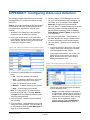
Using a Static IP Address
To set up the MegaPower CPU for a static IP
address:
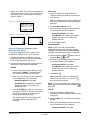
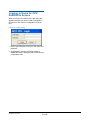
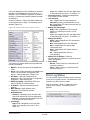
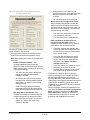
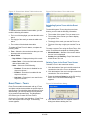
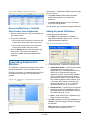
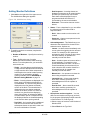
The System Menu appears on the LCD screen
(Figure 12).
1. Connect a keyboard to an RS-232 port on the
MegaPower CPU. Ensure the baud rates match
for the keyboard and CPU port in use.
Note: To exit the LCD Menu Mode, press the
Menu key.
2. Use the following instructions to provide the key
sequences for each supported keyboard:
Figure 12. System Menu screen
AD2088:
a. Place the keyboard in Menu Mode by turning
the keyswitch to MENU. The CAMERA LEDs
on the keyboard display P6.
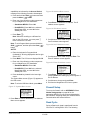
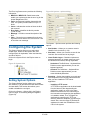
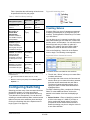
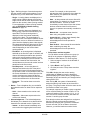
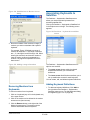
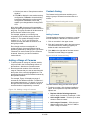
3. Press Enter to choose Addressing. The Address
Menu screen appears.
b. Enter one of the following number sequences
for your MegaPower CPU installation:
○ Standalone MPCPU: Enter 100.
Figure 13. Address Menu screen
○ Dual MPCPU: Enter 100 for the selected
MegaPower CPU, or enter 101 for the
Standby MP CPU.
c. Press the ENTER key, which is located above
the joystick. “ENTER” is stenciled on the front
face of the key; the top of the key may be
labeled either PRESET or SHOT.
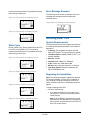
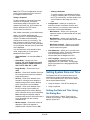
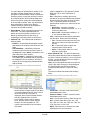
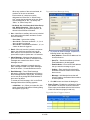
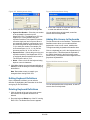
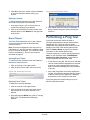
4. Press Enter to choose IP Address. The IP
Address screen appears.
The CAMERA LEDs on the keyboard will only
display 7P if the selected CPU is accessed.
Figure 14. IP Address screen
ADCC1100:
a. Place the keyboard in Program Mode by
pressing its softkey.
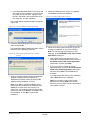
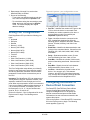
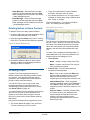
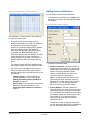
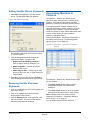
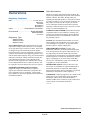
5. Scroll down to Set IP Addr and press Enter. The
Set IP Address screen appears.
Figure 15. Set IP Address screen
Note: To display and enter Program Mode, you
must insert a Smartcard that has administrator
privileges.
b. Press the Matrix Menus softkey.
c. Enter one of the following number sequences
for your MegaPower CPU installation:
○ Standalone MPCPU: Enter 100.
○ Dual MPCPU: Enter 100 for the selected
MegaPower CPU, or enter 101 for the
Standby MP CPU.
6. Scroll down to DHCP and press Enter. The
DHCP Setting screen appears.
d. Press the Enter softkey.
Figure 16. DHCP Setting screen
ADCC0200/0300:
Notes: In RS–232 mode, the ADCC0200
keyboard does not have matrix menu access
MEGAPOWER CPU
ADMINISTRATOR’S GUIDE
8200-0421-03, REV. G
11 of 82