1
•
Only Single-Ended SCSI devices are supported
by the AHA-1540CF/1542CF. Differential SCSI
devices may be damaged if connected to the
AHA-1540CF/1542CF bus. Consult your SCSI
peripheral user documentation.
If your system configuration includes both internal
and external SCSI devices, the host adapter will be
at the junction between the internal and external
peripherals.
1. Lay out your cables and find the pin-1 element of
each cable and peripheral connector. On internal cables, pin 1 is usually distinguished by a
contrasting color on one edge of the ribbon cable.
External cable connectors can only be plugged-in
one way, so pin-1 orientation is automatic.
2. Attach the SCSI cable(s) to the host adapter and
the peripherals, using either the internal and/or
external connector(s).
3. Make sure that pin-1 orientation is maintained
throughout the bus. The AHA-1540CF/1542CF
uses a 50-pin Centronics style external connector, and a standard 50-pin internal connector.
How to Terminate Your SCSI Bus Cable
What is termination?
The first and last physical SCSI devices on the
ends of the SCSI bus must have a set of resistors
called terminators. All other SCSI devices must
have terminators removed/disabled.
The AHA-1540CF/1542CF and most SCSI peripherals come equipped with built-in terminators that
can be enabled or disabled. Exactly two devices
must be terminated on the SCSI bus, one at each end.
Devices Connected To Host Adapter:
AHA Termination
Internal devices only (AHA at end of cable):
On/Enabled
External devices only (AHA at end of cable):
On/Enabled
Internal and External Devices (AHA in between): Off/Disabled
If you need to disable termination on the
AHA-1540CF/1542CF, do the following:
1. Complete this physical installation section.
2. Disable Host Adapter SCSI Termination by following the instructions in Section 4 , Configuring the Host Adapter.
Terminating Other SCSI Peripherals
1. Check the manufacturer’s literature to determine
how to enable or disable SCSI bus termination
on your SCSI peripheral device(s).
3. Make sure that termination is disabled/disconnected on devices in between those at the ends
of the SCSI bus.
4. Check SCSI cable connections, they may have
been loosened if terminating your peripherals
involved physically manipulating them.
Reassembling the System
Follow your personal computer and SCSI peripheral installation manual instructions to:
1. Replace the system cover.
2. Make sure all power switches are in the OFF position, then connect system and peripheral power
cables.
Starting the System
The factory installed bus terminators on the AHA1540CF/1542CF are enabled by default. Host adapter termination should be disabled if you attach
SCSI devices to both internal and external connectors, since the host adapter would then be in the
middle of the SCSI bus.
After you have completed installing and connecting
the host adapter:
4
Configuring the Host Adapter
Your host adapter includes a built-in, menu-driven
SCSISelect program. SCSISelect allows you to
change most of the option settings of the host
adapter without opening the case of your computer
or handling the board.
You may never need to reconfigure the host adapter. If you do, however, the following instructions
tell you how to access the program.
Use SCSISelect to:
•
•
2. Install/enable termination on SCSI devices on the
ends of the SCSI bus (cable).
Terminating the Host Adapter
The following table describes the three possible
SCSI device and host adapter (AHA) configurations. Host adapter termination should be adjusted
to suit.
4
•
Change software controlled host adapter options, such as interrupt channel.
Install new SCSI devices; you may need to lowlevel format their media, or change host adapter
termination; to enable Floptical or Fast SCSI
support.
Run Host Adapter Diagnostics.
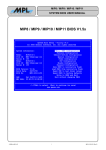
Running SCSISelect
There are several ways to run the SCSISelect
utility:
•
•
Press Ctrl-A when prompted at boot time.
Using DOS DEBUG: -g=xxxx:6
where xxxx = host adapter BIOS address in Hex;
DC00:6 is a typical example.
Pressing F6 while in the SCSISelect Configure/View Host Adapter Settings menus resets the
host adapter to the original settings. From any
menu, press Esc to return to the previous menu. Use
the arrow (↑↓) and Enter keys to make selections.
Host Adapter Selection
1. Turn on peripheral and personal computer system power.
2. The host adapter BIOS sign-on message will
appear on your computer display. The sign-on
includes a listing of installed SCSI devices and
should end with a BIOS status message.
The Host Adapter Port Address screen is the first
screen to appear in the SCSISelect utility.
1. Select the Port Address of the adapter to be reconfigured. You may reconfigure any installed AHA1540CF/1542CF. (Refer to Multiple Host
Adapters, in Section 2 .)
2. Press Enter to select the address and automatically move to the main menu screen.
3. In most cases your personal computer, host adapter, and SCSI peripherals are now ready to use.
5
6