1
Wireless Siren Auto Test
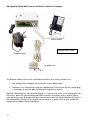
Use this mode to test that the wireless siren is operating correctly
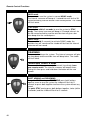
WIRELESS SIREN AUTO TEST
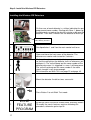
1.
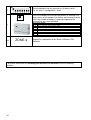
Set dipswitches 1 and 5 to on.
2.
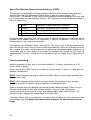
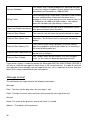
The strobe on the siren will flash every 5 seconds, and the
main unit will beep out the signal strength every 5 seconds.
The beeps range from 1-10. The minimum acceptable
strength is 3.
Note: if the 3 beeps are not achieved, relocate the siren
slightly. If the 3 beeps are still not achieved then relocate
the siren closer to the main unit.
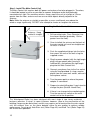
Wireless Siren Disable Use this mode when the Wireless Outside Siren is not required.
IMPORTANT! If you do not carry out this step, the system will think the siren has failed and
will send a supervision failure message to the Monitoring Centre, 24 hours after system
installation.
WIRELESS SIREN DISABLE
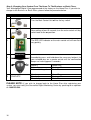
1.
Set dipswitches 1 and 6 to on.
ADD
2.
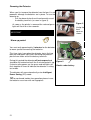
Press either ADD or DELETE
A
DELETE
D
3.
45
ADD
ENABLE Wireless Siren
DELETE
DISABLE Wireless Siren
The unit will beep once to confirm either Enable or
Disable of wireless siren.