1
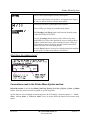
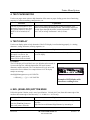
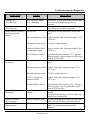
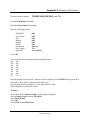
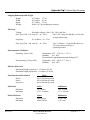
Printer Menu System
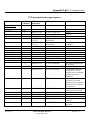
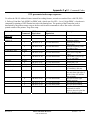
Menu Items
Selections
Explanation
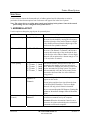
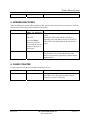
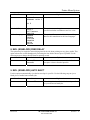
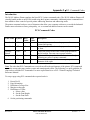
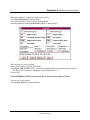
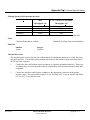
Wide (125%)
characters and spaces between characters.
Expanded(150%)
Thin (75%) and Condensed (50%) will decrease the
spacing between characters and decrease the width
of characters.
Wide (125%) and Expanded (150%) increase the
width of characters and spaces.
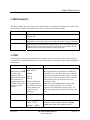
D. Bold
On or Off
This item increases the character stroke weight
(thickness of print).
E. Italic
On or Off
This item refers to the oblique shape of a character.
F. Outline
On or Off
This item prints only the outline or the edge of the
fonts shape. All the records printed using Outline
will appear as hollow text.
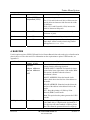
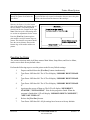
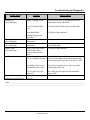
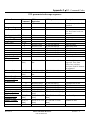
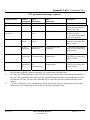
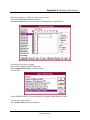
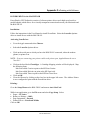
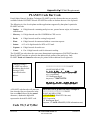
4. BARCODE
Use this option to print a USPS (US Postal Service Postnet Barcode) barcode on the piece of media and to
place it above or below the record. For information on the requirements to print a UPSP barcode, see
Appendix G.
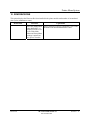
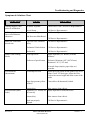
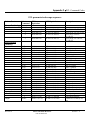
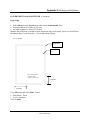
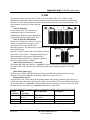
Menu Items
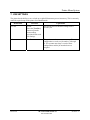
A. Location
Selections
Explanation
Lower Right
Corner
Select the US Postal Service Postnet Barcode
options from the following selections:
Above Address
Below Address
Off
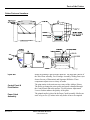
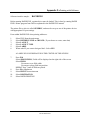
LOWER RIGHT CORNER: The barcode is always
printed in the lower right corner of the media. Note:
This option is disabled when the selected
Orientation is Invert.
ABOVE ADDRESS: Prints the barcode in the
address block above the first line of the address on
the media.
BELOW ADDRESS: Prints the barcode below the
last line of the address in the address block on the
media.
OFF : Stops the printing of a Delivery Point
Barcode (DPBC) on the media.
Note: This option has the printer generate the USPS
barcode.
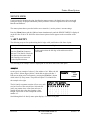
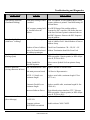
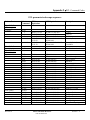
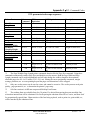
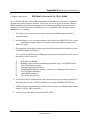
B. 5 Digit On/Off
Revision A
ON or OFF
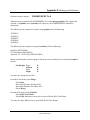
This item prints a 5 Digit barcode for a five digit zip
code. Note: Only a 5 Digit barcode is printed for a
five digit zip code when enabled. A Delivery Point
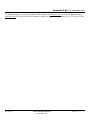
Bar Code cannot be generated from a five digit zip
5K-LE OWNERS MANUAL
P/N 90-00852-001
Section 6 - 6