1
appendix a
DSP Requirements
The number of TDM plug-ins you can use at one
time depends on how much DSP power is available in your system. Since the TDM hardware on
Pro Tools cards provide dedicated DSP for plugins, plug-in performance isn’t limited by CPU
processing power.
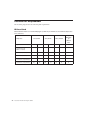
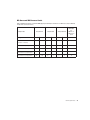
The DSP tables in this appendix show the theoretical number of instances of each plug-in that
can be powered by a single DSP chip on
Pro Tools|HD cards. DSP usage differs according
to card type.
DSP tables show the theoretical maximum
performance when no other plug-ins or system tasks (such as I/O) are sharing available DSP resources. You will typically use
more than one type of plug-in simultaneously. The data in these tables are provided as guidelines to help you gauge the
relative efficiency of different plug-ins on
your system. They are not guaranteed performance counts that you should expect to
see in typical real-world sessions and usage.
There are a total of nine DSP chips on a
Pro Tools|HD card (HD Core, HD Process, and
HD Accel). HD Core and HD Process cards provide identical chip sets. HD Accel cards provide
newer, more powerful DSP chips (making the
HD Accel card ideal for DSP-intensive plug-ins,
and for high sample rate sessions).
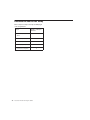
Not all plug-ins are supported on all types of
chips. The following tables indicate the number
of compatible chips per card.
Using Multi-Mono Plug-ins on
Greater-Than-Stereo Tracks
Plug-ins used in multi-mono format on greaterthan-stereo tracks require one mono instance
per channel of the multi-channel audio format.
For example, a multi-mono plug-in used on a
5.1 format track, requires six mono instances
since there are six audio channels in the 5.1 format.
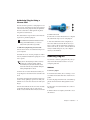
Monitoring DSP Usage
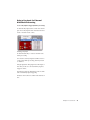
The System Usage window (Window > System
Usage) shows how much DSP is available in your
system and how it is being used in the current
Pro Tools session.
For more information about DSP usage and
allocation, see the Pro Tools Reference
Guide.
DSP Requirements
27