1
What This Machine Can Do
All the elements you will ever need in a digital multitasking
machine.
Copy
Mail Box
Scan
Send
The iR6570/iR5570 incorporates a rich array of input and
output features that can greatly enhance your efficiency.
Equipped with features that meet the needs of document
work in a digitized office, the iR6570/iR5570 represents the
ultimate in digital multitasking machines.
Remote UI
Copying
1
2
3
4
2
In addition to normal copying functions, convenient new
functions, such as "Sample Set" which helps to avoid copy
errors, "Booklet" for making copies into booklets, and
"Different Size Originals" for copying originals of different
sizes together in one copy operation, are provided to
increase your productivity.
See the Copying and Mail Box Guide
7
Before You Start Using This Machine
1
1
4
5
8
6
3
1
8
6
3
5
6
7
8
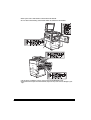
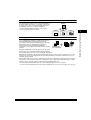
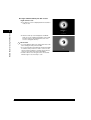
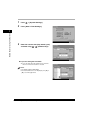
Mail Box Function
The Mail Box function enables you to save image or
document data that has been scanned from the scanner
unit, or created on a PC to the machine's internal hard
disk. The saved data can be printed at a specified time, or
merged with separately saved data or data created on a
PC for simultaneous processing.
See the Copying and Mail Box Guide
Printing merged
documents
Scanning
various
originals
1
1-10
What This Machine Can Do
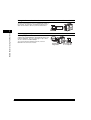
Sending
data from
computers