1
Contents
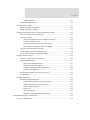
Command-line interface (CLI)-based client connections....................................... 46
Modem emulation (pseudo-modem) client connections ........................................ 46
Configuration capabilities and interfaces .............................................................................................47
Configuration capabilities ..........................................................................................................47
Configuration interfaces .............................................................................................................48
The Digi Device Setup wizard .........................................................................................49
Digi Device Discovery utility ..........................................................................................51
The Web interface ............................................................................................................53
Command-line interface...................................................................................................55
Connectware Manager interface.......................................................................................56
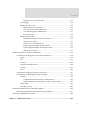
Simple Network Management Protocol (SNMP).............................................................58
Standard MIBs supported ....................................................................................... 59
Digi enterprise MIBs supported ............................................................................. 59
Additional SNMP resources ................................................................................... 59
Monitoring capabilities and interfaces .................................................................................................60
Monitoring interfaces .................................................................................................................60
Web Interface ...................................................................................................................60
Command-line interface...................................................................................................61
Connectware Manager......................................................................................................61
SNMP ...............................................................................................................................61
Administration tasks.............................................................................................................................62
Chapter 2: Configure Digi devices............................................................................................................63
Default IP address ................................................................................................................................64
Alternate methods for assigning an IP address ....................................................................................64
Configure an IP address using the Digi Device Setup Wizard ..................................................64
Configure an IP address using DHCP ........................................................................................65
Configure an IP address using Auto-IP......................................................................................65
Configure an IP address from the command-line interface........................................................66
IP addresses and Connectware Manager ....................................................................................66
Test the IP address configuration ...............................................................................................67
Configuration through the web interface.............................................................................................68
Open the web interface...............................................................................................................69
5