1
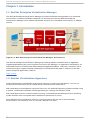
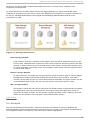
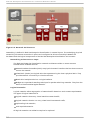
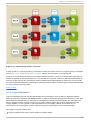
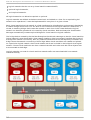
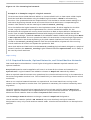
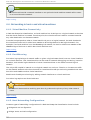
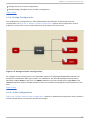
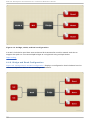
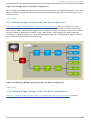
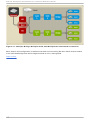
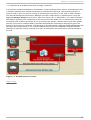
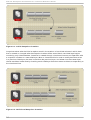
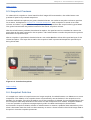
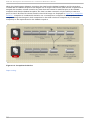
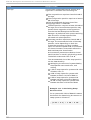
Chapt er 4 . Net work archit ect ure Bridge, Bond, and VLAN configuration. Multiple Bridge, Multiple VLAN, and NIC configuration. Report a bug 4 .4 .4 . Bridge Configurat ion The simplest host configuration in Red Hat Enterprise Virtualization is the Bridge and NIC configuration. As Figure 4.3, “ Bridge and NIC configuration” depicts, this configuration uses a bridge to connect one or more virtual machines (or guests) to the host's NIC. Fig u re 4 .3. B rid g e an d N IC co n f ig u rat io n An example of this configuration is the automatic creation of the bridge rhevm when the Red Hat Enterprise Virtualization Manager installs. On installation, the Red Hat Enterprise Virtualization Manager installs VD SM on the host. The VD SM installation process creates the bridge rhevm. The rhevm bridge then obtains the IP address of the host to enable management communication for the host. Report a bug 4 .4 .5. VLAN Configurat ion Figure 4.4, “ Bridge, VLAN, and NIC configuration” depicts an alternative configuration that includes a virtual LAN (VLAN) to connect the host NIC and bridge. 37