1
BASIC commands
Example
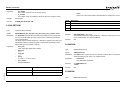
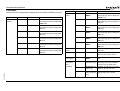
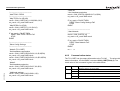
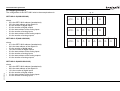
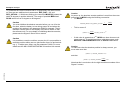
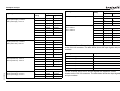
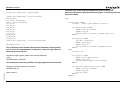
ENCODER_BITS = 25 + (256 * 12)
ATYPE = 47
In this example a 25 bit EnDat encoder is used, that has 12 bits for multi-turn
value and 13 bits per one revolution.
Example
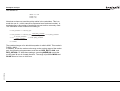
ENCODER_BITS = 12 + (64 * 1)
ATYPE = 48
In this example a 12 bit (4096 positions per revolution) SSI encoder is used,
with binary output type.
See also
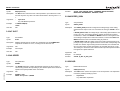
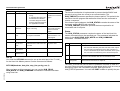
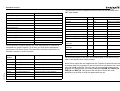
This parameter returns the ID value of an absolute encoder for the axis.
This parameter is applicable only to Flexible axis absolute Tamagawa axis
with ATYPE value 46.
It returns ENID parameter from the encoder, which is set to 17. For more
information see Tamagawa absolute encoder interface specification.
If applied to axis of ATYPE value other than 46, this parameter returns 0.
Arguments
N/A
Example
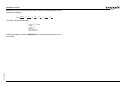
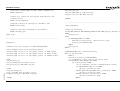
>>PRINT ENCODER_ID AXIS (1)
17.0000
This command will print absolute encoder ID value for axis 1.
See also
AXIS, ENCODER, ENCODER_BITS.
AXIS.
3.2.99 ENCODER_CONTROL
/i
Type
Axis parameter
Syntax
ENCODER_CONTROL = value
Description
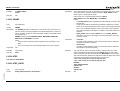
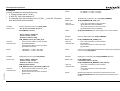
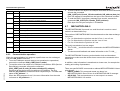
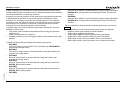
The ENCODER_CONTROL parameter is applicable only to Flexible axis
absolute EnDat axis with ATYPE value 47. The parameter controls the mode
in which EnDat encoder return its position. The encoder can be set to either
cyclically return its position, or it can be set to a parameter read/write mode.
The default after initialization is cyclic position return mode. For more information see EnDat absolute encoder interface specification.
Arguments
N/A
Example
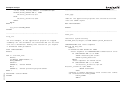
ENCODER_CONTROL AXIS(1) = 0
This command sets cyclic position return mode.
Example
ENCODER_CONTROL AXIS(1) = 1
This command sets parameter read/write mode.
See also
Description
AXIS, ENCODER, ENCODER_BITS.
3.2.100 ENCODER_ID
/i
Revision 5.0
Type
Axis parameter (read-only)
Syntax
ENCODER_ID
PROGRAMMING MANUAL
3.2.101 ENCODER_RATIO
/i
Type
Axis parameter
Syntax
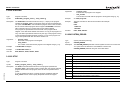
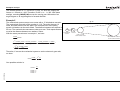
ENCODER_RATIO(numerator, denominator)
Description
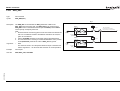
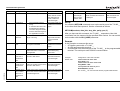
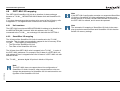
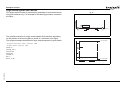
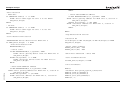
This command allows the incoming encoder count to be scaled by a non integer number, using the equation:
MPOS = (numerator / demoninator) x encoder_edges_input
Unlike the UNITS parameters, ENCODER_RATIO affects commands like
MOVECIRC and CAMBOX, since it affects the number of encoder edges
within the servo loop at the low level. It is necessary to change the position
loop gains after changing encoder ratio in order to maintain performance and
stability.
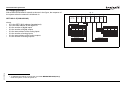
Note: Large ratios should be avoided as they will lead to either loss of resolution or much reduced smoothness in the motion. The actual physical encoder
count is the basic resolution of the axis and the use of this command may
reduce the ability of the Motion Controller to accurately achieve all positions.
Note: ENCODER_RATIO does not replace UNITS. Only use
ENCODER_RATIO where absolutely necessary. For all other axis scaling use
UNITS.
80