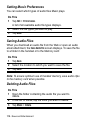
1
Taking Still Pictures
Do This
1 Tap
to place camera in Still mode.
2 Point the camera lens at the subject.
3 Press C (centre key) to take the picture.
The picture displays in the viewfinder.
4 If you want to save the picture, press C (centre key).
If you want to delete the picture without saving it,
press C (right arrow).
Setting Picture Size
You can choose to take still pictures in three different sizes: Large
(680x480), Medium (320x240), and Small (176x144).
Do This
1 Tap
to place camera in Still mode.
2 Tap Camera > Set picture size.
3 Select desired picture size.
4 Tap Done.
Recording Video Clips
You can use the camera to record a video clip up to 60 seconds
long.
Do This
1 Tap
to place camera in Video mode.
2 Point the camera lens at the subject.
News and Entertainment - 115