1
Table of Contents
Introduction
1
Get Started
2
Parts and Functions
2
Phone Layout
2
Keys
3
Direct Wave Receiver
4
SIM Card
5
Handling SIM Card
5
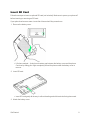
Insert SIM Card
5
Phone Memory/SD Card
7
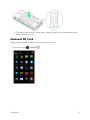
Insert SD Card
8
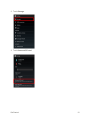
Unmount SD Card
9
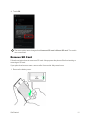
Remove SD Card
11
Format SD Card
12
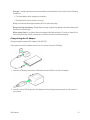
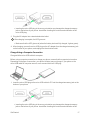
Charge the Battery
15
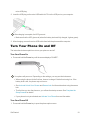
Turn Your Phone On and Off
18
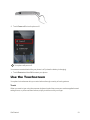
Use the Touchscreen
19
Activate Your Phone
23
Complete the Setup Screens
24
Basic Operations
28
Basics
28
Home Screen and Applications (Apps) List
28
Select Options and Navigate Screens
28
Menu Operations
29
Phone Settings Menu
30
Portrait and Landscape Screen Orientation
31
Capture Screenshots
32
Applications
33
Launch Applications
33
Apps List
34
Phone Number
38
Silent Mode/Airplane Mode
39
Silent Mode
40
i