1
List of Terms
Prerequisites
Before you can configure your Cisco AS5300 to use Voice over IP, you must first do the following:
•
Establish a working IP network. For more information about configuring IP, refer to the
“IP Overview,” “Configuring IP Addressing,” and “Configuring IP Services” chapters in the
Cisco IOS 12.0 Network Protocols Configuration Guide, Part 1.
•
Complete basic configuration for the AS5300, which includes, as a minimum, the following
tasks:
— Configure a host name and password for the AS5300
— Configure the Ethernet 10BaseT/100BaseT interface of your AS5300 so that it can be
recognized as a device on the Ethernet LAN
— Configure the AS5300 interfaces for ISDN PRI lines
— Configure the ISDN D channels for each ISDN PRI line
For more information about any of the these configuration tasks, refer to the Cisco AS5300
Universal Access Server Software Configuration Guide.
•
Install the VFC into the appropriate slot of your Cisco AS5300 access server. Each VFC can hold
up to five digital signal processor modules (DSPMs), enabling processing for up to 30 B
channels. For more information about the physical characteristics of the VFCs or DSPMs, or how
to install them, refer to Installing Voice over IP Feature Cards in Cisco AS5300 Universal Access
Servers, which came with your VFC.
•
•
•
Complete your company’s dial plan.
Establish a working telephony network based on your company’s dial plan.
Integrate your dial plan and telephony network into your existing IP network topology. Merging
your IP and telephony networks depends on your particular IP and telephony network topology.
In general, Cisco recommends the following suggestions:
— Use canonical numbers wherever possible. It is important to avoid situations where
numbering systems are significantly different on different routers or access servers in your
network.
— Make routing and dialing transparent to the user—for example, avoid secondary dial tones
from secondary switches, where possible.
— Contact your PBX vendor for instructions about how to reconfigure the appropriate PBX
interfaces.
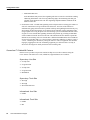
Supported MIBs and RFCs
This feature supports the following MIBs:
•
•
•
CISCO-ANALOG-VOICE-IF-MIB
CISCO-VOICE-DIAL-CONTROL-MIB
CISCO-VOICE-IF-MIB
For descriptions of supported MIBs and how to use MIBs, see Cisco’s MIB Web site on CCO at
http://www.cisco.com/public/sw-center/netmgmt/cmtk/mibs.shtml.
Voice over IP for the Cisco AS5300 5