1
Chapter 4
BIOS Setup
8.
Restore power to the CoreModule 720.
9.
Press the F2 key to enter Setup (early in the boot sequence if Fast Boot is set to [Enabled].)
If Fast Boot is set to [Enabled], you may never see the screen prompt.
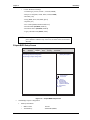
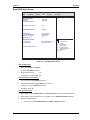
10. Use the <Enter> key to select the screen menus listed in the Opening BIOS screen.
NOTE
The serial console port is not hardware protected. Diagnostic software that
probes hardware addresses may cause a loss or failure of the serial console
functions.
OEM Logo Utility
The CoreModule 720 BIOS supports a graphical logo utility, which allows the user to customize the boot
screen image. The graphical image can be a company logo or any custom image the user wants to display
during the boot process. The custom image can be displayed as the first image on screen during the boot
process and remain there while the OS boots, depending on the options selected in BIOS Setup.
NOTE
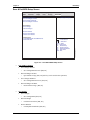
The Quiet Boot feature must be set to Enabled in the Boot screen of BIOS Setup
for the system to recognize the OEM Logo feature.
Logo Image Requirements
Please contact your ADLINK Sales Representative for more information on OEM Logo Utility
requirements.
36
Reference Manual
CoreModule 720