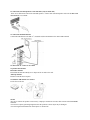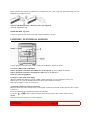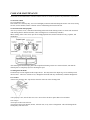
1
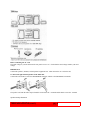
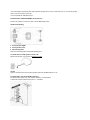
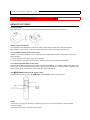
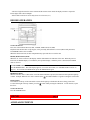
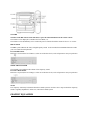
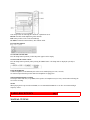
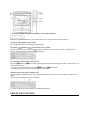
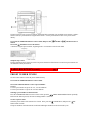
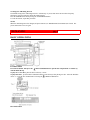
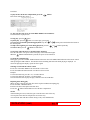
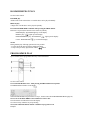
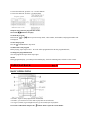
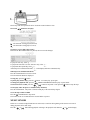
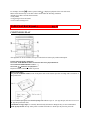
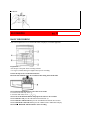
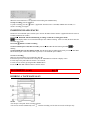
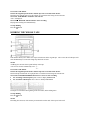
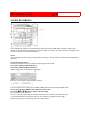
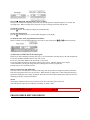
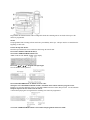
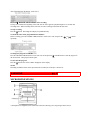
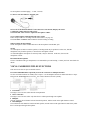
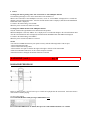
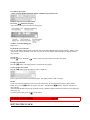
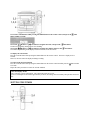
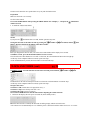
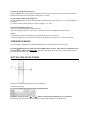
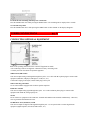
aiwa(1) COMPACT DISC STEREO SYSTEM CX-NA50 - For NSX-A54 and NSX-A50 OPERATING INSTRUCTIONS For Assistance and Information Call Toll Free 1-800-BUY-AIWA (United States and Puerto Rico) English pg. 1 WARNING TO REDUCE THE RISK OF FIRE OR ELECTRIC SHOCK, DO NOT EXPOSE THIS APPLIANCE TO RAIN OR MOISTURE. "CAUTION: TO REDUCE THE RISK OF ELECTRIC SHOCK, DO NOT REMOVE COVER (OR BACK). NO USER-SERVICEABLE PARTS INSIDE. REFER TO QUALIFIED SERVICE PERSONNEL." Explanation of Graphical Symbols: The lightning flash with arrowhead symbol, within an equilateral triangle, is intended to alert the user to the presence of uninsulated "dangerous voltage" within the product's inclosure that may be of sufficient magnitude to constitute a risk of electric shock to persons. The exclamation point within an equilateral triangle is intended to alert the user to the presence of important operating and maintenance (servicing) instructions in the literature accompanying the appliance. Owner's record For your convenience, record the model number and serial number (you will find them on the rear of your set) in the space provided below. Please refer to them when you contact your Aiwa dealer in case of difficulty. Model No. CX-NA50 Serial No. (Lot No.) SX-NA54 SX-R210 (NSX-A54 only) PRECAUTIONS Read the Operating Instructions carefully and completely before operating the unit. Be sure to keep the Operating Instructions for future reference. All warnings and cautions in the Operating Instructions and on the unit should be strictly followed, as well as the safety suggestions below. Installation 1 Water and moisture - Do not use this unit near water, such as near a bathtub, washbowl, swimming pool, or the like 2 Heat - Do not use this unit near sources of heat, including heating vents, stoves, or other appliances that generate heat. It also should not be placed in temperatures less than 5ºC (41ºF) or greater than 35 Cº(95ºF). 3 Mounting Surface - Place the unit on a flat, even surface 4 Ventilation - The unit should be situated with adequate space around it so that proper heat ventilation is assured. Allow 10 cm (4 in.) clearance from the rear and then tope of the unit, and 5 cm (2 in.) from each side. - Do not place the unit on a bed, rug, or similar surface that may block the ventilation openings. - Do not install the unit in a bookcase, cabinet, or airtight rack where ventilation may be impeded. 5 Objects and liquid entry - Take care that objects of liquids do not get inside the unit through the ventilation openings. 6 Carts and stands - When placed or mounted on a stand or cart, the unit should be moved with care. Quick stops, excessive force, and uneven surfaces may cause the unit or cart to overturn or fall. 7 Condensation - Moisture may form on the CD pickup lens when: - The unit is moved from a cold spot to a warm spot - The heating system has just been turned on - The unit is used in a very humid room - The unit is cooled by an air conditioner When this unit has condensation inside, it may not function normally. Should this occur, leave the unit for a few hours, then try to operate again. 8 Wall or ceiling mounting - The unit should not be mounted on a wall or ceiling, unless specified in the Operating Instructions Electric Power 1 Power sources - Connect this unit only to power sources specified in the Operating Instructions, and as marked on the unit. 2 Polarization - As a safety feature, some units are equipped with polarized AC power plugs which can only be inserted one way into a power outlet. If it is difficult or impossible to insert the AC power plug into an outlet, turn the plug over and try again. If it still does not easily insert into the outlet, please call a qualified service technician to service or replace the outlet. To avoid defeating the safety feature of the polarized plug, do not force it into a power outlet. 3 AC power cord - When disconnecting the AC power cord, pull it out by the AC power plug. Do not pull the cord itself. - Never handle the AC power plug with wet hands, as this could result in fire or shock. - Power cords should be routed to avoid being severely bent, pinched, or walked upon. Pay particular attention to the cord from the unit to the power socket. - Avoid overloading AC power plugs and extension cords beyond their capacity, as this could result in fire or shock. PRECAUTIONS (cont.) pg. 2 4 Extension cord - To help prevent electric shock, do not use a polarized AC power plug with an extension cord, receptacle, or other outlet unless the polarized plug can be completely inserted to prevent exposure of the blades of the plug. 5 When not in use - Unplug the AC power cord form the AC power plug if the unit will not be used for several months or more. When the cord is plugged in, a small amount of current continues to flow to the unit, even when the power is turned off. Outdoor Antenna 1 Power lines - When connecting an outdoor antenna, make sure it is located away from power lines. 2 Outdoor antenna grounding - Be sure the antenna system is properly grounded to provide protection against unexpected voltage surges or static electricity build-up. Article 810 of the National Electrical Code, ANSI/NFPA 70, provides information on proper grounding of the mast, supporting structure, and the lead-in wire to the antenna discharge unit, as well as the size of the grounding unit, connection to grounding terminals, and requirements for grounding terminals themselves. Maintenance Clean the unit only as recommended in the Operating Instructions Damage requiring Service Have the units serviced by a qualified service technician if: - The AC power cord or plug has been damaged - Foreign objects or liquid have gotten inside the unit - The unit has been exposed to rain or water - The unit does not seem to operate normally - The unit exhibits a marked change in performance - The unit has been dropped, or the cabinet has been damaged DO NOT ATTEMPT TO SERVICE THE UNIT YOURSELF TABLE OF CONTENTS PRECAUTIONS. . . . . . . . . . . . . . . . . . . . . . . . . . . . . . . . . . . . . . . . . . . . . . . . . . . . . . . . . 1 PREPARATIONS CONNECTIONS. . . . . . . . . . . . . . . . . . . . . . . . . . . . . . . . . . . . . . . . . . . . . . . . . . . . . . .3 REMOTE CONTROL. . . . . . . . . . . . . . . . . . . . . . . . . . . . . . . . . . . . . . . . . . . . . . . . . . .5 BEFORE OPERATION. . . . . . . . . . . . . . . . . . . . . . . . . . . . . . . . . . . . . . . . . . . . . . . . . .5 SOUND AUDIO ADJUSTMENTS. . . . . . . . . . . . . . . . . . . . . . . . . . . . . . . . . . . . . . . . . . . . . . . .6 GRAPHIC EQUALIZER. . . . . . . . . . . . . . . . . . . . . . . . . . . . . . . . . . . . . . . . . . . . . . . . .6 RADIO RECEPTION MANUAL TUNING. . . . . . . . . . . . . . . . . . . . . . . . . . . . . . . . . . . . . . . . . . . . . . . . . . . . 7 PRESETTING STATIONS. . . . . . . . . . . . . . . . . . . . . . . . . . . . . . . . . . . . . . . . . . . . . . .7 CD PLAYING BASIC OPERATIONS. . . . . . . . . . . . . . . . . . . . . . . . . . . . . . . . . . . . . . . . . . . . . . . . . . 9 PROGRAMMED PLAY. . . . . . . . . . . . . . . . . . . . . . . . . . . . . . . . . . . . . . . . . . . . . . . . 10 TAPE PLAYBACK BASIC OPERATIONS. . . . . . . . . . . . . . . . . . . . . . . . . . . . . . . . . . . . . . . . . . . . . . . . . 11 CONTINUOUS PLAY. . . . . . . . . . . . . . . . . . . . . . . . . . . . . . . . . . . . . . . . . . . . . . . . . 12 RECORDING BASIC RECORDING. . . . . . . . . . . . . . . . . . . . . . . . . . . . . . . . . . . . . . . . . . . . . . . . . . 13 DUBBING A TAPE MANUALLY. . . . . . . . . . . . . . . . . . . . . . . . . . . . . . . . . . . . . . . .14 DUBBING THE WHOLE TAPE. . . . . . . . . . . . . . . . . . . . . . . . . . . . . . . . . . . . . . . . . 14 AI EDIT RECORDING. . . . . . . . . . . . . . . . . . . . . . . . . . . . . . . . . . . . . . . . . . . . . . . . .15 PROGRAMMED EDIT RECORDING. . . . . . . . . . . . . . . . . . . . . . . . . . . . . . . . . . . . .16 KARAOKE MICROPHONE MIXING. . . . . . . . . . . . . . . . . . . . . . . . . . . . . . . . . . . . . . . . . . . . . . .17 KARAOKE PROGRAM. . . . . . . . . . . . . . . . . . . . . . . . . . . . . . . . . . . . . . . . . . . . . . . .18 CLOCK AND TIMER SETTING THE CLOCK. . . . . . . . . . . . . . . . . . . . . . . . . . . . . . . . . . . . . . . . . . . . . . . . 19 SETTING THE TIMER. . . . . . . . . . . . . . . . . . . . . . . . . . . . . . . . . . . . . . . . . . . . . . . . .19 SETTING THE SLEEP TIMER. . . . . . . . . . . . . . . . . . . . . . . . . . . . . . . . . . . . . . . . . . 20 OTHER CONNECTIONS CONNECTING OPTIONAL EQUIPMENT. . . . . . . . . . . . . . . . . . . . . . . . . . . . . . . . .21 LISTENING TO EXTERNAL SOURCES. . . . . . . . . . . . . . . . . . . . . . . . . . . . . . . . . . 21 GENERAL CARE AND MAINTENANCE. . . . . . . . . . . . . . . . . . . . . . . . . . . . . . . . . . . . . . . . . . .22 TROUBLESHOOTING GUIDE. . . . . . . . . . . . . . . . . . . . . . . . . . . . . . . . . . . . . . . . . .22 SPECIFICATIONS. . . . . . . . . . . . . . . . . . . . . . . . . . . . . . . . . . . . . . . . . . . . . . . . . . . . 23 PARTS INDEX. . . . . . . . . . . . . . . . . . . . . . . . . . . . . . . . . . . . . . . . . . . . . . . . Back cover CONNECTIONS Check your system and accessories pg. 3 Before connecting the AC cord The rated voltage of you unit shown on the rear panel is 120 V AC. Check that the rated voltage matches your local voltage IMPORTANT Connect the speakers, antennas, and all optional equipment first. Then connect the AC cord in the end. 1 Connect the right and left speakers to the main unit. Connect the right speaker cord to the SPEAKERS R terminals, and left to the SPEAKERS L terminals. The speaker cord with the white stripes should be connected to the + terminal and the black cord to the - terminal. Speaker Hookup Illustration PREPARATIONS (cont.) pg. 4 2 Connect the surround speakers to the main unit. (only for NSX-A54) There are no differences between the surround speakers. Connect each surround speaker cord to the SURROUND SPEAKERS R or L terminal. 3 Connect the supplied antennas. Connect the FM antenna to the FM 75 Ω terminals and the AM antenna to the AM LOOP terminals. 4 Connect the AC cord to an AC outlet. To position the antennas FM feeder antenna: Extend this antenna horizontally in a T-shape and fix its ends to the wall. AM loop antenna: Position to find the best reception. To stand the AM antenna on a surface Fix the claw to the slot NOTE • Be sure to connect the speaker cords correctly. Improper connections can cause short circuits in the SPEAKERS terminals. • Do not leave objects generating magnetism near the speakers as these object may be damaged. • Do not bring the FM antenna near metal objects or curtain rails. • Do not bring the AM antenna near other optional equipment, the stereo system itself, the AC cord or the speaker cords, since noise will be picked up. • Do not unwind the AM antenna wire. POSITIONING THE SPEAKERS (NSX-A54 only) Position the speakers to make the most of the SURROUND effect. Standard Positioning c Front speaker (Right) d Front speaker (Left) e Surround speakers Place the surround speakers behind the listening area. To mount the surround speakers on the wall Mount each speaker on a spot that can hold its weight. NOTE Sound is not heard from the surround speakers when the SURROUND is set off. CONNECTING AN OUTDOOR ANTENNA For better FM reception, use of an outdoor antenna is recommended. Connect the outdoor antenna to the FM 75 Ω terminals. To connect other optional equipment → page 21. PREPARATIONS (cont.) pg. 5 REMOTE CONTROL Inserting batteries Detach the battery cover on the rear of the remote control and insert two R6 (size AA) batteries. When to replace the batteries The maximum operational distance between the remote control and the sensor on the main unit should be approximately 5 meters(16 feet). When this distance decreases, replace the batteries with new ones. To use the SHIFT button on the remote control Buttons 1 have different functions. One of these functions is indicated on the button, and the other on the plate above the button. To use the function on the button, simply press the button. To use the function on the plate above the button, press the button while pressing the SHIFT button. To use the FUNCTION button on the remote The FUNCTION button substitutes for the function buttons (TAPE/DECK 1/2, TUNER, VIDEO/AUX, MD,CD) on the main unit. Each time the FUNCTION button is pressed, the next function is selected cyclically. When tapes are inserted in both decks, both decks are selected with the FUNCTION buttons. The / PRESET button on the remote control The function is the same as that of the DIRECTION/PRESET button on the main unit. NOTE • If the unit is not going to be used for an extended period of time, remove the batteries to prevent possible electrolyte leakage. • The remote control may not operate correctly when: - The line of sight between the remote control and the remote sensor inside the display window is exposed to intense light, such as direct sunlight. - Other remote controls are used nearby (those of a television, etc.) BEFORE OPERATION To turn the unit on Press one of the function buttons (TAPE, TUNER, VIDEO/AUX,CD, MD). Playback of the inserted disc or tape begins, or the previously tuned station is received (Direct Play Function). The POWER button is also available. When the unit is turned on, the disc compartment may open and close to reset the unit. DEMO (Demonstration) mode When the AC cord is connected, the display window demonstrates the functions of the unit. When the power is turned on, the DEMO display is overridden by the operation display. When the power is turned off, the DEMO mode is restored. To cancel DEMO mode Press the DEMO button. The clock display appears. (To set the current time, see "SETTING THE CLOCK" on page 19.) To re-activate the DEMO mode, press the DEMO button again. Illumination guides Whenever the AC cord is connected or one of the function buttons is pressed, the buttons for that operation light up or flash. Example: When the AC cord is connected, the SET button flashes as a guide to setting the current time. Flash windows The windows on the top of the unit and the cassette decks light up or flash while the unit is being powered on. To turn off the light of the top window, press the button while pressing the CD button. To turn back on, repeat the above. To turn the unit off Press the POWER button. SOUND AUDIO ADJUSTMENTS pg. 6 VOLUME Turn the VOLUME control on the main unit, or press the VOLUME button on the remote control. The volume level is displayed as a number from 0 to MAX (31). The volume level is automatically set to 16 when the power is turned off with the volume level set to 17 or more. BBE SYSTEM The BBE system enhances the clarity of high-frequency sound. It also enriches the KARAOKE function to make your voice sound clear and pleasant. Press the BBE button. Each time it is pressed, the level changes. Select one of the three levels, or the off position to suit your preference. SUPER T-BASS SYSTEM The T-BASS system enhances the realism of low-frequency sound. Press the T-BASS button. Each time it is pressed, the level changes. Select one of the three levels, or the off position to suit your preference. NOTE Low frequency sound may be distorted when the T-BASS system is used for a disc or tape in which low frequency sound is originally emphasized. In this case, cancel the T-BASS system. GRAPHIC EQUALIZER This unit provides the following three different equalization curves. ROCK: Powerful sound emphasizing treble and bass POP: More presence in the vocals and midrange CLASSIC: Enriched sound with heavy bass and fine treble Press the GEQ buttons. To cancel the selected mode Press the GEQ button repeatedly so that GEQ OFF appears on the display. To select with the remote control Press the GEQ button repeatedly while pressing the SHIFT button. The GEQ mode is displayed cyclically as follows. Using the headphones Connect headphones to the PHONES jack with a stereo standard plug (ø6.3 mm, 1/4 inch.) No sound is output from the speakers while the headphones are plugged in. Sound adjustment during recording The output volume and tone (except BBE) of the speakers or headphones may be freely varied without affecting the level of the recording. NOTE When playing back a tape recorded with BBE, it is recommended that BBE be set to off to avoid distorted high frequency sound. RADIO RECEPTION MANUAL TUNING pg. 7 1 Press the TUNER/BAND button repeatedly to select the desired band. When the TUNER/BAND button is pressed while the power is off, the power is turned on directly. To select a band with the remote control Press the BAND button while pressing the SHIFT button. 2 Press the DOWN or UP button to select a station. Each time the button is pressed, the frequency changes. When a station is received, "TUNE" is displayed for 2 seconds. During FM stereo reception, is displayed. To search for a station quickly (Auto Search) Keep the DOWN or UP button pressed until the tuner starts searching for a station. After tuning in to a station, the search stops. To stop the Auto Search manually, press the DOWN or UP button. • The Auto Search may not stop at stations with very weak signals. When an FM stereo broadcast contains noise Press the MONO TUNER button while pressing the SHIFT button on the remote so that "MONO" appears on the display. Noise is reduced, although reception in monaural. To restore reception, press these buttons so that MONO disappears. PRESETTING STATIONS The unit can store a total of 32 preset stations. (Each band has a maximum of 20 available preset stations.) When a station is stored, a preset number is assigned to the station. Use the preset number to tune in to a preset station directly. 1 Press the TUNER/BAND button to select a band, and press the DOWN or station. 2 Press the SET button to store the station. A station is assigned a preset number, beginning from 1 in consecutive order for each band. UP button select a 3 Repeat steps 1 and 2. The next station will not be stored if a total of 32 preset stations for all the bands or a total of 20 preset stations for one band have already been stored. RADIO RECEPTION (cont.) pg. 8 PRESET NUMBER TUNING Use the remote control to select the preset number directly. 1 Press the TUNER/BAND button to select a band. 2 Press the numbered buttons to select a preset number. Example: To select preset number 20, press the +10, +10 and 0 buttons. To select preset number 15, press the +10 and 5 buttons. Selecting a preset number on the main unit Press the TUNER/BAND button to select a band. Then, press the DIRECTION/PRESET button repeatedly. Each time the button is pressed, the next ascending number is selected. To clear a preset station Select the preset number of the station to be cleared. Then, press the CLEAR button, and press the button within 4 seconds. The preset numbers of all other stations in the band with higher numbers are also decreased by one. SET To change the AM tuning interval The default setting of the AM tuning interval is 10 kHz/step. If you use this unit in an area where frequency allocation system is 9 kHz/step, change the tuning interval. Press the POWER button while pressing the TUNER/BAND button. To reset the interval, repeat this procedure. NOTE When the AM tuning interval is changed, all preset stations (see "PRESETTING STATIONS")are cleared. The preset stations have to be set again. CD PLAYING pg. 9 BASIC OPERATIONS LOADING DISCS Press the CD button, then press the OPEN/CLOSE button to open the disc compartment. Load disc (s) with the label side up. To play one or two discs, place the discs on the tray 1 and 2. To play three discs, press the DISC CHANGE button to rotate the trays after placing two disc. Place the third disc on tray 3. Close the disc compartment by pressing the OPEN/CLOSE button. PLAYING DISCS Load discs. To play all discs in the disc compartment, press the Play begins with the disc on tray 1. button. To play one disc only, press one of the DISC DIRECT PLAY buttons. The selected disc is played once. To stop play, press the button. To pause play, press the button. To resume play, press again. To search for a particular point during playback, keep the or the desired point. To skip to the beginning of a track during playback, press the or To remove discs, press the OPEN/CLOSE button. button pressed and release the button at button repeatedly. To start play when the power is off (Direct Play Function) Press the CD button. The power turns on and play of the loaded disc begins. When the OPEN/CLOSE button is pressed, the power is also turned on. To check the remaining time During play, press the CD EDIT CHECK button on the main unit or the EDIT/CHECK button on the remote control while pressing the SHIFT button. The amount of time remaining until all tracks finish playing is displayed. To restore the playing time display, repeat the above again. Selecting a track with the remote control 1 Press one of the DISC DIRECT PLAY buttons to select a disc. 2 Press the numbered buttons and the +10 button to select a track. Example: To select the 25th tack, press the +10, +10 and 5 buttons. To select the 10th track, press the +10 and 0 buttons. The selected track starts to play and play continues to the end of that disc. Replacing discs during play While one disc is playing, the other discs can be replaced without interrupting play. 1 Press the DISC CHANGE button. 2 Remove the discs and replace with other discs. 3 Press the OPEN/CLOSE button to close the disc compartment. NOTE • When loading an 8-cm (3-inch) disc, put it onto the inner circle of the tray. • Do not place more than one compact disc on one disc tray. • Do not tilt the unit with discs loaded. Doing so may cause malfunctions. CD PLAYING (cont.) pg. 10 RANDOM/REPEAT PLAY Use the remote control. RANDOM play All the tracks on the selected disc or on all the discs can be played randomly. REPEAT play A single disc or all the discs can be played repeatedly. Press the RANDOM/REPEAT button while pressing the SHIFT button. Each time it is pressed, the function can be selected cyclically. RANDOM play - RANDOM lights up on the display. REPEAT play - lights up on the display. RANDOM/REPEAT play - RANDOM and Cancel - RANDOM and light up on the display. go out from the display. NOTE During random play following operations are not possible: - to select the tracks directly with the numbered buttons. - to skip to the previously played track with the button. PROGRAMMED PLAY Up to 30 tracks can be programmed from any of the inserted disc. Use the remote control 1 Press the PRGM button twice while pressing the SHIFT button in stop mode. The PRGM indicator flashes on the display. • When the PRGM button is pressed once in step 1, the unit enters the KARAOKE PROGRAM (page 20). 2 Press one of the DISC DIRECT PLAY buttons to select a disc. The selected disc is indicated in red on the display. Go to the next step when the tray stops rotating. 3 Press the numbered buttons and the +10 button to program a track. Example: To select the 25th track, press the +10, +10 and 5 buttons. To select the 10th track, press the +10 and 0 buttons. 4 Repeat steps 2 and 3 to program other tracks. 5 Press the button to start play. To check the program Each time the or be displayed. button is pressed in stop mode, a disc number, track number, and program number will To clear the program Press the CLEAR button in stop mode. To add tracks to the program Before playing, repeat steps 2 and 3. The track will be programmed after the last programmed track, To change the programmed tracks Clear the program and repeat all the steps again. NOTE During programmed play, you cannot perform random play, check the remaining time, and select a disc or track. TAPE PLAYBACK pg. 11 BASIC OPERATIONS • On deck 1, tapes are always played back on both sides. • On deck 2, you can select a reverse mode to play back one or both sides. • Use Type I (normal), Type II (high/CrO 2)or Type IV (metal) tapes for playback. 1 Press the TAPE button and press the EJECT mark to open the cassette holder. Insert a tape with the exposed side down. Push the cassette holder to close. 2 Press the button to start play. : The front side is being played (forward). : The back side is being player (reverse). To select a reverse mode (deck 2 only) Each time the REV MODE button is pressed, the reverse mode changes. To play one side only, select . To play from front side to reverse side once only, select . To play both sides repeatedly, select . • When tapes are loaded in both decks, on the display indicates Continuous Play. When tapes are loaded in both decks Press the TAPE button first to select a deck. The selected deck number is displayed. To stop play, press the button. To pause play (deck 2 only), press the To change the playback side, press the To fast forward or rewind, press the button. To resume play, press again. DIRECTION/PRESET button in play or pause mode. or button in stop mode. Then press the button to stop the tape. To start play when the power is off (Direct Play Function) Press the TAPE button. The power is turned on and play of the inserted tape begins. To set the tape counter to 0000 Press the CLEAR button in stop mode. The counter is also set to 0000 when the cassette holder is opened. MUSIC SENSOR If there is a 4-second or longer blank between each track, a search for the beginning of the current or next track during playback can be done easily. Press the or button during playback referring to the playback side indicator ( or )on the display. For example, when the button is pressed while is displayed, playback of the next track starts. Music sensor function may not be able to detect tracks under the following conditions: • Blanks of less than 4 seconds between tracks • Noisy blanks • Long passages of low-end sound • Low overall recording levels TAPE PLAYBACK (cont.) pg. 12 CONTINUOUS PLAY After playback on one deck finishes, the tape in other deck will start to play without interruption. 1 Insert tapes into deck 1 and deck 2. 2 Press the TAPE/DECK1/2 button to select the deck to be played back first. 3 Press the REV MODE button to select . 4 Press the button to start playback. Playback continues until the button is pressed. About cassette tapes • To prevent accidental erasure, break off the plastic tabs on the cassette tape after recording with a screwdriver or other pointed tool. To record on the tape again, cover the tab openings with adhesive tape, etc. (On Type II tapes, take care not to cover the Type II tape detection slot.) • 120-minute or longer tapes are extremely thin and easily deformed or damaged. They are not recommended. • Take up any slack in the tape with a pencil or similar tool before use. Slack tape may break or jam in the mechanism. RECORDING pg. 13 BASIC RECORDING This section explains how to record from the tuner, CD player, or external equipment. Preparation • Set the tape to the point where recording will start. • Use Type I (normal) and Type II (high/CrO2) tapes for recording. 1 Insert the tape to be recorded on into deck 2. Insert the tape with the side to be recorded on first facing out from the unit. 2 Press the REV MODE button to select the reverse mode. To record on one side only, select . to record on both sides, select or . 3 Press one of the function buttons and prepare the source to be recorded. To record from a CD, press the CD button and load the disc (s). To record from a radio broadcast, press the TUNER button and tune into a station. To record from the connected source, press the VIDEO/AUX or MD button and play. 4 Press the z REC/REC MUTE button to start recording. When the selected function is CD, playback and recording start simultaneously. To stop recording, press the button. To pause recording, press the button. (Applicable when the source is TUNER, VIDEO/AUX or MD.) To resume recording, press again. INSERTING BLANK SPACES Insertion of 4-second blank spaces enables you to activate the Music Sensor function. (Applicable when the source is TUNER, VIDEO/AUX or MD.) 1 Press the z REC/REC MUTE button during recording or while in recording pause mode. on the display flashes for 4 seconds and the tape runs without recording. After 4 seconds, the deck enters the recording pause mode. 2 Press the button to resume recording. To insert a blank space of less than 4 seconds, press the z REC/REC MUTE button again while is flashing. To insert blank spaces of more than 4 seconds, after the deck enters recording pause mode, press the z REC/REC MUTE button again. Each time the button is pressed, a 4-second blank space is added. To erase a recording Make sure the microphone is not connected to this unit. 1 Insert the tape to be erased into deck 2 and press the TAPE/DECK 1/2 button to display "TP 2". 2 Set the tape to the point where the erasure is to be started. 3 Set the reverse mode by pressing the REV MODE button. 4 Press the z REC/REC MUTE button to start the erasure. RECORDING (cont.) pg. 14 DUBBING A TAPE MANUALLY NOTE • Set the tape to the point where recording will start. • The reverse mode is automatically set to . Note that recording will be done on one side of the tape only. 1 Press the TAPE button. 2 Insert the original tape into deck 1 and the tape to be recorded on into deck 2. Insert the tapes with the sides to be played back or recorded on first facing out from the unit. 3 Press the TAPE/DECK 1/2 button to select deck 1. "TP 1" is displayed. 4 Press the z REC/REC MUTE button to start recording. Playing and recording start simultaneously. To stop dubbing. Press the button. DUBBING THE WHOLE TAPE This function allows you to make exact copies of both sides of the original tape. The reverse side of both tapes will start simultaneously as soon as the longer tape has been reversed. NOTE • Dubbing does not start from a point halfway in the tape. • The reverse mode is automatically set to . 1 Press the TAPE button. 2 Insert the original tape into deck 1 and the tape to be recorded on into deck 2. Insert each tape with the side to be played back or recorded on first facing out from the unit. 3 Press the SYNCHRO DUBBING button once or twice to start recording. For recording at normal speed, press it once to display NORM-DUB For recording at high speed, press it twice to display HIGH-DUB. c d The tapes are rewound to the beginning of the front sides, and recording starts. To stop dubbing Press the button. NOTE Recording does not start, if the erasure prevention tab on either side of the tape is broken off. RECORDING (cont.) pg. 15 AI EDIT RECORDING The AI edit function enables CD recording without worrying about tape length and track length. When a CD is inserted, the unit automatically calculates the total track length. If necessary, the order of tracks is rearranged so that no track is cut short. (AI: Artificial Intelligence) NOTE AI edit recording will not start from a point halfway into the tape. The tape must be recorded from the beginning of either side. 1 Insert the tape into deck 2. Insert the tape with the side to be recorded on first facing out from the unit. 2 Press the CD button and load the disc(s). 3 Press the CD EDIT/CHECK button once. "EDIT" lights up and AI edit flashes on the display. Each time it is pressed, the display changes as follows. To select with the remote control, press the EDIT/CHECK button while pressing the SHIFT button. 4 Press one of the DISC DIRECT PLAY buttons to select a disc. 5 Press the or button to designate the tape length. 10 to 99 minutes can be specified. In a few seconds, the microcomputer determines the tracks to be recorded on each side of the tape. • The numbered buttons on the remote control are also available to designate the tape length. Example: When using a 60 minute tape, press the 6 and 0 buttons. 6 Press the z REC/REC MUTE button to start recording. The tape is rewound to the beginning of the front side, the lead segment is played through for 10 seconds, and recording starts. When recording on the front (side A) ends, recording on the back (side B) starts. To stop the recording Press the button. Recording and CD play stop simultaneously. To clear the edit program Press the CLEAR button twice so that "EDIT" disappears on the display. To check the order of the programmed track numbers Before recording, press the EDIT/CHECK to select side A or B, and press the or button repeatedly. To add tracks from other discs to the edit program If there is any time remaining on the tape after step 5, you can add tracks from other discs in the CD compartment. 1 Press the CD EDIT/CHECK button to select side A or B. 2 Press one of the DISC DIRECT PLAY buttons to select a disc. 3 Press the numbered buttons on the remote control to select tracks. "PRGM" appears on the display. A track which has a playing time longer than the remaining time cannot be programmed. 4 Repeat steps 2 and 3 to add more tracks. Time on cassette tapes and editing time The actual cassette recording time is usually a little longer than the specified recording time printed on the label. This unit can program tracks to use the extra time. When the total recording time is a little longer than the tape's specified recording time after editing, the display shows the extra time without a minus mark), instead of the time remaining on the tape (with the minus mark). NOTE • Recording is inhibited if the erasure prevention tab on either side of the tape is broken off. • The edit function cannot be used with discs containing 31 tracks or more. RECORDING (cont.) PROGRAMMED EDIT RECORDING pg. 16 Programmed edit function enables CD recording while check the remaining time on each side of the tape as the tracks are programmed. NOTE The programmed edit recording will not start from a point halfway in the tape. The tape must be recorded from the beginning of either side. 1 Insert the tape into deck 2. Insert the tape with the side to be recorded on first facing out from the unit. 2 Press the CD button and load the disc(s). 3 Press the CD EDIT/CHECK button twice. "EDIT" lights up and "PRGM" flashes on the display. 4 Press the or to designate the tape length. 10 to 99 minutes can be specified. 5 Press the DISC DIRECT PLAY buttons to select a disc. Then press one of the numbered buttons and the +10 button on the remote control to program a track. Example: To select the 10th track of disc 2, press DISC DIRECT PLAY 2 button, then press the +10 and 0 buttons. 6 Repeat step 5 for the rest of the tracks for side A. A track whose playing time is longer than the remaining time cannot be programmed. 7 Press the CD EDIT/CHECK button to select side B and program the tracks for side B. After confirming B on the display, repeat step 5. 8 Press the z REC/REC MUTE button to start recording. The tape is rewound to the beginning of the front side, the lead segment is played through for 10 seconds, and recording starts. When recording on the front side (A) ends, recording on the back side (B) starts. To stop recording Press the button. Recording and CD play stop simultaneously. To check the order of the programmed track numbers Before recording, press the CD EDIT/CHECK button to select side A or B, and press the repeatedly. To change the program of each side Press the CD EDIT/CHECK button to select side A or B, and press the the selected side. Then program tracks again. or CLEAR button to clear the program of To clear the edit program Press the button twice so that "EDIT" disappears on the display. NOTE Recording is inhibited if the erasure prevention tab on either side of the tape is broken off. KARAOKE button pg. 17 MICROPHONE MIXING A microphone (not supplied) can be connected to this unit, allowing you to sing along to music sources. Use microphones with mini plugs ( 3.5 mm, 1/8 inch). 1 Connect your microphone to the MIC jack. 2 Press one of the function buttons to select the source to be mixed, and play the source. 3 Adjust the volume and tone of the source. 4 Turn the MIC VOL control to adjust the microphone volume. To record microphone sound mixed with source sound Follow the procedure for recording from the sound source (see page 13). The SYNCHRO DUBBING button cannot be used for mixing recording. When not using the microphones Set the microphone volume to MIN and remove the microphone from the MIC jack. NOTE • If a microphone is held too near the speakers, a howling sound may be produced. In this case, hold the microphone away from the speakers, or decrease the microphone volume. • If sound through the microphone is extremely loud, it may be distorted. In this case, decrease the microphone volume. Recommended microphones The use of unidirectional type microphones is recommended to prevent howling. Contact your local Aiwa dealer for details. VOCAL FADER/MULTIPLEX FUNCTIONS This unit can use discs or tapes as Karaoke sources. Press the KARAOKE button repeatedly to select the vocal fader or multiplex function. Use the vocal fader function for ordinary discs or tapes. Use the multiplex function for multi audio discs or tapes. Each time the KARAOKE button is pressed, one of these functions selected cyclically. c Vocal Fader The singer's voice becomes softer than the accompaniment. d Auto Vocal Fader The singer's voice becomes softer only while there is audio input through a microphone. e Multiplex Only the sound on the left channel is heard from both speakers, and the sound on the right channel is muted. f Auto Multiplex The sound on the left channel is heard from both speakers, and the sound on the right channel is muted only while there is audio input through a microphone. g Cancel To change the time lag setting of the Auto Vocal Fader or Auto Multiplex function The muted original singer's voice can be turned faster to the normal level. When Auto Vocal Fader or Auto Multiplex is selected, "A-VF" or "AUTO MPX" is displayed for 3 seconds and changes to the selected function name. After the selected function name is displayed, hold down the KARAOKE button until FAST is displayed. To return to the initial setting, select SLOW. When the power is turned off, SLOW is restored. To change the audible channel of the Multiplex function Only the sound on the right channel can be heard from both speakers. When the Multiplex is selected, "MPX L-ch" is displayed for 3 seconds and changes to the selected function name. After the selected function name is displayed, hold down the KARAOKE button until MPX-R is displayed To return to the initial setting, select MPX-L When the power is turned off, MPX-L is restored. NOTE • The VOCAL FADER functions may not operate correctly with the following kinds of CDs or tapes. - Those with monaural sound - Those recorded with strong echoes - Those with the vocal part recorded on the right on the right or left side of the sound width • While the KARAOKE function is on, the sound is output as monaural. • When the function is changed, the Karaoke function is canceled. KARAOKE (cont.) pg. 18 KARAOKE PROGRAM Before or during CD play, you can reserve up to 15 tracks to be played after the current track. Each reservation is cleared when it finishes playing. Use the remote control. 1 Press the PRGM button while pressing a SHIFT button once. 2 Press the DISC DIRECT PLAY button, then press one of the numbered buttons 1 to 3 within 3 seconds to select a disc. Then, press the numbered buttons and the +10 button to program a track. 3 Repeat steps 2 to reserve other tracks. 4 Press the button to start play. After a track is played, it is cleared from the program. To add a reservation during play Repeat step 2. To check the reserved tracks Press the CD EDIT/CHECK button on the main unit or the EDIT CHECK button while pressing the SHIFT button on the remote control repeatedly. Each time it is pressed, the disc number and track number are displayed in the reserved order. To stop play Press the button. When the button is pressed, the play starts from the last track again. To skip a current track Press the button. The skipped track is cleared from the program. To clear all the reservations Press the button repeatedly until "K - P00" is displayed. Press it once more to cancel the Karaoke program. The display returns to that of CD play NOTE • If the reserved track number does not exist on the selected disc, the unit stops playing and the display flashes. In this case, press the button to skip the error track. Then press the button to start play with the next reserved track. • When the PRGM button is pressed repeatedly in step 1, PRGM is displayed and the unit enters a CD program play mode (page 10). To cancel program play, press the CLEAR button. CLOCK AND TIMER SETTING THE CLOCK pg. 19 1 Press the CLOCK button while pressing the SHIFT button on the remote control, and press the button within 4 seconds. SET 2 Press the DOWN or UP button to designate the hour, and press the SET button. The hour stops flashing and the minute starts flashing. 3 Press the DOWN or UP button to designate the minute, and press the SET button. The minute stops flashing on the display and the clock starts from 00 seconds. To display the current time Press the CLOCK button while pressing the SHIFT button on the remote control. The time is displayed for 4 seconds. However, the time cannot be displayed during recording. To switch to the 24-hour standard Press the CLOCK button while pressing the SHIFT button on the remote control and then press the 4 seconds. Repeat the same procedure to restore the 12-hour standard. button within If the clock display flashes This is caused by a power interruption. The current time needs to be reset. If power is interrupted for more than approximately 24 hours, all settings stored in memory after purchase need to be reset. SETTING THE TIMER The unit can be turned on at a specified time every day with the built-in timer. Preparation Make sure the clock is set correctly. Use the remote control. 1 Press the TIMER button while pressing the SHIFT button once to display within 4 seconds. is displayed, and the hour flashes. ¥, and press the SET button ¥ NOTE If you press the SET button after 4 seconds, another operation may start. 2 Designate the hour of the timer-on time by pressing the button. Repeat to designate the minute of the timer-on time. DOWN or UP button, and the SET After you designate the timer-on time, one of the source name flashes on the display for 4 seconds. 3 Within 4 seconds, press the FUNCTION button to select a source. The selected source name flashes for 4 seconds. At this time, the selected function button does not light up. • If this step is not completed within 4 seconds, repeat from step 1. • If the TUNER button is pressed, the band cannot be selected in this step. CLOCK AND TIMER (cont.) pg. 20 4 Within 4 seconds, select the duration for the timer-activated period with the button. DOWN or UP The duration for the timer-activated period can be set between 5 and 240 minutes in 5-minute steps. • If this step is not completed within 4 seconds, repeat from step 1. 5 Prepare the source. To listen to a CD, load the disc to be played first on try 1. To listen to a tape, insert the tape into deck 1 or 2. To listen to the radio, tune in to a station, 6 Press the POWER button to turn the unit off after adjusting the volume and tone. remains on the display after the power is turned off (timer standby mode.) ¥ When the timer-on time is reached, the unit turns on and begins play with the selected source. • The volume level is automatically set to 16 when the power is turned off with the volume level set to 17 or more. To check the specified time and source Press the TIMER button while pressing the SHIFT button. The timer-on time, the selected source name and the duration for the timer-activated period are displayed for 4 seconds. To cancel timer standby mode temporarily Press the TIMER button repeatedly while pressing the SHIFT button repeatedly so that the display. To restore the timer standby mode, press again to display or REC. ¥ or ¥ REC disappears on ¥ ¥ Using the unit while the timer is set You can use the unit normally after setting the timer. Before the turning off the power, repeat step 5 to prepare the source, and adjust the volume and tone. NOTE • Timer playback and timer recording will not begin unless the power is turned off. • Connected equipment cannot be turned on and off by the built-in timer of this unit. Use an external timer. TIMER RECORDING Timer recording is applicable for TUNER and VIDEO/AUX (with an external timer) sources only. ¥ Press the TIMER button twice while pressing the SHIFT button so that REC appears on the display, and press the SET button within 4 seconds. Repeat the steps shown above from step 2 and insert the tape to be recorded into deck 2 after step 5. SETTING THE SLEEP TIMER The unit can be turned off automatically at a specified time. Use the remote control. 1 Press the SLEEP button while pressing the SHIFT button. 2 Within 4 seconds, press the or button to specify the time until the power is turned off. Each time the button is pressed, the time changes between 5 and 240 minutes in 5-minute steps. To check the time remaining until the power is turned off Press the SLEEP button once while pressing the SHIFT button. The remaining time is displayed for 4 seconds. To cancel the sleep timer Press the SLEEP button twice while pressing the SHIFT button so that "SLEEP" on the display disappears. OTHER CONNECTIONS pg. 21 CONNECTING OPTIONAL EQUIPMENT Refer to the operating instructions of the connected equipment for details. • The connecting cords are not supplied. Obtain the necessary connecting cords. • Consult your local Aiwa dealer for optional equipment. VIDEO/AUX, MD JACKS This unit can input analog sound signals through these jacks. Use a cable with RCA phono plugs to connect audio equipment (turntables, LD players, MD players, VCRs, TV, etc.). Connect the red plug to the R jack, and the white plug to the L jack. When connecting a turntable Use an Aiwa turntable equipped with a built-in equalizer amplifier. LINE OUT JACKS This unit can output analog signal through these jacks. Use a cable with RCA phono plugs to connect audio equipment with LINE IN (analog input) jacks. NOTE Do not connect an equipment to the LINE OUT terminals and VIDEO/AUX terminals simultaneously. Otherwise, noise is generated and malfunction occurs. CD DIGITAL OUT (OPTICAL) JACK This unit can output CD digital sound signals through this jack. Use an optical cable to connect digital audio equipment (digital amplifier, DAT deck, MD recorder, etc.). Remove the dust cap from the CD DIGITAL OUT (OPTICAL) jack. Then, connect an optical cable plug to the CD DIGITAL OUT (OPTICAL) jack. When the CD DIGITAL OUT (OPTICAL) jack is not being used Attach the supplied dust cap. SUPER WOOFER JACK Connect an optional powered sub woofer with a built-in-amplifier to the jack. LISTENING TO EXTERNAL SOURCES To play equipment connected to the VIDEO/AUX jacks or MD jacks, proceed as follows. 1 Press the VIDEO/AUX or MD button. When a equipment connected to the VIDEO/AUX jacks is played: press the VIDEO/AUX button. When a equipment connected to the MD jacks is played: press the MD button. 2 Play the connected equipment. To change a source name in the display When the VIDEO/AUX button is pressed, VIDEO is displayed initially. It can be changed to AUX or TV. With the power on, press the POWER button while pressing the VIDEO/AUX button. Repeat the procedure to select one of the names. To adjust the sound level of the external source When the sound level of the external source is much higher or much lower that that of other function sources, adjust it as follows. 1 Press the VIDEO/AUX or MD button and play the equipment. 2 Press the or button so that the sound level becomes the same as that of other function sources. NOTE During recording, the sound level can not be adjusted. GENERAL pg. 22 CARE AND MAINTENANCE Occasional care and maintenance of the unit and the software are needed to optimize the performance of your unit. To clean the cabinet Use a soft and dry cloth. If the surfaces are extremely dirty, use a soft cloth lightly moistened with mild detergent solution. Do not use strong solvents, such as alcohol, benzine or thinner as these could damage the finish of the unit. To clean the heads and tape paths After every 10 hours of use, clean the heads and tape paths with a head cleaning cassette or cotton swab moistened with cleaning fluid or denatured alcohol. (These cleaning kits are commercially available.) When cleaning with a cotton swab, wipe the recording/playback head, erasure head (deck 2 only), capstans, and pinchrollers. After cleaning the heads and tape paths with a liquid head cleaning cassette or a moistened swab, wait until the cleaned parts are completely dry before inserting the tapes. To demagnetize the heads The heads may become magnetized after long-term use. This may narrow the output range of recorded tapes and increase noise. After 20 to 30 hours of use, demagnetize the heads with any commercially available demagnetizer. Care of discs • When a disc becomes dirty, wipe the disc from the center out with a cleaning cloth. • After playing a disc, store the disc in its case. Do not leave the disc in places that are hot or humid. Care of tapes • Store tapes in their cases after use • Do not leave tapes near magnets, motors, television sets, or any source of magnetism. This will downgrade the sound quality and cause noise. • Do not expose tapes to direct sunlight, or leave them in a car parked in direct sunlight. TROUBLESHOOTING GUIDE If the unit fails to perform as described in these Operating Instructions, check the following guide. GENERAL There is no sound. • Is the AC cord connected properly? • Is there a bad connection? (→ page 3,4) • There may be a short circuit in the speaker terminals. → Disconnect the AC cord, then correct the speaker connections. • Was an incorrect function button pressed? Sound is emitted from one speaker only. • Is the other speaker disconnected? The output sound is not stereo. • Is the Karaoke function turned on? (→ page 17) An erroneous display or a malfunction occurs. → Reset the unit as stated below. TUNER SECTION There is a constant, wave-like static. • Is the antenna connected properly? (→ page 3,4) • Is the signal weak? → Connect an outdoor antenna. The reception contains noise interference or the sound is distorted. • Is the system picking up external noise or multipath distortion? → Change the orientation of the antenna. → Move the unit away from other electrical appliances CASSETTE DECK STATION The tape does not run. • Is deck 2 in pause mode? (→ page 11) The sound is off-balance or not adequately high. • Is the playback head dirty? (→ page 22) Recording is not possible. • Is the erasure prevention tab on the tape broken off? (→ page 12) • Is the recording head dirty? (→ page 22) Erasure is not possible • Is the erasure head dirty? (→ page 22) • Is a metal tape being used? High frequency sound is not emitted. • Is the recording/playback head dirty? (→ page 22) CD PLAYER SECTION The CD player does not play. • Is the disc correctly inserted? (→ page 9) • Is the disc dirty? (→ page 22) • Is the lens affected by condensation? → Wait approximately one hour and try again. To reset If an unusual condition occurs in the display window or the cassette decks, reset the unit as follows. 1 Press the POWER button to turn off the power 2 Press the POWER button to turn the power back on while pressing the CLEAR button. Everything stored in memory after purchase is canceled. If the power cannot be turned off in step 1 because of a malfunction, reset by disconnecting the AC cord and repeat step 2. GENERAL (cont.) pg. 23 SPECIFICATIONS Main unit CX-NA50 FM tuner section Tuning range 87.5 MHz to 108 MHz Usable sensitivity (IHF) 13.2 dbf Antenna terminals 75 ohms (unbalanced) AM tuner section Tuning range Usable sensitivity Antenna 530 kHz to 1710 kHz (10 kHz step) 531 kHz to 1602 kHz (9 kHz step) 350 V/m Loop antenna Amplifier section Power output 60 W + 60 W (50 Hz-20 kHz, THD less than 1%, 6 ohms) Total harmonic distortion 0.05% (50 W, 1 kHz, 6 ohms, DIN AUDIO) Inputs VIDEO/AUX: 150 mV (adjustable) MD: 150 mV (adjustable) MIC:1.8 mV (10 kohms) Outputs LINE OUT: 200 mV SUPER WOOFER: 1.9 V SPEAKERS: accept speakers of 6 ohms or more SURROUND SPEAKERS:accept speakers of 16 ohms or more PHONES (stereo jack): accepts headphones of 32 ohms or more Cassette deck section Track format Frequency response Recording system Heads 4 tracks, 2 channels stereo CrO2 tape: 50 Hz - 16000 Hz Normal tape: 50 Hz - 15000 Hz AC bias Deck 1: Playback head x 1 Deck 2: Recording/playback/erase head x 1 Compact disc player section Laser Semiconductor laser ( =780 nm) D-A converter 1 bit dual Signal-to-noise ratio 85 dB (1 kHz, 0 dB) Harmonic distortion 0.05% (1 kHz, 0 dB) Wow and flutter unmeasurable General Power requirements Power consumption Dimensions of the main unit (W x H x D) Weight of main unit 120 V AC, 60 Hz 95 W 260 x 309 x 346 mm (10 1/4 x 12 1/4 x 13 5/8 in.) 6.5 kg (14 lbs 5 oz) Speaker system SX-NA54 Cabinet type Speakers 3 way, bass reflex (magnetic shielded type) Woofer: 160 mm (6 3/8 in.) cone type Tweeter: 60 mm (2 3/8in.) cone type Super tweeter: 20 mm (13/16 in.) ceramic type Impedance 6 ohms Output sound pressure level 87 dB/W/m Dimensions (W x H x D) 243 x 304 x 245 mm (9 5/8 x 12 x 9 3/4 in.) Weight 3.3 kg (7 lbs 4 oz) Specifications and external appearance are subject to change without notice The word "BBE" and the "BBE symbol" are trademarks of BBE Sound, Inc. Under license from BBE Sound, Inc. COPYRIGHT Please check the laws on copyright relating to recordings from discs, radio or external tape for the country in which the machine is being used. NOTE This equipment has been tested and found to comply with the limits for a Class B digital device, pursuant to Part 15 of the FCC Rules. These limits are designed to provide reasonable protection against harmful interference in a residential installation. This equipment generates, uses, and can radiate radio frequency energy and, if not installed and used in accordance with the instructions, may cause harmful interference to radio communications. However, there is no guarantee that interference will not occur in a particular installation. If this equipment does cause harmful interference to radio or television reception, which can be determined by turning the equipment off and on, the user is encouraged to try to correct the interference by one or more of the following measures: - Reorient or relocate the receiving antenna. - Increase the separation between the equipment and receiver. - Connect the equipment into an outlet on circuit different from that to which the receiver is connected. - Consult the dealer or an experienced radio/TV technician for help. CAUTION Modifications or adjustments to this product, which are not expressly approved by the manufacturer, may void the user's right or authority to operate this product. Endnotes 1 (Popup - Popup) From: 97-98 model line Replaced: NSX-V8000 Warranty: 1 year parts/labor Problems/Notes: Volume Setting Flashes